You're probably here because one inbox has become a problem. It might be an old Gmail account full of junk, a Yahoo address tied to services you no longer use, or an Outlook login that was exposed in a breach and now feels like a liability.
The risky part is that people often treat this like basic housekeeping. It isn't. When you delete an email account, you're not just clearing messages. You may cut off password resets, lose contacts, break access to banking alerts, subscription receipts, app logins, tax records, and family accounts that still depend on that address.
The biggest mistake I see is simple: people say they want to delete an email account, but what they need is to remove it from one phone, one laptop, or one mail app. Those are not the same action. One hides the account from a device. The other can erase the mailbox at the provider level.
Why You Must Plan Before You Delete an Email Account
An email account looks small from the outside. Open inbox, sent items, trash, done. In practice, it's one of the densest containers of personal data individuals own.
The scale of that data is easy to underestimate. Email Analytics reports that the average Gmail account contains more than 5,700 emails and is valued at about $3,588.85, while more than 306 billion emails are sent globally per day. That's why deleting an account can mean losing a large archive of messages, contacts, and account recovery paths you may still need later (Gmail statistics from Email Analytics).
What deletion really changes
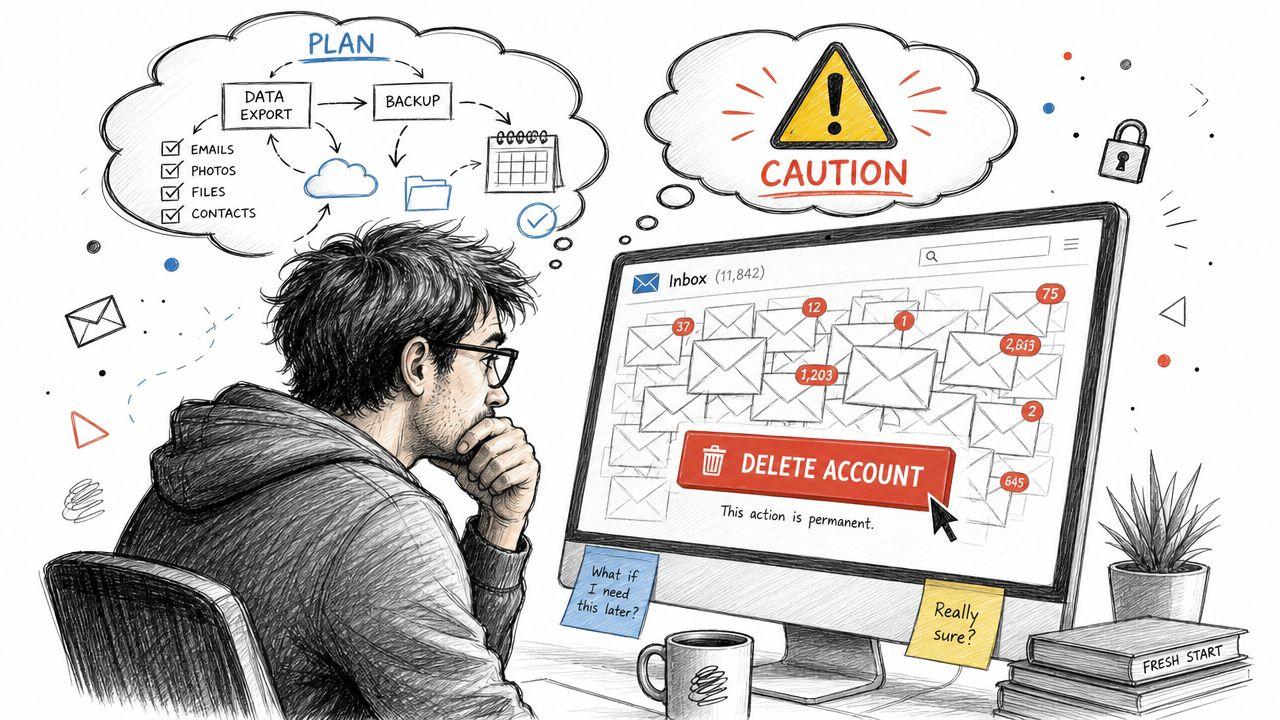
Deleting at the provider level usually affects much more than your inbox:
- Login access breaks: Sites that use that email for sign-in or password recovery may become harder to access.
- Attachments disappear: Bills, contracts, travel confirmations, and school records often live only in old messages.
- Your contact trail vanishes: People replying to the old address may get failures or silence.
- Linked services get unstable: Some accounts keep working until you need to verify ownership. Then the old email becomes a problem.
That's why planning matters more than speed. A fast deletion feels satisfying for about five minutes. The cleanup after a bad deletion can drag on for weeks.
Practical rule: If you haven't mapped what depends on the address, you're not ready to delete it.
Deleting versus removing
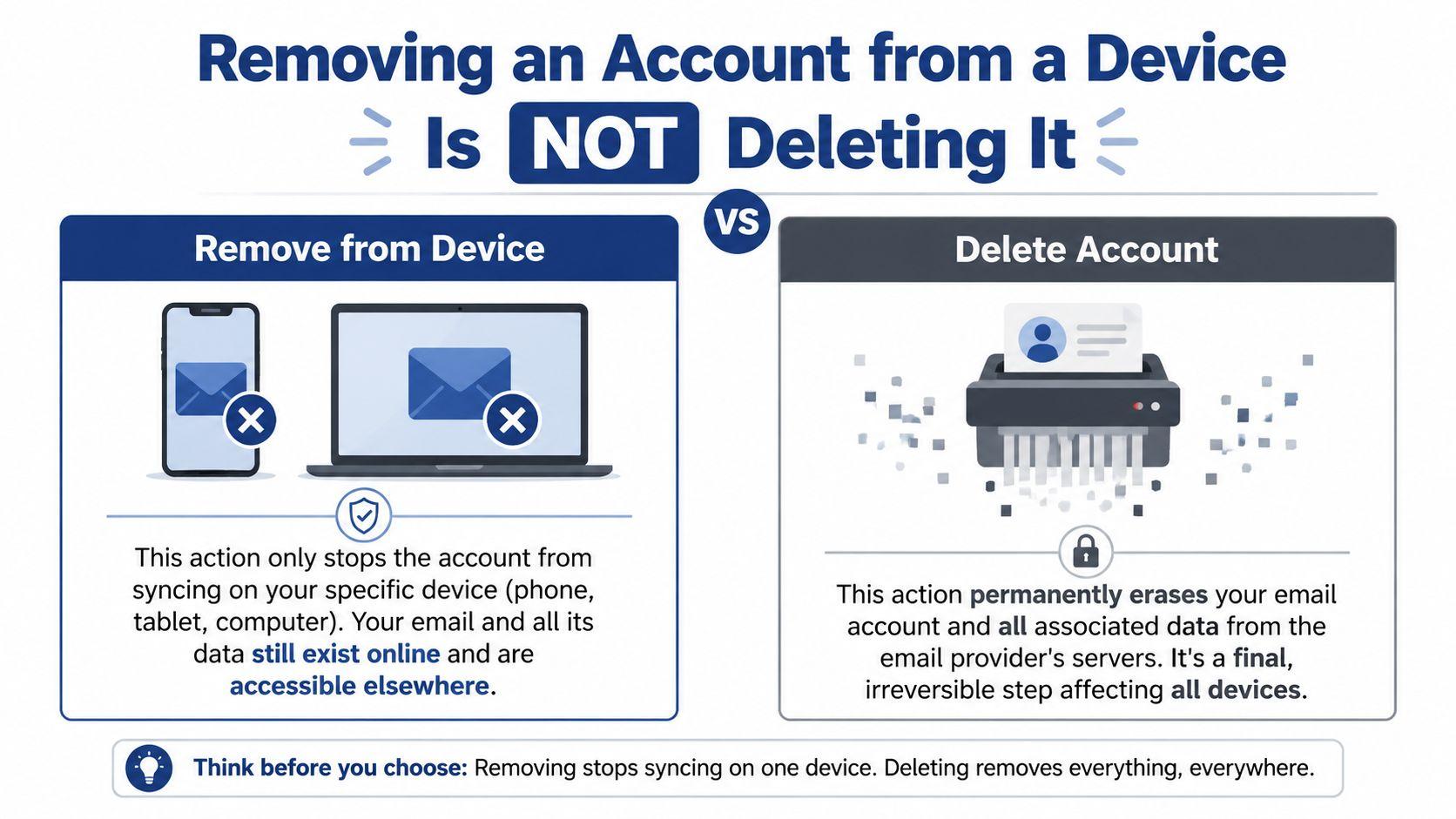
This distinction should guide every step that follows. Removing an account from a phone or app only stops that device from syncing mail. Deleting the account tells the provider to shut down the mailbox or the broader account behind it.
If you're managing email for a household, a small business, or shared devices, slow down and treat this like account closure, not inbox cleanup. The cautionary mindset behind service terms and account controls matters here too, especially when digital access affects other tools and records you depend on (1chat terms and account use details).
Your Pre-Deletion Safety Checklist
Before you press anything that says delete, close, remove permanently, or deactivate, do a real audit. Privacy guidance recommends inventorying all online accounts and deleting those unused for six months. The same guidance warns that inactive accounts are a security risk because they often rely on recycled passwords and don't use modern two-step verification (account hygiene guidance from ZeroFox).
That's the right lens. Deletion is part of digital hygiene, but only after you've preserved what matters.
Save what you'll miss later
Start with the material you can't easily recreate.
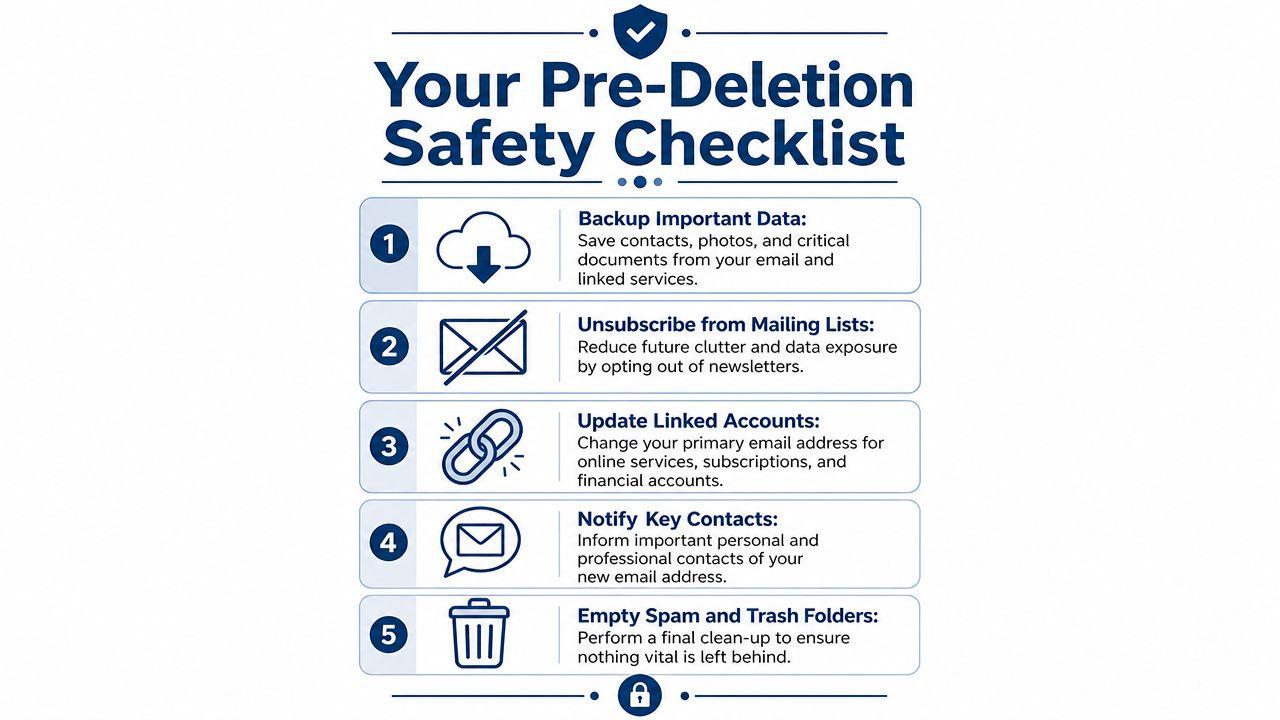
- Export important emails: Look for messages tied to taxes, medical records, school forms, receipts, contracts, travel, and warranties.
- Download attachments: Don't assume the message body is enough. The useful part is often the PDF, image, or spreadsheet attached to it.
- Preserve contacts: Export your address book if your provider allows it. Even if you remember key people, you won't remember every vendor, client, or family contact.
A good test is simple. Ask yourself, “If this account vanished tonight, what would I scramble to recover tomorrow?” Save that first.
Update every account that depends on the old address
This is the most important step, and the one people skip.
Check your old email address anywhere it's used for:
- Password recovery
- Login verification
- Invoices and billing notices
- Security alerts
- Family or shared account administration
Focus on banks, payment services, shopping sites, government portals, insurance, health apps, social media, cloud storage, subscriptions, school systems, and any service where losing access would hurt.
Old addresses often stay hidden inside account settings even after you change your visible profile email. Check both the sign-in email and the recovery email.
Tell the right people before silence looks like ghosting
You don't need to broadcast your new address to everyone. You do need to notify the people and organizations that matter.
Use a short list:
- Personal essentials: Family, close friends, schools, doctors, landlords, and anyone handling urgent communication.
- Professional contacts: Clients, managers, freelance customers, recruiters, vendors, and accounting contacts.
- Service providers: Utilities, subscription services, membership organizations, and shipping platforms.
If you can keep the old inbox active for a short overlap period, do it. That overlap catches the forgotten accounts that only show themselves when a notice or reset arrives.
Clean the account before closure
Delete obvious clutter, unsubscribe from junk mail, and empty spam and trash if you no longer need them. This won't solve the provider-level closure problem, but it helps you review the account with clearer eyes.
A simple pre-deletion checklist works best:
| Task | Why it matters |
| Back up mail and files | Prevents irreversible loss |
| Export contacts | Preserves your network |
| Update linked accounts | Protects access and recovery |
| Notify important contacts | Reduces missed communication |
| Review spam and trash | Catches misfiled items |
How to Permanently Delete Your Email Account by Provider
Provider-level deletion is where caution matters most. Menus vary, wording changes, and some services separate deleting the mailbox from deleting the entire master account.
For Google, that distinction is explicit. Google says users should download data they want to keep, update recovery information, and replace the Gmail address anywhere it's used for banking, social media, or apps before starting deletion. Google also separates deleting Gmail only from deleting the full Google Account (Google's Gmail and account deletion guidance).
Gmail
Gmail gives you two different paths.
Delete only Gmail if you want to keep the broader Google Account for services like Drive, Calendar, or YouTube. Google requires you to add and verify a different email address on the account first.
Delete the entire Google Account if you want the whole account gone, along with associated data.
A safe approach looks like this:
- Sign in directly at Google account settings
- Review connected data and services
- Download anything you need
- Update recovery methods
- Replace the old Gmail address on outside services
- Choose whether you're deleting Gmail only or the full Google Account
- Complete identity verification and confirmation steps
If you're trying to delete an address involved in impersonation, spam, or a fake online identity, broader cleanup sometimes matters too. In those cases, practical guidance on removing fake accounts can help you address copies or profiles that survive after the inbox itself is closed.
For questions that involve account access, support requests, or platform-side help, use the provider first. If you're working through privacy-related account controls in another service ecosystem, direct contact channels matter there too (1chat contact page).
Outlook and Hotmail
Microsoft accounts can power more than mail. An Outlook.com or Hotmail.com address may be tied to OneDrive, Microsoft 365, Xbox, or Windows sign-in.
That means the first job is to identify what the Microsoft account controls beyond email. If you close the whole account, the consequences can reach well past the inbox.
Use this workflow:
- Check subscriptions and purchases
- Download mail, files, and contacts
- Change the email on services that still depend on it
- Review security info and recovery methods
- Follow Microsoft's account closure path from the main account portal
If your goal is only to stop Outlook from appearing on one computer or phone, don't use the close-account path. Remove it from the device instead, which is a separate action.
Yahoo Mail
Yahoo users often run into a different issue. The account may be old enough that it still receives password resets, shopping confirmations, and legacy site notifications you forgot existed.
Before closure:
- Search the inbox for terms like “reset,” “receipt,” “verify,” “statement,” and “welcome”
- Export anything tied to finance, travel, and identity
- Update critical accounts first
- Confirm that you no longer need Yahoo-specific logins or profile services
Then proceed through Yahoo's account termination tools from your signed-in account area. Read each warning screen closely. Providers often frame these screens broadly, but the practical meaning is simple: once the recovery window ends, help is limited.
Apple iCloud Mail
iCloud Mail is different because it often sits inside a wider Apple ID setup. That Apple account may control backups, purchases, device features, family sharing, photos, and app access.
Often, the question isn't “How do I delete iCloud Mail?” It's “Do I really want to alter the Apple account behind it?”
Check these first:
- Device sign-ins: iPhone, iPad, and Mac may rely on the same Apple account.
- Purchase history: App and media access may be linked.
- Family usage: Shared subscriptions and parental controls can be affected.
- Backup dependency: Photos, notes, and other synced data may be involved.
If the mailbox is the problem but the Apple account must stay, look for options that reduce exposure without shutting down the entire identity layer.
Work, school, and custom domain email
If your email ends with a company domain, school domain, or hosted business domain, self-service deletion may not exist. An administrator or hosting provider usually controls the mailbox.
In those cases:
- Ask whether the mailbox can be closed or only disabled
- Confirm who owns the stored data
- Request export options for business or personal records you're allowed to keep
- Check whether forwarding or archive retention applies
- Get written confirmation of the change
That last point matters. When an admin says an account is “removed,” ask whether they mean removed from your device, suspended in the directory, or deleted from the mail server.
Removing an Account from a Device Is Not Deleting It
This is the confusion that causes the most trouble. Removing an account from a phone, tablet, or desktop mail app does not delete the mailbox at the provider. Microsoft says this plainly for Outlook. Removing the account from the app only removes it from Outlook. It doesn't deactivate the email account itself (Microsoft support explanation of account removal versus deletion).
That means two opposite mistakes happen all the time. Some people remove the account from one device and wrongly believe it's gone forever. Others try to “clean up” by deleting at the provider when all they wanted was to stop mail from appearing on one screen.
The analogy that makes it clear
Removing an account from your phone is like taking a mailbox off your porch. Mail still exists at the post office and can still be delivered elsewhere.
Deleting the account is like telling the provider to shut down the address itself and discard what remains under that account's rules.
If your goal is privacy on a shared device, remove the account from the device. If your goal is permanent closure, act at the provider level.
When removal is the right move
Use removal, not deletion, when you:
- Sold or gave away a device
- Share a family tablet or home computer
- Stopped using one mail app
- Need to sign out of a work or school account on a personal device
- Want less distraction without losing the mailbox
Typical examples include removing Gmail from an Android mail app, deleting an Outlook profile from Outlook desktop, or taking an iCloud account off a borrowed Mac. Those actions stop local syncing. They don't erase the account from Google, Microsoft, Yahoo, Apple, or your business host.
When deletion is the right move
Provider-level deletion makes sense when the address is no longer needed, has become a security risk, or creates ongoing exposure you can't manage by leaving it idle.
Use deletion when you want to:
- Retire an old personal address permanently
- Close an account that was compromised
- Reduce dormant-account risk
- Eliminate an identity you no longer want online
- Finish a migration to a new inbox after all dependencies are moved
If you remember only one point from this article, make it this one: removing an email account from a device is reversible local cleanup. Deleting an email account is provider-level account closure with lasting consequences.
Recovery Windows and Privacy After Deletion
The moment after you click delete is often less final than people assume, but only for a while. Many providers keep a short recovery period before the account is fully closed. During that window, restoration may still be possible. After it ends, you should assume the mailbox and its contents are gone.
That's why rushed deletion is so costly. People often discover the missing dependency after closure, not before it.
What inactive account policies tell you
Providers are also getting less tolerant of abandoned accounts. Google announced a major policy change in 2023. It would begin deleting personal Google Accounts that had been inactive for at least two years, with earliest deletions starting December 1, 2023. Google says this can include content across Gmail, Drive, Photos, and other consumer services, with stated exceptions for some cases such as active subscriptions, published apps, Family Link-managed minor accounts, gift-card balances, and certain digital purchases (Google inactive account policy details).
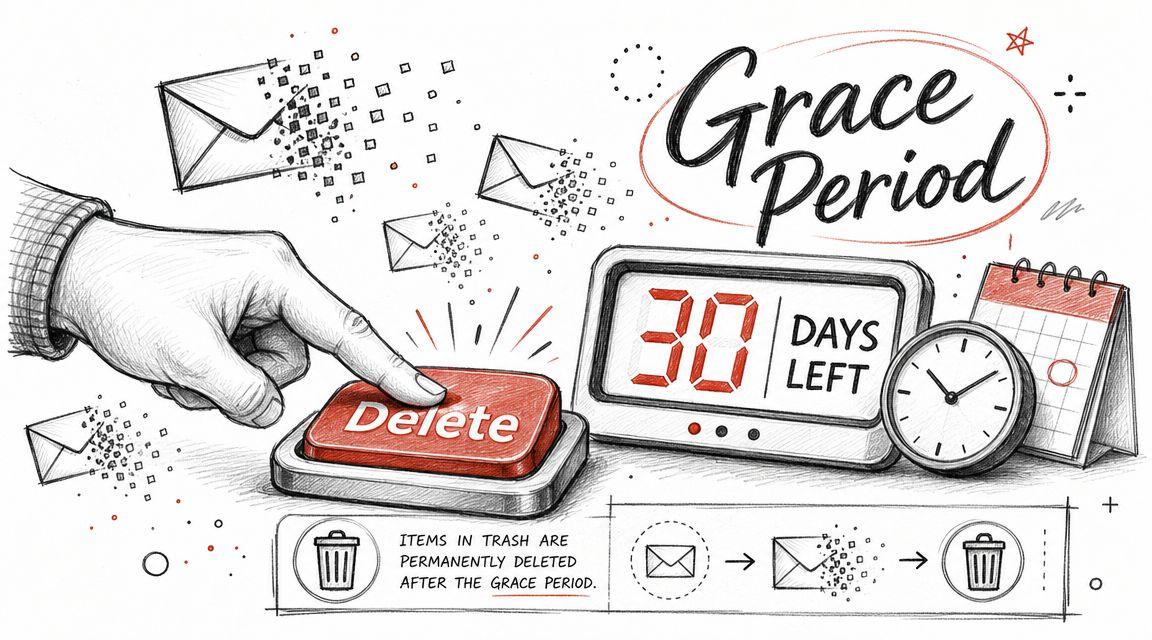
That policy matters for two reasons. First, unused digital assets don't last forever. Second, providers view dormant accounts as higher-risk targets for phishing, hacking, and spam.
Privacy after closure
Deleting an account doesn't always mean every trace disappears instantly. A provider may retain some records for legal compliance, fraud prevention, billing, or security review. The practical lesson is to read the privacy and retention language before you delete, especially if the account held sensitive personal or business material.
If you want a plain-language reference point on the broader subject, this overview of understanding email privacy practices is useful for framing what providers may still keep and why. For platform-specific handling of personal information in one service environment, review the published 1chat privacy policy.
Deletion is an account action. Privacy is a data-handling question. They overlap, but they aren't identical.
What to do right after deletion
Once you submit the request:
| Immediate action | Why it helps |
| Test key logins | Finds missed dependencies quickly |
| Watch your replacement inbox | Catches migration errors |
| Monitor password reset requests | Reveals forgotten services |
| Save confirmation screens or emails | Gives you proof of the closure request |
Keep those records. If a provider offers a short recovery period, that documentation may help you act faster if you need to reverse course.
Choosing Your Next Inbox and Securing Your Digital Life
A good replacement inbox should solve the problem that made you leave the old one. Pick the next provider based on what you need: cleaner separation between personal and work use, stronger privacy controls, better account recovery options, family sharing boundaries, or fewer ties to services you don't want bundled together.
What to look for next
Choose with a short checklist:
- Security controls: Strong sign-in protection and clear recovery settings.
- Privacy posture: Understand what data the provider stores and how account deletion works.
- Portability: Make sure exporting mail and contacts won't be painful later.
- Fit for your setup: Families, freelancers, and small teams don't all need the same thing.
If you're cleaning up a long digital trail, it can also help to identify where an old address still appears publicly. Tools for finding social profiles from email can be useful during that audit, especially when you're trying to close loose ends tied to a retired address.
For people who want tighter control over their digital footprint across tools, it also makes sense to favor services with visible privacy settings and account deletion options. In the AI tool category, for example, 1chat is one option that states users can delete chats or delete their account entirely, which is the kind of control worth looking for in any service that stores personal data.
Deleting an email account should leave you safer and more organized, not stranded. If you handle the distinction between removal and deletion correctly, back up what matters, and migrate dependencies before closure, that's exactly what it can do.