You're probably here because of a familiar mess. Someone says, “Check the mail trail,” and you open an email thread that's twenty replies long, full of forwarded messages, half-finished decisions, and people copied in halfway through. You need one simple answer. Who agreed to what, and when?
That's the core value behind the term mail trail meaning. It isn't jargon for the sake of jargon. It's a practical idea that helps students, small teams, freelancers, and managers keep a usable record of communication.
A good mail trail can settle confusion before it turns into conflict. A bad one creates more of both.
What Exactly Is a Mail Trail?
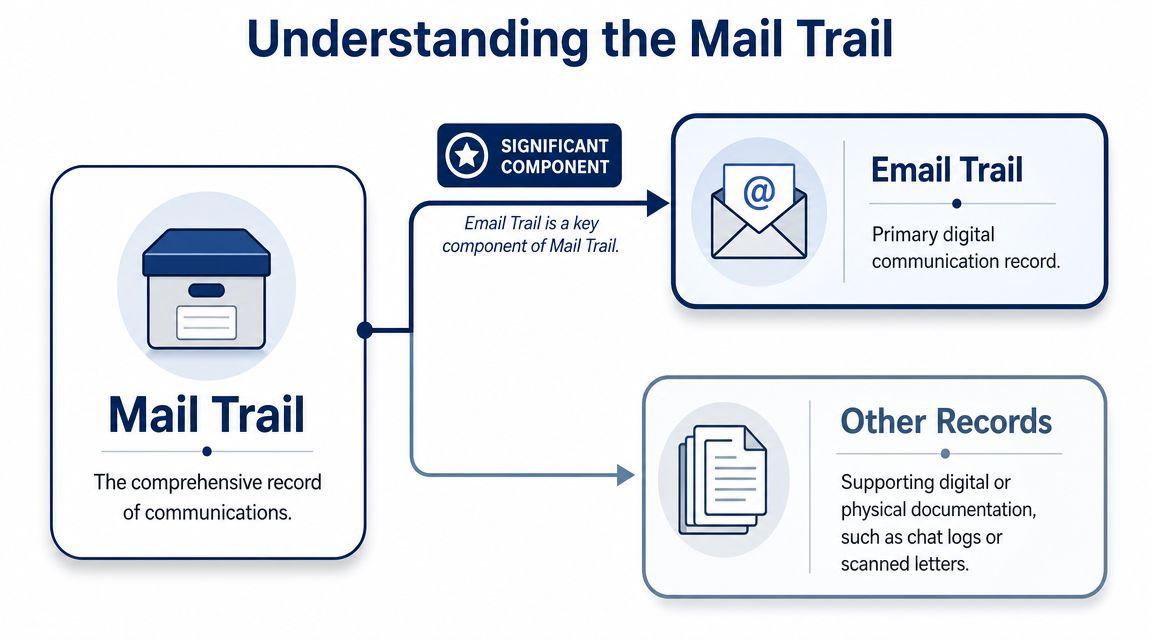
The short answer is this. A mail trail is the chronological record of an email conversation. It includes the original message, replies, forwards, attachments, and the timestamps and sender details that show how the conversation unfolded.
The more standard phrase in English is email trail, not mail trail, according to usage guidance from Ludwig. Still, people often use “mail trail” when they mean the same thing. If you're trying to understand the phrase in a school, workplace, audit, or dispute context, think of it as the recorded chain of email communication.
Think of it like a transcript
A mail trail works a bit like a transcript of a meeting. It doesn't just show the latest comment. It shows the sequence.
That sequence matters because context changes meaning. “Looks good” means one thing if it refers to Version A. It means something else if someone later revised the file, changed the due date, and added a new budget note.
What's usually inside a mail trail
A clean email trail often includes these parts:
- Original message that starts the topic or request
- Replies that add questions, decisions, or clarifications
- Forwards that bring in another person or team
- Attachments such as drafts, invoices, or project files
- Metadata like sender, recipient, date, and time
Practical rule: If a person who missed the meeting can read the thread and understand the decision, the mail trail is doing its job.
For non-technical users, that's the easiest way to think about it. A mail trail isn't just “a bunch of emails.” It's a usable record.
Why people mix it up with other terms
Readers often confuse mail trail, email trail, and paper trail. They overlap, but they're not identical.
| Term | Plain meaning | Typical use |
| Mail trail | A record of email exchanges | Everyday speech, search queries |
| Email trail | The more standard phrase for that same record | Business and professional writing |
| Paper trail | A broader record of actions or evidence, digital or physical | Audits, investigations, disputes |
Sometimes email ownership and record-keeping questions come up alongside this topic, especially in business settings. If that's part of your confusion, this guide to digital rights for email marketers is useful because it explains the ownership side without turning the issue into legal jargon.
Why Your Mail Trail Is a Professional Superpower
A mail trail is typically only noticed when something goes wrong. A deadline slips. A client disputes a request. A teammate says they were never told. That's backwards. The strongest mail trails do their work before the problem grows.
Email remains one of the world's largest communication channels. In 2024, global email users were expected to reach 4.48 billion, with 4.85 billion projected by 2027, and roughly 362 billion emails were expected to be sent daily, according to Indectron's email statistics. At that scale, a traceable chain of messages isn't optional. It's how people preserve who said what and when.
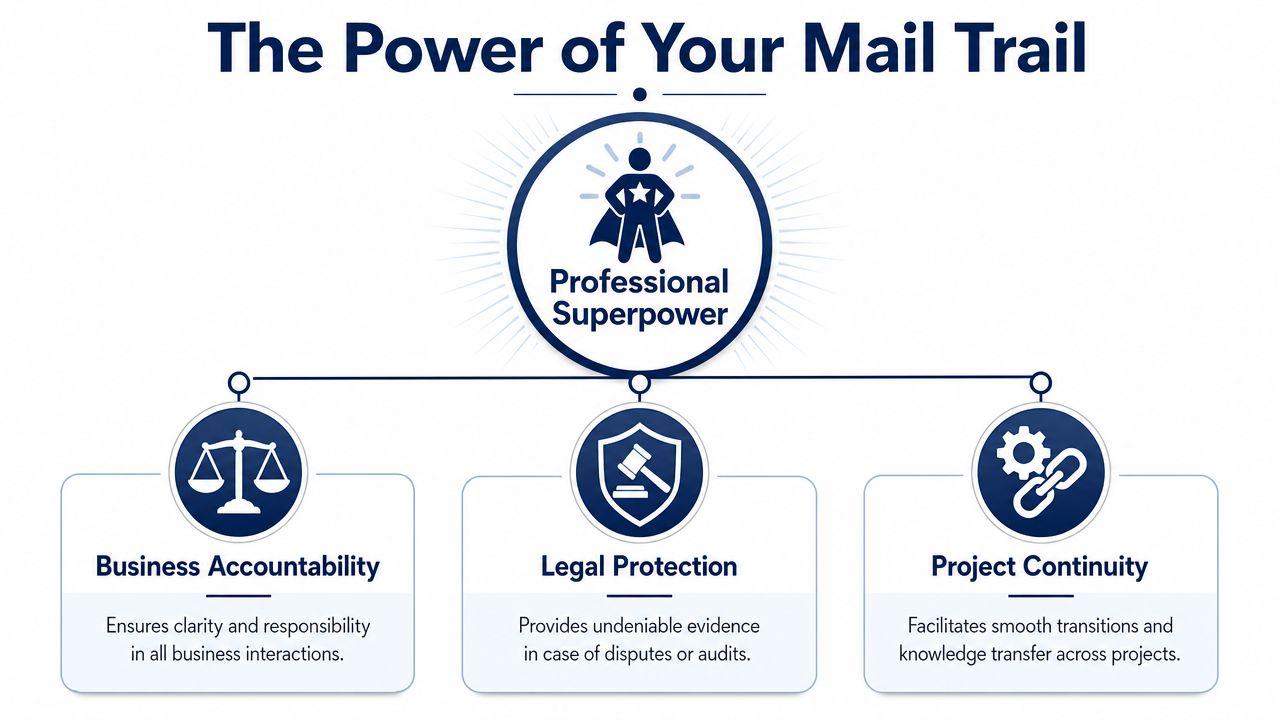
It protects accountability
In day-to-day work, memory is unreliable. People forget. They misread. They remember the spirit of a conversation but not the exact commitment.
A mail trail reduces that fuzziness. It gives everyone the same reference point. If a team agreed to deliver a draft by Thursday and the client approved a specific version on Tuesday, the thread shows it.
That's why experienced project managers often follow a verbal discussion with an email summary. They're not being formal for no reason. They're turning a loose conversation into a shared record.
It supports legal and compliance needs
Not every reader needs a legal deep dive, but the basic point matters. Email records can become evidence.
If a company has to show that it informed staff about a policy, sent a notice, or responded to an issue, a reliable trail helps. If a freelancer needs to show that a client approved revised work, the trail matters there too. The value comes from sequence, attribution, and timing.
A good mail trail doesn't just record a decision. It records the path to the decision.
That distinction is important. A final email saying “Approved” is helpful. A thread showing the draft, the comments, the revision, and the approval is much stronger.
It keeps projects moving when people change
Projects rarely stay neat. Someone goes on leave. A student misses a class. A new colleague joins a client account. Without a usable mail trail, the new person has to reconstruct the story from chat snippets, memory, and scattered files.
That wastes time and causes rework.
Here's where the trail becomes a real professional advantage:
- For students: It helps settle who owned each task in a group project.
- For freelancers: It shows when scope changed and who approved it.
- For small teams: It preserves decisions when no one has time for a formal project log.
- For managers: It helps onboard someone quickly without endless catch-up calls.
It improves clarity, not just record-keeping
The biggest misunderstanding about mail trail meaning is that it sounds passive, like archiving. In practice, it's active communication.
When you write emails that create a clear trail, you force yourself to be specific. You name the file, the due date, the owner, and the next step. That improves the work itself.
Mail Trails in the Real World
A definition makes sense faster when you can see it in action. These examples are simple, but they show why mail trails matter outside policy manuals and legal talk.
A freelance designer and a disputed change
A freelance designer sends a first draft to a client. The client replies with comments, then later asks for a new layout direction by email. The designer makes the revisions and sends the updated file. A week later, the client says the redesign was never approved and refuses to pay for the extra work.
The designer doesn't need to argue from memory. The thread shows the request, the follow-up questions, and the client's reply approving the change. The mail trail turns a fuzzy disagreement into a dated sequence.
A compliance team during an audit
A company gets asked to show that it sent internal safety notifications and follow-up reminders. Nobody wants to rely on “I'm pretty sure we emailed that.”
Security professionals noted as early as 2001 that investigators could trace an email's path by reviewing message headers and network logs, treating them as an audit trail, as explained by ASIS International. For a non-technical reader, the practical meaning is simple. Email leaves a trackable history that can help establish the sequence of events.
If you work with AI tools to organize or summarize communication records, privacy matters too. Teams often review guidance like the articles on the 1chat blog when they want general small-business-friendly advice on handling digital workflows more carefully.
A student group with a deadline problem
Four students divide a presentation. One person says they never agreed to write the conclusion slide. Another says the due date changed in class. Tension builds fast because everyone feels right.
Then someone checks the email chain. One teammate had sent a summary after the meeting: “Jake handles research, Mia builds slides, Noor writes conclusion, final review Thursday night.” Suddenly the conflict becomes manageable. The problem isn't who remembers best. The record already exists.
When people are stressed, they often trust memory first. Smart teams trust the record first.
What these stories have in common
Each example shows the same pattern:
- A decision happened
- Confusion followed
- The mail trail preserved the timeline
- The timeline reduced argument
That's why experienced professionals don't treat email trails as clutter. They treat them as working evidence.
Best Practices for a Clean and Reliable Mail Trail
A mail trail only helps if people can use it. If the thread is blokated, vague, or full of mixed topics, it becomes harder to search and easier to misread.
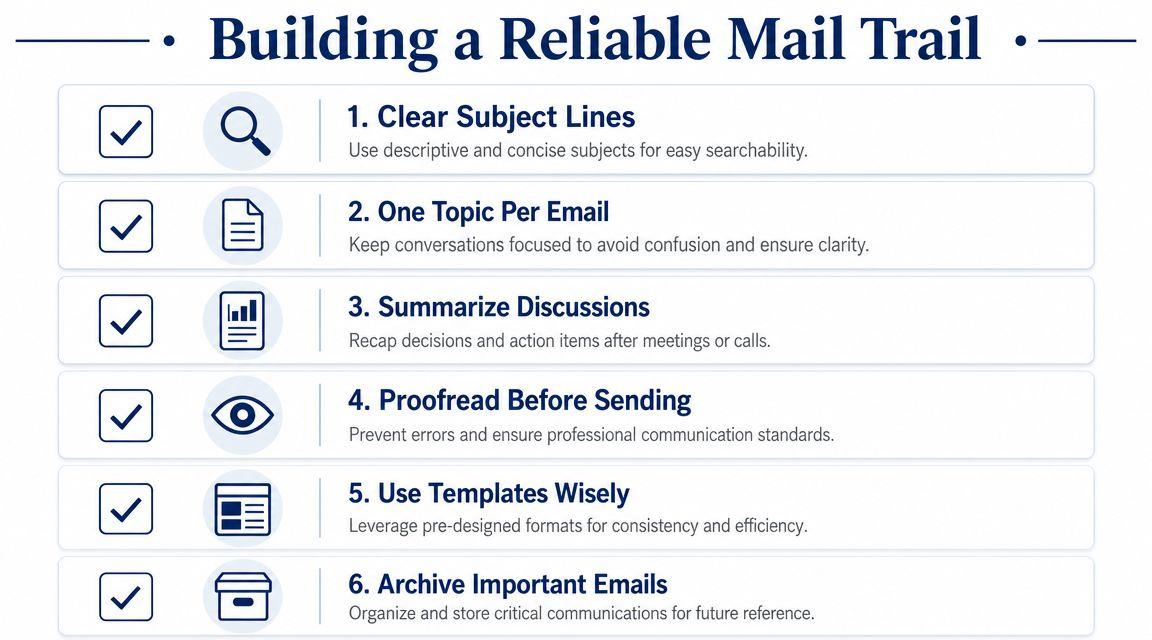
Practical guidance on email trails stresses an important tradeoff. Quoted history preserves context, but it can also expose information that shouldn't be forwarded. Sendbridge's explanation of email trail meaning recommends trimming unnecessary quoted text, reviewing the full thread before forwarding, keeping one topic per thread, and starting a new thread when the subject changes.
Write for searchability
Months later, nobody searches their inbox for “quick question.” They search for “vendor contract revision April” or “biology project final slides.”
Use subject lines that describe the actual topic.
- Weak subject line: Update
- Better subject line: Website homepage draft approved for Friday launch
- Best when revising: Project Alpha budget change approved on 12 March
The subject line is part label, part filing system.
Keep one thread for one topic
A common mistake is using one long thread for unrelated issues because the same people are involved. Don't do that.
If a thread starts about the event budget and later shifts into speaker travel, venue changes, and social media graphics, you no longer have one record. You have a mixed archive. Start a new email when the topic changes.
Use Reply All with intent
“Reply All” isn't bad. Random “Reply All” is bad.
Use it when everyone in the thread needs the same update, decision, or action item. If only one person needs the answer, reply to that person. This keeps the trail lean and reduces the chance that people miss the important message in a pile of unnecessary copies.
Working habit: Before you send, ask, “Who needs this for action, and who only needs it for awareness?”
Turn verbal conversations into written records
This habit solves more confusion than almost anything else. If you had a call, hallway chat, Zoom meeting, or class discussion that led to a decision, send a short confirmation email afterward.
A simple summary can include:
- Decision made during the call or meeting
- Owner for each next step
- Deadline if one was agreed
- Request for correction if your summary missed anything
This matters because verbal agreements often create confusion later. If that topic intersects with business risk, this explainer on understanding oral contracts gives helpful context on why spoken agreements can become messy without written follow-up.
Trim before forwarding
Forwarding a long thread to a new person can expose internal comments, personal details, or old attachments that don't belong in front of them.
Before forwarding:
- Read from the bottom up so you see the full history.
- Remove quoted text the new recipient doesn't need.
- Add a short summary at the top explaining the situation.
- Check attachments to make sure you're sharing the right version.
Teams that care about privacy should also review their broader communication standards and data handling expectations. A short privacy reference like 1chat's privacy information can help teams think more carefully about what should and shouldn't be shared across digital tools.
Simple Templates for Clear Communication
Good habits are easier when you don't have to invent the wording every time. These templates are short on purpose. They create a record without sounding stiff.
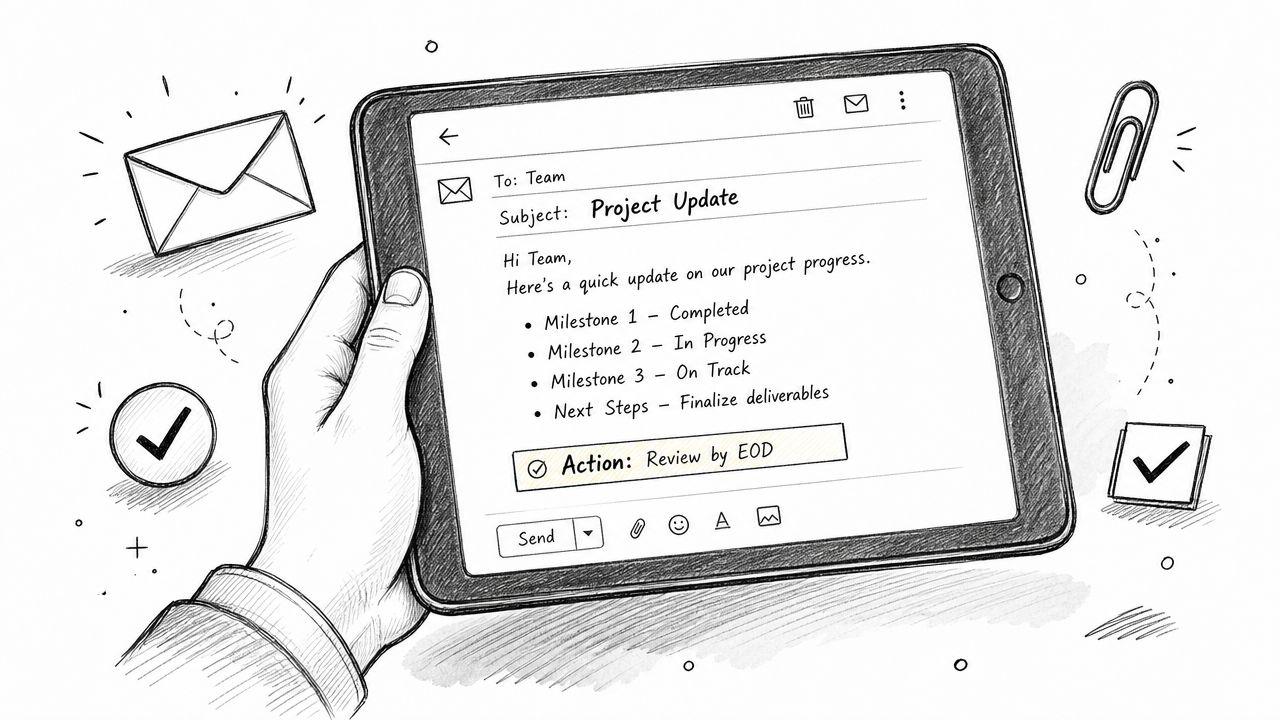
Confirming a verbal decision
Use this after a meeting, phone call, or class discussion.
Subject: Confirming today's decision on [topic]
Hi [Name],
Thanks for the conversation today. To confirm, we agreed to [decision].
Next steps are: [person] will handle [task], and I'll handle [task].
If I missed anything, please reply and correct it.
Best, [Your Name]
Summarizing action items
This works well after group work, client calls, or internal check-ins.
Subject: Summary of action items for [project or topic]
Hi everyone,
Here's a quick summary of today's action items:
- [Name] will complete [task]
- [Name] will send [file or update]
- Final review is due by [day or date]
Please reply if anything needs to be updated.
Thanks, [Your Name]
Requesting a written confirmation
Sometimes everyone talks, but nobody clearly confirms the decision in the thread. This template fixes that.
Subject: Quick confirmation on [topic]
Hi [Name],
To keep the record clear, can you confirm by email that you approve [specific item or decision]?
Once you reply, I'll move ahead with the next step.
Thanks, [Your Name]
Bringing a new person into the trail
Don't just forward and hope for the best.
Subject: Context and next step for [topic]
Hi [Name],
I'm forwarding the earlier thread for background. The key point is that we decided [decision], and what I need from you now is [specific request].
I've included the relevant messages below.
Thanks, [Your Name]
These templates work because they do three things well. They name the topic, record the decision, and invite correction.
Troubleshooting Common Mail Trail Problems
Even careful people end up with messy threads. The fix is usually simple.
The thread is too long and confusing
Send a fresh email with a clear subject line and a short recap of the final position. Include the old thread only if someone may need the background.
The trail broke because people switched to chat or calls
Rebuild it with one follow-up message. Summarize the off-email discussion, list the decisions made, and ask others to confirm. That pulls the record back into one place.
You need to add someone to a sensitive thread
Don't blindly forward everything. Start with a short summary, then include only the necessary parts of the earlier conversation. If the issue involves general platform use, account concerns, or safety questions, a basic help page like the 1chat FAQ shows the kind of centralized reference point that keeps people from scattering answers across multiple channels.
You accidentally exposed too much quoted text
Act quickly. Send a correction, clarify what should be treated as relevant, and avoid repeating the same mistake in a second email. Then review your forwarding habits.
Messy threads happen. The professional skill is knowing how to reset them fast.
A strong mail trail doesn't require legal training or technical expertise. It requires habits. Clear subject lines. One topic per thread. Short follow-up summaries after verbal decisions. Care before forwarding.
If you want help drafting cleaner summaries, reviewing tone, or organizing communication across tools in one place, you can try 1chat, a privacy-first option for students, families, and small teams.