
Secure email is more than encryption: it protects message content and verifies that the sender is genuine. Yet only 0.06% of emails were encrypted and 2.8% were signed in a large-scale study of email traffic, showing how much secure email remains unused in practice.
You may already be relying on secure email without realizing it. Your provider may encrypt messages while they travel, your business domain may publish sender-authentication rules, and your email app may warn you about suspicious links. Still, a message can look exactly like it came from your bank, manager, school, or a family member and lead you to a fake sign-in page.
That tension explains what secure email means today. Encryption protects the message, but authentication helps establish who sent it. Modern protection also has to address the moment when a person receives a convincing message and decides whether to click, reply, download, or share information.
The Hidden Evolution of Secure Email
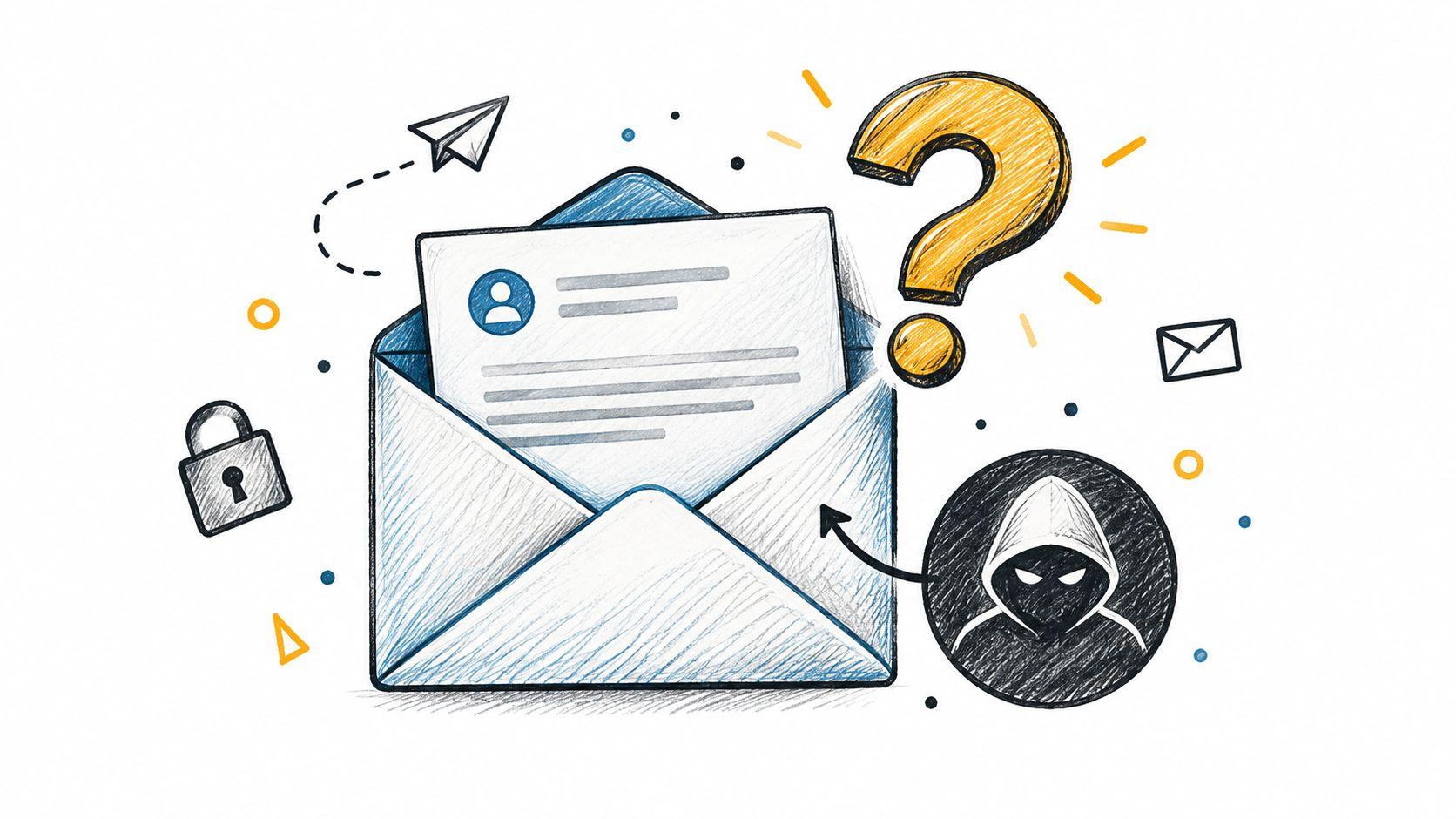
You open an email that appears to come from your bank. The logo looks right, the tone sounds professional, and the message warns that your account needs attention. The dangerous question isn't only, “Can someone read this email?” It's also, “Did my bank really send it?”
Traditional discussions of secure email often focus on the envelope. Encryption locks the contents so unauthorized people can't easily read them. That still matters for private contracts, medical information, financial records, and personal conversations. But many modern attacks don't depend on reading a message at all. They depend on persuading you to enter a password, approve a login, scan a QR code, or follow a link.
From private messages to trusted identities
Secure email has developed in stages. Early work on protecting confidentiality and authenticity began with PEM in the early 1990s. S/MIME emerged during the same period and was later standardized by the IETF in 1999. The next major wave added domain-level controls. SPF was published in April 2006, DKIM followed in May 2007, and DMARC arrived in 2012 to connect sender policy, message signing, and reporting. This historical overview of secure email shows why the field moved beyond message secrecy.
The practical definition has therefore expanded. Secure email is a layered system that protects content, verifies senders, limits impersonation, and helps people resist manipulation. A locked message from a fraudulent sender is still dangerous. A genuine message containing sensitive information may still need encryption.
Practical rule: Don't judge an email's safety by the lock icon alone. Ask whether the sender is authenticated and whether the requested action makes sense.
How Encryption Actually Works
Think of an email as a parcel moving through a delivery network. Transport Layer Security, or TLS, acts like an armored truck that protects the parcel while it travels between mail systems. It helps prevent outsiders from casually observing the connection during transmission.
That protection has a boundary. When the message reaches the recipient's mail server, TLS alone doesn't keep the contents locked inside the server. Someone with inappropriate access to that system may still be able to view the message, depending on the provider's controls and the way the email was handled. Microsoft's explanation of email encryption makes this distinction between transport protection and content protection clear.
The journey of a protected message
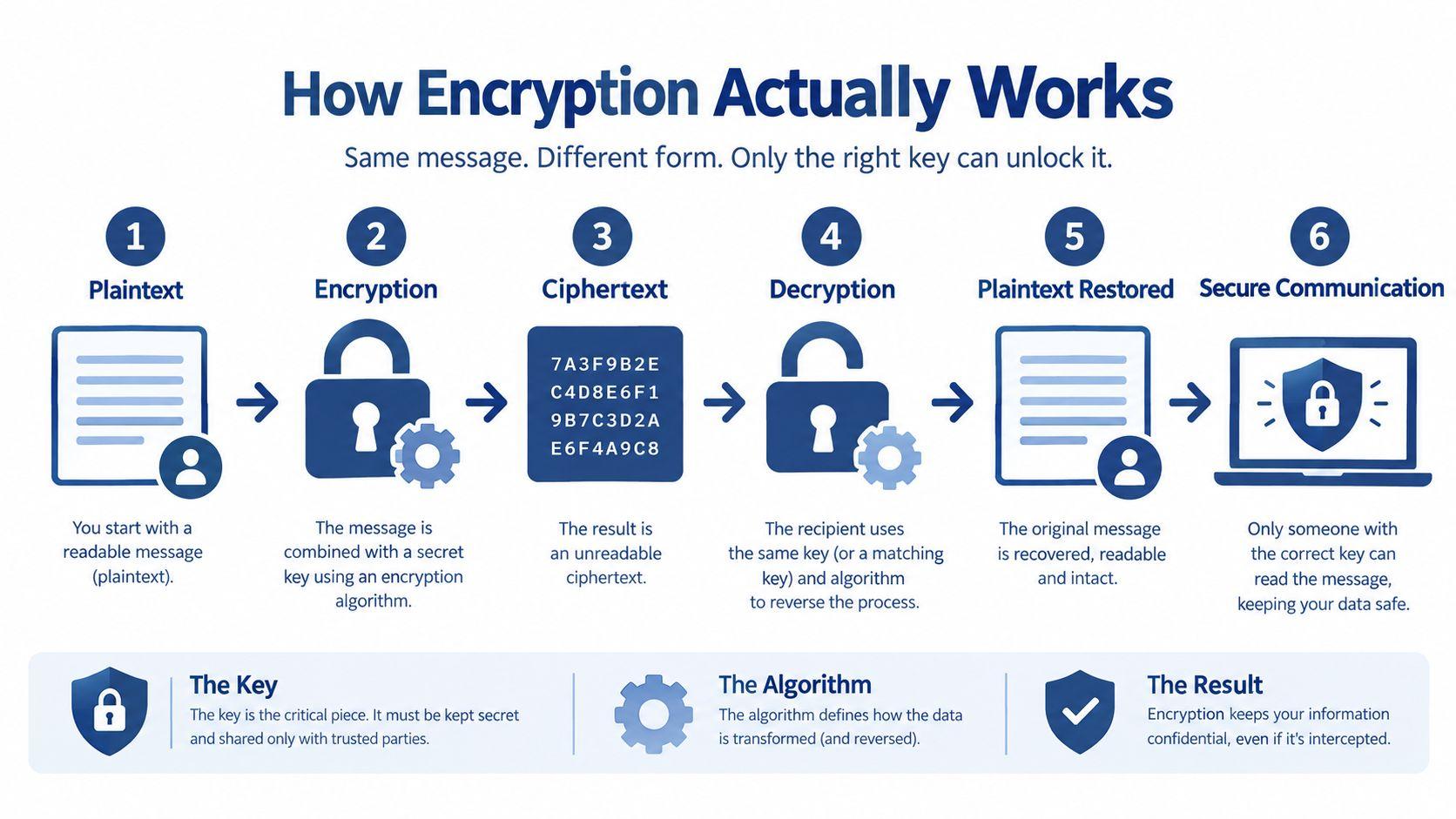
A useful way to understand encryption is to separate the journey into practical stages:
- You compose the message. The readable version is called plaintext.
- A security tool encrypts the content. It transforms the message into unreadable ciphertext.
- The encrypted message travels through mail systems. TLS can protect the communication channel during delivery.
- The recipient's system receives the message. Transport protection may end at the destination server.
- The recipient's private key decrypts end-to-end content. S/MIME or PGP/OpenPGP can keep the message itself protected beyond the transport channel.
- The recipient reads the original content. The mail application performs the decryption for an authorized user.
S/MIME and PGP/OpenPGP use asymmetric cryptography. In everyday terms, the recipient has a public key that others can use to protect a message and a private key that should remain under the recipient's control. The arrangement resembles a mailbox with a slot that anyone can use to insert a letter, while only the owner has the key to open it.
TLS remains valuable because it protects delivery routes, even when a message doesn't use end-to-end encryption. Organizations handling confidential client documents may need both layers. Families may not require formal certificate management for every conversation, but they should understand that ordinary transport encryption isn't the same as a message that stays encrypted on the provider's server. Teams comparing privacy tools can also review research on secure communication and privacy before choosing a workflow.
The Foundation of Trust and Authentication
Encryption answers one question: Can an unauthorized person read the message? Authentication answers another: Can the receiving system trust the claimed sender? You need both questions answered because privacy without identity verification can leave a convincing impersonation untouched.
Consider an email that displays your bank's domain in the visible From field. That visible label is a claim, not automatic proof. SPF, DKIM, and DMARC work together to test different parts of that claim.
Three controls with different jobs
SPF, or Sender Policy Framework, identifies which sending systems are authorized to send email for a domain. It works like a guest list for outbound mail. Receiving systems can compare the sending source with the domain's published policy.
DKIM, or DomainKeys Identified Mail, adds a cryptographic signature to a message. The sending domain uses a private key to create the signature, and the receiving system checks it against the corresponding public information. A valid result helps show that the message came through an authorized signing system and that important content wasn't altered in transit.
DMARC, or Domain-based Message Authentication, Reporting, and Conformance, connects those checks to the visible From domain. It lets a domain owner define what receiving systems should do when SPF or DKIM fails to align with that visible identity. Possible policies include monitoring, quarantine, or rejection.
NIST identifies SPF, DKIM, and DMARC as the core domain-authentication trio. Canadian guidance likewise describes complete protection as the three controls configured together with a rejection policy for inauthentic mail. The important lesson is that no single setting carries the whole burden.
Why the history matters
The progression from PEM and S/MIME to SPF, DKIM, and DMARC reflects a change in the problem being solved. Early systems concentrated on protecting individual messages and proving a sender's identity through certificates. Later controls gave domain owners a way to tell the wider email ecosystem which senders were legitimate and what to do with suspicious mail.
Large mailbox providers made that expectation mainstream. By February 2024, Google and Yahoo required SPF, DKIM, and DMARC for bulk senders, demonstrating that authentication had moved from an optional recommendation toward a delivery requirement. Businesses should therefore treat domain authentication as part of operational email hygiene, not as a specialist add-on. Privacy-minded teams can also review privacy and data-handling information when assessing how a service handles communications.
Why Encryption Alone Is Not Enough
Encryption can stop an unauthorized observer from reading a message. It can't stop you from willingly entering your password into a fraudulent website. That difference is central to modern email security.
Attackers increasingly use email as a route to credential theft rather than as a container for a file that must be decrypted. A message may contain a link that redirects through several sites, a QR code that sends a phone user to a fake login page, or a familiar-looking request designed to create urgency. The attacker wants a valid session, password, or approval from the recipient.
The threat has moved beyond the attachment
Barracuda analyzed more than 3.1 billion emails in its 2026 email threat reporting and described a notable surge in URL-based tactics. Microsoft reported 8.3 billion email-based phishing threats in Q1 2026, while QR-code phishing rose from 7.6 million attacks in January to 18.7 million in March. Barracuda's 2026 email threats report provides the source for the large-scale email analysis, while the Microsoft figures are included in the verified threat data for this guide.
These figures change how you should evaluate protection. A provider that encrypts outgoing messages may protect confidential content, but you still need sender authentication, malicious-link detection, account safeguards, and sensible user decisions. Security teams should inspect where links lead, prevent lookalike domains from passing authentication, and make it easy for users to report suspicious messages without embarrassment.
A safer decision process
When an unexpected message asks for a sensitive action, pause before interacting with it:
- Check the request: Confirm unusual payment, password, or account requests through a separate trusted channel.
- Inspect the destination: Don't assume a familiar logo means the linked website is genuine.
- Treat QR codes as links: Scanning with a phone doesn't make the destination safer.
- Use authentication signals: A message that fails domain checks deserves extra suspicion, even if its wording looks polished.
- Protect the account separately: Strong passwords and multifactor authentication reduce the damage if a phishing attempt succeeds.
Secure email has become a defense against the whole credential-theft workflow. Encryption remains one layer, but authentication and careful interaction address the path attackers use most often.
Choosing the Right Secure Email Provider
The right provider depends on what you're protecting and who must use the system. A small business sending client contracts has different needs from a family sharing travel documents or a student managing school messages. Start with the risk, then judge the service's security features against the people who will operate them.
Compare by protection and effort
Enterprise-oriented platforms such as Microsoft 365 and Google Workspace can fit organizations that need managed accounts, administrative controls, domain authentication, retention options, and integration with existing productivity tools. Their value often comes from centralized management. An administrator can apply consistent rules instead of asking every employee to configure security independently.
Privacy-first email services may appeal to individuals and small groups that prioritize reduced provider access to message contents. Some use device-side or zero-access encryption models, but you should check exactly what is encrypted, where keys are held, and whether encryption applies to messages sent to people outside the same service. A feature labeled “encrypted” doesn't always mean end-to-end protection for every recipient.
Use this comparison when you shortlist providers:
| Question | Why it matters |
| What is encrypted? | It distinguishes transport protection from end-to-end message protection. |
| Who controls the keys? | Key ownership affects whether the provider can access stored content. |
| Can a non-specialist configure it? | Complicated settings often produce inconsistent protection. |
| Does it support SPF, DKIM, and DMARC? | Domain authentication helps reduce spoofing for business addresses. |
| How are suspicious links handled? | Modern attacks frequently target credentials through URLs and QR codes. |
| What happens when recipients use another provider? | Secure communication can weaken when the other side cannot decrypt or verify the message. |
A family may value simple encrypted sharing and recovery options. A small business may need audit visibility, employee offboarding, domain controls, and a clear process for lost devices. Before selecting a managed service, this guide to choose the right email security can help frame the business requirements without assuming every organization needs the same architecture.
Keep the human experience visible
Security that users can't understand becomes a workaround. Check whether the provider makes reporting suspicious messages easy, explains warnings clearly, and supports recovery when someone loses access to a device or key. Review the service's privacy terms before committing, and compare the total subscription and administration burden through its pricing information.
For families and small teams, 1chat is one privacy-focused option that can be evaluated alongside email providers, particularly where users want a family-friendly or team-oriented tool for working with information. It isn't a replacement for domain authentication or an email gateway, so assess it according to the task you need it to perform.
Bridging the Gap Between Policy and Practice
An organization can publish an excellent email-security policy and still leave people exposed. Employees make decisions under pressure, repeat familiar routines, and sometimes ignore controls that slow down ordinary work. The practical test isn't whether a policy exists. It's whether people can follow it during a busy day.
A 2025 email-security trends report found that 64% of employees received email-security training, yet more than a third of employees in large organizations described that training as ineffective or poorly delivered. The same report found that only 52% of employees followed outbound email-security policies. The 2025 cyberthreat report shows the gap between exposure to training and consistent behavior.
Why awareness sessions fail
A yearly presentation may explain phishing without changing what a person does when a message creates urgency. People also receive contradictory signals when an employer says “verify every unusual request” but rewards instant responses or makes reporting cumbersome.
Useful controls reduce the number of decisions users must make. A mail system can flag risky links, quarantine suspicious messages, require stronger sign-in protection, and provide a visible reporting button. Training then has a narrower job, helping people understand why a warning matters and when to ask for help.
Make the safe choice the easy choice. Users shouldn't need to become security analysts to report a suspicious message or verify a payment request.
Build habits around real actions
Replace abstract lessons with short scenarios that match the organization. Show how to handle a supplier changing bank details, a manager requesting an urgent gift-card purchase, or a login alert that arrives unexpectedly. Practice the response: stop, verify through a separate channel, report the message, and avoid replying to the suspicious thread.
Measure behavior in a useful way, not by counting attendance alone. Review whether people report suspicious messages, whether administrators investigate authentication failures, and whether teams follow approval rules for sensitive requests. For a household, the equivalent is agreeing that no one shares a password or approves an unexpected login without checking with another family member.
Training and automated controls should reinforce each other. Technology catches patterns at scale, while people provide context when an attacker creates a plausible personal story.
Implementing Secure Email Today
You don't need to redesign every communication channel at once. Start by identifying the accounts and messages that would cause the most harm if compromised, then apply controls in a sensible order.
Follow a practical sequence
- Review account access. Remove old accounts, confirm recovery methods, and turn on multifactor authentication wherever the provider supports it.
- Inspect message protection. Find out whether your provider uses TLS, offers S/MIME or PGP/OpenPGP, and protects stored content with a model you understand.
- Authenticate your domain. Businesses should configure SPF and DKIM, then use DMARC reporting to identify legitimate senders and unauthorized activity before enforcing a stricter policy.
- Strengthen the inbox. Enable suspicious-link warnings, attachment scanning, impersonation protection, and easy reporting features.
- Create a verification rule. Require a second channel for unusual payment, password, or data requests.
- Practice recovery. Make sure staff or family members know what to do after a mistaken click, suspected account takeover, or lost device.
Don't treat DMARC as a box to tick and forget. Review reports, account for legitimate services that send on your domain's behalf, and tighten enforcement once you understand the results. For a broader operational checklist, use this resource on practical business email controls as a companion to your provider's documentation.
Write down the final process in plain language. “Verify unexpected requests by phone using a known number” is more useful than “follow security policy.” A short, practiced rule can prevent a long incident investigation.
Securing Your Digital Future
The answer to what is secure email has changed because email itself has become more than a private messaging tool. It carries invoices, identity documents, password-reset links, family plans, school records, and access to other accounts. Protecting only the message body leaves important parts of that journey uncovered.
A durable approach combines three defenses. Encryption limits who can read sensitive content. Authentication helps receiving systems distinguish legitimate senders from impersonators. Human judgment, supported by clear workflows and automated warnings, prevents attackers from turning a convincing message into an account takeover.
Think in layers, not features
A secure email setup should answer practical questions:
- Can outsiders read the message while it travels?
- Can the provider or an unauthorized administrator access stored content?
- Can another domain send mail that appears to come from your address?
- Will suspicious links, QR codes, and attachments receive scrutiny?
- Does a real person know how to verify an unusual request?
- Can the organization recover quickly after a mistake?
No single answer guarantees safety. A signed message may still contain a dangerous link. An encrypted message may still come from a compromised account. A well-trained user may still miss a carefully timed impersonation attempt. Layered protection reduces dependence on any one signal.
Secure email also requires regular review because providers, attackers, and work habits change. Recheck authentication reports, account access, recovery options, encryption behavior, and reporting workflows. Businesses should assign an owner for those reviews, while families can make the check part of their broader device and password routine.
Take one concrete step today. Turn on multifactor authentication for your main email account, then ask your provider or administrator how SPF, DKIM, DMARC, and message encryption are configured. If you manage a team, schedule a short exercise around a suspicious link or payment request and make sure everyone knows exactly how to report it. That combination of verified identity, protected content, and practiced behavior is what makes email secure in daily life.
Review your email provider's security settings today, document the gaps you find, and choose one improvement to complete before the end of the week. If you manage a business domain, ask your IT administrator to review SPF, DKIM, and DMARC together. If you protect a family account, enable multifactor authentication and agree on a separate-channel rule for unexpected requests.