Chances are you're in a similar position right now. You want one AI chatbot that can help with work, school, planning, writing, and random daily questions, but every tool claims it's the smartest, fastest, or most helpful. Then you sign up and hit a limit, discover the best feature is paywalled, or realize you have no idea what happens to the files you uploaded.
That's why picking the best free AI chatbot isn't really about finding a universal winner. It's about finding the one that fits the job you need done most often. Broad everyday help. Research with citations. Better writing. Google or Microsoft workflow support. Privacy for family use. Shared work for a small team.
The market itself makes that easier to frame. AI chatbot usage is concentrated in a few leaders, with Statcounter's May 2026 worldwide share data showing ChatGPT at 79.08%, followed by Perplexity at 7.67%, Google Gemini at 7.03%, Microsoft Copilot at 3.23%, and Claude at 2.98%. In practice, that means users choosing the best free AI chatbot are comparing a small set of strong tools, not browsing a huge field of equal options.
Free access is now standard across the major chatbot vendors, but the trade-offs are where the real decision happens. Paid plans typically start around $15 to $25 per month, while free tiers usually come with limits on usage, tools, or speed, as noted in Zapier's chatbot roundup. If you're trying to make AI part of your routine without committing to a paid stack yet, that matters.
If you also care about visibility across AI platforms and how these assistants surface brands and answers, SearchMention's AI platform guide is worth reading alongside this list.
1. 1chat
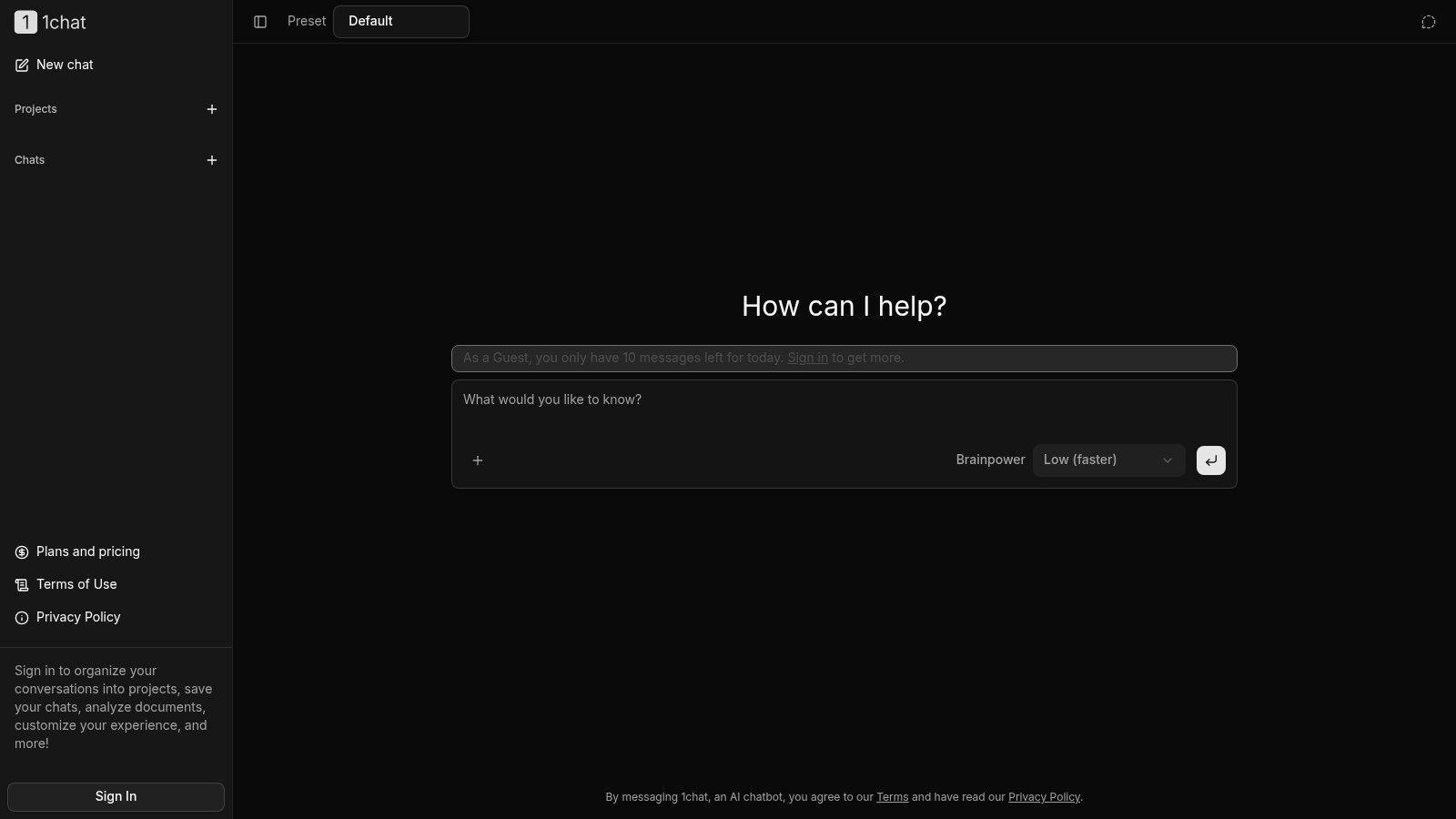
1chat stands out because it doesn't try to win on raw brand recognition. It wins on fit. If you want a privacy-first, family-friendly alternative that also works for students, solo users, and small teams, it's one of the most practical options on this list.
The big idea is simple. Instead of locking you into one model and one style of interaction, 1chat brings multiple leading LLMs into a single workspace. That matters more than most listicles admit. In real use, people often don't need one permanent assistant. They need a place where they can switch approaches depending on the task, then keep the work organized.
For homework help, proofreading, PDF analysis, brainstorming, and light business tasks, that setup is useful immediately. You're not juggling separate tabs, accounts, and saved conversations across different vendors.
Why 1chat works well in daily use
The strongest part of 1chat is the workflow layer around the chatbot itself. You can organize chats into projects, save conversations, upload files including PDFs, and generate AI images. There are also controls that make it feel more adjustable than many free chat interfaces, including temporary chats, presets, and a “brainpower” setting that lets you trade speed for quality.
That sounds minor until you're using it every day. A chatbot becomes much more useful when your school project, client draft, and family planning chat don't all live in one long scroll.
Practical rule: If more than one person in your household or team will use AI, prioritize organization and chat controls before model hype.
1chat also puts family-safe positioning front and center. That makes it more approachable for parents who want a kid-appropriate experience without handing children a general-purpose chatbot and hoping for the best. Most mainstream rankings focus on answer quality. They spend far less time on whether the product fits shared family or small-team use.
Independent coverage has also noted privacy as an underserved angle in chatbot comparisons, especially around prompt logging, training use, and confidential work, with options such as DuckDuckGo highlighting anonymous access and no AI training in contrast to more general-purpose tools, as discussed in this privacy-focused overview. 1chat's positioning fits that concern well.
Best fit and trade-offs
The guest experience is limited to 10 messages per day. To access the fuller experience, including saved chats and project organization, you need to sign in. That's a fair trade if you want continuity, but it does mean the free experience is more of a practical test drive than an unlimited sandbox.
A few things to know before you commit:
- Best for families and students: Safer positioning, organized projects, and document tools make it easier to use for homework, revision, and shared household use.
- Best for small teams that need order: Saved chats and project structure are more useful than people expect once AI becomes part of repeat work.
- Less ideal if you want public third-party benchmarks: The provided materials don't show independent awards, certifications, or detailed model-vs-model benchmarking.
If you want a quick product-level rundown before signing up, the 1chat FAQ is the right place to check supported workflows and account details.
Direct access is available on the 1chat website.
2. ChatGPT
ChatGPT is still the default recommendation because it's broad, polished, and easy to start with. If someone asks for the best free AI chatbot and doesn't give any extra context, this is usually the safest answer.
That broad appeal isn't just anecdotal. Tool reviewers still place it at the top for general-purpose use. Technology roundups also keep pointing new users toward ChatGPT as one of the easiest free starting points, while noting that other chatbots pull ahead in narrower jobs like research or suite-specific productivity. That's why ChatGPT remains the baseline choice rather than the perfect choice.
The free version gives you a lot to work with: multimodal input, web results, file and image uploads, image creation, mobile voice chat, and access to a large ecosystem of community GPTs. For many users, that breadth matters more than being the absolute best at one specialty.
Where ChatGPT is strongest
ChatGPT is the tool I'd hand to someone who wants one assistant for ten different tasks. Draft an email, summarize notes, rewrite a paragraph, brainstorm product names, explain a concept, help with a spreadsheet, and then switch to image generation. Few free tools handle that range as cleanly.
Its ecosystem helps too. Because so many people use it, there are more tutorials, examples, and prebuilt GPTs than you'll find around smaller platforms. That lowers the learning curve.
A free chatbot becomes more valuable when you can find answers to “how do I do this?” in five minutes.
The downside is predictable. The free plan can feel generous one day and tight the next, especially during peak usage. Advanced creation features and higher limits sit behind paid plans.
If you care about how ChatGPT builds answers from training and live information, this explainer on understanding ChatGPT's data sources is useful context before you upload anything sensitive.
Use ChatGPT if you want:
- One all-purpose assistant: It's the best fit for mixed daily tasks.
- A huge learning ecosystem: Tutorials, prompts, and custom GPTs are easy to find.
- The least friction getting started: It feels familiar quickly.
Go straight to ChatGPT.
3. Microsoft Copilot
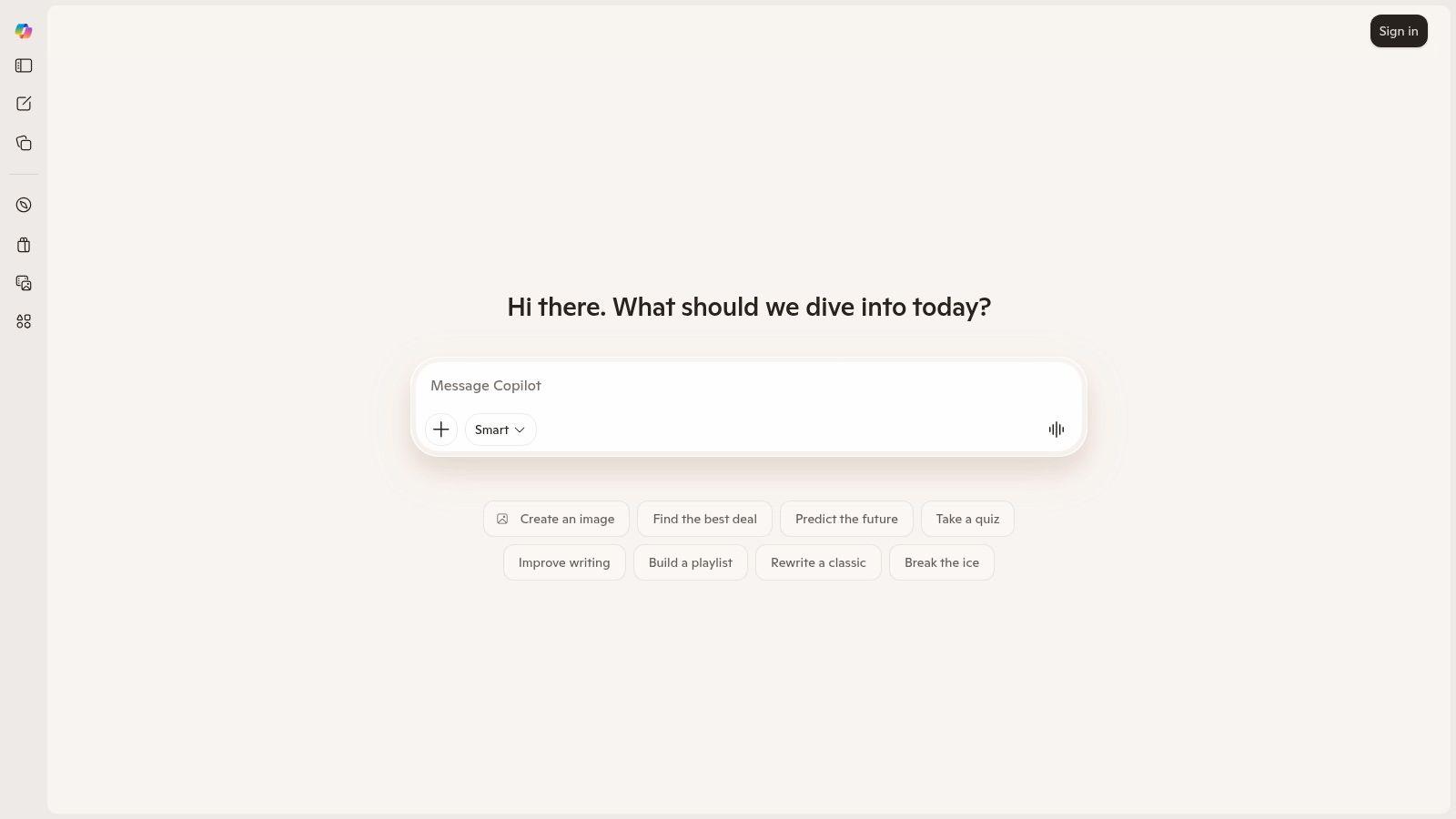
Copilot makes the most sense when Microsoft is already your environment. If you use Windows all day, browse in Edge, live in Outlook, or work in a Microsoft-heavy company, Copilot feels less like a separate chatbot and more like an extra layer on top of your existing workflow.
That's the practical advantage. You don't have to invent a new habit around it. It's already nearby.
The free version is solid for drafting, searching, summarizing, and image generation. It's especially useful when you want web-grounded answers without leaving the browser context you're already in. For quick comparisons, research notes, rough drafts, and coding help, it does the job well.
Where Copilot fits best
Copilot is strong when the question starts with, “Can this help me inside the tools I already use?” Windows users get the most obvious benefit. The tool feels close at hand, and that convenience matters.
For teams, the bigger appeal is the Microsoft path upward. If your organization later adds business licenses or deeper Microsoft 365 features, Copilot has a natural upgrade route. That makes the free version a low-risk entry point for testing how AI fits into company workflows.
The weakness is that Microsoft's feature packaging can be hard to read. Capabilities move around, labels change, and some of the most valuable Office-connected features aren't really part of the free experience.
A few clear takeaways:
- Best for Windows-first users: It's the least disruptive AI option if Microsoft is already your stack.
- Good for web-grounded drafting: Research and writing feel practical on the free tier.
- Less ideal for casual users outside Microsoft: If you aren't already in that ecosystem, other tools feel simpler.
Enterprise-minded users may also appreciate that Microsoft has a clearer security and governance story once you move beyond the free tier, but that benefit mostly matters for business accounts rather than individual users.
Try it on the Microsoft Copilot site.
4. Google Gemini
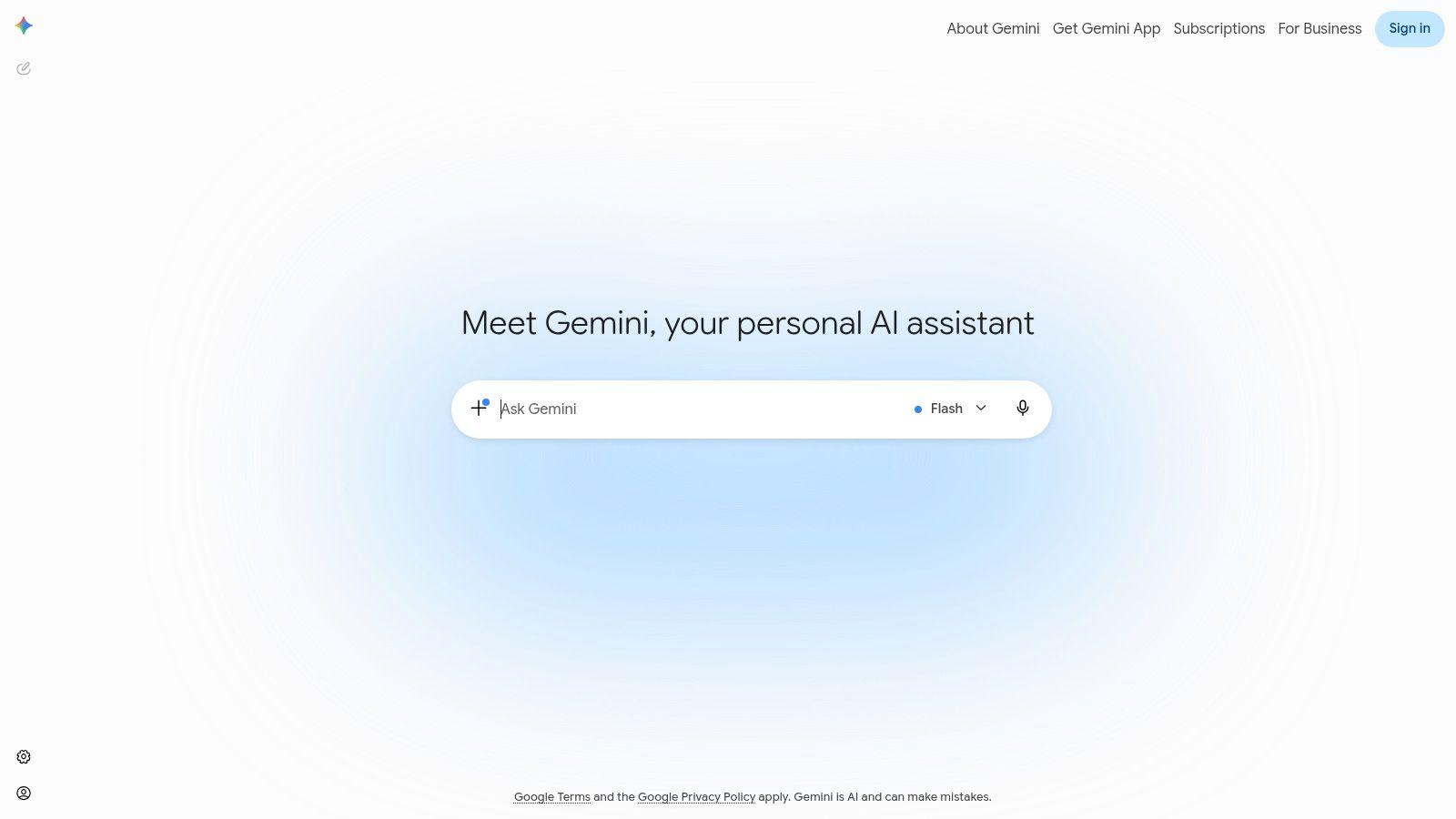
Gemini is the free chatbot I recommend most often to people who already live inside Google's world. Android phone, Google Search habits, Google apps all day, and lots of quick “help me now” requests. In that setup, Gemini often feels faster and more natural than forcing another tool into the routine.
Its free experience is good for summaries, brainstorming, image-aware questions, and voice interactions. If you ask short practical questions throughout the day instead of running long research sessions, Gemini fits nicely.
What makes it stand out is less about personality and more about placement. It's close to where many people already work.
Best for Google-centric workflows
Gemini is particularly handy for students and busy professionals who want frictionless help. Open the app, ask a question, speak instead of type, move on. That's different from a chatbot you open mainly for heavier tasks.
Zapier's review places Gemini as the best fit for Google-productivity workflows, which matches how it behaves in practice. It's not always the deepest tool, but it often feels like the easiest one for people in the Google ecosystem.
The free tier is capable, but some modes hit limits faster than users expect. Power features also roll out unevenly, which can make the experience feel inconsistent depending on account, region, and device.
If your work already starts in Google, Gemini often saves more friction than a technically stronger chatbot with worse integration.
Pick Gemini if you want:
- Fast daily assistance on Android or web
- A chatbot that feels connected to Google habits
- Voice-forward use without much setup
Skip it if your main priority is long-form writing polish or serious citation-led research. Claude and Perplexity are usually better fits for those jobs.
Use it at Google Gemini.
5. Claude
Claude is the chatbot people move to when they get tired of flashy output and want cleaner thinking. It's especially good for writing, rewriting, structured analysis, and prompts where tone and reasoning matter more than speed.
If your job involves editing, outlining, refining arguments, or making messy notes readable, Claude is usually one of the best free AI chatbot options to test. Its answers often feel more deliberate and less eager to overproduce.
That's why writers, analysts, and researchers keep coming back to it. The output tends to be calm, organized, and easier to trust as a draft.
Where Claude earns its place
Claude is excellent at taking a large pile of text and turning it into something coherent. Long-context handling helps here, but the bigger story is judgment. It often makes sensible formatting choices, catches weak phrasing, and responds well to nuanced revision requests.
Zapier's 2026 roundup names Claude the best chatbot for writing and coding, which is a fair summary of its sweet spot. It doesn't mean Claude wins every test. It means Claude often feels best when quality matters more than breadth.
The main trade-off is capacity. The free tier is meant for occasional use, and peak-time restrictions can be frustrating if you rely on it heavily. It's not the free chatbot I'd choose for constant all-day use unless your workload is light.
Use Claude when you need:
- Careful writing help: Essays, blog edits, reports, and rewrites are strong use cases.
- Structured reasoning: It handles complex instructions well.
- A calmer interaction style: Less noise, more focus.
Don't use it as your only free AI if you need broad multimodal features all day. It's better as a precision tool than a kitchen-sink tool.
Start with Claude.
6. Perplexity
Perplexity is what I reach for when the question is, “What's the fastest way to get an answer I can inspect?” It's built around research, not just conversation. That makes it one of the easiest chatbots to recommend for students, analysts, and anyone tired of unsupported summaries.
Its biggest strength is visible sourcing. You ask a question, get a web-grounded answer, and can immediately follow the links. That changes how you use it. Instead of treating the chatbot as the endpoint, you use it as a research guide.
For homework, market scanning, topical fact-checking, and quick briefings, that's a major advantage.
Best for verifiable answers
Perplexity works best when you need to move quickly but still want to validate what you're reading. The interface makes source-tracing simple, and that lowers the risk of repeating a bad answer just because it sounded confident.
Recent expert testing also points out a broader issue with free chatbots: usage limits, web access, image tools, and current-events accuracy can vary sharply across platforms, which makes real-world quota behavior more important than generic “best overall” rankings, as noted in Tom's Guide's free chatbot testing. Perplexity handles the research side well, but it still lives inside those free-tier trade-offs.
Perplexity is less compelling for creative writing or polished long-form drafting. It can do those jobs, but that's not why people stick with it.
Field note: If you need citations in the first answer, start with Perplexity instead of asking a general chatbot to “please provide sources.”
Use Perplexity if you want:
- Fast research with visible citations
- A study-friendly interface
- A better way to check current topics
Open it on Perplexity.
7. Meta AI
Meta AI is the most socially embedded option on this list. If you spend a lot of time in WhatsApp, Messenger, Instagram, or Facebook, Meta's assistant can feel less like a destination and more like a feature that appears where you already are.
That makes it surprisingly convenient for casual use. Ask a quick question, draft a caption, brainstorm a message, settle a minor argument in a chat thread, or look something up without switching apps. The value is immediacy.
For families and mainstream consumer use, that kind of integration matters. People use the best free AI chatbot more often when it shows up in tools they already open many times a day.
Strong for casual everyday use
Meta AI isn't the one I'd choose for careful writing or serious knowledge work. It's the one I'd choose for lightweight daily assistance inside social and messaging environments.
Recent upgrades have improved speed and multimodal behavior, and Meta continues to expand family-oriented controls and parental insight features. The catch is consistency. Availability can vary a lot by region and app, and rollouts sometimes create a patchwork experience.
That inconsistency is the main reason Meta AI is useful but not universal. You may love it in one app and barely see it in another.
A practical summary:
- Best for social-first users: Strong if your digital life runs through Meta apps.
- Good for quick prompts and message drafting: It lowers friction.
- Not the best for deep work: Other chatbots are better for sustained writing or research.
If your goal is convenience over specialization, Meta AI is worth trying at Meta AI.
8. Poe by Quora
Poe is for people who don't want to pick one model too early. If you've ever asked the same prompt to multiple bots just to see which one handles it better, Poe makes that workflow much easier.
That's its entire appeal, and it's a real one. Different models behave differently on the same task. One may write better. Another may reason better. A third may be more concise. Poe gives you one interface to compare them.
For prompt testing, bot exploration, and niche task experimentation, it's one of the most practical free tools available.
Best for model comparison
Poe is especially useful if you're still figuring out your own preferences. Some users discover they prefer Anthropic-style writing, OpenAI-style versatility, or a different model for coding. Poe lets you learn that without managing separate accounts and tabs all day.
The share links and community bot layer are also helpful. If you collaborate informally, being able to hand someone a specific bot or result is cleaner than saying, “Open this other platform, then use this prompt.”
The limits are the obvious issue. Free access can feel tight on premium models, and the lineup can change as provider relationships shift. So Poe is better as a comparison workspace than as your permanent daily home.
Use Poe if you want:
- A/B testing across models
- One account for many chatbot styles
- A sandbox for discovering what fits your work
If you already know exactly which model you prefer, Poe becomes less necessary.
Try it at Poe.
9. Le Chat
Le Chat is Mistral AI's answer for users who want a capable free chatbot with practical tools and a more clearly documented path upward. It's a good pick if you value transparency, want a European vendor option, or just prefer a product that makes feature boundaries easier to understand.
The free plan includes web search, document upload, image generation, and a code interpreter with daily caps. That's a strong utility mix for a chatbot that isn't always the first name people mention.
In use, Le Chat feels more tool-oriented than personality-oriented. That can be a plus. You open it to do something specific.
Why Le Chat deserves more attention
A lot of free chatbots feel generous until you need to understand exactly what the limits are. Le Chat does a better job of showing its plan ladder and feature differences, which makes it easier to decide whether it's enough for you.
It's also appealing for users who want a serious fallback to the biggest US platforms. That doesn't automatically make it more private or better for every workflow, but vendor diversity matters for some teams.
The main catch is that the daily caps are real. Searches, uploads, images, and interpreter use can run out faster than casual users expect if they start treating it like an unlimited workbench.
Le Chat is ideal for:
- Users who want practical free tools in one place
- Teams exploring alternatives to the largest vendors
- People who care about plan clarity before they invest time
If your work is bursty rather than constant, Le Chat can be a strong free option.
Use it at Le Chat.
10. HuggingChat
HuggingChat is the most interesting option here for learners, tinkerers, and open-model enthusiasts. It doesn't feel as polished or turnkey as the biggest commercial apps, but that's not really the point.
The point is access and openness. You get a free hosted chat interface with multiple open models, tool use, web search, and multimodal support. If you want to see how open models differ, or you care about the option to self-host the chat UI, HuggingChat is in a different category from most mainstream chatbots.
That makes it especially good for experimentation and education.
Best for transparency and learning
HuggingChat works well when you want to understand the overall environment, not just consume a product. You can test different open models, compare styles, and get a better feel for what the commercial wrappers usually hide.
The trade-off is consistency. Model quality can vary. Shared inference limits can also affect the experience. And compared with products like ChatGPT or 1chat, the productivity layer is thinner.
Still, there's real value here. If you want an AI tool that teaches you something about the ecosystem while also being useful, HuggingChat earns its place.
One more reason it matters: chatbot adoption is already mainstream, with Master of Code's statistics roundup reporting that 80% of consumers have interacted with a digital assistant, 54% say they're likely to engage with AI assistants or chatbots, and 87.2% rate bot interactions as neutral or positive. On the business side, the same roundup says 78% of companies report conversational AI in at least one core function, 71% of business and tech leaders are investing in intelligent bots for customer experience, and chatbot automation is associated with about 2.5 billion working hours saved, a 35% reduction in ticket volume, and up to a 90% faster first-response time. In that environment, open and educational tools like HuggingChat matter because they give more people a way to learn the technology without an upfront subscription.
Visit HuggingChat.
Top 10 Free AI Chatbots Comparison
| Platform | Core features ✨ | UX / Quality ★ | Value / Pricing 💰 | Target audience 👥 | Unique selling points 🏆 |
| 🏆 1chat | ✨ Multi-LLM workspace, PDF analysis, AI image gen, projects, file uploads | ★★★★, family-safe UI, adjustable "brainpower" | 💰 Freemium; guest 10 msgs/day; affordable team plans | 👥 Families, students, SMB teams | 🏆 ✨ Privacy-first, kid-appropriate + team workflow organization |
| ChatGPT (OpenAI) | ✨ GPT‑5.5 multimodal, web results, file/image uploads, GPT Store | ★★★★★, mature, powerful UX | 💰 Robust free tier; Plus/Pro for higher limits | 👥 Students, families, SMBs | ✨ Large ecosystem & extensible GPT library |
| Microsoft Copilot | ✨ Edge/Windows apps, web grounding, image gen, M365 integrations | ★★★★, smooth in Windows/Edge workflows | 💰 Free baseline; some features need M365 business | 👥 Windows users, enterprises with M365 | ✨ Deep Office & Edge integration; enterprise security options |
| Google Gemini | ✨ Multimodal chat, "Live" voice, Flash models, Google tie‑ins | ★★★★, fast, native on Android/Search | 💰 Free capable tier; some paid upgrades | 👥 Android users, Google Workspace, students | ✨ Tight Search/Android integration & voice interactions |
| Claude (Anthropic) | ✨ Safety-first responses, long context, coding & analysis | ★★★★, careful, reasoning-focused outputs | 💰 Free for occasional use; Pro/Team paid tiers | 👥 Researchers, editors, careful writers | ✨ Strong safety orientation and long-context handling |
| Perplexity | ✨ Web-grounded answers with citations, Learn/Study mode | ★★★★, research-centric, source-linked UX | 💰 Free w/ caps; Pro for models & limits | 👥 Students, researchers | ✨ Automatic citations & clean research UI |
| Meta AI | ✨ Free across FB/IG/Messenger/WhatsApp, Muse Spark multimodal | ★★★, broad social reach; variable availability | 💰 Free; features rolling out by region | 👥 Social users, families | ✨ Integrated in social apps; improving parental features |
| Poe (Quora) | ✨ Aggregator of multiple third‑party models, shareable bots | ★★★, handy for A/B model comparisons | 💰 Freemium; paid tiers raise limits & models | 👥 Power users, devs, comparers | ✨ One interface to test many leading models |
| Le Chat (Mistral AI) | ✨ Web search, document upload, image gen, code interpreter | ★★★★, capable free tier, clear docs | 💰 Free w/ daily caps; Pro/Enterprise available | 👥 Privacy-minded EU users, teams | ✨ Transparent docs & upgrade paths; privacy-forward |
| HuggingChat (Hugging Face) | ✨ Open models, multimodal tools, self-host option | ★★★, varies by model; very transparent | 💰 100% free hosted; self-host to avoid limits | 👥 Developers, educators, privacy advocates | ✨ Open-source, self-hostable, ideal for learning |
Your Next Step Start Chatting
The best free AI chatbot usually isn't the one with the loudest marketing. It's the one that fits your habits, your files, your privacy comfort level, and the kind of work you do every week.
If you want the simplest all-around default, ChatGPT is still the easiest recommendation. If research quality and visible citations matter most, Perplexity is a smarter starting point. If your work is writing-heavy, Claude is often the cleaner fit. If you live in Google or Microsoft tools all day, Gemini and Copilot can save more friction than a technically broader chatbot that sits outside your workflow.
Then there are the tools that solve less obvious problems. 1chat is a strong choice for families, students, and small teams that want privacy-first organization, project structure, and multiple LLMs in one place. Poe is useful when you want to compare models instead of committing too early. Le Chat is worth a look if you want practical tools and clearer plan boundaries. HuggingChat is the one to try if you care about open models, transparency, or self-hosting paths. Meta AI is convenient when your digital life already runs through messaging and social apps.
That's the core pattern behind this whole category. There isn't one winner for everyone. The free chatbot market has matured enough that most major tools are now good at something specific. The better question isn't “Which AI is smartest?” It's “Which AI removes the most friction from my day?”
A few practical rules help:
- Match the tool to the repeated task: Daily writing, quick research, messaging help, homework support, and team collaboration need different strengths.
- Test limits early: Free tools often look similar in a feature list but feel very different once you hit caps, queueing, or login requirements.
- Treat privacy as a real selection factor: Especially if you'll upload documents, use family accounts, or discuss work material.
- Try two or three, not ten: One broad assistant plus one specialist is usually enough.
Individuals don't need a perfect AI setup. They need one chatbot that handles the bulk of daily work and one backup for specialized tasks. That's often the sweet spot.
Start with the option that best matches your main job-to-be-done. Give it a week. Upload a real document, ask real questions, and push it past the shallow demo stage. You'll know quickly whether it belongs in your routine.
The right AI assistant isn't the one that wins a benchmark. It's the one you keep opening because it keeps helping.