
The customer newsletter is waiting, someone needs a product description, and a school project is spread across the kitchen table. You've already written something similar, but nobody can find the approved version. Starting again feels quicker than sorting through the folders, until tomorrow brings another round of requests.
That's the everyday problem behind content at scale. You don't necessarily need more writing. You need a dependable way to turn what you know into useful material without making research, review, and privacy someone else's problem.
What Content at Scale Really Means in 2026
Content at scale is a repeatable system for producing trustworthy material at a pace people can sustain. That material might be a customer email, classroom newsletter, illustrated explanation, support article, or study guide. Publishing volume is an output, not the definition.
For a small marketing team, the problem might be adapting approved product information for different channels. For a parent, it could be helping children organize research without doing their homework. A teacher might need to turn classroom updates into clear messages for different audiences.
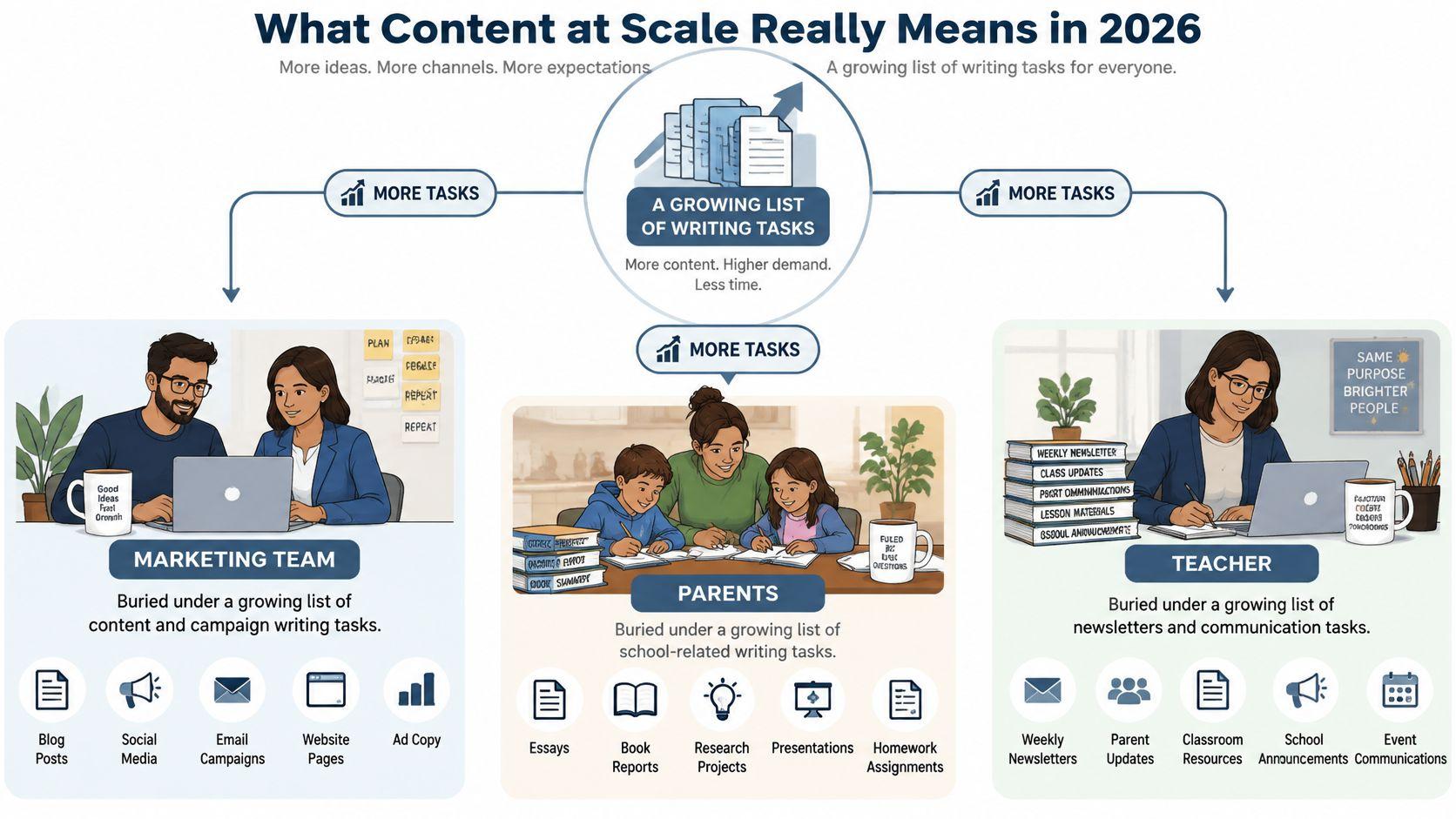
Think in responsibilities, not output targets
A workable system separates the jobs that people often rush together:
- Research establishes what's known and what needs checking.
- Drafting turns that material into a format for a specific reader.
- Review checks whether the result is accurate, appropriate, and useful.
- Distribution puts the approved version where it belongs.
One person can hold several responsibilities. What matters is knowing which job they're doing and when the work is ready to move forward.
This is different from a bulk-content operation that treats every available topic as another page to generate. A scalable system has a reason for each output and someone accountable for its release.
The workload extends beyond blog posts
The expansion of AI use helps explain why this matters. In McKinsey's global AI survey, 78% of respondents said their organizations used AI in a business function, and 63% of organizations using generative AI reported producing text outputs. The same survey describes image and code generation, reinforcing that scalable production isn't limited to articles.
For a marketing-specific companion resource, Outrank's guide to scale content marketing for growth is relevant. Start with a broader operational question, though: what recurring work should become easier without lowering its quality?
Practical rule: Design the handoffs before choosing the software.
When Scaling Makes Sense and When It Hurts
A longer publishing queue isn't automatically a reason to generate more drafts. Sometimes the queue contains genuine demand. Sometimes it contains variations of questions you've already answered badly.
The business case for content also isn't new. A content-marketing benchmark summary reports that 73% of B2B marketers used content marketing, while 40% of B2B organizations had a documented strategy. The useful distinction is between doing the work and organizing it.
Signals that you're ready
Consider scaling when you can point to specific, repeatable demand:
- Different channels need the same knowledge. An approved explanation of your returns policy could support a website answer, customer email, and staff reference.
- Existing material is reusable. You have reliable information, but people keep rewriting it from memory.
- Small tasks follow a recognizable pattern. Event reminders, assignment checklists, and routine customer responses have stable requirements.
These are production problems. You know what good work looks like, but assembling it takes unnecessary effort.
Contrast that with a business requesting more articles because its existing pages aren't attracting suitable customers. Before approving new topics, ask whether those pages answer distinct questions, contain credible evidence, and tell readers what to do next.
Warning signs that you should pause
Trust problems require a different response:
- Audience overlap means proposed pieces answer the same question. Consolidate before commissioning more.
- Uncertain evidence means nobody can explain where an important claim came from. Verify the library first.
- Repeated corrections mean the current review process isn't catching mistakes. Repair that process before increasing throughput.
For a student, the equivalent warning is producing polished notes they can't explain. More pages won't solve a comprehension problem.
My recommended decision rule is straightforward: scale when the bottleneck is structured production; slow down when the bottleneck is accuracy, distinctiveness, or understanding.
Ask the person requesting another asset what decision it should help the reader make. If they can't answer, leave the request in planning rather than sending it into production.
The Modular Production Line Behind Every Scale System
A kitchen line doesn't prepare every meal by searching for ingredients from scratch. Cooks work from prepared components, clear orders, and an agreed standard for what leaves the kitchen.
A modular content system uses the same organizing idea. Instead of treating every document as an isolated project, you maintain reusable components such as approved explanations, source-backed facts, original examples, licensed visuals, and calls to action.

Research involving 375 businesses identified modular content as an enabler of publishing speed because smaller components can pass through approval more quickly than complete documents, according to Altimeter's digital-content report. For a small operation, that suggests a practical starting point: organize the information you repeatedly use before automating its transformation.
Build a library people can actually use
Each module needs enough context to prevent careless reuse:
- Approved material includes the text or asset itself and its permitted purpose.
- Evidence records the original source and any limits on what it supports.
- Ownership names the person responsible for keeping it current.
- Status distinguishes draft, approved, outdated, and retired material.
- Dependencies identify documents that use the module.
For example, a business could store an approved description of how appointment cancellations work. A family could maintain a research card explaining a scientific term, with the original reference attached. Neither module should be copied into a new context without checking that it still fits.
Make the handoffs visible
A simple operating document can describe the production line:
| Stage | Input | Output |
| Brief | Reader's question and intended use | A clear assignment |
| Assembly | Approved modules and new research | A working draft |
| Verification | Draft and evidence | Checked claims and flagged gaps |
| Editing and approval | Verified material | Release-ready version |
| Delivery | Approved version | Published or submitted work |
Assign an owner, reviewer, and approver to each assignment. In a family, the child remains the author, while a parent checks the agreed process and a teacher clarifies assessment rules.
An independent student might ask a peer to review clarity and a librarian to help locate evidence. These are proposed roles, not requirements to recruit a large team.
Reuse the ingredients. Don't assume every finished dish belongs on every table.
Tooling Categories and the Questions to Ask Before You Buy
Choose tools by the job you need done, not by how much text they can generate. A capable drafting assistant won't fix an unsearchable library, and an elaborate dashboard won't resolve unclear approval responsibilities.
Start with the documents, folders, and spreadsheets you already use. During a trial, test whether a proposed tool removes a specific handoff or merely adds another place to check.
Evaluate the job and the exit route
Research and brief builders should help preserve the relationship between a question and its evidence. Ask whether you can open the original document, distinguish quotations from summaries, and export source notes.
Drafting assistants should work within supplied information. Test instructions such as “flag missing evidence instead of completing the claim.” Compare the resulting draft against the source, not just against your preferred tone.
For an asset or library manager, prioritize retrieval, permissions, version history, and ownership. Familiar tools such as Google Drive, Microsoft Word, or a spreadsheet are options to evaluate before buying a specialized system. Your acceptance test should be whether another person can find the approved material without asking its author.
Review and analytics tools should answer a concrete question. You might need approval tracking, broken-link checks, or evidence that readers completed a task. Avoid paying for reporting that nobody will use to make decisions.
Tooling Categories at a Glance
| Category | Main job | Small business fit | Family fit | Student fit |
| Research and brief builders | Organize questions and evidence | Customer-question briefs | Project research cards | Assignment planning |
| Drafting assistants | Transform supplied material | Channel adaptations | Explanations and proofreading | Outline feedback |
| Asset and library managers | Store approved components | Policies and reusable copy | Shared project materials | Notes and references |
| Review and analytics tools | Check quality and outcomes | Approvals and task completion | Parent review | Citation and rubric checks |
When comparing cost, ask whether the offer is free, subscription-based, or a one-time purchase, and what happens when you stop paying. Don't assume that a free option is inadequate or that a subscription includes the controls you need.
Export, deletion, retention, and access permissions belong in the buying conversation, not in a cleanup task after adoption.
Two Playbooks for Scaling Content the Right Way
Use the workflow differently depending on who owns the outcome. A business needs accountable customer communication. A student needs to demonstrate understanding under the rules of an assignment.

A small-business playbook
Hold a weekly planning meeting around actual customer questions. Choose requests with clear purposes, attach approved material, and save successful instructions in a shared prompt library.
Use this drafting prompt:
Using only the approved notes below, draft a customer explanation for the stated audience. Preserve conditions and exceptions. Mark unsupported statements as “needs evidence.” Don't invent examples, results, or quotations.
Assign a subject-matter reviewer before drafting begins. Route routine announcements through a lighter approval path, while health, finance, education, or legal claims receive qualified review. Schedule a quarterly audit rather than assuming published material stays correct indefinitely.
For wider strategic planning, MyMentions' guide to a future-proof AI content strategy offers a related resource. Keep your own process anchored to the evidence and expertise available inside your organization.
A family or student playbook
Start by checking the teacher's or institution's rules. Treat brainstorming, outlining, and proofreading as possible forms of assistance, not automatic permission to submit generated work.
Try this prompt:
Help me plan this assignment without writing the submission. Ask me to explain my main idea, identify questions I need to research, and suggest an outline based on my answers. Don't invent references.
Attach a source-tracking sheet to the assignment. The student records the claim, original reference, relevant passage, and their explanation of what it means.
Use a privacy-first default: keep personal documents out of public AI tools. When their contents are necessary, prepare a de-identified summary locally and share only what's permitted and needed.
A proposed 14-day quick start
For the business track, use the opening week to select a recurring request and prepare its source pack. In the following week, run it through drafting, review, and approval before trying another format.
For the family track, use the opening week to agree on permitted assistance. In the following week, test the process on a practice task rather than an assessed submission.
Both tracks can use the same one-page release checklist:
- Purpose is clear and permitted.
- Claims match the original evidence.
- Privacy has been checked.
- Ownership remains with a named person.
- Approval is recorded before release.
Quality, Trust, and Safety Risks at Higher Volume
An independent study covering 4,200 articles across 140 domains over 16 months reported that AI-only articles had 61% fewer editorial backlinks and an average 23% disadvantage in median ranking position at six months, compared with comparable human-written articles, according to Digital Applied's ranking study.
Treat that finding as evidence from the reported sample, not a universal penalty or proof of causation. It supports caution about unattended publishing, not a guarantee that adding a human reviewer will improve rankings.

Match each failure to a control
A fluent answer can still be wrong. Reviewers need to inspect meaning, evidence, and context rather than treating clean grammar as a quality certificate.
| Risk | Matching control |
| Duplicate search intent | Compare the proposed page with existing answers before drafting |
| Weak sourcing | Check that the reference supports the actual sentence |
| Invented statistics | Remove any figure that can't be traced to evidence |
| Off-brand or unsuitable tone | Compare against an approved example for that audience |
| Outdated information | Assign a review date and responsible owner |
| Privacy exposure | Remove unnecessary identifiers before processing |
Risk tiers help allocate attention. A routine event reminder and a financial explanation shouldn't receive identical review. Sampling can help inspect routine outputs, but it shouldn't replace checking consequential claims before publication.
A household policy can be lightweight
A study of 9,229 U.S. K-12 school districts found that only 14.13% had an AI policy as of May 2024, according to research published in the Journal of Research on Technology in Education. That historical finding doesn't establish what any particular school permits today.
Ask for current guidance. Where it's unclear, agree on age-appropriate boundaries with the responsible adult or educator instead of assuming silence means permission.
Record provenance, meaning where the material came from and how it was changed. Keep the relevant instructions, source notes, substantive edits, and final sign-off together.
Release standard: A named person must be able to explain what was checked, what remains uncertain, and why the material is appropriate to share.
Your First 30 Days and the Metrics That Actually Matter
Treat the first month as a pilot, not a production contest. The suggested schedule below is a planning template, not a promised timeline or performance benchmark.
During week one, inventory recurring work and the existing library. Tag each item by audience, sensitivity, purpose, and reuse potential, then choose a manageable workflow to test.
During weeks two and three, assemble its approved modules, assign responsibilities, and run real requests through the process. Record delays and corrections so you can distinguish drafting problems from research or approval problems.
Audit before expanding
Use week four for a small random sample audit. As a practical starting exercise, select five completed outputs and check them against your release checklist.
Then decide whether to expand, repair, consolidate, or stop. Taja AI's guide to capacity planning for content teams is a relevant planning resource when you're matching the request queue to available reviewer time.
Track outcomes that reflect the work's purpose:
- For a business, record qualified inquiries, successful support tasks, corrections, and review effort.
- For a student, check source accuracy and whether they can explain the argument without reading the draft.
- For a family, look for clearer responsibilities, appropriate handling of information, and less repeated preparation.
Maintenance deserves its own place in the plan. A Scrunch survey of marketing and PR professionals reports that 42% were scaling content for AI-search visibility while 77% weren't prioritizing optimization of existing content. Don't treat new publication as the only productive activity.
Questions that come up during the pilot
When should we retire content?
Retire or consolidate it when its purpose has disappeared, its evidence can't be maintained, or another asset serves the reader better. Check dependencies before removing it.
Should we disclose AI assistance?
Follow the recipient's rules and relevant organizational requirements. When assistance materially affects authorship or interpretation, explain its role rather than obscuring it.
What if reviewers become the bottleneck?
Reduce incoming work, improve briefs, or remove unnecessary variations. Don't bypass the reviewer because drafting is faster.
How do we judge AI-search visibility?
Where you can observe it, record whether systems cite your material and represent it accurately. Don't confuse a mention with a useful or correct answer.
Choose a recurring task from your current backlog. Gather its approved evidence, name its reviewer, and run it through the workflow before adding another request. Build your content-at-scale system around work you can stand behind, not output you don't have time to check.