You've probably got the image open in another tab right now.
It might be a logo on a jacket in a photo, a tiny mark on a tool, a brand symbol in a video screenshot, or a faded emblem on packaging you want to reorder. You can see it clearly enough to know it matters, but not clearly enough to name it. That's the annoying middle ground where a normal web search stops helping.
When I need to find a logo from an image, I don't rely on one method. I use a tiered workflow. Start with the fast free tools. If that fails, switch to logo-specific AI. If that still misses, do manual cleanup and text extraction. Then, if the mark is still a mystery, ask people who like solving obscure visual puzzles, but do it without exposing private details.
That Frustrating Moment You Find a Mystery Logo
A mystery logo usually shows up in a bad context. It's too small, partly covered, angled, low contrast, or mixed into a busy background. The logo itself might be simple, but the image around it makes identification harder than it should be.
That's why this problem feels bigger than curiosity. Logos do real work. Industry statistics report that 75% of consumers recognize a brand by its logo, and color alone can increase brand recognition by up to 80%, according to Digital Silk's logo statistics roundup. If you can identify the mark, you can often figure out the product, maker, market position, or at least the category you're looking at.
Why simple searches fail
Typing “blue triangle logo” or “circle brand symbol on black shirt” into a search engine rarely works unless the brand is famous. Search engines are built for words first. Logos are visual shorthand. They often have no readable text, or the text is stylized enough that normal search can't interpret it.
That gap matters because logo recognition has moved beyond keyword guessing. In computer vision, logo detection and recognition are now mature image tasks. Systems can scan an image, locate likely logo regions, and return the brand name, the position in the frame, and a confidence score when trained on labeled visual data.
The fastest way to waste time is to keep searching the full messy image when the actual clue is a tiny mark buried inside it.
The mindset that helps
Treat the logo like evidence, not decoration. Don't ask, “What app should I try?” first. Ask, “What exactly in this image is most identifiable?” Sometimes it's the mark. Sometimes it's the typography. Sometimes it's the object the mark sits on.
That shift changes the whole process. Instead of expecting one magical lookup tool, you build toward the answer in layers.
Start with Reverse Image Search Engines
The first pass should be quick. If a free reverse image engine can identify it, you'll know in under a minute. For common brands, this is often enough.
Which tool to use first
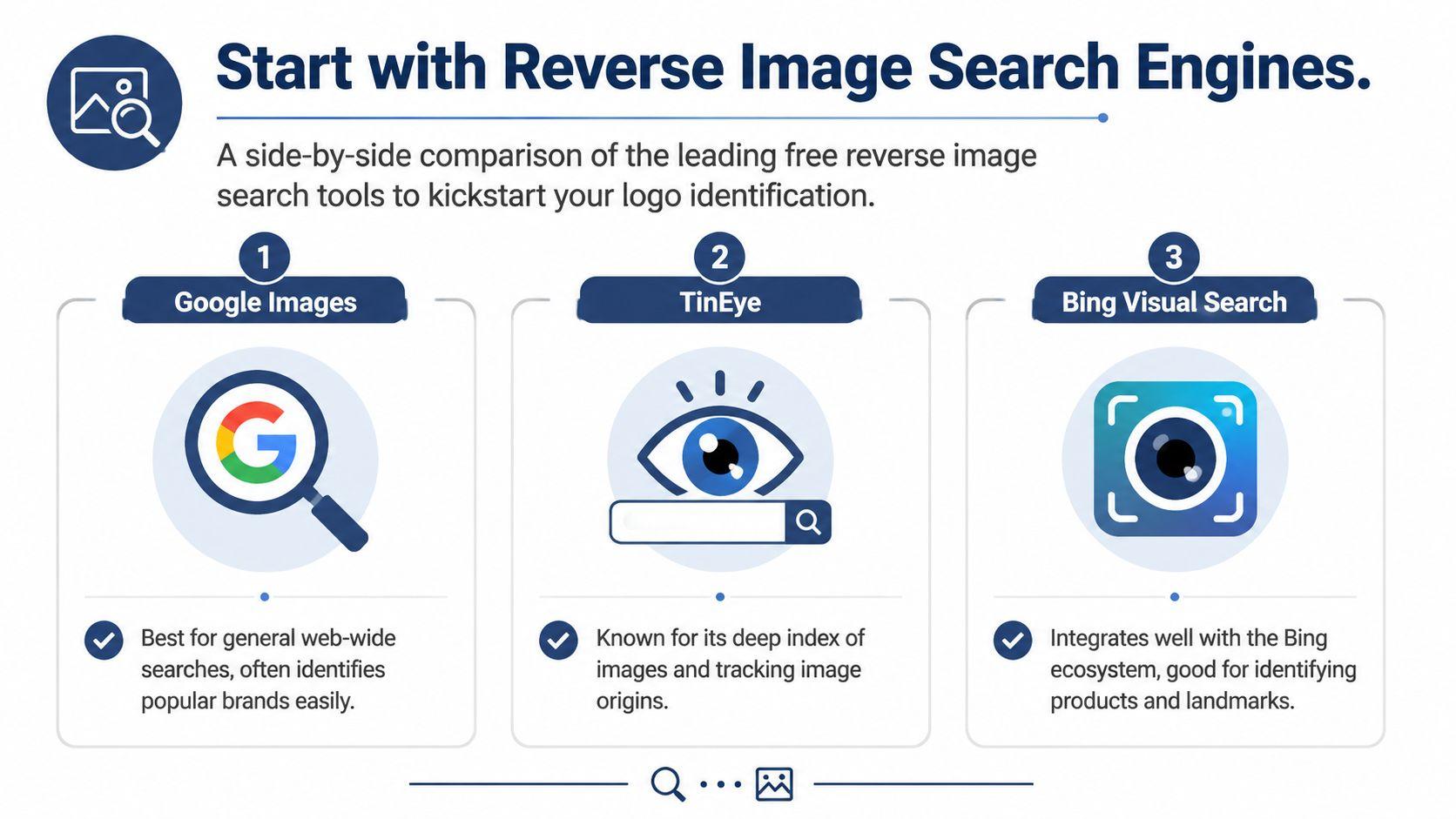
Here's the practical comparison I use most often:
| Tool | Best For | Key Feature |
| Google Lens | Cluttered photos and mixed objects | Visual recognition inside a larger scene |
| TinEye | Clean logo files and tracing image reuse | Finds matching instances and versions online |
| Bing Visual Search | Product photos and commercial images | Often surfaces shopping and product context |
Google Lens for messy real-world images
Google Lens is usually my first stop when the logo appears inside a normal photo. Upload the image, then drag the selection box tightly around the logo instead of scanning the whole frame. That crop step matters.
Lens is especially useful when the image includes a product, clothing, packaging, or storefront. It often picks up broader context even if the logo itself isn't perfectly readable. If the first result is noisy, recrop smaller and try again with just the mark.
TinEye for exact or near-exact image matches
TinEye works differently. It's strongest when you already have a fairly clean image of the logo and want to know where else it appears. That makes it useful for finding older uploads, alternate versions, or the original asset behind a reposted image.
If I suspect the logo is from a brand kit, marketing image, or reposted design, TinEye can be better than a general search engine. It won't always “understand” the logo semantically, but it can connect visual duplicates well.
Practical rule: If the logo sits inside a busy photo, start with Google Lens. If you've already isolated the mark, try TinEye next.
Bing Visual Search for commerce-heavy clues
Bing Visual Search tends to help when the logo appears on a product or object that might already be sold online. In those cases, the surrounding item can be the clue that reveals the brand.
A logo on a water bottle, headphone case, or work glove may not identify well on shape alone. But Bing may connect the product form and the visual label faster than a logo-only query.
What to do if the first pass fails
Don't run the same image through all three tools unchanged and hope for different magic. Edit before retrying.
Use this quick sequence:
- Crop tighter: Remove hands, faces, scenery, packaging edges, and anything that isn't part of the mark.
- Try two versions: One full-color crop, one higher-contrast edit.
- Search the logo alone: Then search the product alone if the logo still doesn't resolve.
- Check result patterns: If different tools keep surfacing the same category, that category is a clue.
If you want more AI workflow ideas beyond logo hunting, the broader 1chat blog has useful articles on practical image and text tasks.
Level Up with Specialized Logo Detection Tools
When general reverse image search stalls, use tools that were built for logos instead of everything. Such tools produce noticeably better results on partial, small, or visually confusing marks.
What makes logo-specific AI different
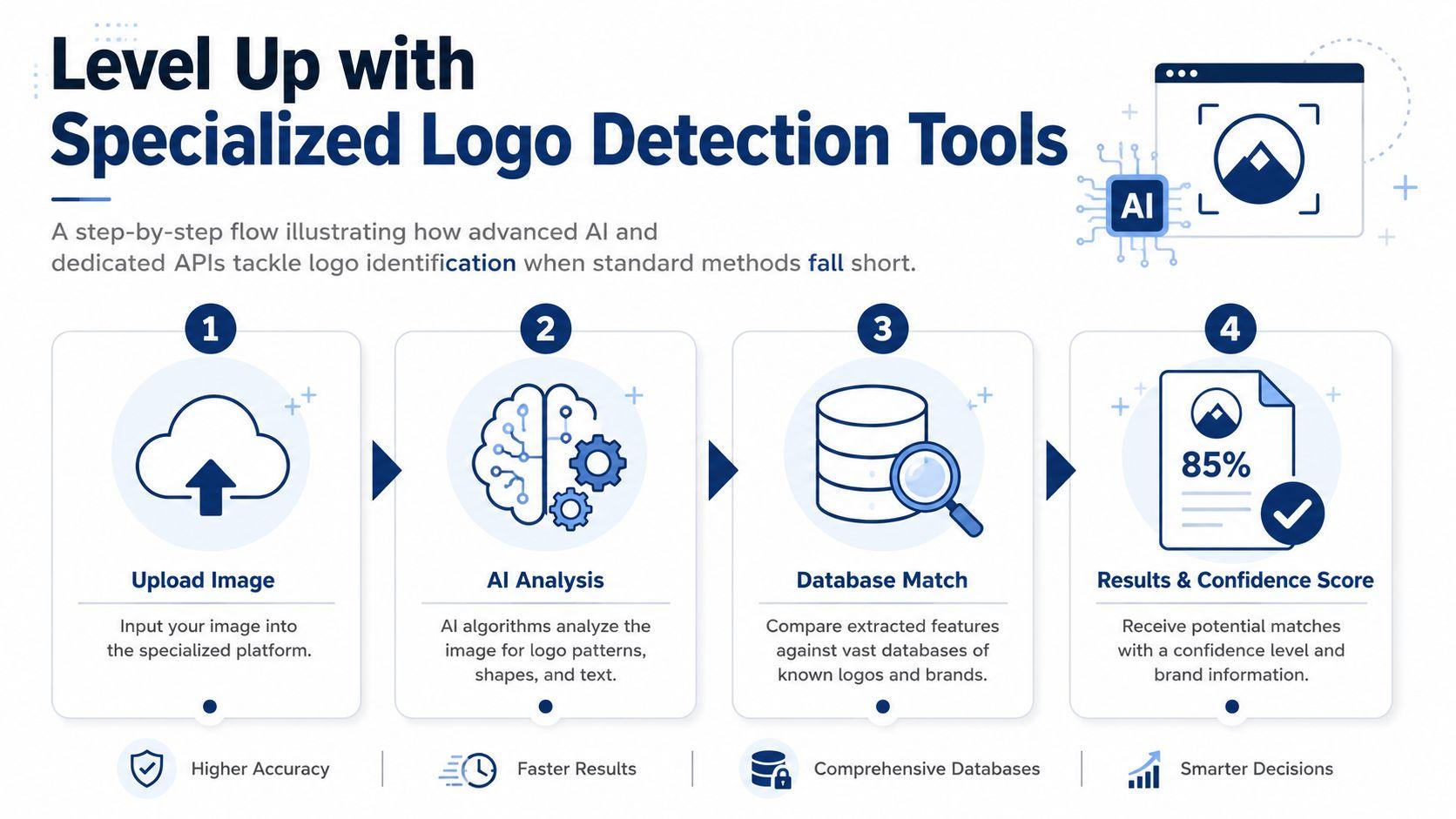
General search engines try to interpret the whole image. Logo detection systems look for logo regions first. That changes the quality of the match because the system isn't distracted by the person, product, background, or scene.
A strong example is a hybrid pipeline that combines CNN detection with LMM verification. According to Red Sift's explanation of a hybrid logo detection approach, this method achieved a 93.5% similarity score (F1-score) and can reach 98.93% precision, while traditional methods often struggle with 10 to 15% higher false positive rates. In practice, that matters when a textured badge, icon, or decorative patch looks logo-like but isn't the actual brand mark.
The workflow I look for in a good tool
The best specialized tools usually follow a pattern:
- They detect candidate logo regions in the image.
- They crop those regions automatically.
- They compare the crops against known references.
- They return likely matches with confidence scoring.
That's a better fit for brand identification than broad visual search. If you're evaluating platforms or APIs, don't just ask whether they “support logos.” Ask whether they isolate logo regions and verify them against references.
Useful add-ons when the logo includes typography
A lot of difficult identifications hinge on letterforms. The logo itself may be generic, but the font treatment gives it away. When that happens, I'll pair logo detection with typography analysis. A good companion resource is Font Checker Pro's font tools, especially when the logo is text-heavy and you need to separate the brand name from the styling.
This combo works well on restaurant marks, apparel labels, and old packaging where the icon is weak but the lettering is distinctive.
If a tool keeps matching shapes but missing the brand, look harder at the text treatment. Typography often breaks the tie.
When specialized tools are worth paying for
If you're doing this once, free tools may be enough. If you're doing this repeatedly for marketing, retail, compliance, or brand monitoring, specialized tools save time because they reduce false leads.
That's also where better workflow controls matter. Batch uploads, confidence review, and collaboration features are useful if more than one person needs to inspect results. If you're comparing paid AI options generally, the 1chat pricing page is a straightforward example of how to evaluate plans by use case rather than hype.
Become a Digital Detective with Manual Checks
When automation misses, manual work often wins. Not because it's fancy, but because you can prepare the image in ways automated tools won't do for you.
Start by isolating the mark
Most failed searches start with a bad crop. If the image includes a person wearing the product, a table surface, a shadow, and half the background wall, the tool has too much to interpret.
Do three crops, not one:
- A tight crop around only the logo
- A medium crop that includes the logo plus the product surface
- A context crop that shows the full object but keeps the logo visible
Different tools respond better to different levels of context. I've had clean logo crops fail while the wider product crop gave away the brand category.
Clean up the image before searching again
Simple edits help more than people expect. Increase contrast. Brighten dark areas slightly. Convert a copy to black and white if the mark shape is clearer without color. Sharpen only lightly, because too much sharpening creates fake edges and confuses matching.
If the logo is on fabric, metal, or textured plastic, try reducing background distraction rather than making the logo aggressively crisp.
A mediocre image becomes more searchable when you remove noise, not when you over-edit it.
Extract text, even partial text
Use OCR on any crop that contains letters, even if you think the text is too stylized. OCR won't always read the whole word correctly, but even two or three likely characters can narrow the field.
The trick is to search fragments creatively. If OCR gives you something like “STRN” or “AER,” combine that with the product category, color, or symbol shape. Search the text fragment separately from the icon.
Check metadata only if it's available
Sometimes the image file itself contains clues. A filename, export label, or embedded metadata may point to the source. Many social platforms strip this, so don't count on it, but it's worth checking if the file came directly from a device, a download, or an email attachment.
Manual checks aren't glamorous. They're just reliable when the automated route gets sloppy.
Crowdsource Your Answer from Online Communities
Some logos need human pattern recognition. A niche motorcycle part, an old skate brand, a local café mark, a discontinued electronics label, or a half-visible patch from a regional event might never resolve through search alone. That's where communities can outperform tools.
Ask in the right places
The strongest crowdsourced answers usually come from communities that enjoy identification problems. Reddit communities like r/helpmefind and r/Whatisthisthing can be surprisingly effective when the image is clear and the ask is specific. Design communities can help when the clue is mostly stylistic. Collector forums are useful for vintage products, uniforms, tools, and hobby equipment.
The quality of your post matters. People respond better when you make the puzzle solvable.
Use this format:
- Show the cleanest crop first: Don't bury the logo inside a collage.
- Add one context image if you have it: The full product or scene can help.
- State what you already tried: Reverse image search, OCR, or crop variants.
- Give relevant context only: Where you saw it, what object it's on, and any readable letters.
Protect privacy before posting
This matters more than is commonly realized. If you're posting publicly, remove anything that identifies you, your family, your workplace, or a customer.
Before crowdsourcing, scrub these details:
- Faces and people: Blur or crop them out.
- Addresses and labels: Shipping labels, documents, name tags, license plates.
- Screens and reflections: Monitors, mirrors, windows, glossy packaging.
- Location clues: School uniforms, office signage, home interiors, event badges.
That privacy step aligns with the way I think about public AI and community help generally. Solve the logo, but don't leak personal context while doing it.
If you need a direct channel for a privacy-first AI company rather than a public forum, contacting the 1chat team is a better route than posting sensitive images in open communities.
What usually gets ignored
Low-effort posts. Blurry screenshots with no crop, no context, and no note about what you've already tried. People don't want to repeat the first obvious step for you.
A thoughtful post gets better answers because it shows you've narrowed the puzzle already.
Advanced Tips for Finding Difficult Logos
Some logos resist the normal workflow because the image itself is the problem. The mark is partial, distorted, faint, or visually polluted by background clutter. In those cases, simple matching isn't enough.
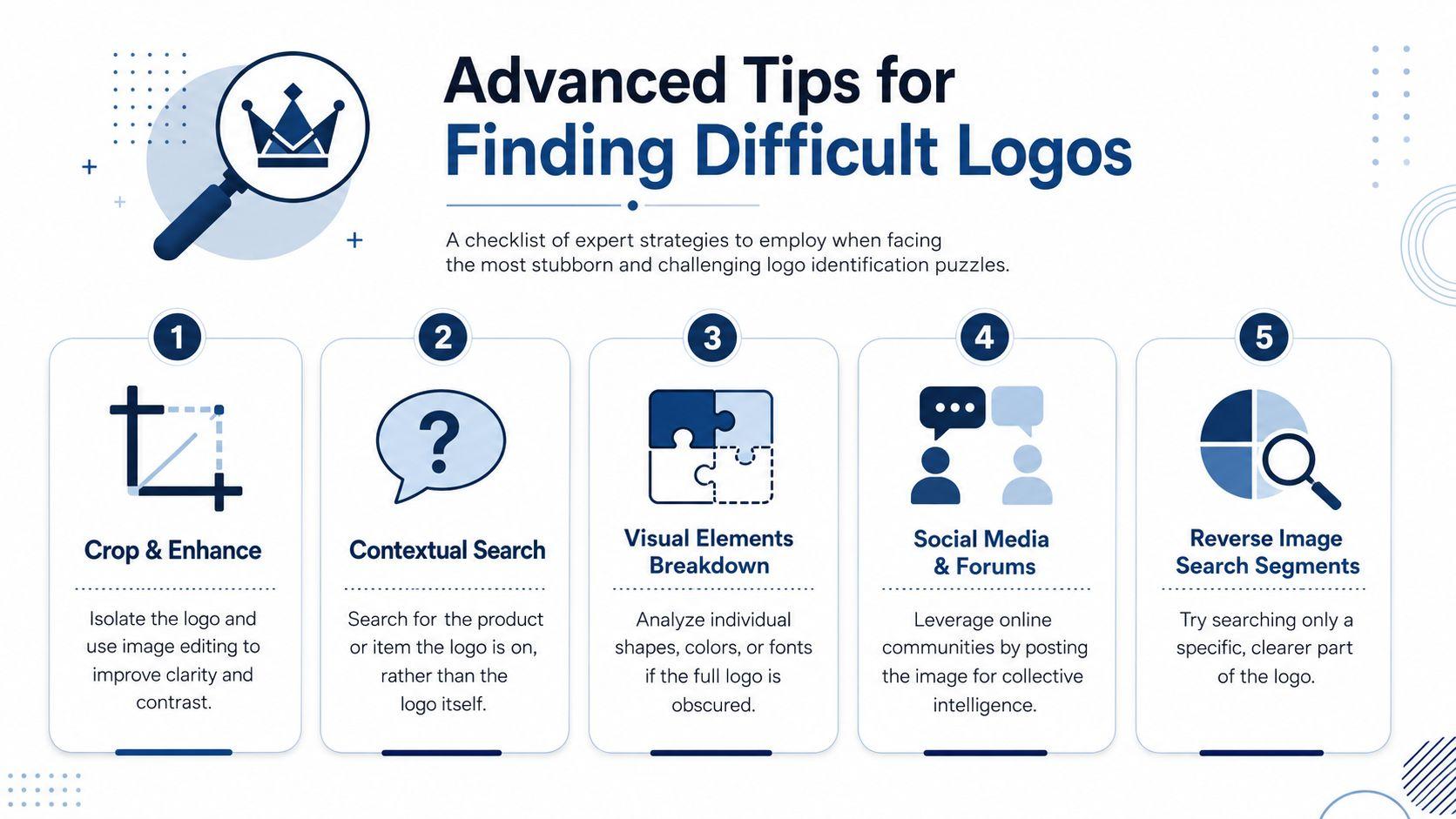
Use alternate edits instead of repeating the same search
A more reliable workflow for ambiguous cases is to crop the mark, remove clutter, and search alternate edits rather than relying on one untouched image. That approach is emphasized in Zemith's guidance on logo search by image, especially for cases where generic reverse image search struggles with partial or distorted marks.
My usual set of alternates looks like this:
- Black-and-white version: Helps when color distracts from shape.
- Higher contrast version: Useful for faint embossing or stitching.
- Segment-only crop: Search a clear fragment of the logo instead of the whole damaged mark.
- Text-only search: If any letters are visible, search them separately.
Work backward from the object
When the logo won't identify directly, identify the item carrying it. A logo on a climbing harness, industrial drill, cycling jersey, or insulated bottle lives inside a category. Once you know the category, the candidate brands become much smaller.
This is also where image enhancement can help. If the logo is too low-resolution to inspect, a careful upscale can make edges and lettering easier to review. For that specific task, How to upscale logos is a useful reference because it focuses on preserving shape clarity rather than making the image look artificially smooth.
Hard logo searches usually break open when you stop asking for a direct match and start reducing the number of plausible brands.
Know when to stop
If you've tried cropped variants, specialized tools, OCR, object-based searches, and one good crowdsourced post, you've likely exhausted the practical options. At that point, the missing clue may not exist in a searchable public form.
That's not failure. It's a signal that the logo may be hyper-local, short-lived, custom-made, or too altered from its original version.
If you regularly work with images, screenshots, PDFs, and mixed AI tasks, it helps to keep everything in one place. 1chat is a privacy-first option for families, students, and small teams who want to work with multiple leading LLMs in one workspace without turning every task into a tool-hopping exercise.