You've finished the essay, proposal, report, or client email. The wording sounds right, the structure holds together, and the spell checker has stopped complaining. Your cursor is hovering over Submit, but you still remember the tiny error someone caught in your last document, the missing word, wrong name, or stray apostrophe that made the whole piece look less careful than it was.
That hesitation is useful. Proofreading isn't a quick sweep for red underlines. It's a controlled sequence of passes, each designed to expose a different class of error. The method below combines distance from the draft, deliberate reading techniques, category-based checks, document-level review, and restrained use of automated tools.
The Moment You Almost Hit Submit
A student may read an essay repeatedly before submission and still miss “their” where “there” belongs. A small-business owner may send a polished proposal with a product name spelled two different ways. In both cases, the writer understands the intended meaning so well that the brain automatically repairs the text during reading.
That false confidence is the central proofreading problem. A clean spell-check result tells you that the software found nothing it recognises. It doesn't tell you that every sentence is complete, every reference is clear, or every heading follows the same rule.
Human proofreading performance can also be much lower than writers expect. A study summarised by WordSharp's proofreading reference reported that 193 undergraduate students averaged a 24% error-detection rate on a 385-word passage containing 49 seeded errors. In practical terms, they missed about 12 errors on average in roughly two pages. The same reference reports error-detection rates ranging from 10% to 58% across multiple studies, while professional editors completing a single pass have been cited at about a 5% error rate or worse. Those figures aren't a reason to panic. They're a reason to stop treating proofreading as one casual read.
Practical rule: If you're trying to check spelling, grammar, tone, references, layout, and logic at the same time, you're probably checking none of them carefully enough.
A reliable process starts before you read the first word. You create distance from the draft, change its visual appearance, and decide what each pass is responsible for. You then read the complete document in an ordered sequence rather than fixing whatever catches your eye first.
The method also recognises a useful boundary. Proofreading comes after the writing and major editing are stable. If you're still changing the argument, reorganising sections, or replacing whole paragraphs, you're editing, not proofreading. Save the final proof for a document that won't be substantially altered immediately afterward.
Set Up Before You Read a Single Word
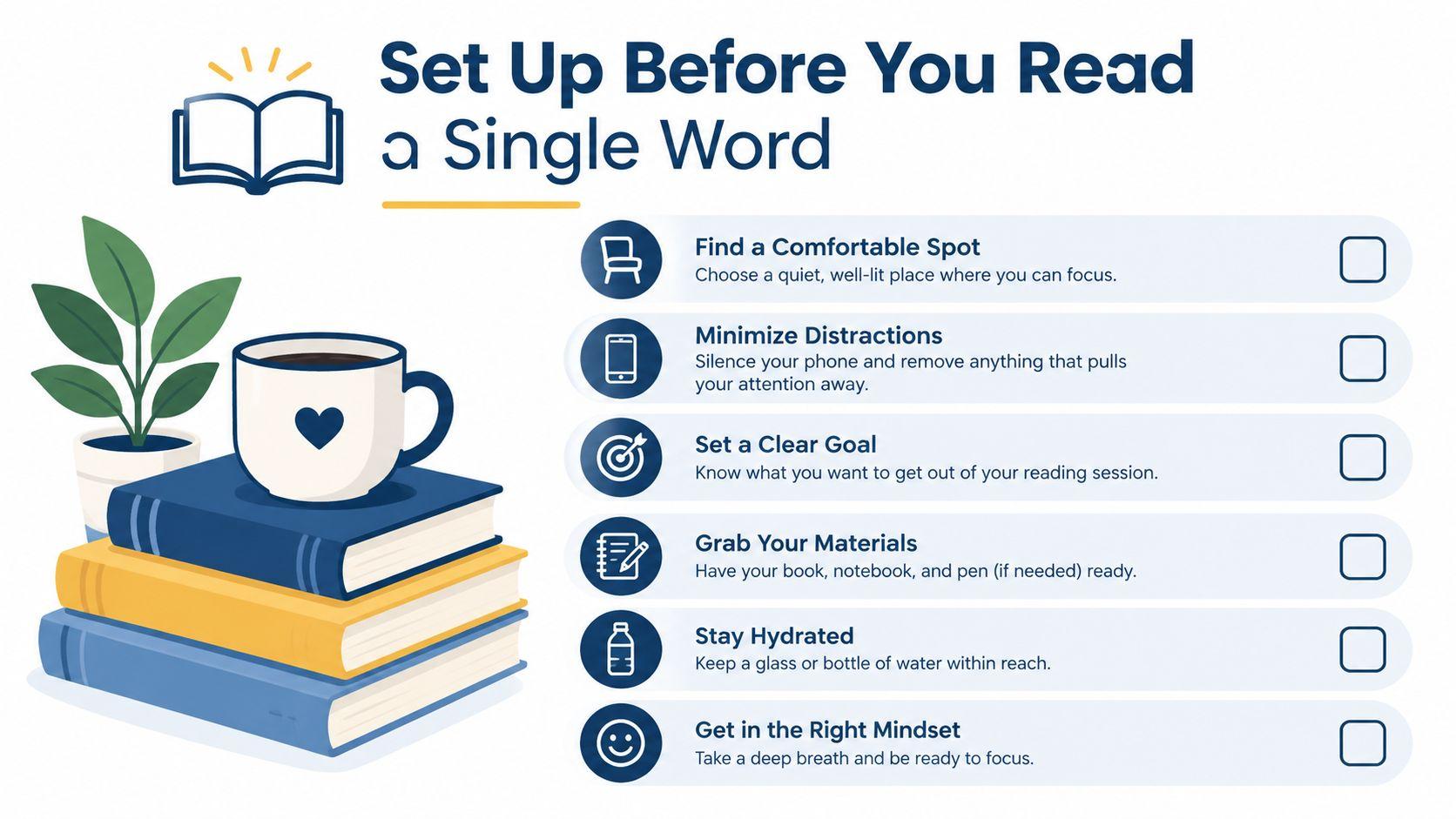
The draft is complete, the cursor is over “Submit,” and one last glance seems sensible. That is usually the wrong moment to start proofreading. If possible, leave the completed document for several hours, or return to it the next day. Time creates distance from your own wording, making it easier to notice what is on the page instead of filling in what you meant to write.
Proofread a stable version. If the argument is still changing, sections are moving, or whole paragraphs are being replaced, the document is still in editing. Save the final proof for the point at which substantial changes are unlikely. Otherwise, every revision can create fresh errors after you have already checked the page.
Change the presentation before you begin. Export the file as a PDF, print it, increase the font size, widen the margins, or choose a different font. The purpose is not appearance. A changed layout interrupts the visual pattern your brain has learned and makes skipped words, repeated phrases, and awkward breaks easier to spot.
Make the reading conditions deliberate
Choose a quiet place and give the document your full attention. Open it in full-screen view, set comfortable brightness, and define a working period. Checking a few lines between messages creates the feeling of review without the concentration required for close reading.
Choose the format that suits the document. Paper helps with dense reports, citation-heavy essays, and pages where spacing or breaks affect meaning. A screen works better for linked documents, collaborative files, and text that will continue to change. Either format requires line-by-line reading rather than a quick scan for familiar word shapes.
Before starting, prepare the basic physical conditions:
- Remove interruptions: Close unrelated tabs, silence notifications, and keep only the document and necessary references open.
- Sit properly: Support your back, position the screen comfortably, and avoid proofreading while leaning over a phone.
- Keep water nearby: Fatigue encourages the eyes to skip and the mind to read for meaning rather than exact wording.
- Choose a stopping point: Stop when concentration fades, then mark your place so you can resume accurately.
Do not turn preparation into procrastination. A short setup should make sustained attention easier. AI can assist later with a stable copy, but it cannot compensate for a distracted reader or decide whether an intentional wording choice is an error.
Layered Proofreading Passes by Category
A finished draft needs more than one careful read. Each pass should target a defined error category, because switching between spelling, sentence logic, formatting, and wording makes inconsistent decisions easier to miss. Read the document once for one class of problems, record what you find, then begin the next pass from a clean version.
Start with mechanical errors
The spell pass catches ordinary typos, duplicated words, obvious autocorrect damage, and some misspellings. It can identify “recieve” and “teh,” but a spell-checker cannot reliably detect a correctly spelled word used in the wrong context. Read for homophones such as “your” and “you're,” “affect” and “effect,” or “principal” and “principle.” Meaning determines whether those words are correct.
The grammar and punctuation pass handles a different set of decisions. Check subject-verb agreement, sentence fragments, comma splices, missing commas, apostrophes, quotation marks, and full stops. “The results shows” needs agreement. “The results are clear, the method is flawed” contains a comma splice. Leave product-name capitalisation and terminology for the style pass rather than making unrelated changes here.
Check consistency before clarity
The style and consistency pass compares choices across the entire document. Check capitalisation of product names, preferred terminology, hyphenation, number treatment, heading formats, quotation marks, and the distinction between a hyphen and an en dash where your style guide requires one.
If one section uses “decision-making” and another uses “decision making,” choose a rule and apply it. The same applies when a report refers to a service as “Customer Support” in one place and “customer support” in another. The variation may be intentional, but the document should make that intention clear. Consistency reduces small distractions and gives readers fewer reasons to question the text.
The final structure and clarity pass checks whether the document works for its reader. Look for missing or repeated words, broken sentences, vague pronouns, references that point nowhere, and transitions that leave a logical gap. “This proves it works” may be grammatical, but “this” is weak if it could refer to three different findings. Judge the reader's path through the document, not only the correctness of individual sentences.
| Pass | Error Category | Example Error | Order |
| Spell | Typos, homophones, autocorrect artifacts | “Their going to review the draft” | First |
| Grammar and punctuation | Agreement, commas, apostrophes, fragments | “The results shows a problem” | Second |
| Style and consistency | Capitalisation, terminology, hyphenation, number format | “customer support” and “Customer Support” | Third |
| Structure and clarity | Missing words, repetition, unclear references, broken sentences | “This confirms the approach works” when “this” is undefined | Final |
University guidance in Purdue OWL's proofreading resource supports separating checks for grammar, punctuation, spelling, formatting, references, numbers, tables, and material outside the main text. A research workspace can help collaborative teams inspect source documents and compare material, but AI assistance remains a checking aid. It may flag patterns or suggest alternatives, while a human must verify claims, citations, intended meaning, and deliberate exceptions.
Keep an error log as you work. Record the category, correction, and location. After several documents, the pattern may show repeated problems with possessives, headings, missing words, or formatting. Use that evidence to give extra attention to the relevant pass, rather than adding more unfocused rereading.
Read Aloud, Backward, and Out of Order
Different reading techniques change the task your brain thinks it's performing. Reading normally prioritises meaning, which is useful for judging whether an argument makes sense but dangerous when a familiar sentence contains a missing word. A technique that makes the text feel awkward can therefore be more effective than another comfortable reread.
Use your voice for sentence flow
Read aloud at a measured pace. Your voice exposes missing words, repeated phrases, awkward rhythm, and dialogue that doesn't sound natural. It's especially useful for emails, speeches, scripts, landing pages, and any document where the reader will hear an implied voice.
Don't mumble through the text at high speed. If speaking aloud isn't practical, whisper or move your lips. Pause at punctuation and notice where you run out of breath. A sentence that looks fine on screen may reveal an overloaded clause when you have to say it.
Use backward reading for local accuracy
Backward reading means starting with the final sentence and moving backward sentence by sentence. You're not trying to understand the argument. You're isolating each sentence so that meaning can't carry your eyes over a typo or punctuation error.
This technique works best for spelling, punctuation, and grammar. It isn't suitable for checking the logic of a report, the order of instructions, or whether a conclusion follows from the evidence. You may also choose to read each sentence from its final word toward its first word for a very short mechanical check, but that's tiring and unnecessary for an entire document.
Swap the format to reset your eyes
A format swap changes the visual cues around the words. Move from Word to PDF, from screen to paper, or from a standard desktop view to a mobile-width view. This can expose line-break problems, duplicated headings, missing text, and typos your eyes have accepted in the original layout.
Use one technique per pass. Reading aloud while moving backward through a printed page creates so much friction that you may focus on the method instead of the document. Don't skip headings, captions, footnotes, or bullet lists either. They're part of the published text, not decoration.
| Technique | What It Catches | Best Used On | Common Mistake |
| Read aloud | Missing words, repetition, awkward rhythm, unnatural dialogue | Emails, speeches, narrative, client-facing copy | Reading too quickly or silently |
| Backward reading | Spelling, punctuation, grammar, local sentence errors | Final mechanical pass | Trying to judge structure at the same time |
| Format swap | Visual repetition, layout defects, skipped words, inconsistent spacing | Reports, essays, web copy, designed documents | Switching formats without actually reading closely |
A useful sequence is to apply the category passes first, then use a reading technique that targets the document's risk. Use read-aloud for a persuasive proposal with a conversational tone. Use backward reading for a short final mechanical check. Use a printed proof when layout and page appearance affect credibility.
Traditional Tools and AI Proofreaders Compared
Automated tools are helpful when you give them a limited role. They become risky when the writer treats every suggestion as a correction.
Built-in spell checkers are dependable for many ordinary typos, repeated words, and words absent from a dictionary. They're poor at meaning. They may accept “form” in a sentence that needs “from,” and they won't know whether a technical term is correct unless it appears in their dictionary.
Grammar tools such as Grammarly can flag agreement, punctuation, sentence boundaries, and some clarity issues. They can also overreact to dialect, deliberate fragments, idioms, and a brand's preferred voice. If you accept every suggestion, a direct sentence can become bland, a specialist term can be replaced with a generic one, and a purposeful fragment can be “fixed” into something less effective.
AI proofreaders inspect more context and may identify repetition, tone shifts, unclear structure, or terminology that changes across sections. The trade-off is judgment. They can invent a rule, misunderstand a domain term, flatten a writer's voice, or suggest a change that creates a new inconsistency elsewhere.
Recent discussion of AI proofreading describes a mixed quality picture. The comparative case study on AI proofreading describes tools that can perform near human editors on many passages while still varying with prompt quality, false positives, and citation handling. That makes AI useful as a second reader, not a final authority.
| Tool Type | Reliably Catches | Commonly Misses | Trust Level |
| Built-in spell checker | Many typos, repeated words, common misspellings | Wrong-word errors, terminology, style, logic | Useful for mechanical support |
| Grammar checker | Some agreement, punctuation, and sentence issues | Voice, dialect, intentional fragments, specialist usage | Review every suggestion |
| AI proofreader | Repetition, tone shifts, contextual issues, some structural concerns | Domain terminology, citations, implicit meaning, house style | Treat as a second reader |
| Human final read | Context, intention, consistency, reader impact, document integrity | Errors caused by fatigue or excessive familiarity | Essential final control |
A practical workflow combines the tools instead of asking one system to do everything:
- Proofread manually first: Decide what the document is trying to say and mark issues that require judgment.
- Use a grammar tool in draft mode: Review suggestions individually. Never accept a batch without reading the resulting text.
- Ask an AI tool focused questions: Request a list of possible inconsistencies or unclear references, not a full rewrite.
- Verify specialist material yourself: Check names, figures, citations, links, product terms, and quotations against the original material.
- Run spell check near the end: Do this after your edits, because each change can introduce a new typo.
- Read the final version yourself: The document isn't proofread until a person has reviewed the exact version being sent.
Teams also need role clarity. A guide to writing team roles can help distinguish a proofreader's final-error role from an editor's structural work and a beta reader's response as a general reader. For practical examples of proofreading emails, essays, and reports, 1chat's proofreading guidance can serve as an additional reference, and 1chat can be used to analyse documents and ask questions in the same workspace. Whichever tool you use, keep the human review at the end.
Document Level Checks Most People Skip
Proofreading doesn't end with the last sentence. A document can contain clean prose and still look unreliable because its headings, references, links, tables, or page breaks don't agree.
Inspect the document as a system
Start with consistency. Check heading levels, capitalisation, bullet indentation, paragraph spacing, list punctuation, and the treatment of numerals versus spelled-out numbers. Pick a style rule, then enforce it. Whether you use the Oxford comma or not matters less than applying your choice consistently.
Review the style guide or house sheet before this pass. Check job-title capitalisation, date and time formats, quotation style, citation rules, preferred spellings, and terminology. If no formal guide exists, create a short list of decisions while proofreading. That list prevents the same question from being answered differently on different pages.
Verify every connection
Cross-reference checks deserve their own sweep:
- Figures and tables: Confirm that figure numbers match captions and that the text points to the correct item.
- Citations: Compare every in-text citation with the reference list, then check that every listed source is used.
- Internal links: Click links and confirm that they resolve to the intended page.
- Navigation: Check contents lists, bookmarks, anchors, footnotes, and headings in the final format.
- Images: Confirm that captions describe the correct image and that no important text has been cropped.
Layout can undermine good writing. Look for a heading stranded at the bottom of a page, a paragraph split awkwardly, a list separated from its introduction, inconsistent indentation, and images that appear stretched or clipped. These defects often appear only after export, so inspect the final PDF or published view rather than relying solely on the editable file.
For recurring work, treat these checks as a small quality-control system. A practical quality assurance system guide can help teams turn personal habits into repeatable checks, ownership, and sign-off. That matters when several people edit the same document and nobody is certain who checked the links or final layout.
Your Proofreading Checklist and Habit Loop
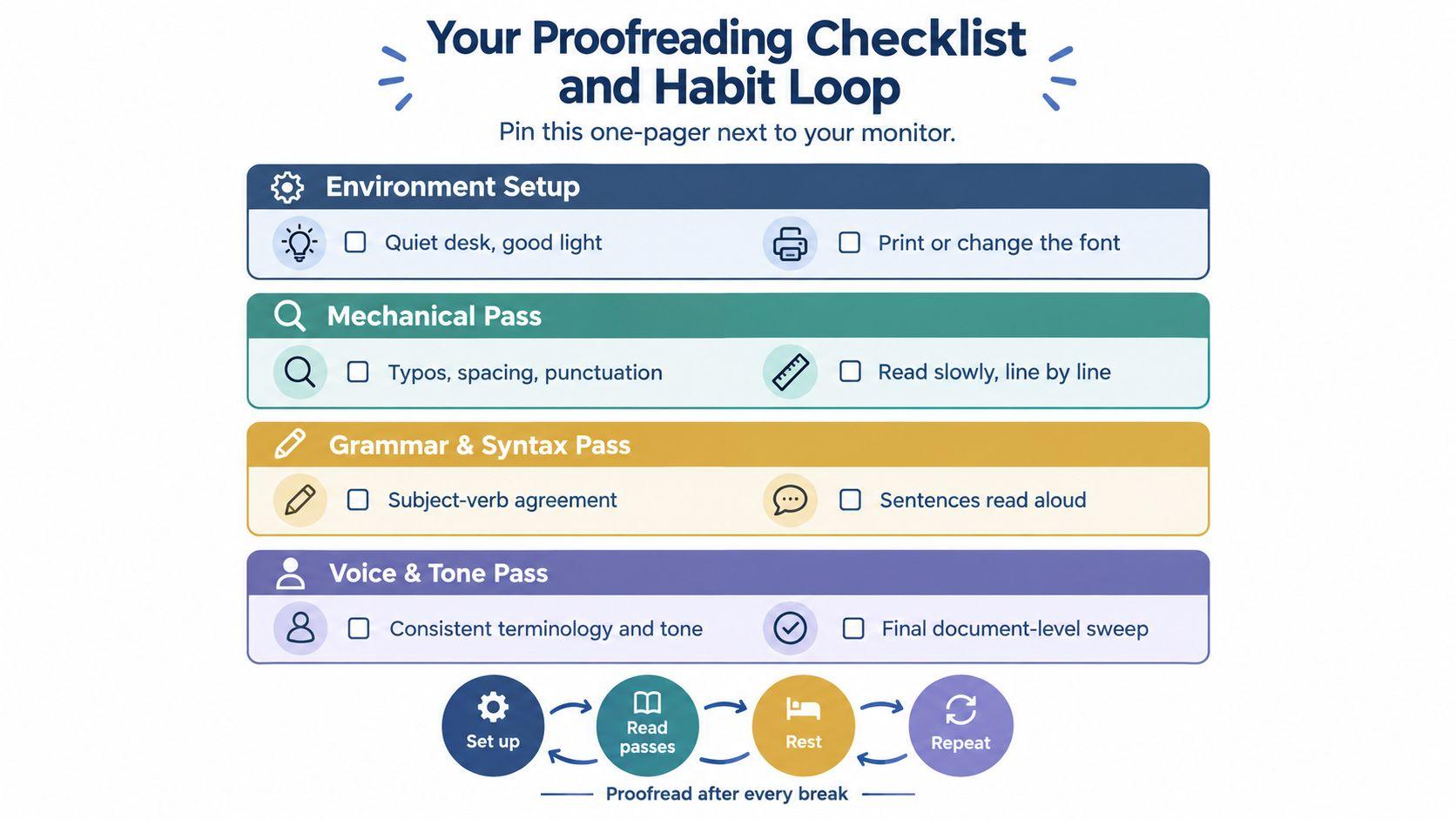
Keep this checklist beside your monitor. Each line should trigger a defined action, not a vague instruction to “check carefully.”
- Environment setup: Let the draft rest, remove distractions, and change its format before reviewing a substantial document.
- Mechanical pass: Search for typos, repeated words, homophones, spacing errors, punctuation problems, and autocorrect artifacts.
- Grammar and syntax pass: Read slowly for agreement, fragments, comma splices, missing words, and unclear sentence boundaries.
- Voice and tone pass: Read aloud for rhythm, repetition, audience fit, terminology, and unwanted shifts in voice.
- Document-level pass: Check headings, lists, references, links, captions, page breaks, image placement, and the final export.
Use a fixed trigger to make the process repeatable. Proofread before sending a long email, before exporting a report, and after any substantial revision. Practise on low-stakes drafts during the first week, then use the same sequence for client work. By the third week, add a peer swap for documents where an outside reader can catch assumptions that remain invisible to the writer.
Keep an error log containing the category and correction. Record the result, then give yourself a small immediate reward, such as closing the project or taking a proper break. The record shows which pass produces the most value for your writing, while the fixed trigger prevents proofreading from becoming an optional final glance.
AI proofreaders can flag repeated words, missing punctuation, and possible grammar problems, but they cannot reliably decide whether a claim fits the audience or whether a change damages the writer's voice. Accept suggestions selectively. A tool can speed up a mechanical pass, while a human still needs to judge meaning, emphasis, tone, and the final version.
Writers who dictate should add a speech-to-text check for missing words, homophones, and punctuation created by voice software. These proofreading tips for Voice Control Pro help when a document began as dictated text rather than typed prose. For an independent review, 1chat can serve as one document-analysis option. Retain responsibility for every accepted change.
Run the passes in order, inspect the format your recipient will receive, and read that exact version before submitting. An error log and a repeatable sequence turn proofreading into a dependable quality-control habit.