Before you even think about typing a single word, the success of your email is already being decided. It all comes down to a simple, powerful idea: write a clear, concise, and respectful message that’s easy for the other person to understand and act on. Everything else, from your subject line to your closing, is just there to support that one goal.
The Real Foundation of a Powerful Email
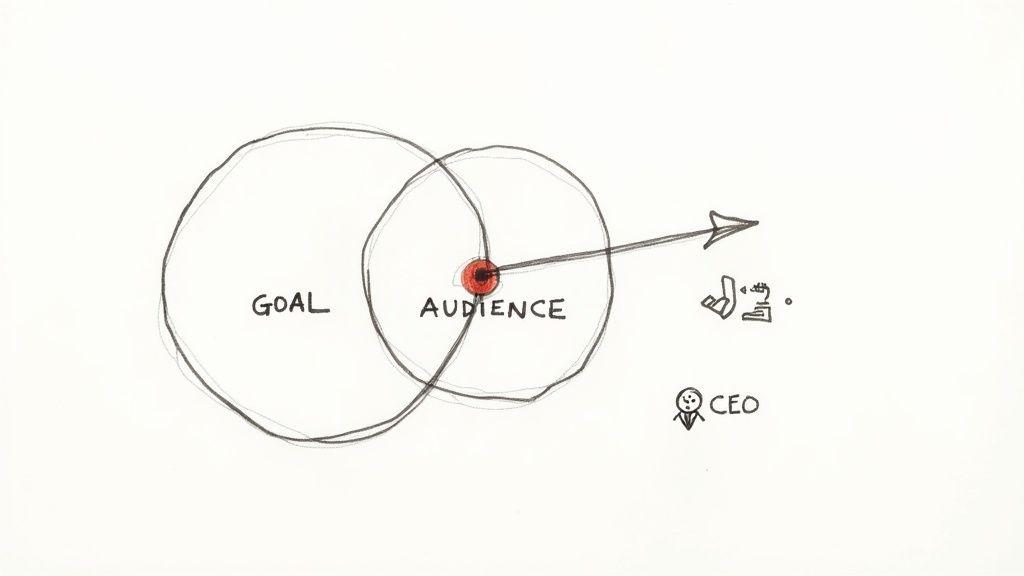
Forget perfect phrasing for a moment. An effective email hinges on answering two fundamental questions first. Honestly, skipping this planning stage is the single biggest mistake people make, and it's the difference between an email that gets results and one that gets archived immediately.
Clarify Your Single Most Important Goal
What is the one thing you need this email to accomplish? If the recipient only remembers one takeaway, what should it be? We’ve all seen those emails that try to do too much at once—they’re confusing and completely dilute the message.
Instead of a vague objective like "update my manager," get brutally specific. Is your actual goal to:
- Get approval on the Q3 marketing budget?
- Inform your team that the project deadline has been moved to Friday?
- Request specific feedback on the first two sections of a proposal?
Pinpointing a single, clear goal forces you to be focused. Every sentence you write should directly serve that primary objective.
A professional email is purposeful. It gets to the point quickly and clearly, without unnecessary filler. Think of it as a tool designed to prompt a specific action or convey critical information as efficiently as possible.
Analyze Your Audience’s Perspective
Once you know your "what," it's time to shift your focus entirely to the "who." Who are you writing to, and what's in it for them? The exact same message needs to be framed completely differently depending on who's on the receiving end.
Let’s take an email about a project delay, for instance:
- To your direct manager: You'll want to lead with the solution, the revised timeline, and any resources you need. Your boss cares about impact and problem-solving, not excuses.
- To a client: The emphasis here is on reassurance. You need to explain how you're managing the situation to minimize any disruption and provide a new, confident delivery date. They care about reliability.
- To your team: They need clear, actionable instructions. What's the new plan? How do their roles change? Your team is looking for direction and clarity.
Learning to anticipate your reader's needs and priorities is a game-changer. For really tricky communications, you might even consider using an app for letter writing to help you nail the tone and structure. When you frame your message from their perspective, you build rapport and make it far more likely you’ll get the response you're looking for.
Crafting Subject Lines That Get Your Emails Opened
Let's be honest, we all get way too many emails. The average professional is wading through over 120 of them every single day. In that kind of environment, your subject line isn't just a label; it's your one shot to get noticed.
A vague subject line like "Update" or "Question" is the digital equivalent of mumbling. It's a surefire way to get your message archived, deleted, or just plain lost in the shuffle. A great subject line, on the other hand, acts like a sharp, compelling headline that tells the recipient exactly why they need to open your email right now.
From Vague to Valuable
Think about the difference a few well-chosen words can make. A small tweak can take a subject line from forgettable to impossible to ignore by being specific and signaling what's needed from the reader.
Here are a few real-world examples:
- Instead of: Project Update
- Try: Update & Action Required: Q3 Marketing Campaign Deck
- Instead of: Quick Question
- Try: Question About Friday's Client Presentation
- Instead of: Following Up
- Try: Following Up On Our Call About the Website Redesign
See the difference? The second versions give the reader immediate context. They know what the email is about and what's expected of them before they even click, which makes it much easier for them to prioritize your message.
Your subject line should be a summary, not a mystery. The goal is to make the recipient's life easier by telling them what's inside, not to make them guess.
Add a Personal Touch with Keywords
A little personalization goes a long way. Simply adding a name, a project code, or a specific keyword can instantly make your email feel more important and less like a generic blast.
The numbers back this up. Customizing a subject line can lead to a 26% increase in open rates. Better yet, personalized emails often deliver 6 times higher transaction rates than their generic counterparts. If you're curious about the data behind this, you can find more stats on effective email segmentation on moosend.com.
So, how do you put this into practice? Weave in details that matter directly to your reader.
- Use project names: "Feedback on the 'Project Phoenix' Proposal"
- Mention deadlines: "Action Needed by EOD Friday: Final Budget Submission"
- Reference a shared connection: "Intro from Jane Doe - Potential Collaboration"
These small adjustments do the heavy lifting for you. They signal that your email is relevant, important, and worth their limited time. Mastering this first impression is a huge step toward writing professional emails that actually get results.
Structuring Your Message for Maximum Clarity
Let's be honest: nobody reads every single word of every email. We scan. In a busy professional world, a dense wall of text is a one-way ticket to the "I'll read this later" folder... which often means never.
The secret to getting your message across is to build a structure that’s impossible to ignore. A great email guides the reader's eye from the opening line right down to your call to action, making your core message pop. It’s all about creating a logical flow that prompts faster, more accurate responses.
Start With a Clear Opening
Your very first sentence needs to get straight to the point. Ditch the long, winding introductions that waste precious seconds. Respecting your reader’s time is the first step to getting what you need.
Compare these two openings:
- Vague: "I hope this email finds you well. I was thinking about our project and had a few thoughts to share."
- Clear: "Following up on our call—I'm writing to request your final feedback on the Q4 sales presentation by this Thursday, June 20th."
The second one immediately tells the recipient what the email is about and what's needed from them. They now have the right context for everything else you’re about to say.
Build a Scannable Body
Once you've stated your purpose, the body of your email is where you provide the details. This is where formatting becomes your best friend. Long, intimidating paragraphs are the enemy of clarity and action.
Instead, break things down visually:
- Keep paragraphs short. Stick to one to three sentences. That white space makes your email feel less like a chore.
- Use bullet points or numbered lists. They’re perfect for breaking down action items, steps, or key takeaways.
- Use bold text strategically. Make crucial details like dates, names, or specific figures jump off the page.
This isn't just about looking neat; it’s about making your email easy to digest, especially for the huge number of people reading on their phones. If you find yourself writing a novel, an AI paragraph writer can be a handy tool for trimming down complex ideas into concise, scannable points.
The goal is not just to be understood, but to make it impossible to be misunderstood. A well-structured email anticipates the reader's need for clarity and delivers it without them having to ask.
Just look at how much of a difference a few small, strategic changes can make.
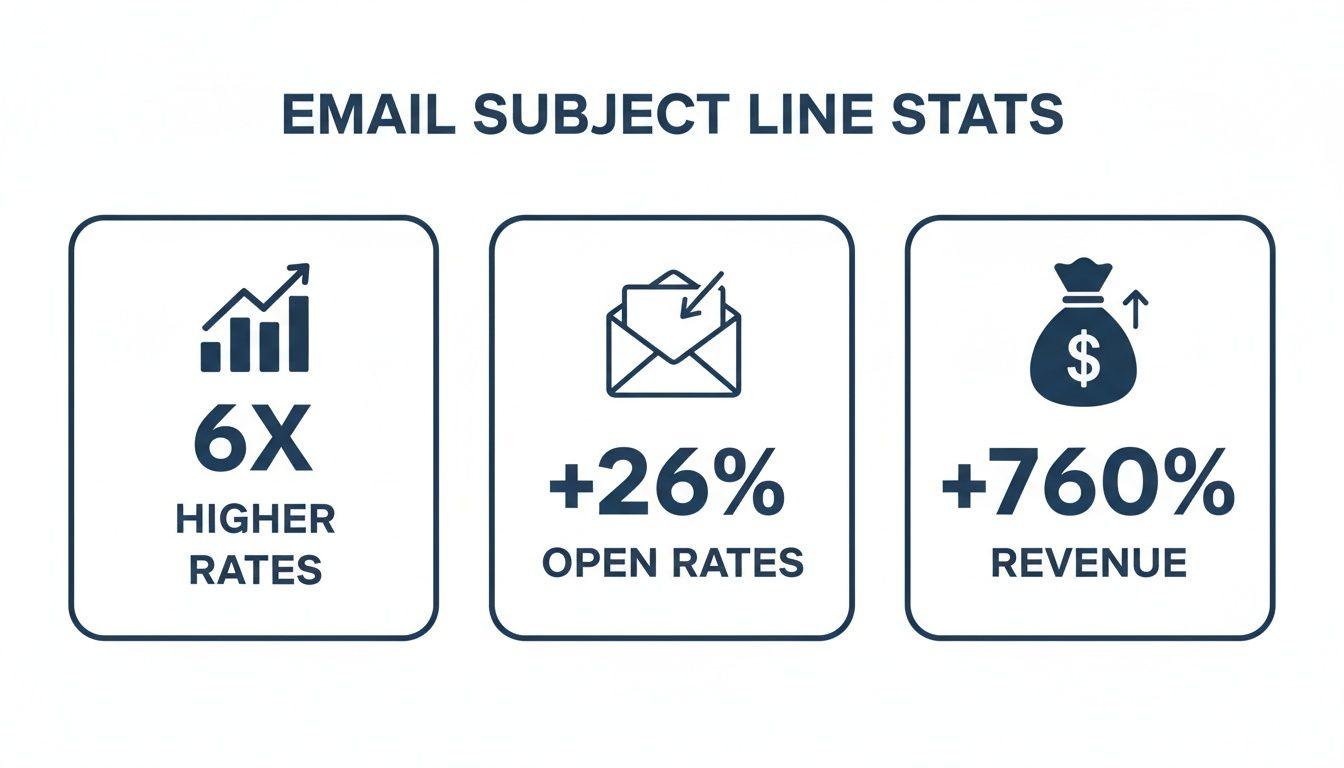
The data is clear. Well-structured, thoughtful communication isn't just a courtesy—it directly drives engagement and gets real results.
To see this in action, here’s a quick before-and-after of the same email. One is a classic "wall of text," and the other is built for scanning.
Email Structure Before and After
| Poorly Structured Email (Before) | Well-Structured Email (After) |
| Hi Team, I wanted to follow up on the Q3 project review. We need to finalize the budget allocations for the marketing, development, and sales teams by the end of the week. Please send me your updated forecasts by Friday. Also, remember the client presentation is scheduled for next Wednesday, and I still need the final slide decks from each department. Marketing, please confirm your speaker, and Development, let me know if the demo will be ready. | Hi Team,Following up on our Q3 project review. Here are the key action items for this week:1. Budget Allocations (Due EOD Friday)- Please send me your final budget forecasts.2. Client Presentation (Next Wednesday)- All Teams: Submit your final slide decks by Monday, 10/28.- Marketing: Please confirm your speaker.- Development: Will the demo be ready? |
Notice how the "After" version is instantly clearer? The recipient knows exactly what they need to do, and by when, without having to dig for it. That’s the power of good structure.
Finding the Right Tone: Professional, Not Robotic
Think of your email's tone as its personality. It’s that invisible current running through your words that tells the reader how to feel about your message. Getting it wrong can create friction before they've even finished the first sentence. The goal is to strike that sweet spot between being professional and being a real person.
This isn't about defaulting to stuffy, corporate-speak. It's about making a conscious choice with your words, tailoring them to the specific situation and your relationship with the person on the other end. The way you chat with your team on a casual Friday is, and should be, completely different from how you approach a potential new client for the first time.
Match Your Formality to the Situation
The first rule of tone is to read the room. A quick message to your boss of five years is going to sound different than a cold email to a hiring manager you've never spoken to before. The trick is to mirror the established vibe while always keeping a baseline of professionalism.
- Formal Scenarios: When you're emailing new clients, company executives, or anyone outside your immediate circle, play it safe. Use their full, formal name ("Dear Ms. Rodriguez") and steer clear of slang, emojis, or even contractions.
- Internal & Familiar Communication: With colleagues you work with every day, a more relaxed approach is usually best. Using first names ("Hi David"), contractions ("I'll get that done"), and a more conversational style helps build a friendly, collaborative atmosphere.
- When You're Not Sure: If you're on the fence, always start more formally. It's easy to dial back the formality in your next email if they respond casually. It's much, much harder to recover from being too casual right out of the gate.
How to Be Direct Without Being Abrupt
One of the most common mistakes I see is people coming across as blunt or demanding when they're just trying to be efficient. Short, direct sentences can feel cold and impersonal without the right framing. A little bit of softening goes a long way.
Take this simple request, for example:
- Feels Abrupt: "I need the report by 3 PM."
- Feels Personable: "Would it be possible to get that report over by 3 PM? It would be a huge help. Thanks!"
The second version gets the exact same point across, but it does so with respect and a touch of appreciation. Simple additions like "please," "thank you," and phrases that acknowledge the other person's effort are the secret to maintaining a positive, collaborative tone.
Your tone is a direct reflection of your respect for the recipient's time and effort. A personable tone shows you see them as a partner, not just someone to complete a task. It's a small change that builds goodwill and gets you faster, more helpful replies.
Choosing your words carefully is at the heart of effective email writing. By avoiding robotic corporate jargon and overly passive language, you can make sure every email you send projects confidence and strengthens your professional relationships.
Proven Email Templates for Common Scenarios
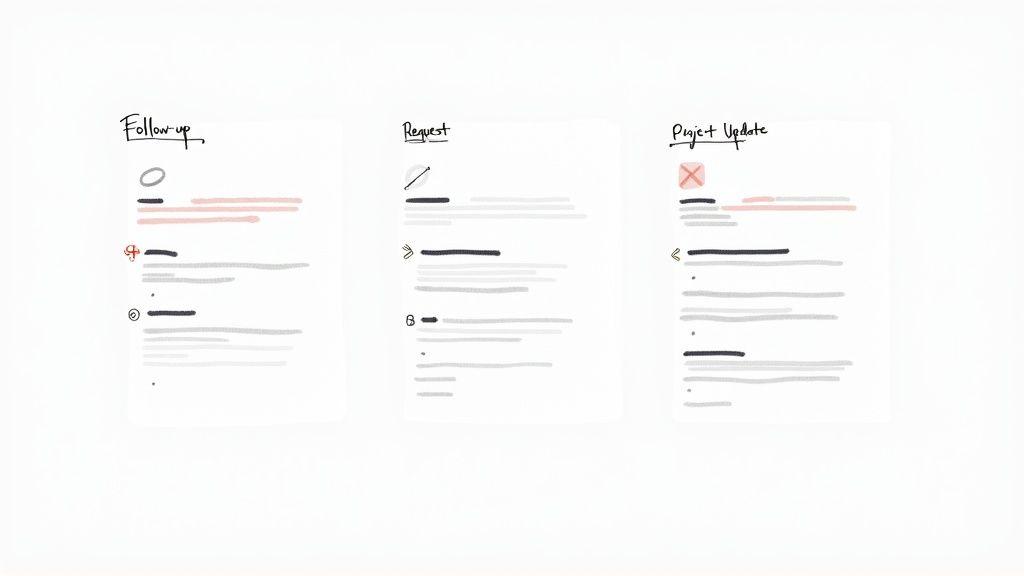
It’s one thing to know the theory behind a great email, but it's a whole other ball game when you’re staring at a blank screen under a tight deadline. This is where having a few go-to templates in your back pocket can be a lifesaver.
Think of these less as rigid scripts and more as flexible starting points. They’re designed to save you time and mental energy, helping you communicate clearly and confidently every single time. Let's walk through a few field-tested frameworks for situations you probably face every week.
The Polite Follow-Up After a Meeting
After a good meeting, a quick follow-up email is your best tool for locking in what was discussed and making sure everyone agrees on the next steps. It's a simple act that shows you're proactive and organized.
Subject: Following Up on Our Call About [Specific Topic]
Hi [Name],
It was great connecting with you today to discuss [Briefly mention the topic, e.g., the Q4 marketing plan].
Just to recap, we landed on these action items:
- [Your Name]: I'll send over the revised budget by EOD Thursday.
- [Their Name]: You’ll gather feedback from the sales team on the new proposal.
Let me know if I missed anything. Looking forward to moving this forward.
Best,
[Your Name]
The Clear and Concise Request
When you need something from a colleague, getting straight to the point is the best way to respect their time and get what you need. A clear, direct request removes any guesswork.
Subject: Request for Feedback on [Project Name]
Hi [Name],
Hope you’re having a productive week.
When you have a moment, could you please provide your feedback on the attached [Document Name, e.g., client proposal]? I'm especially interested in your thoughts on the "Key Deliverables" section.
I'd really appreciate it if you could get back to me by [Date]. That'll give me time to incorporate your insights before the client review.
Thanks so much for your help,
[Your Name]
Key Takeaway: The best requests are specific. Instead of just asking someone to "look at" a document, point them to a particular section. This shows you value their time and helps you get much more useful input.
The Professional Project Update
Nothing keeps a project running smoothly like consistent communication. A regular update email keeps stakeholders in the loop, highlights progress, and flags any potential issues before they become major problems.
Subject: Project Update: [Project Name] - Week of [Date]
Hi Team,
Here’s a quick update on where we stand with the [Project Name]:
- Completed This Week: We finalized the user interface mockups ahead of schedule.
- Next Steps: The development team is set to begin the front-end coding on Monday.
- Blockers: We're still waiting on final approval for the copy from the legal department.
I'll share another update next Friday. Feel free to reach out with any questions.
Thanks,
[Your Name]
While these frameworks cover a lot of ground, the core principles—clarity, respect, and purpose—can be adapted for almost any email you send. This even applies to outreach. For more ideas on that front, you can find some excellent cold email examples that follow these same rules. At the end of the day, it all comes down to the same thing: be clear, be respectful, and make it easy for the other person to respond.
Answering Your Most Common Email Questions
Even after you've nailed the basics, some email situations can still leave you second-guessing. Let's tackle some of those tricky gray areas so you can handle them with total confidence.
The sheer volume of our inboxes makes getting these details right more important than ever. The average professional gets hit with 121 emails and sends around 40 every single day. And with 86% of business professionals saying email is still their go-to for work communication, mastering these finer points is non-negotiable. You can dig deeper into these numbers with these email usage trends on hostinger.com.
With that much noise, absolute clarity is your best friend.
How Long Should My Email Be?
Keep it short and sweet. The best emails are direct and easy to scan.
A good rule of thumb is to aim for somewhere between 50 and 150 words. That’s about what someone can read in under a minute, which shows you respect their time and forces you to get straight to your point.
If you have a mountain of information to share, don't try to cram it all into the email itself. Instead, write a quick summary of the key takeaways in the body and attach a more detailed document. This gets your main message across instantly while still giving them all the context they need.
Are Emojis Ever Okay in a Work Email?
This one is all about reading the room. Using emojis depends entirely on your relationship with the person you're emailing and your company's vibe.
- With your team or close colleagues: If your rapport is casual and friendly, a simple smiley 😊 can be a great way to add a bit of warmth or soften a request. No problem there.
- With new clients, senior leadership, or formal contacts: Play it safe and skip the emojis entirely. Stick to professional language until you get a feel for their communication style.
When in doubt, leave it out. You can always ease into a more casual tone over time, but it's tough to dial it back once you've come across as too informal.
What's the Best Way to Follow Up on an Email?
Following up is a delicate dance between persistence and patience. You need to give people a nudge without being annoying. The sweet spot is usually waiting at least two or three business days before sending a reminder.
When you do follow up, make it easy for them. Always reply directly to your original message so the entire history is in one thread. This saves them from having to dig through their inbox to figure out what you’re talking about.
Your tone should be a gentle prompt, not a demand. A simple, polite line does the trick. Try something like, “Hi [Name], just wanted to circle back on my previous email when you have a moment.” It’s a perfect, low-pressure way to bring your message back to the top of their inbox.