Getting started with automation really boils down to a simple, four-part process: first, you spot the manual tasks that are eating up your time. Then, you pick the right tools for the job, build your first automated workflow, and finally, you tweak it over time. This turns a vague idea like "I want to save time" into a concrete plan.
Reclaim Your Time Through Smart Automation

Imagine clawing back hundreds of hours every single year. Seriously. That’s the real potential of automation, and this guide is here to cut through the jargon and show you how. Automating daily tasks isn’t just for big corporations anymore; it’s a powerful strategy for professionals, small businesses, and anyone who wants to work smarter, not harder.
The real price of repetitive, manual work isn't just the time you lose. It’s a drain on your focus, a breeding ground for human error, and a total morale killer.
Think about the mental friction from all those "little" things—copying data from a form into a spreadsheet, sending the same follow-up email again and again, or just trying to keep your digital files organized. Each one is a tiny interruption that yanks you away from the work that actually matters: the creative, strategic, and high-value stuff.
The Hidden Cost of Manual Tasks
When you start adding up all those small, inefficient tasks, the numbers are genuinely shocking. Employees figure they could save a massive 240 hours per year by automating tasks. Business leaders put that number even higher, at around 360 hours. That's weeks of recovered time—a massive competitive advantage that frees up teams to innovate, collaborate, and grow the business.
On a global scale, robotic process automation (RPA) often delivers a 30% to 200% ROI in its first year alone. This isn't just a "nice-to-have"; it's a proven way to boost your bottom line. You can dig into more automation statistics to see just how big the impact can be.
Automation isn’t about replacing people; it’s about empowering them. When you let technology handle the robotic, rules-based chores, you unlock your most valuable asset—your brain—for the problems that need creativity, empathy, and critical thinking.
Your First Steps Toward Automation
Getting started is way easier than you probably think. You don't need to be a coding wizard or have a huge budget. Thanks to modern no-code and low-code platforms, anyone can build powerful automations. The basic concept is simple: you create "if this happens, then do that" recipes that link your favorite apps together.
This guide will give you a clear, actionable path forward. Before we get into the nitty-gritty, here’s a quick overview of the journey ahead. Think of this table as your high-level roadmap.
Your First Automation at a Glance
Here's a high-level summary of the core steps for automating any task, giving you a clear roadmap before we explore the details.
| Phase | Objective | Key Action |
| Identification | Find the best tasks to automate | Audit your daily and weekly routines for frequent, rules-based work. |
| Selection | Choose the right tool for the job | Evaluate no-code platforms based on integrations, cost, and ease of use. |
| Implementation | Build and test your first workflow | Define a trigger and an action to connect two or more applications. |
| Optimization | Measure success and scale your efforts | Track time saved and error reduction, then identify new opportunities. |
With this framework in mind, you have a clear picture of how to move from identifying a problem to implementing and refining a solution. Let's dive into each of these phases.
How to Spot Your Best Automation Opportunities
Before you can build your first workflow, you have to figure out what to automate. It's tempting to jump straight into the shiny new tools, but that's like trying to build a puzzle without looking at the picture on the box. You’ll connect a few pieces, sure, but you won't see the big picture.
The real goal here is to find the low-hanging fruit. I’m talking about those simple, frequent, soul-crushing tasks that drain your mental energy day after day.
To find them, you need to become a detective in your own workday. Start paying close attention to the small, nagging chores that constantly pull you away from the work that actually matters. These are usually the tasks you put off or rush through, making them perfect candidates for a digital assistant to take over.
The Art of the Task Audit
Try this: for the next few days, keep a simple log of what you do. No need for a fancy app—a notebook or a basic text file is perfect. Just jot down every task and a rough estimate of how long it took. What you're looking for are patterns, specifically tasks that are frequent, follow a clear set of rules, and are prone to human error.
It’s wild how much time we lose to this stuff. A staggering 51% of employees lose at least two hours every single day on repetitive work that could easily be automated. And it gets crazier—McKinsey reports that a full 50% of all work activities are automatable, yet only about 4% of businesses have really gone all-in on it. That gap is a massive opportunity for anyone willing to reclaim their time.
Once you have a few days of data, look at your list and ask these three simple questions for each item:
- How often does this happen? Is it a daily or weekly thing? Automating something you do once a year probably isn't the best use of your setup time.
- Is it rules-based? Does the task follow a predictable "if this, then that" logic? Think: if a new file lands in this folder, then send me a notification.
- Is it low-value work? Does this task need your creativity or critical thinking? If the answer is no, it's a prime candidate.
This quick audit will shine a spotlight on your personal automation "hotspots"—the tasks that are costing you the most focus.
Think of it this way: You wouldn't hire a brilliant strategist just to staple papers. So why are you wasting your own valuable brainpower on digital chores a simple workflow could handle flawlessly?
Real-World Examples to Get You Started
Okay, let's move from the abstract idea of "repetitive tasks" to some concrete examples. Seeing how others have done it is often the spark you need.
I once worked with a freelance graphic designer who spent hours every month manually creating invoices, saving them as PDFs, and emailing them to clients. The process was the same every time, just tedious. We set up a simple automation so that whenever she marked a project "complete" in her project management tool, a workflow would instantly:
- Generate an invoice from a template.
- Save it to her cloud drive.
- Email it directly to the client.
Just like that, she got an entire afternoon back every single month.
Pinpoint Your Personal Pain Points
Your best automation opportunities are almost always tied to your biggest frustrations. What are the digital chores that make you sigh out loud? Where do mistakes seem to creep in no matter how careful you are? The answers are a goldmine.
Look for common pain points like these:
- Data Entry: Manually copying customer info from a form into your CRM or a spreadsheet.
- Content Distribution: Posting your new blog article or company update across five different social media platforms, one by one.
- File Management: Constantly renaming documents, sorting attachments from emails, or moving files into the right folders.
- Reporting: Pulling the same numbers from the same three sources every single week to build a status report.
This isn't just for business. A student could automate saving every new article from an academic journal into a "Research" folder on their cloud drive. A family could set up a workflow that adds an item to a shared grocery list whenever someone sends a text with a specific hashtag.
By pinpointing these specific, recurring tasks, you create a real starting point. You're no longer just thinking about automation—you’re building an action plan to take back your time.
Picking the Right Tools for the Job
Okay, you've got your list of repetitive tasks that are practically begging to be automated. Now comes the fun part: choosing your tools. Diving into the world of automation software can feel a little overwhelming at first. It's like walking into a massive hardware store when all you need is a single screwdriver—the sheer number of options can be paralyzing.
But here’s the good news. You don't need some complex, enterprise-level system to see a massive impact. For most people, the sweet spot is no-code platforms.
These tools are designed for the rest of us. They use visual, drag-and-drop interfaces that let you connect your favorite apps without writing a single line of code. Think of it like snapping together digital LEGO bricks to build something genuinely useful.
Getting to Know the Main Players
You’ll see a few names pop up again and again: Zapier, Make (which you might remember as Integromat), and IFTTT (If This Then That). They all connect apps, but each has its own personality and is built for different kinds of jobs. Figuring out their strengths is the key to picking the right one.
- Zapier is the go-to for most beginners, and for good reason. It boasts an absolutely massive library of over 5,000 app integrations and has a dead-simple, linear workflow builder. If you just want to create a simple "when this happens, do that" connection between two popular apps, Zapier is almost guaranteed to have you covered. Its biggest win is ease of use, making it perfect for getting those first few automations up and running fast.
- Make takes a more visual, and frankly, more powerful approach. Instead of a simple list, you build automations on a canvas. This setup is a game-changer for creating more complex workflows with multiple branches, filters, and steps. If your automation idea looks more like a flowchart than a simple to-do list, Make gives you the flexibility to build it right. It has a slightly steeper learning curve, but the payoff is much greater control.
- IFTTT really shines with smart home devices and simple, personal automations. It's less about deep business processes and more about connecting your digital life to your physical world—think turning on your smart lights when your Domino's order is out for delivery.
The goal isn't to find the "best" tool overall. It's about finding the tool that best fits your project, your budget, and how comfortable you are with the tech. Always start with the problem you're trying to solve, then find the easiest way to solve it.
How to Decide on the Right Platform
So, beyond the big three, how do you actually pick one? It really boils down to a few critical factors that will make or break your experience. Don't just sign up for the first one you see on a blog post. Take a minute to weigh these against the tasks you want to automate.
Critical Evaluation Checklist:
- App Integrations: This is the big one. Does the platform actually connect to the apps you live and breathe in every day? Before you commit, check its app directory. An automation tool is completely useless if it can't talk to your email client, project management board, or CRM.
- Pricing and Scalability: Most platforms have a free tier, which is awesome for getting your feet wet. But take a close look at what the paid plans unlock. Pricing is often based on how many tasks you run per month or how complex your automations get. You want a plan that lets you start small but has a clear path for growth as your ambitions (and automations) expand.
- Ease of Use: How does the interface feel? The entire point of no-code is to make this stuff accessible. Watch a few YouTube tutorials or read some user reviews. If the setup looks like a headache, it’s probably going to cause more friction than it saves.
Choosing the right platform is foundational. While these tools are fantastic for connecting different pieces of software, sometimes you need a solution where automation is already baked in. That's a good time to explore some of the best AI productivity tools that offer these features natively.
To help you visualize the differences, here’s a quick breakdown of the most popular platforms:
Comparing Popular No-Code Automation Platforms
This table breaks down the key features, ideal user, and pricing models of leading no-code tools to help you choose the best fit for your needs.
| Tool | Best For | Key Feature | Pricing Model |
| Zapier | Beginners and quick, linear workflows. | 5,000+ app integrations and a very intuitive interface. | Freemium, with paid plans based on task volume and features. |
| Make | Visual thinkers and complex, multi-step scenarios. | A powerful canvas-style builder for intricate workflows. | Freemium, based on operations per month; very generous free tier. |
| IFTTT | Smart home and simple personal "if-then" tasks. | Strong focus on IoT devices and consumer apps. | Free for basic use, with a Pro plan for more applets. |
Ultimately, you're looking for a toolkit that feels empowering, not intimidating. The absolute best way to learn is by doing. Pick one platform that seems like a good fit, sign up for a free account, and let's get ready to build your first workflow.
Building Your First Automated Workflow
Alright, you've picked your tool and have a task in mind that's begging to be automated. Now for the fun part: making it actually happen. This is where we move past the idea and build a real, working process that starts saving you time immediately.
Let's walk through a super common scenario that I see all the time. Imagine you're a project manager constantly getting important documents emailed to you as attachments. The manual dance of saving each one to the right Google Drive folder, then hopping over to Slack to tell your team, is a classic productivity killer.
We can build a workflow to do all of that for you.
Getting the Hang of Triggers and Actions
Every single automation, from the simplest to the most complex, boils down to two core ideas: a trigger and one or more actions.
- The Trigger: Think of this as the starting pistol. It’s the specific event that kicks off your workflow. A trigger could be a new email landing in your inbox, a new row added to a spreadsheet, or even a customer filling out a form on your website.
- The Action: This is what happens after the trigger fires. It's the task, or series of tasks, your automation performs. You can chain several actions together to create some pretty sophisticated sequences.
For our project manager example, the setup would be beautifully simple:
- Trigger: A new email with an attachment arrives in Gmail.
- Action 1: The attachment gets saved to a designated Google Drive folder.
- Action 2: A message pops up in a specific Slack channel, letting the team know a new file is ready for them.
Once you grasp this simple "if this, then that" structure, you've understood the foundation of all automation.
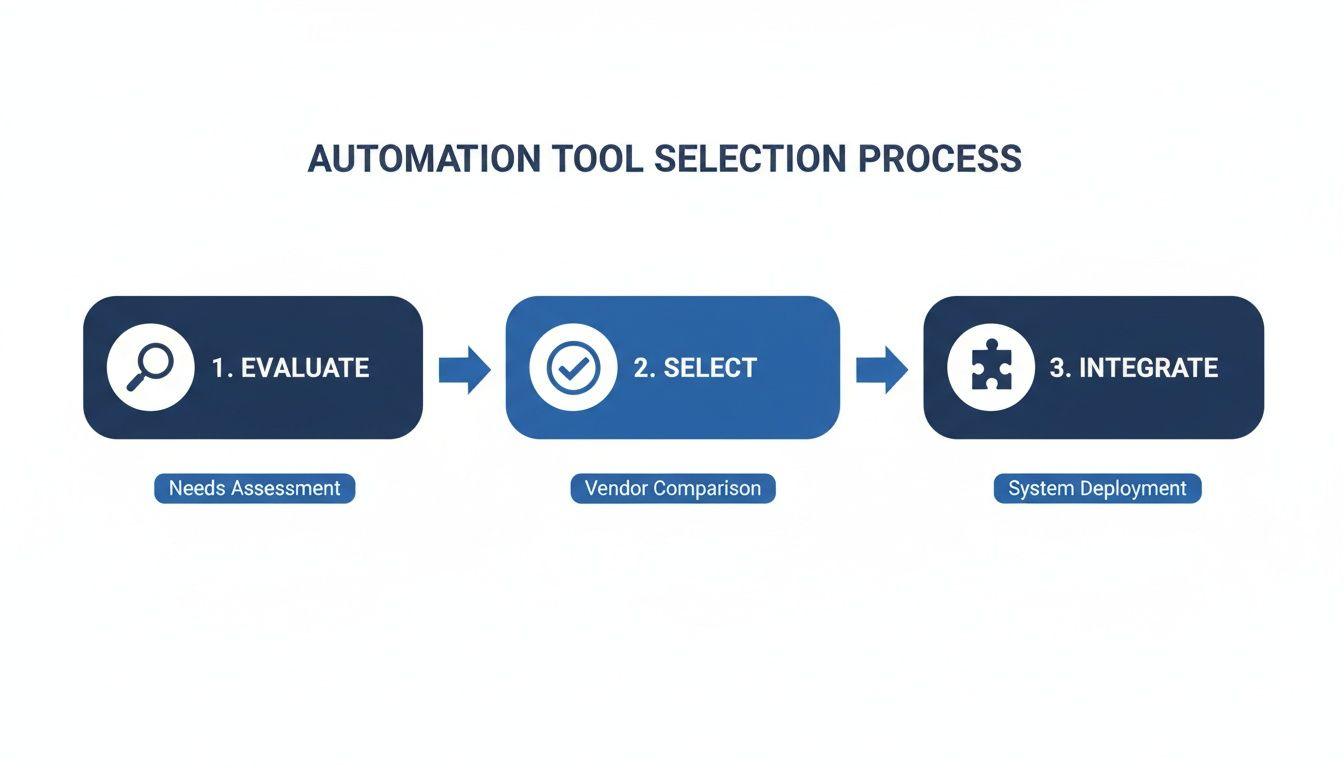
As this shows, getting the foundation right—evaluating your needs, selecting the right platform, and integrating it—is what makes the actual building process smooth.
Your Step-By-Step Guide to the First Workflow
Let's pretend we're using a popular tool like Zapier to bring this to life. The first thing you'll do is connect your accounts—Gmail, Google Drive, and Slack. Good automation platforms use secure, standard methods for this, so you don't have to worry about your data's safety.
With your apps connected, you'll define the trigger. Here's where you can get clever. Instead of having the workflow run for every email, you can add filters. For example, you could tell it to only trigger if the email is from a specific sender or if the subject line contains the word "INVOICE." This is a great way to keep your drive from getting cluttered.
Next up is configuring the action. You’ll point the workflow to the exact Google Drive folder where you want the file to land. Pro tip: use data from the trigger to customize this step. You could automatically name the saved file using the email's subject line and the date it was sent. This is how you keep everything perfectly organized without lifting a finger.
Finally, you'll set up the Slack notification. Again, pull in data from the trigger to make the message useful. Something like, "Hey team, a new file named [Email Subject] was just added to the [Folder Name] drive. Please review," is way more helpful than a generic ping.
The real power here isn't just in linking apps; it's about passing information between them. Using data from your trigger to customize your actions is what turns a basic workflow into a genuinely smart assistant.
A Quick Guide to Testing and Troubleshooting
I can't stress this enough: always test your work. Don't just build it and assume it works. Most platforms have a test function that will grab recent data—like your last few emails—so you can run a simulation and see exactly what will happen.
The easiest way to test is to just do it for real. Send yourself an email with an attachment that meets your trigger criteria. Did it show up in the right Drive folder? Did the Slack message appear?
If it didn't work, don't sweat it. It's almost always one of a few simple things:
- Connection Problems: Did you recently change a password? Sometimes an app connection just needs to be re-authorized.
- Mapping Mix-up: A classic mistake is telling the workflow to use the email body as the file name instead of the subject. Double-check which pieces of data you're pulling from the trigger.
- Permission Issues: You need to make sure your automation tool actually has permission to add files to the specific Google Drive folder you chose.
Running into these little hiccups is a normal part of the learning curve. By starting with a simple workflow, you'll quickly figure out how to spot and fix these common issues, which will give you the confidence to tackle much bigger automation projects down the road. You can even set up notifications for when things go wrong, similar to how you might configure a Slack automatic reply to get an alert when a process fails.
Measuring Success and Scaling Your Efforts

Getting that first automated workflow up and running feels fantastic, but that initial win is just the beginning. The real magic happens when you turn that first victory into a habit of continuous improvement. It’s all about measuring what’s working, understanding its true impact, and then thoughtfully scaling your efforts.
You're not just building one-off solutions; you're creating an interconnected system that gives you back serious time and mental energy.
Looking Beyond Time Saved
It’s easy to say, “I saved an hour this week.” That’s great, but it’s a pretty shallow metric on its own. What did you actually do with that extra hour? Did it free you up to build a better client relationship, brainstorm a new idea, or just leave work on time for once? To really understand the return on your investment (ROI), you have to look deeper.
Think about tracking a few key performance indicators (KPIs) that tell a much richer story:
- Error Reduction Rate: How many mistakes were made when the task was manual versus now? A tiny data entry mistake can snowball into a huge problem down the line.
- Task Consistency: Is the process followed the same way every single time? For things like client onboarding or financial reports, consistency is everything. Automation nails it.
- Completion Speed: How long does the entire process take, from start to finish? You might find a task that used to take three days now happens in three minutes.
When you track these metrics, the conversation shifts from "I saved an hour" to "I boosted our data accuracy by 90% and freed up my team for more strategic work." That’s a much more powerful statement.
Your goal isn't just to do tasks faster; it's to create better outcomes. Measuring the right things—like fewer errors and improved consistency—reveals the true, often hidden, value of your automated systems.
A Smart Framework for Scaling Up
Once you’ve got a few successful automations under your belt and can prove their value, it's tempting to automate everything in sight. The trick is to scale thoughtfully, not randomly. You want to build a system where your workflows start connecting and feeding into each other.
I’ve found it helps to think in layers:
- Start with Personal Wins: First, automate the tasks clogging up your personal to-do list. This gives you an immediate, tangible benefit and builds your confidence.
- Move to Team Processes: Next, look for bottlenecks that slow down your whole team. Automating a shared process, like distributing status updates or organizing files, creates a ripple effect of efficiency.
- Connect the Systems: Finally, find opportunities for one automation to trigger another. Imagine a new sale in your CRM automatically kicking off an invoice, setting up a project board, and sending a personalized welcome email. That’s a chain reaction of efficiency.
This layered approach keeps you from getting overwhelmed and ensures you're building on a solid foundation. As you get more advanced, you can learn more about how to use AI for your business to discover even more powerful ways to connect and supercharge your workflows.
Documenting and Discovering New Opportunities
As you build more automations, documentation becomes your best friend. Seriously. A simple spreadsheet listing each automation, what it does, and the apps it connects is invaluable for troubleshooting and avoiding redundant work.
This proactive mindset is becoming non-negotiable in the modern workplace. By 2030, automation is expected to displace 92 million jobs while creating 170 million new ones. The right automations can slash repetitive work by 60-95%. We're talking about a 37% drop in data capture mistakes and an 88% jump in accuracy. These aren't just numbers; they represent a fundamental shift toward using human talent for higher-value work.
Keep your task audit log alive. The more you do this, the more you'll start seeing opportunities everywhere. A task that once felt like a frustrating chore will now look like a fun puzzle to solve. This is how your initial effort transforms into a powerful, long-term productivity engine.
Got Questions About Automation? You're Not Alone.
Jumping into automation can feel a bit like learning a new language. You hear all these new terms, worry about connecting your accounts, and wonder if it’s really going to be worth the effort. That's perfectly normal.
Let's clear the air and tackle some of the most common questions people have when they first start. Think of this as your quick-start FAQ to get you over those initial hurdles and on your way to building some seriously useful workflows.
"Is It Safe to Connect All My Apps?"
This is probably the single most important question, and the answer is a resounding yes, provided you use reputable platforms. Tools like Zapier, Make, and IFTTT are built from the ground up with security in mind. They don’t just slap it on as an afterthought.
They use industry-standard encryption, but the real magic is a technology called OAuth. You've already used it hundreds of times—it's the tech behind those "Log in with Google" or "Sign in with Apple" buttons.
Instead of handing over your actual password, OAuth gives the automation tool a secure, revocable token with very specific permissions.
You're essentially giving the tool a limited-access keycard, not the master key to your entire digital life. You can see exactly what it's allowed to do (like "read new emails" or "add a row to a spreadsheet") and you can deactivate that keycard anytime you want.
To stay on the safe side, always stick to these habits:
- Glance at the Privacy Policy: A quick scan tells you how they treat your data.
- Grant Only What's Needed: If a workflow just needs to post to Twitter, don't give it permission to read your DMs. Be selective.
- Always Use 2FA: Turn on two-factor authentication for your automation platform and every app you connect to it. It’s your single best defense.
"What's the Real Difference Between No-Code and Low-Code?"
It's easy to get these two mixed up, but the distinction is actually pretty simple. Imagine you're building with LEGOs.
No-code is like having a massive, perfectly organized LEGO set. You have every standard brick, window, and wheel you could ever need. You just snap them together using a visual, drag-and-drop builder. You don't need to know anything about plastic injection molding to build an incredible castle. That’s Zapier and IFTTT in a nutshell.
Low-code is like a LEGO Technic set. You get all the standard bricks, but you also get motors, gears, and the option to 3D print a custom piece if the exact one you need doesn't exist. These platforms, like Make and Microsoft Power Automate, start with a visual interface but let you add small snippets of code (like JavaScript) to handle tricky logic or work with a unique API.
So, no-code is about creatively combining what already exists. Low-code is for when you need to invent a new piece to get the job done.
"Can I Actually Automate Things From My Phone?"
Absolutely! Automation has broken free from the desktop. Most major platforms have fantastic mobile apps for managing your workflows on the go.
But the real power is in the tools already baked into your phone's operating system.
- For iPhone Users: The native Shortcuts app is a beast. You can build personal automations that trigger when you leave the office, connect to your car's Bluetooth, or tap an NFC sticker on your nightstand. It’s perfect for bridging your digital tasks with your real-world actions.
- For Android Users: An app like Tasker offers almost limitless control. You can create complex, custom rules for just about anything your phone can do, making it a go-to for power users who want deep-level automation.
These on-device tools are brilliant for tasks that depend on your physical context—your location, the time, or what you're currently doing.
"How Do I Know This Is Actually Saving Me Time?"
Great question. You don't want to spend hours building an automation that only saves you seconds. The key is to run a quick, back-of-the-napkin calculation.
First, identify the manual task. Let's say it's a 10-minute report you run every single weekday. That’s 50 minutes a week, which adds up to over 43 hours a year. That's an entire work week spent on one repetitive task!
Once your automation is running, pop into the tool's history or dashboard. It will show you a log of every time the workflow has successfully run. If it ran 20 times last month, you can confidently say you've reclaimed over three hours of your time.
Don't forget the hidden benefits, either. Automation crushes the "mental load" of having to remember tedious jobs and wipes out the potential for human error. The real win isn't just the time you get back—it's the focus and peace of mind.