
Using AI in your business isn't just about cool new tech; it's about putting smart software to work to handle routine tasks, make sense of your data, and improve how you talk to customers. When you get it right, you become more efficient, make better-informed decisions, and build stronger customer relationships. It’s how you turn technology into a real-world advantage.
The Reality of AI in Business Today
If you still think artificial intelligence is some far-off concept for giant tech companies with massive budgets, it’s time for a reality check. AI has officially gone mainstream. Today, small and midsize businesses are finding practical, affordable ways to use AI to solve everyday problems, smooth out operations, and connect with their customers on a deeper level.
At its heart, this is all about staying competitive. Think of AI as the most powerful intern you've ever had—one that can sift through mountains of data, handle repetitive work that bogs your team down, and never needs a coffee break. This frees up your people to focus on what humans do best: thinking strategically, getting creative, and building relationships.

Where AI Is Making a Real Impact
Forget the idea of AI as one single, monolithic thing. It’s actually a collection of different tools and capabilities you can plug into almost any part of your business. From marketing to finance, companies are already seeing tangible results.
Here are a few of the key areas where AI is already a game-changer:
- Marketing and Sales: AI can dig into customer data to help you launch highly personalized campaigns, predict which leads are most likely to convert, and even draft surprisingly good ad copy or social media posts in a fraction of the time.
- Customer Service: You've probably already interacted with an AI-powered chatbot. They provide instant, 24/7 support by answering common questions and solving simple issues, which keeps customers happy and takes a huge load off your support staff.
- Operations and Finance: AI is a workhorse behind the scenes. It can help you forecast inventory needs, spot unusual patterns in financial reports, automate tedious data entry, and give you predictive insights to plan more effectively.
This isn't just a niche trend. The adoption of AI has absolutely exploded. According to the Stanford HAI's 2025 AI Index Report, a staggering 78% of organizations worldwide were using AI in at least one business area in 2024. That’s a huge leap from 55% just the year before. In the U.S. alone, companies poured $109.1 billion into AI in 2024. You can dig into the full findings on AI adoption trends on their site.
The goal isn't to "do AI" for the sake of it. The goal is to solve a business problem. Whether that's responding to customers faster, writing better marketing emails, or understanding sales data, AI is simply the tool that helps you do it better.
Why Now Is the Time to Start
The best part? The barriers that once kept small businesses out of the AI game have crumbled. Today's tools are surprisingly user-friendly—many require zero coding knowledge and run on affordable monthly subscriptions. A small marketing team can start with an AI content writer for less than the cost of a few lattes, and an e-commerce shop can get a customer service bot up and running in an afternoon.
This accessibility means that sitting on the sidelines is no longer an option. Chances are, your competitors are already experimenting with AI to become faster and more efficient. But here's the good news: you don't have to overhaul your entire company overnight. The smart approach is to start small. Pick one or two nagging pain points in your business and find a targeted AI solution. Getting a quick win will show you the value firsthand and build the momentum you need to explore even more possibilities down the road.
Finding Your First AI Wins

The single biggest mistake I see businesses make with AI is starting with the technology. A flashy new tool catches their eye, and they try to shoehorn it into their operations. The right way to begin is to ignore the tools completely at first and ask one simple question: Where does it hurt?
The most successful AI projects I’ve been a part of started by diagnosing a specific business problem, not by chasing a trend. Think of it like a doctor’s visit. You wouldn't want a prescription without a diagnosis, right? The same logic applies here. You need to understand the symptoms before you can find the cure.
Your goal is to find high-impact, low-risk starting points. These are the "quick wins" that solve a real annoyance, deliver immediate value, and build momentum for bigger projects down the road. They prove the concept to you and your team without demanding a huge investment of time or money right out of the gate.
Start with a Simple Business Audit
You don’t need a fancy consulting framework for this. Just grab a notebook or open a doc and start listing the daily friction points in your business. Get your team involved and ask these questions to uncover the most promising areas for an AI solution.
- What are our biggest time-wasters? Pinpoint the repetitive, manual tasks that eat up hours every week. This could be anything from answering the same customer questions over and over to manually pulling data for reports.
- Where are our bottlenecks? Look for the processes where work gets stuck and slows everything down. Is your sales team spending more time on admin follow-ups than on actually selling?
- Which decisions feel like a shot in the dark? Think about where you wish you had better data. Are you struggling to predict which marketing campaigns will land or how much inventory to order for next quarter?
- What frustrates our customers the most? Long waits for support, generic marketing, and inconsistent service are all classic pain points that AI is exceptionally good at smoothing out.
Once you have this list, you can start mapping these problems to potential AI applications. This simple exercise turns abstract frustrations into concrete, solvable problems.
Connecting Problems to Practical AI Solutions
Let's walk through a real-world example. A small e-commerce store I know had its two-person support team completely swamped with questions about order status and return policies, especially after hours. This was a classic bottleneck and a huge source of customer frustration.
The clear solution wasn't some complex, all-in-one platform. It was a targeted tool: an AI-powered chatbot. They trained it on their specific policies to give instant, 24/7 answers to those common questions. This immediately freed up the team to handle the more complex, high-value customer issues that actually required a human touch.
If this sounds familiar, our guide on choosing an AI chatbot for a small business is a great next step.
The best first AI project is one that makes a specific team member’s job noticeably easier. When someone on your team can say, "This new tool saves me five hours a week," you've found a true win.
To help you brainstorm, I've put together a table that connects common business challenges with practical AI solutions.
Mapping Business Problems to AI Solutions
This table is designed to help you see the direct line between a problem you're facing today and a potential AI tool that can solve it.
| Business Challenge | Potential AI Use Case | Key Benefit |
| Sales team is bogged down with follow-up emails. | An AI writing assistant integrated with your CRM | Automates personalized outreach, saving hours of manual typing. |
| Marketing struggles to create enough social media content. | A generative AI tool for drafting posts and creating images | Increases content output and consistency with less effort. |
| Customer support is overwhelmed by repetitive questions. | An intelligent chatbot on your website | Provides instant answers 24/7, improving customer satisfaction. |
| Struggling to understand customer feedback from surveys. | An AI tool for sentiment analysis | Quickly categorizes feedback as positive, negative, or neutral. |
By focusing on a tangible problem first, you shift the conversation from a vague "We need to use AI" to a strategic "We need to solve our customer response time issue." That’s a much more powerful place to start.
Choosing the Right AI Tools for the Job
So, you've pinpointed a specific problem you want to solve. Now comes the exciting part: diving into the world of AI software. Let's be honest, it can also be a bit overwhelming. The market is absolutely flooded with options, from simple tools you can start using in minutes to seriously powerful generative AI models.
Your goal isn't to find the best AI tool out there—it's to find the right one for the job at hand.
Think of it this way: you wouldn't hire a full construction crew to fix a leaky faucet. You just need a wrench. It's the same with AI. If your marketing team is bogged down writing social media posts, a specialized AI writing assistant is a much smarter choice than a complex, all-encompassing data platform. Starting with a targeted, easy-to-use tool gets you a quick win and avoids a frustratingly steep learning curve.
Generalists vs. Specialists
The AI landscape really boils down to two main camps. Getting your head around the difference is the key to making a good decision.
- Generalist Tools: These are the big, flexible large language models (LLMs) like ChatGPT or privacy-first alternatives such as 1chat. They're the Swiss Army knives of the AI world—incredibly versatile for drafting emails, brainstorming blog post ideas, summarizing long documents, and even writing a bit of code. They're fantastic for a huge range of tasks but might not have the specialized finesse you need for a single, critical job.
- Specialist Tools: These platforms are built from the ground up to nail one specific business function. Imagine an AI tool designed only for email marketing that can analyze customer sentiment or predict the perfect time to send a campaign. Or think of a platform dedicated to generating photorealistic images for your ads. They do one thing, and they do it exceptionally well.
For most small businesses, dipping a toe in the water with a generalist tool is a great, low-cost way to start experimenting. But once you identify a recurring, high-impact business need, a specialist tool will almost always deliver a better return. If you want a head start, we've already put together a list of the best AI tools for small businesses to help you weigh your options.
The Critical Conversation About Data Privacy
Okay, before you sign up for anything, we need to talk about the elephant in the room: data security. When you paste a customer list, a sensitive financial report, or a confidential business plan into an AI prompt, where does that information actually go? Who can see it?
This isn't just a paranoid hypothetical. Some AI models actively use customer inputs to train their future versions, which is a massive risk. Your proprietary information could inadvertently be served up to another user, or worse. Choosing a tool without a rock-solid privacy policy is one of the biggest gambles a business can take with AI.
Your company data is one of your most valuable assets. Never use an AI tool that treats your confidential information as free training material. Your top priority should be finding platforms that provide a private, secure sandbox for your business.
This is a huge reason why so many AI projects fail to get off the ground. A recent MIT report found that even though tons of companies are experimenting, many generative AI pilots aren't actually producing results. A top reason? 40% of companies cited privacy and data confidentiality concerns. You can learn more about these insights on the challenges of AI adoption.
Your AI Vendor Security Checklist
Don't be shy about asking vendors the tough questions. Any AI company worth its salt will have clear, direct answers for you. Before you commit to any platform, make sure you get confirmation—preferably in writing—on these key points.
- Data Usage Policy: Ask them point-blank: "Do you use our business data to train your models?" For any serious business tool, the only acceptable answer is an unequivocal "no."
- Data Encryption: Is your data encrypted both while it's being sent to their servers (in transit) and while it's stored on them (at rest)? This is a basic, non-negotiable security standard.
- Compliance Certifications: Do they meet major data protection regulations like GDPR (if you handle European customer data) or hold security certifications like SOC 2? This is a clear sign they take security seriously.
- Access Controls: How do they limit who can see your data? You absolutely need the ability to manage permissions for your own team and a guarantee that the vendor's employees can't snoop on your information.
Making the right choice means balancing the cool features of a tool with the real-world security of your business information. If you put privacy first from day one, you can bring AI into your operations with the confidence that you're building on a secure foundation.
Weaving AI into Your Daily Workflows

So, you’ve picked out a great AI tool. That’s the easy part. The real challenge is making sure it actually gets used and becomes a natural, helpful part of your team’s everyday routine. Even the best software is useless if it just sits there.
The trick is to think of this less as a tech rollout and more as a shift in how your team gets things done. It’s about building new habits. This means providing clear guidance, a bit of hands-on training, and fostering a view of AI as a collaborator, not just a gadget.
When you get this right, AI simply melts into your existing processes, making everyone’s job a bit easier and more efficient. It's not enough to just give everyone a login; you need to show them how and when to use it to solve the real problems you identified earlier.
Creating Clear Usage Guidelines
First things first: you need to set some ground rules. Without clear guardrails, people will either hesitate to use the tool or use it in ways that are inconsistent or risky. A simple, one-page document can make all the difference.
This guide should spell out exactly which tasks AI is meant for. For example, you might give the green light for drafting initial social media posts but require a human to handle the final edit to inject the brand's unique personality.
Think of it as a playbook that gives your team the confidence to experiment. It should answer practical questions like:
- What tasks is this tool approved for? (e.g., summarizing meeting notes, brainstorming blog titles, generating product descriptions)
- What information should never be put into the AI? (e.g., customer PII, confidential company financials)
- What's our review process for AI-generated work? (e.g., all marketing copy must be fact-checked and edited by a senior team member before publishing)
The point of guidelines isn't to stifle creativity—it's to create a safe and effective framework for it. Clarity removes hesitation and encourages everyone to jump in.
From Prompts to Process Integration
Just telling your team to "use AI" is like giving a chef a new spice without a recipe. The secret to getting great results from any AI model is prompting—the skill of asking the right questions to get the best possible answer.
Instead of vague commands like "write a blog post," coach your team to give the AI context. A much better prompt would be: "Act as a marketing expert for a small e-commerce brand selling eco-friendly candles. Write a 500-word blog post about the benefits of soy wax. Use a friendly, informative tone and include a call to action to check out our new lavender scent." The difference in output quality is night and day.
The next step is to build these kinds of well-crafted prompts directly into your team's existing workflows.
Real-World Workflow Examples
- Marketing Team: A content manager could create a task template in Asana or Trello called "AI-Assisted Blog Post." This template would include a checklist with specific prompts for generating an outline, drafting each section, and suggesting headlines. This ensures every post starts with the same high-quality foundation.
- Sales Team: Imagine a sales rep using an AI assistant linked to their CRM. After a client call, the AI could automatically summarize the conversation, pull out action items, and draft a personalized follow-up email. Research shows this kind of integration can boost lead generation conversions by 25% by cutting down on manual admin work. You can find more data on how AI boosts sales and marketing effectiveness.
- Customer Support: Your support team can create a shared library of pre-approved prompts for handling common customer issues. When a familiar question comes in, they can use a prompt to generate a clear, empathetic, and policy-compliant response in seconds. If this is a pain point for your business, you can learn more about how to automate customer service without losing the human touch.
By embedding AI into familiar processes, you lower the barrier to adoption. It stops being "that new AI thing we have to learn" and just becomes "how we write follow-up emails now." This approach makes it feel less like a chore and more like a helpful upgrade to the tools your team already uses every day.
Proving the Value of Your AI Investment
It’s easy to get caught up in the excitement of launching a new AI tool. But once the initial buzz wears off, the real question emerges: Is it actually working? To keep the momentum going—and to make a strong case for future AI projects—you have to connect the dots between the tech and tangible business results.
This isn't about chasing vanity metrics. It’s about measuring what truly matters.
Think back to the original problem you wanted to solve. If you brought in an AI chatbot to lighten the load for your customer service team, its success isn't just about how "smart" it is. The real proof is in the numbers: a measurable drop in support tickets and faster answers for your customers.
Tracking your return on investment (ROI) isn't just for showing the higher-ups. It's for you. It's the only way to know what's working, what isn't, and where you should be putting your energy next.
Setting Your Key Performance Indicators
Before you can measure success, you have to define what it looks like. This means setting crystal-clear Key Performance Indicators (KPIs) that tie directly to the goal of your AI project. A vague goal like "improve efficiency" is useless because you can't track it. A specific goal, like "cut the time we spend drafting social media posts by 50%," is something you can actually measure and celebrate.
Let the original pain point you identified guide your KPIs.
- For Customer Service AI: Did you implement a chatbot to handle common questions? Your KPIs should revolve around support efficiency and customer happiness. Start tracking metrics like first-response time, ticket resolution rate, and customer satisfaction (CSAT) scores.
- For Marketing AI: If you're using an AI assistant for content creation, your KPIs need to reflect output and results. Measure things like content production volume (how many blog posts are you publishing now?), cost per lead, and engagement rates on the campaigns AI helped create.
- For Sales AI: When AI is helping you score leads or automate follow-ups, the KPIs are all about the bottom line. Zero in on lead conversion rates, the ratio of time spent on admin tasks versus active selling, and the overall sales cycle length.
Looking Beyond the Hard Numbers
While the hard numbers—cost savings, revenue growth—are crucial, they don't paint the full picture. Some of the biggest wins from AI are the "soft" benefits, like team morale and customer loyalty. Don't make the mistake of overlooking them.
These qualitative wins might be harder to fit into a spreadsheet, but they're essential for building a long-term, sustainable case for AI.
Employee Feedback: Are your people less bogged down? Do they feel more creative now that the soul-crushing repetitive tasks are gone? A quick pulse survey or even just asking them in a team meeting can uncover incredibly valuable insights.
Customer Anecdotes: Keep an eye out for positive reviews or social media shout-outs that mention the speed or quality of your service. When a customer raves about getting an instant answer from your chatbot at 10 PM, that's direct proof of a better experience.
A Simple Framework for Tracking and Reporting
You don’t need a complicated business intelligence dashboard to track your AI's impact. Honestly, a simple spreadsheet often works best, as long as you're consistent with it.
Set up a basic tracker with a few key columns:
| Metric (KPI) | Baseline (Before AI) | Current (After AI) | Change (%) | Notes |
| Avg. Support Response Time | 45 minutes | 5 minutes | -89% | AI chatbot handles 60% of initial inquiries. |
| Monthly Blog Posts | 4 | 10 | +150% | AI assistant drafts outlines and first versions. |
| Employee Satisfaction | 7/10 | 9/10 | +20% | Team reports less time on tedious data entry. |
Make it a habit to update this tracker monthly or quarterly. This isn't just data entry; it's building a story. When you can draw a straight line from your AI tool to a 150% increase in content output, you’re no longer talking about a fancy piece of tech.
You're talking about real, undeniable business growth.
6. Your AI Implementation Playbook
Bringing AI into your business isn't something you just switch on overnight. From my experience, the businesses that truly succeed are the ones that treat it like any other major initiative—with a clear plan. It’s a journey that starts by figuring out what’s broken and ends with proving you’ve fixed it.
This playbook is all about moving with intention. I've seen too many companies get excited about the tech without first asking, "What problem are we actually trying to solve?" The real wins come from pinpointing the biggest time-sinks and operational headaches, then matching them with smart, low-risk AI tools.
From Big Ideas to Daily Workflows
Once you’ve got a solid use case, the next step is picking your tools and getting your team ready. Choosing a tool with a rock-solid privacy policy is non-negotiable; your business data is everything. At the same time, you need to bring your team along for the ride. That means creating simple guidelines and showing them how to get the most out of the AI with effective prompting.
Finally, you have to be able to show it was all worth it. Before you roll anything out, decide exactly what success looks like. Define your Key Performance Indicators (KPIs) upfront so you can actually measure the return on your investment.
This simple process is how you'll track the real-world value of your AI efforts.
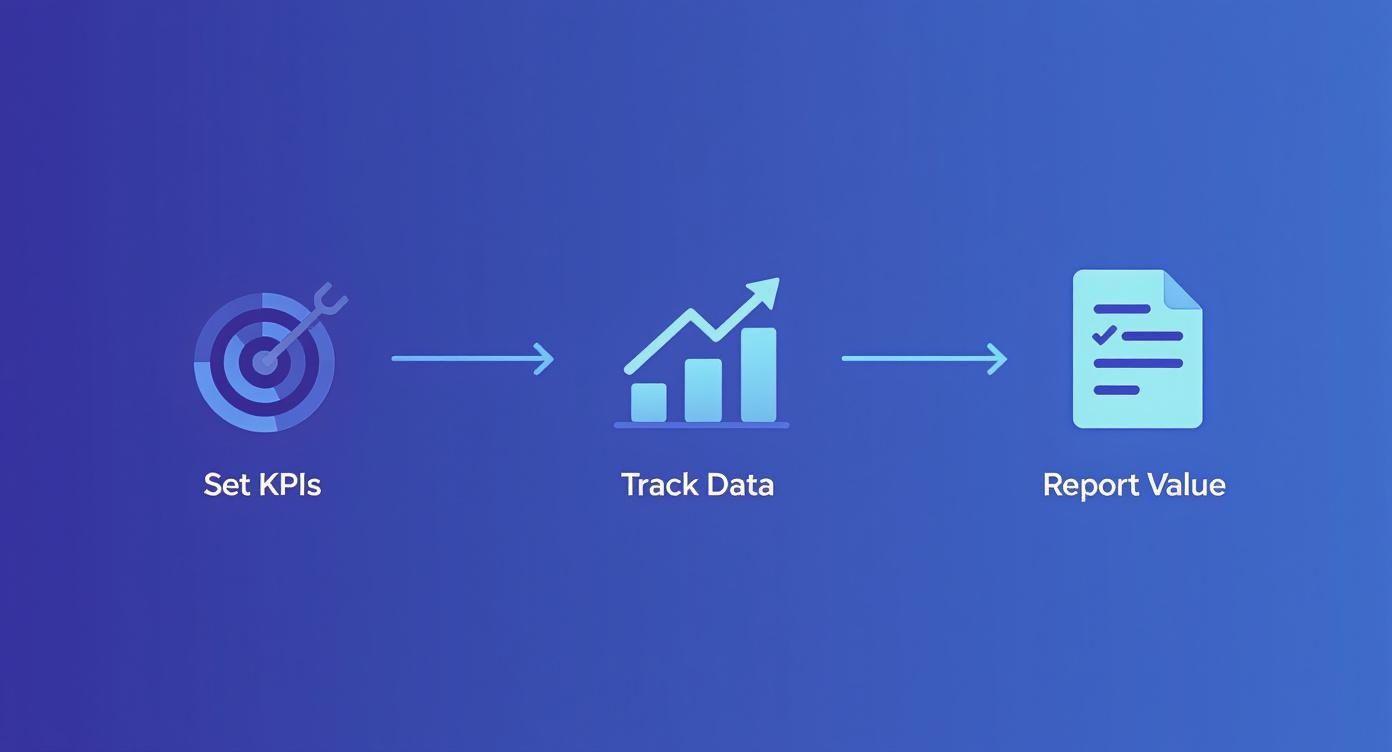
It’s all about creating a feedback loop. You set your goals, keep an eye on the data, and then report back on the value you're seeing. That’s how you justify the investment and build momentum for what’s next.
A quick pro-tip from the trenches: Think of AI implementation as a cycle, not a straight line. You need to constantly check in on what’s working, get feedback from your team, and tweak your approach. The companies that win with AI are the ones that see it as a permanent part of their strategy, not just a one-and-done project.
To help you stay on track, here's a straightforward checklist that covers the key phases we've discussed. Use it to map out your own AI adoption journey and ensure no critical steps are missed.
AI Implementation Checklist for SMBs
| Phase | Action Item | Status (To Do, In Progress, Complete) |
| 1. Assessment & Strategy | Identify 3-5 key business pain points (e.g., time-consuming tasks, bottlenecks). | |
| 1. Assessment & Strategy | Prioritize use cases based on impact and ease of implementation. | |
| 1. Assessment & Strategy | Define clear success metrics and KPIs for the chosen use case. | |
| 2. Tool Selection & Setup | Research and select an AI tool with strong data privacy policies (like 1chat). | |
| 2. Tool Selection & Setup | Configure the tool's privacy settings to protect company data. | |
| 3. Integration & Training | Integrate the AI tool into a specific team's existing workflow. | |
| 3. Integration & Training | Develop simple usage guidelines and prompt-writing best practices. | |
| 3. Integration & Training | Conduct hands-on training sessions with the pilot team. | |
| 4. Measurement & Refinement | Track the predefined KPIs for 30-60 days. | |
| 4. Measurement & Refinement | Gather qualitative feedback from your team on their experience. | |
| 4. Measurement & Refinement | Analyze results, report on ROI, and plan the next steps for expansion. |
This checklist isn't just about ticking boxes; it's about building a repeatable process that will serve you well as you find new ways to bring AI into your business.
Common Questions About Using AI in Business
Even with a solid plan in hand, you're bound to have questions as you start weaving AI into your business. That's perfectly normal. Let's tackle some of the most common ones I hear from business owners so you can move forward with confidence.
How Much Does It Cost to Implement AI in a Small Business?
This is the big one, and the answer is: it varies wildly, but it's far more accessible than you think. You can get your feet wet with incredibly powerful tools for free or with subscriptions often under $50 per month.
Of course, if you're looking at specialized platforms, like an AI-driven CRM or a sophisticated marketing suite, the cost can climb, ranging from a few hundred to several thousand dollars a month. My advice? Don't go all-in at once. Find a single, high-impact problem in your business and start with a tool that solves that specific issue within your budget.
Do I Need a Technical Background to Use AI Tools?
Absolutely not. The idea that you need to be a developer to use AI is a complete myth today. The vast majority of modern AI tools are designed for the rest of us, with intuitive, user-friendly interfaces that feel no more complicated than the software you already use every day.
Your most important skill isn't coding—it's knowing your business inside and out. If you can clearly articulate a problem, you can find a simple AI tool to help solve it.
What's the Biggest Mistake Businesses Make When Adopting AI?
I see this all the time: businesses get caught up in the hype and adopt AI just for the sake of it, without a clear problem to solve. This "technology-first" approach is a recipe for wasted money, frustrated teams, and a tool that just gathers digital dust.
Always, always start with a real business pain point. Is your customer support team drowning in tickets? Are you spending too much time on manual data entry? Pinpoint the friction first. Then you can go looking for the right AI tool to fix it. This problem-first mindset is the secret to getting a real return on your investment.
Is AI Going to Replace My Employees?
It's far more useful to think of AI as a powerful assistant, not a replacement. The most effective way to use AI is to augment your team's skills, letting it handle the monotonous, data-heavy tasks that drain their time and creativity.
This frees up your people to focus on what they do best—and what AI can't: thinking strategically, solving complex problems, and building real relationships with your customers. Let the tech handle the grunt work so your team can focus on growing the business.