Automating customer service isn't just about plugging in a chatbot and calling it a day. It’s a strategic shift that hinges on three key areas: using AI chatbots for immediate answers, automating the backend grunt work for support tickets, and using data to get ahead of customer problems. Nailing this three-part approach is how you meet today’s demand for 24/7 support without burning out your team.
Why Customer Service Automation Is a Necessity
In today's world, the question isn't if you should automate customer service, but how quickly you can get it done right. Customer expectations have changed for good. They want instant help, day or night, on whatever channel they happen to be using. Nobody has the patience to wait hours for an email reply or sit on hold anymore. Automation has become the engine that keeps modern support teams responsive and efficient.
This shift is about more than just keeping up—it's about staying in the game and growing. Businesses that get automation right find they can accomplish so much more. They pull their talented agents out of the weeds of repetitive tasks like password resets and "where's my order?" inquiries. This frees them up to tackle the complex, high-stakes problems where a human touch and critical thinking make all the difference. The result? Happier employees and more loyal customers.
The Driving Force Behind Automation
The data paints a pretty clear picture. By 2025, a staggering 95% of customer interactions are expected to involve AI in some way. That's a massive change from the old model of human-only support.
This trend is fueled by real, measurable gains in efficiency. Companies deploying AI tools see a 13.8% jump in customer inquiries handled per hour and slash their average resolution times by a massive 87%. If you want to dig deeper into the numbers, the research on AI in customer service from Fullview lays out the impact in detail.
This guide gives you a practical roadmap built on three core strategies to make this change work for you. By focusing on these pillars, you can build a system that doesn't just close tickets faster but creates a genuinely better experience for your customers and your team.
The goal isn't to replace your team but to empower them. Great automation acts like a tireless assistant, handling the basics so your human experts can focus on building relationships and solving the tough problems that automation can't.
Our whole approach is about creating a balanced system where technology and people work together seamlessly. You’ll learn how to put these strategies into practice in a way that feels natural to your customers and delivers a real return on your investment.
To start, let's break down the foundational concepts we'll be covering. Think of it as the three pillars that hold up a successful automation strategy.
| The Three Pillars of Customer Service Automation |
| :--- | :--- | :--- |
| Pillar | What It Does | Key Benefit |
| AI Chatbots | Provides instant, 24/7 answers to common questions and handles initial customer intake. | Frees up human agents and gives customers immediate help, anytime. |
| Workflow Automation | Streamlines backend processes like ticket routing, status updates, and task assignments. | Reduces manual work, eliminates errors, and speeds up internal processes. |
| Proactive Engagement | Uses data and triggers to anticipate customer needs and offer help before they ask. | Prevents problems, improves satisfaction, and builds customer loyalty. |
By mastering these three areas, you're not just adding tools; you're building a smarter, more resilient customer service operation from the ground up.
Building Your Automation Blueprint
It’s tempting to jump straight into choosing a chatbot, but that’s a classic mistake I’ve seen many businesses make. The smartest way to automate your customer service doesn't start with technology—it starts with a solid plan. A good blueprint ensures you're automating the right things for the right reasons, saving you from headaches and frustrated customers later on.
The first thing to do is a simple but incredibly revealing exercise: a support audit. Get your hands dirty and dive into your customer service tickets, emails, and chat logs from the last few months. Your mission is to find the most frequent, repetitive questions that are eating up your team's time.
Pinpointing Your Automation Sweet Spots
These recurring questions are your prime candidates for automation. As you sift through the data, start categorizing every inquiry. You'll probably find that a huge portion of your team's day is spent on just a handful of common issues.
Look for tasks like these, which are perfect for automation:
- "Where is my order?" (WISMO) requests: These are incredibly common and can be answered in seconds by hooking into your shipping software.
- Password resets: A simple, rules-based process that absolutely doesn't need a human to handle it.
- Basic product questions: Things like features, specs, or compatibility are easily handled by a bot armed with a knowledge base.
- Return policy inquiries: Your standard policy can be served up instantly, freeing up an agent for more complex conversations.
By identifying these high-volume, low-complexity tasks first, you're building a data-backed case for where automation will deliver the biggest impact, fast. This isn't about deflecting every customer; it's about freeing up your experts to focus on the conversations that truly need a human touch.
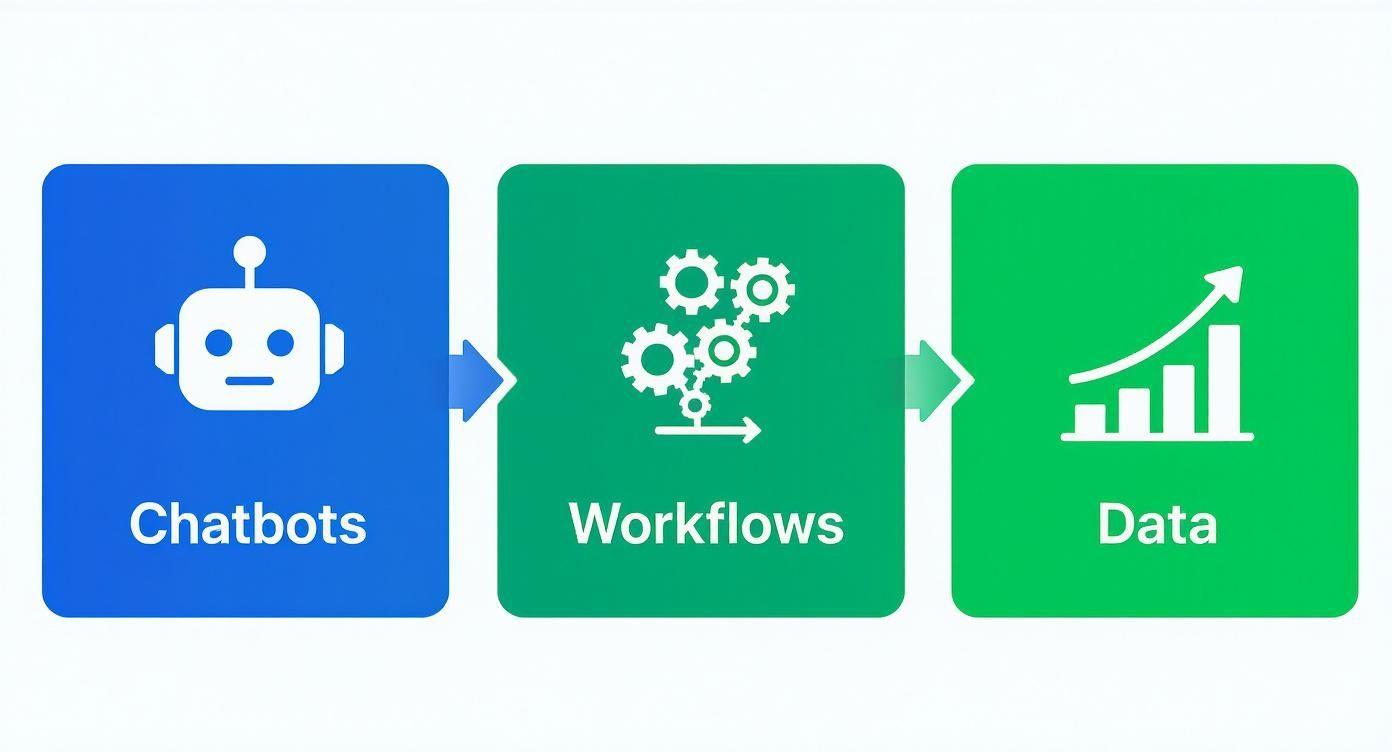
As you can see, effective automation is a connected system. It’s about creating a smooth journey from the initial question all the way to a resolution.
Mapping Your Customer Service Channels
Next, you need to figure out where your customers are actually trying to talk to you. Don't just guess—map out every single touchpoint. Make a clear list of all your support channels, whether it's live chat on your site, various email inboxes, social media DMs, or even the good old-fashioned phone.
Once you have your map, dig into the volume and type of questions coming through each channel. You might be surprised to find your Facebook DMs are swamped with order status questions, while your main support email is handling trickier billing disputes.
This channel mapping is critical. It shows you exactly where an automated solution will relieve the most pressure. If 80% of your live chats are simple FAQs, you’ve just found your starting point.
This approach lets you deploy your resources surgically instead of using a scattergun approach. For example, maybe you start with a chatbot on your pricing page to handle sales questions but leave your technical support email in human hands for now. If you want to see what's out there, you can explore some of the best AI tools for small business to get a feel for the options.
By combining a thorough support audit with clear channel mapping, you'll create a practical blueprint. It ensures your automation efforts are targeted, effective, and built to solve real problems—for both your customers and your team.
Picking Your Customer Service Automation Tools
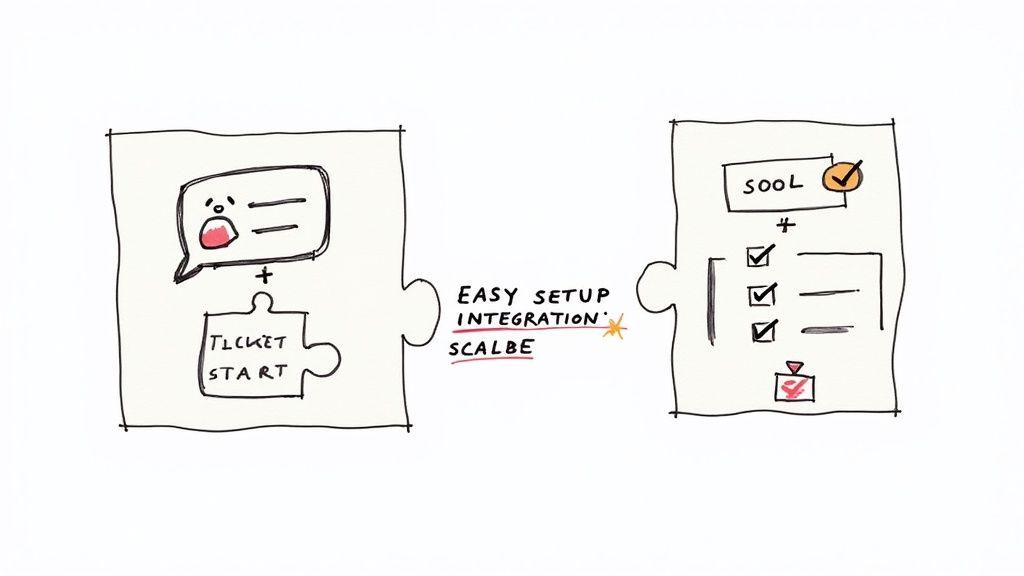
With a solid game plan in hand, it’s time to talk tech. The market for automation tools is packed, and it's easy to get analysis paralysis. But for most growing businesses, the right setup really comes down to two key pieces of the puzzle: a smart chatbot and a solid ticketing system.
Think of them as a team. Your chatbot is the friendly face at the front desk, available 24/7. Your ticketing system is the organized, efficient brain working behind the scenes to make sure nothing gets missed.
Let's dig into what to look for in each.
Choosing the Right AI Chatbot
Your chatbot is often the very first "hello" a customer gets, so this choice matters. Forget the clunky, robotic scripts of the past. Today’s AI chatbots understand real language, pull answers from your help articles, and can actually do things for the customer.
When you’re comparing platforms, here’s what really counts:
- It has to be easy to use. You shouldn’t need a computer science degree to build a conversation. Look for platforms with visual, drag-and-drop builders that let you map everything out without writing code.
- It must play well with others. The chatbot is useless if it’s an island. It absolutely needs to connect with your other tools—your CRM like Salesforce, your e-commerce store on Shopify, and your help desk like Zendesk.
- It needs room to grow. Pick a tool that can scale with your business. It should handle more conversations as you grow and let you build more complex automations later on.
- It should sync with your knowledge base. This is a game-changer. The best bots connect directly to your help center. When you update an article, the bot instantly knows the new information. No more conflicting answers.
A great chatbot doesn’t just give answers; it delivers solutions. For an online store, that means the bot doesn't just say, "I can help with your order." It actually pulls the tracking info from Shopify and shows it to the customer, right there in the chat.
For small businesses, the sweet spot is a tool that’s powerful but doesn’t feel intimidating. If you want to go deeper on this, our guide on choosing an AI chatbot for small business has some great pointers.
Setting Up Your First Chatbot Workflow
Once you’ve picked your platform, it’s time to put it to work. My advice? Start small. Focus on those high-volume, easy-to-answer questions you found during your audit.
Here’s a quick checklist to get you started:
- Build out your Top 3-5 FAQs. Start by scripting flows for the questions you get all the time. Think: order status, return policies, or basic product questions.
- Craft a clear welcome message. The bot’s first line should set the stage. Let people know they’re talking to a bot and give them buttons to guide them, like "Track My Order" or "Ask a Question."
- Define your handoff rules. The bot can't solve everything. Set up clear triggers for when to bring in a human, like if someone types "speak to an agent" or seems frustrated.
- Connect your key systems. This is where the magic happens. Link the bot to your other software so it can do more than just talk—it can check an order, start a return, or create a support ticket.
Treat your new chatbot like a new employee. It needs clear instructions and access to the right tools to do its job well.
Getting Your Automated Ticketing System in Order
While the chatbot handles the frontline, your ticketing system is where the real work gets done. It’s the command center where every customer issue is tracked, managed, and ultimately, solved. Automation here is all about creating smart rules that cut out the manual busywork for your team.
A well-oiled ticketing system can automatically sort new requests, send them to the right person, and keep customers updated—all without anyone lifting a finger. It turns an overflowing inbox into a smooth, organized machine.
Here are a few must-have automations to set up:
- Auto-Triage and Routing: Create rules that sort and assign tickets based on keywords or where they came from. For example, any email with the word "refund" can be automatically tagged as high-priority and sent straight to your billing expert.
- Proactive Status Updates: Keep customers informed automatically. Set up emails that confirm you’ve received their request, let them know when someone is looking at it, and tell them when it’s been solved.
- Automated Ticket Closure: Don't let old, resolved tickets clutter up your queue. Create a rule to automatically close a ticket if a customer doesn't reply within 48 hours of you sending a solution. This keeps your queue clean and your reporting accurate.
Understanding how these two tools—chatbots and ticketing systems—work together is crucial. One handles the immediate interaction, while the other manages the longer-term resolution.
To make it clearer, here’s a breakdown of what each tool focuses on.
Essential Features in Chatbot vs. Ticketing Automation
| Feature | AI Chatbot Focus | Automated Ticketing System Focus |
| Primary Goal | Instant, 24/7 frontline support and issue deflection. | Comprehensive issue tracking, management, and resolution. |
| Key Automation | Answering FAQs, guiding users, and collecting initial info. | Routing tickets, assigning tasks, and sending status updates. |
| Human Handoff | Identifies when a human is needed and escalates the conversation. | Provides the human agent with full context and history to solve the issue. |
| Integration Needs | Connects to knowledge bases and front-end tools (like Shopify). | Connects to CRMs, billing systems, and internal communication tools. |
| Success Metric | Deflection Rate, First Contact Resolution, Customer Satisfaction (CSAT). | Time to Resolution, Tickets Closed, Agent Productivity. |
When you choose the right tools and set them up to work in tandem, you build an experience that’s not just more efficient for you, but genuinely better and faster for your customers.
Mastering the Human and AI Handoff
Automation is a fantastic tool for customer service, but its real power comes from knowing its own limits. I've seen the most successful strategies time and time again, and they aren't about replacing people. They're about creating a seamless partnership between your AI and your expert team.
The handoff from bot to human is the moment of truth. This is where you elevate your automated system from good to genuinely great.
A clumsy handoff is one of the fastest ways to sour a customer's experience. Nothing is more frustrating than having to repeat your name, account number, and the entire problem you just spent five minutes explaining to a chatbot. The goal should be an invisible transition, where your human agent picks up the conversation completely in the loop, ready to jump in and help.
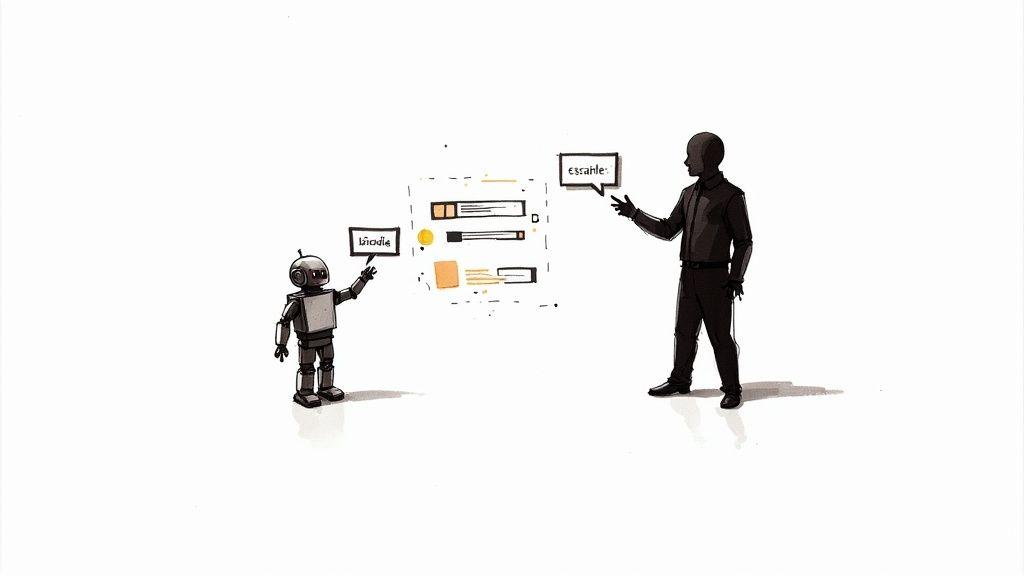
This isn't just about passing a ticket along. It's about making sure that when a customer finally talks to a person, the conversation is already well underway.
Establishing Clear Escalation Triggers
First things first, you need to decide exactly when your chatbot should bow out. These rules, which we call escalation triggers, are the signals that tell your system a human touch is required. If you don't define these clearly, you risk trapping a frustrated customer in an endless bot loop, which can seriously damage trust.
Your triggers should be a smart mix of what customers explicitly say and what they implicitly mean. Here are some of the most effective ones I’ve seen work in practice:
- Keyword Triggers: These are the most obvious signals. Set up your bot to immediately escalate when it detects direct phrases like "talk to a person," "speak with an agent," or even just "human."
- Sentiment Analysis: Modern AI is pretty good at detecting emotion. If a customer's language shows growing frustration, anger, or confusion, that’s your cue to bring in a person who can provide some much-needed empathy.
- The Three-Strikes Rule: If a customer asks the same question three times in a row, even if they rephrase it slightly, your bot clearly isn't getting it. This should be an automatic trigger for a handoff to prevent any more back-and-forth.
- High-Stakes Topics: You should designate certain complex or sensitive topics to bypass the bot entirely. Think about keywords like "billing dispute," "security concern," or "formal complaint." These are best handled by a human from the start.
Remember, these rules aren't set in stone. You'll want to review your chat logs regularly to find new patterns and fine-tune your triggers as you go.
Key Takeaway: A smart handoff is proactive, not reactive. The system should recognize the need for a human expert before the customer has to scream for one. This protects the customer relationship and makes your team’s job much easier.
Ensuring a Context-Rich Handoff
Once a handoff is triggered, what happens next is absolutely critical. There's one golden rule here: no one should ever have to repeat themselves. Your system must be configured to pass the entire conversation history, along with any relevant customer data, directly to the human agent.
This seamless transfer of context is non-negotiable for a positive customer experience. When an agent picks up that ticket, they should see the whole story at a glance.
What to Include in the Handoff Package
A complete handoff package equips your agent to solve the problem efficiently. Here’s what the system should transfer over, no exceptions:
| Data Point | Why It's Important |
| Full Chat Transcript | The agent can instantly see the entire back-and-forth, understand the customer's tone, and know what solutions have already been tried. |
| Customer Information | This should include their name, email, and account number, ideally pulled automatically from your CRM so the agent doesn't have to ask. |
| Bot's Last Action | Did the bot try to process a return? Look up an order status? Knowing this prevents the agent from repeating a step that already failed. |
| Source Page | Knowing the customer initiated the chat from your "Billing Issues" page gives the agent immediate context about their likely problem. |
When you design your automation with these kinds of intelligent handoff protocols, you create a support system that feels connected and helpful. The customer feels heard, and your agent is empowered with the information they need to deliver a fast, effective solution. It truly is the perfect blend of digital efficiency and human empathy.
Measuring and Refining Your Automation Strategy
Getting your automation up and running is a major milestone, but it's really just the starting line. From my experience, the most successful automation strategies are never "set and forget." You have to think of your system as a living, breathing part of your team that needs regular attention to get better. This is how you go from just using tools to building a truly intelligent customer service engine.
To get there, you need to look past simple vanity metrics, like the total number of chats handled. We need to focus on Key Performance Indicators (KPIs) that tell you what's actually happening. These are the numbers that reveal how automation is affecting your team’s workload and, most importantly, your customers' happiness.
KPIs That Actually Matter
If you want to know if your customer service automation is truly working, tracking the right data is non-negotiable. It’s the only way to prove your return on investment and spot opportunities to make your system even smarter.
I always recommend starting with these three critical KPIs:
- Chatbot Containment Rate: This is the percentage of conversations your chatbot fully resolves without a human ever getting involved. A high containment rate is a fantastic sign that your bot is effectively knocking out all those common, repetitive questions.
- First Contact Resolution (FCR) Rate: This tracks how many customer issues get solved in a single interaction. When your automation delivers fast, accurate answers, your FCR rate should climb because far fewer customers will need to reach out again.
- Reduction in Average Handle Time (AHT): For those tickets that do need a human touch, AHT measures the time an agent spends resolving the issue from start to finish. Good automation arms agents with context upfront, which should dramatically cut down this time.
A rising containment rate paired with a stable or improving Customer Satisfaction (CSAT) score is the gold standard. It means you're deflecting more tickets while keeping customers happy—a clear win for your automation efforts.
Digging Deeper into the Data
Your KPIs will tell you what is happening, but digging into chat transcripts and failed queries will tell you why. This is where the real magic happens and where you'll find your biggest opportunities for improvement.
Make it a weekly or bi-weekly habit to review conversations where the bot stumbled or a customer clearly got frustrated.
Look for patterns. Are people constantly asking a question your bot can't answer? That’s your cue to add that topic to your knowledge base. Are they using slang or industry jargon the bot doesn’t recognize? You can add those terms as synonyms to improve its natural language understanding.
This continuous feedback loop is what separates a basic chatbot from a brilliant one. You can also look into some of the best AI productivity tools to help analyze this data and make the refinement process smoother.
Treat every failed query not as a mistake, but as a free lesson that makes your entire system smarter. By taking this data-first approach, you'll constantly tune your automation, boost customer satisfaction, and prove the incredible value you’re delivering.
Your Top Questions About Automation, Answered
Jumping into customer service automation always brings up a few big questions. It's smart to think through the practical side of things, like how to keep your brand's personality or what this is all going to cost. Getting these points squared away upfront is the key to building a strategy that actually works.
Let's dig into the common questions I hear from business leaders when they first start exploring automation.
Will Automation Make My Customer Service Feel Impersonal?
This is probably the biggest hang-up for most people, and for good reason. No one wants their customers to feel like they're talking to a cold, unhelpful robot. The trick is to stop thinking of automation as a replacement for your team and start seeing it as a tool to make their human connections even better.
A well-planned automation strategy takes care of the simple, repetitive stuff—the "where's my order?" and "what are your store hours?" questions. This frees your people to dedicate their full attention and energy to the complex, sensitive issues where a real human touch is non-negotiable.
Here's how I think about it: A customer with a simple question doesn't want a long, heartfelt chat; they want a fast, correct answer. Automation delivers that speed, which actually improves their experience. This lets your team provide that truly personal, high-touch support for the customers who genuinely need it.
And remember, you can bake your brand’s personality right into your automations. Your chatbot’s welcome message, your email templates, and your pre-written replies should all sound like you. A bit of humor or a friendly, casual tone goes a surprisingly long way in making an automated interaction feel more human.
How Much Does It Cost To Automate Customer Service?
This is another big one, but the cost to get started is more accessible than you might think. You definitely don't need a massive enterprise budget. The final price really just depends on the tools you choose and how complex you want to get.
Here’s a rough idea of what to expect:
- Chatbot Platforms: Many of the best platforms use tiered pricing. You can often start with a free or low-cost plan (think $50-$100 per month) that covers a set number of chats, and then you just scale up as you grow.
- Ticketing Systems: Tools like Zendesk or Freshdesk also have plans designed specifically for smaller businesses. Their entry-level packages often include basic automation features like ticket routing and canned responses right out of the box.
- Implementation: If you go with a user-friendly, no-code platform, you can probably handle the entire setup yourself, keeping your implementation costs close to zero. For more advanced setups, you might need to budget for a few hours of a developer's time to connect everything.
The most important thing is to view this as an investment, not an expense. Think about the hours your team currently spends on repetitive tasks. Automating even 20-30% of those inquiries can deliver a serious return on investment just from the efficiency gains alone.
What Happens When Automation Can't Solve a Problem?
This is a critical piece of the puzzle. No automated system is perfect, and you shouldn't expect it to handle every single customer issue. A huge part of setting this up right is designing a completely seamless handoff process for when the bot gets stuck or the problem is just too complicated.
Your system has to know when it’s out of its depth. You can build in clear escalation triggers—for example, when a customer types "talk to an agent" or asks the same question three times in a row. As soon as a trigger is hit, the system should instantly transfer the conversation to a live agent, along with the full chat history.
That last part is key. It prevents the customer from having to repeat themselves, which is one of the most frustrating things in customer service. Your agent gets all the context and can jump right in to solve the problem, creating a smooth and genuinely helpful experience.
Do Customers Actually Prefer Talking to Bots?
It might sound strange, but for a lot of common situations, the answer is a clear "yes." It all comes down to speed and availability. People today value getting an immediate answer, and they’ve grown tired of sitting on hold or waiting hours for an email reply.
The data backs this up. A recent study found that 51% of consumers actually prefer bots over humans for getting immediate help. This shift is driven by some very specific expectations: 64% of customers say 24/7 availability is the single best feature of chatbots, and 62% would rather deal with a bot than have to wait for a human agent to become free. For routine questions, instant answers win. You can dive deeper into these trends by exploring the latest AI service statistics from Desk365.
This doesn't mean your human agents are becoming obsolete. It just means their role is changing—they're now free to focus on the high-value interactions that require creativity, empathy, and complex problem-solving. And those are the skills that AI simply can't replicate.