Let's be real—we've all sat through meetings that felt like a complete waste of an hour. The good news is there's a simple fix: a solid meeting minutes template. It's the secret to turning rambling, chaotic discussions into a concrete record of decisions, deadlines, and who's doing what, making sure everyone leaves on the same page.
Why Disorganized Meetings Are Costing Your Team
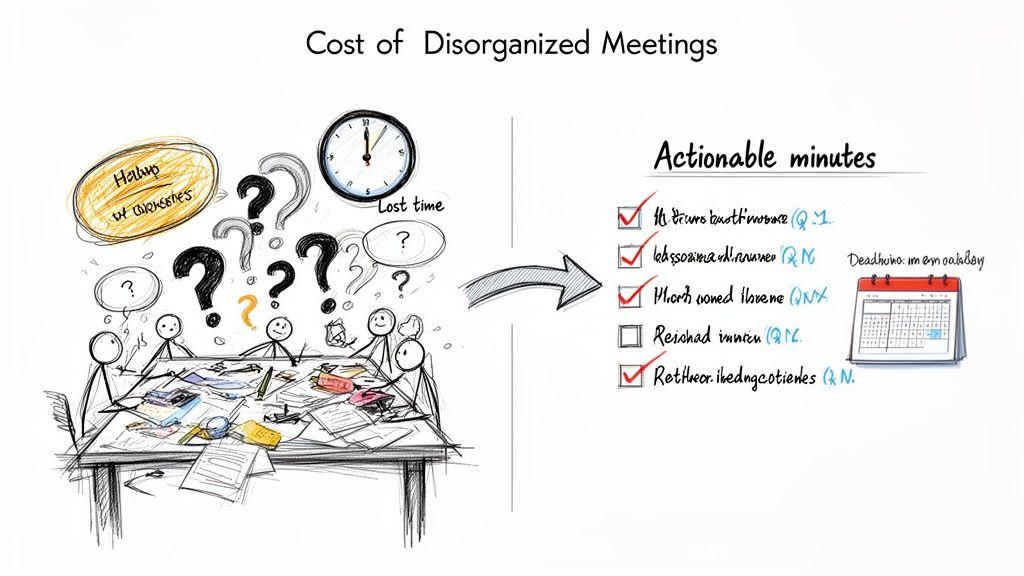
When a meeting doesn't have a clear structure or a documented outcome, the fallout is more than just a bit of frustration. It has a real, tangible cost.
Picture a marketing team stuck in a loop. They debate the same campaign ideas week after week, but without a clear record of what was decided last time, they just keep spinning their wheels. Momentum dies, and so does creative energy.
This cycle of going nowhere fast leads directly to missed deadlines and confused team members. When no one's quite sure who owns a task, it's almost guaranteed to fall through the cracks. Progress grinds to a halt, not because the team isn't talented, but because they have no system to capture and track their commitments.
The Hidden Costs of Poor Meeting Habits
The financial and operational hit from bad meetings is bigger than you might think. It's not just about the hours lost sitting in the room; it’s about the ripple effect of wasted time and effort that follows.
And this isn't a rare problem. A McKinsey report found that a staggering 61% of executives feel that at least half of the time they spend on decision-making is ineffective. The solution, however, is surprisingly simple. A great template can slash documentation time by up to 75%.
Think about what that means for a small team. If a quick huddle results in 12 action items, using a template can boost follow-through from a dismal 40% to an impressive 90%.
"A meeting without minutes is just a conversation. Minutes create a pact between attendees—a promise to act on what was discussed."
This really changes how you see the meeting minutes template. It’s not just another piece of administrative busywork; it's a strategic tool for driving real progress. It's what turns circular conversations into forward motion.
From Chaos to Clarity and Accountability
Bringing a consistent template into your meeting routine delivers results almost immediately. It naturally forces a more structured approach, pushing you to define a purpose and a clear outcome for every single meeting. By writing down the key points, you create one source of truth that cuts through any confusion and keeps everyone accountable.
This isn't about piling on more work. It's about making the work you're already doing count. A well-designed template ensures:
- Decisions are final: No more "I thought we decided something else." Once it's in the minutes, it's settled.
- Action items are clear: Every task gets an owner and a deadline. No more ambiguity.
- Progress is visible: It's easy to look back and see exactly what's been accomplished since the last check-in.
At the end of the day, a solid process for meeting minutes shifts your team’s culture from one of endless discussion to one of decisive action. For more on this, check out our guide on how to improve team communication.
The Anatomy of a Powerful Meeting Minutes Template
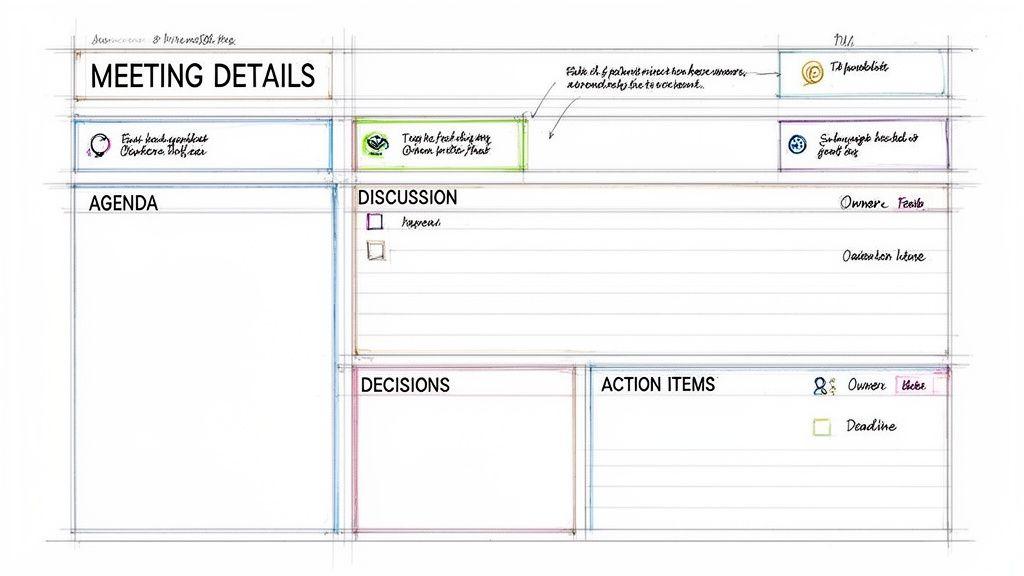
A great meeting minutes template is so much more than a blank page with some headers. It’s a strategic tool. It guides the person taking notes, keeps the conversation on track, and ultimately produces a record that people can actually scan and use. When you nail the template, you’re creating a blueprint for clarity.
So, let's get into the non-negotiable parts that every truly effective template needs. Each one plays a specific role in making sure nothing important falls through the cracks.
The Foundation: Essential Meeting Details
First things first, you need to set the scene. Every set of minutes should start with the absolute basics. This isn't just bureaucratic box-ticking; it gives anyone reading the notes immediate context, which is especially critical for people who couldn't make it to the meeting.
Think of this section as the document's birth certificate. It anchors the conversation in time and space, answering the who, what, when, and where right at the top.
Here’s what you absolutely have to include:
- Meeting Title: Be specific. Instead of just "Marketing Meeting," try "Q3 Marketing Campaign Kickoff." It’s instantly more informative.
- Date and Time: List the exact date, plus the start and end times. This is surprisingly useful for tracking how long certain topics take to resolve over time.
- Location: Was it in the main conference room? A virtual call? A hybrid session? Note it down.
- Attendees and Absentees: Create a list of everyone who was invited and clearly mark who was actually there. Noting absences is crucial—it tells you who needs a debrief and clarifies who wasn’t part of a key decision.
The Roadmap: A Clear and Referenced Agenda
The agenda isn’t just for planning what you’re going to talk about; it’s the backbone of your minutes. By structuring your notes around each agenda item, you create a logical flow that's incredibly easy for others to follow.
This structure lets people quickly find the parts that are most relevant to them. Instead of wading through a wall of text, a manager can jump straight to the "Budget Allocation" discussion in seconds. It’s a simple change that makes the final document infinitely more user-friendly.
A well-structured template doesn't just record what happened; it creates a predictable and reliable format. When people know exactly where to look for decisions or their action items, they are far more likely to engage with the document.
The Core: Summaries and Decisions
This is where you capture the real substance of the meeting. The trick here is to summarize, not transcribe. Your goal is to distill the essence of the conversation and, most importantly, the final decisions that were made.
For each agenda item, write a quick summary of the key points that came up. What were the main arguments? Who brought up important data or ideas?
Right after that summary, you need a section for Decisions Made. This has to be crystal clear. Vague language is your enemy here. Don't write, "The team seemed to like the blue logo." Instead, be definitive: "Decision: The team approved the final version of the blue logo for the campaign launch."
To make sure you capture everything, a solid template will have dedicated spots for these key elements.
Essential Components of a Meeting Minutes Template
| Component | What to Include | Why It's Important |
| Discussion Summary | A few bullet points on the main arguments, ideas, or data shared for each agenda item. | Provides context for the final decision without getting bogged down in verbatim detail. |
| Decisions Made | A definitive statement about what was agreed upon. If a vote was taken, record the outcome. | Creates an unambiguous record, preventing future debates about what was decided. |
| Action Items | Specific tasks assigned to individuals, including clear deadlines. | This is the most critical part, turning discussion into tangible progress and accountability. |
These three pieces work together to tell the full story of each agenda item—what was discussed, what was decided, and what happens next.
The Engine: Crystal-Clear Action Items
If your meeting minutes have one single, most important job, this is it. Action items are the commitments made during the meeting. Without them, most meetings are just conversations that lead nowhere.
An effective action item needs three things: the task, the owner, and the deadline. If you leave out any one of these, you’re just asking for confusion and missed follow-ups.
Look at the difference:
- Vague: Sarah will handle the presentation.
- Clear: * [Sarah] to create the first draft of the client presentation slides and share them in the project channel by EOD Friday. *
The second example leaves no room for doubt. Sarah knows exactly what’s expected of her and when it's due. That level of clarity is what transforms meeting minutes from a passive record into an active project management tool.
When you build your template around these core pillars, you create a document that is consistently useful. The process is a lot like creating any other standard operating procedure—it ensures that every meeting produces a clear, actionable, and valuable record, no matter who is taking the notes. For more on this, check out our guide on how to create standard operating procedures.
Actionable Templates for Different Meeting Types
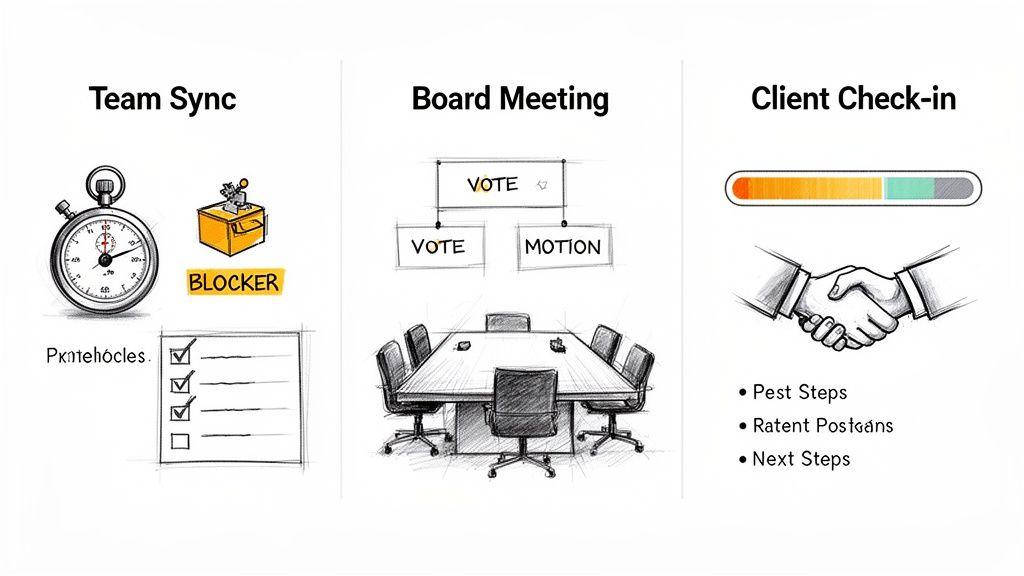
Let's be honest: a single, universal template for meeting minutes just doesn't work. The notes you need for a rapid-fire daily stand-up are worlds apart from the formal, legally binding record of a board meeting. Grabbing the wrong template is like bringing a wrench to a nail—you might get the job done, but it’s going to be messy and inefficient.
The real trick is to match your note-taking style to the meeting's purpose. A quick team huddle needs a format that’s all about action. A client check-in, on the other hand, is about documenting progress and keeping everyone aligned. Below, I’ve laid out a few battle-tested templates for different scenarios, designed to help you capture what matters without any extra fluff.
The Fast-Paced Team Sync Template
This one is all about speed. It's my go-to for daily stand-ups, weekly huddles, or any quick check-in where the main point is to unstick problems and keep things moving. We’re cutting out all the noise and focusing purely on what’s actionable.
The whole structure is designed to be filled out on the fly. You're not writing a novel; you're creating a quick reference guide. The focus is squarely on who’s doing what and by when, which is exactly what you need to maintain momentum.
When to Use It:
- Daily or weekly team check-ins
- Agile or sprint planning meetings
- Quick project status updates
By ditching the unnecessary fields, this template pushes the most critical information—blockers and action items—right to the top. It transforms a quick chat into a documented plan of attack for the day.
Example Team Sync Template:
- Meeting: Weekly Marketing Sync
- Date: [Date]
- Attendees: [List of Names]
- Quick Updates & Wins (1-2 bullets per person):
- Anna: Q3 ad campaign visuals are final and ready for review.
- Ben: Early data from the email test shows a 15% higher click-through on CTA B.
- Carla: The "How to Write Meeting Minutes Template" blog post draft is done.
- Blockers (What’s stopping progress?):
- Anna: Still waiting on Finance for final budget approval on the video ad spend.
- Ben: Can't pull the full campaign results without access to the new analytics dashboard.
- Action Items (Owner & Due Date):
- [Ben] to chase IT for analytics access by EOD today.
- [Carla] to send the blog draft to Anna for a look by tomorrow.
- [Project Lead] to escalate the budget request to Finance by EOD today.
The Formal Committee Meeting Template
When you're in a meeting where decisions have real procedural or legal weight, your minutes need to be much more buttoned-up. This template is built for board meetings, official committees, or any gathering where motions are made, votes are tallied, and a permanent, official record is non-negotiable.
Here, accuracy and formality are everything. You’ll find specific sections for recording motions verbatim, noting who seconded them, and logging the precise outcome of every vote. Unlike a casual sync, you have to document that the proper procedures were followed to the letter.
Why Its Structure Matters: Think of this template as a legal document. It creates a clear audit trail that proves the board or committee fulfilled its duties and operated within its own bylaws. Forgetting to note who made a motion or the exact vote count can lead to serious compliance headaches down the road.
Example Formal Committee Template:
- Meeting Title: XYZ Corp. Finance Committee Meeting
- Date & Time: [Date], [Time]
- Location: [Location/Virtual]
- Attendees: [List of Members Present]
- Absent: [List of Members Absent]
- Call to Order: The meeting was called to order at [Time] by [Chair's Name].
- Approval of Previous Minutes:
- Motion: To approve the minutes from the [Previous Meeting Date].
- Moved By: [Name] | Seconded By: [Name]
- Outcome: Motion carried unanimously.
- Old Business: [Summary of discussion on topics from the previous agenda.]
- New Business:
- Topic: Q4 Budget Proposal
- Discussion Summary: [Treasurer's Name] presented the draft Q4 budget, highlighting a 5% increase in R&D allocation. The discussion centered on the projected ROI of this investment.
- Motion: To approve the Q4 budget as presented.
- Moved By: [Name] | Seconded By: [Name]
- Vote: For: 5, Against: 1, Abstain: 0.
- Outcome: Motion passed.
- Topic: Q4 Budget Proposal
- Adjournment: The meeting was adjourned at [Time].
The Client Project Check-In Template
This template is all about communication and alignment. When you meet with a client, the minutes serve two critical functions: they’re an internal record of your team’s commitments, and they’re a clear summary for the client of what was decided and what happens next.
The focus shifts here. Instead of internal blockers, you’re documenting progress against shared goals, capturing client feedback, and outlining next steps for both your team and the client’s. It’s a tool for managing expectations and making sure everyone is on the same page.
Example Client Check-In Template:
- Project: [Project Name] - Weekly Check-In
- Date: [Date]
- Attendees: [Your Team], [Client Team]
- Progress Since Last Meeting:
- We’ve completed the UI mockups for the main dashboard.
- The initial database schema was deployed to the staging environment.
- Client Feedback / Discussion Points:
- Client requested we update the color palette in the mockups to match their new branding guidelines.
- We talked through the timeline for user acceptance testing (UAT).
- Decisions Made:
- The new color palette is approved.
- UAT will officially kick off on [Date].
- Action Items (Who is responsible?):
- [Our Team] Revise mockups with the new color palette by [Date].
- [Client] Provide the final list of UAT participants by [Date].
Making Your Meeting Minutes Actually Matter
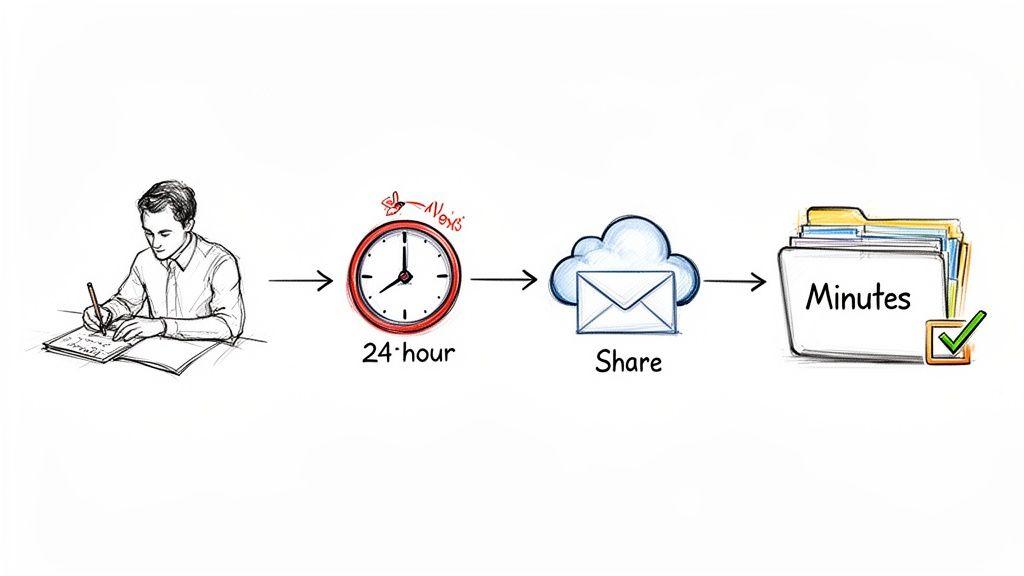
Having a great template is a fantastic starting point, but it's what you do with it that counts. The real magic happens in how you capture notes during the meeting and what you do with them after. This process is what turns a simple document into a powerful tool for accountability.
Think of it like this: your template is the vehicle, but your process is the engine. It’s all about capturing outcomes, not just rambling conversations, and then building a simple, repeatable workflow so everyone follows through.
This is a bigger deal than you might think. It's wild, but research from iBabs.com shows that only 65% of global professionals consistently take meeting minutes. That leaves a massive accountability gap. Getting this right can genuinely change how your team performs.
During the Meeting: Capture What's Crucial
The single biggest mistake I see people make is trying to write down every single word. You’re not a court reporter; you’re a historian of outcomes. Your real job is to distill the conversation down to its most important parts: the decisions made and the actions that need to be taken.
Doing this well is less about typing speed and more about active listening. You have to train your ear to pick out the signal from the noise.
Here are a few tricks I’ve learned over the years for better live note-taking:
- Create Your Own Shorthand: You don't need to learn a whole new system. Just develop shortcuts for common words and names. For example, use initials for attendees (e.g., JS for Jane Smith) and a quick tag like 'AI' for an Action Item.
- Focus on the "So What?": When a discussion starts to meander, mentally ask yourself, "What was the point of all that?" Then, write down that one-sentence summary.
- Snag Action Items Immediately: The second someone agrees to a task, write it down. Don't wait. Pop it right into the 'Action Items' section of your template with their name and the due date. Trying to remember them all at the end is a recipe for disaster.
Here's a great rule of thumb: Could someone who missed the meeting read your minutes and know exactly what was decided and what they need to do now? If the answer is yes, you've nailed it.
After the Meeting: The 24-Hour Rule and Beyond
What you do in the hours immediately following the meeting is just as critical as what you did during it. The value of meeting minutes plummets with every day that passes. Wait too long, and people will just archive the email without reading it.
This is where the 24-hour rule is your best friend. Make it your mission to clean up, finalize, and send out the minutes within one business day. This keeps the momentum going while the conversations are still fresh in everyone's minds.
Here’s a simple post-meeting workflow that just works:
- Clean and Polish: Right after the meeting, block off 15-20 minutes to review your notes. Fix typos, rephrase anything that sounds vague, and make sure every action item is perfectly clear.
- Get a Quick Gut-Check: If your team's process requires it, send the draft to the meeting organizer for a quick once-over. Don't make it a formal, drawn-out review. Just a quick, "Hey, does this look right to you?" is all you need to keep things moving.
- Share and Archive: Send the final minutes to everyone who was invited (even those who couldn't make it). Use a clear, searchable subject line like, "Minutes & Actions: Q3 Marketing Kickoff - [Date]."
Give Your Minutes a Permanent Home
Finally, the most beautifully written minutes are useless if nobody can find them a week later. Don't let your hard work get lost in the black hole of an email inbox. You need a single, central place where all meeting minutes live.
This creates a searchable archive that becomes an incredibly valuable resource for the entire team, helping build a strong culture of transparency and documentation.
Here are a few solid options for storing your minutes:
- A shared folder in Google Drive, OneDrive, or Dropbox.
- A dedicated channel in a tool like Slack or Microsoft Teams.
- A page or section in a project management hub like Asana, Notion, or Trello.
The key is consistency. Pick one spot, get everyone on board, and stick with it. This simple habit transforms your minutes from a one-off email into a living library of your team’s journey. For more great tips, check out our best practices for document management.
Common Mistakes That Make Your Minutes Useless
Ever finish reading a set of meeting minutes and feel more confused than when you started? You’re not the only one. It’s a classic pitfall that turns a powerful tool for progress into just another document no one reads. The best way to learn how to write great meeting notes is to first understand what makes them fail.
This isn't about pointing fingers. It’s about spotting the small, easy-to-make errors that kill clarity. Once you know what to look for, you can steer clear of them and make sure your minutes actually drive action instead of confusion.
Vague Action Items Without Owners
This is the absolute number one killer of meeting productivity. A fuzzy action item is a task that’s doomed from the start. It's missing the critical details someone needs to take ownership and actually get it done.
We’ve all seen this one before:
- What Not to Do: "John will look into the budget."
What does that even mean? Which part of the budget? What does "look into" entail? When does it need to be done? This isn't a task; it's a suggestion floating in the ether.
Let's fix it with a simple, actionable formula:
- What to Do: "[John] to send the Q3 budget report to the project team by EOD Friday."
Now we're talking. This version has a clear owner (John), a specific task (send the Q3 report), and a firm deadline (EOD Friday). There’s no room for misunderstanding, which is exactly what you want.
Recording Verbatim Conversations
Another common trap is trying to capture every single word spoken. Remember, you’re writing minutes, not a screenplay. Transcribing the entire meeting just clutters the document with conversational fluff, making it a nightmare for anyone trying to find the key takeaways later.
The whole point of minutes is to summarize discussions and document outcomes. If you're capturing every back-and-forth, you're creating noise, not clarity.
Instead of a play-by-play, focus on the big picture. Boil down the different viewpoints shared and, most importantly, document the final conclusion or decision. This keeps your notes scannable and laser-focused on what actually matters.
Failing to Document Who Made Decisions
Decisions are the reason most meetings exist. If your minutes don’t clearly state who made a key decision and how they reached it, you're practically inviting someone to second-guess or reopen the topic down the road.
- Vague: "It was decided to move forward with the new marketing plan."
- Clear: "The marketing team, led by Sarah, unanimously approved the new Q4 marketing plan."
See the difference? The second example gives you the "who" and the "how." It pins the decision to a specific group and even notes the level of agreement. This creates a solid record that reinforces the team's commitment and shuts down future debate.
Letting Minutes Get Lost in Email
Finally, even perfectly written minutes are worthless if nobody can find them. A huge mistake is to just fire off an email with the notes attached and call it a day. A week later, that email is buried under a mountain of new messages, and your valuable record is lost.
To avoid this digital black hole, create a single source of truth. It could be a shared folder on Google Drive, a dedicated page in your team’s Notion workspace, or a channel in Slack. The key is consistency—pick one spot and stick with it. That way, everyone on the team always knows exactly where to look.
Frequently Asked Questions About Meeting Minutes
Even with the best templates, you're going to run into some tricky situations when you start taking meeting minutes in the real world. This is where the rubber meets the road. Think of this section as your go-to guide for those "what if" moments that tutorials don't always cover.
Let's tackle some of the most common questions head-on. Getting these right will help you build a system for meeting minutes that your team actually uses and appreciates.
How Detailed Should Meeting Minutes Be?
The golden rule here is to aim for concise and actionable, not exhaustive. Your job isn't to create a word-for-word transcript. The goal is a clear summary that's actually useful.
Here's a simple test I always use: Could someone who missed the meeting read these minutes and know exactly what was decided and what they need to do next? If the answer is yes, you've nailed it.
For most teams, less is more. Cut the conversational fluff. However, the context matters. A formal board meeting, for example, has different requirements. In that case, you'll need a more detailed record of motions, seconds, and official votes to stay compliant.
The point of minutes isn't just to prove a meeting happened; it's to make sure the meeting led to action. Don't drown the important takeaways in unnecessary detail.
Who Is Responsible for Taking and Approving Minutes?
You have to be crystal clear about roles to avoid that awkward moment when everyone realizes no one was taking notes. The person capturing the minutes—the scribe—should be assigned before the meeting begins.
There are a couple of smart ways to handle this:
- Assigned Role: Often, a project manager or an administrative assistant takes on this duty permanently.
- Rotational Duty: My personal favorite for agile teams. Rotating the role among members for each meeting shares the load and, as a bonus, makes everyone a better listener.
While the scribe does the writing, the meeting leader or chair is ultimately responsible for making sure the minutes are accurate. A good, simple workflow is for the scribe to send a draft to the chair for a quick look-over before it goes out to the whole group. For more formal bodies, the minutes are often officially approved by a vote at the beginning of the next meeting.
Can AI Help Me Write Meeting Minutes?
Absolutely, and it's a huge time-saver. AI tools are fantastic at turning a jumble of raw notes or a long recording into a structured, professional document. You can have an AI transcribe the audio and then create a first-draft summary of key points and decisions.
A really practical approach is to just paste your own messy, bullet-pointed notes into an AI tool like 1chat. Then, give it a simple prompt like: "Organize these notes into a formal meeting minutes template with sections for decisions and action items."
What used to be a tedious task becomes a quick review. It lets you get well-formatted, accurate minutes out the door in a fraction of the time. Just remember to always give the AI's output a quick human review for context and accuracy before you share it.
Where Should We Store Our Team Meeting Minutes?
Meeting minutes are worthless if nobody can find them a week later. The solution is simple: store them in a single, centralized location that everyone can get to easily. Don't let them die in someone's email inbox.
Consistency is everything. Pick one place and stick to it. This creates a reliable, searchable archive that becomes a goldmine for tracking progress and recalling past decisions.
A few solid options include:
- A shared folder in Google Drive or OneDrive.
- A dedicated channel in Slack or Microsoft Teams.
- A specific page within a project management tool like Asana or Notion.
And do yourself a favor: use a consistent naming convention (e.g., ProjectAlpha-WeeklySync-2026-10-28). It makes finding the exact document you need later on a breeze.