Let's be real: poor communication is silently draining your team's energy and your bottom line. It's not just about the occasional missed deadline or frustrating misunderstanding. It's a constant, low-grade drag that erodes morale and chips away at productivity every single day.
We’ve all seen the symptoms—projects stalling for no apparent reason, friction between team members, or a general sense of disengagement. Too often, we treat these as isolated issues instead of recognizing them for what they are: clear signs of a communication breakdown.
When communication is inefficient, your team members are forced to play detective just to do their jobs. They spend precious time hunting down information that should have been easy to find, creating a significant tax on their focus and efficiency.
The Hidden Costs of Inefficient Communication
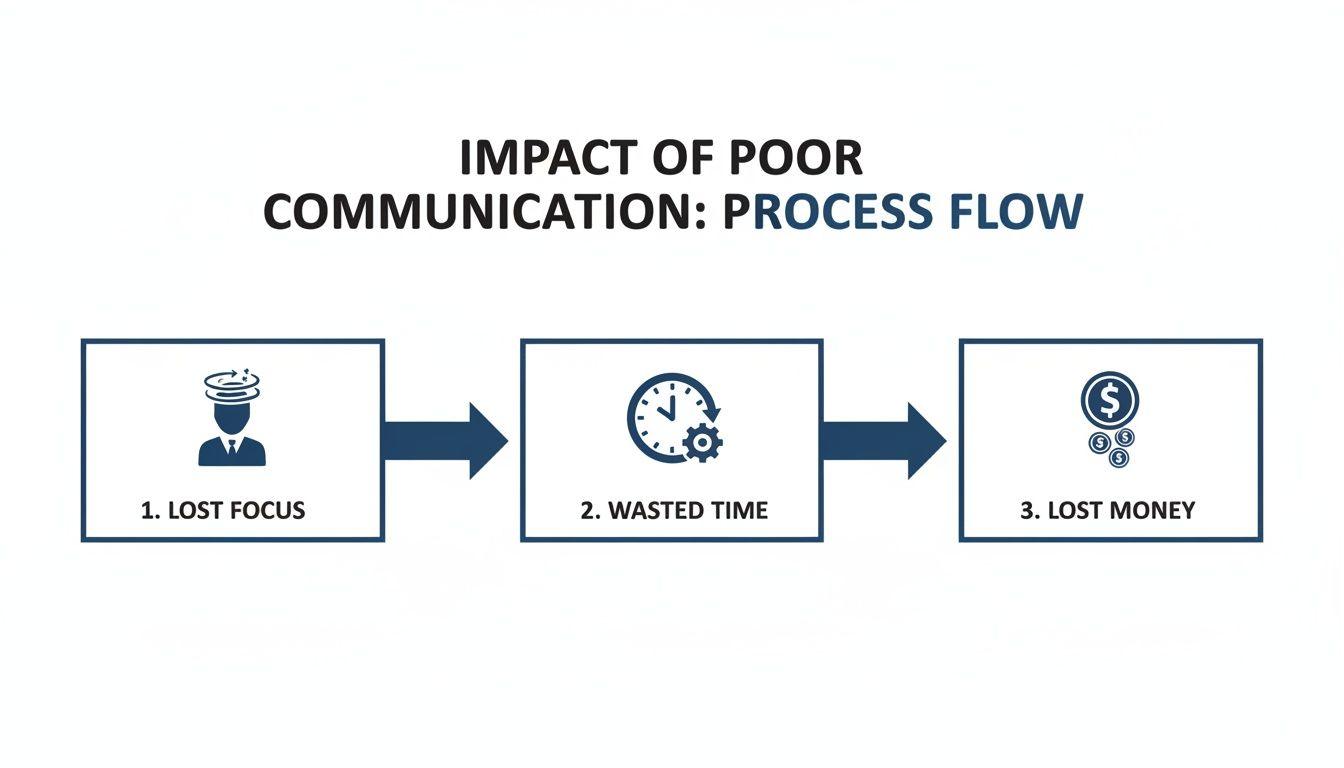
The financial hit from all this is staggering. Think about it: the average employee wastes over 35 workdays a year just trying to track down information or get clarification on confusing messages. That's a massive productivity sinkhole.
One workplace report found that employees spend only 63% of their day on their actual core tasks. The rest of that time? It’s lost to the void of chasing files and waiting for responses. You can dig into more of this data in the full Chanty workplace communication report.
For small and midsize teams where every person's contribution is critical, this lost time directly translates into lost revenue and slowed growth.
More Meetings Aren't the Answer
When faced with these problems, the knee-jerk reaction for many leaders is to schedule more meetings. More check-ins, more emails, more noise. But that usually just makes things worse.
The real fix is a strategic shift in how you operate. It's about intentionally building a system where information flows smoothly and everyone feels empowered to speak up. This guide is your roadmap to get there, whether you're leading a company, a classroom, or even just trying to get your family organized.
Effective communication isn't just about sending a message. It's about making sure the person on the other end understands it exactly as you intended. When that connection breaks, everything else starts to unravel.
This is especially critical in remote or hybrid setups, where you can't just lean over a cubicle to ask a quick question. Without clear channels and established norms, distributed teams can quickly become fragmented and siloed. If you’re navigating that world, you might find some useful ideas in our guide on how to manage remote teams effectively.
By putting the right tools and a supportive culture in place, you can build a team that's more connected, resilient, and genuinely productive.
Building Your Communication Framework
Great communication doesn’t just happen—it’s built. Without a deliberate plan, teams often find themselves drowning in a chaotic mix of emails, DMs, and random text threads. This isn't just inefficient; it’s a massive drain on focus and morale, creating an environment where important information simply vanishes.
The first real step toward clarity is to stop juggling apps and consolidate your conversations. Commit to a single, secure platform as your team's central hub. This move alone makes it infinitely easier for everyone to find what they need without playing digital detective. For instance, adopting a privacy-first tool like 1chat helps a team escape the clutter and establish a single source of truth for every project.
Choosing Your Primary Communication Tool
Deciding on that central hub is a critical first step. You need to weigh what your team truly needs against the potential downsides of each method. Email is familiar but slow, while real-time chat can quickly become a distraction if not managed well.
This table breaks down the common options to help you find the right fit.
| Communication Method | Best For | Common Pitfalls | Privacy Considerations |
| Formal announcements, external communication, and detailed, non-urgent updates. | Slow response times, cluttered inboxes, easy for threads to get lost or ignored. | Varies by provider; end-to-end encryption is not standard. Susceptible to phishing. | |
| Team Chat Apps | Real-time collaboration, quick questions, project-specific discussions, and team building. | Can create a culture of constant interruption and distraction if not managed with clear rules. | Look for platforms with end-to-end encryption and strong data control policies. |
| Video Calls | Complex problem-solving, sensitive conversations, and team meetings requiring face-to-face interaction. | "Zoom fatigue," scheduling difficulties across time zones, less effective for quick updates. | Choose services that don't collect unnecessary metadata or record calls without consent. |
| Project Management Tools | Task-specific updates, progress tracking, and assigning responsibilities. | Communication can become siloed within tasks; not ideal for broader team conversations. | Data is often stored on third-party servers; review the provider's security practices. |
Ultimately, most teams use a mix of these, but a dedicated team chat app often serves best as the "home base," with other tools used for their specific strengths.
Draft a Simple Communication Charter
Once you've picked your main tool, the next move is to agree on some simple rules of engagement. This is where a Communication Charter comes in. Think of it not as a rigid corporate policy, but as a living document that sets clear, respectful expectations for how everyone interacts.
Your charter should answer a few basic questions:
- What goes where? Define what's a quick chat message versus a more formal update or an email.
- When do we escalate to a call? A great rule of thumb is the three-reply rule: if a topic isn't resolved in three back-and-forth messages, it's time to hop on a call.
- What are our response time expectations? Be realistic. For example, general channels might have a 24-hour response window, while a dedicated
#urgent-supportchannel requires a much faster turnaround.
This charter is more of a team agreement than a document. For it to actually work, you need genuine buy-in from everyone. When people agree to the rules, they feel empowered to protect their deep work time while still ensuring critical messages get through.
The impact of getting this right is huge. Teams that nail down their communication can boost productivity by up to 25%. And yet, a staggering 86% of employees and executives point to poor collaboration and communication as the root cause of workplace failures. For anyone exploring AI tools to cut down on busywork, a solid communication foundation is non-negotiable. You can dig into more stats in Pumble's workplace collaboration report.
Set Up Channels With a Clear Purpose
To keep your main communication tool from becoming just another source of noise, every channel or group needs a distinct, obvious purpose. Ambiguity is the enemy—it leads directly to clutter and confusion.
Instead of vague, generic channels, get specific. Think about how your team actually works and create spaces that reflect that flow.
Here are a few practical examples:
#project-voyager: A dedicated space for all discussions, files, and updates related to a single project.#team-marketing: The internal hub for the marketing team to hash out plans and share updates.#announcements: A read-only channel where leadership posts important, must-see information for the whole company.#water-cooler: An informal, non-work channel for building camaraderie—absolutely essential for remote and hybrid teams.
By creating this simple framework—one primary tool, a clear charter, and purposeful channels—you’re doing far more than just managing messages. You are intentionally designing a more focused, productive, and less stressful work environment for everyone.
Rethinking Meetings And Mastering Asynchronous Work
We've all been there. Staring at a calendar packed with back-to-back meetings, wondering when the actual work is supposed to happen. Meetings can be your most powerful alignment tool or your biggest time-waster—there’s rarely an in-between. When run poorly, they don't just drain the schedule; they kill momentum and create a culture of dread.
The secret is making every single meeting count. And just as importantly, knowing when to skip them entirely.
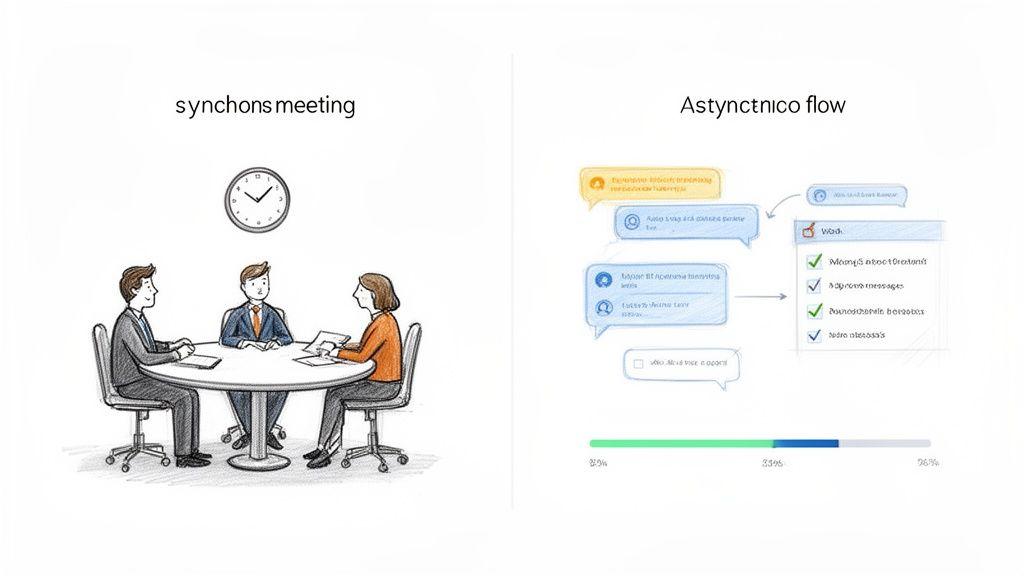
This starts with a mindset shift. Instead of defaulting to a meeting for every little thing, you embrace asynchronous communication first. Before you hit "create event," just ask yourself one simple question: "Can this be handled with a message?"
When A Meeting Is Actually Necessary
Let’s be clear: not every conversation needs a calendar invite. A meeting is the right move only when you genuinely need real-time, interactive discussion to move forward.
Here’s a quick gut check I use:
- Brainstorming and Strategy: When you need to hash out complex ideas, debate different angles, and build on each other's creative energy, a meeting is perfect. The dynamic back-and-forth is something you just can't replicate over text.
- Sensitive Topics: Tough feedback, personnel discussions, or anything with emotional weight should always happen face-to-face (or at least video-to-video). It’s about conveying empathy and nuance that text just can’t capture.
- Complex Problem-Solving: If you're trying to untangle a thorny issue with tons of moving parts, getting the right people in a room is far more efficient than a confusing, hundred-message-long chat thread.
If a topic doesn't fall into one of those buckets, it’s a great candidate for an async update. Things like status reports, simple questions, and purely informational announcements can almost always be handled in a team chat tool like 1chat, giving everyone back a huge chunk of their day.
The Anatomy Of A Productive Meeting
For those meetings that do make the cut, structure is your best friend. From my experience, every truly effective meeting has three non-negotiable parts that show you respect everyone’s time.
- A Clear Agenda with a Goal: Never, ever send a meeting invite without an agenda. It needs to spell out the meeting's purpose and list the exact topics up for discussion. Bonus points for assigning an owner and a time estimate to each item.
- Defined Roles: This sounds formal, but it’s a game-changer. Assign one person to be the facilitator (to keep the conversation on track) and another to be the notetaker (to capture key decisions and action items). This simple act creates instant accountability.
- Actionable Next Steps: Always end the meeting by recapping what was decided, who is responsible for what, and by when. This is the single most critical step for turning talk into action.
A meeting without clear action items is just a conversation. The goal isn't just to talk; it's to align on a path forward and ensure everyone knows their role in making it happen.
Mastering Asynchronous Updates
The other side of this coin is getting really good at asynchronous updates. This is how you keep work moving without constantly interrupting everyone's focus. Instead of a daily stand-up meeting, for example, your team could simply post their updates in a dedicated #daily-updates channel in 1chat.
Imagine a developer on your team. Rather than pulling everyone into a 15-minute call, she can post a quick message: "Frontend for the new dashboard is done and on staging. I'm blocked on the API endpoint from the backend team." It's clear, concise, and allows the backend team to respond when they have a free moment.
This isn’t just for tech teams. This approach works just as well for families planning their week or a school committee organizing its next fundraiser. It transforms chaotic email chains into organized, searchable conversations. Learning how to write professional emails and messages is a core skill here, making sure every async update is effective.
By striking this balance, you’ll do more than just improve communication. You'll give everyone back their most valuable resource: time.
Creating A Culture Of Psychological Safety
You can have the best tools and the slickest processes, but they’ll fall flat in a culture of fear. Communication grinds to a halt when people are afraid to speak up, ask a "dumb" question, or admit they made a mistake. This is where the human side of communication takes center stage.
We're talking about psychological safety. It’s that shared belief that the team is a safe place for taking interpersonal risks. When your team has it, they’re more willing to flag problems, pitch wild ideas, and actually innovate. Without it, you get silence.
Leaders Must Model The Way
Psychological safety always starts at the top. As a leader, your team is constantly watching your cues. If you get defensive when someone gives you feedback or you shut down a dissenting opinion, you’re sending a clear message: only agree with me.
To build an open environment, you have to actively model vulnerability. This means admitting when you don’t have the answer or owning up to a mistake.
A simple phrase like, "That's a good point, I hadn't considered that," or "I was wrong about that assumption, thanks for flagging it," can completely change the dynamic. It shows it’s okay not to be perfect and gives everyone else permission to be just as open.
Giving Feedback That Actually Helps
Constructive feedback is a gift, but only when it’s delivered well. Handle it poorly, and criticism feels like a personal attack. It immediately puts people on the defensive and shatters trust. The goal is to critique the idea or the action, never the person.
Here are a few principles I’ve learned for giving feedback that builds people up:
- Be Specific and Actionable: Vague feedback like "do better" is useless. Instead, try something like, "In the next report, could you include a section on customer acquisition cost? That would really strengthen our argument."
- Focus on Behavior, Not Personality: Avoid labels. Instead of saying "You're disorganized," say "I noticed the project files were missing some key documents. Let's create a checklist together to make sure everything gets included next time."
- Deliver It Privately: Praise publicly, but always deliver constructive feedback in a one-on-one setting. It’s about respecting the individual and avoiding public embarrassment.
A culture of psychological safety isn't about being "nice" all the time. It's about being direct with respect, where difficult conversations can happen without damaging relationships because everyone is focused on the shared goal of improving.
The High Cost Of Unclear Leadership
The link between clear leadership, safety, and employee retention is undeniable. Poor internal communication is a major reason people quit—in fact, 63% of employees cite it as a key reason for wanting to leave their jobs. When leaders fail to communicate their vision, the impact on morale is severe.
Research shows that 89% of employees who feel their company's vision is communicated very clearly report being happy at work. That number plummets to just 25% when the vision is unclear. As you can see, building a safe, communicative culture isn't just a feel-good exercise; it's a critical business strategy.
You can dig into more of these findings in the International Employee Communication Impact Study. Ultimately, clarity gives teams a sense of purpose and the confidence to move forward together.
So, you've started making changes to how your team communicates. That’s a great first step, but how can you tell if it’s actually making a difference? Gut feelings are one thing, but tracking a few straightforward metrics will show you exactly what's improving and where the friction points still are.
You can't fix what you don't measure. This isn't about chasing perfection; it's about getting a clear baseline so you can make small, informed adjustments over time.
Key Metrics You Can Track Today
Measuring communication doesn't need to be complicated. It really just comes down to observing patterns and asking the right questions. Your focus should be on things that reveal how efficient your processes are and how your team feels about them.
A fantastic place to start is with Time to Information. Think about it: how long does it take for someone on your team to find the answer or file they need to get their job done? If you see "Where's the latest version of that file?" popping up in your team chat all the time, this metric is probably too high. A well-organized communication tool should bring this number down.
Another simple but powerful metric is the Meeting Effectiveness Rating. After a big team meeting, just send out a quick, one-question anonymous poll: "How valuable was this meeting on a scale of 1-5?" The results will tell you pretty quickly which meetings are genuinely useful and which could have just been an update in a chat channel.
The point of tracking these isn't to create a rigid, data-obsessed culture. It's to get a pulse on your team's experience and identify small changes that can have a big impact on daily work life and overall workflow.
Using Anonymous Surveys to Pinpoint Friction
Numbers tell part of the story, but the real gold is in qualitative feedback. Short, regular, and—most importantly—anonymous surveys are the single best way to understand team sentiment and uncover issues that aren't obvious.
Anonymity is absolutely essential. You’ll get far more honest and useful feedback when people feel safe sharing their true thoughts without any fear of reprisal.
Here are a few questions you could ask in a quarterly check-in:
- On a scale of 1-10, how easy is it to find the information you need?
- Do you feel comfortable voicing a dissenting opinion or concern?
- What is one thing we could change to make our communication better?
Simple Metrics to Track Communication Health
To make this even more concrete, here's a table with a few key performance indicators (KPIs) you can start tracking. Think of this as a "health check" for your team's communication habits.
| Metric | What It Measures | How to Track It | Target for Improvement |
| Time to Information | The efficiency of finding necessary files, answers, or data. | Periodically time how long it takes to locate a specific piece of information. | Decrease the average time month-over-month. |
| Meeting Effectiveness Rating | The perceived value and necessity of scheduled meetings. | Anonymous 1-5 scale poll sent after key meetings. | Increase the average rating; eliminate low-rated meetings. |
| Response Time in Chat | The speed at which questions in designated help/Q&A channels get answered. | Check timestamps in specific channels. | Decrease average response time for urgent queries. |
| Team Sentiment Score | Overall morale and psychological safety within the team. | Quarterly anonymous surveys with questions on comfort and clarity. | See a positive trend in scores over time. |
This isn't about creating more work; it's about being intentional. A quick glance at these numbers can tell you if your new processes are actually helping people work better together.
This kind of feedback loop is what turns a static set of rules into a living system that evolves with your team. By making these small measurements part of your routine, you can significantly improve workflow efficiency and build a more connected and resilient team.
Practical Answers to Common Communication Challenges
Even the best communication plans run into snags. Real-world teamwork is messy, and knowing how to navigate those tricky situations is what separates a good team from a great one. Let’s walk through a few common hurdles I’ve seen time and again, along with some straightforward ways to clear them.
How Can We Encourage Quieter Team Members to Contribute?
It’s easy to mistake silence for a lack of ideas, but that’s rarely the case. Not everyone is comfortable thinking on their feet in a fast-paced meeting. If you want to tap into the valuable insights of your more introverted team members, you have to give them different ways to weigh in.
Putting someone on the spot rarely works. A much better approach is to use your team chat to share the meeting agenda and key questions ahead of time. This gives people the space to gather their thoughts without the pressure of a live audience.
Another great technique is asynchronous brainstorming. Set up a shared document or a specific chat thread where everyone can drop in their ideas over a day or two. When you are in a meeting, try a gentle and direct invitation. Something as simple as, “Sarah, I’d love to get your perspective on this,” shows you value their input specifically.
What Is The Best Way To Handle Disagreements In a Team Chat?
Text is a minefield for tone. A simple question can come across as an attack, and before you know it, a productive debate has turned into a tense standoff. The most critical skill here is knowing when to take it offline.
The moment a chat discussion starts going in circles or feels emotionally charged, it’s time to switch to a higher-fidelity channel.
A quick, neutral message like, "This is a great discussion. How about we jump on a 5-minute call to talk this through?" can instantly de-escalate things. It shifts the focus from winning a text battle to finding a real solution.
For your chat tool itself, it helps to establish a "disagree and commit" mindset. Encourage your team to challenge ideas—that’s how you get to the best outcomes—but always keep the focus on the work, never on the person.
Our Team Is Drowning In Notifications—How Do We Fix It?
Constant pings and alerts aren't just annoying; they're a direct path to burnout. When everything is urgent, nothing is. This is a problem you solve with clear rules, not just better tools.
Start by creating a simple "Communication Charter." This document should outline which channels are for high-priority alerts versus general conversation. This alone can cut down on the noise significantly.
Encourage everyone to use threaded conversations religiously. This keeps follow-up chats neatly tucked away instead of cluttering the main channel. Most importantly, empower your team to be ruthless with their notification settings. Show them how to mute channels, set "Do Not Disturb" hours, and take back control of their focus time.
A tool like 1chat helps by design. By creating dedicated channels for each project, you ensure that notifications only go to the people who actually need them, protecting everyone else's attention.