When you’re managing a remote team, you quickly learn one thing: you can't just copy-paste your office routines into a digital format. It just doesn't work. The key is to be incredibly intentional about building a new way of operating from the ground up. This means getting serious about clear policies, well-defined roles, and a culture built on trust, not proximity.
Build Your Foundation for Remote Success
Moving to remote work is more than a change of scenery; it’s a complete overhaul of how your team collaborates and gets things done. In an office, you can get away with a bit of ambiguity. Remotely, ambiguity is a productivity killer. You have to replace all those unspoken assumptions with crystal-clear, written guidelines. This creates a level playing field where everyone, no matter their time zone, knows the rules of the game.
Putting in this foundational work is honestly the single most important investment you can make for your team’s long-term success and sanity. It’s what allows you to build a culture of autonomy and trust, steering clear of the micromanagement and burnout that plague so many remote teams.
Codify Your Remote Work Policies
Think of a formal remote work policy as your team’s constitution. It’s the single source of truth that answers the common questions and prevents endless confusion. This isn't about creating a rigid rulebook; it's a living document that should grow and adapt as your team does.
At a minimum, your policy needs to cover a few key areas to keep everyone aligned and productive.
Your remote work policy is the bedrock of your operations, setting clear expectations for everyone. Below is a quick guide to the essential components you should include to ensure there are no grey areas.
Essential Remote Work Policy Components
| Policy Area | Key Considerations | Example Guideline |
| Work Hours & Availability | Core collaboration times vs. flexible schedules. Time zone overlap. | "All team members must be available online and responsive between 10 AM - 2 PM EST for synchronous collaboration. The remaining hours are flexible." |
| Communication Protocols | What tool is used for what purpose? Expected response times. | "Use Slack for urgent, real-time questions. Use Asana comments for all project-specific updates. Expect a response within 4 business hours." |
| Equipment & Technology | Company-provided gear. Stipends for home office setup. Security software requirements. | "The company provides a laptop and a $500 one-time stipend for home office equipment. All devices must have company-approved antivirus software installed." |
| Performance & KPIs | How will success be measured? Focus on output, not hours worked. | "Performance is evaluated based on the successful completion of quarterly goals and project milestones, not on hours logged online." |
| Security & Data Privacy | VPN usage. Handling of sensitive information. Password policies. | "All team members must connect to the company VPN when accessing internal systems. Two-factor authentication (2FA) is required for all company accounts." |
Having these guidelines documented and easily accessible empowers your team to work with confidence and reduces the managerial overhead of answering the same questions over and over.
Define Roles with Absolute Clarity
In a remote team, fuzzy job descriptions are a recipe for disaster. People need to know exactly what they own, who they report to, and how their individual work plugs into the bigger company goals. This level of clarity is non-negotiable—it’s what stops tasks from falling through the cracks and prevents two people from accidentally doing the same work.
A simple but powerful way to do this is to create a "responsibilities matrix" for every role. Document their main duties, the KPIs they're measured against, and what they have the authority to decide on their own. This becomes an incredibly useful tool, not just for performance reviews but for onboarding new hires smoothly. If you want to go deeper, exploring knowledge management best practices can give you a great framework for organizing and sharing this crucial information.
A well-documented foundation is the bedrock of remote success. When people know exactly what is expected of them and how to find information, they are empowered to work autonomously and confidently.
Choose Your Technology Stack Wisely
Your tech stack is, for all intents and purposes, your virtual office. The tools you choose should enable your desired workflows, not force you into a box. The goal isn't just to have a bunch of apps, but to create a seamless digital workspace that supports both quick collaboration and the deep, focused work that really moves the needle.
I always recommend prioritizing tools that are built for asynchronous communication. This is what allows your team to contribute thoughtfully on their own schedules, which is the whole point of remote flexibility.
For most small teams, a solid starting stack looks something like this:
- A central communication hub like Slack or Microsoft Teams
- A project management tool like Asana, Trello, or Jira
- Cloud-based file storage like Google Drive or OneDrive
- Reliable video conferencing software like Zoom or Google Meet
The trend toward flexible work isn't slowing down. In fact, 24% of new U.S. job postings in Q3 2025 were for hybrid roles, a noticeable increase from 15% in Q2 2023. Paying attention to trends like these helps you design a modern work model that attracts and retains top talent.
Master Remote Communication and Collaboration
When your team goes remote, you lose the easy back-and-forth of office life. No more spontaneous hallway chats or quick questions over a cubicle wall. Every single interaction, from a simple query to a major project kickoff, has to be deliberate.
This is where so many remote teams trip up. They try to shoehorn office habits into a digital space, and the result is a chaotic storm of notifications and constant interruptions. The real secret to managing a remote team well is to build a communication system that prioritizes clarity and fiercely protects everyone's time to focus.
Without a plan, your team’s day dissolves into a reactive mess of Slack pings and endless video calls, completely killing any chance for deep, meaningful work. A smart communication strategy, on the other hand, turns collaboration from a source of stress into a smooth, predictable process that truly empowers your people.
Establish Clear Channel Norms
First things first: you need to define the "why" behind each tool in your tech stack. When every message is treated as urgent, absolutely nothing is. Head this off by creating a simple guide that explains what each communication channel is for. This isn't about setting rigid, bureaucratic rules; it's about creating shared expectations that lighten the mental load for the entire team.
For instance, your guidelines might look something like this:
- Slack/Microsoft Teams: This is for urgent, time-sensitive stuff only. Think, "The client login is down, can someone confirm?" It’s not the place for general project updates or questions that can wait.
- Asana/Trello: This is your single source of truth for all things project-related. Every update, question, and piece of feedback on a task should live directly on that task's card. No exceptions.
- Email: Reserve this for more formal, external communication with clients or partners, and for official company-wide announcements. If your team needs a refresher on crafting clear messages, our guide on how to write professional emails is a great resource.
- Video Calls (Zoom/Google Meet): These should be scheduled for complex problem-solving, sensitive conversations (like performance feedback), or team-building activities where face-to-face interaction really adds value.
This flowchart helps visualize how these foundational pieces fit together. You can't build great communication on a shaky foundation.
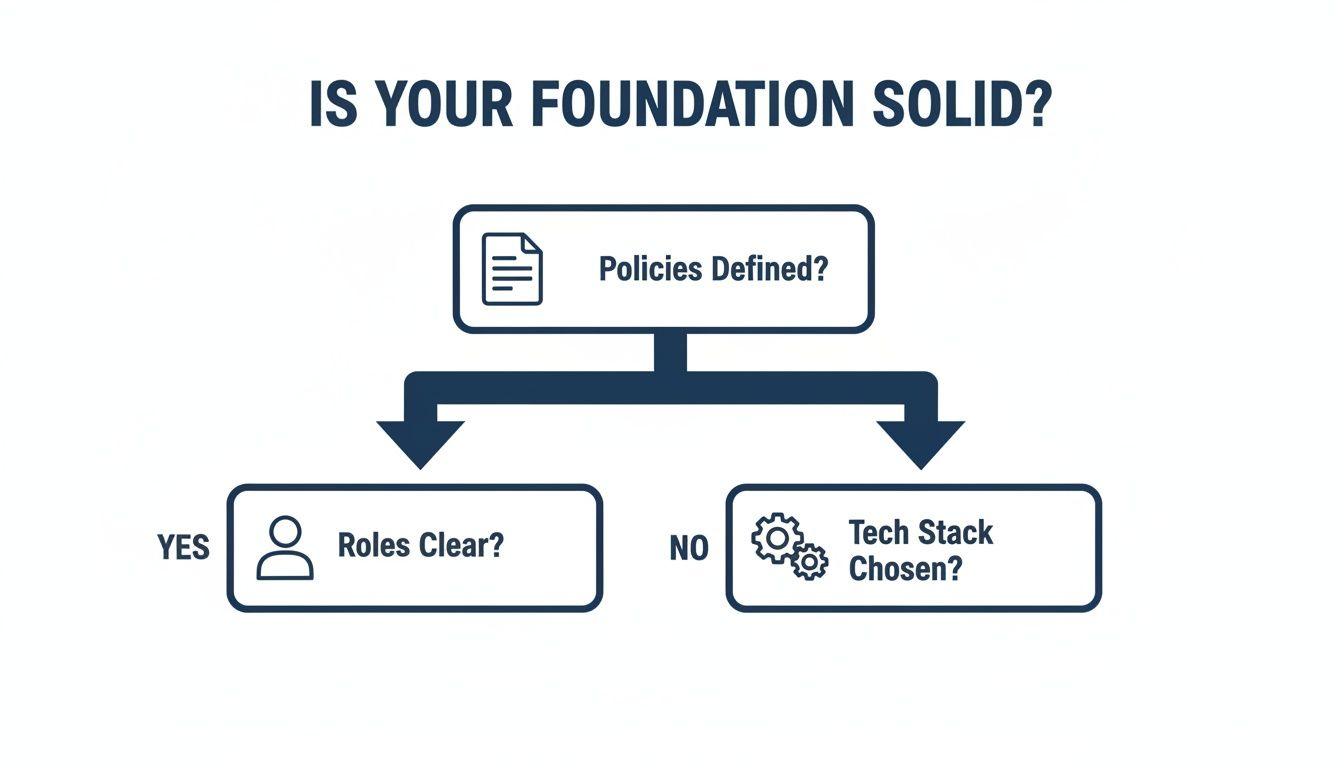
As you can see, a solid communication strategy can only be built once you have clearly defined policies, roles, and the right tech in place.
Choosing the right tool for the job is half the battle. This table breaks down when to go synchronous (real-time) versus asynchronous (on your own time).
Choosing the Right Communication Tool for the Task
| Communication Need | Recommended Tool Type | Example Scenario |
| Urgent issue blocking work | Synchronous (Instant Message) | "The production server is down and I need immediate help." |
| Complex brainstorming session | Synchronous (Video Call) | A strategy meeting to map out the next product feature. |
| Non-urgent project update | Asynchronous (Project Management Tool) | "The first draft of the blog post is complete. Feedback welcome." |
| Formal company announcement | Asynchronous (Email) | Announcing new hires or a change in company policy. |
| In-depth feedback on a document | Asynchronous (Comments/Docs) | Leaving detailed suggestions on a Google Doc for the writer to review later. |
| Sensitive 1:1 conversation | Synchronous (Video Call) | A manager discussing career growth or performance with a team member. |
By guiding your team to consciously select the right channel, you cut down on noise and improve the quality of every interaction.
Embrace an Async-First Mindset
One of the most powerful shifts you can make is moving to an asynchronous-first culture. This means designing your workflows so work can move forward even if team members aren't online at the same time. It’s the ultimate key to unlocking deep work, especially for teams spread across multiple time zones.
"Async-first" doesn't mean you never talk in real-time. It just means that real-time (synchronous) communication becomes the exception, not the default. This is a game-changer because it forces everyone to be more clear and thorough in their communication, which naturally improves documentation.
Instead of a quick, unrecorded call, a team member might record a short Loom video explaining a complex idea or write a detailed project brief that others can digest on their own schedule.
An asynchronous culture is built on a foundation of trust. It tells your team, "I trust you to manage your time and contribute thoughtfully," rather than measuring their value by how quickly they can reply to a message.
This model also reflects what the most successful remote companies have learned about getting things done. A landmark Stanford study of 1,600 employees at Trip.com found that a hybrid model didn't hurt output at all; in fact, productivity and promotion rates were right on par with their fully in-office colleagues. It all comes down to focusing on outcomes, not just hours logged—the core principle of an async-first mindset.
Run Meetings That Actually Work
When you absolutely have to meet, make it count. Remote meetings are far more draining than in-person ones, so they need to be ruthlessly efficient and purposeful. "Zoom fatigue" is a very real thing, and the best way to fight it is to guarantee that every single meeting provides a clear return on the time invested.
Here are a few non-negotiable rules I've found essential for running better remote meetings:
- No Agenda, No Meeting. It’s that simple. Every meeting invitation must include a clear agenda with specific goals. If the organizer can't articulate the purpose, the meeting gets canceled or turned into an email.
- Assign Roles. Every meeting needs a designated facilitator to keep the discussion on track and a notetaker to capture key decisions and action items. Make sure to rotate these roles so everyone stays engaged.
- End with a Clear Plan. The last five minutes should always be reserved for summarizing what was decided and assigning clear action items with deadlines and owners. This is how you ensure talk translates into action.
Drive Performance and Foster Growth Remotely
Managing a remote team means you have to throw out the old rulebook. The biggest mental shift? You have to stop managing by "butts in seats" and start managing by results. When you can't see someone at their desk, the only thing that truly matters is their output.
This isn't just about tracking what gets done. It's about building a system where everyone knows exactly how their work connects to the bigger company goals. It's about giving them the trust and clarity they need to deliver their best work, from anywhere.
Set Goals That Actually Mean Something
Vague goals will kill your remote team’s momentum. To keep everyone pulling in the same direction, you need a framework that leaves no room for guessing. This is where Objectives and Key Results (OKRs) are a game-changer.
OKRs provide a brilliantly simple way to link what an individual does every day to the company's grand vision.
- Objectives are your big, ambitious "what." Think "Launch a world-class customer onboarding experience." They're aspirational.
- Key Results are the "how you'll know you did it." These are the cold, hard numbers that prove you succeeded. For example, "Increase new user activation rate by 15%" or "Reduce support tickets from new users by 20%."
This structure makes success crystal clear. It also gives people ownership over their key results, empowering them to figure out the best way to hit those numbers. The focus is purely on the outcome, not the hours logged.
When done right, OKRs turn performance management from a top-down chore into a team sport. Everyone knows the score and what they need to do to win, even if they're playing from different parts of the world.
By grounding everything in clear metrics, you take the guesswork and subjectivity out of performance. That kind of transparency is gold when managing people you don't see every day.
Master the Virtual One-on-One
In a remote world, the 1:1 meeting is no longer optional—it's your most vital line of communication for coaching, connecting, and spotting problems early. This time is sacred. It should never, ever be just a status update. That’s what your project management tool is for.
A great remote 1:1 is about the person, not the project list. It's your chance to see how they're really doing, talk about their career goals, and clear any hurdles out of their way before they become huge issues.
To get the most out of these meetings, give them some structure. Use a shared agenda document where both you and your team member can add topics all week. This makes it a true conversation, not an interrogation. A solid agenda usually covers:
- A real check-in: How are they actually feeling? What's a win from their week, personal or professional?
- Career development: What skills are they trying to build? Where do they want to be in a year?
- Roadblocks: What's slowing them down? What do they need from you to get unstuck?
- Feedback: Create dedicated space for both of you to share honest, constructive feedback.
These conversations are the bedrock of trust. They show your team you're invested in their growth, not just their output. Optimizing your team's processes like this is a key part of leadership, and for a deeper dive, check out our guide on how to improve workflow efficiency.
Build a Culture of Feedback, Not Finger-Pointing
Giving feedback remotely requires a bit more thought and care. Without seeing someone’s body language, a hastily written Slack message can easily be misinterpreted as harsh criticism. That’s why you need a clear, empathetic framework that everyone understands and uses.
One of the best I've ever used is the Situation-Behavior-Impact (SBI) model. It's designed to remove judgment and stick to the facts, which makes feedback much easier to give and to hear.
Here’s how it works:
- Situation: "During yesterday's client call..."
- Behavior: "...you did a great job of answering their technical questions, but you interrupted the client twice while they were speaking."
- Impact: "...which seemed to make them a bit flustered and I noticed they lost their train of thought."
See how specific that is? It's actionable and focuses on the behavior, not the person's character. By teaching and encouraging your team to use a structured model like SBI, you create a safe environment where people feel comfortable giving and getting the input they need to grow.
Cultivate a Strong and Engaging Remote Culture
When your team is scattered across different cities, countries, or even continents, a great company culture doesn't just happen. It's not something that magically springs to life around the coffee machine or during a spontaneous lunch outing. In a remote world, you have to build your culture with intention, piece by piece.
Forgetting this is one of the biggest missteps I see leaders make. They nail the tools and processes but completely miss the human element. What's the result? A group of disconnected individuals who feel more like freelancers than a team on a unified mission. This inevitably leads to isolation and, you guessed it, high turnover.
Create Your Virtual Water Cooler
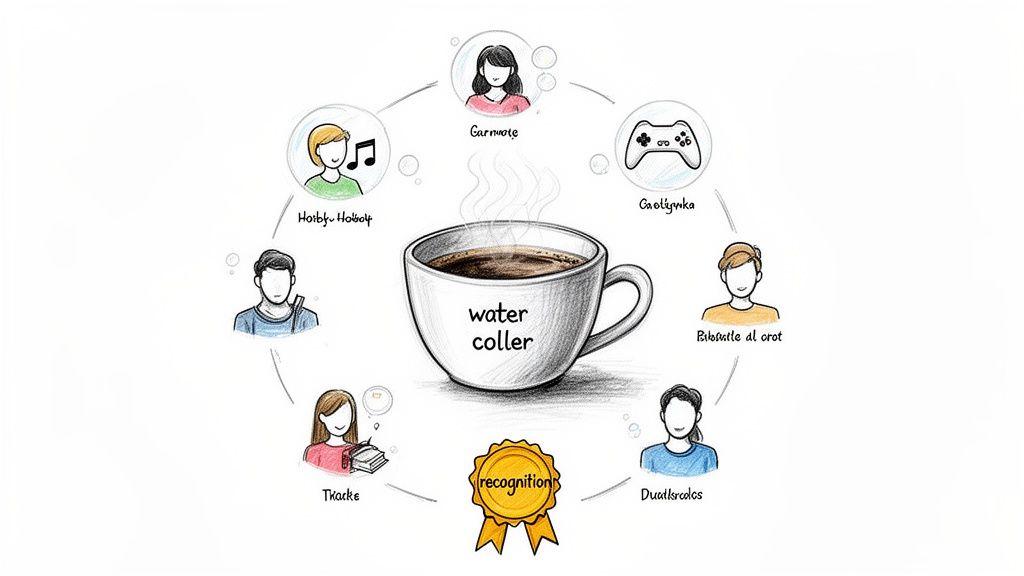
Think about all the spontaneous chats that happen in an office—that's where relationships are forged and brilliant ideas are sparked. You have to find a way to recreate that serendipity online. It’s all about creating low-pressure spaces where your team can connect as people, not just as coworkers.
This is where the idea of a "virtual water cooler" comes in. Using a tool like Slack for non-work chatter is a perfect start. These channels can mimic those random office run-ins, helping to fight off loneliness and build much stronger team bonds. As the current state of remote work in 2025 shows, connection is more important than ever.
Try setting up dedicated channels for shared interests:
#book-loversfor swapping reading recommendations.#pet-picsfor that daily dose of cuteness everyone needs.#show-and-tellfor people to share a weekend project or a new hobby.
These channels give people permission to be themselves, helping them discover things in common that fuel great collaboration down the line.
Design Team-Building That People Actually Enjoy
Let’s be honest, the phrase "virtual team-building" can make even your most enthusiastic employee let out a deep sigh. The secret is to ditch the awkward virtual happy hours and find activities that are genuinely fun and inclusive for everyone.
Focus on interactive experiences that don't feel like another mandatory meeting.
- Collaborative Online Games: I'm a big fan of platforms like Jackbox Games. They offer tons of witty, easy-to-learn party games that are guaranteed to get people laughing.
- Virtual Escape Rooms: These are fantastic because they require real teamwork and problem-solving, letting your team build collaborative muscle in a totally low-stakes setting.
- Skill-Sharing Workshops: Have team members host a quick, informal session on a hobby they love. It could be anything from baking sourdough to digital photography or even learning a few chords on the guitar.
The real goal here isn't just to have fun. It's to create shared experiences that give your team a history together. These are the moments that become inside jokes and common ground, strengthening the very fabric of your culture.
A strong remote culture isn't about grand, expensive gestures. It’s built in the small, consistent moments of connection you intentionally create every single day. It's the "good morning" GIF, the shout-out for a job well done, and the shared laugh over a silly game.
Onboard New Hires with Intention
A new person's first few weeks are make-or-break for cultural integration. In an office, they absorb the vibe just by being there. Remotely, you need to provide a structured, incredibly welcoming experience to make them feel like they belong from day one.
A great remote onboarding plan is more than just setting up a laptop and email. It’s a curated journey designed to build both connections and confidence.
- Assign an Onboarding Buddy: Pair the new hire with a friendly, tenured team member who isn't their manager. This gives them a safe person to ask all the "silly" questions they'd be nervous to ask their boss.
- Schedule Casual "Meet and Greets": Put a series of short, informal 15-minute video calls on the calendar with key people from different departments. The goal isn't to talk work; it's just to say hello and get to know each other.
- Create an Onboarding Checklist: Document everything. Who's who in the company, where to find key documents, how to submit expenses—everything. This cuts down their anxiety and empowers them to find information on their own.
Make Recognition a Public Ritual
When you're remote, it’s far too easy for great work to go unnoticed. Without the visual cues of an office, you have to be loud and proud about celebrating wins, both big and small. A culture of recognition is what makes people feel seen, valued, and motivated to keep doing amazing things.
Weave appreciation right into your team's daily and weekly routines.
- Start a
#winsor#shoutoutsChannel: Actively encourage everyone to publicly thank their colleagues or celebrate a project that just launched. - Kick Off Meetings with Wins: I love dedicating the first five minutes of a weekly team meeting to having everyone share a personal or professional win from the past week. It starts the meeting on a high note.
- Personalize Your Praise: Don't just say "good job." Get specific. Tell them what they did well and the impact it had. For example, "Sarah, your detailed analysis in the Q3 report was incredible. It gave the leadership team the clarity we needed to make a key decision."
By intentionally building these practices into your operations, you create a culture that doesn't just survive the distance—it thrives. You build a supportive, engaging environment that makes your company a place where people genuinely want to be.
Prioritize Security and Employee Wellbeing
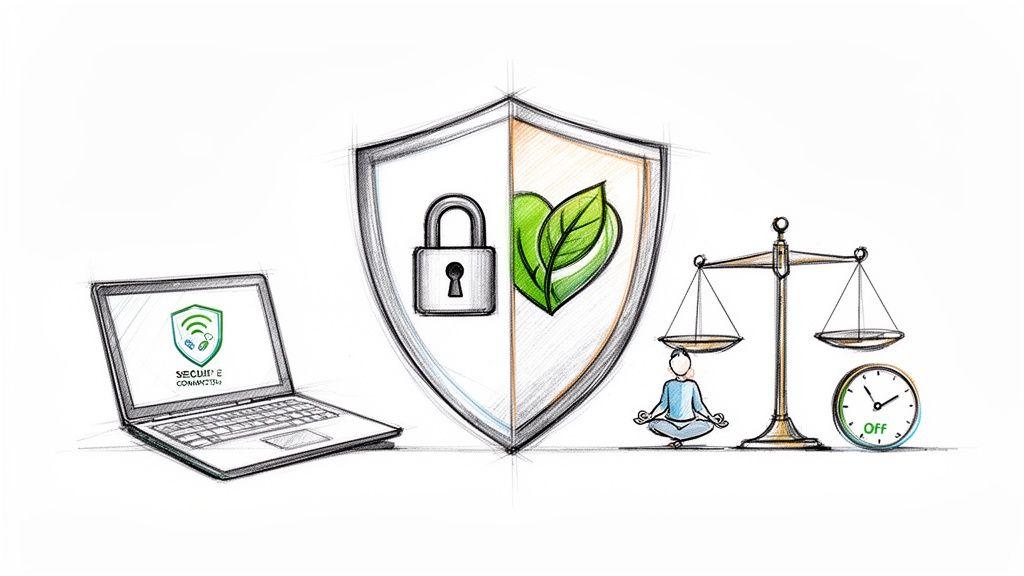
When you're leading a remote team, your responsibilities suddenly expand beyond just hitting deadlines and tracking performance. You become the guardian of the company's digital security and the protector of your team's mental health.
Dropping the ball on either one can be catastrophic. A security lapse could cripple your business overnight, while burnout can silently dismantle your most valuable asset: your people. Finding the right balance isn't just a nice idea; it's a fundamental part of modern leadership.
Fortify Your Digital Defenses
In a remote world, your company's "office" isn't a building anymore. It's every laptop, home Wi-Fi router, and personal phone connected to your network. This means you need to be proactive and build layers of security.
First things first, create a crystal-clear Acceptable Use Policy (AUP). This shouldn't be a dense legal document nobody reads. Think of it as a practical field guide for your team on how to handle company data responsibly.
From there, put these non-negotiable measures in place:
- Mandatory VPN Use: Insist that everyone connects through a Virtual Private Network (VPN) when accessing company resources. This simple step encrypts their connection, creating a secure tunnel straight to your network.
- Strong Password Policies and 2FA: Enforce complex passwords and make Two-Factor Authentication (2FA) mandatory for every single company app. This one change makes it exponentially harder for an attacker to get in.
- Regular Security Training: Don't just assume your team can spot a sophisticated phishing email. Run regular, engaging training sessions to keep everyone sharp and aware of the latest threats they might face.
Protecting your company isn't just about the tech stack. It's about nurturing a security-first mindset. When every person on the team understands their role in protecting data, the entire organization becomes exponentially stronger.
Champion a Healthy Work-Life Balance
Here’s the great paradox of remote work: the freedom to work from anywhere often morphs into feeling like you have to work everywhere, all the time. The lines between the living room and the office dissolve, making burnout a very real, very present danger. Your job as a manager is to actively push back against this.
And make no mistake, this is a core retention strategy. The search for better balance is a massive force in the job market, with 55% of all workers saying they’d find a new job just to get it. Even more telling, 46% of part-time remote workers would flat-out quit before going back to the office full-time. If you want to dive deeper into these trends, check out the latest statistics on the state of remote work.
Practical Steps to Prevent Burnout
You can't just tell people to "unplug" and expect it to happen. You have to build a system that makes it okay—and even encouraged—for them to disconnect. Here are a few things that actually work.
- Set Clear Communication Hours: Define your team's core collaboration hours and be explicit that nobody is expected to be "on" outside of their workday. Most importantly, you have to model this behavior yourself.
- Encourage "Time Off" Transparency: Ask your team to block off their lunch breaks, gym time, or personal appointments on their shared calendars. This normalizes taking breaks and makes it visually clear when someone is unavailable.
- Lead with Empathy in 1:1s: Make well-being a standing item on your one-on-one meeting agenda. Kick things off with, "How are you really doing?" and then actually listen for signs of stress or overwork.
By weaving strong security habits together with a genuine commitment to your team's well-being, you foster an environment built on safety and trust. This is how you build a remote team that isn't just productive, but also healthy, happy, and in it for the long haul.
Your Burning Questions About Remote Management, Answered
Stepping into a remote leadership role can feel like you’ve been handed a map to a new country with half the roads missing. It’s completely normal to have a ton of questions. I’ve been there. Let’s tackle some of the most common ones I hear from managers making the switch.
How Do I Know My Team Is Actually Working (Without Becoming a Micromanager)?
This is the big one, isn't it? The secret is to stop managing by presence and start managing by performance. Forget about watching online status indicators or tracking hours. Your real focus should be on outcomes. Great remote management is built on a foundation of trust—trust that you hired professionals who will deliver.
So, how do you do that in practice?
- Set Crystal-Clear KPIs: Every single person on your team needs to know what "a good job" looks like in numbers. No ambiguity.
- Lean on Your Project Tools: Platforms like Asana or Trello are your best friend. They give everyone visibility into who's doing what, without you having to constantly ask for status updates.
- Make 1:1s About Results: Use your one-on-one meetings to talk about progress, roadblocks, and goals. Don't waste that valuable time asking for a play-by-play of their week.
What's the Best Way to Handle a Team Scattered Across Time Zones?
When your team is spread out, you have to intentionally shift toward an asynchronous-first culture. This means you stop assuming everyone is online at the same time. You build workflows that allow progress to happen around the clock, not just during a small window of overlapping hours.
The non-negotiable rule here is to document everything. Seriously. Every decision, project brief, piece of feedback, and random brilliant idea needs to live in a central, searchable place. This creates a single source of truth that lets someone in Tokyo contribute just as effectively as someone in New York, without ever needing to be in the same meeting.
An asynchronous mindset isn't just about process; it's a culture of trust. It prioritizes thoughtful, well-crafted contributions over knee-jerk reactions, which is the bedrock of a high-performing remote team.
How Do I Make Sure Our Remote Folks Aren't Treated Like Second-Class Citizens?
Ah, the hybrid work dilemma. This is where truly intentional leadership comes into play. It’s far too easy for an "us vs. them" culture to creep in. A huge part of this is training managers on how to run a fair meeting. Simple things, like rotating who leads the meeting, can stop the people in the room from dominating the conversation and ensure every voice is heard. This report on the state of remote work has some great insights on building these equitable practices.
Another classic mistake is the "hallway decision." If a quick chat in the office kitchen leads to a decision, it must be immediately documented and shared in the team's main communication channel. If you don't, you're essentially creating an inner circle, and your remote employees will absolutely feel left out.
How Can We Possibly Build a Cohesive Team When We're Never Together?
You can't just hope for team chemistry to happen organically like it might in an office. You have to manufacture it. You need to create dedicated spaces and rituals for connection that have nothing to do with work.
Here are a few simple ways to start:
- The Virtual "Water Cooler": Start a few non-work channels in Slack or Teams. We have ones for
#pets,#random-reads, and#show-your-setup. It's where the real conversations happen. - Low-Pressure Social Time: Schedule regular, optional virtual events. Think online games, a virtual coffee break, or even a "show and tell" where someone shares a hobby. The key is to keep it light.
- Shout-Outs and Celebrations: Create a dedicated channel just for celebrating wins. When someone hits a goal or helps a teammate out, make a big deal out of it. It’s a powerful way to make people feel seen and valued.