It often feels like you're being pulled in a dozen different directions at once, doesn't it? The secret to getting a handle on multiple projects isn't some magic trick; it's a system. It’s about centralizing your information, prioritizing with real intention, planning your time like a hawk, and communicating with absolute clarity.
This is how you move from a state of constant, reactive chaos to being confidently in control.
The Reality of Juggling Multiple Projects Today

If your workday feels like a high-stakes game of whack-a-mole, you're in good company. Whether you're leading a small team, freelancing for multiple clients, or just wearing many hats in your role, the modern workplace expects us to be expert jugglers. But the real challenge isn't just managing tasks—it's managing focus.
Every time you jump between projects, you're paying a mental tax. This "context switching" is a silent productivity killer, making it nearly impossible to gain real momentum. Without a solid system, you end up spending your day reacting to whatever is loudest, not what's most important. That constant state of high alert is a fast track to exhaustion. If that sounds familiar, our guide on how to reduce employee burnout has some practical strategies to help.
Why Generic Tips Fall Short
You've heard it all before: "make a to-do list," "get organized," "just buckle down." While the sentiment is fine, that kind of advice is far too simplistic for juggling several complex projects. A basic checklist won't help you decide what to do when two critical deadlines collide. It doesn't account for the inevitable curveballs that can throw your entire week off track.
This pressure is why we’re seeing such a huge shift in how work gets done. The online project management software market was valued at USD 5.6 billion in 2023 and is on track to nearly double by 2032. This isn't just a trend; it's a clear signal that professionals everywhere are searching for better systems, not just better intentions.
This guide gives you that system, a real-world framework built on four core pillars. Before we dive into the nitty-gritty of each one, let's get a high-level view of how they fit together.
The Four Pillars of Multi-Project Management
Here’s a quick overview of the core system we'll build in this guide, designed to provide clarity and control.
| Pillar | Core Action | Why It Matters |
| Centralize | Consolidate all project information into a single source of truth. | Eliminates confusion and stops the frantic search for scattered details. |
| Prioritize | Use proven frameworks to decide what truly needs your attention now. | Cuts through the noise of false urgency and focuses your effort. |
| Plan | Allocate your most valuable resource—time—with deliberate intention. | Ensures every project gets the dedicated focus it needs to move forward. |
| Communicate | Establish a clear, predictable rhythm for updates and check-ins. | Aligns all stakeholders and prevents those dreaded last-minute surprises. |
This isn't about working harder or logging more hours. It's about building a workflow you can actually stick to.
The goal is to create a sustainable process that protects your focus, manages expectations, and helps you deliver consistent, high-quality results across all your commitments.
Create a Central Command Center for All Projects
If you're trying to manage multiple projects from a chaotic mess of emails, DMs, and random spreadsheets, you're fighting a losing battle. The very first step to getting a handle on it all is to build a single source of truth—a central command center where every single piece of information has a home.
This isn't just about tidying up; it's about reclaiming your focus and your sanity.
Think about a small marketing team I once worked with. They were juggling three huge client campaigns, and their key deliverables, feedback, and deadlines were scattered across a dozen different email chains and Slack channels. It was a disaster. They missed deadlines, clients were getting frustrated, and the team was burning out.
The moment they built one central dashboard to track everything, the confusion turned into clarity. For the first time, they had a complete, real-time view of every moving part.
This unified space becomes the one place you and your team can always trust for accurate, up-to-date information. It completely eliminates the time wasted hunting for that one specific file or asking about a deadline for the third time.
Build a Master Project List
Before you dive into individual tasks, you need a high-level overview of everything on your plate. Think of this as a strategic inventory, not a to-do list. For every single project you're responsible for, take a few minutes to document the basics.
Essential Project Details:
- Project Name: Something clear and simple, like "Q3 Client Website Redesign."
- Primary Goal: What’s the single most important outcome? What does success actually look like?
- Key Stakeholders: Who needs to be in the loop or has to sign off on things? List only the essential people.
- Major Deadline: The final, drop-dead date for the whole shebang.
- Current Status: A simple tag works best here. Think Not Started, In Progress, On Hold, or Complete.
This master list is your 30,000-foot view. It lets you quickly scan your entire workload and see how different initiatives connect. It's the starting point for making smart decisions about where your energy needs to go next.
A central command center isn't a complex piece of software—it's a commitment. It's the disciplined practice of ensuring every task, deadline, and conversation has a designated home, preventing crucial details from falling through the cracks.
This is a lot like how writers manage a long-term book project while also knocking out shorter articles. They keep momentum on multiple fronts by having a clear structure for each piece of work, which stops one from completely derailing the other.
Consolidate All Tasks into a Unified Repository
Okay, you've got the big picture. Now it's time to get into the weeds. The goal here is to pull every single task—out of your head, your inbox, your notebooks—and dump them all into one system. This is the only way to see the true volume of work you're facing.
By creating one unified task repository, you can see everything that needs to get done across all projects, not just one. This is where the magic happens, because it lets you compare priorities apples-to-apples. Suddenly, you might realize that a "medium-priority" task for Project A is actually more urgent than a "high-priority" task for Project C when you see them side-by-side.
Structure Your Command Center for Clarity
Your command center has to be intuitive. If it’s a pain to use, no one will. The best structure depends on your specific workflow, but organizing by project, then by task, is a battle-tested approach that works for most people.
For example, if you were managing a content pipeline, a well-structured system might look something like this:
| Project | Task | Assignee | Due Date | Status |
| New Website Launch | Draft homepage copy | Sarah | Oct 25 | In Progress |
| New Website Launch | Design mockups | David | Oct 28 | Not Started |
| Q4 Ad Campaign | Finalize ad creative | Maria | Oct 22 | Blocked |
| Q4 Ad Campaign | Set up tracking pixels | Sarah | Oct 26 | In Progress |
This level of organization is incredibly powerful. Anyone on the team can understand the health of a project at a glance without having to interrupt someone for a status update.
A solid command center is also the bedrock of effective content planning. If that's your world, you might find our guide on how to create a content calendar useful—it builds on these same core principles of centralization.
By bringing everything into one place, you're doing more than just organizing tasks. You're building a system that cuts down on mental friction and empowers you to make proactive, intelligent decisions.
Prioritize Your Tasks When Everything Feels Urgent
Once you’ve built your central command center, you finally see the true scope of your workload. That initial clarity is often followed by a wave of pure panic—when every task from every project is staring you in the face, how do you even begin to decide what to tackle first?
This is where ruthless, intentional prioritization comes in. It's about moving away from a reactive mode, where the loudest email or the most recent request gets your attention, and into a strategic one. You deliberately choose where to invest your energy for the biggest payoff.
This isn't just a corporate problem. Imagine a student juggling a final research paper, a major group presentation, and studying for three exams all in the same week. Everything feels urgent and important, creating a stressful guessing game of where to start. Without a system, they'll just bounce between tasks, making a little bit of progress on everything but finishing nothing.
Use the Eisenhower Matrix for Quick Triage
A fantastic starting point for cutting through the chaos is the Eisenhower Matrix. It’s a simple but incredibly effective framework that forces you to categorize every task based on two key dimensions: urgency and importance. This helps you separate what’s actually a priority from what’s just making noise.
Here’s how it works:
- Urgent & Important (Do First): These are your fires and your hard deadlines. Think crisis management, a client deliverable due by end-of-day, or fixing a critical bug that’s bringing down a system. They have significant consequences if they fail.
- Not Urgent & Important (Schedule): This is where real, strategic progress happens. These tasks include long-term project planning, building key relationships, or learning a new skill. They don't have a five-alarm-fire deadline, but they are absolutely vital for your future success. Block out time for them.
- Urgent & Not Important (Delegate): These are often interruptions disguised as priorities. This could be responding to certain non-critical emails, scheduling meetings for others, or handling routine administrative requests. If you can, get them off your plate.
- Not Urgent & Not Important (Delete): These are the time-wasters and distractions. Mindless social media scrolling, attending meetings you don't need to be in, or over-organizing files that don't need it. Eliminate them without mercy.
By running your master task list through this filter, you can immediately see what you absolutely must do now versus what can be scheduled, delegated, or dropped.
Go Deeper with an Impact/Effort Matrix
While the Eisenhower Matrix is perfect for daily triage, the Impact/Effort Matrix is my go-to for more strategic planning. It helps you decide which initiatives to greenlight when you simply can’t do everything at once. You plot tasks on a four-quadrant grid based on their potential impact versus the effort they require.
- High Impact, Low Effort (Quick Wins): Do these right away. These are the low-hanging fruit that deliver a fantastic return for a minimal investment.
- High Impact, High Effort (Major Projects): These are your big, game-changing initiatives. They require serious planning and resources, but they're the ones that will truly move the needle. You need to break these down into smaller, manageable tasks and schedule them deliberately.
- Low Impact, Low Effort (Fill-ins): These are the small, easy tasks that won't have a huge effect. I like to knock these out when I have small pockets of free time between meetings, but I never let them distract from more important work.
- Low Impact, High Effort (Time Sinks): Avoid these like the plague. They gobble up your time and energy for almost no reward.
This kind of focused thinking is more critical than ever. The demand for project management professionals is exploding, with some estimates suggesting a need for up to 30 million additional experts by 2035. That means more of us are being asked to do more with less. By prioritizing effectively, you can stretch your resources without sacrificing results. You can find more of these eye-opening project management statistics that highlight the trend.
The goal of prioritization isn't to create a perfectly rigid plan. It's to build a decision-making framework that gives you the clarity and confidence to adapt when new tasks and unexpected challenges inevitably arise.
This diagram shows how your command center's information flows from raw inputs—like emails and meeting notes—into a structured, prioritized dashboard.
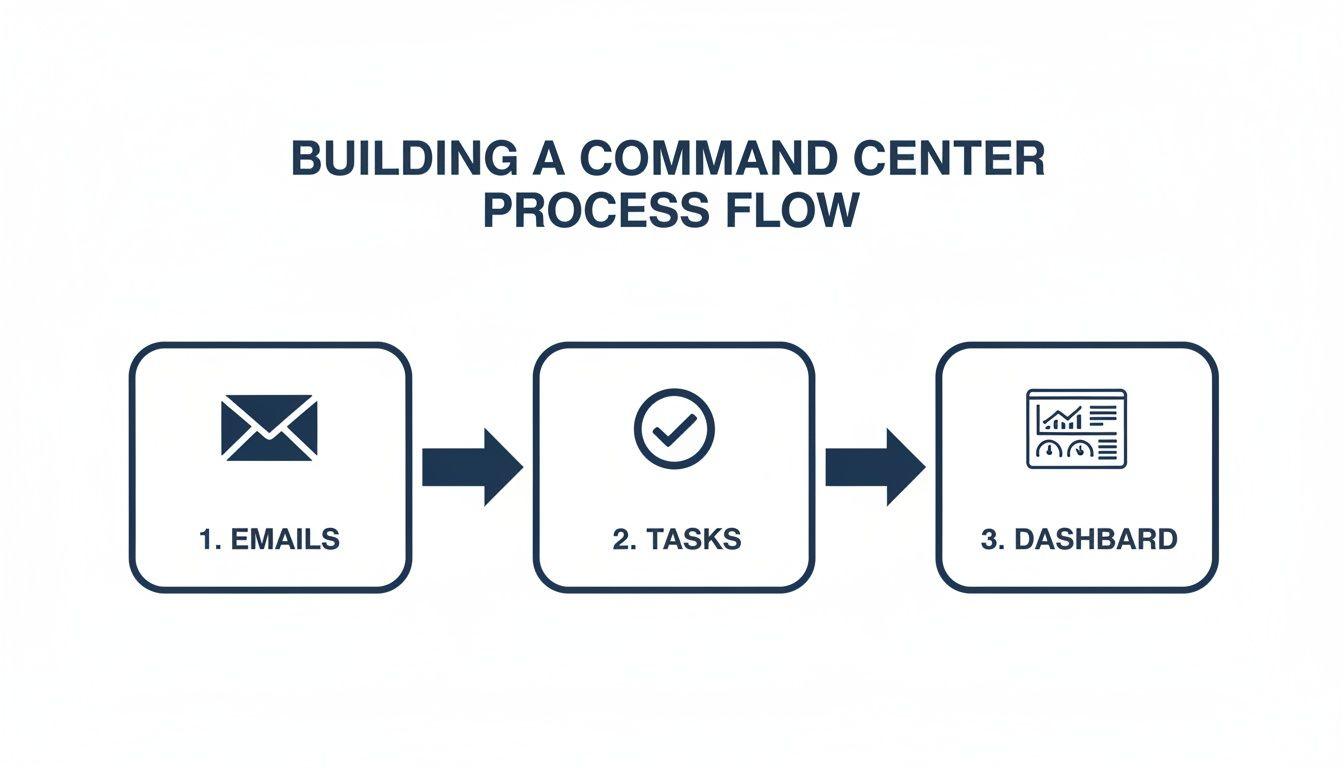
This process visualizes the journey from chaotic inputs to the organized, actionable tasks that populate your central dashboard, giving you a clear path forward.
Plan Your Time with Strategic Time Blocking
Having a prioritized to-do list is a great first step, but it’s just a wish list without a concrete plan to get it all done. This is where you shift from knowing what to do, to defining precisely when and how you’ll do it. The best way I’ve found to do this is through time blocking—the simple but powerful practice of giving every task a specific home on your calendar.
A running checklist can feel endless, and it’s easy to just keep adding to it. Time blocking forces you to face the reality of the clock. You only have so many hours in a day, and seeing those hours laid out visually makes you get brutally honest about what you can actually achieve.
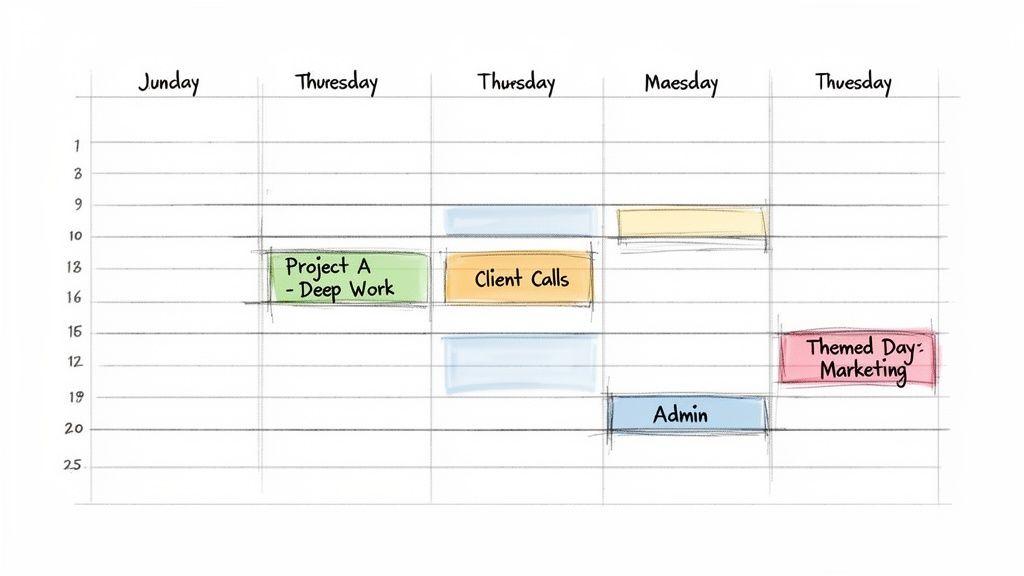
This move from a list to a schedule is the secret sauce for juggling multiple projects without constantly feeling like you’re falling behind. It’s about being proactive and taking control of your time, instead of letting your inbox dictate your day.
Design Your Ideal Week
First things first: block out all your non-negotiables. This means standing meetings, doctor's appointments, and yes, even your lunch break. Protect that time. What’s left over are your "work blocks"—the actual time you have to move the needle.
Now, pull up that prioritized task list you made and start plugging the most important items into those open slots. The key here is to be specific. Don't just block out "Project A." Instead, schedule "Draft initial wireframes for Project A login page." This tiny change removes all the guesswork and friction when it’s time to start.
Here’s a quick look at how you might structure a week to balance different project demands:
| Time | Monday | Tuesday | Wednesday | Thursday | Friday |
| 9-11 AM | Deep Work: Project A (Write Report) | Project B (Client Call & Follow-up) | Deep Work: Project A (Analyze Data) | Project C (Team Brainstorm) | Review & Plan Next Week |
| 11-12 PM | Email & Admin Block | Buffer Time / Flex Work | Email & Admin Block | Buffer Time / Flex Work | Project B (Internal Sync) |
| 1-3 PM | Project C (Design Mockups) | Deep Work: Project A (Continue Report) | Project B (Client Presentation) | Deep Work: Project A (Finalize Report) | Buffer & Final Admin |
See how different types of work are batched? This prevents the mental whiplash of constantly switching gears, which is a massive productivity killer.
The Power of Themed Days
If you want to take this to the next level, try creating "themed days." This is an incredibly effective way to minimize context switching when you have a lot on your plate. Instead of hopping between projects all day, you dedicate entire days—or at least large chunks of them—to one specific project or type of work.
For example:
- Marketing Mondays: All your energy goes into content creation, social media strategy, and campaign planning.
- Tech Tuesdays: You're laser-focused on development tasks, bug fixes, and technical planning for a specific project.
- Client Wednesdays: You schedule all your client-facing meetings, calls, and follow-ups on this day.
When you batch similar tasks, you allow your brain to settle into a single "mode" for a long time. This is how you achieve a state of flow and produce your best work. Research consistently shows we only have a few hours of peak focus each day; themed days help you protect that precious resource.
The goal isn't to create a rigid, unchangeable schedule. It's to build a default template for your week that makes intentional work the path of least resistance. Think of it as your guide, not your jailer.
Build in Buffer Time
This is the part everyone skips, and it’s why their beautifully planned schedules fall apart by 10 AM. You absolutely cannot schedule your day back-to-back with zero breathing room. That’s a recipe for burnout and frustration. The second one meeting runs long, your entire day is shot.
This is why buffer time is non-negotiable. These are intentionally blank slots on your calendar—maybe 30 minutes between big meetings or an hour at the end of the day.
This unscheduled time is your secret weapon. It serves a few critical purposes:
- It absorbs delays: A call runs over? No problem, you've got a cushion.
- It handles emergencies: An urgent request pops up? You have a designated slot to tackle it without derailing your most important work.
- It provides a mental break: Use it to get up, stretch, grab a coffee, and just reset your brain before diving into the next thing.
Without these buffers, you aren't planning for reality; you're planning for a perfect world that simply doesn't exist. They are the shock absorbers for your entire system, keeping you on track even when the day gets bumpy.
Master Proactive Communication with Stakeholders
Let's be honest: even the most perfectly planned projects can implode without clear, consistent communication. I’ve seen it happen time and again. The project environment crumbles under the weight of silent assumptions, leaving teams and clients guessing about where things really stand. If you want to juggle multiple projects successfully, you have to get proactive with your communication.
This means establishing a predictable rhythm that keeps everyone aligned—without drowning them in meetings.
The goal is to answer questions before they’re even asked. When stakeholders trust that regular, meaningful updates are coming, they stop sending those focus-shattering "just checking in" emails. It's about building confidence, which in turn gives you the breathing room to actually get the work done.
The Real Cost of Bad Communication
The stakes are higher than you might think. Poor communication is directly responsible for a staggering 30% of all project failures. It’s not a minor issue; it’s a project killer.
But here's the good news: the right systems can completely change the game. For example, simply implementing project management software can boost team communication by 52%. In fact, 66% of organizations use these tools specifically to communicate with clients about their various concurrent projects. It’s clear that communication isn't just a "soft skill"—it's a core operational function.
Find Your Communication Rhythm
The secret to great stakeholder communication is establishing a rhythm. People feel at ease when they know what to expect and when. The single most effective habit I've ever adopted is sending a weekly summary email at the same time every week—say, every Friday at 4 PM. This simple routine has single-handedly eliminated most of the anxiety that plagues multi-project environments.
This one consolidated update respects everyone’s time. It replaces a dozen scattered emails and impromptu calls with a concise, scannable summary of where everything stands. Over time, your stakeholders will learn to rely on it, which drastically cuts down on the noise coming your way. For more ideas, check out our guide on how to improve team communication across your organization.
A predictable communication rhythm doesn't just inform; it builds trust. When stakeholders know they will hear from you consistently, they stop worrying and let you focus on execution.
The Weekly Summary Email That Actually Gets Read
Your weekly update needs to be clear, concise, and incredibly easy to scan. No one has time to read an essay. Use headings, bullet points, and bold text to make the important stuff jump out.
Here’s a simple, adaptable template that I’ve used for both internal teams and external clients:
Subject: Weekly Project Update - [Date]
Hi [Stakeholder Name],
Here’s your weekly summary of our progress.
Project A: [Project Name]
- Progress This Week: Briefly list 2-3 key accomplishments. Example: "Final design mockups for the user dashboard are complete."
- Roadblocks/Issues: State any challenges and their impact. Example: "We're blocked on the homepage until we get the final logo assets from marketing."
- Next Steps: Outline the main priorities for next week. Example: "Begin front-end development of the dashboard."
Project B: [Project Name]
- Progress This Week: [List your wins here]
- Roadblocks/Issues: [Call out any problems]
- Next Steps: [What's next on the list?]
This format just works. It immediately tells stakeholders what’s done, what’s stuck, and what’s next for each project. You’re no longer just reacting; you're in control of the narrative, managing expectations before they have a chance to go sideways.
Got Questions? Here Are Some Real-World Answers
Putting a system in place is one thing, but making it work day-to-day is where the real challenge lies. You'll inevitably run into snags and tricky situations. Let's tackle some of the most common questions that come up when you’re juggling multiple projects in the real world.
What’s the Best Tool for a Central Command Center?
Honestly, the best tool is the one your team will actually stick with. It’s easy to get bogged down searching for the "perfect" app, but that's just a form of procrastination. Focus on adoption, not features.
A great project management platform like Asana, Trello, or Monday.com is a solid place to start. If you need something more customizable, a well-organized Notion database can work wonders.
Forget the brand name for a second and focus on the must-have capabilities. Your central hub needs:
- Shared Task Lists: A single source of truth for who is doing what.
- Deadline Tracking: Due dates have to be crystal clear to keep everyone accountable.
- File Attachments: All project documents, mockups, and briefs in one spot.
- Comment Threads: Keep conversations tied directly to the work, not lost in a sea of emails.
The specific software is far less important than the discipline of putting everything related to your projects into one shared, accessible space.
How Do I Actually Say No to a New Project?
Learning to say 'no' is a survival skill. It isn't about being difficult; it's about protecting the quality and deadlines of the work you've already committed to.
When a new project lands on your plate, don't just give a flat "no." That can come across as uncooperative. Instead, you need to reframe the conversation around capacity and priorities. Use data, not feelings.
Try saying something like this:
"I'd love to help with that, but my full focus right now is on getting Project X launched and finishing the Q3 report for Project Y, both due next Friday. I can add this to my backlog and start on it in two weeks, or we could look at my current task list together and decide what gets pushed back to make room."
This simple script does a few powerful things. It shifts the decision from a "you" problem to a "we" problem, makes the trade-offs crystal clear, and forces a deliberate conversation about what's most important for the business right now. Mastering this is a game-changer when you're trying to figure out how to manage multiple projects simultaneously.
What’s the Best Way to Handle an Unexpected Crisis?
Let's be real: unexpected problems are a guarantee. The question isn't if they'll happen, but when. Your reaction is what separates a minor hiccup from a complete meltdown. This is exactly why building buffer time into your schedule is a non-negotiable—it's your emergency fund for your time.
When a fire pops up on one project, use this playbook to keep it from burning down everything else:
- Triage Immediately: The first step is to assess the damage. Is this issue truly urgent and important (like a production server crashing), or is it just someone else's perceived emergency? Use a quick mental filter like the Eisenhower Matrix to gauge its real impact.
- Use Your Buffer: If it needs your attention now, this is what those buffer blocks in your calendar are for. You can dive in and solve the problem without having to blow up a critical task you had planned for another project.
- Over-Communicate: The second you know an issue might cause a delay elsewhere, tell people. A quick, proactive message prevents stakeholders from getting anxious or chasing you for updates. Something as simple as, "Heads up team, a critical issue just came up on Project A that I need to handle. The mockups for Project B will be in your inbox this afternoon instead of this morning" works wonders for managing expectations.
This structured response turns chaos into a controlled process. It keeps you in the driver's seat and shows everyone involved that you've got things under control, even when things go wrong.