In 2026, the world of digital creation has been fundamentally reshaped by artificial intelligence. From marketers needing instant campaign visuals to students illustrating complex projects and families creating personalized art, the demand for powerful yet accessible tools is at an all-time high. The challenge is no longer about if you can create an image from a text prompt, but which tool can do it best for your specific needs. With a crowded market of platforms, each with its own strengths, weaknesses, and pricing quirks, how do you choose the right one?
This comprehensive guide is designed to cut through the noise and provide clear, actionable insights. We have meticulously evaluated the best AI image generators available today, moving beyond simple feature lists. Our focus is on practical applications and suitability for our core audiences: small and midsize businesses, creative teams, students, and families. We understand that a business needs a tool that respects copyright, a family needs a platform that is safe and easy to use, and a student needs an affordable option that delivers quality results for academic work.
Throughout this article, you will find an in-depth analysis of each platform. We will explore:
- Pricing Models: From free tiers to complex credit systems and subscriptions.
- Privacy & Data Usage: How your prompts and creations are used.
- Unique Features: What sets each generator apart, from photorealism to specific art styles.
- Suitability: Clear recommendations for SMBs, teams, families, and students.
Forget generic overviews. Each entry includes sample outputs, screenshots, and direct links, serving as your practical roadmap to finding the perfect AI image generator that aligns with your specific creative and professional goals. Let's dive in and find the right tool to bring your vision to life.
1. 1chat
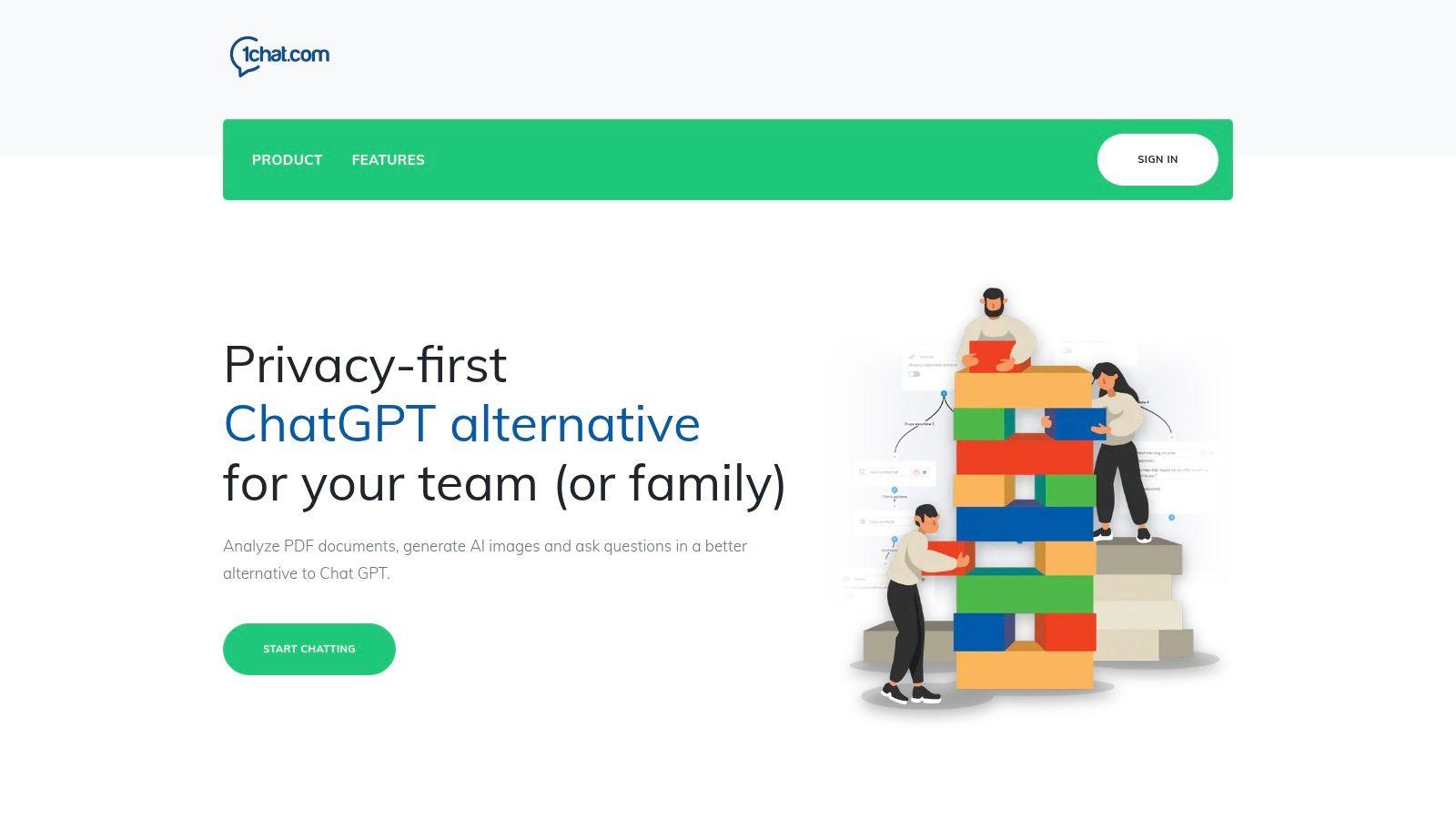
1chat distinguishes itself not just as a tool, but as a comprehensive AI ecosystem designed for privacy-conscious families, students, and businesses. While it offers robust image generation, its core strength lies in integrating this capability within a much broader communication and productivity platform. This makes it an exceptional choice for users who need more than just a standalone image creator and are looking for one of the best AI image generators embedded in a multi-functional, secure environment.
Key Features & Use Cases
What sets 1chat apart is its multi-model access combined with practical tools. Users can tap into top-tier generative models like Google’s Nano Banana, OpenAI’s GPT-5, and ByteDance’s Seedream from a single, unified interface. This eliminates the need to switch between different services to find the best engine for a specific task.
For small businesses, 1chat acts as an omni-channel communications hub. It consolidates interactions from Facebook Messenger, web chat, email, and SMS into one stream. An SMB can generate marketing images for a social media campaign, draft the accompanying post with AI writing assistance, and then manage customer responses all within the same platform.
Students and families benefit from its privacy-first design and moderation features. It provides homework help, proofreading, and essay assistance, while the built-in image generator is perfect for creating visuals for school projects or creative exploration in a safer, controlled context.
Analysis & Verdict
| Feature | Details |
| Primary Strength | Integrated AI suite with multi-model access and business communication tools. |
| Best For | SMBs, families, and students needing a versatile, privacy-focused AI platform. |
| Pricing | Not publicly listed. Plans are seat-based (Mini, Omni, Omni Pro), requiring contact for a quote. |
| Pros | All-in-one access to top LLMs, strong focus on privacy and team collaboration, omni-channel customer support features. |
| Cons | Lack of transparent pricing, no visible third-party security certifications or customer testimonials on the site. |
Final Recommendation: 1chat is an excellent, well-rounded choice for those who see AI image generation as part of a larger workflow. If you need a tool that can create visuals, analyze PDFs, assist with writing, and manage customer conversations, 1chat offers a powerful, integrated solution. However, prospective users should perform due diligence by requesting a demo and clarifying pricing and data privacy specifics before committing.
Website: https://1chat.com
2. Midjourney
Midjourney is widely regarded as one of the best AI image generators for creating exceptionally high-quality and artistic images. It operates exclusively through the social platform Discord, which fosters a massive, collaborative community where users can share prompts and inspiration. This unique interface allows for a rapid, iterative workflow, making it a favorite among artists and designers seeking aesthetic excellence.
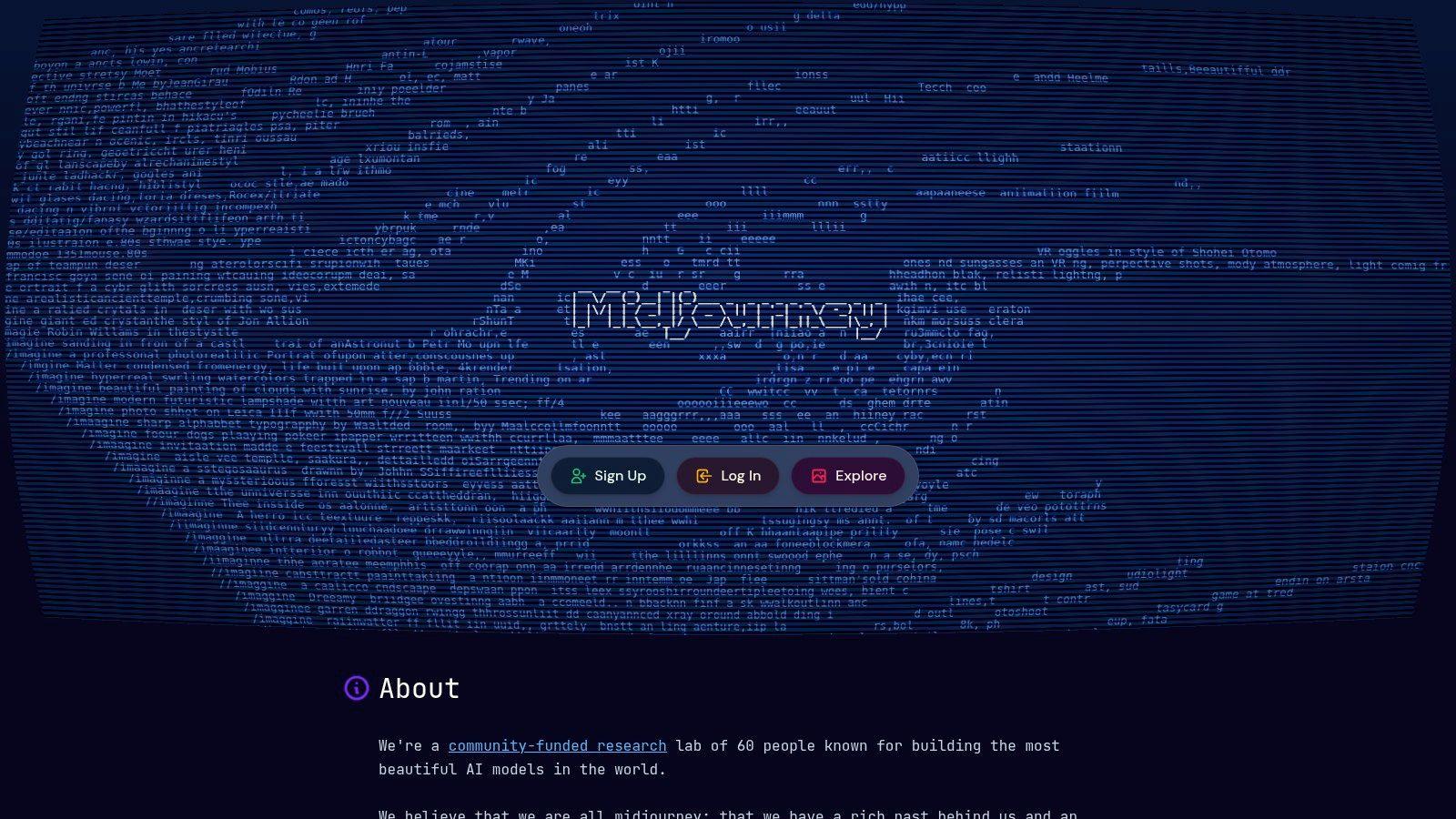
Its strength lies in its sophisticated model that excels at interpreting complex prompts to produce stunning, often photorealistic or painterly results. Midjourney's use of natural language processing is advanced, allowing for nuanced creative direction. To understand more about the technology behind this capability, you can learn more about natural language processing on 1chat.com.
Core Features & User Experience
The Discord-based workflow can have a learning curve for newcomers but becomes efficient once mastered. The platform offers powerful commands for upscaling images, creating variations, and maintaining style consistency across different generations, which is invaluable for projects requiring a cohesive look.
- Pricing: Midjourney offers four paid subscription tiers, starting at around $10/month. Higher-priced plans provide more 'Fast GPU' hours for prioritized processing and access to "Relax Mode" for unlimited, albeit slower, image generations.
- Best For: Creative professionals, artists, and small businesses needing high-impact visuals for marketing, concept art, or branding.
- Limitations: The Discord requirement can be a barrier for corporate teams unfamiliar with the platform. Additionally, it lacks built-in commercial indemnity, a feature some competitors offer for business users.
Website: https://www.midjourney.com
3. OpenAI (DALL·E 3 and GPT Image models via API)
For developers, small businesses, and startups looking to integrate AI image generation directly into their own applications, the OpenAI API provides direct, programmatic access to powerful models like DALL·E 3. This approach is less about a standalone user interface and more about providing a reliable, scalable engine that can power other tools, making it one of the best AI image generators for custom solutions.
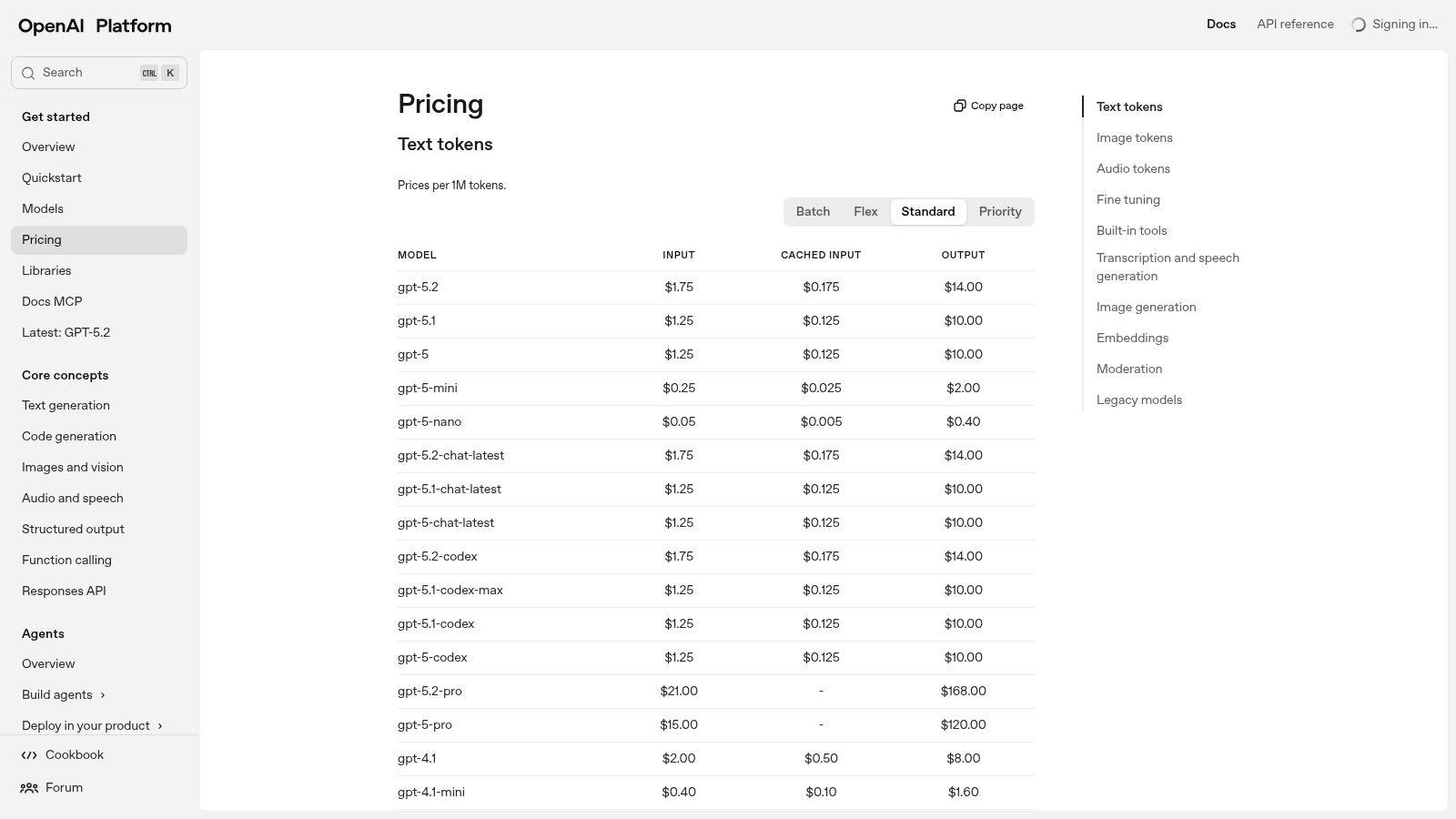
Its key advantage is the pay-per-use model, which offers predictability and cost-effectiveness for businesses embedding generative AI into their workflows. OpenAI’s robust infrastructure and thorough documentation make the integration process straightforward for developers. The API is a core component in many modern workflows, and you can discover more about integrating it with other AI tools for content creation on 1chat.com.
Core Features & User Experience
The experience is API-first, requiring some technical knowledge to implement. Users interact with the models by sending requests through code rather than a graphical interface. The platform offers excellent developer tooling, including usage dashboards and rate limit management, ensuring a stable and predictable service for business-critical applications.
- Pricing: OpenAI uses a pay-per-image pricing model based on resolution and quality (Standard/HD). This granular approach allows businesses to precisely control costs based on their specific needs.
- Best For: Developers, SMBs, and tech companies needing to build custom applications, automate content creation, or integrate AI visuals directly into their existing software and websites.
- Limitations: The API-centric model is not suitable for non-technical users seeking a simple, web-based image generator. Additionally, it does not include the kind of stock-photo-style legal indemnity offered by some competitors.
Website: https://platform.openai.com/pricing
4. Adobe Firefly
Adobe Firefly stands out as one of the best AI image generators for professionals already embedded in the Adobe Creative Cloud ecosystem. Rather than being just a standalone tool, Firefly's generative AI is deeply integrated into flagship applications like Photoshop and Illustrator. This allows for a seamless workflow, where users can generate assets directly within their existing projects, using features like Generative Fill to add or remove objects with text prompts.
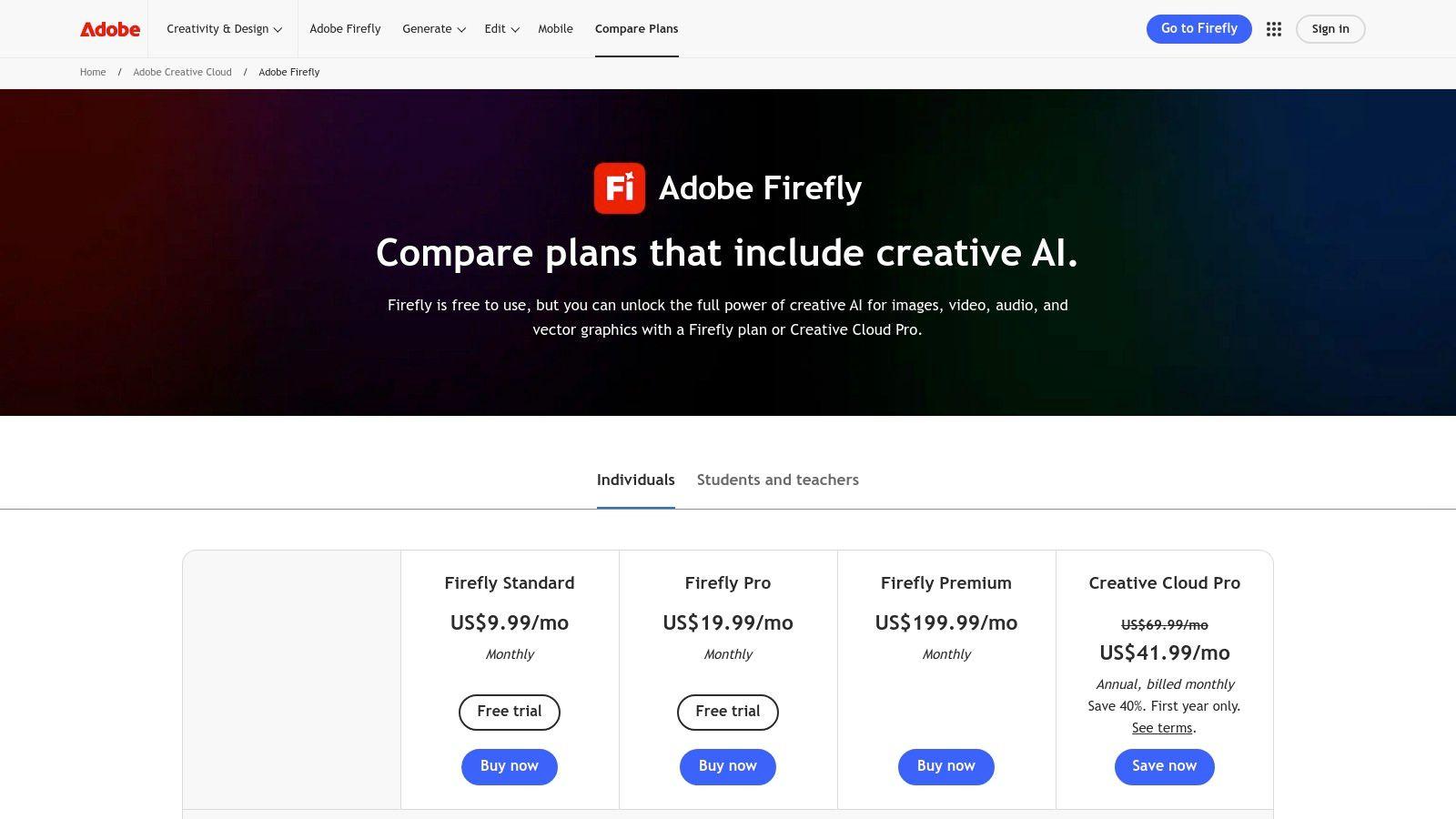
Its key differentiator is its commercial safety; Firefly is trained exclusively on Adobe Stock's licensed library and public domain content, which is designed to make its outputs commercially safe and avoid infringing on intellectual property. This makes it an ideal choice for enterprises and creative agencies that require brand-safe visuals and legal peace of mind for their commercial projects.
Core Features & User Experience
Firefly operates on a generative credit system, where users get a monthly allocation of credits to perform "fast" generations. The integration with Creative Cloud is its biggest strength, providing a powerful and familiar editing pipeline for post-generation refinement without leaving the app. The experience is polished and intuitive, especially for existing Adobe users.
- Pricing: Access is included with many Creative Cloud subscriptions. Standalone Firefly plans start at around $4.99/month for a set number of generative credits. Higher-tier Creative Cloud plans offer more credits.
- Best For: Creative professionals, marketing teams, and enterprise users who need brand-safe, commercially viable images and value deep integration with industry-standard design tools.
- Limitations: The generative credit system can feel restrictive for high-volume users. The total cost of a full Creative Cloud subscription might be prohibitive for individuals or small businesses solely interested in image generation.
Website: https://www.adobe.com/products/firefly/plans.html
5. Canva (Magic Media)
Canva integrates AI image generation directly into its widely-used design platform, making it one of the best AI image generators for users who need a complete content creation workflow. Its native tool, Magic Media, allows users to generate images from text prompts and immediately use them within social media posts, presentations, or marketing materials. This seamless integration removes the friction of downloading and re-uploading assets, streamlining the entire creative process.
The platform's strength is its all-in-one nature. Beyond its own model, Canva's app marketplace includes integrations with third-party models like DALL·E and Google Imagen, offering diverse stylistic options within a single interface. These capabilities are paired with Canva’s massive library of templates, fonts, and stock elements, making it an ideal choice for marketers, small businesses, and individuals without formal design training. Many of its features are also accessible on its free plan; you can learn more about the top free AI image generators at 1chat.com.
Core Features & User Experience
Canva’s user experience is famously intuitive, featuring a drag-and-drop editor that makes complex design tasks simple. Magic Media is just as easy to use, with options to choose styles and aspect ratios before generating. The ability to instantly apply AI images to templates and use tools like the background remover creates a powerful, efficient workflow for producing polished, on-brand content.
- Pricing: Canva offers a robust free tier with a limited number of Magic Media credits. Paid plans (Pro and Teams) start at around $14.99/month and provide significantly more credits, a Brand Kit for consistency, and advanced editing features.
- Best For: Marketing teams, content creators, small businesses, and students who need to quickly create professional-looking visuals without a steep learning curve.
- Limitations: While versatile, the raw image quality of its native generator may not always match specialized platforms like Midjourney. Some users have also noted occasional changes in feature availability.
Website: https://www.canva.com
6. Microsoft Designer
Microsoft Designer positions itself as a user-friendly graphic design app powered by AI, making it one of the best AI image generators for casual users and those already within the Microsoft ecosystem. Rather than focusing solely on raw image generation, it integrates AI-created visuals directly into a design workflow, suggesting layouts, templates, and text pairings. This makes it an excellent entry point for creating social media posts, invitations, or digital postcards without a steep learning curve.
Its core strength is its seamless integration with the Microsoft 365 environment. Powered by DALL-E 3, the image generation quality is high, and the tool is designed for practical application rather than purely artistic exploration. The platform simplifies the process of turning a simple text prompt into a polished design, bridging the gap between idea and finished product.
Core Features & User Experience
The web-based interface is clean, intuitive, and will feel familiar to anyone who has used consumer-level design tools like Canva. Users can generate an image and immediately use features like "Design ideas" to see it incorporated into various layouts. It also connects with other Microsoft apps like Clipchamp for video creation, creating a cohesive creative suite for subscribers.
- Pricing: Free to use with a generous number of daily image "boosts" (credits). Microsoft 365 subscribers receive a significantly higher number of daily boosts, making it a valuable perk for existing customers.
- Best For: Families, students, and small businesses already using Microsoft 365 who need a quick, integrated way to create marketing materials, presentations, and social media content.
- Limitations: Lacks the advanced prompting controls and fine-tuning capabilities found in more specialized, artist-focused platforms. The best usage quotas are tied to a Microsoft 365 subscription.
Website: https://designer.microsoft.com
7. Leonardo.ai
Leonardo.ai is a comprehensive suite of AI-powered creative tools designed for artists, game developers, and small businesses. It distinguishes itself by offering not just image generation but also the ability to train custom AI models on your own datasets, providing unparalleled stylistic control. This platform is built for production workflows, offering features that support everything from initial concepts to final assets.
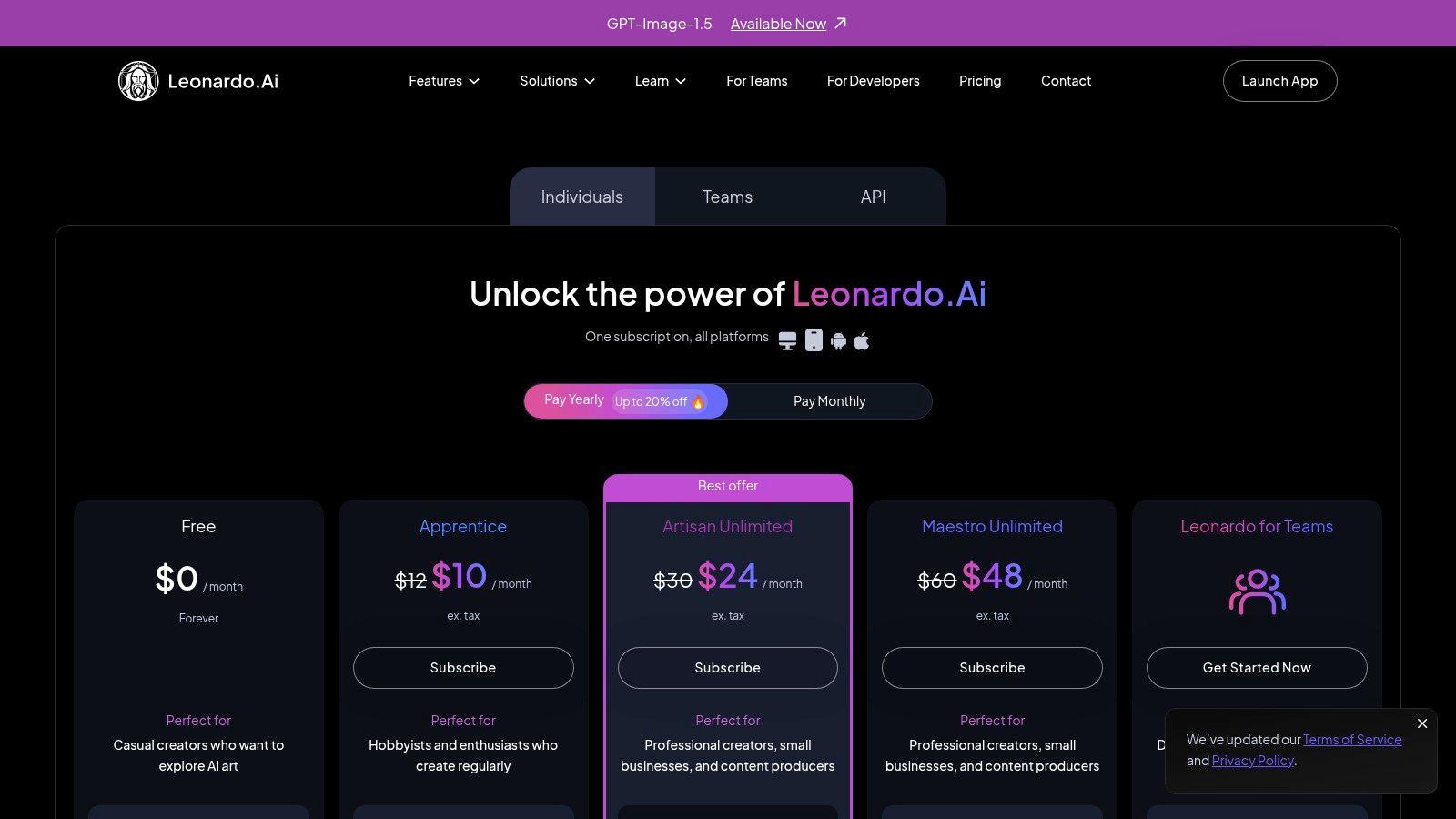
Its strength lies in its versatility and user-friendly interface, which consolidates powerful features like image editing, upscaling, and a community model gallery into a single, cohesive platform. By empowering users to fine-tune AI models for specific needs, Leonardo.ai stands out as one of the best AI image generators for creating consistent and branded visual content.
Core Features & User Experience
The platform operates on a token-based system, with a generous daily free allowance, making it highly accessible. The web-based interface is intuitive, guiding users through generating images, training models, and exploring community creations. Features like private generations on paid tiers are crucial for commercial projects requiring confidentiality.
- Pricing: Leonardo.ai offers a robust free tier with a daily token reset. Paid plans start at around $10/month, providing more monthly tokens, faster generation speeds, premium features, and API access.
- Best For: Game developers, marketing teams, and creators who need a unified platform for generating and managing consistent visual assets or integrating AI art into their applications via API.
- Limitations: The token system can be complex for beginners to manage, and some advanced community models are excluded from the "relaxed" unlimited generation mode offered in higher tiers.
Website: https://leonardo.ai
8. Ideogram
Ideogram has carved out a distinct niche for itself among the best AI image generators by excelling at a task that many others struggle with: rendering clean, legible text within images. This specialized capability makes it an invaluable tool for creating designs like logos, posters, memes, and product packaging where typography is a central element. The platform is designed to seamlessly integrate text prompts with visual generation, producing coherent and contextually accurate typographic designs.
Its model is uniquely trained to understand the relationship between letters, words, and the surrounding visual composition. This results in remarkably high fidelity for on-image signage and branding elements, giving users precise control over the final creative output without needing post-generation editing software to add text.
Core Features & User Experience
The platform offers a straightforward, web-based interface that is accessible to beginners. Users can choose from different aspect ratios and utilize advanced features like an upscaler and canvas tools. The credit-based system differentiates between "Slow" and "Priority" generation speeds, giving users flexibility based on their subscription tier and urgency.
- Pricing: Ideogram provides a free tier with daily credits, alongside paid plans (Basic, Plus, Pro, Team) starting from around $7/month. Higher tiers offer more priority credits, private generations, and advanced features like CSV batch processing for teams.
- Best For: Marketers, graphic designers, small businesses, and content creators who need to generate visuals with integrated and accurate text for branding or social media.
- Limitations: The credit model and different generation modes can be a bit complex to understand at first. Private generations, a key feature for commercial work, are not included in the free plan.
Website: https://ideogram.ai
9. Shutterstock AI Image Generator
Shutterstock AI Image Generator leverages its massive stock media library and industry-standing to offer a commercially-focused, text-to-image tool. It integrates AI generation directly into its familiar platform, providing a seamless experience for existing users and a trusted entry point for new ones. The generator is powered by leading models, ensuring high-quality outputs that are ready for professional use.
The platform's primary differentiator is its licensing model. When a user downloads a generated image, it comes with the appropriate Shutterstock license, eliminating the legal ambiguity that plagues many other AI tools. This clarity is a significant advantage for businesses that need to ensure their marketing and creative assets are fully compliant and indemnified for commercial use.
Core Features & User Experience
The interface is straightforward and integrated into the main Shutterstock website, making it accessible and easy to navigate. Users can generate images and then immediately access Shutterstock's suite of editing tools or its vast library of traditional stock photos and vectors, creating a unified content creation workflow.
- Pricing: Access is included with various Shutterstock subscriptions. Specific "Generative AI" packs are available, starting around $29 for 25 credits. Pricing is credit-based, with downloaded images consuming credits.
- Best For: Marketing teams, small businesses, and corporate content creators who require legally sound, commercially licensed AI-generated images for websites, social media, and advertising campaigns.
- Limitations: The creative controls are less granular compared to artist-focused platforms like Midjourney. Generation limits tied to subscription plans may also be restrictive for users with high-volume needs.
Website: https://www.shutterstock.com/pricing/ai-image-generator
10. NightCafe Studio
NightCafe Studio stands out as one of the best AI image generators for newcomers and hobbyists, thanks to its community-focused approach and accessible interface. It offers a unique blend of creative freedom by providing access to multiple AI models, including Stable Diffusion XL, DALL-E 2, and its own proprietary algorithms. This flexibility allows users to experiment with different artistic styles within a single platform.
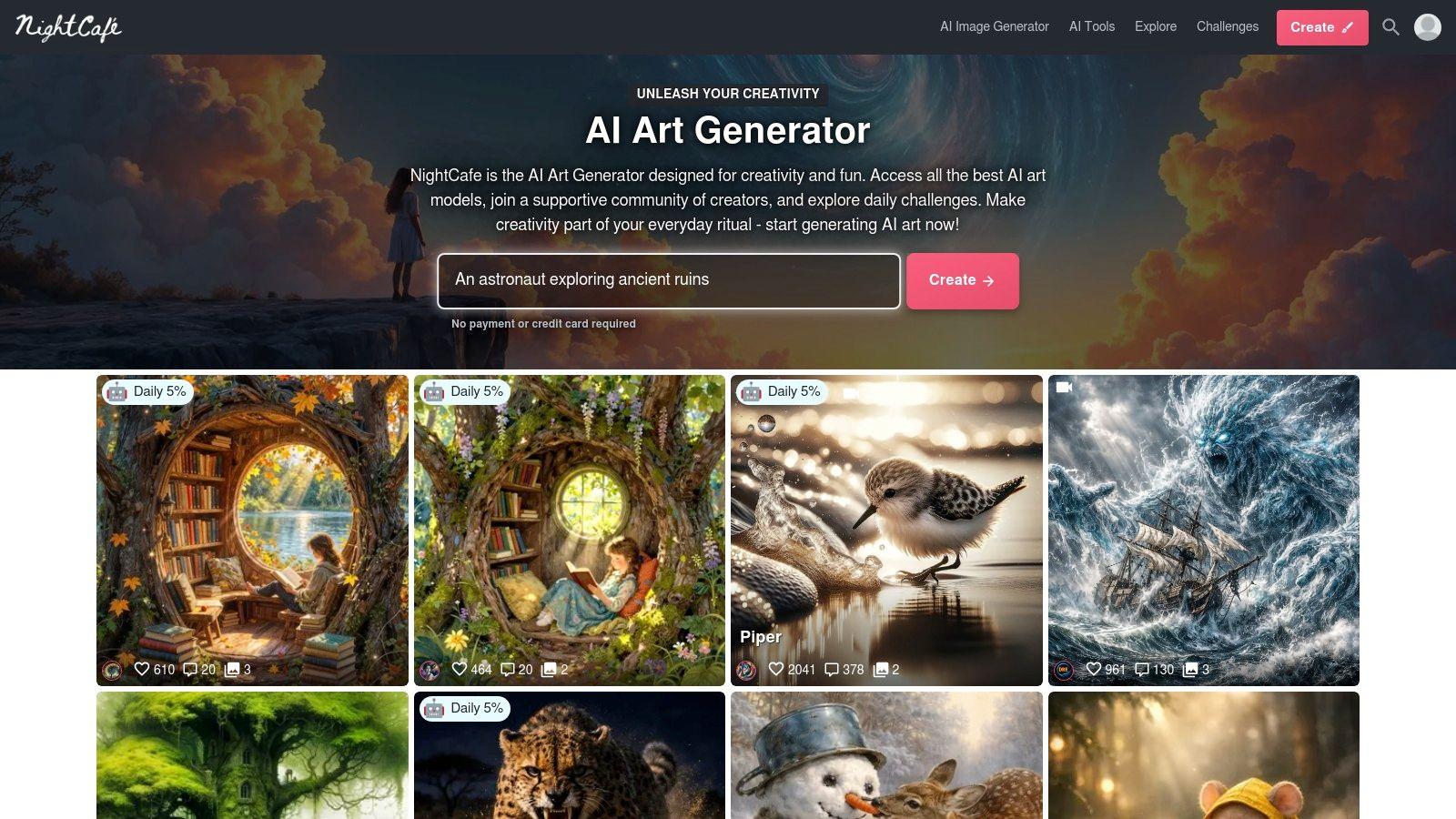
The platform is built around a vibrant community where users can browse, like, and "fork" creations from others, making it an excellent source of inspiration and learning. Its user-friendly design, complete with mobile apps for both iOS and Android, lowers the barrier to entry for those just starting their AI art journey. NightCafe's generous daily free credits system encourages regular engagement without an initial financial commitment.
Core Features & User Experience
Navigating NightCafe is straightforward, with clear options for choosing models, applying styles, and adjusting advanced settings. The platform operates on a credit system, where different actions like generation, upscaling, or using specific models consume varying amounts of credits. This provides granular control but can initially be confusing for new users to calculate.
- Pricing: NightCafe offers a freemium model with daily free credits. For more intensive use, users can purchase credit packs (starting around $5 for 40 credits) or subscribe to monthly plans (starting around $6/month) that provide a steady credit allowance and other perks.
- Best For: Beginners, students, and hobbyists looking for a low-cost, multi-model platform with a strong community and easy-to-use interface.
- Limitations: The credit system can feel complex, as costs vary significantly between different models and settings. Advanced users may find the controls less powerful than those offered by more specialized tools like Midjourney or Stable Diffusion's local installations.
Website: https://nightcafe.studio
11. Generative AI by Getty Images / iStock
For businesses that prioritize legal safety and commercial viability, Generative AI by Getty Images (and its iStock brand) offers one of the most compelling solutions. Built on NVIDIA’s Picasso model and trained exclusively on Getty's and iStock's vast, commercially-licensed creative libraries, this platform is designed to produce images that are legally clean and ready for commercial use without the copyright concerns that plague other models.
This tool stands out by providing legal indemnification, a critical feature for risk-averse businesses. It ensures that the generated assets are free from recognizable people, places, and other copyrighted elements, making it a trusted choice for marketing departments, agencies, and enterprise clients who require legally sound visuals for their campaigns.
Core Features & User Experience
The user interface is straightforward and integrated directly into the familiar iStock and Getty Images platforms, making it easy for existing customers to adopt. Generation is simple, focusing on creating commercially usable assets rather than intricate artistic creations. The key differentiator is the peace of mind that comes with every generated image, backed by a major stock photo provider.
- Pricing: Operates on a credit or pack-based system. For example, on iStock, standard generations are available with packs, and premium generations with indemnification cost more, often starting at around $15 for a pack of 3 premium generations. Enterprise plans are also available.
- Best For: Marketing teams, advertising agencies, and corporate users who need commercially safe AI-generated images with legal protection for advertising, websites, and promotional materials.
- Limitations: The creative flexibility and artistic output may not match more specialized models like Midjourney. Its pack-based pricing can be more expensive for users who need to generate a high volume of experimental images.
Website: https://www.istockphoto.com/ai/generation/about
12. Stability AI DreamStudio
Stability AI's DreamStudio is the official web interface for its powerful Stable Diffusion models. It serves as a middle ground between highly simplified generators and complex local installations, offering users granular control over the image creation process. Its pay-as-you-go credit system makes it one of the best AI image generators for developers, hobbyists, and those who need to experiment or run batch generations without a monthly subscription.
The platform stands out by exposing advanced parameters like CFG scale, generation steps, and sampler choice directly in the UI. This level of control allows users to fine-tune outputs precisely, making it an excellent tool for prototyping prompts and understanding how different settings affect the final image before moving to more complex API integrations.
Core Features & User Experience
DreamStudio's interface is clean and developer-focused, prioritizing function over flair. Users can easily select from various Stable Diffusion models, adjust image dimensions, and manage negative prompts to steer the AI away from unwanted elements. The experience is centered on experimentation and iteration, rewarding users who invest time in learning the parameters.
- Pricing: Operates on a pay-as-you-go credit system. Users purchase credits (e.g., $10 for 1,000 credits), which are then consumed based on image resolution and the number of generation steps. This is highly cost-effective for moderate usage.
- Best For: Developers prototyping API calls, technical users, and anyone needing fine-tuned control over open-source models without a powerful local GPU.
- Limitations: The user interface lacks the one-click templates and design tools found in more consumer-focused platforms like Canva. Credit usage can also be unpredictable for beginners, as higher resolutions and step counts consume them much faster.
Website: https://dreamstudio.ai
Top 12 AI Image Generators: Feature Comparison
| Product | Core features | UX / Quality (★) | Value & Pricing (💰) | Target (👥) | USP (✨) |
| 🏆 1chat | Multi-LLM chat, PDF analysis, AI image gen, omni-channel team comms | ★★★★★ — family-safe, team workflows | 💰 Seat-based monthly (Mini→Omni Pro); contact sales; Mini: 5k conv/mo | 👥 SMBs, families, students, creators | ✨ Privacy-first + multi-LLM + unified omni-channel inbox |
| Midjourney | Discord-based image gen, upscaling, variations | ★★★★★ — highly stylized, iterative controls | 💰 Subscription tiers (GPU hours); private mode on higher plans | 👥 Artists, designers, creators | ✨ Best aesthetic quality + large community |
| OpenAI (DALL·E 3 / GPT Image) | API access, per-image pricing, integration with OpenAI stack | ★★★★☆ — reliable infra & docs | 💰 Pay-per-image by resolution/quality; predictable billing | 👥 Developers, SMBs, integrators | ✨ Granular API integration & predictable pricing |
| Adobe Firefly | Text-to-image, Creative Cloud integration, generative credits | ★★★★ — strong post-editing pipeline | 💰 Credit system + team plans; can be costly for heavy use | 👥 Brands, enterprises, pro creatives | ✨ Deep Photoshop/CC integration & enterprise controls |
| Canva (Magic Media) | Text-to-image in design suite, templates, brand kit | ★★★★ — easy, fast for non-designers | 💰 Pro/Teams subscription; included templates & stock | 👥 Marketers, small teams, non-designers | ✨ All-in-one design + one-click resizing & templates |
| Microsoft Designer | Free web app, Office integration, increased credits with 365 | ★★★ — simple, consumer-friendly | 💰 Free entry; better quotas with Microsoft 365 | 👥 Families, casual users, small teams | ✨ Low-cost entry + Office ecosystem integration |
| Leonardo.ai | Token-based generation, private gens, model training, API | ★★★★ — polished for creators & teams | 💰 Token tiers & team plans; API access | 👥 Creators, SMBs, developers | ✨ Custom model training + private/team workspaces |
| Ideogram | Strong on-image text rendering, upscaler, batch CSV tools | ★★★★ — excellent typography fidelity | 💰 Credit plans (Free→Pro/Team); competitive pricing | 👥 Designers, packaging, signage use-cases | ✨ Best-in-class text-in-image fidelity |
| Shutterstock AI Generator | Generator with licensing on download; subscription packs | ★★★★ — commercial-ready outputs | 💰 Subscription packs + top-ups; license included at download | 👥 Marketers, agencies, SMBs needing rights | ✨ Licensing-on-download + rights clarity |
| NightCafe Studio | Multiple models, daily free credits, community galleries | ★★★ — approachable, community-driven | 💰 Free daily credits; pay-as-you-go or subs | 👥 Hobbyists, newcomers, mobile users | ✨ Strong community + easy entry & mobile apps |
| Getty/iStock Generative AI | Licensed-trained models, indemnity, pack & enterprise plans | ★★★★ — enterprise-grade legal posture | 💰 Pack-based pricing; enterprise plans available | 👥 Agencies, risk-averse SMBs, enterprises | ✨ Built-in legal protections / indemnity for commercial use |
| Stability AI DreamStudio | Stable Diffusion variants, advanced params, pay-as-you-go | ★★★★ — granular control for prototyping | 💰 Credit-based pay-as-you-go; cost-effective for batches | 👥 Developers, researchers, prototypers | ✨ Open-model ecosystem + fine-grained generation controls |
Making Your Choice: Selecting the Right Creative Partner
Navigating the vibrant and rapidly evolving world of AI image generation can feel overwhelming. We've explored a diverse lineup, from the artistic powerhouse of Midjourney to the commercially safe and integrated ecosystem of Adobe Firefly, and the versatile, privacy-focused suite within 1chat. The key takeaway is clear: there is no single "best ai image generator" for everyone. The ideal tool is the one that aligns perfectly with your specific goals, workflow, and values.
Your journey from concept to creation begins with identifying your primary use case. Are you a small business owner needing on-brand marketing assets, a student looking for visuals for a presentation, or a family seeking a safe space for creative exploration? Each scenario points toward a different solution. The choice is less about finding the most powerful model and more about selecting the most effective creative partner for your unique tasks.
A Quick Guide to Choosing Your AI Partner
To simplify your decision, let's distill our findings into actionable recommendations based on common user needs. This framework will help you shortlist the top contenders from our list.
- For Businesses Needing Commercial Safety and Integration: If your priority is creating assets for commercial use without worrying about copyright infringement, Adobe Firefly and Generative AI by Getty Images are unparalleled. They are trained on licensed and ethically sourced data, providing peace of mind. For those who already live in the Canva ecosystem, Canva's Magic Media offers incredible convenience and a seamless workflow.
- For Teams and Families Prioritizing Privacy and Collaboration: For groups that need more than just an image generator, a platform like 1chat stands out. It provides a secure, all-in-one environment that combines image creation with multi-model chat and team communication tools, all under a strong privacy-first policy. This makes it an excellent choice for SMBs and families who want a single, safe hub for all their AI and communication needs.
- For Artists and Creatives Seeking Maximum Control: If your goal is artistic expression with deep control over style and composition, Midjourney remains the gold standard for its stunning, high-quality outputs and active community. Leonardo.ai is a powerful alternative, offering extensive model training and fine-tuning capabilities for those who want to develop a unique aesthetic.
- For Students and Casual Users Focused on Accessibility: For students and anyone just starting, ease of use and affordability are key. Microsoft Designer (via Copilot) offers a fantastic free entry point, while Canva provides a user-friendly interface that many are already familiar with. These tools lower the barrier to entry, making it easy to bring simple ideas to life without a steep learning curve.
Final Factors to Consider Before You Commit
Before you make your final selection from the best ai image generators we've reviewed, take a moment to test-drive your top choices. Most platforms offer free trials or a limited number of free credits. Use this opportunity to evaluate a few critical factors:
- Prompt Adherence: How well does the tool understand and execute your specific instructions?
- User Interface: Is the platform intuitive and easy for you (or your team/family) to navigate?
- Output Quality and Style: Does the generator’s inherent aesthetic match the look you want to achieve?
- Cost vs. Value: Does the pricing plan align with your budget and projected usage?
The world of generative AI is not just about technology; it's about augmenting human creativity. These tools are partners in your creative process, capable of transforming a fleeting thought into a tangible, visually stunning reality. By choosing the right one, you're not just adopting a new piece of software; you're unlocking a new way to innovate, communicate, and bring your most ambitious ideas to life.