
Let's get one thing straight: a content calendar is far more than just a schedule of what to post and when. It’s the difference between throwing spaghetti at the wall to see what sticks and executing a deliberate, goal-driven content strategy. Think of it as your roadmap for turning random acts of marketing into a system that delivers predictable growth.
Why Your Content Needs a Strategic Calendar
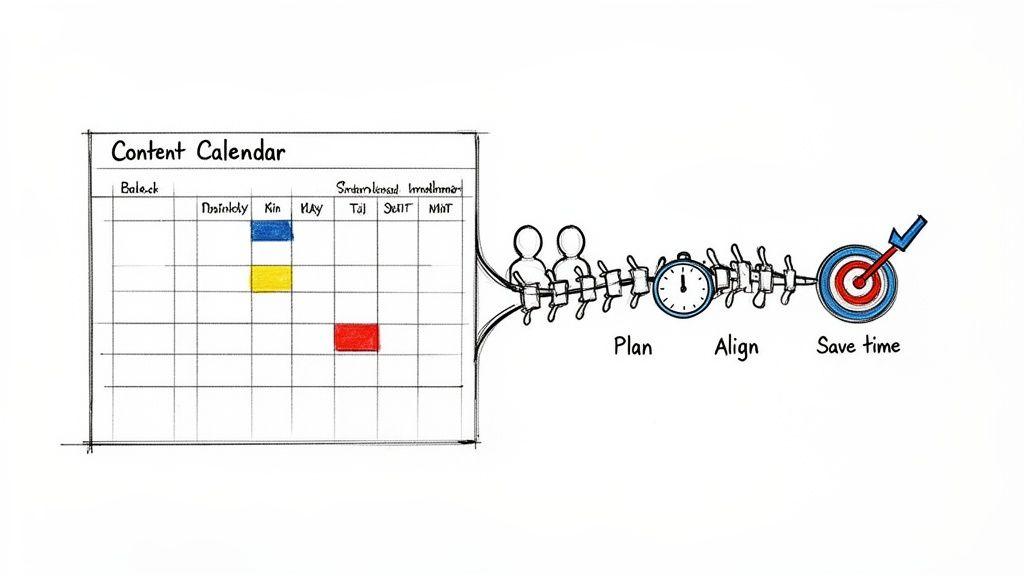
If you've ever found yourself in a last-minute scramble, frantically trying to figure out what to post, you know how stressful and ineffective "winging it" can be. This reactive approach often leads to inconsistent messaging, burnt-out teams, and a lot of missed opportunities.
A strategic content calendar is the cure for that chaos. It becomes the operational backbone of your entire content plan—a single source of truth for your team. Everyone knows what’s being created, who it’s for, and most importantly, why it matters. You'll finally move from the "what do we post today?" mindset to a proactive, forward-thinking strategy where every blog post, video, and tweet serves a purpose.
From Chaos to Clarity and Consistency
The biggest immediate win you'll see from a good calendar is clarity. When you map out your content ahead of time, you can spot gaps, avoid getting repetitive, and ensure you're consistently hitting the topics your audience actually cares about.
This consistency is what builds trust and keeps people coming back. It also does wonders for your team's workflow. Instead of wasting mental energy on daily brainstorming, everyone can focus on what they do best: creating great content. We actually have a whole guide on how to improve workflow efficiency that dives deeper into creating systems that save time and eliminate friction.
There's a reason the market for marketing calendar software is exploding—it's projected to hit USD 9.6 billion by 2032. As businesses grow, they realize that a manual, chaotic process just won’t cut it anymore.
A content calendar isn't just about organizing posts. It's about organizing your strategy, aligning your team, and making your marketing efforts predictable and measurable.
The True Impact of Strategic Planning
Ultimately, a calendar is what connects your day-to-day content creation directly to your bigger business goals. Want to generate more leads? Build brand authority? Drive sales? Your calendar ensures every single piece of content has a job to do in getting you there.
This kind of strategic alignment pays off in several huge ways:
- Better Resource Management: You can allocate your team's time, energy, and budget much more effectively.
- Improved Collaboration: With clear responsibilities and deadlines, bottlenecks and miscommunications start to disappear.
- Enhanced Content Quality: When you aren't rushing, you have more time for thoughtful creation, editing, and review, which always leads to a stronger final product.
Without this framework, you're just making noise online. With it, you're building a valuable asset that delivers real, measurable returns.
Define Your Content Mission and Audience
Before you even think about filling in a calendar, you need a blueprint. A solid plan is built on two things: what you're trying to achieve (your mission) and who you're trying to reach (your audience). Without this clarity, your content calendar is just a fancy to-do list, not a real tool for growth.
Think of it like planning a road trip. You wouldn’t just hop in the car and start driving without a destination. Your content mission is that destination—a clear, simple statement that explains why you’re creating content in the first place. This needs to go way beyond vague ideas like "get more followers" and lock into real business outcomes.
Set Sharp, Measurable Goals
Your big-picture mission needs to be broken down into specific, measurable goals. This is the only way you’ll know if your content is actually working. Vague targets don't cut it; you need tangible objectives you can track.
A small business, for example, might set goals like these:
- Increase organic blog traffic by 20% this quarter.
- Generate 50 qualified leads a month from our e-book downloads.
- Boost the click-through rate on our weekly newsletter by 15% in the next six months.
When your goals are this sharp, every piece of content gets a job. As you brainstorm, you can ask, "Does this blog post really help us increase organic traffic?" or "Will this video actually help us get more leads?" It's a simple gut check that weeds out fluffy ideas and keeps your team focused on what matters.
Get to Know Your Real Audience
Okay, you’ve got your destination. Now, who are you bringing along for the ride? A deep understanding of your audience isn't just nice to have—it's everything. Basic demographics like age and location are a starting point, but they won't help you create content that truly connects.
The real magic happens when you move beyond basic demographics and uncover the psychographics—what motivates your audience, what they struggle with, and what they're trying to achieve. This is how you make content that makes them feel like you get them.
To do this right, you need to build out some practical audience personas. These are essentially character sketches of your ideal customer, pieced together from real data and research. This comprehensive guide on how to conduct market research for your small business is a fantastic place to start gathering these insights.
Start digging deeper by asking the right questions:
- What are their biggest pain points? What problems are keeping them up at night?
- What are their primary goals? What are they hoping to accomplish in their work or life?
- Where do they hang out online? Are they all business on LinkedIn, scrolling Instagram, or deep in a Reddit forum?
- What questions are they asking? A quick search on Google's "People Also Ask" or niche forums will show you the exact language they use.
When you have these answers, you can fill your content calendar with topics that are practically guaranteed to resonate with the right people, on the platforms they already use. This foundation is what turns a simple schedule into a powerful engine for your business.
Figure Out Your Content Pillars and Publishing Cadence
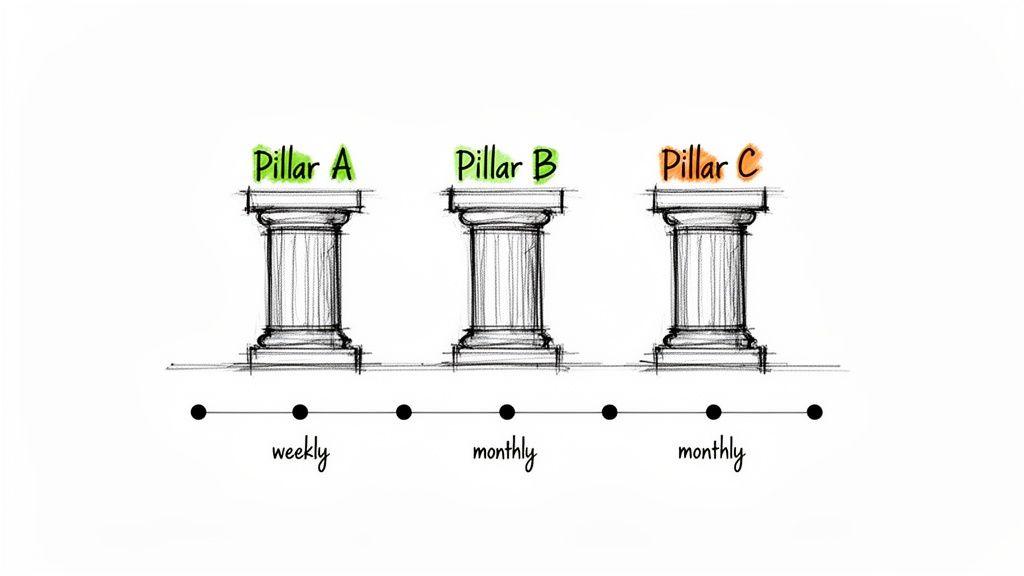
Alright, now that you know who you’re talking to and what you want to achieve, it’s time to build the engine of your content calendar. This means defining your core content pillars and deciding on a realistic publishing cadence. Getting these two things right is the secret to creating focused, consistent content that actually builds a loyal following.
Think of content pillars as the 3-5 major themes your brand will own. They're the big-picture topics you want to be known for, the main categories of your blog. These pillars are your north star—they keep you from getting distracted by random trends and ensure everything you create reinforces your expertise.
For example, if you're a small business with an AI tool, your pillars might look something like this:
- Productivity Hacks: Ideas and guides on how AI can save small teams precious time.
- Smarter Content Creation: Tips for using AI to brainstorm and produce marketing materials.
- AI for Family & Education: Content showing students and families how to use AI safely and effectively for school projects.
See how those pillars directly tie the product to the audience’s problems? This approach creates a really cohesive experience and makes brainstorming a hundred times easier. Instead of facing a blank page, you have clear buckets you need to fill with ideas.
Find a Publishing Rhythm You Can Actually Stick To
With your pillars in place, the big question becomes: how often should you actually post? This is your publishing cadence, and the answer is definitely not "as much as you possibly can." The best cadence is one you can sustainably maintain without letting quality slip. Trust me, consistency trumps frequency every single time.
Take a hard look at your resources. A one-person show or a tiny team can't possibly publish new content daily across five different platforms. It's so much better to commit to one amazing blog post and two thoughtful social media updates per week than to burn out trying to do it all.
While some experts say publishing blog posts two to four times weekly is ideal, that requires a serious backlog of content. To keep that pace without constant stress, you’d realistically need four to five draft-ready articles prepared a month ahead. You can find some great tips for building this kind of buffer in this guide to creating a content calendar on Wordtune.
Your publishing cadence should be a commitment, not an aspiration. Choose a rhythm that aligns with your team's capacity and your audience's expectations, and then stick to it.
A realistic schedule helps you balance different formats and channels without feeling overwhelmed.
Sample Content Cadence for a Small Business
Here’s what a manageable weekly schedule could look like for a small business trying to stay active on a few key channels.
| Day | Blog Post | Social Media (LinkedIn/Instagram) | Email Newsletter |
| Monday | — | Teaser for Tuesday's blog post | — |
| Tuesday | Publish New Post (Pillar 1) | Share blog post highlights & link | — |
| Wednesday | — | Post a quick tip video (Pillar 2) | — |
| Thursday | — | Share user-generated content or a poll | Weekly Roundup Sent |
| Friday | — | Fun behind-the-scenes team photo | — |
This simple rhythm keeps your brand visible and provides value throughout the week without requiring a massive content team.
Fill Your Calendar With Ideas People Actually Want
Okay, your pillars are defined and your cadence is set. Now for the fun part: filling that calendar with compelling topics. This is where you move from strategy to creativity and make sure your content will genuinely help your audience.
Here are a few proven methods I use for generating ideas:
- Look for Competitor Gaps: Check out what your competitors are talking about, but more importantly, what they aren't. Use SEO tools to find keywords they rank for and identify subtopics you can cover in more depth.
- Listen to Your Audience: Spend time in forums like Reddit, Quora, or niche Facebook groups related to your industry. What questions keep popping up? Every question is a potential content idea, straight from the source.
- Repurpose Your Greatest Hits: Dive into your analytics. Which blog posts or videos got the most love? Find new ways to present that same information. You could turn a popular article into an infographic, a short video, or a series of social media posts.
By systemizing your ideation this way, you'll build a deep well of relevant topics to pull from. You can finally say goodbye to that "what on earth do I post today?" panic.
Find the Right Home for Your Content Calendar
You've got your strategy mapped out, your content pillars are solid, and you know your publishing rhythm. Now, where does it all live? It's easy to fall down the rabbit hole of searching for the "perfect" tool, but let's be honest: the best tool is the one your team actually opens and uses every day.
What works for a one-person show is totally different from what a growing team needs. The trick is to find a tool that fits your current process, not to force your process into a complicated new system. Choosing something too complex right out of the gate is a surefire way to kill your momentum before you even start.
The Humble Spreadsheet: Simple, Effective, and Free
For a lot of folks just starting out—solo entrepreneurs, small businesses, even families coordinating school assignments—a basic spreadsheet is more than enough. Tools you already know, like Google Sheets or Microsoft Excel, are free, flexible, and don't require you to learn a whole new platform.
Why start here?
- It's free. No new budget line item to approve.
- You control everything. Need a column for "Primary Keyword," "Author," or "Approval Status"? Just add it. You can build it exactly to your needs.
- Sharing is a breeze. Sending a Google Sheet link to a collaborator for real-time edits is about as simple as it gets.
Of course, as you scale up, a spreadsheet can start to feel a bit messy. They don’t have the slick automation or notification features of dedicated software. If you're spending more time color-coding cells than creating content, that's your cue to look for an upgrade.
Project Management Tools for Collaborative Teams
Once you have multiple people, review stages, and hard deadlines in the mix, a real project management tool becomes invaluable. Platforms like Trello, Asana, or Notion are built from the ground up to make teamwork visible and transparent.
Trello is a fan favorite for its visual Kanban-style boards. You can literally drag a content "card" from an "Ideas" column over to "Drafting," then "In Review," and finally to "Published." It gives you an instant, at-a-glance view of your entire pipeline. Asana, on the other hand, is a powerhouse for more intricate projects with dependencies, making it crystal clear who's responsible for what and when it's due.
The real magic of these platforms is creating a single source of truth. Everyone knows what they need to do, can see deadlines coming, and can comment directly on tasks. This alone can save you from a mountain of back-and-forth emails.
The Must-Have Fields for Any Calendar
Regardless of whether you choose a simple spreadsheet or a robust project management system, every functional content calendar needs a few core pieces of information. Think of these as the non-negotiables for keeping everything organized and purposeful.
Make sure you have a place for:
- Publish Date: The day it all goes live.
- Topic/Headline: The working title or the core idea.
- Owner: The single person responsible for getting this piece across the finish line.
- Status: Where it is in your workflow (e.g., Idea, Writing, Review, Scheduled).
- Channel: Where it will live (e.g., Blog, LinkedIn, YouTube, Newsletter).
- Content Pillar: The core theme this piece connects back to.
As you get more sophisticated, you can layer in fields for things like target keywords, specific calls-to-action (CTAs), or post-publish performance metrics. And if you want to accelerate the actual writing, there's a great roundup of AI tools for content creation that can help turn your ideas into drafts in record time. Just remember to start with the essentials and add more detail only when you truly need it.
Bring Your Content Calendar to Life
So, you’ve built a beautiful calendar. Now what? A plan on a spreadsheet is one thing, but a living, breathing workflow is what actually gets things done. It’s time to move from planning to doing and turn that static document into the engine that powers your content.
First things first, you need a simple, repeatable workflow. Think of it as an assembly line for your ideas. Every single piece of content, whether it's a blog post or a TikTok video, should move through predictable stages. I've always found that a simple Kanban-style flow works wonders: ‘Idea,’ ‘Drafting,’ ‘Review,’ ‘Scheduled,’ and finally, ‘Published.’
This kind of clarity is a lifesaver. It removes the "who's doing what?" confusion and makes sure nothing gets lost in the shuffle, which is especially critical once you have more than one person touching the content.
Having a clear process also makes it much easier to pick the right tool for the job. You’ll know whether a simple spreadsheet will cut it or if you need to graduate to something more powerful.
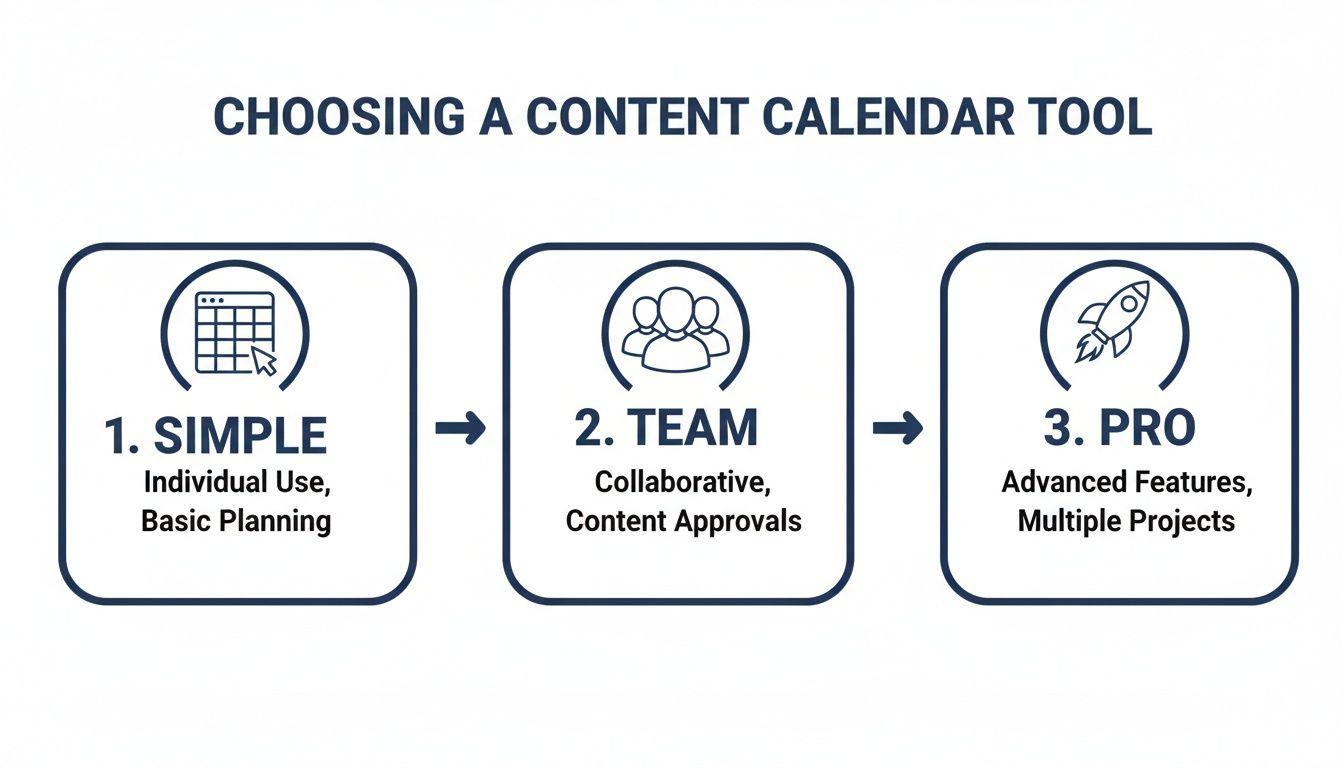
As you can see, the right tool really just depends on your team's size and the complexity of your workflow. What works for a solo blogger is overkill for a growing marketing team.
Let Automation and Scheduling Work for You
This is where you start working smarter, not just harder. You don’t need to be glued to your desk to post at the perfect time. Scheduling tools for social media and email marketing are your absolute best friends here. They let you batch-produce your content, meaning you can knock out an entire week or even a month's worth of posts in a single afternoon.
This bit of automation frees up an incredible amount of mental space. Instead of constantly thinking about your next post, you can focus on what actually moves the needle: talking to your audience, analyzing your results, and coming up with bigger ideas. Consistency is everything when you're trying to build a following, and scheduling ensures you’re always present, even on your craziest days.
Key Takeaway: The goal isn't just to publish. It's to build a sustainable system that produces high-quality work, consistently, over the long haul. A clear workflow and smart automation are the cornerstones of that system.
Measure What Matters, Then Get Smarter
Okay, last piece of the puzzle: closing the loop. Pushing content out into the world without tracking its performance is like driving with your eyes closed. You absolutely have to measure how each piece of content is performing against the goals you set way back at the beginning.
And please, forget the vanity metrics. Raw follower counts might feel good, but they don't pay the bills. Focus on the numbers that actually impact your business.
Here are the key performance indicators (KPIs) I always keep an eye on:
- Traffic: How many people actually saw your content? Are you seeing steady growth in organic search traffic from your blog posts?
- Engagement: Are people interacting? Look for comments, shares, and saves. On a blog, you might track time on page or bounce rate.
- Conversions: This is the big one. How many people did the thing you wanted them to do? Did they sign up for your newsletter, download that guide, or book a call?
Don't track this in a separate file. Bake it right into your content calendar. Add columns for ‘Page Views,’ ‘Shares,’ and ‘Leads Generated’ next to each content entry. Once a month, take a look at the data. You’ll quickly start to see patterns—which topics your audience loves, which formats drive action, and which channels are a waste of time.
This feedback loop is what transforms your content calendar from a simple schedule into your most powerful tool for getting better and better over time.
Got Questions About Content Calendars?
Even the most detailed plan can leave you with a few lingering questions. When you're in the thick of building a new content calendar, it's totally normal for some "what ifs" and "how tos" to pop up. Let's dig into a few of the most common hurdles I see teams run into.
Getting these details sorted out is what separates a pretty spreadsheet from a workflow that actually works.
How Far Out Should We Plan Our Content?
This is a classic question, and the answer isn't "forever." For most small businesses, planning one to three months in advance is the magic number. It's the perfect balance. You have enough of a runway to prep for big campaigns or product launches, but you're not locked into a rigid plan that shatters the moment a new trend pops up.
I’ve found that a quarterly planning rhythm works best. It forces you to think strategically and tie your content back to real business goals for that period. At the same time, it leaves you nimble enough to jump on a timely news story or a viral meme without throwing your entire strategy into chaos. Resist the urge to map out a full year in painstaking detail—the world just moves too fast for that.
What's the Difference Between a Content Calendar and an Editorial Calendar?
People use these terms interchangeably all the time, but there’s a small difference that actually matters quite a bit. Here’s how I think about it:
- An editorial calendar is all about the creation process. It's the nuts and bolts: What's the topic? Who's the author? When is the first draft due? It's your production schedule.
- A content calendar is the bigger picture. It includes all that editorial info, but it also maps out the entire journey of a piece of content—where it’s being published, which social media channels will promote it, when the email newsletter goes out, and so on.
Your content calendar is the master strategy for distribution, and the editorial calendar is the critical piece that ensures the content gets made on time.
Think of it like this: your editorial calendar manages the making of the content, while your content calendar manages the entire life of that content, from a spark of an idea all the way through promotion and performance tracking.
How Do I Keep My Team Accountable Without Micromanaging?
If deadlines are slipping, it's rarely because people are lazy. It's almost always a symptom of an unclear process. Accountability starts with absolute clarity. Everyone needs to know exactly what their piece of the puzzle is and when it's due.
The key is to make progress visible to everyone. Whether you use a project management tool like Trello or Asana, or even just a well-structured Google Sheet, putting tasks and statuses out in the open creates a natural pull of responsibility. Nobody wants to be the one holding up the train.
Also, try holding a quick weekly check-in—I’m talking 15 minutes, max. It's not another boring meeting; it's a quick huddle to make sure everyone is on the same page and to clear any roadblocks before they become major problems. It keeps things moving without making anyone feel like they're under a microscope.