Before you can build a solid Standard Operating Procedure (SOP), you need a clear plan. It's about more than just writing down steps. You have to define the goal, document the process so anyone can follow it, test it with real users, and then set up a schedule to keep it current. Think of it as turning a repetitive, often-annoying task into a reliable, easy-to-use playbook for your team.
Why Standard Operating Procedures Are Your Scaling Secret

Let's be honest, the term "Standard Operating Procedure" can sound a bit... dull. If you're picturing a dusty three-ring binder stuffed with corporate jargon, you're not alone. But it's time for a mental refresh.
Instead of a rigid rulebook, think of an SOP as your team's playbook for consistency and growth. It's the secret sauce that transforms chaotic, reactive work into a smooth, predictable operation. A well-crafted SOP isn't just a simple checklist; it's a strategic tool that gives your team clear directions for everything from onboarding a new client to publishing the weekly newsletter. For small and midsize teams where everyone wears multiple hats, that clarity is a total game-changer.
The Real-World Impact of Clear SOPs
What happens when a process only exists inside the head of one or two key people? Your whole operation becomes fragile. If your lead technician takes a two-week vacation or a long-time employee moves on, their knowledge walks right out the door with them. This creates an instant bottleneck, leading to mistakes, delays, and a whole lot of team frustration.
This is exactly why effective SOPs are so critical. They create a resilient foundation that lets your business (or even your family!) grow without everything falling apart. The benefits aren't just theoretical; they're immediate and measurable.
- Faster Onboarding: New hires can get up to speed in a fraction of the time, which means less training burden on senior staff.
- Improved Quality Control: Consistency is the heart of quality. SOPs guarantee that a task is done to the same standard every single time, no matter who's doing it.
- Reduced Firefighting: When routine tasks are handled, your team can stop putting out preventable fires and start focusing on work that actually moves the needle.
An SOP isn't meant to stifle creativity. Its true purpose is to capture the "best known way" to do something, creating a stable platform that allows your team to innovate safely and effectively.
More Than a Trend a Core Business Strategy
This isn't just a niche idea; it's a fundamental shift in how successful organizations operate. The global market for SOP management software was valued at USD 1,625.5 million and is expected to hit nearly USD 4.0 billion by 2032. That's not just a random statistic—it shows a widespread recognition among leaders that standardized processes are essential for long-term success.
Ultimately, putting in the effort to create solid SOPs is a direct investment in your future. You're building a system that can practically run itself, freeing you up to steer the ship instead of constantly bailing water. When you learn how to streamline business processes, you create a more efficient, less stressful environment for everyone.
Building the Foundation for Effective SOPs
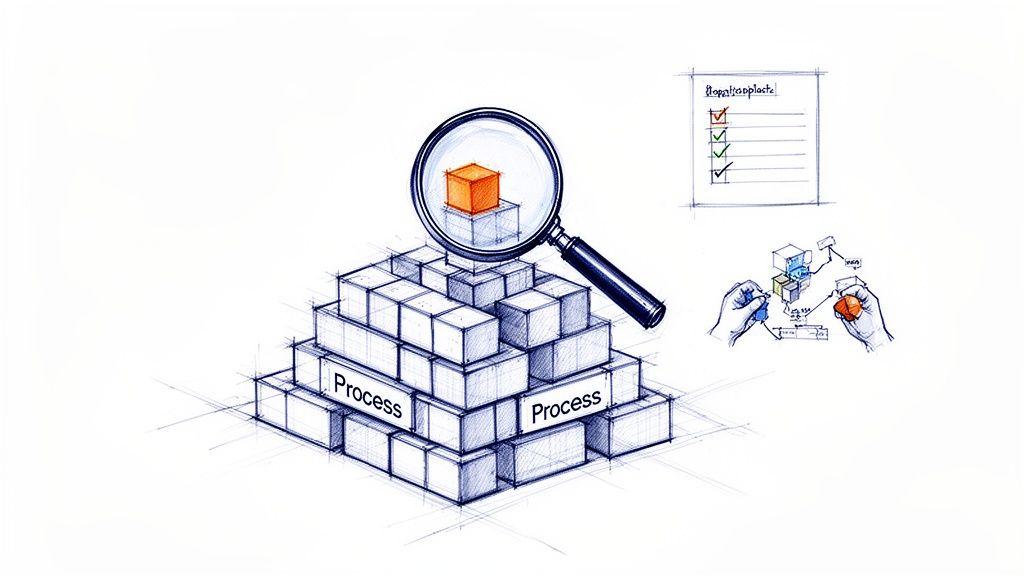
A truly great SOP isn't just written; it's engineered. Before you even think about opening a document, there's some critical groundwork to lay. This early-stage thinking is what separates a genuinely useful tool from another file collecting digital dust in a shared drive.
This is all about being strategic. Instead of boiling the ocean and trying to document every single thing your team does, the real goal is to pinpoint which processes will give you the biggest return on your effort. It’s the difference between creating a game-changing playbook and just making more busywork for everyone.
Identify High-Impact Processes First
Let's be clear: not every task needs a formal SOP. One of the biggest mistakes I see teams make is trying to document everything, which inevitably leads to burnout and a library of procedures no one ever looks at. The trick is to zero in on processes that are repeatable, critical, and complex enough to cause real problems if someone gets them wrong.
Start by hunting for the common pain points. Where do mistakes happen over and over? What tasks generate the most questions or require constant hand-holding from a manager? Those are your prime candidates for standardization.
Look for tasks that fall into these buckets:
- High-Risk Activities: Think about procedures where a single mistake could lead to safety issues, data breaches, or a significant financial hit.
- Frequently Repeated Tasks: These are the daily, weekly, or monthly routines done by multiple people, like processing customer refunds or publishing social media content.
- Essential Training Areas: What are the core functions every new hire absolutely must learn to become a productive member of the team?
On the flip side, don't bother creating rigid SOPs for one-off projects or tasks that thrive on creative problem-solving. An SOP is meant to standardize the predictable, not to put a straitjacket on innovation.
Define a Clear Objective for Each SOP
Okay, so you’ve picked a process to document. Now what? Your very next move is to define its purpose in a single, crystal-clear statement. Without a specific goal, an SOP can easily bloat into a rambling document that’s too vague to be useful.
Just ask yourself this one simple question: What is the desired, consistent outcome of this procedure?
A weak objective sounds something like, "SOP for social media." It's so broad it's meaningless.
A strong objective gets specific: "To ensure all social media posts are approved, scheduled, and published on the correct platforms according to our brand voice guide, with a goal of zero publication errors." Now that gives you a clear target to write towards and a metric to measure success.
A well-defined objective acts as your North Star throughout the writing process. It keeps the document focused and ensures every step you include directly contributes to achieving the intended result.
Involve the People Who Actually Do the Work
If you only take one piece of advice from this guide, make it this one. A manager's theory of how a task should be done is often miles away from the reality on the ground. To create an SOP that people will actually use and respect, you have to involve the employees who perform the task day in and day out.
They are your true subject matter experts. They know the clever workarounds, the common snags, and the little practical details that a manager would never think of. For some great tips on getting this crucial input, see our guide on how to improve team communication.
Bringing your team into the process from the beginning does more than just make the SOP accurate—it builds a powerful sense of ownership. When people feel like they helped build the guide, they're far more likely to follow it.
Choose the Right Format for the Task
Finally, think about how you're going to present the information. The format of your SOP should match the complexity of the task it’s describing. A one-size-fits-all approach is a recipe for a document that’s hard to follow.
A detailed flowchart, for example, is perfect for a troubleshooting process with a dozen "if-then" decision points. But it's complete overkill for a simple daily checklist. Choosing the right format makes the information much easier to digest and, more importantly, to use in the moment.
To help you decide, here’s a quick breakdown of the most common formats and where they shine.
Choosing the Right SOP Format for Your Task
| Format Type | Best For | Real-World Example |
| Simple Checklist | Routine tasks with binary (done/not done) steps that require verification but little explanation. | Performing the daily office closing procedure (locking doors, turning off lights). |
| Step-by-Step List | Linear processes that must be followed in a specific sequence but don't involve complex decisions. | Onboarding a new employee into the payroll system. |
| Flowchart | Processes with multiple outcomes and decision points, where the next step depends on the previous one. | Troubleshooting a customer's technical support issue. |
| Hierarchical Steps | Complex procedures with major phases that contain detailed sub-tasks, breaking them down into manageable chunks. | Conducting a quarterly server maintenance and backup protocol. |
Matching the format to the job ensures your SOP is a practical tool, not an academic exercise. A simple checklist can be scanned in seconds, while a hierarchical list helps people tackle a huge project without feeling overwhelmed.
How to Write an SOP People Will Actually Use
So, you’ve done the hard work of mapping out your process. Now comes the moment of truth: getting it all down on paper (or, more likely, in a document). This is where so many teams drop the ball. They write something that’s technically correct but so dense and uninviting that it gathers digital dust.
Let's reframe the goal. You’re not just documenting a process. You’re building a tool so clear and helpful that your team wants to use it instead of tapping a coworker on the shoulder. This means being almost obsessive about clarity, simplicity, and usability from the very first word. Forget the stuffy corporate jargon—we're making a practical playbook for real people.
Start with a Can’t-Miss Title and Purpose
Imagine you're in a hurry, digging through a shared drive for instructions. A vague title like "Marketing Process" is next to useless. A great SOP title is descriptive, searchable, and tells you exactly what’s inside.
I always recommend an action-oriented format. Instead of “Newsletter SOP,” try something like “How to Schedule and Publish the Weekly Company Newsletter.” Even a brand-new hire knows precisely what that document is for.
Right after the title, pop in a short purpose statement. This isn't just filler; it answers the all-important "why" and gives the task meaning. It frames the work as a valuable contribution, not just a list of chores.
A Quick Example: "The purpose of this procedure is to ensure every weekly newsletter is published without errors by 9 AM every Tuesday, maintaining a consistent brand voice and providing a reliable communication channel for our customers."
That one sentence tells you the goal (error-free), the deadline (9 AM Tuesday), and the strategic impact (brand voice, customer communication). It immediately sets the stage.
Craft Instructions with Painful Clarity
This is the heart of your SOP, where clarity is everything. My guiding principle has always been this: Write for someone who has never done this before. It’s a simple mindset shift that forces you to kill your assumptions and break every action down to its core.
Here are a few non-negotiable rules I swear by for writing instructions that actually work:
- Lead with Action Verbs: Start every step with a strong verb. Not "The file should be saved," but "Save the file." It’s direct, it’s a command, and it leaves no room for confusion.
- One Action Per Step: Keep your sentences short and focused. If a single step involves multiple distinct actions, break it down into a sub-list. Simplicity wins, every time.
- Number Your Steps: For any process that needs to happen in a specific order, a numbered list is your best friend. It’s the most logical way to guide someone through a workflow and makes it nearly impossible to skip a critical part.
- Kill the Jargon: Assume your reader knows nothing about your team’s inside jokes or acronyms. If you absolutely have to use a technical term, define it the very first time you use it.
Think of it like a good recipe. A recipe doesn't just say, "cook the ingredients." It says, "Sauté the onions for 3-5 minutes until translucent, then add the garlic and cook for another 30 seconds." That’s the level of detail you’re aiming for.
Define Roles and Responsibilities Right at the Top
Nothing grinds a process to a halt faster than confusion over who does what. A solid SOP gets rid of that ambiguity by defining roles right in the document. Don’t make people hunt for answers or guess who’s supposed to approve a draft.
A simple table at the beginning of the SOP works wonders.
| Role | Responsibility |
| Marketing Coordinator | Drafts the newsletter content and sources all images. |
| Content Manager | Reviews and approves the final draft for brand voice and accuracy. |
| Social Media Manager | Schedules the approved newsletter for final publication. |
This tiny addition is a game-changer. It establishes accountability from the get-go and serves as a quick cheat sheet for anyone involved. When a new person joins, they can see exactly where they fit into the puzzle.
Bring It to Life with Visuals
Let’s face it, we’re visual creatures. Our brains process images way faster than text, which makes visuals one of the most potent tools in your SOP toolbox. A well-placed screenshot can explain a complex step far better than a paragraph of text ever could.
And you don't need to be a graphic designer to do this effectively.
- Annotated Screenshots: For any task happening on a computer, screenshots are a must. Use simple arrows, circles, or text boxes to point out exactly where to click or what to type.
- Simple Flowcharts: If your process has a fork in the road (like, "If the customer is new, do X; if they are a returning customer, do Y"), a basic flowchart makes the logic crystal clear at a glance. You can build one in minutes using tools like Miro or even PowerPoint.
- Quick Screen Recordings: For a particularly tricky part of a process, a 30-second screen recording (as a GIF or short video) can be pure gold. It shows the exact clicks and timing needed, leaving zero room for error.
Sprinkling these elements throughout your document breaks up the monotony of text and makes it far more engaging and easy to follow. Remember, the ultimate goal is to make doing things the right way the easiest way. Visuals are your secret weapon to make that happen.
Bringing Your SOPs to Life with Your Team
An SOP sitting on a shared drive is just a document. It’s a great start, but its real value comes when it’s a living, breathing part of your team's daily workflow. The work doesn't stop after you've written the final step; in fact, this is where the magic really happens.
This next phase is all about turning that carefully crafted procedure into a trusted tool. It’s about testing, training, and building a system to make sure the document evolves right alongside your business. Skipping these steps is like building a car but never teaching anyone how to drive it.
Put Your Draft to the Test with Real Users
Before any SOP goes "live," it needs a road test. The single best way to find confusing language, missed steps, or logical gaps is to have someone follow your instructions to the letter. And here’s the key: the test user absolutely cannot be the person who wrote it.
Grab a team member who actually does the task and ask them to work through it using only your draft. Encourage them to think out loud, pointing out every spot where they get stuck, feel confused, or have to make an assumption. This real-world feedback is pure gold.
You'll quickly uncover issues you'd never spot on your own:
- Is the language clear? Does everyone know what "submit the final version" means, or do they need to know where and how to submit it?
- Are there missing steps? Maybe you forgot to mention they need to log into a specific piece of software first. It happens.
- Is the flow logical? Does the order of operations make sense in the real world, or do they find themselves backtracking to complete an earlier step?
This testing phase transforms a theoretical document into a practical, user-vetted guide. It’s an essential quality control check.
Introduce New SOPs to Get Buy-In, Not Eye-Rolls
How you introduce a new SOP can be the difference between enthusiastic adoption and quiet resistance. Don’t just email a link and hope for the best. Frame it as a tool designed to make their jobs easier, reduce guesswork, and get rid of common frustrations.
Hold a quick team meeting or a one-on-one session to walk through the new procedure. Explain the "why" behind it—maybe it solves a recurring customer complaint or streamlines a clunky, time-wasting process. When people understand the benefit, they're far more likely to get on board.
The goal is to present SOPs as a shared resource built with the team, not a set of rules handed down to the team. This collaborative approach builds a sense of ownership that is critical for long-term success.
This is also the perfect time to assign an SOP owner. This is the go-to person for that specific procedure, responsible for answering questions and making sure it's being used. Having a single point of contact prevents confusion and makes the whole system feel more organized. If you want to dive deeper, you can learn how to create training materials that can really support your rollout.
The process of writing a clear, effective SOP can be broken down into a few core stages.
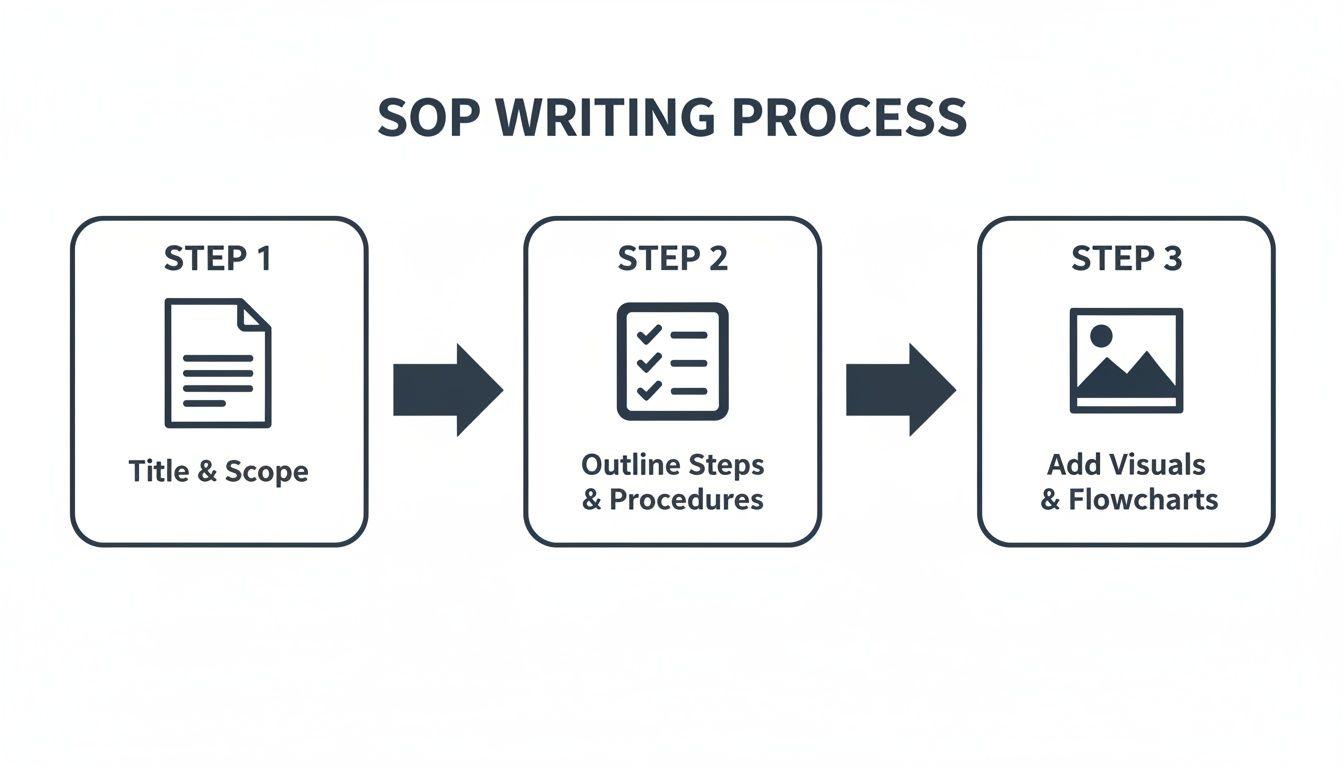
This visual is a great reminder that creating a useful SOP is a structured process, starting with a high-level purpose and moving into detailed steps and helpful visuals.
Keep Your SOPs Relevant with a Review Cycle
Your business isn't static, and your SOPs shouldn't be either. New software gets adopted, processes are refined, and team roles shift. An SOP that was perfect six months ago could be dangerously outdated today. In my experience, an outdated procedure is often worse than no procedure at all because it creates confusion and erodes trust in the entire system.
To prevent this, you just need a simple review schedule. No need for a complex system—a recurring calendar event for the SOP owner usually does the trick.
| Review Frequency | Best For... | Real-World Example |
| Quarterly | High-impact or frequently changing processes. | The procedure for running a monthly social media campaign. |
| Biannually | Stable, core operational processes. | The steps for opening the office or processing weekly payroll. |
| Annually | Foundational, low-change processes. | Your annual safety inspection or data backup protocols. |
The designated SOP owner should lead this review. Their job is to walk through the procedure, confirm every step is still accurate, and update anything that has changed. This simple habit ensures your playbook remains a reliable and valuable asset for the whole team.
Measuring the Real-World Impact of Your SOPs
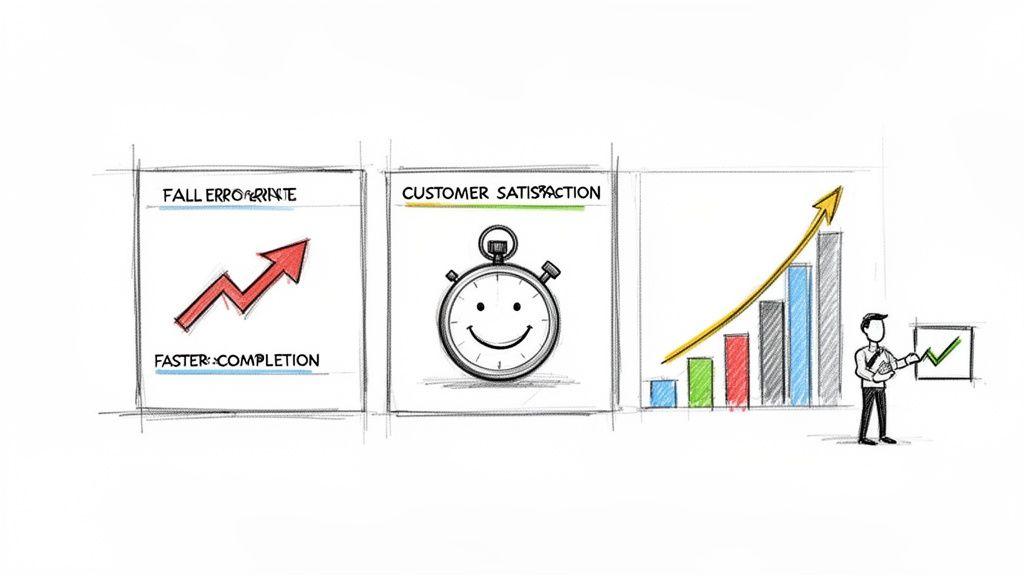
You’ve poured time and energy into creating a library of clear, useful SOPs. That’s a huge accomplishment. But how do you actually prove it was all worth it? The secret is connecting your shiny new procedures to tangible, measurable results.
This is about more than just feeling organized. It’s about being able to show a real return on your investment. By tracking the right numbers, you can turn the conversation from "I think this is working better" into "This saved us $X and freed up Y hours." This data-driven mindset doesn’t just justify the work you’ve done; it builds a powerful culture of continuous improvement.
Identifying Your Key Performance Indicators
First things first, you need to pinpoint the Key Performance Indicators (KPIs) that directly relate to the processes you've standardized. Go back to the original "why" for each SOP. Did you create it to slash errors, speed up a specific workflow, or make customers happier?
Your KPIs need to mirror that original goal. This creates a straight line between the procedure and its real-world impact, making it incredibly easy to see what’s moving the needle.
Here are a few common KPIs I see teams track:
- Efficiency Metrics: Think task completion time, output per person, or how many cycles of a process you can get through in a day. A solid SOP should make these numbers climb.
- Quality Metrics: This is where you look at error rates, product defects, or the number of do-overs a project needs. You want to see these numbers drop.
- Customer-Facing Metrics: Are your customers noticing a difference? Check your customer satisfaction scores (CSAT), Net Promoter Score (NPS), or the average time it takes to solve a support ticket.
- Training Metrics: This one is a gold mine. Track how long it takes for a new hire to get fully up to speed. A great SOP can cut this time dramatically.
The goal here is to paint a clear "before and after" picture. You absolutely have to collect baseline data for these KPIs before you roll out the new SOP. This gives you a concrete benchmark to measure your progress against.
A Powerful Case Study in Action
The ripple effect of a well-executed SOP program can be massive. Take a look at the results from a company called XYZ Manufacturing Inc. After they rolled out SOPs across their entire production floor, the changes were nothing short of transformative.
Their defect rate plummeted from 15% down to just 5%, and on-time delivery shot up from a mediocre 73% to a stellar 91%. But it didn't stop there. Training time for new hires was cut in half (from four weeks to two), and their total production costs fell by 20%, saving the company a cool $300,000 every year. You can learn more about how they achieved their SOP implementation for business success.
This is the perfect illustration of why creating SOPs isn't just an administrative chore—it's a strategic move with a serious financial upside.
How to Collect and Analyze the Data
Thankfully, gathering this information doesn't have to be a huge headache. Many of the tools your team already uses probably have the reporting features you need.
- Project Management Tools: Software like Asana or Trello is great for tracking task completion and cycle times right out of the box.
- Customer Support Platforms: If you use a system like Zendesk or HubSpot, it’s already tracking ticket resolution times and customer satisfaction scores for you.
- Simple Spreadsheets: Don't overthink it. For manual processes, a shared Google Sheet or Excel file is often all you need to log things like error counts or daily output.
The most important part is consistency. Block out time on your calendar—weekly or monthly—to pull the numbers and talk about them as a team. This keeps everyone focused on results, gives you a chance to celebrate wins, and helps you spot which procedures might need a little tweaking. This data-driven feedback loop is what separates good SOPs from great ones.
Common Questions About Creating SOPs
Even with the best game plan, you're going to run into questions and roadblocks when creating your SOPs. That's just part of the process. Tackling these common hurdles head-on is often what separates a living, breathing SOP system from a digital folder gathering dust.
Let's dive into the questions I hear most often from teams.
How Do I Get My Team to Actually Use the SOPs?
This is the big one, isn't it? Adoption is everything. You could write the most brilliant procedure known to humankind, but if your team ignores it, it's worthless.
The single most effective thing you can do is involve your team from the very beginning. Don't just write something and hand it down from on high. Ask the people who live and breathe the task every day to help write or at least review the SOP. This creates a sense of ownership that you just can't fake, and it ensures the document reflects reality, not just theory.
Position your SOPs as helpful tools, not instruments of micromanagement. They’re there to take the guesswork out of the equation and make everyone's job a little easier. Crucially, leadership has to walk the walk. When a manager consistently references an SOP as the "source of truth," the rest of the team gets the message loud and clear.
What Is the Ideal Length for an SOP?
My answer is always the same: as long as it needs to be, and not a word longer. There's no magic number. A straightforward task like "How to Forward Office Calls After Hours" might be a simple half-page checklist. Perfect.
But a more involved process, like "Onboarding a New Enterprise Client," could easily run several pages with detailed steps, screenshots, and checklists. That’s also fine.
The real litmus test is usability. Can someone on your team pick up the document and complete the task from start to finish without having to tap a colleague on the shoulder for help? If the answer is yes, it's the right length.
If you find a procedure is ballooning into a novel, that's a good sign it's time to break it down into a few smaller, interconnected SOPs.
Can I Use AI Tools to Help Create SOPs?
Absolutely, and you should. AI tools are a fantastic way to jumpstart the process and get past that intimidating "blank page" feeling.
For instance, you could give a tool a prompt like, "Generate an SOP for publishing a weekly blog post, including steps for drafting, review, SEO optimization, and scheduling." You'll get a solid first draft and a logical structure in seconds.
Think of AI as your co-pilot. It can handle the initial grunt work, giving you a strong foundation to build on. Then, your team—the real experts—can step in to refine it, adding their specific knowledge, crucial screenshots, and those little insider tips that make an SOP genuinely useful for your organization. This mix of AI efficiency and human expertise is how modern, effective procedures get made.