
Let's be honest—messy, inefficient workflows can feel like you're running through mud. They drain your team's energy, slow everything down, and kill morale. But you don't have to be stuck with them.
The secret to breaking free lies in a simple, four-part framework: first, you map out how things really get done, then you cut out the waste, bring in smart automation, and finally, measure your results to keep improving.
Your Starting Point for Smarter Business Processes
This isn't about some massive, six-figure consulting project. It’s about making smart, targeted changes that deliver real results, quickly. By simplifying the everyday steps your team takes, you can boost performance everywhere, from sales to operations. This guide is your practical roadmap, showing you how to use accessible tools (including some great privacy-first AI options) to make it happen.
The whole journey can be visualized in four core stages.
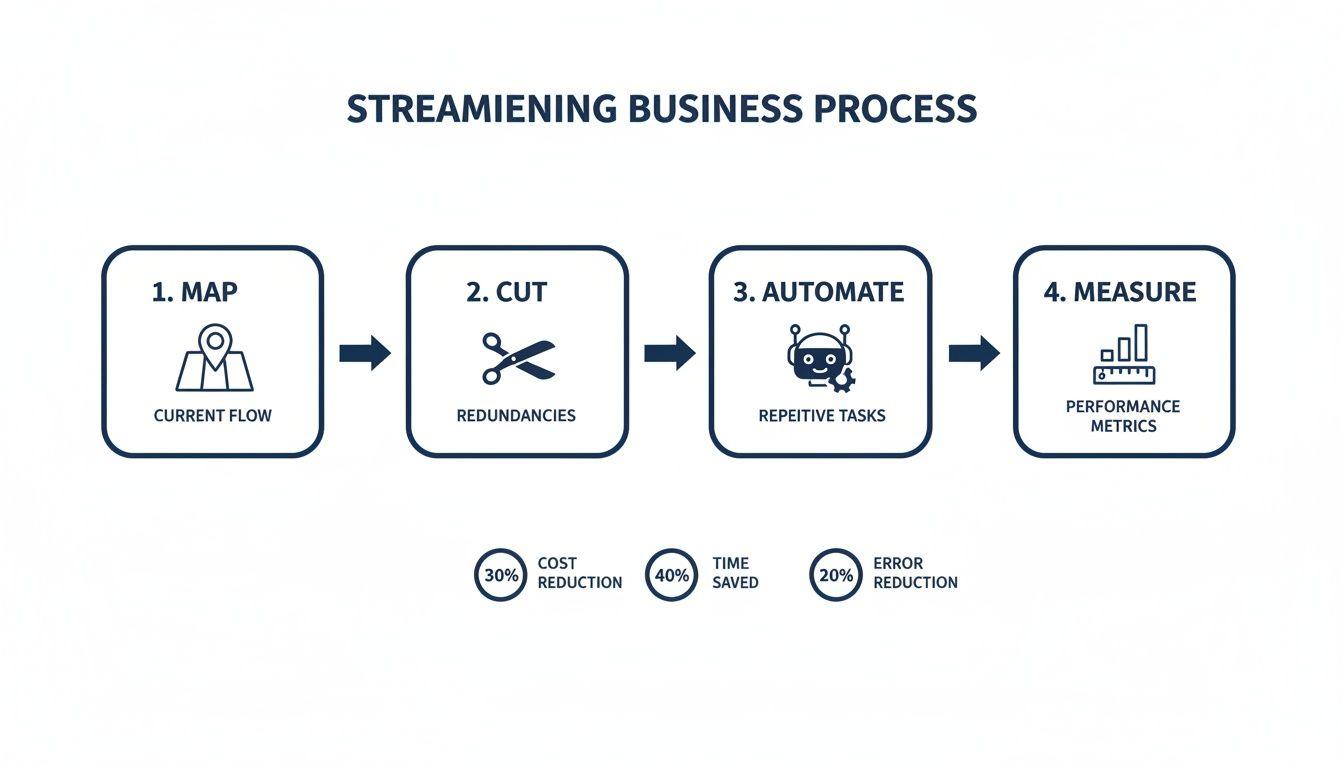
Think of it like this: Map, Cut, Automate, and Measure. This is the flow that will turn your current chaos into a lean, effective operation.
To give you a bird's-eye view of where we're headed, here’s a quick summary of the core pillars we'll be exploring.
The Four Pillars of Process Streamlining
| Pillar | Objective | Key Activity | Example Quick Win |
| Map | Gain clarity on how work actually gets done. | Visually chart a process from start to finish, noting every touchpoint and handoff. | Create a simple flowchart for your customer onboarding sequence. |
| Cut | Eliminate steps that add no real value. | Identify and remove bottlenecks, redundant tasks, and unnecessary approvals. | Get rid of a weekly status report that no one actually reads. |
| Automate | Use technology to handle repetitive, manual work. | Implement tools for tasks like data entry, email follow-ups, or report generation. | Set up an auto-responder for initial customer support inquiries. |
| Measure | Track performance to ensure improvements are working. | Define and monitor KPIs like cycle time, error rate, or cost per transaction. | Track the time from a new lead coming in to the first contact. |
This table is your mental map. As you go through this guide, you'll see how each of these pillars builds on the last to create a powerful system for continuous improvement.
Why This Matters More Than Ever
In any business, but especially for smaller teams, time is your most precious asset. Every person's contribution is critical, yet so much of their day can be eaten up by manual, repetitive work.
The scale of this problem is huge. I’ve seen it firsthand in countless companies. It’s not just a gut feeling; research shows that 51% of employees waste at least two hours a day on this kind of drudgery. Think about that—it’s a massive hidden cost. In sales alone, roughly 30% of tasks, like processing orders or managing leads, are ripe for automation. These workflow automation statistics show just how much opportunity is on the table, with many firms seeing a return in just six months.
By focusing on the high-impact areas, you can reclaim those lost hours. You're not just cutting costs; you're freeing your team to focus on the creative, strategic work that actually grows the business. The goal is to work smarter, not harder.
What You Can Expect to Gain
Getting your processes in order delivers real, tangible benefits that you'll feel across the company—from your bottom line to your team's daily mood. Systematically improving how you work pays dividends in several key ways.
- Increased Productivity: When your team isn't bogged down in tedious tasks, they can focus on high-value activities that need their unique human skills—like problem-solving and building customer relationships.
- Faster Turnaround Times: Simple, clear processes mean fewer delays. Approvals happen faster, handoffs are smoother, and decisions get made without a dozen follow-up emails. The result? Quicker project completion and happier clients.
- Improved Quality and Consistency: When everyone follows the same playbook, you drastically reduce errors and rework. This standardization ensures a reliable, professional experience for your customers, every single time.
Map Your Workflows to Uncover Hidden Friction
You can't fix a problem you can’t see. To truly streamline your operations, you first need to understand how work actually gets done—not how you think it gets done, but the real, messy, day-to-day reality. This is where process mapping comes in, and trust me, it doesn't have to be complicated.
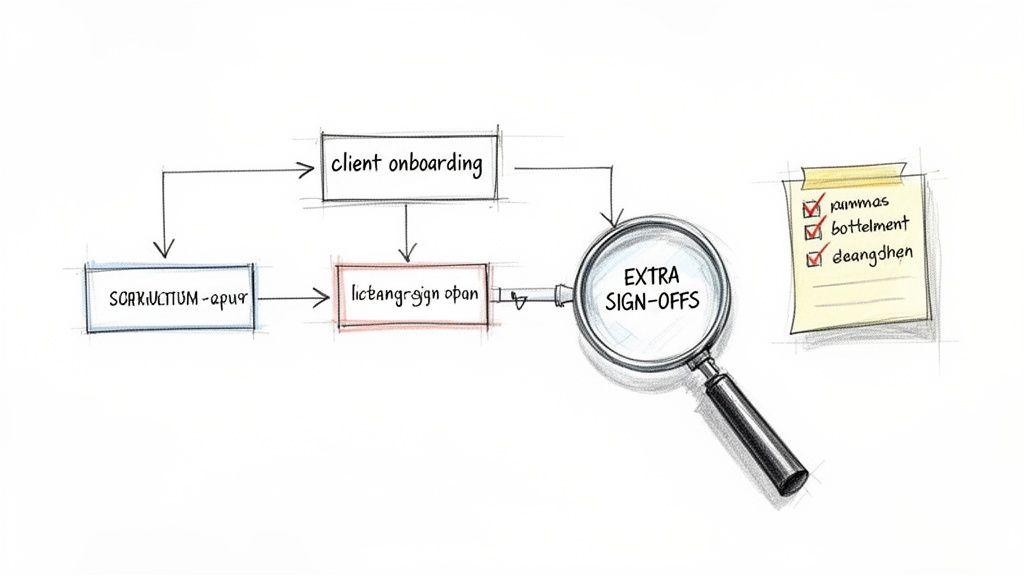
The idea is simple: create a visual snapshot of a workflow, from the very first trigger to the final result. This act of observing and documenting is often the most eye-opening part of the whole exercise. It’s where you’ll find the hidden steps, communication gaps, and frustrating bottlenecks that have been quietly slowing you down.
Simple Ways to Map a Process
Forget fancy software or intimidating methodologies. For most of us, the best mapping techniques are hands-on, collaborative, and, frankly, pretty low-tech. The goal is to get people talking and observing, not to create a perfect diagram.
One of my favorite methods is the “walk-through.” You literally follow a task on its journey. Sit with the person who kicks things off, watch what they do, and ask questions. Then, move on to the next person in the chain and do the same, all the way to the end.
This approach gets you the ground truth. You could map out anything from your client onboarding journey to a content approval workflow or how a customer support ticket is handled. As you trace the path, you’ll uncover all sorts of things that don't show up on any official flowchart.
What to Look for During Your Analysis
As you map the process, keep an eye out for common culprits that create drag. You’re essentially hunting for friction points that add unnecessary work, cause delays, or just create confusion.
Here are the big ones to watch for:
- Redundant Approvals: Are there multiple sign-offs where one would do? This is a classic, especially in areas like invoicing or content creation, where processes tend to bloat over time.
- Manual Data Entry: Where are people copying and pasting information between systems? Think moving details from an email into a spreadsheet. This is a huge time-sink and a magnet for errors.
- Excessive Handoffs: Does a task bounce between several people or departments before it’s finished? Every single handoff is a potential point of miscommunication or delay.
- Long Wait Times: Identify where a task just sits idle, waiting for a decision, a piece of information, or the next person to pick it up. These delays can absolutely kill your turnaround times.
I once worked with a service business that used this exact walk-through method on their invoicing process. They found that every single invoice required three separate sign-offs—a relic of an old policy. By cutting it down to one essential approval, they slashed their invoice processing time by a massive 70%.
Turning Your Map into Action
Once your map is on paper (or a whiteboard), the inefficiencies will practically jump out at you. That visual chart is no longer just a diagram; it's a treasure map pointing straight to your biggest opportunities for improvement.
Every bottleneck, extra step, and communication gap you’ve found is now a prime candidate for elimination or automation. You'll find that many of these fixes are surprisingly simple and don't require a massive overhaul. Sometimes, all you need is a shared template to remove confusion or a basic checklist to ensure consistency.
As you pinpoint all the manual drudgery, you'll naturally start thinking about technology. For a deep dive into that next step, our guide on how to automate repetitive tasks is a great place to start. The insights from your process map will give you a clear, prioritized list of what to tackle first for the biggest impact.
Cutting the Waste and Standardizing for Consistency
You’ve done the detective work and have your process maps laid out. This is where the real fun begins—it’s time to declutter your workflows. Think of this stage as pruning a plant. By snipping away the dead branches, you give the healthy parts room to flourish.
The biggest culprits are almost always the little inefficiencies that have crept in over time. That extra approval step, the redundant data entry, the constant back-and-forth for information—these are the silent productivity killers. On their own, they seem minor, but add them all up and they create a massive drag on your team’s momentum.
Identifying and Eliminating Waste
In business, waste isn’t just about scrap material; it's about squandered time, effort, and focus. The goal here is to question absolutely everything. Look at each box on your workflow map and ask, "Does this really need to be here to deliver value to our customer or the business?"
You'll be surprised how many steps are just institutional habits, not actual requirements.
I once worked with a small marketing team whose content approval process was a week-long nightmare, bouncing between four different people. When they mapped it out, it became painfully obvious that two of those approvals were redundant—a holdover from when the team was less experienced.
By simply clarifying roles and creating a single point of approval, they slashed their cycle time down to just two days. No fancy software, no complex overhaul. Just a simple, logical change that made a huge impact.
To find these same opportunities in your own workflows, keep an eye out for these common types of waste:
- Over-processing: Doing more than is needed. Think overly detailed reports nobody reads or adding product features a customer never asked for.
- Waiting: Idle time. This is any time a task is stalled, waiting for an approval, a piece of information, or for someone else to finish their part.
- Unnecessary Motion: This can be digital—like clicking through five folders to find one document—or physical.
- Defects: Any error that requires rework. This includes correcting typos, fixing bad data, or redoing a task because the instructions were unclear.
Challenging the necessity of each step forces a shift in mindset. You move from "this is how we've always done it" to "what is the leanest, smartest way to get this done right?" That’s the core of effective process improvement.
And the momentum in this area is undeniable. The market for business process automation software is expected to jump from $13 billion in 2024 to $23.9 billion by 2029. This isn’t just hype; it’s driven by real results, with predictive automation delivering workflow speed increases of up to 60%. You can dig into more of the numbers by exploring these automation industry insights on Thunderbit.
Creating Consistency Through Standardization
Once you’ve trimmed the obvious fat, it's time to standardize. This isn't about creating soul-crushing bureaucracy. It’s about establishing a clear, simple, and agreed-upon "best way" to do a job so everyone is on the same page.
Think of standardization as your secret weapon for quality and scale. It makes training new hires a breeze because you can hand them a playbook. It also cuts down on errors and guarantees a consistent experience for your customers, no matter who on your team is handling the task.
Start by creating simple Standard Operating Procedures (SOPs) for your core, repetitive tasks. An SOP doesn't need to be a 50-page manual. The best ones are often simple checklists, short screen recordings, or one-page flowcharts.
Here are a few practical examples of things you should standardize:
- Client Onboarding Checklist: A step-by-step guide to ensure every new client gets the same thorough and welcoming introduction.
- Social Media Posting Guidelines: A simple doc outlining tone of voice, image specs, and hashtag strategy to keep your brand consistent.
- Customer Refund Process: A clear flowchart that walks your support team through the exact steps for issuing a refund, minimizing mistakes and delays.
By documenting these key processes, you create a single source of truth. This empowers your team to work with confidence and autonomy, knowing they're doing things the right way, every single time.
Using Automation and AI Tools to Your Advantage
Once you’ve trimmed the fat and standardized your core workflows, it's time to bring in technology as a force multiplier. This is where you really start to see the magic happen, turning good processes into great ones. Automation isn't just for massive corporations with huge IT budgets anymore; the tools are now accessible to everyone.
The growth here is frankly staggering. The global business process automation (BPA) market was valued at $14.87 billion in 2024 and is expected to jump to $16.46 billion in 2025. That’s not just a number—it’s a clear signal that businesses of all sizes are jumping in. For small teams, this means a massive opportunity to take repetitive work off your plate, potentially saving weeks of time and cutting costs in a big way. You can dig deeper into these future business process automation trends on Codewave.
Starting with Simple Automation
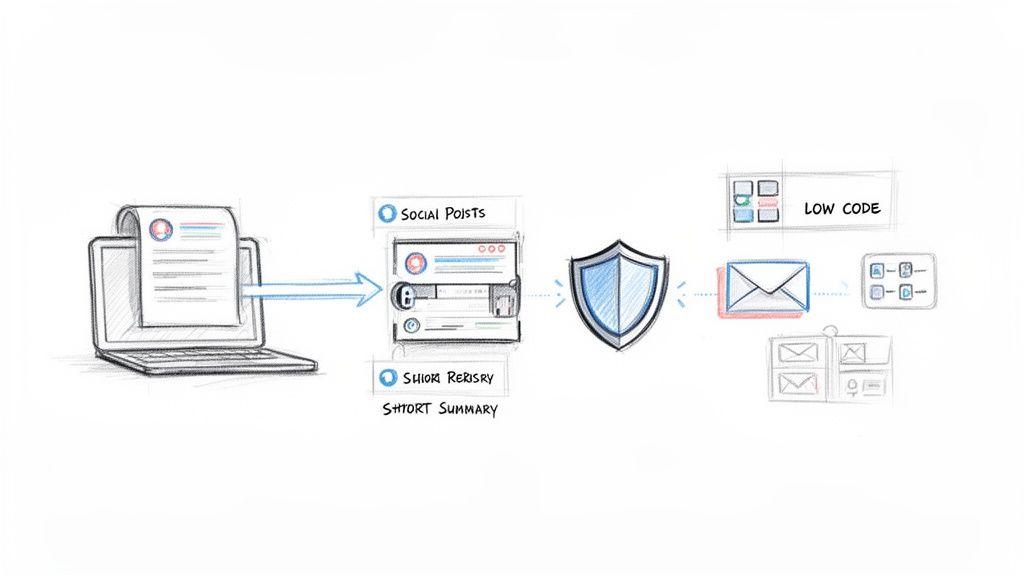
You don't need to dive headfirst into complex artificial intelligence. Honestly, some of the biggest wins come from simple, rule-based automation. Think of these as basic "if-this-then-that" (IFTTT) recipes that connect the apps you already use and handle routine tasks without anyone needing to lift a finger.
These tools are often called low-code or no-code platforms, which is just a fancy way of saying you don't need to be a developer to use them. They have visual interfaces where you can literally drag and drop triggers and actions to build a workflow.
Here are a few practical examples I've seen work wonders:
- Automated Customer Service Responses: Set up a rule where any new customer email with "Question" in the subject line gets an automatic reply with a link to your FAQ page. This gives the customer an instant answer and lets your team focus on the trickier issues.
- Social Media Scheduling: Instead of manually posting everywhere, use a tool that automatically shares approved blog posts across LinkedIn, X, and Facebook at the best times. Set it and forget it.
- Data Entry from Forms: When a new lead fills out a contact form, a workflow can instantly create a contact in your CRM and add their details to your marketing email list. No more copy-pasting.
Leveraging AI with a Focus on Privacy
Beyond simple rules, AI opens up a whole new world for handling more nuanced work. But I get it—many small businesses are rightfully concerned about data privacy with mainstream AI tools. The good news is that a new generation of privacy-first AI platforms, like 1chat, gives you all the benefits without you having to compromise sensitive information.
Think of these tools as intelligent assistants that help your team work faster and smarter. Instead of just following rigid rules, they can understand context, generate content, and analyze information.
The key is to see AI not as a replacement for your team, but as a powerful tool that frees them from tedious work. It handles the 'what' so your people can focus on the 'why' and 'how.'
Here’s how a privacy-first AI can make daily operations smoother:
- Analyze Customer Feedback: You could upload a PDF of customer survey responses and ask the AI to summarize the top three complaints and pull out five positive testimonials. This turns hours of manual reading into a five-minute task.
- Draft Content from Reports: Give it a quarterly sales report and ask it to draft three social media posts highlighting key wins and a short email update for the team. The first draft is done in seconds.
- Instantly Proofread Communications: Before sending a critical proposal to a client, have the AI check it for grammar, tone, and clarity. It’s like having an editor on call 24/7.
This kind of support is a game-changer for customer-facing roles. By handling initial queries and summarizing feedback, these tools help your team deliver much better service. For more ideas on this, check out our guide on how to automate customer service for maximum impact.
A Glimpse into the Future: Agentic AI
Looking ahead, the next big thing is agentic AI. It might sound technical, but the idea is actually pretty simple. Instead of waiting for you to give it a specific command, an AI agent can take a goal and figure out the steps to achieve it all on its own.
Imagine telling an AI agent, "Find the best three venues for our upcoming team offsite in Austin that are within budget and available in May." The agent would then go research venues, check their availability, compare prices, and present you with the top options—all without you needing to guide each and every step.
By 2028, it's predicted that 33% of enterprise software will have this kind of agentic AI built right in, ready to handle a huge chunk of daily work decisions on its own. For small businesses, this is like getting a virtual team member who can manage complex, multi-step projects, freeing up your human team for the truly strategic work.
How to Measure and Scale Your Success
Getting your workflows in order isn't a one-and-done project; it's a continuous cycle of improvement. After all the mapping, trimming, and automating, how do you actually know if any of it is working? The final, and arguably most important, piece of the puzzle is measuring your results and then scaling what works across the business.
This is the part where you prove the value of all that hard work. You'll shift from "I think this is better" to "I know this is better because the numbers say so." This data-driven confidence is what turns small tweaks into company-wide improvements and builds the momentum you need to keep getting better.
Defining Your Key Performance Indicators
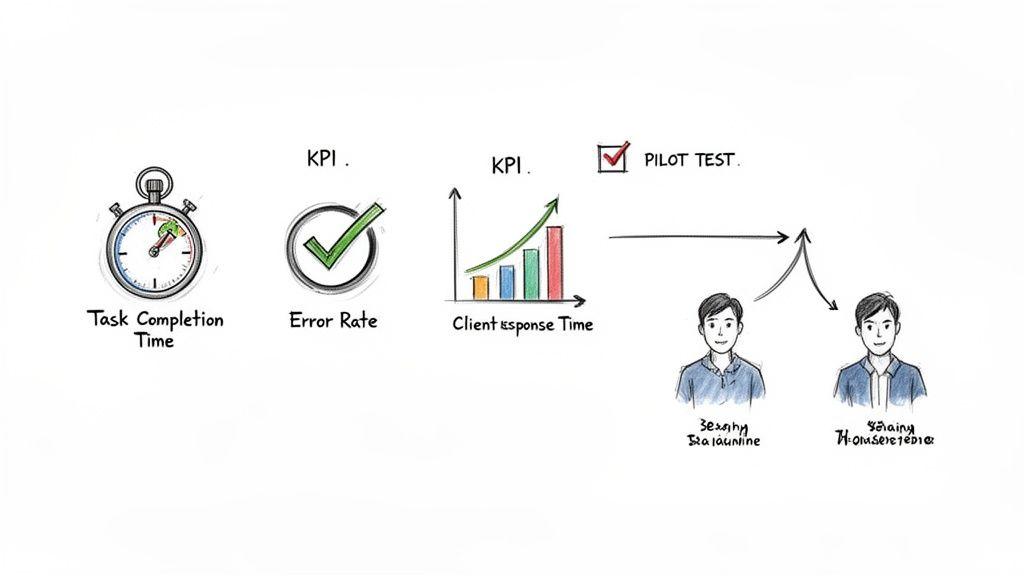
You don't need a complex analytics dashboard to gauge success. For most small businesses, a handful of simple but powerful Key Performance Indicators (KPIs) will tell you everything you need to know. The trick is to pick metrics that directly tie back to the original problems you set out to solve.
Instead of getting lost in vanity metrics, focus on tangible outcomes. Here are a few straightforward KPIs I've seen work wonders for tracking process improvements:
- Task Completion Time: How long does it take to get from A to Z? A great example is measuring the time from when a customer submits a support ticket to when it’s marked as resolved. A significant drop here is a clear win.
- Error Rate: How often are mistakes forcing you to do things over? This could be the percentage of invoices sent with errors or the number of products shipped incorrectly. Bringing this number down means better quality and less wasted effort.
- Client Response Time: How quickly are you getting back to your customers? Tracking the average time it takes to reply to a new sales lead or a client question often correlates directly with customer satisfaction—and revenue.
Running Pilot Tests Before a Full Rollout
Before you overhaul a process for the entire company, it's always smart to run a small-scale pilot test. Think of it as a dress rehearsal. A pilot allows you to work out the kinks, gather real-world feedback, and build a solid case for a wider rollout, all while minimizing risk.
Just grab a small, receptive group—maybe one team or a specific department—and have them try the new workflow for a set period, like two weeks. Let them test the new procedure, use the new automation tool, or follow the new checklist. Their feedback will be pure gold for refining the process before it goes live for everyone else.
A pilot test isn't just about finding problems; it’s about creating champions. When a small group sees firsthand how much better the new process is, they become your most effective advocates for change when you're ready to scale.
Scaling Your Wins Across the Business
Once you have a proven success story from your pilot test, it's time to scale. This is where you take a win from one corner of the business and apply the same principles somewhere else. If you successfully sped up the invoicing process in finance, what can the customer support team learn from that?
The real key to scaling is creating a culture of continuous improvement. This happens when everyone in the company feels empowered to spot bottlenecks and suggest better ways of working. It’s about making process improvement part of everyone's job, not just a top-down mandate.
To make that culture stick, you have to make your knowledge accessible. Documenting your new, improved processes is non-negotiable. Simple guides, checklists, and video tutorials stored in a central, easy-to-find location ensure that best practices are actually shared and followed. To get this right, you can learn more about creating a powerful shared resource by exploring some established knowledge management best practices for your team.
Ultimately, successfully scaling improvements makes your business better one smart change at a time, creating a leaner, more agile, and more competitive organization.
Got Questions? Let's Talk Through the Real-World Hurdles
As you start putting these ideas into practice, you're bound to run into some real-world snags. That's perfectly normal. This is where the theory hits the road, and specific questions pop up.
Think of this as your field guide for those common sticking points. Let's tackle the questions I hear most often from teams just getting started.
Where on Earth Do I Start? Picking Your First Process
The sheer number of things you could improve can be paralyzing. The secret is to resist the urge to boil the ocean. Your first project shouldn't be a massive, company-wide overhaul. Instead, aim for a quick win that proves this whole effort is worthwhile and gets your team excited.
Look for a process that ticks these three boxes:
- It happens all the time: Pick a task that runs daily or weekly. The small improvements you make will add up incredibly fast.
- It’s a known pain: Choose a workflow that makes everyone groan. When you fix something that’s been a source of collective frustration, you get immediate buy-in.
- It’s self-contained: Start with a process that involves just a few people or one department. This keeps the project manageable and limits the moving parts.
A perfect candidate? That weekly report someone spends three hours compiling by hand from different spreadsheets. It's frequent, it's tedious, and it’s usually one person's headache. Automating it gives them back a few hours every single week—a tangible victory you can celebrate and build on.
How Do I Get My Team to Actually Adopt the New Way of Doing Things?
Let's be honest: people don't love change. We get comfortable in our routines, even the inefficient ones. Just announcing a new workflow and expecting everyone to jump on board is a surefire way to fail. Getting buy-in is all about communication and making your team part of the solution.
The single most effective thing you can do is involve them from the very beginning. Don't sit in a room and design a "perfect" process on your own. The people on the front lines know exactly what’s broken and often have brilliant ideas on how to fix it.
When your team helps create the solution, they stop seeing it as a mandate from above and start taking ownership. They'll become the biggest advocates for the changes you're trying to make.
Here are a few tactics that work every time:
- Explain the "Why," not just the "How": Frame the change around how it makes their lives easier. Talk about eliminating boring tasks, reducing frustration, or freeing them up to do more meaningful work.
- Run a small pilot test: As we've mentioned, find a few enthusiastic team members to try the new process first. Their success becomes a powerful, authentic testimonial when you're ready to roll it out to everyone else.
- Provide great training and support: Nobody wants to read a 10-page document. Record a quick video walkthrough, hold a hands-on session, and make it clear you're there to help. The easier you make it to learn, the faster they'll adopt it.
Do I Need to Spend a Fortune on New Software to Make This Happen?
Absolutely not. While there are some amazing platforms out there, you can make huge strides without a big budget. Streamlining is fundamentally a way of thinking, not a technology you buy.
The most powerful changes are often free. Mapping out a messy process on a whiteboard, creating a simple checklist in a shared doc, or just clarifying who's responsible for what—these steps cost nothing but time and deliver immediate clarity. They address the root of the problem before you even think about tools.
When you are ready for a little tech-powered help, you can still start small.
- Use what you've already got: Most businesses are sitting on a goldmine of underused features in their current software. Dig into the automation rules in your project management tool or the email templates in your CRM.
- Check out low-cost automation tools: Platforms like Zapier or Make have free and affordable plans that let you connect your apps and automate simple tasks without needing to code.
- Try out affordable AI: Privacy-first AI assistants, like 1chat, can handle tasks like summarizing long email threads or drafting reports, giving you powerful capabilities without the enterprise price tag.
The goal is to fit the solution to the problem, not the other way around. Don't rush to buy a high-end system when a simple workflow tweak might solve 80% of the issue. Focus on the process first, then find the right tool for the job.