
Improving how work flows through your team—or even your household—often comes down to tightening handoffs, cutting out duplicated steps, and rolling out simple automations. I’ve seen groups unlock results in just a few days by tackling four rapid actions that deliver clear, measurable gains.
Quick Wins For Workflow Efficiency
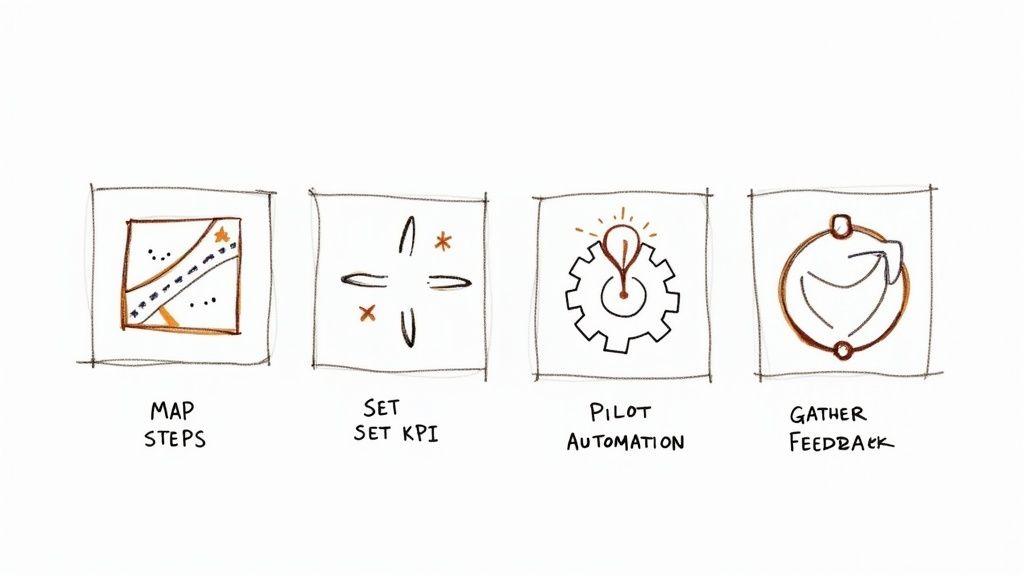
Start by picking one routine process and mapping it from start to finish. Watch for approvals that pile up, handoffs that get dropped or re-done, and any back-and-forth that eats time.
- Streamlined handoffs cut confusion and idle moments.
- Removing duplicate work frees up hours each week.
- Basic automation (think reminders or simple data moves) handles repetitive bits.
Teams and families often see up to 30% faster cycle times in week one. A straightforward KPI—such as average cycle time—keeps everyone honest. And by building in quick feedback loops, you’ll make sure changes actually stick.
Fast Mapping And KPI Setup
Gather your group around a whiteboard or a shared online canvas. Sketch each step and note who owns it and how long it should take. Then, track a single run-through to capture real timestamps.
- List every phase from task creation through delivery.
- Assign each step a clear owner and deadline.
- Log when it starts and when it finishes to spot slow zones.
- Aim to shave off 20% of the total turnaround as your first goal.
These initial figures become the launchpad for your first automation pilot. You’re not chasing perfection—just creating a solid baseline and gathering quick wins that build momentum.
Piloting Basic Automation
Tools like 1chat make it simple to automate meeting summaries or nudge people about upcoming tasks. Picture a family chat bot sending out a daily chore list or an approval request flowing automatically to the right person.
For clear automated messages, check out our guide on writing professional emails.
In a quick two-day pilot, you can reclaim 15 minutes per task owner and learn which automations move the needle. Then tweak triggers, refine messaging, and scale up what works.
- Morning reminders for stand-ups or school prep
- Status updates that fire the moment a step wraps up
- Automatic data transfers between forms and spreadsheets
Tip: Saving just five minutes a day on one task adds up to over two hours each month.
Here’s a compact overview of those first easy wins:
Quick Wins For Workflow Efficiency
| Action | Benefit | Recommended Tool |
| Map Routine Steps | Spot delays and handoffs | Airtable Template |
| Define KPI | Track cycle time improvements | Google Sheets Tracker |
| Pilot Automation | Save time on recurring tasks | 1chat |
| Collect Feedback | Refine and sustain gains | Typeform Survey |
Use this table as a quick-reference guide. Each action sets you up for the next, so you’ll prevent bottlenecks before they spiral.
Once these four steps are in place, you’ll notice even complex processes feel more manageable. Teams gain confidence in data-driven tweaks and families carve out extra downtime. Real-world wins like these encourage you to experiment with deeper improvements and more advanced AI use cases.
Use this roadmap as your springboard. In the next sections, we’ll dive into detailed mapping techniques, the most telling KPIs to watch, and privacy-first AI tools like 1chat for secure automation. Stay flexible, adjust based on feedback, and watch small gains compound into serious time savings.
Start improving right away.
Understanding Workflow Efficiency
Getting more done without the usual roadblocks boils down to clear roles, open communication, and a well-trodden path from start to finish. Everyday hiccups often hide in plain sight:
- Ambiguous responsibilities create confusion.
- Scattered to-do lists let critical steps slip through the cracks.
- Untracked handoffs force teams into repetitive work.
In one DIY weekend project, we ended up with the wrong paint shade simply because a handoff got missed. That sent us back to the hardware store at lunchtime. At home, I once coordinated dinner prep without touching base—and soggy salad was the result.
Tip Setting a quick daily sync can reduce handoff delays by 25%
Defining Clear Steps
First, jot down every action—whether on sticky notes or a project board. Next, make sure each task has someone looking after it, even if it’s as small as picking up groceries. Finally, weave in short checkpoints so issues surface early.
- Outline tasks from kickoff to completion, noting start and end points.
- Assign an owner and estimated duration to each task.
- Gather for a brief morning huddle to share updates.
- Pivot priorities on the fly based on fresh insights.
Tracking simple metrics shines a light on hidden drag. Focus on:
- Cycle Time: Total duration from beginning to end.
- Handoff Count: How many times work changes hands.
- Rework Occurrences: Instances of fixes and repeats.
Spotting Wasted Effort
A quick value-stream map can expose steps that add little to no value. For example, our family dinner routine once went through four redundant approvals—cutting those out shaved off 15 minutes per meal. Routine rhythms keep improvements on track and momentum alive.
Missing daily syncs is like forgetting to charge your phone—you’ll lose power when you need it most.
By tackling the worst bottleneck first, you open up time for bigger changes. Little wins build confidence and drive cleaner workflows.
Applying A Daily Rhythm
Five minutes each morning brings everyone onto the same page. In our marketing team, that quick catch-up halved follow-up emails. At home, you can rotate who runs the meeting to keep things fresh.
- Review yesterday’s wins and blockers.
- Confirm who owns today’s tasks.
- Flag any resource needs or timing shifts.
Keep these updates visible with a simple KPI dashboard in a shared sheet or a privacy-first tool like 1chat. Seeing a 20% drop in cycle time motivates everyone to stick with new habits.
Over time, layer in automation and AI. One content team we worked with set up a chatbot to send status reminders—slashing follow-up overhead by 40%.
Automating one repetitive task can save teams hours each week and prevent burnout.
With clear roles, daily rhythms, and real-time tracking, inefficiencies stand out. Next up, you’ll learn how to map your end-to-end process using sticky notes, diagrams, or digital boards. Stay tuned!
Mapping Current Workflows
Start by tracing how tasks flow through your team or family. Grab a stack of sticky notes, sketch on paper, or open a Kanban board in your favorite app. Boundaries are crucial—they stop you from chasing side conversations and keep you focused on the real work.
Have informal chats with everyone involved—maybe it’s your marketing lead or the person booking your next getaway. These casual conversations often reveal those “invisible” steps nobody writes down.
Sketching With Sticky Notes
There’s something liberating about a wall covered in colorful notes. You can:
- Group tasks by who’s responsible
- Rearrange cards to spot clogs
- Peel off unneeded steps on the fly
Imagine planning a family trip. We mapped each stage from booking flights to throwing bags in the trunk. Discovering two separate hotel-approval loops let us merge them, halving decision time.
- Drafting blog posts stalled in endless email threads
- Centralizing review on a Kanban board removed repeated check-ins
- Running copy and image sourcing side by side reclaimed two days weekly
These quick tweaks point out where approvals can merge or tasks can overlap. After that, you can even test simple automations to log handoffs as they happen.
Here’s a visual breakdown of process flow across roles, communication and steps.
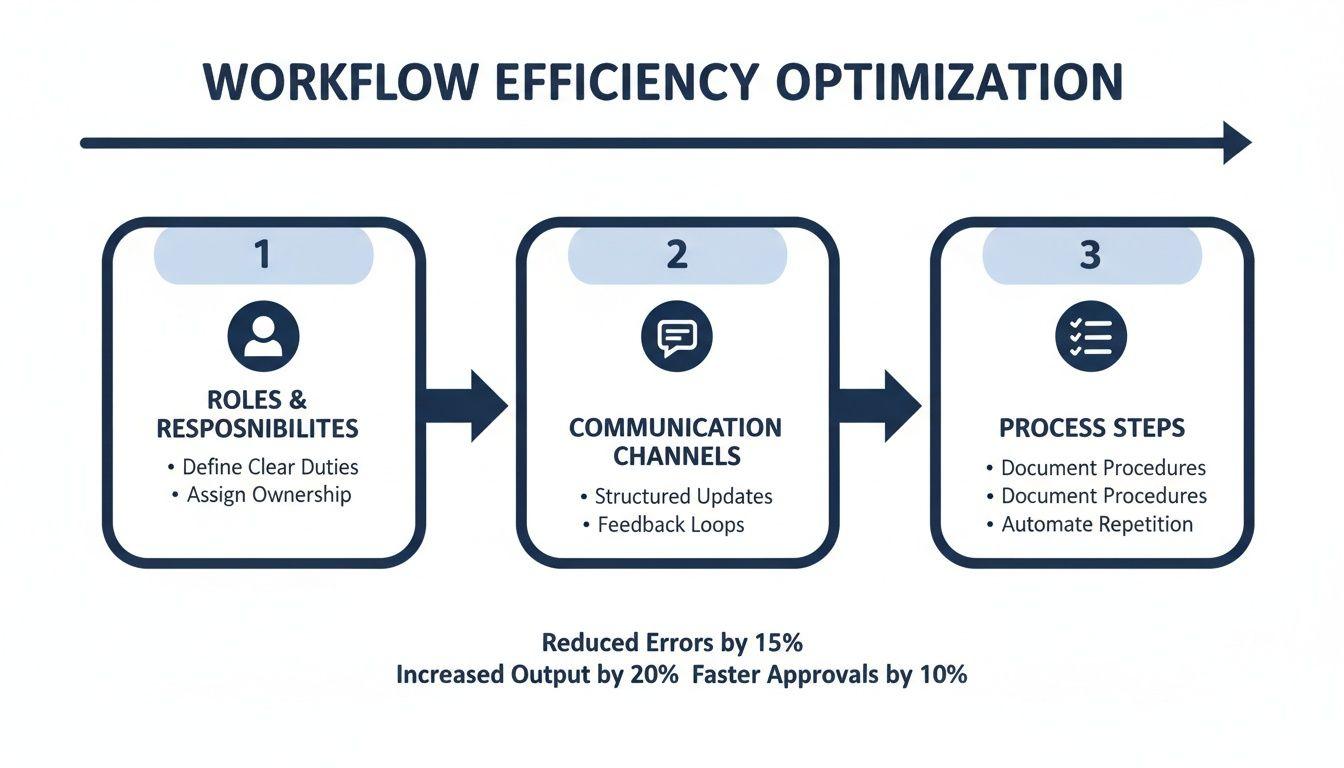
In this diagram, roles show who kicks things off, messages mark the handoffs, and icons flag slow spots. Notice how approvals account for over 40% of total process time.
Setting Process Boundaries
Without clear edges, your workflow map can grow into a monster. Decide exactly which tasks belong in this run and which ones get shelved. Tag each card so the map stays lean.
In one sprint, we skipped “campaign launch” since it lives in a separate cycle. Zeroing in on ideation through publishing kept our process under ten steps.
- Ask broad questions to uncover unofficial steps
- Probe vague answers until you see the full picture
- Record who has the final sign-off and why it matters
A workflow map only shines when you highlight real hold-ups. Watch for loops that circle back and manual chores that eat hours.
You might find our knowledge management best practices in our article handy for organizing these insights.
Once your map is in shape, look for tasks that can run in parallel. Perhaps you draft outlines while someone else reviews research—or feed data entry into early design sketches.
For example, a small marketing team ran social media planning alongside asset creation. That hack trimmed their prep window from three days down to one.
Using Digital Boards
Digital Kanban tools like Trello or your favorite platform offer drag-and-drop ease. Tag cards by owner, status, or urgency. Set up reminders that fill missing fields automatically.
Every card movement updates your cycle-time metrics, so you spend less time logging and more time improving. You’ll spot stalls the moment they pop up.
Mapping is the springboard for precise measurement and smart automation. With your workflow laid bare, you’ll know exactly where to push next for the biggest payoff.
Measuring Performance With Key Metrics
Turning daily routines and project tasks into numbers can feel daunting. Yet once you see how long each step really takes, you unlock practical insights that guide better decisions.
Small teams and families often wrestle with vague “to-dos.” By keeping an eye on four simple indicators—Cycle Time, Error Rate, Completion Rate, and Utilization—you’ll know exactly where delays creep in and where momentum builds.
- Cycle Time tracks how long a task takes from kickoff to wrap-up.
- Error Rate counts any mistakes or rework per task to keep quality tight.
- Completion Rate reveals the share of chores or deliverables finished on schedule.
- Utilization compares the time actually spent on work against the total hours available.
Grab a basic logging template and you’ll spot slow spots in no time.
Building A Baseline Tracker
It starts with simple tools. Whether it’s a shared spreadsheet or a family wall calendar, pick what feels natural. Log at least five runs of the same activity to see the real rhythm.
You don’t need fancy software. Try:
- A Google Sheet with columns for date, person responsible, start/end times, and quick notes
- A Trello board tagging each phase and stamping it with timestamps
- A printable worksheet where everyone jots down chores and cooking times
Assign one person to update the tracker in your weekly check-in.
Surveys from 2022–2025 show automation boosted job satisfaction for about 90% of knowledge workers and pushed productivity up for two-thirds of teams. Many companies cut process times by 25–50%. Read more on DocuClipper’s blog.
Setting Realistic Targets
Once you’ve collected baseline data, choose a goal that feels just out of reach. Aiming for a 15% shorter cycle time or halving your error rate sparks progress without burning people out.
Keep your targets clear and visible:
- Pick one metric that everyone can check easily
- Agree on a modest percentage change as a team or household
- Jot down the “why” behind your goal to stay accountable
- Celebrate small wins—hit a midway mark, and call it out
Review these targets each week. If something isn’t working, tweak your approach rather than throwing it out.
Creating A Visual Dashboard
Numbers on a page only go so far. Building a simple visual dashboard turns data into a quick snapshot that anyone can understand at a glance.
Use tools like Google Data Studio or embedded spreadsheet charts. Then share your dashboard via a privacy-first tool such as 1chat so updates flow in automatically.
Key Insight Visual trends inspire teams more than rows of numbers.
| Example | Metric | Improvement |
| Small Design Team | Cycle Time | 20% Cut |
| Family Meal Plan | Grocery Errors | 50% Fewer |
These quick wins prove that targeted metrics and clear visuals speed up decision-making. Connect dashboard alerts to 1chat for automated notifications—no one misses a milestone.
Pair your metrics with tiny automations to keep trackers up to date. For instance, auto-post weekly KPI summaries in your group chat to spark conversation.
Measuring performance with these four KPIs lays a solid foundation for ongoing improvement. You’ll turn data into clarity—and watch your team or family thrive, one check-in at a time.
Implementing Automation And AI Tools
Once you’ve charted your baseline metrics, the next move is spotting those repetitive chores that eat up time. Small teams and families don’t need to send manual reminders every time.
- Use 1chat for meeting summaries and status updates that save 15 minutes per session.
- Set up low-code approvals in Airtable to stop endless email threads.
- Create Zapier reminders for regular chores so you don’t have to nag.
- Automate data exports to Google Sheets or your CRM for real-time insights.
By the mid-2020s, the workflow automation market hit nearly $20 billion in value. Teams adopting these tools often see ROI in 6–12 months, boost productivity by 20–30%, and cut error rates by 40–75%. Learn more about workflow automation market findings)
Pilot A Mini Automation Framework
Rather than flipping every switch at once, zero in on a single task with a clear start and finish. Then:
- Pick a metric—cycle time or error count—to measure success.
- Build a trigger-action flow in 1chat or Zapier.
- Trial it with a small group for a couple of weeks.
- Track time saved and mistakes avoided.
- Tweak triggers until it runs smoothly.
This focused experiment usually pays back fast and reveals which automations are worth a broader rollout.
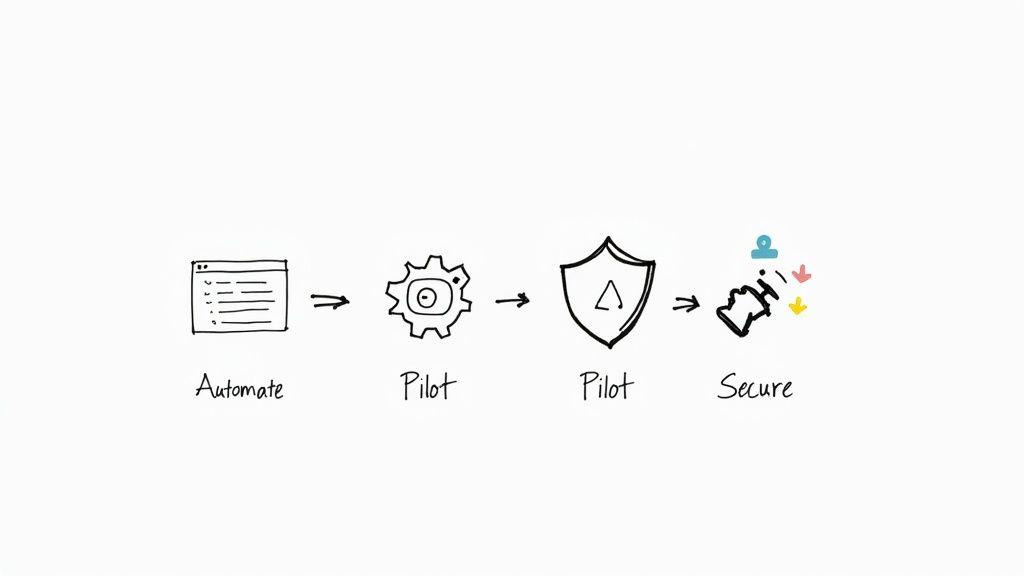
In this pilot dashboard, you’ll see task status, completion times, and error counts laid out side by side—perfect for spotting trends at a glance.
Comparison Of Manual And Automated Processes
To put things in perspective, this table breaks down how manual efforts stack up against automated workflows.
| Process Type | Time Reduction | Error Rate Reduction | ROI Period |
| Manual | 0% | 0% | N/A |
| Automated | 20–30% | 40–75% | 6–12 months |
Clearly, automating routine tasks can unlock significant time savings, cut mistakes sharply, and deliver a return in under a year.
Key Takeaway Automating repetitive tasks can free up to 2 hours per week for each team member.
Check out our guide on how to automate repetitive tasks and how to improve workflow efficiency
By blending privacy-focused AI like 1chat with simple low-code setups, you’ll reduce errors, reclaim hours, and keep sensitive data under your control.
Real World Use Cases
Simple examples can spark new ideas:
- Chore Reminders
In one household, a Zapier bot sends chore prompts as soon as a task’s marked done, slashing follow-up messages by 50%. - AI-Driven Purchase Approvals
A family turned to 1chat for expense sign-offs. It checks budget categories and nudges parents, speeding approvals from days to hours. - Automated Report Generation
A boutique sales team asked 1chat to pull weekly numbers and email a PDF. They gained back 3 hours every Friday for deeper analysis.
Security Best Practice: Apply role-based permissions in your low-code tool and limit AI access to essential data. Rotate API keys on a schedule and scan logs every week.
Scaling And Governance
Once pilots deliver, build out your playbook slowly:
- Document each new workflow and refresh your process maps.
- Host quick training sessions so everyone feels confident.
- Keep an eye on KPIs and review audit logs every month.
- Tweak automations based on usage patterns and feedback.
This disciplined approach keeps your automated setup reliable, compliant, and privacy-friendly.
Common Questions About Workflow Efficiency
Everyone wants smoother processes, whether you’re in a small team or juggling family life. These four FAQs often hold people back—but they’re surprisingly easy to tackle. Try these tips and watch your routine get stronger, faster, cleaner.
Starting With A Single Process
Forging real momentum begins with mapping something you already do. Maybe it’s your weekly check-in or prepping dinner. Sketch each move, assign an owner, and note how long each handoff takes.
- Draw a simple flowchart from kickoff to wrap-up
- Time each handoff to spot where tasks stall
- Flag loops or approvals that don’t add value
Mapping a small process first shines a light on hidden delays.
Just this exercise can eliminate 20% of wasted steps by revealing where work gets stuck.
Choosing Your First Metric
Once you’ve mapped a process, pick one measure to track progress. Cycle time shows how fast tasks go end-to-end. Completion rate tells you how often you nail it on the first try. Focus on a single metric so everyone moves in sync. A 15% improvement over a few runs keeps the momentum real and manageable.
Tracking cycle time helps you quantify real gains.
Piloting Automation
Don’t introduce a dozen new tools at once. Start with one small automation—say, a reminder bot or a script that transfers form entries into your spreadsheet. Define success clearly: time saved, error drops, or both.
- Pick a routine notification or data transfer
- Set measurable outcomes (minutes saved or fewer mistakes)
- Run the pilot for one week and compare before/after logs
Celebrating that first win builds confidence to scale further.
Maintaining Momentum
Efficiency isn’t a one-and-done project. Carve out 15 minutes each week for a quick review. Discuss what’s smoother, what still trips you up, and which next process to map. This steady drumbeat can boost long-term efficiency by up to 30% without extra chaos.
Small weekly check-ins can boost long-term efficiency by up to 30%.
| Question | Answer Summary |
| First Step | Map one routine process |
| First Metric | Cycle time |
| Introduce Automation | Pilot one small task |
| Keep Momentum | Weekly reviews |
Consider a privacy-first tool such as 1chat for automated check-ins and dashboard alerts. These simple moves create clarity, reclaim hours, and set any team or household up for steady success. Start applying these ideas today and track your progress—mastering workflow efficiency is easier than you think.