When we talk about passphrase vs password, the distinction really boils down to this: a password is a short, often complex string of characters, while a passphrase is a longer sequence of words. Passphrases are not only significantly more secure but also a lot easier to remember, which is why they've become the gold standard for protecting your digital life.
Understanding the Core Difference
For years, we’ve relied on passwords to lock down everything. They're what we've always known—a mix of letters, numbers, and symbols meant to prove you are who you say you are. The problem is, as computers have gotten faster, those old-school complex passwords have become weaker. In fact, a staggering 86% of initial attack access is gained through stolen credentials, proving our old methods just aren't cutting it anymore.
This weakness is precisely why we needed a better, more human-friendly approach.
Enter the passphrase. Instead of a jumbled mess like Tr0ub4dor&3, a passphrase is just a series of words—usually four or more—strung together. Think of something like Correct-Horse-Battery-Staple. The guiding principle here is simple: length trumps complexity every single time. A longer credential is just fundamentally harder for a machine to guess.
It's a common myth that a password packed with special characters is automatically stronger than a simple phrase. The reality is, a long passphrase made of random words is exponentially harder for a computer to crack than a short, complex password.
Key Distinctions at a Glance
So, how do these two approaches stack up in the real world? While they both serve the same basic purpose, their design leads to very different results in both security and usability. Let's break it down.
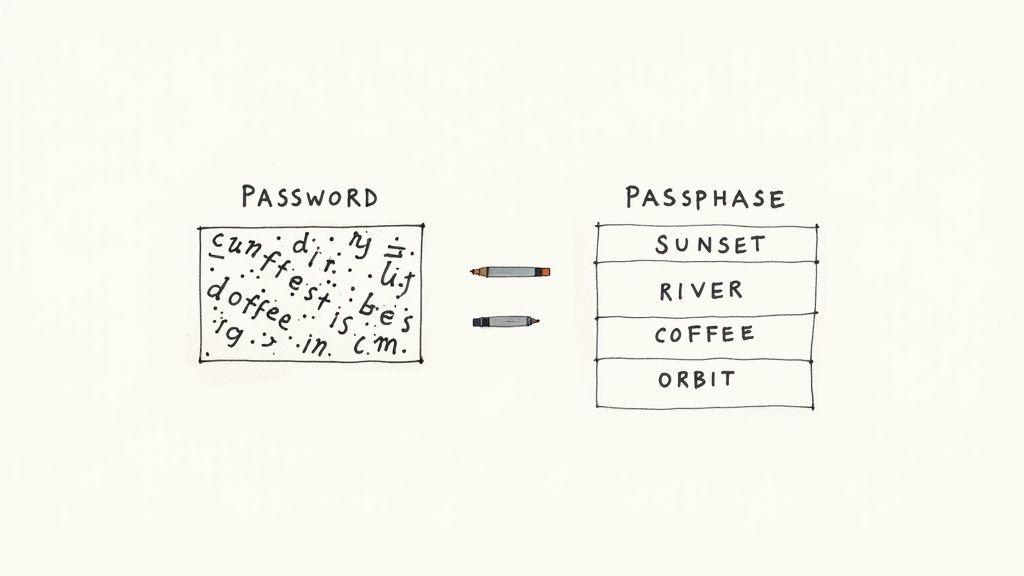
To make it even clearer, here’s an at-a-glance summary comparing traditional passwords to modern passphrases across the metrics that matter most.
Quick Comparison: Passphrase vs. Password
| Metric | Password | Passphrase |
| Structure | A single string of mixed characters. | A sequence of multiple, often random, words. |
| Typical Length | 8-16 characters. | 15+ characters, often exceeding 20. |
| Main Security Factor | Complexity (e.g., !@#$%^&*). | Length and randomness of the words. |
| Memorability | Difficult, especially when truly random. | Easy, as it leverages the brain's ability to recall words. |
| Vulnerability | Prone to brute-force and dictionary attacks that exploit common substitution patterns. | More resistant to brute-force attacks due to its immense length. |
| Best For | Legacy systems with strict character limits. | Securing critical accounts like email, banking, and business logins. |
Ultimately, the move toward passphrases is more than just a trend; it's a smart evolution in how we approach security. It recognizes that our own memory is a key part of the defense. By leaning into credentials that are easy for us to remember but incredibly hard for machines to guess, passphrases offer a much more practical and powerful shield against today's cyber threats.
Comparing Real-World Security and Vulnerabilities
Let's get down to brass tacks. When we talk about security, what really matters is how well your password or passphrase stands up to an actual attack. It's not just about what it's made of; it's about how much effort a hacker needs to break it. In the world of cybersecurity, we measure this resistance with a concept called entropy.
Think of entropy as a measure of pure, unadulterated randomness. The higher the entropy, the more time and raw computing power an attacker needs to crack your credentials. This is where the security gap between passwords and passphrases becomes a chasm.
The Power of Entropy and Length
We've all been trained to create eight-character passwords packed with a mix of uppercase, lowercase, numbers, and symbols. They look strong on the surface, but their entropy can be deceptively low, especially when we fall into predictable patterns.
Hackers aren't just guessing random letters. They use smart tools that run through common words, names, dates, and predictable substitutions like using @ for a or 1 for l. A password like P@ssw0rd1! might satisfy a website's complexity rules, but it's one of the first things a cracking tool will try.
A passphrase, on the other hand, gets its muscle from sheer length. Even a simple-looking phrase made of multiple words is a far tougher nut to crack. For example, a four-word passphrase generated using a method like Diceware can deliver 51.6 bits of entropy, and a six-word one jumps to a massive 77.5 bits. This is leagues beyond what most conventional passwords can offer. You can learn more about the security behind this method on Wikipedia.
The math is simple: adding just one random word to a passphrase increases its potential combinations by thousands, making it exponentially more difficult to crack than adding one more special character to a short password.
The real-world difference is staggering when you look at how long an attacker would need to break each one.
Credential Cracking Time Comparison
| Credential Example | Type | Approximate Time to Crack |
| P@ssw0rd1 | 8-character complex password | Instantly |
| Tr0ub4dor&3 | 10-character complex password | A few hours |
| Correct Horse Battery Staple | 4-word random passphrase | Hundreds of years |
| purple mountain joyously sings | 4-word random passphrase | Thousands of years |
Common Attack Vectors Explained
To really appreciate why passphrases hold up so much better, it helps to know what they're up against.
- Brute-Force Attacks: This is exactly what it sounds like—a program trying every single possible combination of characters until it gets lucky. For a short password, this can be shockingly fast.
- Dictionary Attacks: This is a smarter, more targeted attack. Hackers use massive lists of common passwords, leaked credentials, and simple words, along with variations like
Pa55word. - Credential Stuffing: This one is deviously simple. After a data breach, attackers grab lists of exposed usernames and passwords and try them on other popular websites. This attack works because so many people reuse credentials—a habit 84% of users admit to.
Short, complex passwords are prime targets for these methods because their patterns are so well-known. Passphrases, with their incredible length and the mind-boggling number of possible word combinations, make brute-force and dictionary attacks almost completely useless.
Nuanced Vulnerabilities of Passphrases
Now, this doesn't mean passphrases are a silver bullet. They aren't invincible. Their main weakness comes from us—the humans who create them. If you choose a predictable phrase, you've just undone all its security benefits.
Here are some of the most common mistakes I see:
- Using famous quotes or song lyrics: Something like
TobeornottobeorLetitbeletitbeis already in every hacker's dictionary. - Choosing personally identifiable information: A passphrase like
MyDogSparkyLovesTheParkis just asking for trouble, especially if you post about Sparky on social media. - Creating logically connected phrases: Think
Blue-Sky-White-Cloud. The words aren't truly random, making them far easier for an attacker to guess.
The key takeaway here is that the strength of a passphrase comes from its randomness. Four completely unrelated words will always be more secure than an eight-word sentence that makes perfect sense. When it comes to passphrase vs. password, the one built on randomness and length will win every time.
The Human Element: Memory, Usability, and Why Our Brains Hate Passwords
A security measure is useless if you can't remember it. That simple human truth sits at the very heart of the passphrase vs. password debate, and it's something we often overlook. Our brains just aren't wired to memorize random gibberish like f*yo6vDdN, which leads directly to a massive problem called password fatigue.
This mental strain is a huge security risk. When people are forced to remember dozens of complex, arbitrary passwords, they inevitably cut corners. It’s no surprise that a staggering 84% of people admit to reusing passwords. That habit turns a single data breach into a domino effect, with one compromised account leading to many more.
Why Our Brains Love a Good Story (or Passphrase)
Cognitive science tells us exactly why this happens. We’re great at remembering stories, language, and connected ideas, but we're terrible at recalling abstract data. A passphrase works with our brain's natural tendencies, not against them.
Think about the difference here:
- Password:
Tr0ub4dor&3
This is pure rote memorization. You have to remember each specific character, its case, and its exact position. Forget one symbol, and you're locked out. - Passphrase:
Correct-Horse-Battery-Staple
This taps into our brain's knack for language. We remember the words, not the individual letters, which makes recalling them feel almost effortless.
This is exactly why a long passphrase can be exponentially more secure and yet so much easier to remember than a short, complicated password.
A strong credential shouldn't feel like a chore. By working with our natural memory systems, passphrases make robust security feel like a simple, manageable habit instead of a frustrating task.
Breaking Bad Security Habits
Password fatigue does more than just encourage password reuse. It also pushes people to create weak, predictable patterns. When you're forced to create yet another "complex" password, it's tempting to fall back on a simple formula—capitalize the first letter, add a number, and tack on a symbol at the end (think Summer2024!).
Attackers know all about these common tricks. Their cracking software is built to try these predictable patterns first, which makes these supposedly complex passwords incredibly easy to break.
A passphrase strategy completely changes the game. It shifts the goal from memorizing complexity to creating length through a bit of randomness.
Practical Ways to Create Memorable Security
Crafting a credential that's both strong and easy to recall is totally doable. The secret is to use methods that create randomness while still being memorable. Don't even try to invent a clever sentence; randomness is your best friend.
Here are two solid methods for creating strong passphrases:
- The Narrative Method: Picture a simple, vivid, but totally nonsensical image in your head. Describe it in four or five words. For example,
Purple-Hippo-Silently-Juggling-Socks. The bizarre mental image helps the random words stick together, making them easier to recall without creating a logical (and guessable) connection. - Random Word Generators: Honestly, this is the most secure method. Use a trusted tool, like the one built into many password managers or recommended by cybersecurity experts, to generate four to six truly random words. You might get something like
planet guide example clock. The complete lack of any connection between the words is what gives the passphrase its incredible strength.
By using these techniques, you close the gap between security on paper and security that actually works in real life. You end up with a defense that works with your brain, making it far more likely you'll stick to good habits for the long haul. After all, a memorable passphrase is a secure passphrase.
How to Create Credentials That Actually Work
Knowing the difference between a password and a passphrase is a good start, but putting that knowledge into action is what really matters. Creating a credential that can stand up to modern attacks means ditching old, tired advice and focusing on two things: length and randomness.
Let's get one thing straight: those old tricks like swapping an 'a' for an '@' or an 'o' for a '0' are completely useless now. Hackers figured those patterns out decades ago. Their software is built to try those common substitutions instantly, making a password like C0mpl1c@ted! just as flimsy as Complicated!.
Crafting a Resilient Passphrase
When building a strong passphrase, the single most important rule is to make sure the words are totally random and have nothing to do with each other. Using a famous quote or a logical sentence is a huge security risk because those phrases are sitting in the massive word lists (called dictionaries) that hackers use to launch their attacks.
Stick to these core principles:
- Embrace True Randomness: The best passphrases sound like nonsense. Think
Correct-Horse-Battery-StapleorPurple-Hippo-Silently-Juggling-Socks. The words have no logical connection, which makes them a nightmare for a guessing algorithm. - Go for Length: Don't settle for less than four words. Every single word you add makes the passphrase exponentially harder to crack. The Canadian Centre for Cyber Security recommends using at least four words and 15 characters.
- Let a Generator Do the Work: The best way to create a passphrase is to take human nature out of the equation. Use a trusted random word generator—most good password managers have one built-in—to spit out four to six words for you. This is the only way to guarantee you're getting something truly random.
A huge mistake people make is choosing words that mean something to them, like MyDogSparkyLovesThePark. This kind of personal detail can often be found online, which completely undermines your security. Real strength comes from randomness, not from personal secrets.Building a Better Password When You Have To
Look, we've all been there. Some systems have frustratingly short character limits or force you to use outdated "complexity" rules that make a long passphrase impossible. When you're stuck in that situation, you can still apply the same principles of length and unpredictability as much as the system allows.
Instead of trying to be clever with substitutions, focus on creating a longer, more random string of characters. If a system caps you at 10 characters, a password like Tr0ub4dor&3 is far weaker than a randomly generated one like qN$8k!zP#v. The second one has no discernible pattern, making it much, much harder to brute-force. For these cases, the generator in your password manager is your best friend.
Examples: Do This, Not That
Seeing a direct comparison makes it all click. The goal is to shift from predictable patterns to unpredictable length and randomness.
| Weak Credential (Don't Do This) | Why It's Weak | Strong Alternative (Do This Instead) | Why It's Strong |
| P@ssw0rd!23 | Uses common substitutions and sequential numbers. A classic bad password. | qN$8k!zP#v | Truly random characters with no logical pattern. |
| Tobeornottobe | A famous quote that exists in every hacker's dictionary file. | planet guide example clock | Four unrelated words create significant length and randomness. |
| MyKidsAreAva&Liam | Contains personally identifiable information (PII) that could be found online. | Failing-Almighty2Footpath | Unrelated words mixed with a number, boosting complexity. |
| Blue-Sky-White-Cloud | The words are logically connected, making them far easier to guess. | glacier river quietly jumps | The words are random and form a nonsensical, unpredictable phrase. |
At the end of the day, it doesn't matter if you call it a password or a passphrase. The goal is the same: make it as difficult as possible for a machine to guess. When you prioritize length and randomness over simplistic "complexity" rules, you end up with a credential that doesn't just check a box—it genuinely protects you.
Choosing the Right Strategy for Your Needs
Knowing the theory behind strong credentials is one thing, but putting it into practice is another. The right approach always depends on who you are and what you're trying to protect. A small business guarding client data has entirely different needs than a family sharing a Netflix account or a student juggling dozens of school logins.
Ultimately, there's no one-size-fits-all answer. The whole passphrase vs. password debate really boils down to context—finding that sweet spot between rock-solid security and something you can actually use day-to-day.
This flowchart breaks down the core idea: true credential strength starts with length and gets supercharged by randomness.
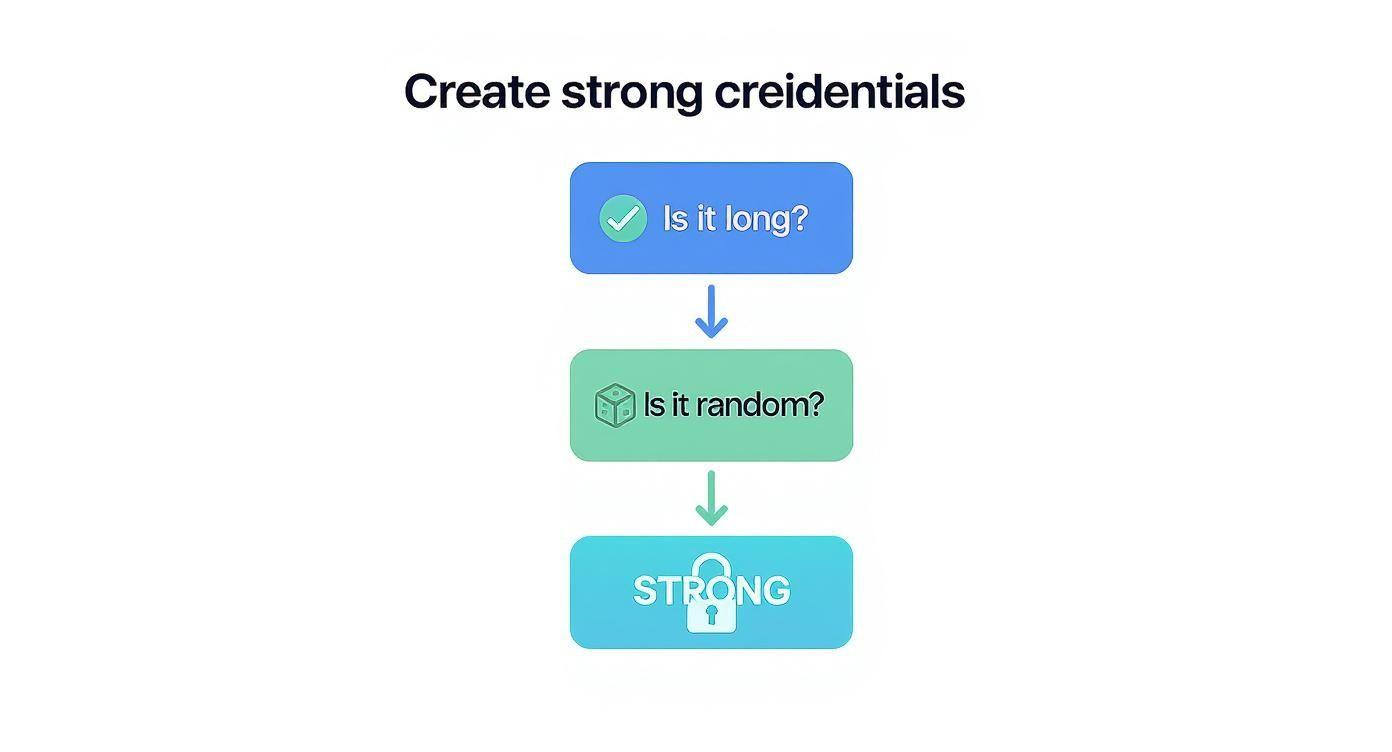
This simple principle is the foundation for a good security strategy, no matter who you are.
For Small Businesses Protecting Sensitive Data
For a small business, a data breach isn't a minor hiccup—it can be an extinction-level event. Since stolen credentials are the number one way attackers get in the door, you need a clear, enforceable policy that your team can actually follow.
- Establish a Passphrase-First Policy: Don't just suggest it; mandate it. Require passphrases of at least four random words, hitting a minimum of 15 characters. This instantly elevates your baseline security far beyond what most complex passwords can achieve.
- Deploy a Business Password Manager: This is non-negotiable. Tools like 1Password Teams or Bitwarden are essential for stopping password reuse, storing credentials securely, and sharing access without ever revealing the underlying passphrase.
- Enforce Multi-Factor Authentication (MFA): Make MFA mandatory on every critical service—email, cloud storage, financial platforms, you name it. It's your safety net for when a passphrase (somehow) gets compromised.
A security policy is only as good as its adoption rate. Pairing passphrases with a password manager removes the friction for employees, making it far easier to enforce strong security without bogging everyone down.
For Families Managing Shared Accounts and Digital Safety
Family security is a dual challenge: you have to protect shared accounts while also teaching your kids good digital habits for life. The game plan here should revolve around simplicity, memorability, and open conversation.
- Secure Shared Accounts with Memorable Passphrases: For things like streaming services or family Amazon accounts, come up with a strong, random passphrase that’s easy for the adults to remember (e.g.,
Brave-Turtle-Jumps-Loudly). Keep it safe in a shared vault within a family password manager. - Teach the "Random Words" Rule: From the very first account they create, get your kids thinking in passphrases. Explain why four funny, random words are way stronger than the dog's name with a '1' tacked on the end.
- Use a Family Password Manager: A family plan for a password manager helps everyone keep their credentials unique without the headache. It also solves the classic problem of kids forgetting logins and creating duplicate accounts, which can be a real mess.
For Students Juggling Countless Logins
Students are drowning in accounts—school portals, research databases, social media, side projects. Their biggest hurdles are fighting the urge to reuse credentials and simply keeping track of everything without resorting to weak, easy-to-guess patterns.
- Leverage Free and Affordable Tools: The good news is that many top-tier password managers offer free or heavily discounted student plans. Signing up for one is the single most impactful thing a student can do to get their digital life in order.
- Prioritize a Master Passphrase: A student's most important credential is the master passphrase for their password manager. This is the one to obsess over. Aim for five or six random words to make it practically uncrackable, since it protects everything else.
- Use Generators for Everything: Once the password manager is set up, just use its browser extension to generate and save a long, random password for every new account. This takes the mental load off and guarantees every login is unique and secure. It’s the perfect way to resolve the passphrase vs. password dilemma: use a strong passphrase for the vault and strong passwords for everything else.
Bolstering Your Defenses with MFA and Password Managers
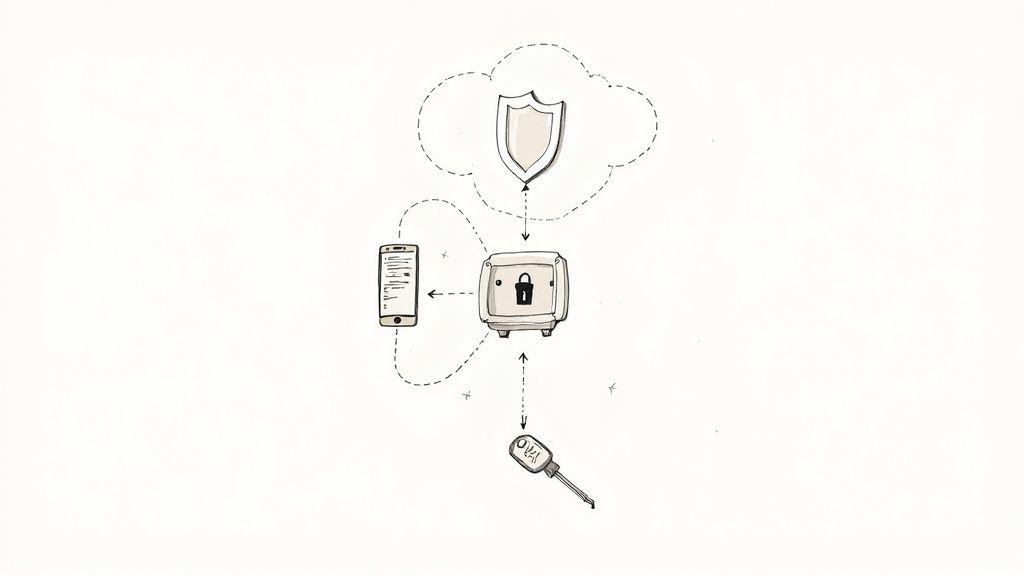
Coming up with a strong, random passphrase is a fantastic step forward. But the real truth is that no single credential, no matter how clever or complex, can offer complete protection. If someone steals your passphrase, they've stolen the key. This is why a layered defense isn't just a good idea—it's absolutely essential.
Think of password managers and Multi-Factor Authentication (MFA) as the cornerstones of your personal security strategy. They work together to create a system that can protect your accounts even if one layer fails.
The Role of Password Managers
Let's be honest, the biggest mistake most of us make online is reusing passwords. A shocking 84% of users admit to this risky habit, which means a breach on one minor website can expose your most important accounts. This is precisely the problem a password manager is built to solve.
Imagine a secure digital vault where all your logins are stored. All you have to do is remember one single, very strong master passphrase to unlock it. The manager takes care of the rest, generating and remembering incredibly long, random credentials for every single account you have.
This approach gives you a massive security upgrade without the headache:
- Unique Credentials: You'll have a different, virtually unguessable password for all your services.
- Effortless Access: The manager autofills your login details, so your master passphrase is the only thing you need to recall.
- Containment: If one site is hacked, the criminals can't use that stolen password to get into any of your other accounts.
A password manager is far more than a convenience tool. It's a fundamental security habit-breaker that systematically eliminates the dangerous practice of password reuse—one of the top ways attackers get in.
Why MFA is Your Best Line of Defense
If a password manager is your vault, then Multi-Factor Authentication (MFA) is the guard at the door demanding a second form of ID. It forces anyone logging in to provide more than just the password; they need a second piece of evidence—a second "factor"—to prove they are who they say they are.
MFA is the ultimate fail-safe. Even if a thief somehow gets their hands on your passphrase, they're stopped dead in their tracks because they don't have your second factor. Considering that stolen credentials are tied to a staggering 86% of initial attack access, turning on MFA is one of the most impactful security moves you can make.
You can dive deeper into safeguarding your digital life in our guide on how to protect privacy online.
MFA typically relies on a combination of different "factors":
- Something you know: Your password or passphrase.
- Something you have: A physical object, most often your smartphone, which receives a code via an authenticator app or a text message.
- Something you are: A biometric identifier, like your fingerprint or a facial scan.
By requiring at least two of these factors, you build a multi-layered defense that is exponentially tougher for an attacker to bypass. The takeaway is simple: enable MFA on every single account that offers it. It's the difference between leaving your door locked with a single key and securing it inside a fortress.
Frequently Asked Questions
When it comes to the whole passphrase vs. password discussion, a few questions always seem to pop up. Let's get right to them and clear things up so you can make smarter security choices.
Are Passphrases Truly More Secure Than Complex Passwords?
Absolutely. A passphrase made of several random words is hands-down more secure. The secret is in its length, which massively boosts its entropy—that’s just a fancy term for its randomness and unpredictability.
Think about it this way: an 8-character password, even one packed with symbols and numbers, has a limited number of combinations. A 4-word passphrase, on the other hand, has an astronomical number of possibilities, making it a nightmare for computers to guess through brute-force attacks.
How Long Should a Good Passphrase Be?
Right now, the gold standard is a minimum of four random words. This usually gets you to at least 15 characters, a key benchmark for standing up against today's password-cracking tools. For your most critical accounts, like banking or email, bumping that up to five or six words is an even better move.
The core principle is simple: longer is always stronger. Each additional random word you add increases the time it would take for an attacker to guess your credential by years, if not centuries.
Can I Reuse a Strong Passphrase?
That’s a hard no. You should never reuse a passphrase, no matter how unbreakable you think it is. Reusing credentials is a welcome mat for credential stuffing attacks.
If one service you use gets breached, hackers will grab that exposed passphrase and immediately try it on every other major platform. Reusing it is like giving them a master key to your entire digital life.
What Is the Best Way to Generate a Random Passphrase?
Your best bet is to use a tool that takes human habits (and our terrible attempts at being "random") out of the equation. The passphrase generators built into most password managers are perfect for this, as they create truly random word combinations.
For more detailed queries, you can find answers by exploring our frequently asked questions page. Using a dedicated tool ensures your passphrase isn't based on predictable patterns or personal info an attacker could guess.