You've finished the draft. The citations look mostly right. Then the anxiety starts.
Should you run a safe assignment check before submitting? Will your school's system store the draft? If you test it in the wrong place, could your own paper come back flagged later?
Those worries are reasonable. I hear them from students every term, especially from careful students who are trying to do the right thing. The main problem isn't usually bad intent. It's confusion about what different checking tools do, who controls them, and what happens to a draft after you upload it.
A smart pre-submission routine solves most of that. You need to know when to use your school's official checker, when to keep a draft private, and how to read a similarity report without panicking over a single percentage.
Choosing Your Plagiarism Checking Tool
The first choice is simple once you frame it correctly.
Are you doing an official submission check inside your course, or a private draft check for your own revision process?
That distinction matters more than brand names.
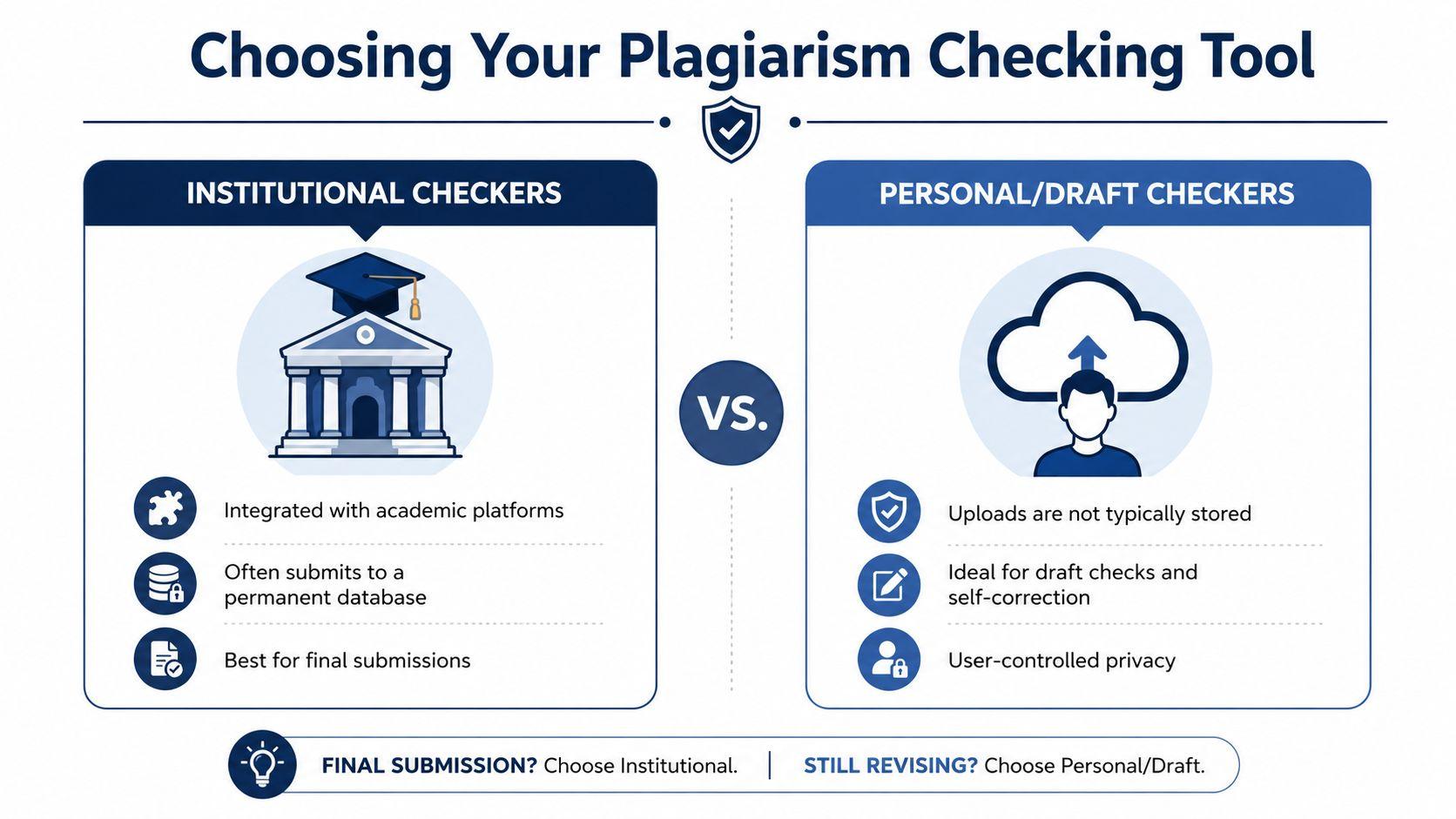
Institutional checkers and personal draft tools aren't the same thing
SafeAssign belongs to the first category. It was launched in 2007 as Blackboard's native plagiarism checker and is used only within the Blackboard LMS. Instructors also have to enable it for each assignment because it isn't enabled by default, according to this SafeAssign review and platform overview.
That setup tells you two practical things:
- Your access depends on your school's Blackboard setup.
- You usually can't treat SafeAssign like a personal sandbox for unlimited self-checks.
If your instructor hasn't turned it on for that assignment, you won't get a report from it. If they have turned it on, the assignment is part of the school workflow, not your private drafting space.
By contrast, a personal checker is useful when you want to inspect a draft before the official upload. Some students prefer a standalone plagiarism detection tool during revision because it lets them catch obvious overlap, missing attribution, or too-close paraphrasing before anything goes into a course platform. If you're comparing paid options, it also helps to review access terms and plan limits up front, which is why some students check 1chat pricing before deciding whether a private draft workflow fits their budget.
A quick side by side comparison
| Tool type | Best use | Main trade-off | Who controls the process |
| SafeAssign in Blackboard | Official course submission | Bound to instructor settings and LMS rules | Institution and instructor |
| Private personal checker | Draft review before submission | Quality and privacy vary by provider | Student |
| Random free checker | Tempting for quick checks | Often unclear storage and reuse policies | Unknown or unclear |
Practical rule: If a tool is tied to your class submission portal, assume it serves the institution first. If a tool is for private drafting, check its privacy terms before uploading coursework.
What works and what doesn't
What works is matching the tool to the moment.
Use SafeAssign when the assignment is ready for your course workflow and you need the report your instructor may also see. Use a private draft checker when you're still revising and don't want early versions of your work floating around outside your control.
What doesn't work is treating every checker as interchangeable. Students often assume a checker is just a checker. It isn't. Some are built for faculty review inside a learning system. Others are built for individual editing. And some free sites are too vague about storage, ownership, or reuse to trust with coursework.
If you remember one thing here, remember this. The safest safe assignment check starts with choosing the right environment before you upload a single paragraph.
A Privacy-First Workflow for Checking Drafts
Students get into trouble when they check too early in the wrong place.
A draft is still a draft. It may contain copied note fragments, provisional wording, clumsy paraphrases, or citation placeholders. That's normal during writing. The problem starts when that unfinished version gets stored somewhere permanent and later resembles your final paper.
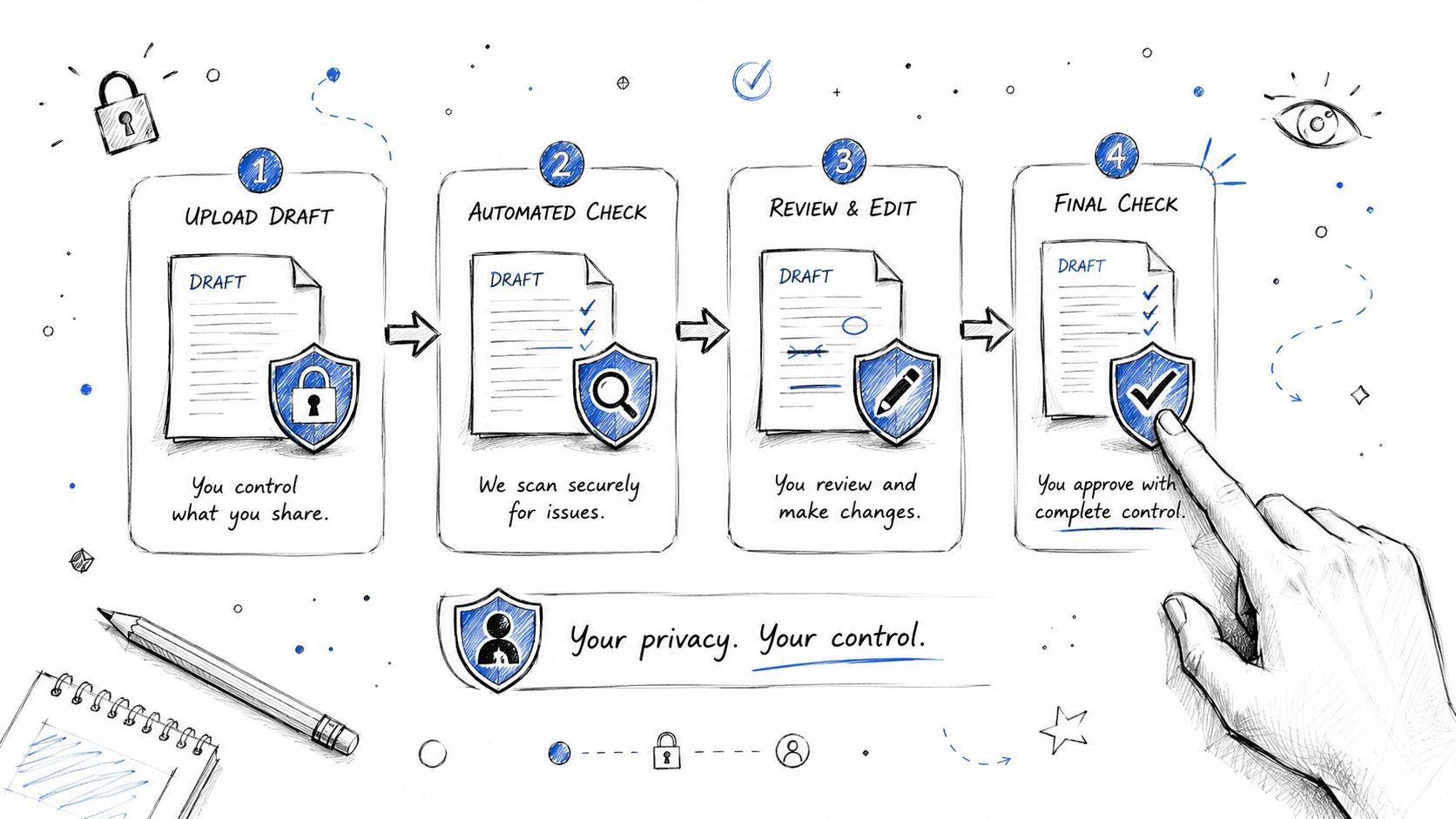
The draft-check routine I recommend
If you want a private pre-submission workflow, keep it simple and controlled.
- Finish a real draft first
Don't check scattered notes. Run a review only when the paper has a clear structure, complete citations, and your current best paraphrasing. - Use a tool with a readable privacy policy
Before uploading coursework anywhere, read the storage language. If privacy matters to you, review terms directly, not assumptions. Students who want a plain-language example of what to look for can compare policies such as How Kuraplan protects educator data and then read the specific 1chat privacy policy before using any personal review platform. - Review the flagged passages, not just the overall score
A good draft check helps you locate wording that is too close to a source, patchwritten, or badly integrated. The highlighted lines matter more than the headline number. - Revise before any institutional upload
Fix the passages while the paper is still under your control. That's the whole value of a private draft review.
Why storage settings matter so much
University guidance on SafeAssign warns about database contamination. Draft submissions should be excluded from Institutional and Global Reference Databases in draft workflows, because otherwise an earlier version can later create a false-positive match against your final paper, as explained in this University of Hartford SafeAssign guidance.
That's one of the most important details students miss.
A similarity problem can be self-created. You submit a rough draft, it gets stored, then your polished final looks suspiciously similar to your own earlier upload.
A safer mindset for self-checking
A privacy-first safe assignment check isn't about gaming the system. It's about avoiding avoidable errors.
Students who use this workflow well don't chase a magically perfect report. They use a private review stage to clean up attribution, tighten paraphrases, and remove accidental overlap before the official hand-in. That keeps the final submission focused on the quality of the writing, not on procedural mistakes caused by the wrong upload path.
How to Interpret Your Similarity Report
The percentage is the first thing students look at, and often the least useful thing to fixate on.
A similarity report shows overlap, not guilt. If you know how the system matches text, the report becomes much less intimidating and much more useful.
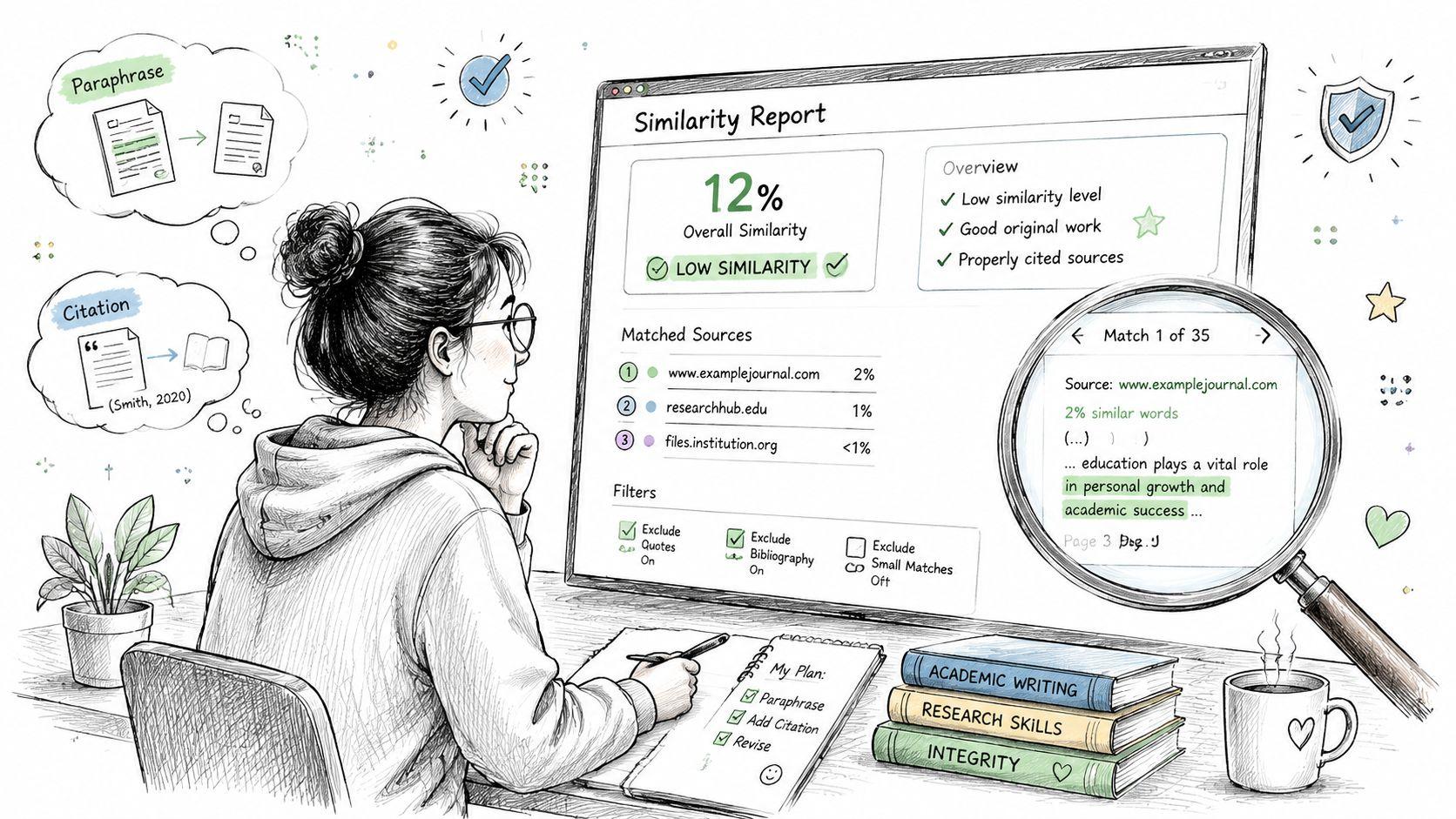
What SafeAssign is actually detecting
SafeAssign uses a unique text-matching algorithm that can detect both exact and inexact matches between a submitted paper and source material. Blackboard documentation also notes that the Originality Report identifies overlap and can be used as an instructional aid when instructors let students view it, as described in NIU's SafeAssign guide.
That “inexact matches” point matters.
Students sometimes assume they're safe if they changed a few words or shuffled sentence order. A text-matching system can still spot language that remains too close to the source in structure or phrasing. That doesn't mean every match is a violation. It means surface editing isn't enough.
How to read the report like a tutor would
When I review a report with a student, I don't start with the score. I start with the categories of matches.
Look for these patterns:
- Quoted material
If the quote is intentional, properly marked, and cited, the match may be harmless. - Reference entries and citation formulas
These often look repetitive across papers because academic formatting is repetitive. - Assignment template language
Course prompts, required headings, or standard wording can trigger overlap. - Common disciplinary phrases
Some expressions are conventional and hard to rewrite meaningfully. - Close paraphrase
This is where the real work usually is. The idea may be cited, but the wording still leans too heavily on the source.
A better triage method
Use a three-bucket approach.
| Match type | What it usually means | What to do |
| Clearly acceptable | Quotes, references, standard headings | Confirm formatting and move on |
| Needs a closer look | Repeated phrasing, source-heavy summary | Compare line by line with the source |
| Likely needs revision | Patchwriting, uncited borrowing, copied structure | Rewrite from understanding, then recite |
Don't ask, “How do I lower the number?” Ask, “Why is this passage matching, and does the writing honestly represent my own understanding?”
What students often misread
A report can look severe because highlighted text feels accusatory. It isn't. It's a map.
If the report highlights your bibliography, that's different from highlighting a paragraph where your wording shadows a journal article too closely. If it flags a direct quote, that's different from flagging a paraphrase that still mirrors the source sentence by sentence.
A useful safe assignment check teaches you where your writing process broke down. Usually the issue is one of four things. Notes pasted too directly into the draft, rushed paraphrasing, citation added too late, or quoting without clear signal phrases and formatting.
Fixing Issues and Strengthening Your Citations
Once you know what the report is showing, revision gets more focused.
Students either improve the paper or make it worse. The worst response is cosmetic rewriting. Swapping a few words for synonyms usually creates awkward prose and still leaves the source's structure intact.
Public guidance on SafeAssign makes an important point. A high similarity score doesn't automatically mean plagiarism, and checkers don't reliably separate quoted material, boilerplate language, or citations from misconduct. The tool detects overlap. It doesn't render the final judgment, as noted in this SafeAssign quick guide from Marshall University.
Fix the writing problem, not just the report
Here's the difference between weak revision and strong revision.
Weak revision looks like this:
- Synonym swapping: Replacing a few nouns and verbs while keeping the sentence skeleton.
- Sentence shuffling: Rearranging clauses but keeping the source's logic and sequence.
- Citation patching: Dropping in a citation after borrowing phrasing too closely.
Strong revision looks different:
- Close the source first: Read, step away, and write the idea from memory in your own sentence pattern.
- Shrink to the core claim: Identify what you need from the source instead of dragging in every detail.
- Add your own framing: Explain why the source matters to your argument, not just what it says.
When to quote instead of paraphrase
Some students paraphrase everything because they think quotes automatically hurt them. That's not good academic writing.
Use a direct quote when the original wording is distinctive, contested, or worth analyzing as language. Paraphrase when you're carrying over the idea, evidence, or conclusion into your own argument. In both cases, the citation needs to be complete and the reader should be able to tell what is yours and what comes from the source.
Revision check: If you removed the citation, would a reader still recognize which words or ideas came from someone else? If the answer is no, the passage needs clearer attribution.
A practical repair sequence
When a highlighted section needs attention, revise in this order:
- Identify the source relationship
Is it a quote, summary, paraphrase, template phrase, or citation format issue? - Decide the right form
Keep it as a quote, rewrite it as a paraphrase, or cut it if the source isn't needed. - Rebuild the sentence from your own logic
Lead with your claim, then bring in the source as support. - Check attribution at the sentence level
Don't assume one citation at the end of a long paragraph covers every borrowed idea.
Students usually write more clearly after doing this once or twice. The report stops feeling like punishment and starts working like a writing lab.
Your Pre-Submission Checklist and Common Pitfalls
The last review before submission should be calm and mechanical.
Not creative. Not emotional. Just careful.
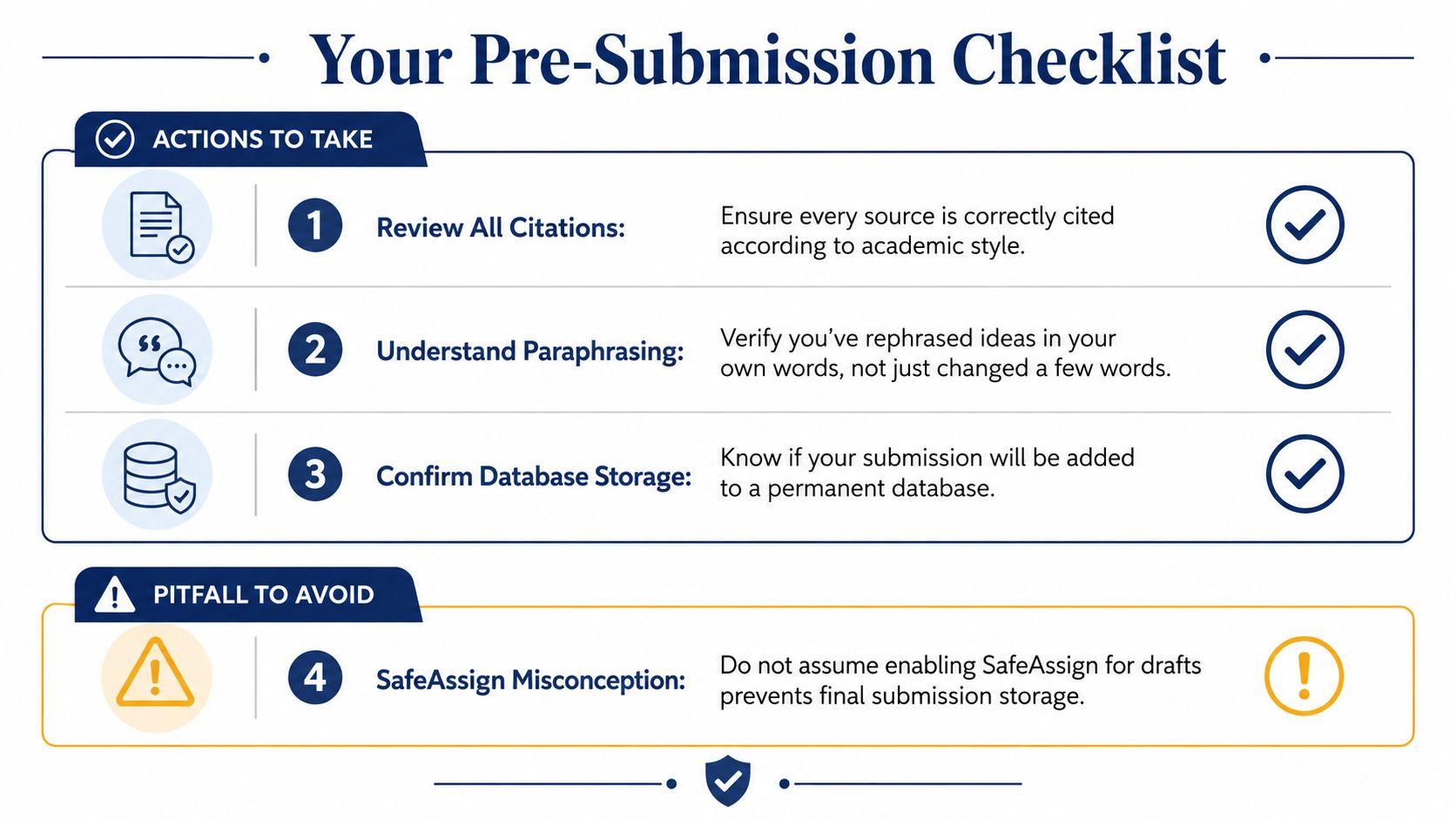
The checklist I'd want every student to use
- Confirm the submission environment
Make sure you know whether you're uploading to the official course assignment or doing a private review first. - Open every citation one more time
Check that each borrowed idea, quote, statistic, and paraphrase is attributed in the required style. - Inspect the worst matches, not the easiest ones
Don't waste energy on harmless reference-list overlap while ignoring a source-heavy body paragraph. - Check your paraphrases aloud
If the sentence still sounds like the article or book you read, rewrite it. - Save the final file clearly
Students sometimes submit the wrong version, especially when they have draft, revised, and final copies in the same folder.
The pitfall that catches people late
A common misunderstanding is that SafeAssign will somehow scan earlier submissions after an instructor turns it on. It won't. Submissions are checked only after the feature is enabled for that specific assignment, and work submitted before activation is not scanned, as explained in this video guidance on SafeAssign behavior.
That matters when students assume the system has already “seen” an earlier draft and will treat later uploads the same way. It also matters when instructors change settings midstream.
Common mistakes I see repeatedly
| Mistake | Why it happens | Better move |
| Uploading a rough draft too soon | Student wants reassurance | Revise privately first |
| Obsessing over the overall percentage | The score feels official | Read flagged passages in context |
| Paraphrasing too close to the source | Student wrote while staring at the article | Read, pause, then rewrite from understanding |
| Assuming the checker decides guilt | Tool language feels intimidating | Treat the report as a review aid |
| Trusting an unclear free website | Convenience | Check terms before uploading coursework |
Before you submit, ask one blunt question. “If my instructor and I read this report together, can I explain every highlighted section honestly and confidently?”
If you can, you're in good shape.
One last practical note. If you want a private AI workspace for reviewing drafts, comparing wording, and checking documents before an official upload, you can explore the student-focused details in the 1chat FAQ.
A safe assignment check should make you more confident, not more confused. Use institutional tools for official course workflows. Use private review spaces for early drafts. Read the report for meaning, not just for a number. Then revise the passages that require work.
That approach is ethical, practical, and much closer to how strong writers really work.