You ask an AI for help with a school topic, a customer email, or a family meal plan, and the answer comes back bland, off-topic, or oddly confident about the wrong thing. That usually doesn't mean AI is useless. It means the prompt was too loose.
The good news is that prompting isn't magic. It's a skill. A few prompt types can turn AI from a guessing machine into a practical helper for studying, planning, writing, and reviewing documents. If you want a stronger foundation first, SupportGPT's guide to prompt engineering is a useful companion read.
Prompt quality matters more than many people realize. A 2025 review of statistical-reasoning prompts found that structured approaches using explicit instructions, reasoning scaffolds, and format constraints outperformed simpler prompts across assumption checking, test selection, output completeness, and interpretive quality, with the strongest prompts reaching perfect 4.0 scores across all evaluated dimensions in that study (PMC review on prompt design and statistical reasoning). That same shift shows up in everyday use. Better prompts usually produce more reliable answers.
Here are 10 types of prompts worth learning.
1. System Prompts
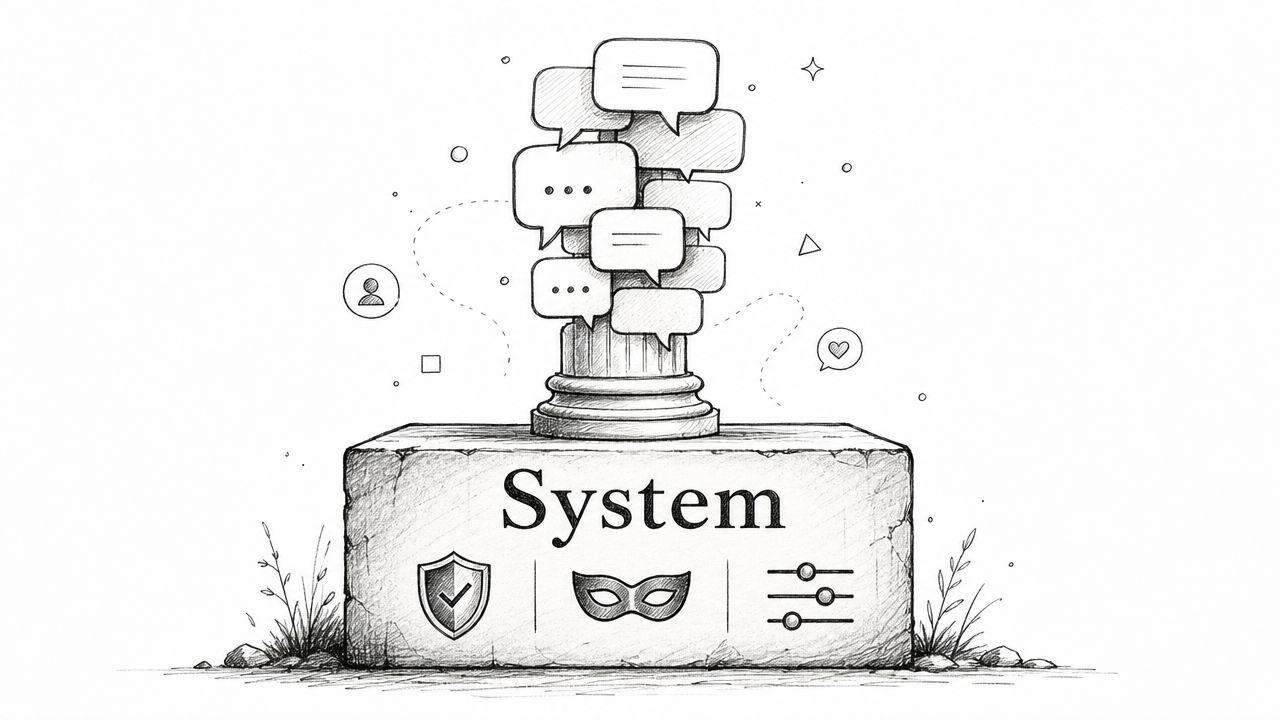
System prompts set the rules of the conversation. They tell the AI who it is, how it should behave, what tone to use, and what boundaries it shouldn't cross. Users often focus solely on the question they type, but the system prompt often decides whether the response stays helpful and consistent over time.
This matters a lot for families and small businesses. A parent may want age-appropriate explanations. A team lead may want clear, customer-friendly language without legal overreach. A teacher may want tutoring help, not answer dumping.
What a good system prompt sounds like
Try language like this:
- For students: "You are a patient tutor for high school students. Explain concepts clearly, ask guiding questions, and don't write full assignments for the student."
- For business use: "You are a professional assistant for a small business. Write in plain English, avoid jargon, and flag anything that needs human review."
- For family use: "You are a safe, helpful AI for a family with children. Keep advice age-appropriate and avoid mature content."
A strong system prompt doesn't need fancy wording. It needs clear instructions.
Practical rule: Tell the AI both what it should do and what it shouldn't do.
If the AI starts drifting, rewrite the system prompt before rewriting every user message. That's often the faster fix. For shared family or team accounts, a stable system prompt also helps everyone get similar output quality, even if different people ask very different questions.
2. User Prompts
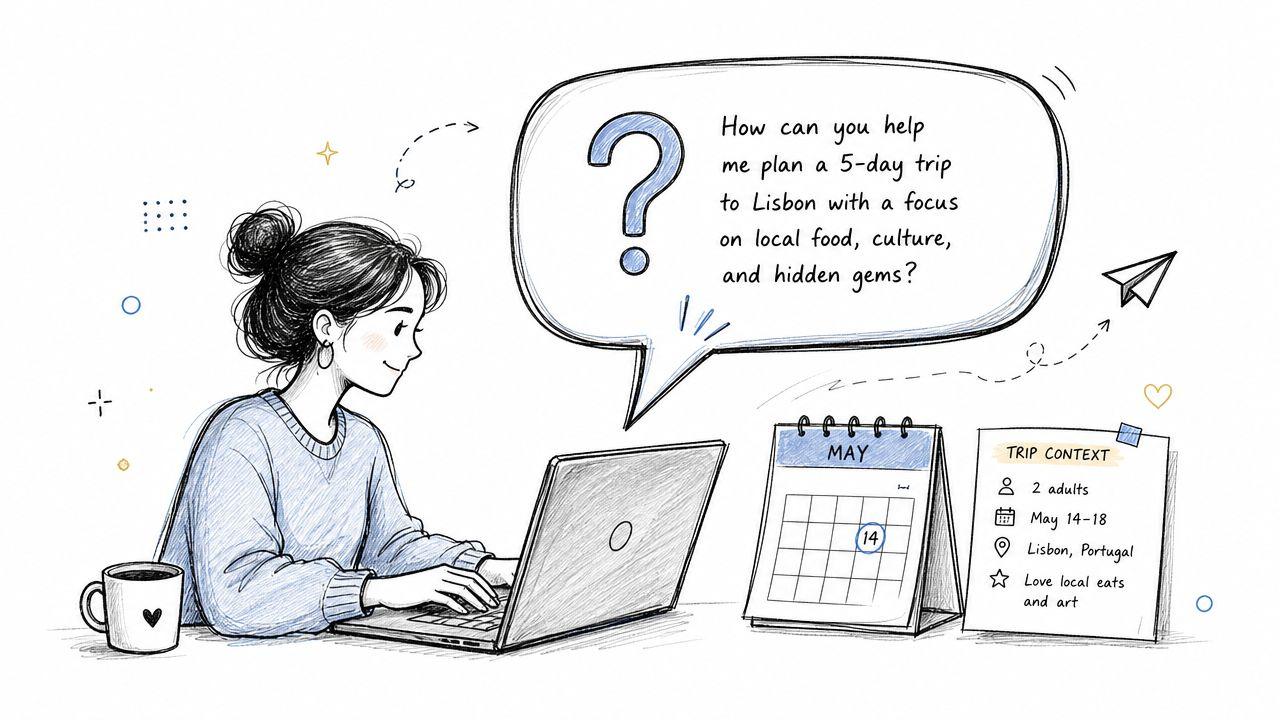
User prompts are the direct requests people type every day. They ask for explanations, summaries, ideas, plans, drafts, and decisions. This is the prompt type commonly used, but many use it too vaguely.
"Help with marketing" is vague. "Review this customer email and rewrite it in a friendly tone for a first-time buyer" is much better. For students, "Explain photosynthesis in simple terms for a ninth-grade class" gives the AI a clearer lane than "tell me about plants."
A better way to ask
Good user prompts usually include three things:
- The task: What do you want done?
- The context: Who is it for, and what's the situation?
- The format: Do you want bullets, a paragraph, a list, or a table?
For example, a small business owner might say, "Analyze this PDF contract and list the obligations, deadlines, and possible risks in plain language." A parent might ask, "Suggest five family dinners using chicken, carrots, and rice, with simple steps and no spicy ingredients."
If you're using a tool with document support, user prompts become even more useful. On 1chat, you can pair a direct request with PDF analysis, which is practical for school handouts, contracts, proposals, and policy documents.
Simple template
Use this fill-in structure:
I need help with [task].
Context: [audience or situation].
Please respond as [tone or level].
Format: [bullets, list, summary, JSON, etc.].
That small amount of structure often fixes generic answers.
3. Few-Shot Prompts
A parent asks for a chore chart summary. A shop owner asks for product blurbs in a consistent brand voice. Both run into the same problem. The AI understands the task, but it may guess the pattern.
Few-shot prompts reduce that guesswork. You give the model a small set of examples, then ask it to continue in the same style or format. Zero-shot prompting means asking without examples. Few-shot prompting means teaching with a sample first. It works like showing a new employee two finished orders before asking them to pack the third.
Why examples help
Examples turn vague instructions into a pattern the model can copy.
If you say, "Summarize support tickets," the AI has to decide what matters, how long the summary should be, and what tone to use. If you show two input-output pairs first, you answer those questions in advance. That often leads to more consistent results, especially for repeat tasks.
This is useful for families and small businesses because many of their tasks follow the same shape over and over. School note summaries. Intake form reviews. FAQ replies. Invoice descriptions. Meeting recap formats.
Practical uses
Few-shot prompting works well when consistency matters more than originality.
- Customer support: Show two examples of ticket summaries with the exact fields you want.
- School and family admin: Provide sample summaries of teacher emails or activity schedules in plain language.
- Product writing: Give example descriptions so new listings match your usual tone and structure.
- Document extraction: Show the fields you want pulled from similar PDFs, such as due dates, fees, or renewal terms.
Here is a simple small-business example:
Example 1
Input: "Lead A: urgent, budget approved, wants a demo this week."
Output: "Hot lead. Immediate follow-up. Schedule demo."
Example 2
Input: "Lead B: early research stage, no timeline, interested in pricing."
Output: "Warm lead. Send pricing sheet. Check in next month."
Now classify: "Lead C: comparing vendors, asked about onboarding, decision expected in two weeks."
That prompt teaches the format, the label style, and the level of detail in one shot.
Keep the examples close to real life
Use examples that look like the work you do. If your family meal plans are short and practical, show short and practical examples. If your business writes friendly, direct customer replies, use that tone in the samples.
This matters even more with documents. In 1chat, you can combine few-shot prompting with PDF analysis to pull the same kinds of details from contracts, school handouts, vendor proposals, or policy documents. You can also test the same prompt with different models using its multi-LLM selection, which helps when one model follows examples more reliably than another. The 1chat blog articles on prompt workflows include more real-world use cases in that style.
One caution. Keep the example set small and clean. Two or three strong examples usually teach the pattern better than a long, messy block with mixed formats.
For a broader look at how prompt styles differ, including reasoning-oriented approaches, see Supagen on LLM prompting.
4. Chain-of-Thought Prompts
Some tasks need more than an answer. They need a path. Chain-of-thought prompts ask the AI to reason step by step, which is helpful for math, logic, planning, and root-cause analysis.
A student can ask, "Walk me through solving 3x + 5 = 20 step by step." A manager can ask, "Explain your reasoning for this recommendation to reduce operating costs." A family can ask, "Compare these vacation options and show the tradeoffs you considered."
When to use it
Ask for reasoning when the process matters as much as the result.
"Show your work" is often more useful than "give me the answer."
That matters in education especially. If a student only gets the final result, they haven't learned much. If they see the logic, they can apply it again on their own. It's also useful in business work, where you may want to inspect how the AI reached a recommendation before using it in a real decision.
For a practical overview of this style, Supagen's explanation of chain-of-thought prompting gives helpful context.
One caution
Don't use chain-of-thought for every tiny task. If you're asking for five dinner ideas or a short rewrite, step-by-step reasoning may just make the response longer and less clear. Use it when you need transparency, learning, or diagnosis.
5. Role-Playing Prompts
Role-playing prompts assign the AI a perspective. You tell it to respond as a tutor, editor, project manager, travel planner, nature guide, or another role. That role shapes vocabulary, depth, tone, and priorities.
A role prompt can make explanations feel more natural. "Act as a patient biology tutor explaining DNA replication to a tenth grader" usually works better than "explain DNA replication." The first version sets expertise, audience, and tone in one line.
Why role matters
Role-playing is especially useful when the same topic needs different explanations for different people.
- For kids: "Act as a science teacher for a seventh grader."
- For business owners: "Act as an operations advisor for a small retail company."
- For career questions: "Act as an experienced software engineer speaking to a college student."
A family might use this to explain a health topic in age-appropriate language. A school counselor might use it to simulate an interview coach. A small business owner might ask the AI to act like a customer success manager and review onboarding emails.
Make the role specific
"Act like an expert" is too broad. Specific roles work better.
Try adding:
- Experience level: beginner-friendly, experienced, executive-level
- Audience: middle school student, customer, parent, team lead
- Tone: patient, direct, encouraging, neutral
The more clearly you define the role, the less the AI has to guess. That's the pattern across many types of prompts. Guessing creates weak output.
6. Structured Output Prompts
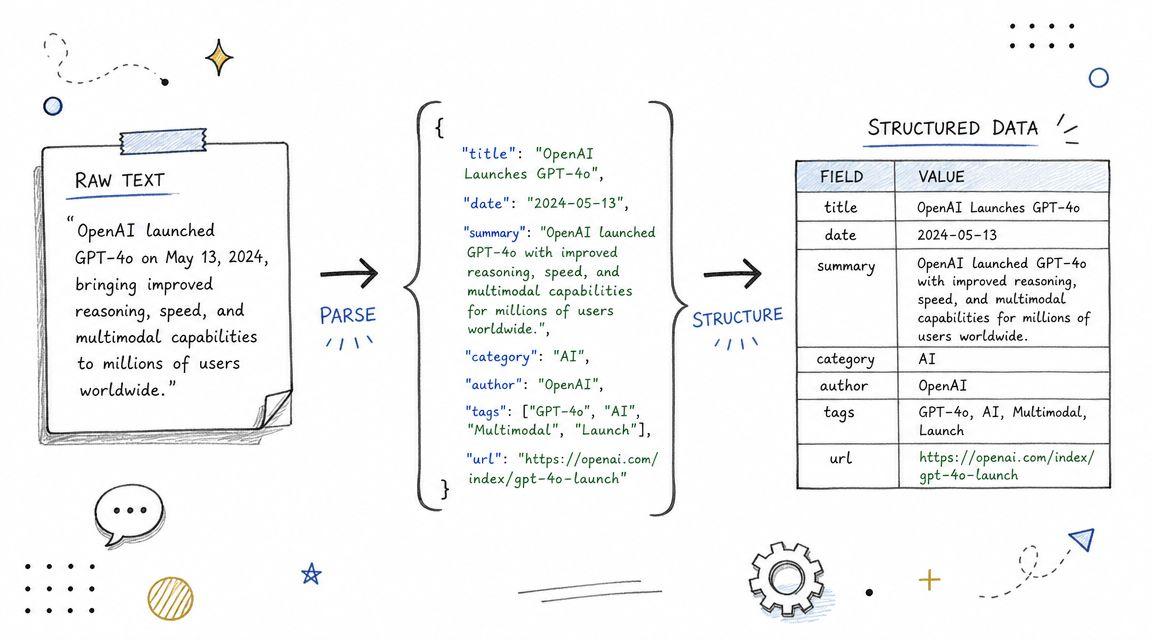
A parent uploads a school handout and wants a study guide with the same headings every time. A bakery owner drops in a supplier PDF and needs costs, deadlines, and action items in a table that staff can scan fast. In both cases, the job is not just getting an answer. The job is getting an answer in a shape you can use right away.
That is what structured output prompts do. They tell the AI how to organize the response before it starts writing. You can ask for labeled bullets, a table, JSON, a checklist, or fixed sections with the same fields each time.
Structure works like a form. If the boxes are clear, the AI has fewer chances to guess. That matters in analysis tasks, where small formatting changes can make notes harder to compare, copy into a spreadsheet, or review with a team.
Useful formats for real work
A structured output prompt might say:
- For contracts: "Return obligations, deadlines, fees, and risks as labeled bullet points."
- For history homework: "Compare these events using sections for date, location, key figures, and impact."
- For project planning: "List tasks with owner, deadline, status, and priority."
- For meal planning: "Give five recipes with prep time, cook time, servings, and ingredients."
Families can use this for routines, shopping lists, and school prep. Small businesses can use it for invoice reviews, meeting notes, SOP drafts, and document summaries that need to stay consistent across staff members.
Be explicit about the format
If structure matters, write the structure into the prompt. Name the fields, the order, and the output type. If you want a table, say so. If you want JSON with exact keys, list the keys.
For example, "Summarize this PDF" is broad. "Read this PDF and return a table with column headers: issue, due date, owner, risk level, and next step" gives the model a clear frame. With privacy-first tools such as 1chat, this becomes especially practical because you can combine document review with repeatable formatting. The 1chat FAQ on document handling and workflows explains how these features fit into structured tasks.
One more tip helps a lot. If the output will be reused by a family member, employee, or classmate, include that context in the prompt. "Make this readable for a busy parent" or "format this for a five-person shop using Google Sheets" often produces cleaner, more usable results.
7. Negative Prompts
Negative prompts tell the AI what to avoid. They don't replace positive instructions, but they help prevent common mistakes. This is especially important for family-safe use, school integrity, and business compliance.
A student can say, "Help me understand this concept. Do not write the essay for me." A business owner can say, "Draft a customer email. Avoid legal promises, hard-sell language, and technical jargon." A parent can say, "Suggest family movie ideas. Avoid graphic violence and mature themes."
Why exclusions matter
Many people keep adding more detail and assume more detail always helps. It doesn't. Specificity helps only when the instructions stay internally consistent. One prompt guide warns users to "avoid conflicting perspective elements in the same prompt," which highlights a real failure mode in multi-attribute prompting (Pencil guide on conflicting prompt elements).
That lesson applies beyond image generation. If you ask for "professional but playful, formal but casual, detailed but very short," you're creating conflict. Negative prompts work best when they draw clean boundaries.
Better prompts aren't just longer prompts. They're more consistent prompts.
A balanced formula
Use this pattern:
- Say what you want: "Explain the concept clearly for a beginner."
- Say what to avoid: "Don't provide a complete submission-ready answer."
- Add any safety line: "Keep examples age-appropriate."
This is one of the easiest prompt upgrades you can make today.
8. Comparative Analysis Prompts
Comparative prompts ask the AI to evaluate options side by side. Instead of requesting a single recommendation, you ask for similarities, differences, tradeoffs, and context. That's useful when you're choosing tools, schools, vendors, study options, or product directions.
A parent might ask, "Compare three after-school activity options for my child based on cost, travel time, schedule, and skill-building." A founder might ask, "Compare Google Drive, Dropbox, and OneDrive for a small team that shares client files." A student might ask, "Compare the American and French Revolutions based on causes, methods, and outcomes."
Give the criteria first
Comparative prompts become much stronger when you name the comparison dimensions up front. In market-analysis workflows, prompt libraries often recommend including market size, growth rate, demand indicators, TAM, SAM, SOM assumptions, competitor positioning, and pricing, while survey guidance emphasizes mixing open-ended and quantitative questions to understand both patterns and reasons (University of Florida market analysis guide).
You don't need all of that for every task, but the principle is strong. Good comparison prompts define the frame before asking for the judgment.
Practical example
A bakery owner could ask:
Compare selling through a local delivery app versus taking direct website orders. Evaluate setup effort, customer relationship control, fees, repeat purchase potential, and order accuracy.
That prompt is better than "Which sales channel is best?" because it defines what "best" means.
9. Iterative Refinement and Question-Escalation Prompts
Some of the best AI work doesn't happen in one message. It happens across a sequence. You start simple, inspect the answer, refine it, then move to a harder version of the task. That's iterative refinement. When the questions increase in depth over time, that's question escalation.
Students already do this naturally when they learn well. First they ask for a simple explanation. Then they ask why it matters. Then they apply it. Then they critique it. AI works well in that pattern too.
A progression that works
Here are a few natural sequences:
- Essay help: topic summary, outline, paragraph feedback, final proofreading
- Science learning: basic explanation, real-world importance, advanced implication
- Business writing: rough draft, tone adjustment, section expansion, concise edit
- Math: concept overview, worked example, similar practice problem, error review
This style fits how structured prompting has evolved. Practical prompt frameworks increasingly advise users to state the goal, context, and expected output format, especially in analysis tasks, so the interaction mirrors a real workflow instead of a one-off question (AirOps guide to market-research prompting).
Don't try to perfect turn one
Many users expect the first answer to be final. That's not how productive prompting usually works. Treat the first output as a draft.
Ask follow-ups like:
- Make it shorter: "Cut this by a third."
- Adjust the audience: "Rewrite for a middle school reader."
- Add evidence categories: "Separate facts, assumptions, and open questions."
- Clarify logic: "Explain why you ranked these options this way."
That back-and-forth is where AI often becomes most useful.
10. Constraint-Based Prompts
Constraint-based prompts add limits. You tell the AI exactly what boundaries to respect, such as word count, reading level, tone, budget, channel, or required sections. Constraints are practical because real tasks almost always have rules.
A student may need a summary at a ninth-grade reading level. A business owner may need a short product description for a store page. A parent may want rainy-day activities that use only household items. Constraints push the answer toward something usable.
Common constraints to include
- Length: word count, paragraph count, character limit
- Audience: kids, customers, executives, general readers
- Tone: formal, warm, neutral, persuasive
- Resources: budget limits, available ingredients, household-only supplies
- Format: bullet list, script, memo, email, study guide
One reason this prompt type matters is that most content about types of prompts stops at naming categories. It doesn't explain how combinations improve outcomes. Yet practical guidance in image prompting has noted that stronger results often come from combining multiple dimensions, and that the emotional goal should guide the technical choices (ZSKY guide on combining prompt dimensions).
Combine constraints carefully
Constraints help until they start colliding.
"Write a warm, highly detailed, executive-level summary in one sentence" is probably too conflicted. Select the essential components first. Then add the nice-to-haves.
For families and small businesses, this matters a lot. You don't need the longest prompt. You need a prompt with clear priorities.
10-Point Prompt Types Comparison
| Prompt Type | Complexity 🔄 | Resources ⚡ | Expected Outcomes ⭐ / 📊 | Ideal Use Cases | Key Advantages 💡 |
| System Prompts | Moderate 🔄, careful one-time setup | Low ⚡, set once per session | High consistency & safety ⭐⭐📊, session-wide behavior | Company policies, family-safe responses, branded assistants | Ensures consistent persona and guardrails; reduces repetitive instructions |
| User Prompts | Low 🔄, ad hoc, user-driven | Low ⚡, single-turn tokens | Variable quality ⭐, precise when clear 📊 | General queries, ad-hoc tasks, non-technical users | Direct, intuitive, highly flexible for many tasks |
| Few-Shot Prompts | Medium 🔄, prepare examples | Medium ⚡, consumes tokens for examples | Better formatting consistency ⭐⭐📊, infers patterns from examples | Repetitive formatting, standardized outputs, templates | Efficiently teaches desired pattern without long instructions |
| Chain-of-Thought Prompts | High 🔄, ask for stepwise reasoning | High ⚡, more tokens and slower responses | Improved accuracy & transparency ⭐⭐⭐📊, verifiable logic | Math, complex analysis, auditing business logic | Reveals reasoning; improves correctness on complex problems |
| Role-Playing Prompts | Medium 🔄, define persona and scope | Low–Medium ⚡, may need occasional reinforcement | Engaging, perspective-specific responses ⭐📊 | Tutoring, simulations, scenario planning, training | Creates tailored tone/expertise; increases engagement |
| Structured Output Prompts | Medium 🔄, specify exact format | Low–Medium ⚡, may need validation/parsing | Parseable, integration-ready outputs ⭐⭐📊 | Data pipelines, reports, API-driven workflows | Produces machine-readable results; eases downstream use |
| Negative Prompts (Exclusion) | Low–Medium 🔄, list exclusions clearly | Low ⚡, simple to include | Safer, more appropriate results ⭐⭐📊, fewer unwanted outputs | Moderation, family content, professional standards | Prevents undesired content; clarifies boundaries |
| Comparative Analysis Prompts | Medium 🔄, define criteria and scope | Medium ⚡, research/context may be needed | Balanced comparisons & trade-offs ⭐⭐📊 | Vendor selection, research, essays, strategic decisions | Supports informed choices; highlights pros/cons |
| Iterative Refinement & Question-Escalation Prompts | High 🔄, multi-turn planning and sequencing | High ⚡, many turns, higher token use | Higher-quality, polished outputs after iterations ⭐⭐⭐📊 | Drafting, learning progression, complex creative work | Enables continuous improvement and deeper understanding |
| Constraint-Based Prompts | Medium 🔄, enumerate strict limits | Low–Medium ⚡, enforce length/format rules | Spec-compliant outputs; may reduce creativity ⭐⭐📊 | Assignments, platform limits, marketing/spec-constrained copy | Ensures outputs meet exact requirements; reduces rework |
Supercharge Your Prompts with 1chat Features
A parent is trying to help with homework at the kitchen table. At the same time, a small business owner is reviewing a vendor PDF before tomorrow's meeting. Both are using AI, but they need very different results. One needs safe, age-appropriate explanations. The other needs clear analysis they can act on. Prompt types help both people get there faster because each type gives the model a more defined job.
That is the practical shift. Instead of writing one broad request and hoping it works, you can build a prompt the way you would fill out a short brief for a person. Start with the task. Add the audience. Add limits. Add the format you want back. For families, that might mean asking for a simple explanation at a middle-school reading level and excluding scary examples. For a small business, it might mean asking for a side-by-side comparison of two proposals pulled from a PDF, with the answer returned in a table.
Clear prompts create repeatable workflows.
That matters because real-life AI use usually happens in messy situations, not in perfect demos. A student may need help understanding a chapter without getting the assignment written for them. A parent may want story ideas that stay within family rules. A shop owner may need meeting notes, policy summaries, or invoice checks in a format the team can reuse. Prompt types give structure to those situations, and structure reduces guesswork.
One simple habit works across all of them. Combine prompt types instead of using only one. A strong prompt often starts with a role, adds background context, sets constraints, asks for a specific output format, and includes exclusions. It works like filling out the labels on a storage bin. Once the labels are clear, it is much easier to get the right thing back.
The earlier sections showed what each prompt type does on its own. In practice, the value comes from matching the type to the task. Structured output prompts help with forms, summaries, and checklists. Comparative prompts help with vendor decisions. Negative prompts help families and teams avoid unwanted content. Iterative prompts help when the first draft is close, but not ready.
Used well, prompt types make AI easier to guide and easier to check. You spend less time rewriting vague answers and more time getting outputs that fit real work, real households, and real decisions.