You're probably already using the pieces of multimodal AI without calling it that.
You text a coworker, then send a screenshot because words alone aren't enough. You record a voice note because typing the full explanation would take too long. You upload a PDF to get help summarizing it, then ask a follow-up question about a chart on page six. That stop-and-start workflow feels normal, but it also shows the limit of older software. Most tools handle one kind of input at a time.
Multimodal AI changes that. Instead of treating text, images, audio, and documents as separate worlds, it can work across them together. That makes technology feel less like filling out forms and more like having a capable assistant who can look, listen, read, and respond in context.
For small businesses, students, and families, that matters right now. It means fewer app hops, faster answers, and better help with messy real-life tasks like understanding a scanned worksheet, reviewing a slide deck, or organizing notes from a meeting. It also raises an important question: if you're sharing photos, files, and recordings with an AI system, how do you do that safely?
AI That Understands More Than Just Words
You're on a video call helping with a real task. A student shares a worksheet photo. A parent adds a voice note explaining where the confusion started. A small business owner drops in a PDF and asks which numbers deserve attention first. The answer depends on all of it together, not one piece by itself.
That is the basic idea behind multimodal AI.
Older AI tools usually stay in one lane. One tool reads text. Another looks at images. Another turns speech into text. Useful, yes, but limited. Real life rarely arrives in neat categories. It shows up as screenshots, scanned forms, spoken questions, charts, and messages all mixed together.
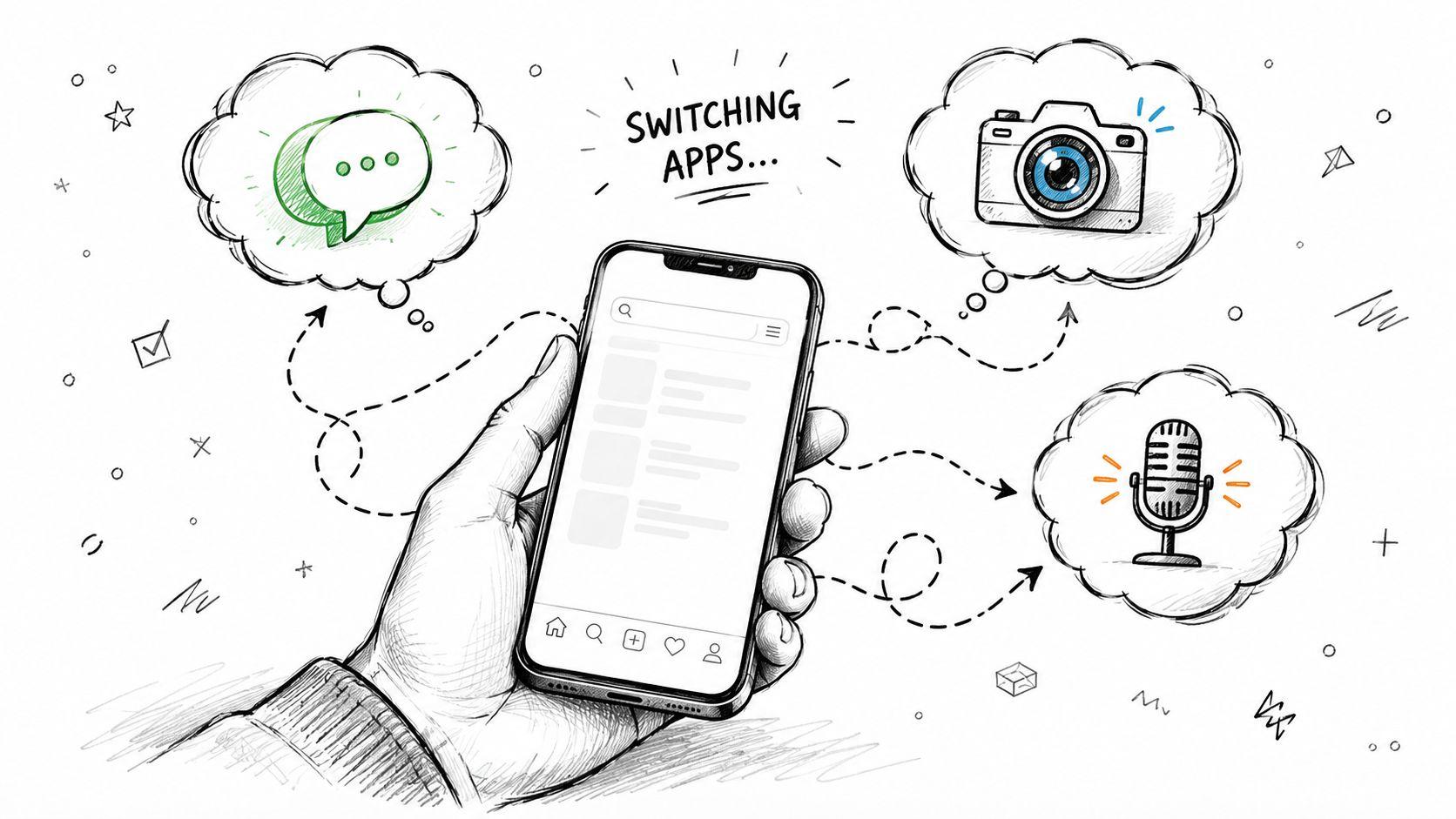
Multimodal AI handles that mix. It can take in more than one kind of input, such as text, images, audio, or documents, and respond with a fuller understanding of the task.
Human communication works the same way. If someone says, “I'm fine,” you do not judge the meaning from the words alone. You also notice the tone, the facial expression, or the photo they just sent. Multimodal AI tries to combine digital clues in a similar way so the response fits the situation better.
That shift matters now because people are already using AI for messy everyday jobs, not science fiction. A family might want help reading a school handout. A student might need to connect class notes with a diagram. A shop owner might want one tool that can read a report, inspect a product photo, and answer follow-up questions in plain language.
Privacy matters just as much as convenience. If you are sharing files, images, and recordings with an AI system, it helps to choose tools and habits that reduce unnecessary exposure. The 1chat blog's privacy and AI guidance is useful if you want practical advice before uploading personal or business material.
A few common examples make the value clearer:
- For families: snap a photo of a permission slip and ask for a simple summary.
- For students: upload lecture notes and a chart, then ask how the chart supports the main idea.
- For small businesses: share a customer email, a screenshot, and a document, then ask for a reply that matches the full context.
Multimodal AI matters because daily communication is already multimodal. The technology is finally starting to meet people where they are.
What Is Multimodal AI and How Does It Work
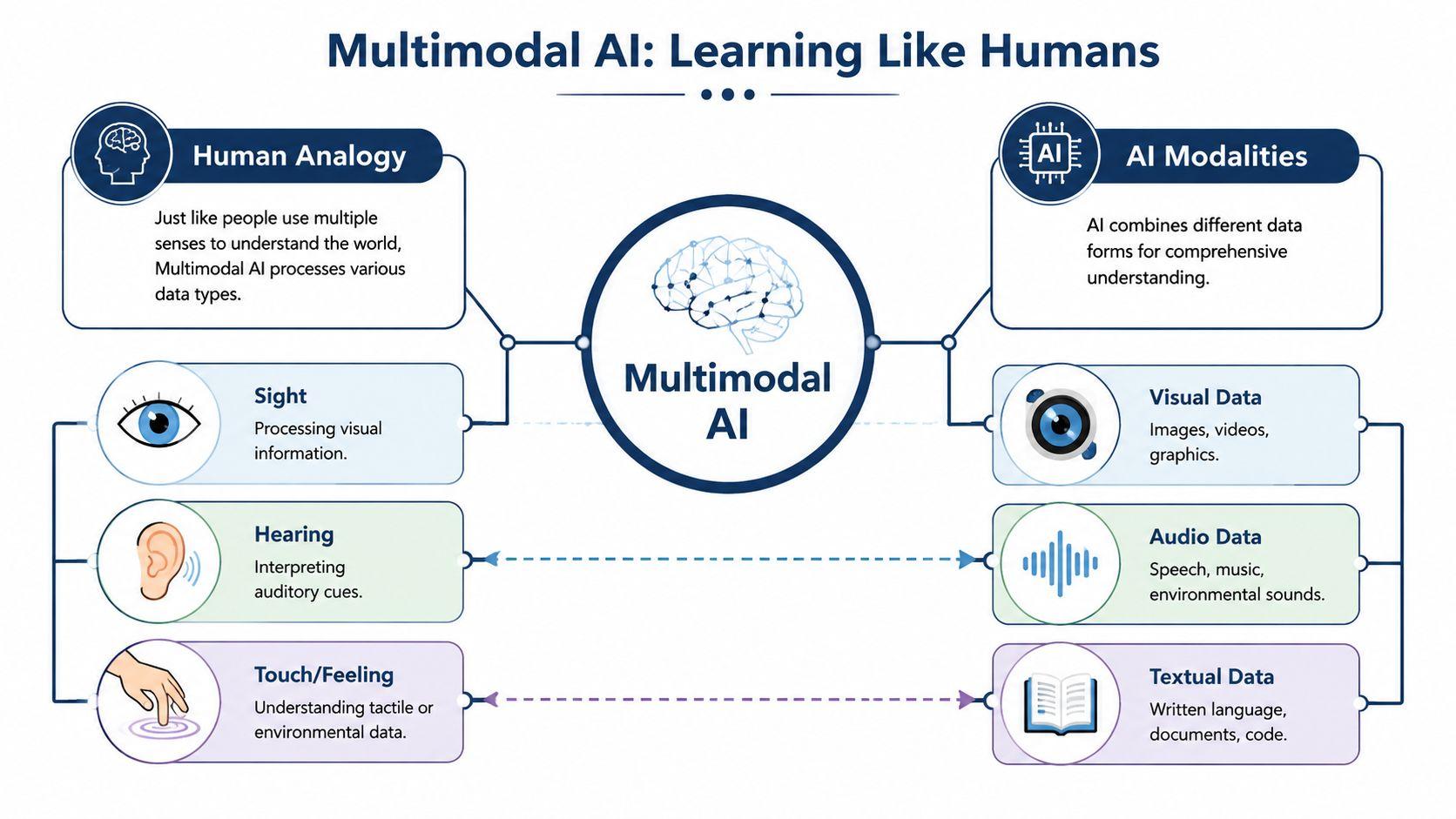
The easiest way to understand multimodal AI is to compare it to human senses. You use sight, hearing, and language together. AI does something similar with data types, often called modalities.
One modality might be text. Another might be an image. Another could be audio, video, or a structured table. A multimodal system combines them into one working understanding instead of keeping them in separate buckets.
Step one is encoding
AI can't work directly with a photo or a voice note the way you do. It first has to convert each input into a machine-readable form.
That happens through specialized parts of the system often described as encoders. One encoder handles text. Another handles images. Another may handle audio. The image side might use models such as CNNs or Vision Transformers, while text commonly uses transformer-based architectures.
You can think of encoding as translation. The AI turns each kind of input into a form it can compare and reason about.
Step two is fusion
This is the part people often miss. Multimodal AI isn't just several separate tools sitting next to each other. Its real power comes from fusion, where those translated inputs get combined in a shared internal space.
Verified technical summaries describe this as a tripartite architecture of modality-specific encoders, shared latent space fusion, and generative decoders. That fused approach improves reasoning accuracy by approximately 15 to 20% over unimodal systems on complex tasks, based on the verified data provided for this article.
Why does fusion matter? Because relationships appear only when the system connects the pieces. A chart and a paragraph may each say something useful. Together, they may reveal that the paragraph is optimistic while the chart shows declining performance.
Practical rule: If the meaning depends on how two inputs relate to each other, not just what each says alone, multimodal AI is the better fit.
For more plain-English AI walkthroughs and document-focused examples, the 1chat blog is a useful starting point.
Step three is decoding
After the AI has encoded and fused the inputs, it produces an output. That output might be a summary, an answer, a caption, a generated image, or a recommendation.
Here's a simple way to picture the full process:
| Stage | What the AI does | Everyday example |
| Encoding | Reads each input in its own way | Reads a PDF, inspects a screenshot, transcribes audio |
| Fusion | Connects the inputs into one context | Matches a spoken question to the chart on the page |
| Decoding | Produces a useful response | Explains the chart in plain language |
Why this feels more natural
People don't separate life into neat channels. A homework problem may include text, a graph, and a hand-drawn figure. A work task may include a sales spreadsheet, a meeting recording, and a slide deck. A family decision may start with a photo and a voice memo.
That's why the answer to “what is multimodal AI” isn't just technical. It's a usability shift. The system works more like the task itself.
The Key Capabilities of Multimodal Systems
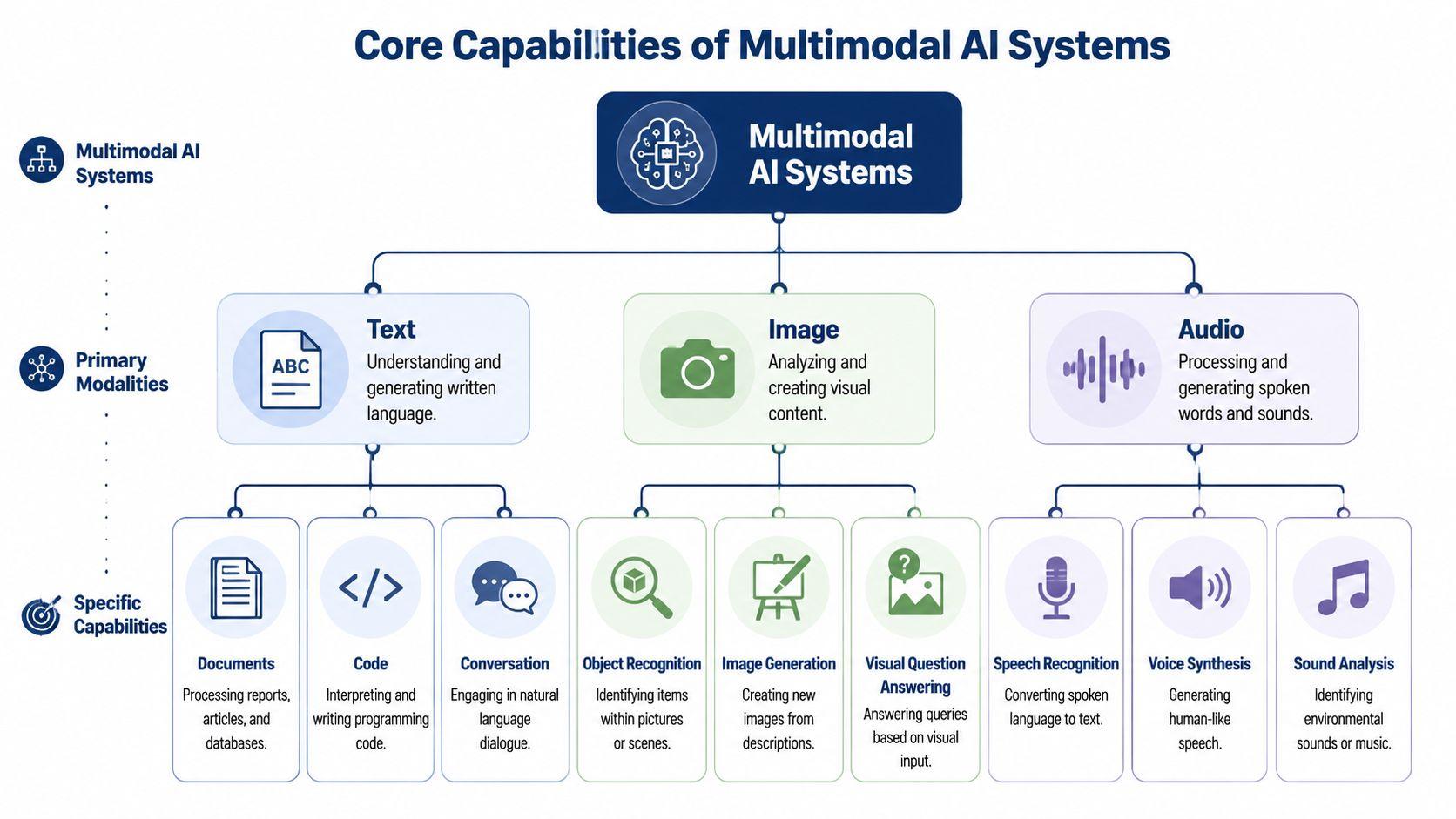
Multimodal AI becomes easier to grasp when you stop thinking about it as one giant magic box and start looking at what it can handle. Its value shows up in the kinds of inputs it can combine.
Text and documents
Text is still the most common input. A multimodal system can read messages, essays, reports, instructions, code, and scanned document text.
What changes is context. A text-only system may summarize a report. A multimodal system can summarize the report while also considering the chart embedded in it or the screenshot attached beside it.
That matters for messy, real-world files like PDFs, invoices, worksheets, and presentation decks.
Images and screenshots
Images add grounding. Instead of guessing from a description, the AI can inspect what is present.
That might mean recognizing objects in a photo, extracting information from a screenshot, or answering questions about a slide, diagram, or product image. In benchmark evaluations, multimodal models such as GPT-4o and Gemini 1.5 showed a 30% reduction in error rates on visual question answering tasks compared with single-modality baselines, based on the verified data provided for this article.
A related idea comes from CLIP, which aligns image-text pairs in a shared vector space and enables near-human accuracy in zero-shot image classification, again from the verified data for this article.
Audio and speech
Audio helps when the useful signal is spoken rather than typed. The system can turn speech into text, respond to a spoken question, or use the audio as part of the wider context.
This is useful when someone explains a diagram verbally, leaves feedback by voice note, or narrates what's happening on screen. The point isn't just transcription. It's linking the spoken explanation to the document or image being discussed.
A screenshot tells you what's visible. Audio often tells you why it matters.
Video and time-based input
Video adds sequence. Instead of seeing one frozen moment, the AI can evaluate what changes over time.
That can help with training clips, product demos, recorded lessons, or support videos where the order of events matters. If you're comparing platforms and use cases in that space, this guide on evaluating AI video solutions offers a practical lens for thinking about real-time video interaction and analysis.
Charts, tables, and mixed files
Many people assume multimodal means only flashy image generation. In practice, one of the most useful capabilities is handling mixed materials like charts, tables, forms, and slide screenshots.
Here's the before-and-after difference:
- Before: You manually describe the graph to the AI, then paste the report text separately.
- After: You upload the graph or report itself and ask the question directly.
That reduces friction, but it doesn't eliminate mistakes. If the chart is blurry or the scan is poor, the result can still be wrong.
Where capability turns into better answers
The core advantage is cross-modal reasoning. The system doesn't just process text, image, and audio separately. It uses one input to clarify another.
| Input mix | What a single-mode tool might miss | What a multimodal system can do |
| Report plus chart | Trend doesn't match written summary | Compare text claims against the visual data |
| Photo plus question | User's wording is too vague | Use the image to identify what “this” refers to |
| Audio plus document | Spoken context isn't in the file | Answer based on both the file and the explanation |
That's why multimodal systems feel more useful on everyday tasks. They can deal with evidence the way people provide it.
Practical Multimodal AI Uses for Business and School
The fastest way to understand multimodal AI is to look at ordinary tasks that used to take too many steps.
A small business owner sorting out the week
A shop owner finishes a busy week with a folder full of materials: a PDF sales report, a screenshot from an ad platform, and a photo of a whiteboard from Monday's planning meeting. None of those files alone tells the full story.
A multimodal workflow can help the owner ask one connected question: “Compare the sales trend in this report with the ad screenshot and turn the whiteboard notes into next week's action list.” That's much closer to the actual work than copying pieces into separate tools.
This isn't a niche trend. The global multimodal AI market was estimated at USD 1.73 billion in 2024 and is projected to reach USD 10.89 billion by 2030, a projected 36.8% CAGR from 2025 to 2030, according to Grand View Research's multimodal AI market report.
A student working from mixed materials
Students rarely receive information in one clean format. They get textbook pages, teacher slides, handwritten notes, diagrams, and sometimes a short recording from a classmate explaining what they missed.
A multimodal tool can help in ways a text-only chatbot can't:
- Homework support: A student snaps a photo of a geometry diagram and asks for a step-by-step explanation in simpler language.
- Study prep: They upload lecture notes and a chart, then ask for flashcards based on both.
- Presentation building: They start with a rough outline, add a reference image, and ask for talking points that match the visual.
For video-heavy learning, students also use tools that focus on summaries from recorded content. If that's your workflow, Ivory Mind for video analysis is one example of a focused resource for turning long videos into usable notes.
A team turning scattered input into one plan
Teams often lose time not because the work is hard, but because the inputs are fragmented. One person writes comments in chat. Another leaves voice feedback. Someone else shares a screenshot of a draft.
Multimodal AI can reduce that assembly work. A team can combine all of that material and ask for:
- a clean summary of the feedback,
- a list of unresolved questions,
- and a draft next-step plan.
That's especially helpful for small teams that don't have dedicated analysts, coordinators, or operations staff.
The gain isn't only speed. It's that fewer details get lost between formats.
Where it shines most
Multimodal AI is especially useful when the task has one of these traits:
- The evidence is split across formats: A decision depends on text, visuals, and maybe spoken explanation.
- The source material is messy: You're dealing with screenshots, scans, PDFs, slides, or notes from different people.
- The user needs interpretation, not just extraction: You don't just want the words copied out. You want help understanding them.
For schools and businesses alike, that's the present-day value. It helps people work from the materials they already have instead of forcing everything into plain text first.
How Families Can Use Multimodal AI Safely
At home, multimodal AI often works best as a shared tool rather than a solo one. Families can use it for creativity, planning, and learning, especially when kids already think in pictures, spoken ideas, and half-finished sketches.
Creative projects at home
A child draws a character on paper. A parent uploads the picture and asks the AI to help write a short story about that character. Then the family asks for a few scene ideas to continue the story.
That kind of use feels natural because kids rarely start with polished text. They start with a drawing, a question, or a quick spoken idea.
Another common use is making school topics less intimidating. A family can upload a worksheet image, ask for a simpler explanation, and then request a few practice questions based on the same concept.
Planning and everyday decisions
Families can also use multimodal tools for practical tasks:
- Trip planning: Show photos of places you like and ask for an itinerary style that matches them.
- Meal ideas: Upload a pantry photo and ask for dinner suggestions.
- Memory projects: Combine old photos with typed notes to draft captions for a family album.
These are small tasks, but they show why multimodal AI feels different from a standard chatbot. It can work from the materials people have around them.
Safety has to come first
The same flexibility that makes multimodal AI useful also makes it sensitive. Family photos, children's voices, school documents, and household information can all reveal more than people intend.
A few simple habits help:
- Use non-sensitive examples first: Test the tool with low-risk material before sharing anything personal.
- Review uploads together: If a child is using AI, an adult should know what files or images are being shared.
- Avoid identifiable details: School names, home addresses, account numbers, and medical information shouldn't be casually uploaded.
- Treat AI output as a draft: For school help, creative writing, or planning, review the result instead of accepting it blindly.
Family-friendly AI use starts with supervision, not fear. Curiosity is good. Guardrails matter.
When families use multimodal AI this way, it can become a helpful household tool instead of just another screen.
Understanding the Risks and Limitations
Multimodal AI is powerful, but it isn't automatically the right choice for every task.
One common mistake is assuming that more inputs always produce a better answer. They don't. According to IBM's overview of multimodal AI, these systems require more preprocessing and fusion, which increases cost and implementation difficulty. For small businesses in particular, the critical question is whether adding another modality improves results enough to justify the extra complexity.
More context can also mean more friction
If your task is simple, a single-mode tool may be the smarter option. If all you need is a clean text summary from a typed paragraph, adding image or audio support may only slow things down.
That's why the best use cases usually involve genuine cross-format ambiguity. If the image changes the meaning of the text, or the document and screenshot need to be compared together, multimodal makes sense. If not, simpler often wins.
Reliability problems still exist
These systems can still misunderstand inputs. A blurry chart may be read incorrectly. A noisy voice recording may distort meaning. A scanned PDF may contain missing or messy text.
Mixed inputs can also conflict. A caption may describe one thing while the image shows another. In those cases, the AI still has to decide what to trust, and that decision can be wrong.
If you work with documents often, Dokly's take on AI and your docs is a useful read because it focuses on a real pain point many teams discover too late: documents that look readable to humans often aren't cleanly readable to AI.
Privacy is not a side issue
This matters even more with multimodal systems than with text chat alone. A photo may include a child's face, a badge on a desk, a calendar in the background, or a visible address. A PDF may contain contracts, grades, or customer details. A voice recording may reveal names or health information.
Use a simple filter before uploading anything:
| Question | If yes | If no |
| Does this include personal or business-sensitive information? | Pause and check the tool's privacy approach | Continue with care |
| Is the image or file necessary for the task? | Share only the needed portion | Don't upload extra context |
| Can I verify the answer myself? | Use AI as support | Don't rely on it alone |
The bottom line is straightforward. Multimodal AI can reduce some errors and add context, but it can also add cost, maintenance burden, and data-governance risk. You still need judgment.
How to Try Multimodal AI with a Privacy-First Tool
A good first test is simple. Use a public file, a harmless image, or a question with no personal details, and see how the system responds before you bring it into real work, school, or home tasks.
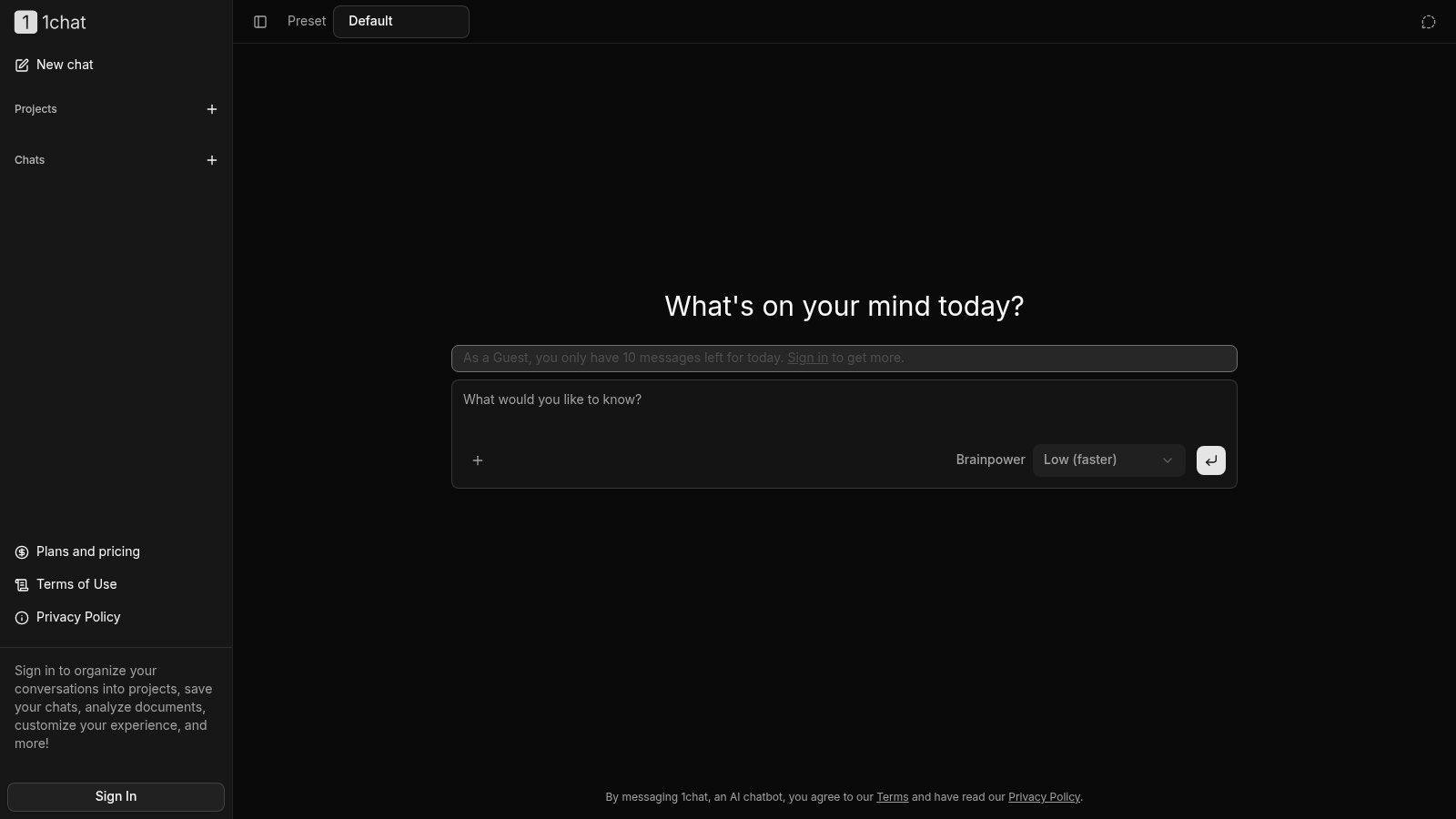
1chat is one current option built around that cautious approach. For families, students, and small teams, the appeal is practical: one workspace where you can ask questions about a PDF, generate images, and compare results across multiple AI models. That makes it useful for real everyday experiments, like checking whether an AI can explain a class handout, summarize a public report, or turn a rough idea into a visual draft.
If you are new to multimodal AI, treat your first session like a practice lap, not a final exam. Start with material you would be comfortable showing in public. A restaurant menu PDF, a sample worksheet, a screenshot of a simple chart, or a creative image prompt are good starting points.
Try tasks like these:
- Document understanding: Upload a generic PDF and ask for the main points in plain language.
- Visual explanation: Share a simple chart or screenshot and ask what it shows.
- Creative output: Generate an image from a text prompt, then refine it with follow-up questions.
That progression helps you learn how multimodal AI behaves. It is a bit like testing a new calculator with easy math before you use it on your tax return. You are checking what it handles well, where it gets confused, and how clearly it explains its answer.
Privacy deserves the same kind of trial run. Before you upload anything from work, school, or family life, read the tool's privacy policy for how it handles your data. For a small business, that could mean customer files or internal documents. For a student, it could be grades or assignment drafts. For a family, it could be photos, school forms, or voice notes.
The safest way to start is narrow and boring. That is a good thing. Once you know what the tool can do with low-risk material, you can decide where it fits into your routine and where human judgment should stay in charge.
Frequently Asked Questions About Multimodal AI
Can multimodal AI understand emotion and tone
Sometimes, to a degree. If a system can process voice, text, and images together, it may pick up clues like word choice, vocal stress, or facial expression. But that doesn't mean it understands emotion the way a person does. It's still pattern recognition, and it can misread sarcasm, context, or cultural cues.
Will multimodal AI replace creative or analytical jobs
In most everyday settings, it's better to think of it as an assistant than a replacement. It can speed up drafts, summaries, comparisons, and first-pass analysis. People still need to judge accuracy, handle nuance, and make decisions. That's especially true in school, business, and family contexts where context matters more than raw output.
How is multimodal AI different from using separate AI tools
The key difference is fusion. If you use one AI for text and another for images, you're doing the connecting yourself. A multimodal system can connect the inputs internally and respond to the relationship between them. That's why it can answer a question about a chart inside a document instead of only talking about the chart or the text separately.
What kinds of files work best
Clear files work best. Clean PDFs, readable screenshots, legible photos, and understandable audio usually produce better results than blurry scans or noisy clips. If the source is messy, the answer may be too.
What's likely next for multimodal AI
The broad direction is toward systems that work more naturally across everyday inputs like documents, visuals, voice, and video. That could make AI more useful in tutoring, support, home planning, and hands-on software tasks. The biggest improvements for most users may not feel dramatic. They'll feel simpler.
For common product and usage questions, the 1chat FAQ offers another reference point.
Multimodal AI isn't hard to define once you connect it to real life. It's AI that can work across words, images, audio, documents, and other inputs together. The reason people care isn't the buzzword. It's that many real tasks already arrive in mixed formats.
Used well, it can help a student understand a diagram, a business owner compare a report with a dashboard screenshot, or a family turn a drawing into a story. Used carelessly, it can expose private information or produce confident but wrong answers.
That's the right mindset for 2026 and beyond. Be curious. Be practical. And be careful about what you upload.