Your receptionist is answering another question about opening hours while a patient waits to book. Your policy documents contain the answer, but nobody has time to turn them into website help. An AI chatbot builder looks promising, until you start comparing model access, upload limits, privacy settings and subscriptions that charge in different ways.
The right choice isn't the bot with the most natural voice or the longest feature list. It's the tool that handles a useful job, makes its limits visible and saves more work than it creates.
What an AI Chatbot Builder Does
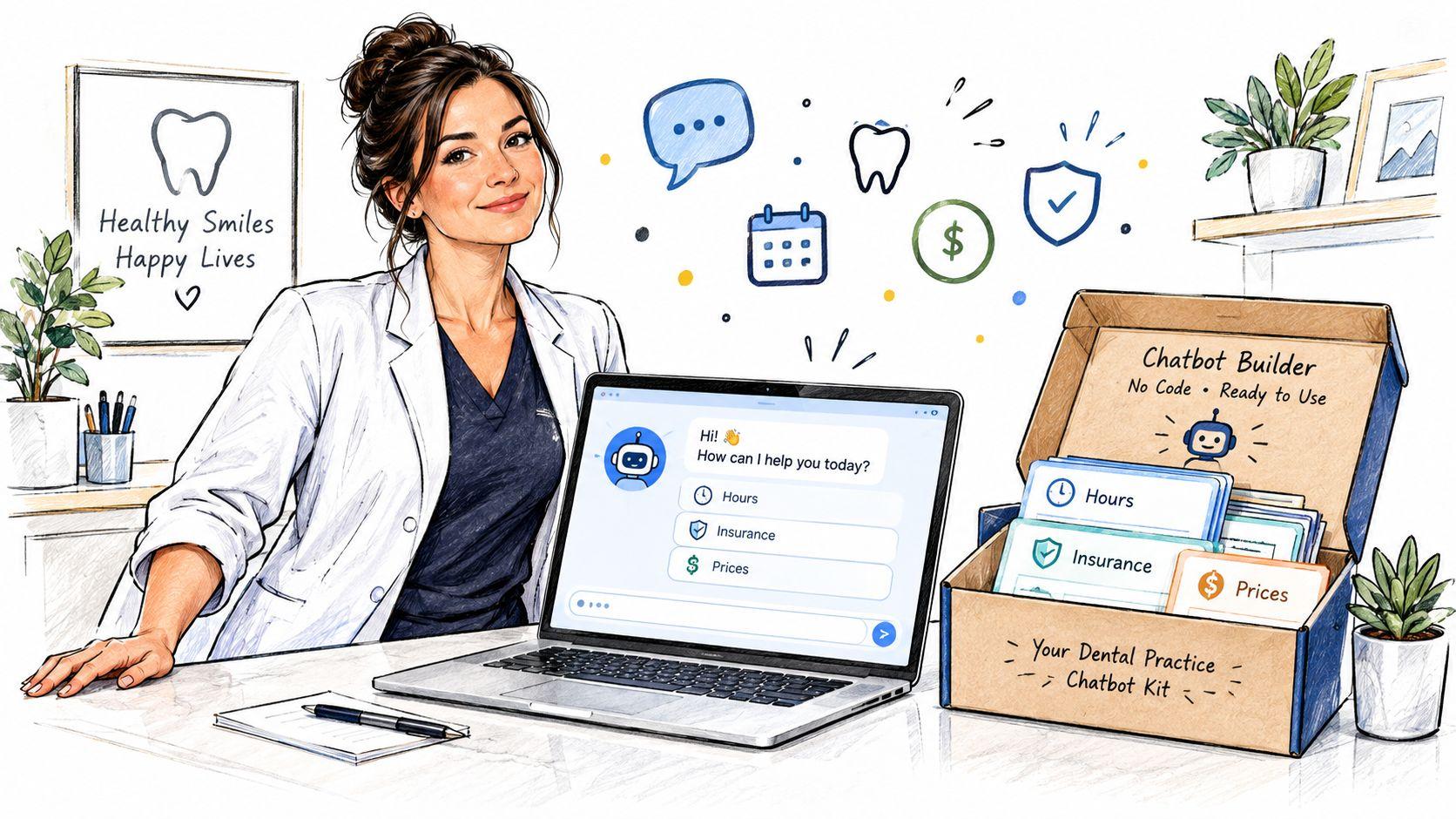
An AI chatbot builder helps you configure and publish a conversational assistant without assembling every technical component yourself. Say you own a dental practice and want a website assistant to answer questions about hours, accepted insurance and published prices, without writing code.
Think of the builder as a meal kit. The platform supplies ingredients such as language models, document tools and a chat widget, plus recipe cards in the form of conversation flows and rules. You choose the menu, approve the information and decide what the assistant must leave to staff.
The layers behind the conversation
- Conversation layer: The greeting, replies, follow-up questions and handoff messages patients see.
- Model layer: The language engine that interprets requests and generates responses.
- Data layer: Approved FAQs, policies and files used to support answers.
- Deployment layer: The website, messaging app, email workflow or other destination where people use the assistant.
For a closer look at connecting approved information to answers, SignalZen's guide to knowledge base chatbots is a useful companion.
Conversational polish isn't new. As AI Wiki's ELIZA history explains, MIT computer scientist Joseph Weizenbaum developed ELIZA between 1964 and 1967, using keyword spotting and text substitution to imitate a therapist without understanding the conversation.
The practical test: Judge whether the assistant completes the user's task, not whether it sounds human.
For the dental practice, a successful answer might explain published insurance policy and offer contact with reception. It shouldn't invent an individual coverage guarantee.
Core Capabilities Compared at a Glance
| Capability | What It Does | What to Check |
| LLM integrations | Connects language models to the chatbot | Model selection, switching without rebuilding, usage caps |
| Training and fine-tuning | Adapts a model's tone or behavior to your domain | Whether retrieval can meet the need without custom training |
| Knowledge bases | Makes FAQs, policies and files available for answers | Source citations, update handling, file size limits |
| Document parsing | Extracts information from PDFs, Word files and spreadsheets | Scanned-PDF support, table handling, page and file limits |
| Deployment channels | Publishes the assistant to websites, messaging apps, email or team chat | Required channels, embed process and channel-specific restrictions |
| Privacy and compliance | Controls retention, access and use of your data for training | Training opt-out, retention terms, data processing agreement |
| Moderation and family filters | Blocks or redirects unsafe or unsuitable requests | Explainable blocks, age settings and privacy-preserving activity summaries |
| Team and collaboration | Provides shared workspaces, roles and prompts | Role permissions, seat pricing and change history |
Fine-tuning isn't a knowledge base
These terms sound interchangeable, but they solve different problems. Fine-tuning changes learned behavior through training examples. A knowledge base supplies reference material that the system can consult when answering.
If your cancellation policy changes, update the reference document rather than treating the change as a training project. Fine-tuning may help with specialized response patterns, but it requires curated examples, evaluation and ongoing maintenance. It shouldn't be the automatic starting point for a small office or student.
A knowledge base doesn't guarantee correctness, either. During a demonstration, replace a policy document and ask the same question again. Check whether the builder uses the replacement, identifies its source and stops relying on the retired version.
Model choice needs a practical test
Multi-model access can be useful when you want to compare how different models handle the same task. Test a difficult table, an ambiguous request and a long document rather than assuming that a familiar model name guarantees good results.
Also distinguish a shared AI workspace from a deployable chatbot builder. A workspace may offer several models, PDF analysis and image generation without providing a public website widget, visitor permissions or receptionist handoffs. Buying the former doesn't automatically give you the latter.
Bring a representative file to the trial. A polished product demonstration won't tell you whether the parser preserves the relationship between a treatment name, its price and a qualifying footnote.
Buy for the capabilities you'll use during your initial launch. Leave speculative features off the purchasing checklist.
Choosing a Builder by Audience and Use Case
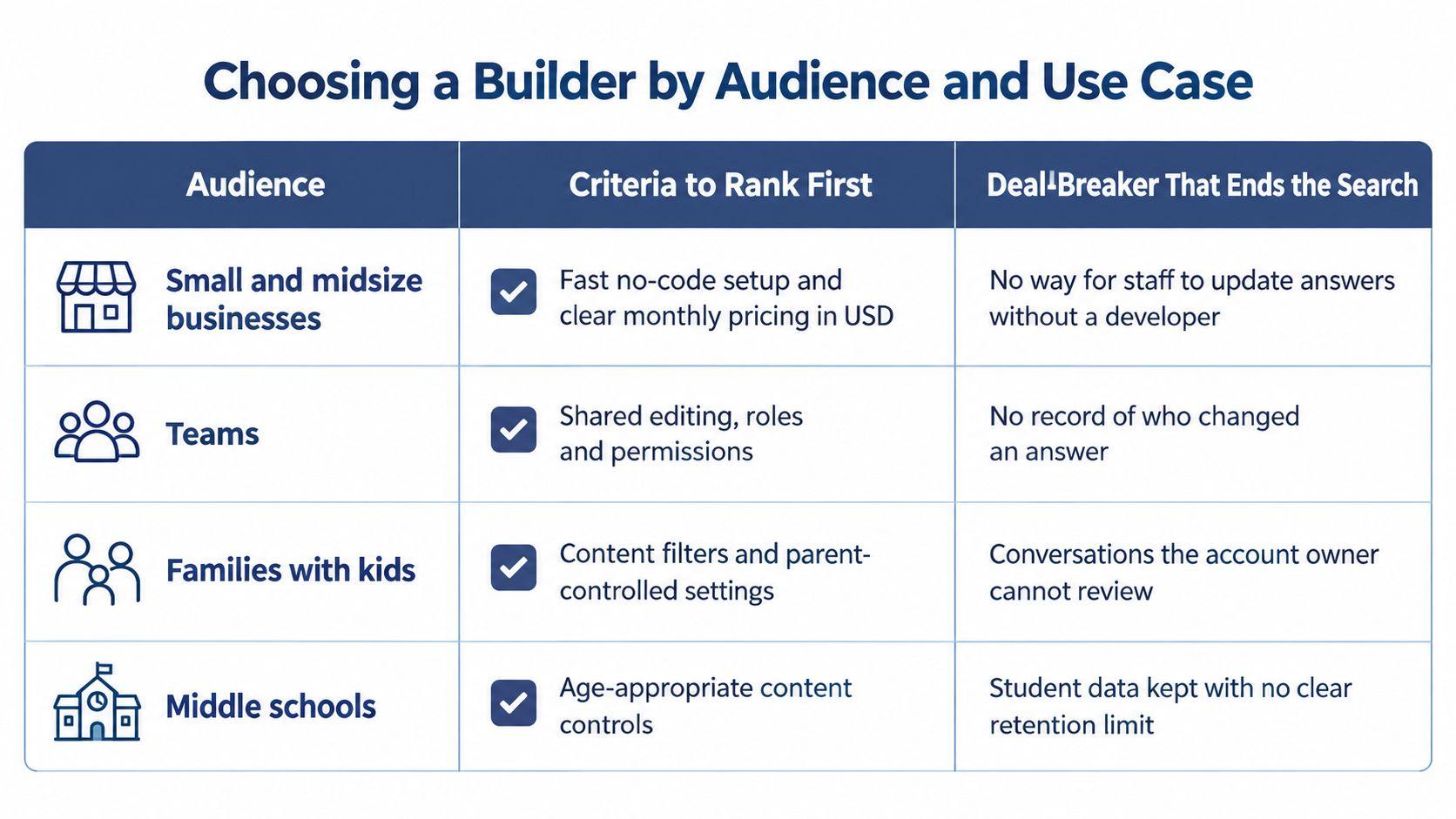
| Audience | Rank These First | Deal-Breaker |
| Small and midsize businesses | Document-based answers, human handoff, predictable per-seat cost | No human escalation or unclear retention |
| Multi-user teams | Roles, permissions, shared prompts and audit trail | Individual accounts with no controlled sharing |
| Families with kids | Age settings, private accounts and explainable blocks | Silent refusals, public chats or no parental controls |
| Middle and high school students | Skill-building explanations, straightforward interface and safe defaults | Essay generation without learning support, or hidden data sharing |
| College students | Research with sources, instructive proofreading and affordable monthly access | Unannounced pricing changes or absent citations |
A useful shortlist begins with who will use the assistant and what could go wrong for them. A parent, office manager and thesis writer may all want document chat, but they need different controls around it.
Match the purchase to the actual job
For a dental office, imagine a library of policy PDFs and price lists. The assistant needs to distinguish general information from questions requiring a receptionist, such as whether a particular patient's treatment is covered. Reject a setup that leaves visitors in a conversational dead end when staff assistance is needed.
The channel matters, too. If most requests arrive by email, a website widget may not address the actual bottleneck. Truespeak's discussion of first-response automation for growing service businesses offers context for deciding which incoming requests to automate first.
For a family, consider a child asking a legitimate biology question that contains sensitive vocabulary. A useful assistant should distinguish educational intent from unsafe requests and explain its boundaries. Try a blocked question together: can the child understand the reason and find an appropriate way to keep learning?
For a college student, consider thesis preparation. The student needs to locate passages, examine arguments and improve drafts without losing ownership of the work. Ask the tool to identify an unsupported claim and explain a suggested revision, not rewrite the whole chapter.
Shared use changes the requirements
A team needs controls an individual may never use. Someone must decide who can publish an answer, change a shared prompt or invite another member. Ask the vendor to demonstrate those actions using different account roles.
Don't accept a shared password as collaboration. It prevents you from identifying who changed a setting and makes it harder to remove access when someone leaves.
For students, check the school's rules before uploading course materials or using generated writing. A technically capable tool can still be unsuitable for a particular assignment or institutional policy.
Accuracy and Security Checks Before You Trust It
A bot that sounds right isn't necessarily right. Retrieval-augmented generation, commonly called RAG, means retrieving relevant material and giving it to the model as context. Uploading files is the beginning of that process, not proof that it works.
Test retrieval and answers separately
The Springer article on RAG evaluation distinguishes faithfulness, answer relevance and context relevance, and discusses multilingual evaluation through RGB, which covers English and Chinese.
Use those distinctions to diagnose failures:
- Faithfulness: Does each factual claim follow from the retrieved text? Unsupported additions suggest grounding or generation problems.
- Answer relevance: Does the response address the actual request at the right level of detail?
- Context relevance: Did retrieval find useful passages, or mostly unrelated material?
Low context relevance calls for checking document segmentation, search representations, metadata filters and query wording. Low faithfulness calls for examining grounding instructions, unnecessary context and unsupported generation.
Build a labeled test sheet from real PDFs, FAQs and support questions. Record the question, expected answer, supporting passage and whether escalation is appropriate. Include ambiguous wording, missing information and requests outside the assistant's remit.
Track citation coverage, whether retrieval found the needed passage, answer relevance and response time. Open the citations rather than checking only that a citation marker exists. If users work in different languages, test their actual language and document combinations.
Keep authorization outside the model
OWASP's prompt-injection guidance explains that malicious instructions can arrive through user input or external content, including retrieved documents, and that RAG doesn't remove this risk.
A file can contain instructions telling the assistant to ignore its rules or reveal restricted information. Treat retrieved text as evidence, not as permission to change system behavior.
- Filter access before retrieval: Users should only retrieve documents they're authorized to see.
- Protect actions in application code: Keep credentials out of prompts and require approval for consequential changes.
- Validate outputs: Check structured responses and apply appropriate policy filters.
- Minimize logs: Redact unnecessary personal information and limit stored conversation content.
Test an adversarial file and attempt to retrieve another user's private document. Ask about isolation across search indexes, caches and conversation state, not just account passwords.
Read the service's privacy policy alongside its technical answers. Confirm retention, deletion and downstream processing terms before uploading sensitive material.
Family Oversight Without Turning Into Surveillance
You may know your child uses a chatbot without knowing whether they're asking about algebra, friendships or something distressing. Reading every message isn't the only way to respond, and secrecy about monitoring can make honest conversations harder.
A 2025 cross-country study of 159 parents of teenagers found that about 40% didn't track their children's actual generative-AI use, while 68% expressed privacy concerns. Those concerns call for understandable controls, not an assumption that more monitoring automatically means more safety.

Look for proportional controls
A family-oriented builder should make its age eligibility and parental consent process clear. Accounts should start private, with age-appropriate settings that a parent can understand without interpreting technical policy language.
- Explain restrictions: A blocked response should give an understandable reason and, where appropriate, a safer educational alternative.
- Use topic-sensitive safeguards: Context matters when distinguishing homework from harmful instructions.
- Prefer non-content summaries: Activity timing and frequency can support oversight without routinely exposing full transcripts.
- Provide human help: Children should know when and how to involve a parent, teacher or another trusted adult.
Don't assume a family account means parents should inspect every conversation. Agree on what adults can see, what triggers a safety notification and when you'll discuss concerns together.
A better boundary: Make the rules visible before a child encounters them, and explain any exception to normal privacy.
Teach judgment alongside settings
Adding blocked words can interfere with legitimate questions about health, history or literature. A child who receives an unexplained refusal may just switch tools.
Try these conversation starters:
- Checking accuracy: How would you find out whether this answer is correct?
- Protecting privacy: What information would you leave out, even if the bot asked for it?
- Recognizing limits: When would you stop asking the chatbot and speak to a person?
Ask the child to demonstrate their answers using a harmless example. You learn more from watching their decision process than from asking whether they understand AI safety.
Total Cost and the Break-Even Test
The lowest subscription isn't necessarily the cheapest option. A tool that requires constant checking, manual copying or repeated document cleanup can consume the time you hoped to save.
The ICIC AI in Business report found that 89% of surveyed small-business owners already had someone using AI, while tool cost, rapid technological change and complex AI information were leading barriers. That describes a purchasing problem as much as a technology problem: owners need a manageable operating model, not another isolated account.
Build a complete monthly estimate
| Cost Item | How to Estimate | What Makes It Rise |
| Seat or subscription fees | Required users multiplied by monthly price | More staff, students or family members needing access |
| Model usage overage | Billable usage beyond included allowance multiplied by the applicable rate | Busy periods, longer conversations and large documents |
| Weekly review time | Review hours across the billing month multiplied by staff hourly cost | Weak answers and hard-to-check citations |
| Escalation handling | Escalated conversations multiplied by handling time and staff cost | Incomplete information and poorly routed requests |
| Data cleanup | Cleanup hours multiplied by staff cost, budgeted as setup work | Outdated files, sensitive content and mixed permissions |
| Migration | Export and transfer hours multiplied by the relevant labor cost | Proprietary formats and unsupported exports |
| Exit or lock-in risk | Estimate rebuilding effort and keep a contingency allowance | Changes to access, model availability or pricing |
Keep setup spending separate from recurring expenses, then decide how you'll allocate it over the period you're evaluating. Otherwise, a cheap-looking month can hide substantial preparation work.
Use published pages such as SupportGPT-1 pricing options to identify what a vendor bills for. Compare those billing units with your expected workload rather than treating the advertised subscription as the full budget.
Likewise, inspect the plan pricing and included allowances before committing. Check whether the features you tested belong to the plan you intend to buy.
Calculate net value without double counting
Use this decision formula:
Monthly net value = gross staff time saved × staff hourly cost − total monthly operating cost.
For a hypothetical practice, multiply the reception time no longer spent answering routine questions by its internal hourly labor cost. Then subtract the subscription, usage charges, checking work and handoff handling. Use your own measured inputs rather than a vendor's estimate of time savings.
Be consistent. If your time-saved figure already subtracts review work, don't subtract that same labor again as a cost. Count only the additional effort caused by the assistant, not every task reception would have performed anyway.
Also distinguish capacity gained from cash saved. Freeing staff for patient support creates value, but it doesn't automatically reduce payroll. Describe the benefit accurately when deciding whether the expense is justified.
A conversation isn't resolved just because the user stopped replying. Check whether they received a usable answer or reached the right person.
Price the ability to leave
Keep a copy of your knowledge base in ordinary document or text formats. Store prompts, rules and conversation flows in files your organization controls.
Before buying, request an export demonstration. Check whether citations, metadata and access settings travel with the content or need rebuilding.
Run your acceptance questions on a replacement platform before switching. A builder with restrictive exports deserves a lower shortlist score, even if its current subscription looks attractive. Exit difficulty is a real commitment, not a problem to postpone until cancellation.
Setup Checklist From Pilot to Rollout
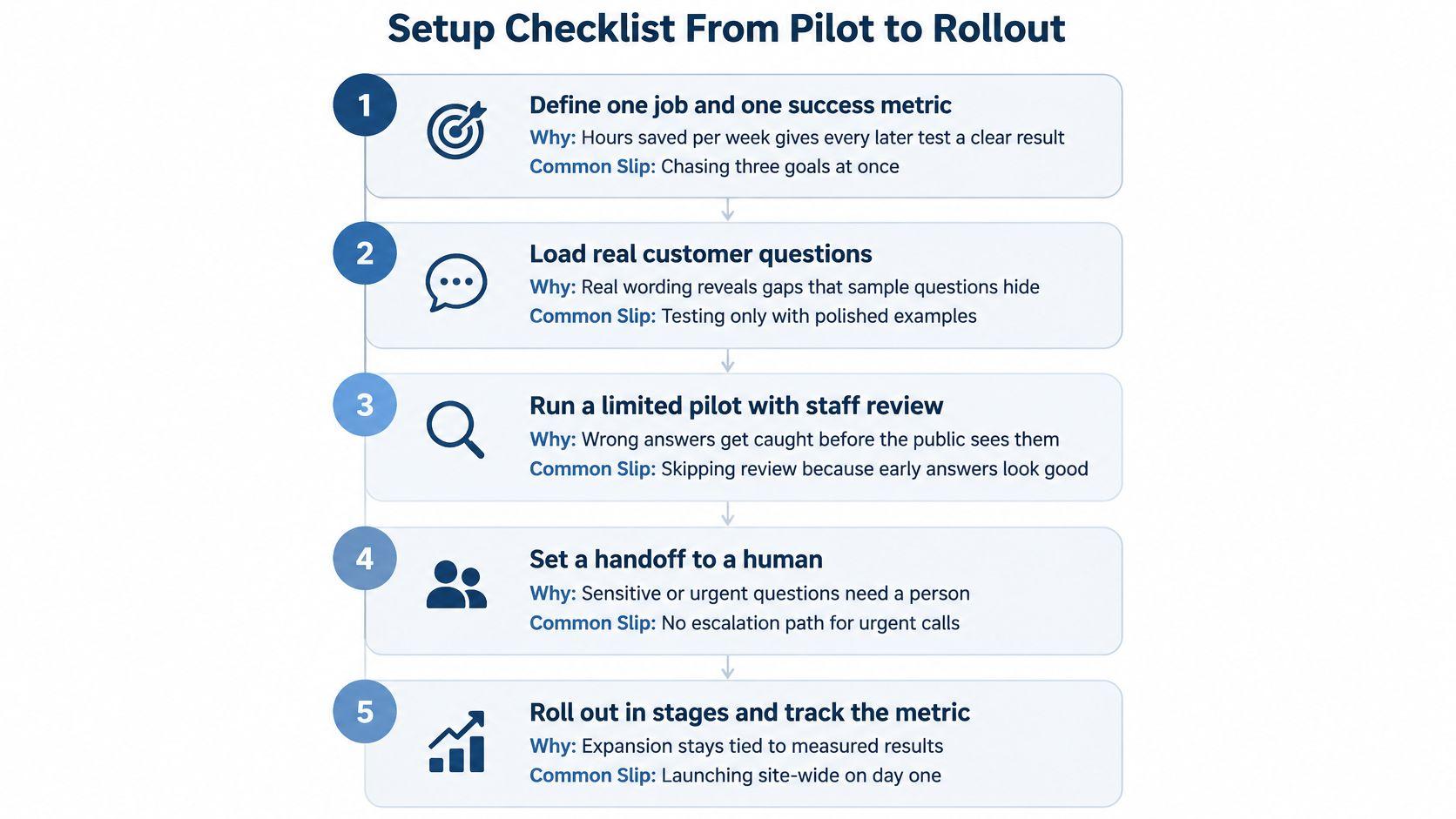
Treat launch as a controlled service change, not a widget installation. Keep the scope small enough that someone can inspect failures and fix their causes before more people rely on the assistant.
Build and test deliberately
- Define a bounded job and a success metric.
Write down exactly what the assistant should accomplish, such as answering published opening-hours questions while reducing routine reception work. The common slip is combining information support, appointment changes and sensitive advice before any of them works reliably. - Prepare an approved source collection.
Gather the material needed for that job, remove superseded versions and identify an owner for each policy. Don't upload an entire shared drive just because the platform accepts it. Conflicting documents create an avoidable problem before the model generates anything. - Shortlist builders against the operating requirements.
Compare audience needs, realistic costs and non-negotiable controls. Ask each vendor to demonstrate your difficult case, not only its preferred example. The usual slip is choosing a polished interface before confirming that the required workflow is possible. - Build on a limited channel with a working handoff.
Start where you can observe use and route unresolved requests to a named person or monitored queue. Test what happens outside staff hours. A contact button isn't enough if nobody receives the request or knows they're responsible for it. - Create repeatable acceptance tests.
Save realistic questions, expected evidence and unacceptable outcomes in a scoring sheet. Include unsupported requests and attempts to bypass restrictions. Don't change the scoring criteria merely because the assistant gives an appealing answer. - Configure access and age-appropriate settings.
Use suitable permissions, account defaults and logging choices for the intended users. Test with an ordinary member account rather than relying on the administrator's view. Administrative access can hide the restrictions or exposure that everyone else experiences.
Expand only when someone can own it
- Run a limited pilot with scheduled review.
Choose users who represent the intended audience and ask them to report confusing answers as well as incorrect ones. Keep a failure log with a cause and an assigned fix. The common slip is collecting feedback without deciding who must act on it. - Assign an owner before wider rollout.
Give someone responsibility for content updates, quality reviews, unexpected charges and disabling the assistant if necessary. Recheck behavior after model, prompt or document changes. A successful pilot doesn't remove the need for maintenance.
Use the product FAQ to resolve setup questions, then verify the answers in the actual account configuration. Keep unresolved requirements on the launch checklist instead of assuming they'll work after purchase.
Your launch decision should be straightforward: the assistant completes its defined job, respects its boundaries and has someone accountable when it fails.
Ready to test a privacy-first AI workspace for your household or small team? Consider 1chat for multi-model chat, PDF analysis and image generation. Start with a non-sensitive document and a real task, check the available controls, and confirm any deployment requirements before choosing a plan.