The most popular advice in an AI chatbot comparison is also the least useful: choose the chatbot with the highest benchmark score. That recommendation assumes every buyer has the same workload, risk tolerance, budget, and technical confidence. They don't.
A parent choosing a tool for children has different priorities from a marketing team producing campaign assets. A small law firm may value data controls over image generation, while a student may care more about document summaries and an accessible free tier. The chatbot market has moved far beyond a niche software category, with one 2026 estimate valuing it at about $11.45 billion and projecting $32.45 billion by 2031 at a 23.15% CAGR (Mordor Intelligence market analysis). Buyers need a practical method, not another leaderboard.
Why Best Overall Is the Wrong Question
“Best overall” sounds efficient, but it hides the decision that matters most: best for whom, doing what, under which rules?
Chatbots have evolved from experimental text interfaces into everyday products. ELIZA appeared in 1966, and Facebook opened Messenger to developers in 2016, helping trigger a major wave of brand chatbot adoption (chatbot history and adoption timeline). The comparison has changed with the technology. People aren't choosing between a few novelty tools anymore. They're selecting systems that may handle family questions, schoolwork, business documents, internal communication, and routine research.
That shift makes raw model capability an incomplete buying signal. Independent evaluations such as LiveBench separate performance into reasoning, coding, agentic coding, mathematics, data analysis, language, instruction following, and cost per successful task (LiveBench evaluation categories). A chatbot can excel at one workload and be a poor choice for another. A reasoning lead doesn't automatically make it the safest family tool, easiest team workspace, or best value for a small company.
The buyer matters more than the badge
Consider two plausible buyers. A small law firm might choose a privacy-heavy chatbot with restrictive data handling because client confidentiality comes first. That same choice could disappoint a marketing team that needs convenient image generation and broad creative tooling. The law firm didn't make a bad purchase because it missed a flashy feature. The marketing team didn't make a bad purchase because it accepted a different privacy trade-off. Each buyer optimized for a different liability.
Practical rule: Don't ask which chatbot wins the internet. Ask which failure would cost your household or organization the most.
The five useful personas are small-business owners, families, distributed teams, students, and solo power users. The same platform can be a strong fit for one and a poor fit for another. Current adoption makes this distinction urgent. Generative AI use among U.S. adults aged 18 to 64 reached 54.6%, while roughly one in six people worldwide use generative AI tools (Federal Reserve discussion of generative AI adoption). As AI becomes habitual, governance and fit matter more than a single impressive demo.
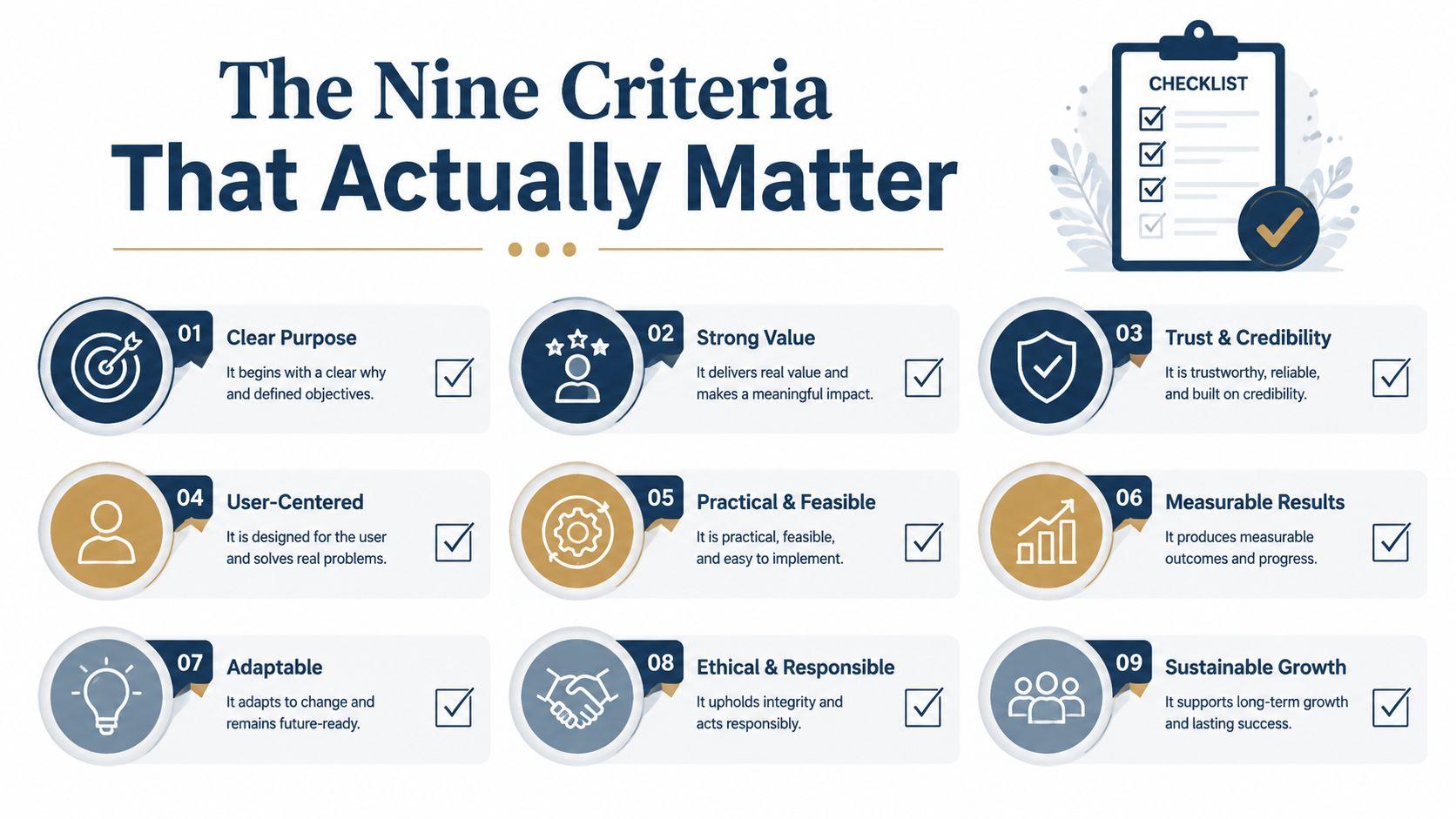
The Nine Criteria That Matter
A useful chatbot comparison needs a repeatable rubric. Score each platform against your routine, risk tolerance, and budget before looking at benchmark results or product badges.
Start with risk and control
Privacy and data handling covers prompts, uploads, and conversation history. Review training opt-outs, retention rules, regional storage, account separation, and administrator visibility. A privacy statement means little if the controls do not match your needs.
Family-friendly controls and age design extend beyond content filters. Check age gating, parent oversight, limits on web access or image tools, and settings children cannot casually bypass. Families may accept fewer features in exchange for clearer supervision.
LLM switching and model choice shows whether users can select a model for a particular task. A curated choice reduces confusion. A broad model picker suits power users. Do not pay for model variety that your routine will not use.
Test the work, not the demo
PDF and document analysis includes upload handling, long files, tables, charts, citations, and context retention. A chatbot that summarizes plain text well may still fail on a scanned contract or spreadsheet-heavy report.
Image generation matters for social assets, concepts, illustrations, and educational material. Compare output quality, editing control, speed, and commercial-use terms. Treat image tools as workflow features, not interchangeable extras.
Team collaboration covers shared workspaces, permissions, project organization, SSO, analytics, and billing administration. Shared credentials do not create a proper team system, even if the subscription permits multiple users.
Calculate the operating burden
Pricing and per-seat cost includes active users, higher tiers, add-ons, usage caps, and the expense of moving between personal and business plans. A low sticker price can become poor value when several people need access.
Performance and reliability means consistent responses, reasonable latency, availability, and instruction following during ordinary work. A brilliant answer that arrives inconsistently can waste more time than a slightly less capable dependable system.
Integration footprint measures fit with email, calendars, documents, storage, browsers, and business software. Integrations create value only when the connected tools already belong in your workflow.
Mark the three criteria that matter most before reading the matrix. This prevents a low-priority feature from deciding a purchase driven by privacy, family safety, document work, collaboration, or cost.
Head-to-Head Snapshot Across the Field
The five platforms serve different audiences. 1chat positions itself as a privacy-first, family-oriented alternative with access to multiple models. ChatGPT is a broad general-purpose assistant used for writing, analysis, coding, and creative tasks. Claude emphasizes careful writing, reasoning, and document-oriented work. Gemini fits naturally into Google's ecosystem. Microsoft Copilot is strongest where Microsoft 365 workflows already dominate.
The table uses an advisory 1 to 5 score, not a laboratory measurement. These are practical fit ratings for the five personas, and they should be reweighted against your own workload. For readers who want a deeper model-by-model research path, find the best LLM in 2026 offers a separate evaluation resource. You can also review 1chat's research materials before treating any product score as final.
AI Chatbot Comparison Snapshot
| Criterion | 1chat | ChatGPT | Claude | Gemini | Microsoft Copilot |
| Privacy and data handling | 5/5 | 3/5 | 4/5 | 4/5 | 4/5 |
| Family-friendly controls | 5/5 | 3/5 | 2/5 | 3/5 | 3/5 |
| LLM choice | 5/5 | 4/5 | 3/5 | 3/5 | 2/5 |
| PDF and document analysis | 4/5 | 4/5 | 5/5 | 4/5 | 4/5 |
| Image generation | 4/5 | 5/5 | 2/5 | 4/5 | 4/5 |
| Team collaboration | 4/5 | 4/5 | 4/5 | 4/5 | 5/5 |
| Pricing and per-seat value | 4/5 | 3/5 | 3/5 | 3/5 | 3/5 |
| Performance and reliability | 4/5 | 5/5 | 4/5 | 4/5 | 4/5 |
| Integration footprint | 3/5 | 4/5 | 3/5 | 5/5 | 5/5 |
How to read the ties
The privacy row deserves more weight for businesses and families than for casual experimentation. The image-generation lead matters to creative teams, but it shouldn't decide a purchase for a household that needs supervision or a firm handling confidential files.
Several platforms tie on team collaboration, and that tie is more informative than the absolute score. Shared workspaces, permissions, administrative controls, and billing may look similar at a glance, but the practical question is whether your team can adopt them without creating a second system of record.
Document handling also requires a real-file test. Upload the PDFs, tables, and scans your users work with. Ask the same questions in each platform, then inspect whether the chatbot cites the right section, preserves numerical context, and admits uncertainty. Preference-based evaluation can be useful here because the Chatbot Arena research found that strong language-model judges matched controlled and crowdsourced human preferences at over 80% agreement (Chatbot Arena benchmark paper). Everyday usefulness still matters more than a static score.
Privacy, Family Controls, and Student Safety
Privacy is where many chatbot comparisons become careless. They repeat a platform's general policy without checking the settings that determine what users expose.
For business accounts, examine whether prompts and uploaded files are used for model improvement by default, whether administrators can control retention, and whether personal and organizational workspaces remain separate. ChatGPT exposes separate privacy controls. Gemini's Workspace environment is designed around organizational data isolation. Claude's commercial tiers provide a different data-handling posture from consumer use. Those distinctions matter, but buyers should verify the current configuration before uploading sensitive material.
Privacy and Family Controls Compared
| Chatbot | Default Data Training | Opt-Out Path | Retention Period | Family/Student Controls |
| 1chat | Verify current privacy settings | Review account privacy controls | Confirm current policy | Family-oriented controls and safer defaults |
| ChatGPT | Consumer and business settings differ | Adjust privacy settings in account controls | Confirm by plan and setting | Age-related protections, but parent oversight should be verified |
| Claude | Commercial and consumer handling differ | Review privacy controls and plan terms | Confirm current policy | Limited family-specific administration |
| Gemini | Personal and Workspace handling differ | Review Google account or Workspace controls | Confirm current policy | Age and safety settings depend on account context |
| Microsoft Copilot | Consumer and Microsoft 365 handling differ | Review Microsoft privacy and organizational controls | Confirm current policy | Account and administrator settings vary |
The safe conclusion isn't that one badge settles the issue. Privacy posture is partly a platform decision and partly a configuration decision. A team can undermine a strong policy by using personal accounts for client work. A parent can choose a family-oriented product and still fail to configure access, age modes, or web permissions.
What families and schools should verify
Families should check whether parents can manage access, whether image generation and web browsing can be limited, and whether children receive age-appropriate behavior rather than an unrestricted adult account. Students need a different safeguard. They should be able to use document summarization and writing assistance without treating generated text as verified research.
Pew-based U.S. data indicates that 49% of adults use AI chatbots, and 24% use them daily, including people who use them several times a day or almost constantly (Pew-based AI chatbot usage analysis). Habitual use raises the cost of weak defaults. Before choosing, read the platform's privacy policy and legal commitments, then test deletion, account separation, and family settings with a non-sensitive account.
LLM Choice, Documents, Images, and Team Features
Feature breadth is useful only when the product keeps those capabilities accessible. Many buyers pay for a large bundle, then discover that the model they need, the file workflow they expect, or the collaboration controls sit behind another plan.
Capability Matrix Models Documents Images Teams
| Chatbot | LLM Choice | PDF/Document Limits | Image Generation | Team Collaboration |
| 1chat | Curated marketplace and multi-model access | Strong general document workflow, verify file limits | Available as part of the broader assistant experience | Designed for teams and small businesses |
| ChatGPT | Broad model picker | Strong analysis, with limits varying by plan | Strong native image capability | Shared workspaces and business administration vary by plan |
| Claude | Model tier selection | Particularly strong for long-form document work | Not the primary strength | Team and enterprise features vary by plan |
| Gemini | Model routing across available options | Strong within Google's document ecosystem | Available through Google's AI tools | Workspace collaboration is a major advantage |
| Microsoft Copilot | Less direct model exposure | Strong when connected to Microsoft files | Available through Microsoft products | Deep Microsoft 365 administration and collaboration |
Model switching matters most to power users. ChatGPT offers a broad picker, Claude lets users select among model tiers, and Gemini can route users between faster and more capable options. Copilot often hides more of the underlying model choice because it prioritizes product integration. A curated marketplace can be better for non-technical users who want choice without constant configuration.
Documents require a more demanding test than “can it read PDFs?” Upload a contract with tables, a report containing charts, and a scanned document. Ask the chatbot to identify a specific clause, compare figures, and cite the relevant page or section. If the system flattens tables or loses chart context, its apparent document intelligence won't survive real work. Teams reviewing technical implementation patterns may also benefit from this documentation for AI assistants, especially when they need to understand how assistant workflows are structured.
Images create a different trade-off. ChatGPT is a natural choice for users who need native generation and iterative creative work. Gemini and Copilot can fit buyers already invested in Google's or Microsoft's creative ecosystems. Claude is usually a weaker fit when image generation is central.
Team features decide whether a chatbot becomes shared infrastructure or remains a collection of individual accounts. Look for shared projects, admin consoles, SSO, usage visibility, permissions, and clean offboarding. Microsoft Copilot leads when a team already lives inside Microsoft 365. Other platforms can compete when their workspace design is simpler or their model access is broader.
Pricing and Real Cost per User
Headline pricing creates false confidence because chatbot costs rise through usage, seats, and plan boundaries. The right question isn't “what does the subscription cost?” It's “what will each active user need to avoid interruptions?”
Free tiers can be enough for occasional questions, light proofreading, and basic experimentation. Heavy users may encounter message caps, slower access, limited image generation, restricted document uploads, or weaker model availability. A low entry price is only a bargain if the user stays within those limits.
Pricing Breakdown by Plan and Persona
| Chatbot | Free Tier | Mid-Tier Price | Top-Tier Price | Key Hidden Limit |
| 1chat | Available options vary | Check current tiered pricing | Check current business or advanced tier | Usage, model access, and document limits may vary by plan |
| ChatGPT | Available with restrictions | Plus subscription | Pro and Team options | Message caps, model access, image quotas, and workspace separation |
| Claude | Available with restrictions | Pro subscription | Team and Enterprise options | Usage limits and higher-tier access |
| Gemini | Free access available | Advanced subscription | Workspace add-on options | Model access, storage bundle, and Workspace boundaries |
| Microsoft Copilot | Consumer access varies | Pro subscription | Microsoft 365 business bundles | The real cost can include the broader Microsoft subscription |
Don't invent an annual budget before identifying active users. A family with several regular users needs to count separate accounts, supervision requirements, and whether everyone needs the same capability. A five-person SMB should calculate seats, document use, administrator needs, and the cost of keeping business files out of personal accounts. A ten-person team should test whether the minimum seat structure or enterprise requirements alter the advertised economics.
Students should begin with the free tier and test actual study tasks before upgrading. A solo power user should compare the cost of model choice, advanced tools, image creation, and sustained usage rather than selecting the most expensive plan automatically.
Use the provider's current pricing pages because limits and packaging change. For a product-specific reference, check 1chat's pricing information, then compare the same workload across competing plans. Track cost per completed task, not cost per message. A plan that generates one usable document in a single session may be better value than a cheaper plan that requires repeated retries.
Recommended Pick for Each Persona
A useful recommendation must select one tool, then explain the trade-off. The best chatbot depends on who uses it, what data it handles, and how many people need access.
Recommended Chatbot by Persona
| Persona | Top Pick | Decisive Feature | Starting Price |
| Small-business owner | Microsoft Copilot | Microsoft 365 integration | Check current plan pricing |
| Family | 1chat | Family-oriented privacy and controls | Check current plan pricing |
| Distributed team | Microsoft Copilot | Workspace administration and collaboration | Check current plan pricing |
| Student | ChatGPT | Broad free-tier usefulness and study support | Free option available, subject to limits |
| Solo power user | ChatGPT | Broad model choice and advanced tooling | Check current plan pricing |
Small-business owners
Pick Microsoft Copilot if your company already depends on Outlook, Word, Excel, Teams, and SharePoint. Its strongest advantage is working inside the documents and communication systems employees already use. That reduces copying, switching, and confusion over where business files belong.
The trade-off is data governance. If your company handles sensitive documents or needs several underlying models, run a privacy and document pilot before committing. Integration is valuable only if the plan provides acceptable access controls and document handling.
Families
Pick 1chat for households that want a family-oriented, privacy-first option. Family controls matter more here than a small difference in model performance. Parents should check age-appropriate access, web permissions, image permissions, and account-sharing rules before allowing regular use.
Distributed teams
Pick Microsoft Copilot for teams already operating in Microsoft 365. Shared collaboration, administrator control, and access to workplace files make the platform easier to govern than a collection of personal subscriptions.
Review the seat structure before buying. Actual costs can include the broader Microsoft subscription, along with separate requirements for business files, permissions, and centralized billing.
Students
Pick ChatGPT as a starting point for brainstorming, study explanations, proofreading, and document summarization. Students should begin with the free tier and test real assignments before upgrading. They still need to verify sources, disclose assistance when required, and treat generated writing as a draft rather than evidence.
Solo power users
Pick ChatGPT if you need model choice, advanced tools, image generation, and a broad ecosystem in one account. The model picker lets one user match the tool to coding, research, writing, or creative work without automatically maintaining several subscriptions.
Compare plans by cost per completed task, not cost per message. A cheaper plan that requires repeated retries may offer worse value than a higher-priced plan that produces one usable document in a single session. Check current provider pricing because limits and packaging change. For a product-specific reference, review 1chat's pricing information, then compare the same workload across competing plans.
Your Three-Question Decision Checklist
Before paying for any chatbot, answer three questions in writing.
Can you control the data?
Can the platform let you opt out of training, delete conversation history, separate business data from personal use, and manage access across users? If the answer is unclear, don't upload confidential documents during evaluation. Ask the provider for the exact plan-level behavior, then test the settings yourself.
Does it match the workload?
List the files and tasks users handle every week. Include PDFs, spreadsheets, images, email, meeting notes, shared projects, and school assignments. Test those materials directly. A chatbot that looks impressive in a general demo may fail when it must preserve a table, follow a house style, or respect a family restriction.
Your evaluation should include at least one ordinary task and one difficult task. Ask each shortlisted tool to summarize a long document, extract a specific detail, revise an imperfect draft, and explain what it cannot verify. That reveals practical instruction following better than a single benchmark result.
What happens when usage grows?
Calculate the cost for every active user, including higher tiers, add-ons, separate business workspaces, image quotas, and document limits. Then model the month when usage spikes or a new employee joins. A platform that is affordable for one person may become awkward when the organization needs permissions and centralized billing.
Use a simple weighted score:
- Privacy and control: Give the highest weight if you handle sensitive files or children's accounts.
- Workload fit: Prioritize document, image, integration, and collaboration performance.
- Total cost: Include the likely upgrade path, not only the entry tier.
Benchmark rankings can inform the shortlist, but they shouldn't make the decision for you. Businesses that publish content or depend on AI-assisted discovery can also consult this practical AI search visibility guide when evaluating how assistants affect their broader workflow.
Score the tools against your three priorities, run a real-file trial, and choose the chatbot that fits your users before you choose the one with the loudest benchmark reputation.
If your priority is a privacy-first, family-friendly, and team-oriented AI chatbot, try 1chat with the tasks you perform, including document analysis, model selection, image generation, and collaborative work. Start with a low-risk test, confirm the controls your household or business needs, and upgrade only when the workflow proves its value.