Most advice about an AI chatbot for customer service starts in the wrong place. It starts with ticket deflection, lower staffing pressure, and always-on replies. Those benefits matter, but they can hide the core question: did the customer get their problem solved?
A bot that keeps someone inside chat for five minutes and then sends them to email, phone, or a second support session hasn't succeeded. It has delayed the work. For small businesses, that mistake is expensive because the same issue comes back twice. The customer gets annoyed, the team still has to handle the case, and leadership thinks the chatbot is working because a dashboard says "contained."
The Hidden Trap of Customer Service AI
The biggest reporting mistake in chatbot programs is treating containment as the same thing as resolution. They aren't the same. Zoom's guidance puts it plainly: "containment is not a proxy for customer success" because if a customer abandons the bot and calls back, that interaction failed, even if the bot technically kept the session from escalating in the moment (Zoom on AI chatbot customer service).
That distinction matters more than most vendors admit. A contained chat can still create repeat contacts, longer customer effort, and internal cleanup for your support team. Small businesses feel this quickly because they don't have the staffing depth to hide rework.
What bad containment looks like
A weak bot usually does one of these things:
- Loops the customer through menus that never match the actual issue
- Answers confidently but vaguely when the knowledge base is incomplete
- Refuses to escalate because the workflow was designed to reduce handoffs, not solve problems
- Collects details twice, once in the bot and again with the human agent
Practical rule: If a customer leaves chat and contacts you again for the same problem, count that as failure, not savings.
What actual success looks like
A useful AI chatbot for customer service does three things well:
- Understands the request clearly
- Takes the right action or gives the right answer
- Hands off cleanly when it can't finish the job
The hard part isn't getting a bot online. The hard part is making it trustworthy enough to resolve issues without creating extra customer effort. That's why quality controls matter as much as model quality. If you're evaluating LLM-based support, this guide to Geode insights on LLM safeguards is worth reading because hallucination control is directly tied to whether customers get a real answer or a polished wrong one.
If you remember one thing from this article, make it this: a customer service bot should be measured by solved outcomes, not trapped conversations.
What Is an AI Chatbot and Why Does It Matter Now
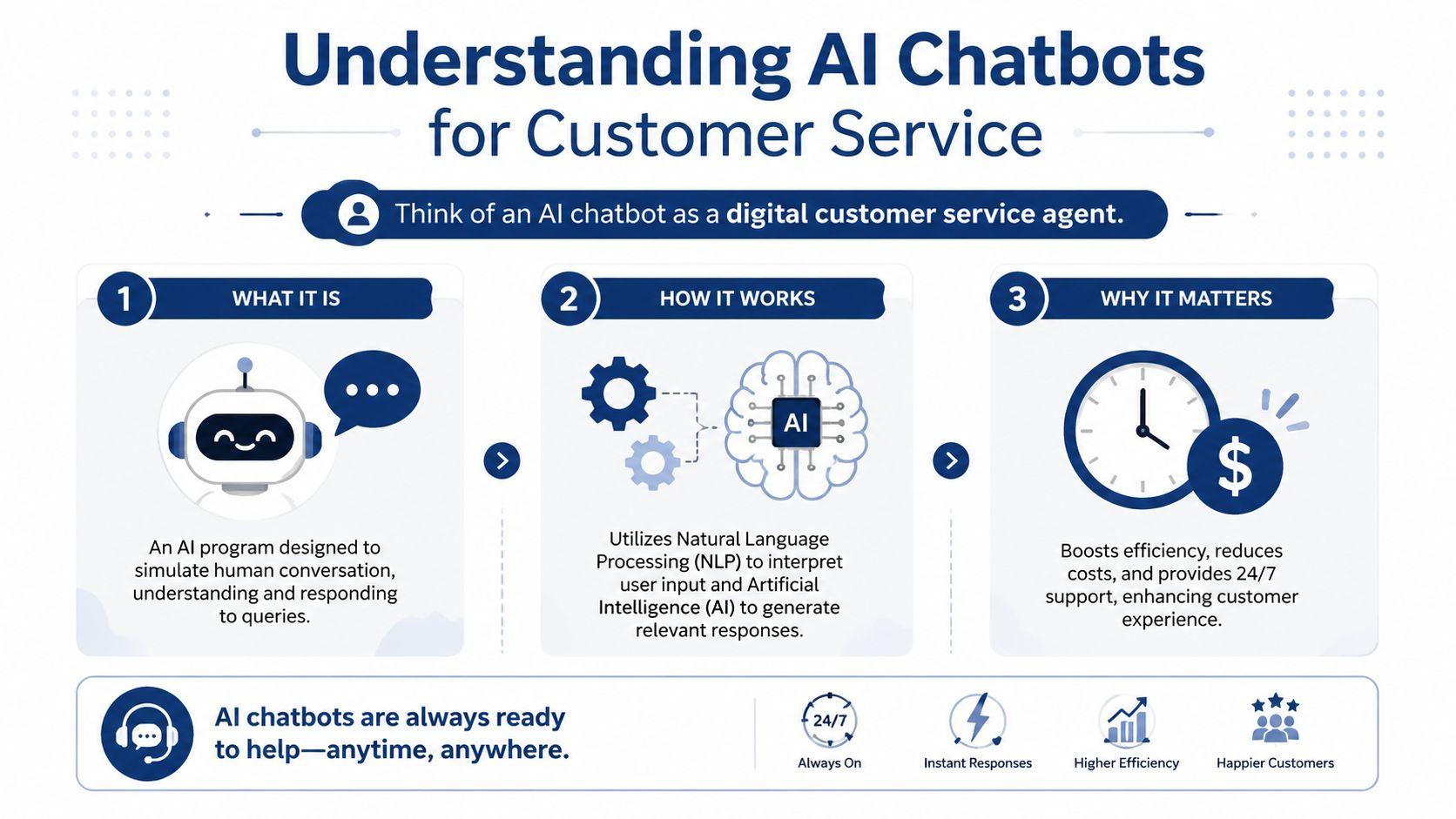
An AI chatbot for customer service is best thought of as a digital support teammate. It reads customer questions, interprets intent, looks up the right information, and replies in conversational language. In stronger setups, it doesn't just answer questions. It also performs actions such as checking an order, collecting return details, or routing a case with the right context attached.
A simple way to think about it
A traditional FAQ page waits for customers to find the right article. An AI chatbot meets them in the moment and turns that static information into a conversation.
For a business owner, that changes the shape of support work:
- Questions get answered instantly instead of waiting in a queue
- Routine requests get automated without hiring another shift
- The team spends more time on exceptions instead of repeating the same replies
This isn't a niche tool anymore. The global AI customer service market is projected to reach $15.12 billion in 2026, and businesses using AI chatbots report automation rates of 80 to 90 percent for customer queries while cutting support costs by 30 to 60 percent according to ChatMaxima's AI customer support statistics. The same source notes that traditional human-agent support costs $5 to $10 per query, while AI chatbots can reduce that to $0.50 to $1 per query.
Why timing matters for small businesses
Customers now expect fast replies outside normal business hours. A local retailer, solo consultant, or lean ecommerce team can't staff live support around the clock, but customers still ask questions at night, on weekends, and during promotions.
That's where a chatbot becomes practical, not trendy. It covers the gaps where a small team can't be everywhere at once. It also helps on channels that get messy fast. If your support load spills into Instagram, Facebook, or other public inboxes, this piece on Solving social media customer chaos gives a useful view of where AI can reduce response disorder.
A good chatbot doesn't replace your team. It protects your team from repetitive work and gives customers a faster first response.
What it still can't do alone
Even a smart chatbot won't handle every conversation well. Refund disputes, emotionally charged complaints, and unusual account problems still need a person. The win comes from using AI where consistency and speed matter most, then letting human staff take over where judgment matters more.
Powerful AI Chatbot Use Cases for Businesses
The fastest way to judge an AI chatbot for customer service is to stop thinking about features and look at moments where customers get stuck. Good use cases usually start with friction the team already feels every day.
After-hours questions that would otherwise wait
A customer visits your store site late at night and asks whether a product is in stock, how shipping works, or whether an item qualifies for return. Without a chatbot, that question sits until morning. Sometimes the sale is gone by then.
With a well-configured bot, the customer gets an immediate answer and can keep moving. That speed matters because 90 percent of consumers consider an immediate response critical, and chatbots that provide that kind of instant, round-the-clock support improve CSAT by an average of 7 percent according to Kayako's AI chatbot deep dive.
Order tracking and returns without queue buildup
Retail and ecommerce teams often get buried under simple status requests. "Where's my order?" and "How do I return this?" don't need a human every time. A chatbot can pull the right tracking flow, explain the next step, and collect the details needed for a return request.
That doesn't just save time. It keeps agents available for damaged shipments, policy exceptions, and unhappy buyers who need judgment instead of a template.
Fast answers create confidence. Slow answers create second contacts.
Lead qualification that doesn't feel robotic
Service businesses can use chatbots before the support ticket even exists. A prospect lands on the site with a pricing or availability question. Instead of a generic contact form, the bot asks a few useful follow-ups, captures the need, and routes the inquiry with context.
This works well for:
- Home services that need job details before scheduling
- Clinics and practices that want to gather booking basics
- Agencies and consultants that need budget, timeline, or service fit before a call
Internal triage for the support team
Some of the best chatbot value isn't customer-facing. Teams use bots to gather issue details before a person joins, summarize the request, and route it to the right queue. That cuts the messy middle where customers repeat themselves and agents waste time reconstructing the story.
If you want examples of how teams are thinking about these workflows in practice, the 1chat blog is a useful place to compare support, productivity, and AI usage ideas across small business scenarios.
The case to avoid
The wrong use case is any workflow where the bot sounds helpful but can't complete the job. If it can explain return policy but can't capture the return reason, log the request, or pass context to an agent, you've only moved the bottleneck. Good support automation closes loops. It doesn't create prettier dead ends.
Rules-Based vs LLM-Powered Chatbots
Not every chatbot works the same way. Most businesses end up choosing between two broad styles: rules-based bots and LLM-powered bots. The choice affects cost, setup time, flexibility, and risk.
Rules-based bots are controlled and narrow
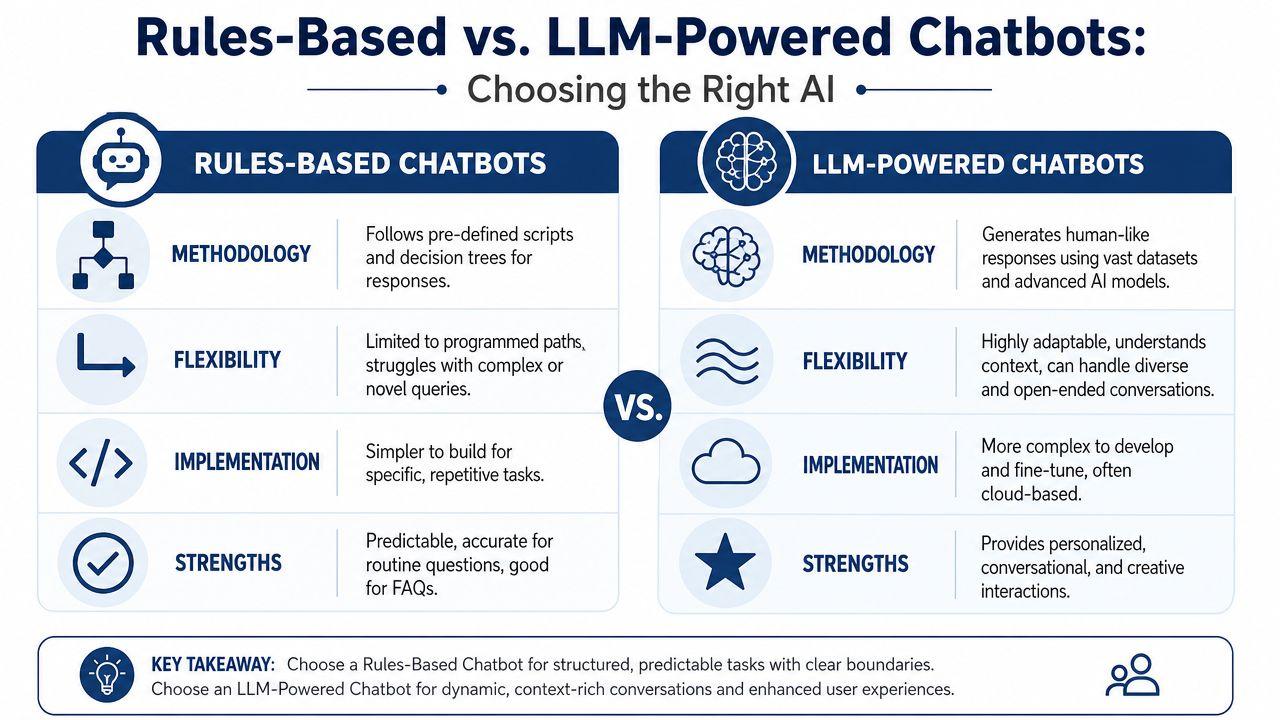
A rules-based bot is like a phone tree in chat form. It follows predefined paths. If the customer says one of the expected things, the bot handles it well. If they phrase the question differently or combine multiple issues, the experience degrades quickly.
These bots are usually best for:
- Simple FAQs
- Structured intake flows
- Basic routing
- Policy questions with fixed answers
Their main strength is predictability. If you care most about consistency and your support volume is dominated by a few repetitive tasks, rules-based logic can still be the right call.
LLM-powered bots are flexible and contextual
An LLM-powered bot behaves more like a conversational assistant. It can understand phrasing variation, follow context across multiple turns, and respond in more natural language. That's helpful when customers don't talk in neat categories, which is most of the time.
But flexibility comes with trade-offs. LLM systems need stronger guardrails, better source grounding, and tighter review of failure cases. Left unmanaged, they can answer smoothly and incorrectly.
A practical decision table
| Bot type | Best fit | Strength | Common failure |
| Rules-based | Stable, repetitive questions | Predictable behavior | Breaks when customers go off script |
| LLM-powered | Mixed, open-ended support conversations | Handles context and natural language better | Can produce incorrect answers if safeguards are weak |
What works for most SMBs
Many small businesses shouldn't choose one or the other in pure form. A hybrid setup is usually stronger. Use rules where process must stay tight, such as returns eligibility or intake steps. Use LLM behavior where language understanding matters, such as interpreting messy customer questions or drafting a helpful explanation.
Choose the bot type based on the task, not the marketing label.
A bot that can converse naturally but can't complete a basic workflow won't help much. A rigid bot that answers perfectly but frustrates customers at the first unexpected phrase won't help either. Match the architecture to the actual support job.
Your Roadmap for Successful Implementation
Most chatbot projects fail before launch because the team buys software before defining the work. The right sequence is operational, not technical. Start with the support tasks you want to improve, then build the bot around those tasks.
Phase one through integration
Your chatbot needs access to the systems where support takes place. For most small businesses, that means some mix of help desk, order platform, CRM, appointment tool, or knowledge base.
If the bot can't retrieve account context or send clean handoff notes, agents will still do manual digging. That undercuts the value. The implementation question isn't "Does this tool have integrations?" It's "Can it pull the exact information the customer needs and pass the rest to my team without losing context?"
Phase two through training data
An AI chatbot is only as useful as the information behind it. Start with your highest-volume support topics. Pull from real macros, FAQ pages, return policies, shipping notes, and ticket history. Then clean the material before feeding it into any system.
Use this test: if a new employee couldn't answer correctly from the source material, your bot won't either.
- Prioritize current policies so the bot doesn't quote outdated rules
- Remove duplicate guidance that says the same thing in conflicting ways
- Write for customer language instead of internal shorthand
- Flag sensitive topics that should always go to a human
Phase three through escalation paths
This is where many teams cut corners. The handoff can't feel like a reset. When the bot escalates, the agent should receive the conversation history, the detected issue, and any structured fields the customer already provided.
The best escalation is the one that saves the customer from repeating the story.
You also need explicit triggers for human takeover. Refund exceptions, billing disputes, account security concerns, and emotionally heated conversations should move fast to a person. A chatbot that tries to salvage every conversation becomes a liability.
Phase four through cost and ROI discipline
There is a real business case for doing this well. Companies using conversational AI report 94 percent higher customer service specialist productivity, 92 percent faster issue resolution, and 87 percent lower agent effort, while Gartner forecasts that conversational AI will reduce contact center labor costs by $80 billion globally by 2026 according to Master of Code's AI customer service statistics.
For an SMB, ROI doesn't need a complex finance model. Ask simpler questions:
- Are agents spending less time on repetitive contacts?
- Are customers getting answers faster?
- Are repeat contacts dropping?
- Is the team handling more work without adding headcount?
If you're comparing subscription options, usage tiers, and team access models, reviewing 1chat pricing can help frame what "affordable" means for a smaller operation.
1chat A Privacy-First Chatbot for Teams
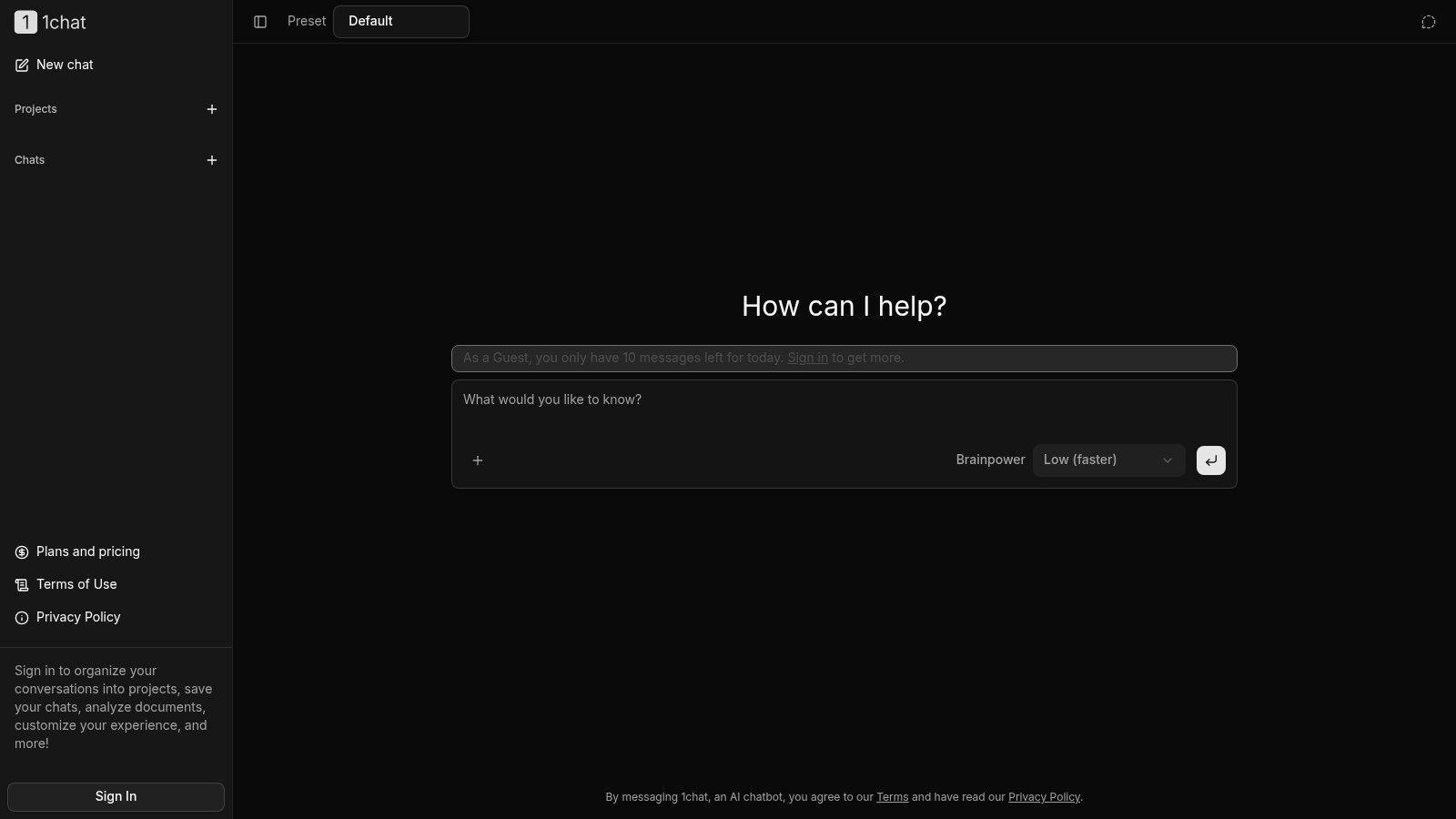
Many SMBs don't need an enterprise AI stack. They need something their team can effectively use, with privacy expectations that don't feel like an afterthought. That's where a privacy-first tool can stand apart.
Why the privacy angle matters
Customer service teams often handle names, orders, account details, school-related information, family logistics, and internal notes. Even when a chatbot isn't directly embedded on your support site, teams still use AI to draft replies, summarize cases, rewrite policies, and review customer messages.
That means the AI workspace itself matters. A privacy-first setup is easier to justify for small companies that want AI help without turning every internal support conversation into a data governance question. Businesses evaluating that side of the equation should review 1chat's privacy information closely.
A team-friendly workflow example
Take a small ecommerce team handling returns. They receive a customer message that says the wrong size arrived and the buyer wants an exchange before a weekend event. The support lead can use 1chat to draft a response, tighten the tone, and prepare an internal macro the whole team can reuse.
A practical prompt might look like this:
Draft a customer support reply for a size exchange request. Keep the tone calm and helpful. Ask for the order number, confirm whether the item is unworn, and explain the exchange steps in plain language.
Then a second prompt:
- Refine for policy accuracy if the business has a no-exchange window for final-sale items
- Create an internal version that turns the answer into a reusable support template
- Shorten for live chat so the message fits a fast support interaction
Why this fits smaller teams
The appeal isn't only that it can generate text. Plenty of tools do that. The stronger fit is that it supports teams that need shared AI help without the bulk and sprawl of enterprise software. It also suits privacy-conscious environments, including family and education use cases, where people want more control over how they adopt AI.
For SMB owners, that's practical. A tool only helps if staff will use it consistently, understand what it should and shouldn't do, and feel comfortable putting real support work through it.
Deployment Checklist and Measuring True Success
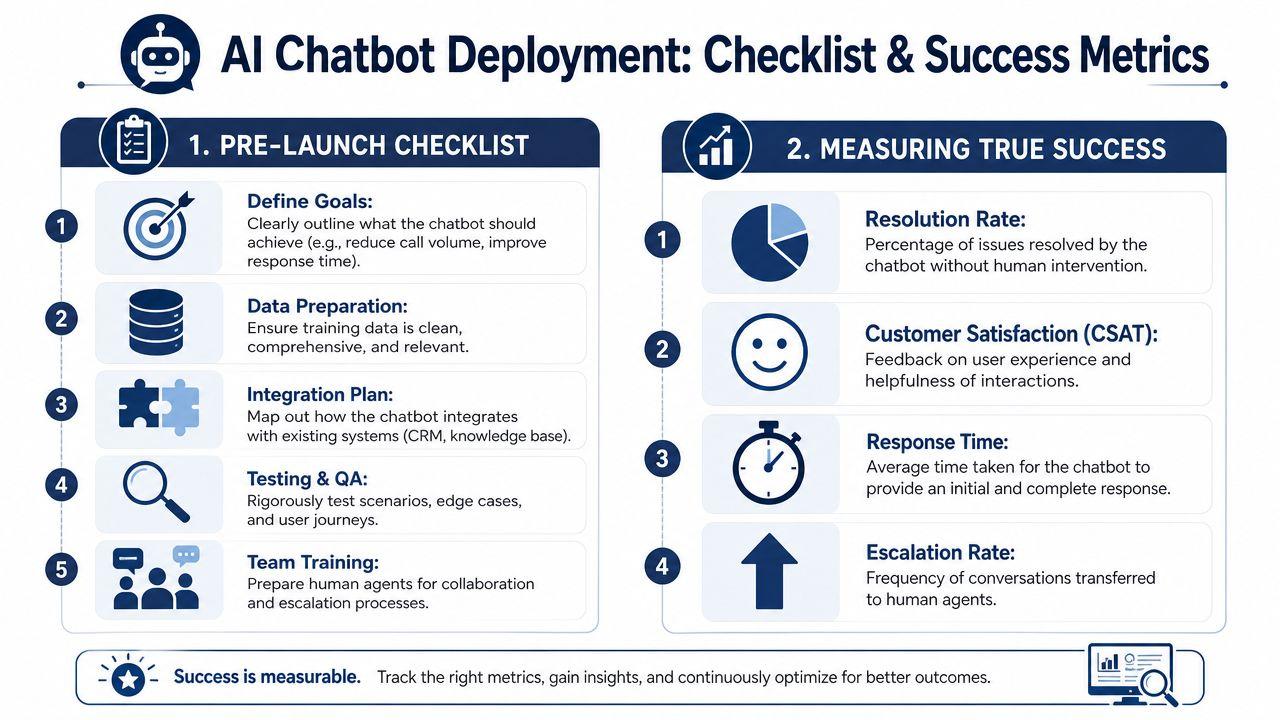
Launching an AI chatbot for customer service shouldn't start with a public switch-flip. It should start with a controlled checklist and a stricter definition of success than "fewer tickets reached an agent."
Pre-launch checks that matter
Before go-live, confirm these basics:
- Knowledge is current and matches your latest policies
- Escalation works with context preserved for the human agent
- Edge cases are tested including angry customers, mixed intents, and unclear wording
- Team roles are clear so someone owns bot review, updates, and exception handling
- Privacy review is done for any customer data flowing through the system
Metrics worth tracking
A strong benchmark exists here. Well-implemented AI chatbots in 2026 achieve First Contact Resolution rates between 70 and 90 percent for the conversations they handle, but that depends on maintaining accuracy of 90 percent or higher and keeping hallucination rate below 2 percent according to Helply's customer support KPI guide.
That means your main dashboard should focus on:
- Resolution rate instead of containment
- Accuracy based on reviewed conversation samples
- Hallucination rate for unsupported or incorrect answers
- AI-specific CSAT measured separately from human-agent interactions
If the bot answers fast but customers still come back, your automation is producing activity, not value.
You should also review conversation themes, not just scores. A disciplined process for customer voice analysis can help teams spot recurring confusion, weak policy wording, and escalation triggers that metrics alone won't explain.
If you want a privacy-first, team-friendly place to use AI for support drafting, knowledge work, and customer communication workflows, 1chat is worth a look. It gives small businesses and teams a practical way to work with leading models in one place, without the complexity that often comes with enterprise-first tools.