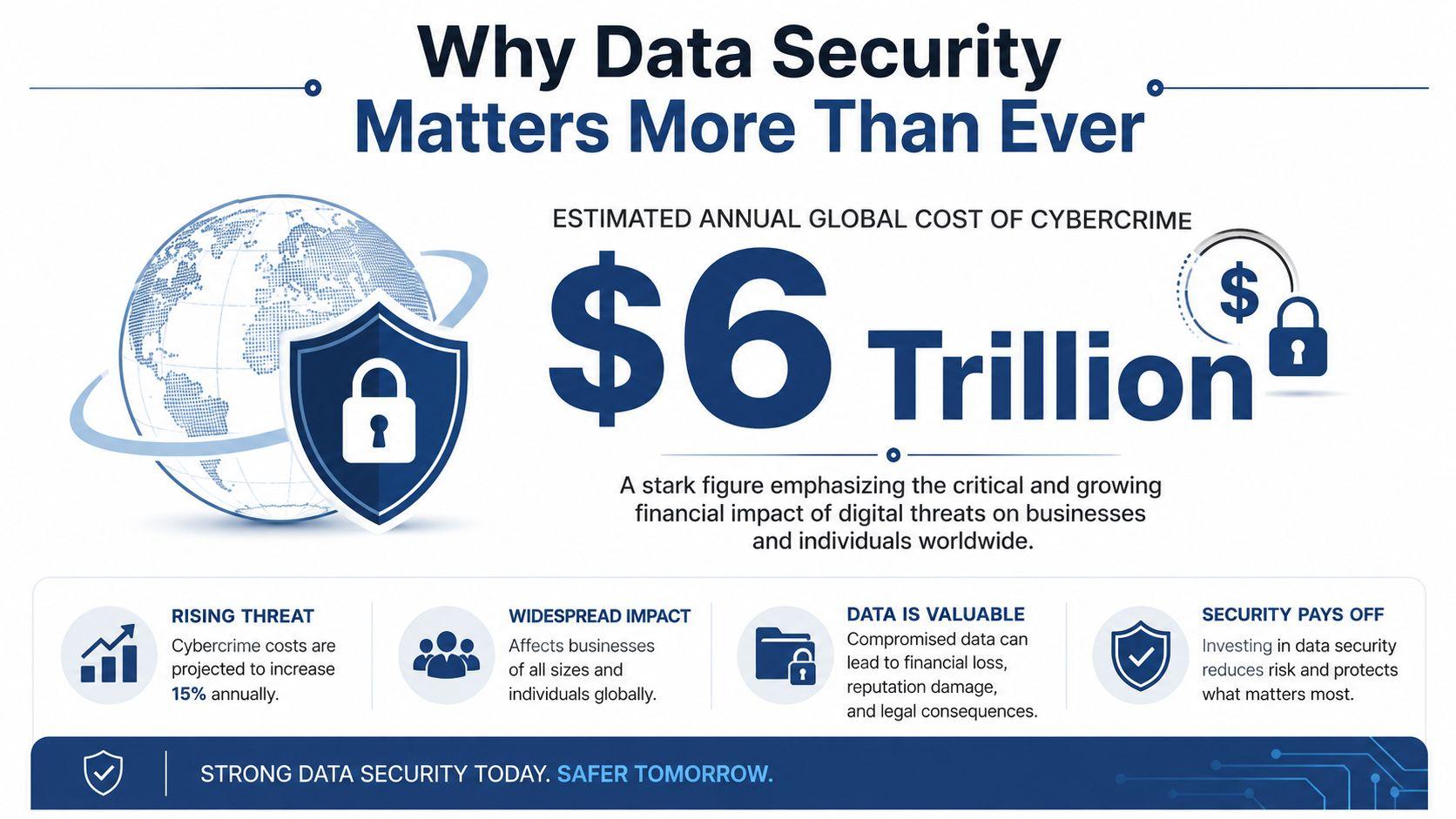
Cybercrime isn't just a problem for giant corporations. The global economic impact of cybercrime is projected to cross $10.5 trillion annually by 2025, and the average cost of a single data breach incident is $4.88 million, according to Fortinet's cybersecurity statistics overview. That scale changes how we should think about the question, what is data security.
At a basic level, data security means protecting digital information from people who shouldn't see it, change it, steal it, or lock you out of it. That includes customer records, family photos, tax files, passwords, medical documents, school accounts, and the laptops and phones that store them.
For a family, data security might mean keeping a child's school login from being hijacked or making sure irreplaceable photos survive a stolen phone. For a small business, it might mean protecting invoices, payroll files, contracts, and client data so one bad click doesn't turn into a business crisis.
The easiest way to understand it is to think about a house. You lock the doors, you decide who gets a key, you install an alarm, and you don't leave sensitive papers on the front porch. Digital life works the same way. Good data security uses layers: locks, alarms, rules, and safe cleanup when something is no longer needed.
Why Data Security Matters More Than Ever
In 2024, researchers logged more than 30,000 new vulnerabilities, according to Cybersecurity Ventures' summary of CVE growth and cybercrime trends. For a family or a five-person team, that number matters because every app, phone, cloud folder, and reused password adds another place where a simple mistake can turn into a real-world problem.
Data security now sits in the same category as checking bank activity, backing up photos, or reviewing who has keys to a shared office. It is a basic operating habit. You do not need an IT department to care about it, and you do not need a big budget to improve it.
It's not just about files
A lot of people hear the word “data” and picture documents sitting in a folder. Data is broader than that. It includes the details that prove who you are, the records that keep a household or business running, and the digital traces that reveal more than you intended.
That can include:
- Identity data such as names, birth dates, addresses, login credentials, and government ID numbers
- Money-related records like tax forms, saved payment methods, invoices, payroll details, and banking information
- Conversations and decisions including emails, text messages, contracts, notes, and customer messages
- Daily-life and business records such as family photos, school files, client lists, calendars, and project documents
The consequences are not limited to “someone stole a file.” A criminal who gets access to an email account can reset other accounts. A fake invoice with edited bank details can redirect a payment. A stolen phone can expose saved passwords, private photos, and work apps at the same time.
This is why data security matters to both families and small teams. One weak spot often opens several doors at once.
A practical example helps. If a parent loses a phone that has no screen lock, no cloud backup, and email logged in, the problem is not just the missing device. It can become lost photos, password resets, access to school portals, and fraud tied to saved financial details. For a small business owner, one compromised inbox can expose quotes, contracts, supplier conversations, and billing threads, then be used to trick customers into paying the wrong account.
Old devices create a quieter risk. Retired laptops, office desktops, external drives, and family phones often still contain browser logins, tax records, customer files, and synced messages. Deleting a few folders is not always enough. If you want a plain-English explanation of proper device erasure before resale, recycling, or donation, Beyond Surplus data sanitization is a useful resource.
The good news is that meaningful protection usually starts with a few low-cost habits. Use unique passwords, turn on multi-factor authentication, back up important files, limit who can open sensitive folders, and review old devices before they leave your home or office. Readers who want more practical guidance on privacy habits and security research can explore data security research and privacy resources.
The Three Pillars of Data Security
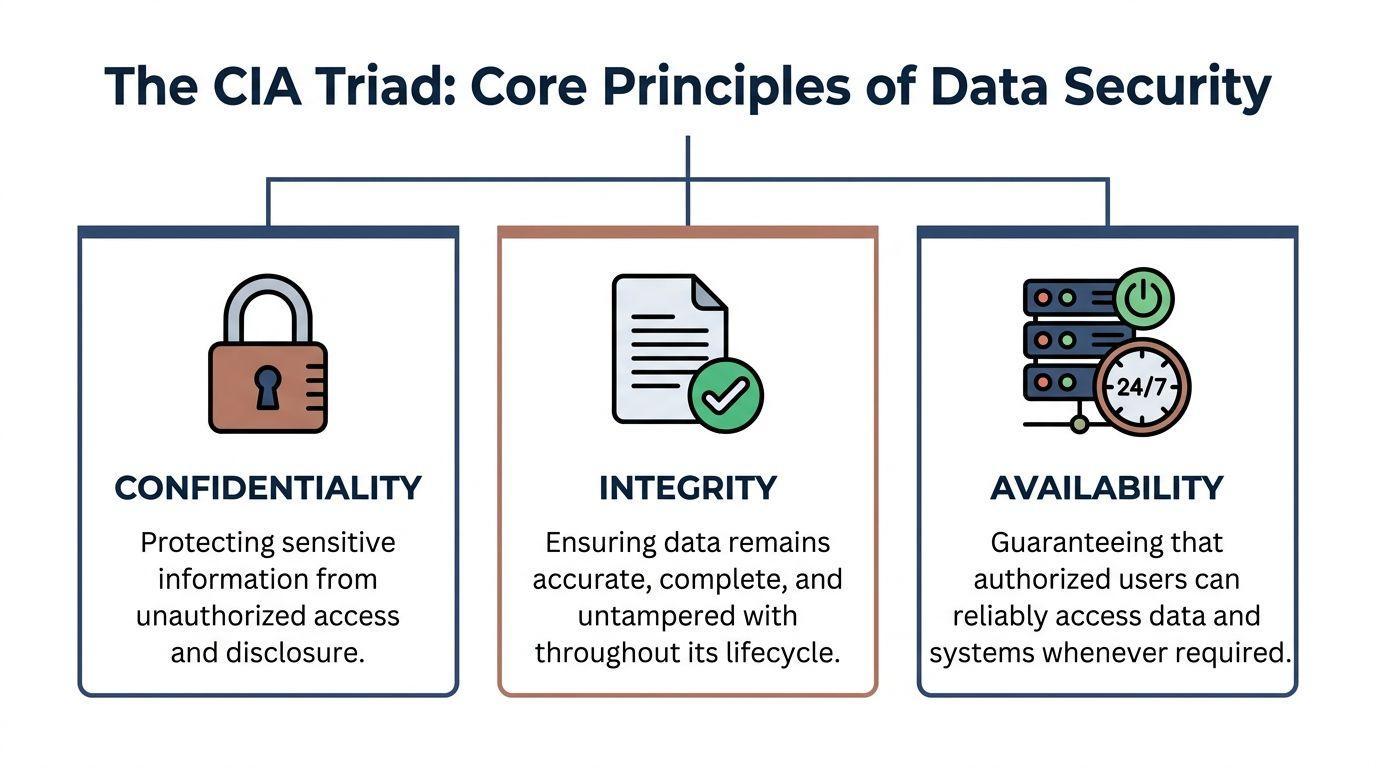
The simplest framework for understanding data security is the CIA triad. That doesn't refer to intelligence agencies. It stands for Confidentiality, Integrity, and Availability.
If you remember those three words, you'll have a solid way to judge whether a security step helps.
Confidentiality
Confidentiality means only the right people can access the data.
A sealed envelope is a good analogy. If you mail a private letter, you expect only the intended recipient to read it. In the digital world, confidentiality relies on things like passwords, account permissions, private sharing settings, and encryption.
For a family, confidentiality might mean keeping a child's health records private. For a small team, it means not letting every employee access payroll files or legal contracts just because they're stored in the same cloud account.
Integrity
Integrity means the data stays accurate and unaltered unless an authorized person changes it.
Go back to the envelope example. If the wax seal is broken and the letter inside has been edited, you can't trust it. That's an integrity problem.
This matters more than people think. If someone changes bank details on an invoice, edits a contract, or tampers with a spreadsheet, the file still exists, but it's no longer reliable. Good access controls, version history, and change approvals all support integrity.
Practical rule: A file isn't secure just because you can open it. It also has to be trustworthy.
Availability
Availability means authorized people can get to the data when they need it.
A locked safe is useful only if you can still open it when necessary. If your files are trapped by ransomware, lost after a hardware failure, or inaccessible because only one former employee knew the login, availability has failed.
Availability is why backups matter so much. It's also why small teams should avoid keeping important knowledge in one person's head or one personal device.
A quick way to evaluate any security measure
Ask three questions:
- Does this protect privacy? That's confidentiality.
- Does this help keep information accurate? That's integrity.
- Does this help us access what we need when we need it? That's availability.
If a security practice supports only one of those while harming the others, it may need adjustment. A password policy that's so confusing nobody can sign in hurts availability. A shared account that everyone uses hurts confidentiality and integrity. Balance matters.
Where people usually get confused
Many people think data security means “stopping hackers.” That's only part of it. Data security also covers mistakes by employees, accidental sharing, lost devices, outdated accounts, and poor cleanup habits.
It also isn't the same as privacy, though the two overlap. Privacy is about how you collect and use information. Data security is about protecting it once you have it. If privacy answers, “Should we have this data at all?” security answers, “How do we keep it safe?”
Common Threats and Digital Dangers
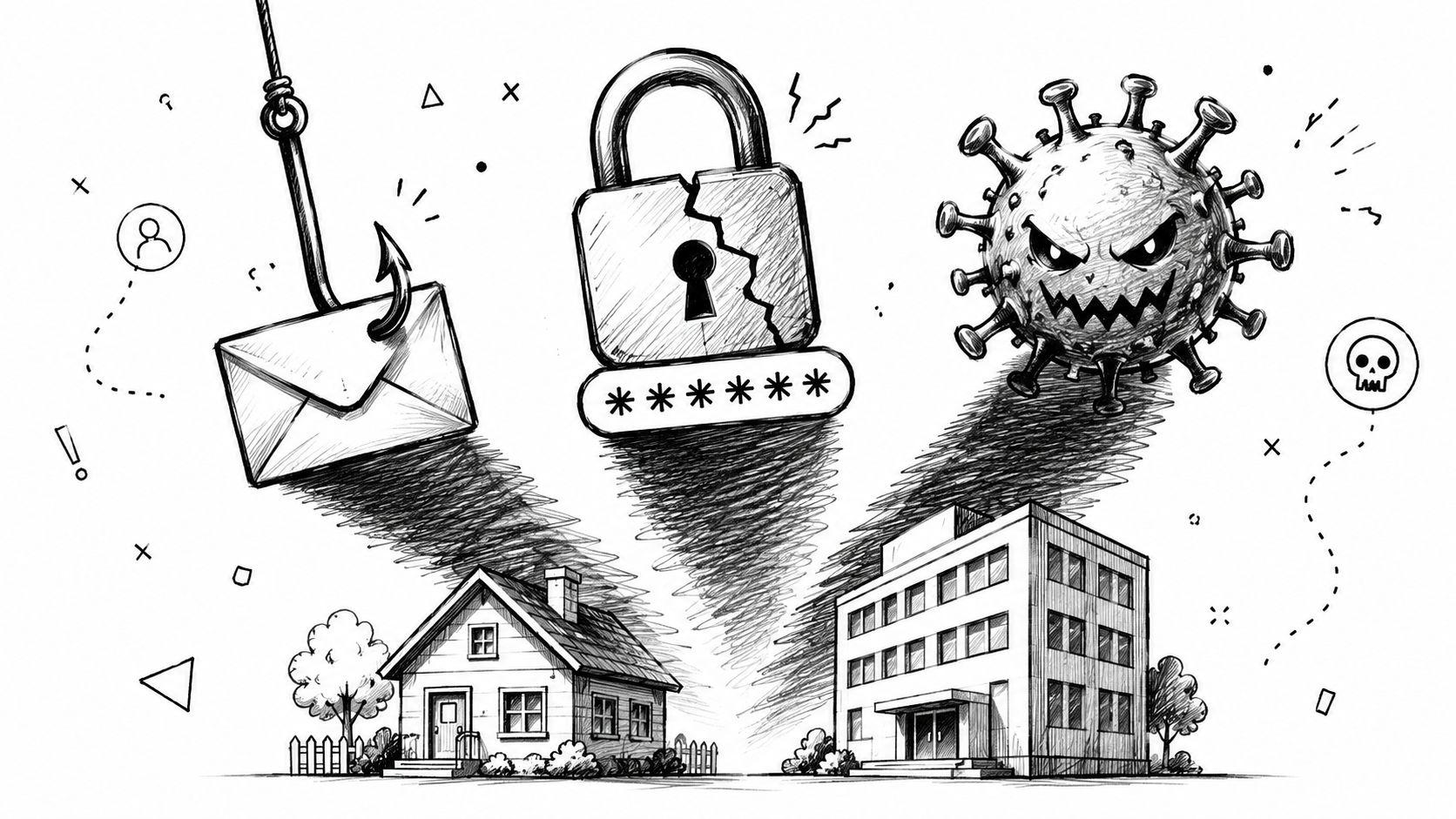
Most attacks that hurt families and small businesses don't begin with movie-style hacking. They begin with a message, a login page, a reused password, or a lost device.
That's why data security often comes down to ordinary moments. Someone clicks a fake delivery notice. A bookkeeper receives a convincing invoice email. A teenager reuses the same password on several accounts. An employee leaves a laptop in a car.
Phishing works because it feels normal
A major reason people ask what is data security is that the threats don't always look dangerous. Many look routine.
According to National University's cybersecurity statistics summary, malware-free activities such as phishing and social engineering accounted for 75% of all detected identity attacks in 2023. The same source says phishing made up 39.6% of all email threats.
That tells us something important. Attackers often don't need to break in by force. They persuade someone to open the door.
Four threats families and small teams see often
Fake messages and login pages
A phishing email might pretend to be a bank, school, shipping company, coworker, or software provider. The goal is usually one of two things: get you to click a malicious link or get you to type your password into a fake page.
Common signs include urgency, unusual requests, slightly off branding, and pressure to act before thinking. But some phishing attempts are polished, which is why habits matter more than spotting every visual clue.
Ransomware and other malware
Ransomware is the attack many people fear most because it blocks access to your own files. Even a small office can be hit if one person opens the wrong attachment or installs unsafe software.
Other malware may secretly steal data, monitor activity, or open a path for later attacks. The victim may not notice right away. That delay makes recovery harder.
Weak or reused passwords
Password reuse is like using the same house key for your home, office, car, and safe deposit box. If one copy gets stolen, everything is exposed.
This is especially dangerous for small businesses that share one password across tools or let former staff keep access longer than they should. Families run into the same problem when one password gets reused across email, streaming, shopping, and school accounts.
Physical theft and forgotten devices
People often picture data theft as fully online. But a stolen laptop, secondhand phone, discarded hard drive, or forgotten USB stick can expose just as much.
That risk gets worse when devices aren't encrypted or cleaned properly before reuse, donation, recycling, or disposal.
If you wouldn't leave printed tax records on a park bench, don't leave the digital version unprotected on an old device.
Why human behavior matters so much
Attackers look for shortcuts. Human behavior gives them plenty of chances: rushing through email, saving passwords in unsafe places, oversharing in messages, or skipping updates because “nothing has gone wrong yet.”
That doesn't mean people are the problem. It means good security should be easy enough that normal, busy people can follow it. The safer choice should also be the simpler choice.
Practical Protections for Your Home and Business
The good news is that strong data security doesn't require an enterprise budget. Most families and small teams can make real progress with a handful of habits, the right settings, and a little consistency.
A useful way to think about protection is layers. Venn's guide to data security explains that logical security controls digital access through tools like multi-factor authentication and firewalls, while encryption is the critical last line of defense because it turns data into unreadable code if a device or file is stolen.
Start with the locks
Passwords still matter. Use long, unique passwords for every important account, especially email, banking, cloud storage, and any admin account for your business tools. A password manager can help because people aren't good at remembering dozens of strong, distinct passwords without support.
Then add multi-factor authentication, often called MFA or 2FA. Think of it as a second lock on the door. Even if someone gets the password, they still need the second factor, such as an authenticator app prompt or a security code.
For small teams, MFA should be required on shared platforms like Microsoft 365, Google Workspace, payroll systems, accounting tools, and customer databases. For families, start with email accounts, bank logins, and any account that can reset other passwords.
Make stolen files useless
Encryption sounds technical, but the idea is simple. It scrambles data so unauthorized people can't read it.
That matters most on laptops, phones, tablets, and external drives because those devices can be lost or stolen in everyday life. If you run a small business, company laptops should be encrypted before they ever leave the office. If you're a parent, check that family phones and computers use device encryption and screen locks.
Small-team habit: Don't wait for a theft to discover which devices were never protected.
Build your recovery plan before trouble starts
Backups are your safety net. They help with ransomware, accidental deletion, hardware failure, and plain human error.
Use a simple rule: keep important files somewhere other than the device you use every day. That can mean a reputable cloud backup, an external drive stored safely, or both. The key is to make backups regular and to test that you can restore a file.
A backup that no one checks is just hope.
Here are practical backup targets that matter right away:
- For families back up photos, personal documents, tax records, school files, and password manager recovery information.
- For small businesses back up invoices, contracts, bookkeeping data, customer records, and shared project files.
- For both make sure at least one responsible person knows how to restore a file without guessing.
If you want more practical small-team guidance around safer digital workflows and privacy-minded tools, 1chat's blog is one place to continue reading.
Share less, and share more carefully
A lot of data exposure happens through convenience. People email sensitive documents in plain attachments, share broad folder access “just in case,” or send passwords through chat.
Safer habits are usually straightforward:
- Share by permission, not by attachment using controlled cloud links instead of forwarding files repeatedly
- Limit access by role so each person sees only what they need
- Separate personal and work accounts because crossover creates confusion and risk
- Pause before sending when a message contains financial details, customer information, or personal records
For families, this can be as simple as using private shared albums and protected cloud folders instead of scattering files across text threads and old email chains.
Don't ignore the end of the data lifecycle
Many people secure active devices and forget retired ones. That's a mistake.
When an employee leaves, a project ends, or a laptop gets replaced, old data often lingers in inboxes, browser downloads, cloud folders, and local storage. Access should be removed promptly, shared links should be reviewed, and unneeded data should be deleted securely instead of left behind “for later.”
Small businesses don't need a huge formal process to improve here. A one-page offboarding checklist is enough to start:
- Remove account access.
- Change shared credentials that shouldn't remain in circulation.
- Transfer needed files to the right owner.
- Wipe or securely erase old devices before reuse or disposal.
- Delete data that no longer has a valid business purpose.
That last step is one of the most neglected parts of data security, and it matters as much as prevention.
A Simple Guide to Data Compliance
Compliance scares a lot of small business owners because it sounds legal, expensive, and complicated. In reality, the core idea is pretty reasonable: if you collect people's information, you should handle it responsibly.
Rules like GDPR and HIPAA differ in scope and details, but they push in the same direction. Know what data you have. Know why you have it. Limit who can access it. Protect it. Don't keep it forever without a reason.
Compliance is trust in practice
Customers don't usually ask whether your business follows an advanced security model. They ask simpler questions, even if they never say them out loud.
Can I trust you with my information? Will you be careless with it? Will you keep more than you need? Will you expose it if an employee leaves or a laptop goes missing?
Those are compliance questions, but they're also customer-trust questions.
A simple business-friendly checklist
You don't need to become a privacy lawyer to improve your position. Start with these basics:
- Know your data by listing the personal and sensitive information you collect
- Know your purpose by writing down why you collect each category
- Reduce access so only the right people can reach sensitive records
- Protect storage and sharing with the practical controls covered earlier
- Delete on purpose instead of keeping data indefinitely
- Prepare for requests so you can respond if a customer asks about their information
For a more focused overview of legal expectations around privacy frameworks, navigating cybersecurity compliance for businesses is a helpful plain-English resource.
Good compliance usually starts with good housekeeping, not paperwork.
Privacy policies and real-world behavior must match
A common problem is saying one thing and doing another. A company claims it protects customer data carefully, but former staff still have access to shared folders. It promises limited retention, but old records sit in forgotten drives and inboxes.
That gap creates risk. It also makes customers less likely to trust you if anything goes wrong.
If you want to see how a privacy-first service presents its own approach, 1chat's privacy information is an example of the kind of transparency users increasingly expect.
For small businesses, the smart approach is simple: don't treat compliance as a separate legal project. Treat it as the business version of being organized, respectful, and careful with other people's information.
Your Data Security Checklist and Next Steps
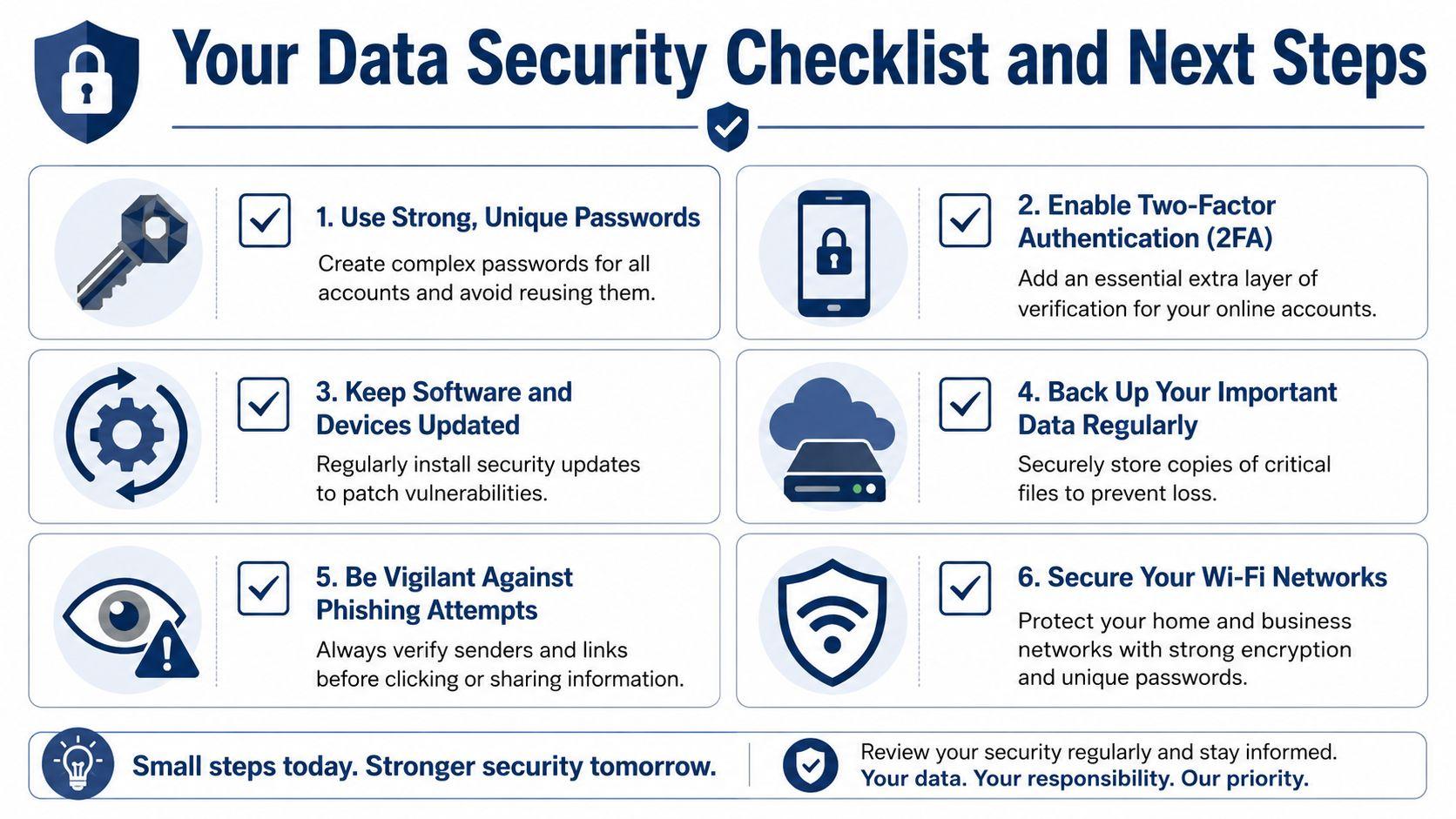
You don't need to fix everything today. You do need to start. The best improvements are the ones you'll keep doing.
One overlooked area deserves special attention. Fortinet's data security overview notes a human-lifecycle gap, and says 68% of organizations lack formal data retention and deletion policies for end-of-life scenarios. In plain language, many groups protect active systems but forget what happens when people leave, devices are replaced, or old data stops serving a purpose.
For your family
Use this as a short household checklist:
- Turn on MFA first for email, banking, cloud photo storage, and school-related accounts
- Replace reused passwords with unique ones stored in a password manager
- Back up irreplaceable files like family photos, tax documents, and school records
- Lock and encrypt devices so a lost phone or laptop doesn't expose everything inside
- Teach one phishing habit to everyone in the home: don't click first, verify first
- Review old devices before donating, recycling, or handing them down
A family doesn't need a formal security department. It needs a few shared rules that everyone understands.
For your small business
Small teams can do a lot with a basic operating routine:
- Require MFA on business-critical accounts including email, accounting, file storage, and admin tools
- Set role-based access so staff can reach what they need, not everything
- Create a simple offboarding checklist for employee departures and contractor changes
- Back up core business data and confirm someone knows how to restore it
- Train staff to verify unusual requests especially invoices, payment changes, and urgent login prompts
- Retire devices safely with secure wiping or certified destruction before resale, recycling, or disposal
If your business handles many old devices or storage media, Reworx Recycling's data destruction expertise is a useful example of the kind of specialized help organizations look for when secure disposal matters.
What to do after this article
Don't turn this into a research project that never becomes action. Pick three steps and complete them this week.
A practical sequence looks like this:
- Secure your email account with a strong password and MFA.
- Set up or verify backups for your most important files.
- Review one old device or old account and clean it up properly.
The safest system isn't the fanciest one. It's the one your family or team can follow consistently.
Data security is not a one-time purchase. It's a set of habits. The goal isn't perfection. The goal is reducing avoidable risk, protecting what matters most, and recovering quickly when something goes wrong.
If you want a privacy-first place to work with AI after tightening up your digital habits, you can explore 1chat, which brings multiple leading LLMs together in one place for families, students, and small teams.