A new hire asks where the latest refund policy lives. Your operations lead stops what she's doing, searches Google Drive, checks Slack, opens an old Notion page, and finally sends over a PDF. Ten minutes later, someone notices the PDF is outdated.
That kind of interruption feels small. It isn't. It repeats all week in customer support, sales, onboarding, and project work. Small teams feel it more because the same few people carry the answers in their heads, and every interruption pulls them away from revenue, service, or delivery.
AI for knowledge management matters because it tackles that daily drag. Done well, it helps your team find the right answer faster, with less guessing and less dependency on one "knows everything" employee. But for small businesses, the actual story isn't flashy automation. It's building a practical system your team can trust, maintain, and afford.
The Hidden Cost of Disorganized Information
A lot of small businesses don't have a knowledge problem. They have a knowledge location problem.
The answer exists somewhere. It's in a shared drive, an old onboarding doc, a Slack thread, a project brief, or in the founder's memory. The trouble is that nobody knows which version is current. So people ask around, interrupt each other, and redo work that was already done.
McKinsey Global Institute estimates that employees spend 19% of their workweek, roughly 7.5 hours, searching for and gathering information that already exists within their organization (McKinsey data summarized here). For a small team, that wasted time doesn't disappear into a giant corporate machine. It lands directly on a few overloaded people.
What this looks like in a small business
You can usually spot disorganized information by the symptoms:
- Repeated questions: The same pricing, policy, or process question shows up every week.
- Version confusion: Two people follow two different documents and both think they're right.
- Bottleneck employees: One manager becomes the unofficial search engine for the company.
- Slow onboarding: New hires ask basic questions because the answers aren't easy to find or trust.
Practical rule: If your team says "I know we have that somewhere," you have a knowledge management problem.
The hidden cost isn't just search time. It's hesitation. People delay decisions because they aren't sure what source to trust. Customer-facing staff answer carefully or inconsistently because they can't verify policy fast enough. A founder spends time answering internal questions instead of growing the business.
That's why AI for knowledge management is getting attention. It promises something simpler than "build a perfect intranet." It offers a way to turn your scattered company knowledge into something your team can ask questions and get answers from.
What Is AI-Powered Knowledge Management
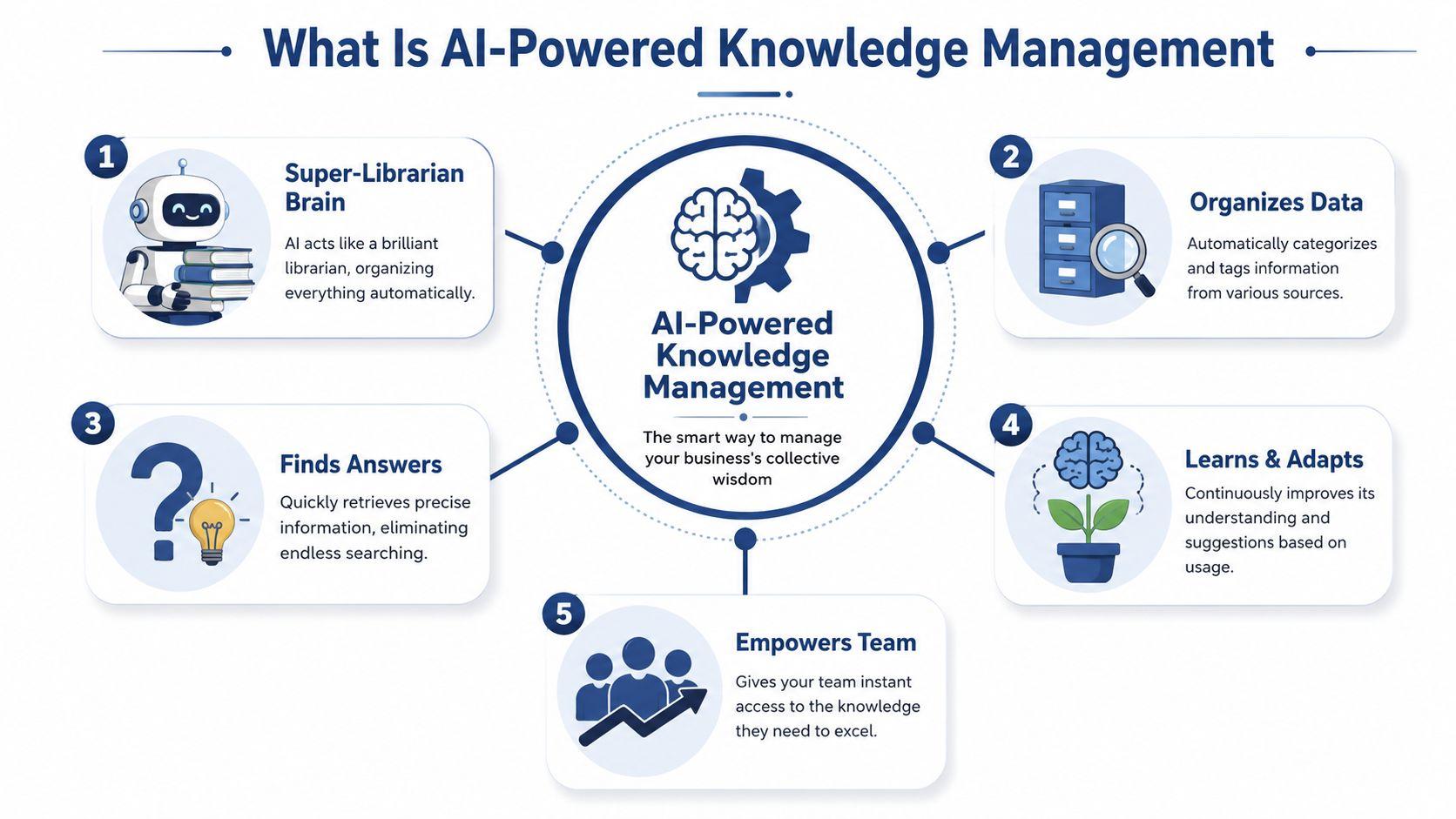
Think of traditional knowledge management as a file cabinet with a search bar. Think of AI-powered knowledge management as a super-librarian for your company's brain.
A normal search bar helps you find documents. A super-librarian helps you find the answer inside those documents. It can read across your handbook, meeting notes, customer FAQs, and internal docs, then point you to the part that matters.
How it's different from plain search
If you search "vacation policy" in a normal system, you might get a list of folders, PDFs, and old chat messages. Then you still have to open them, compare them, and decide which one is current.
With AI for knowledge management, an employee can ask, "How many vacation days does a full-time employee get, and where is the official policy?" The system tries to return a direct answer grounded in your internal content.
That shift matters. According to this overview of AI knowledge sharing systems, the value isn't just speed. It's that the system becomes more usable for non-technical staff because they can ask in plain language instead of guessing the right keyword.
The simple version of the technology
You don't need to become an AI engineer to use this well. The useful ideas are straightforward:
- Natural language understanding: The system reads ordinary questions like a person would, instead of expecting exact file names.
- Semantic search: It looks for meaning, not just matching words. A search for "refunds" can still surface a doc called "returns and credits."
- Grounded answers: Many systems pull from your own documents so the answer is tied to internal sources, not made up from the open internet.
Some modern systems use approaches often described as retrieval-augmented generation, or RAG. The plain-English translation is simple. The AI looks things up in your approved materials first, then uses that material to answer.
Good AI knowledge tools don't replace your documents. They make your documents usable.
What it becomes inside a small team
For a small business, this can turn scattered knowledge into a working resource:
| Before | After |
| Answers live in random places | Answers are easier to ask for in one place |
| Staff rely on memory | Staff can verify against internal material |
| Search returns files | Search returns useful responses with context |
| Knowledge gets trapped with senior employees | Knowledge becomes easier to share |
The best way to think about AI for knowledge management isn't "smarter software." It's a practical layer between your team and the mess of information you've accumulated over time.
Real-World Wins for Small and Midsize Teams
Small teams don't need more software that looks impressive in a demo and gathers dust later. They need less repeat work.
That's where AI for knowledge management can earn its keep. Organizations implementing AI-driven knowledge management systems can reduce the time employees spend searching for information by up to 35% as generative AI shifts from returning document lists to providing cited answers (Glitter's summary of the McKinsey-backed finding). For a lean team, that means fewer interruptions and more uninterrupted work.
Where the benefit shows up first
The fastest wins usually appear in repetitive, high-friction moments.
- Onboarding support: New hires can ask where forms live, what the approval path is, or how to handle common customer issues without waiting for a manager.
- Customer support consistency: Staff can pull the current answer instead of relying on memory or old macros.
- Sales readiness: Reps can find the latest pitch points, implementation notes, and objection-handling guidance without digging through folders.
- Operational continuity: When one experienced employee is out, the team still has access to what that person usually knows.
These gains are easier to believe when you tie them to a real internal pain point. If you're trying to prove AI automation ROI, start with a workflow your team already complains about, not a vague goal like "use AI more."
Why smaller teams may feel the impact faster
A big company can hide inefficiency. A twelve-person company can't.
When three people spend part of every day answering avoidable questions, everyone feels it. Centralizing knowledge helps because it removes the "ask the usual person" habit. Your team gets a shared reference point instead of a chain of private messages.
For teams exploring practical AI use cases, the examples collected on the 1chat blog are useful because they stay close to everyday business tasks instead of enterprise theory.
The biggest win often isn't speed. It's consistency. Your team starts answering from the same playbook.
A simple way to judge value
Ask yourself three questions:
- Which questions repeat every week?
- Who gets interrupted most often to answer them?
- What would change if those answers were easier to find and trust?
If the same questions hit support, HR, or operations again and again, AI for knowledge management isn't a luxury project. It's one of the cleaner ways to protect your team's time.
How AI Can Transform Your Daily Workflows
The easiest way to understand this technology is to watch it solve ordinary work, not abstract strategy.
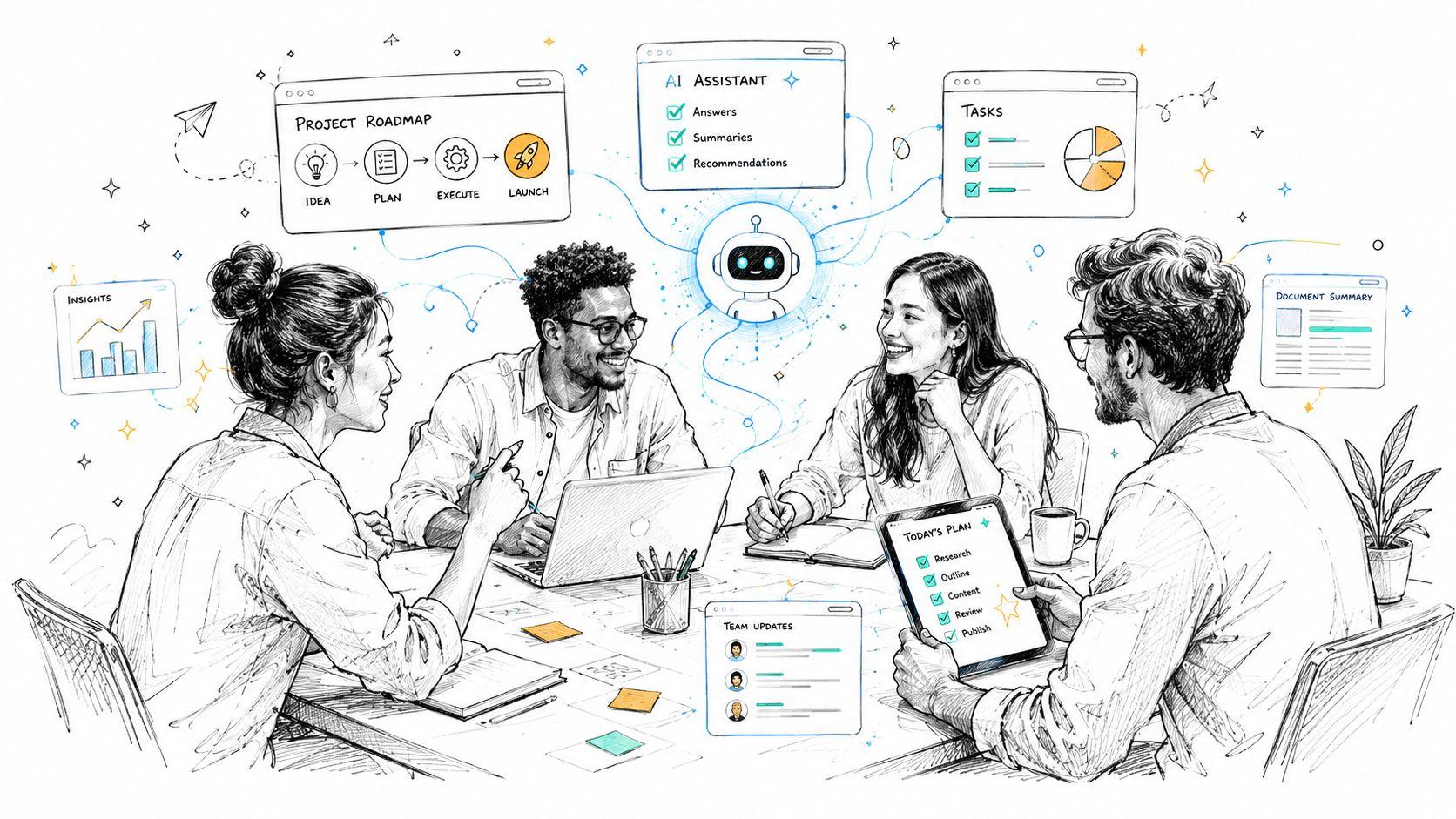
A project manager needs a quick summary of decisions made over the last few months. Instead of checking Slack channels, searching email, and opening meeting notes one by one, she asks the system for the main decisions related to a client rollout. The tool gathers the relevant material and returns a usable summary tied to the underlying sources.
A junior marketer wants to know the company's brand voice rules for Instagram captions. Instead of asking a busy creative lead, he asks the knowledge assistant and gets guidance pulled from the latest messaging documents and campaign notes.
Daily scenarios that make the value obvious
Here are a few common moments where small teams feel the difference:
Onboarding without constant interruption
A new hire asks:
- Where do I submit expenses?
- What's our process for customer escalations?
- Which template do we use for proposals?
In a weak system, those questions hit Slack and wait for a human answer. In a stronger one, the employee can self-serve for routine questions and only escalate what needs judgment.
Customer-facing teams with faster recall
A support rep needs to answer a customer question about renewals, cancellation terms, or setup steps. AI for knowledge management can help the rep retrieve the current guidance quickly, which cuts down on guesswork and inconsistent replies.
Internal coordination with less hunting
An operations lead wants to know whether a process changed last quarter. Instead of tracking down old comments and attachments, the AI surfaces the latest documented version and related notes.
When people stop hunting for context, they spend more time using it.
Where agentic AI enters the picture
A newer layer of this trend is agentic AI. In practical terms, that means the system doesn't only wait for questions. It can help maintain the knowledge base itself.
According to this review of agentic AI in knowledge management, use in knowledge management is one of the most common enterprise applications, and these systems can automate routine content maintenance tasks such as tagging, classification, and flagging outdated content.
For a small team, that can look like:
- Flagging stale content: The system notices a policy hasn't been updated after a process change.
- Suggesting better organization: New documents get categorized without someone manually filing them.
- Spotting common gaps: If new hires keep asking the same question, the system can highlight that your onboarding material isn't clear enough.
That doesn't make AI your operations manager. It makes AI a helpful teammate that handles repetitive maintenance while your people decide what's correct.
Your Practical Implementation Roadmap
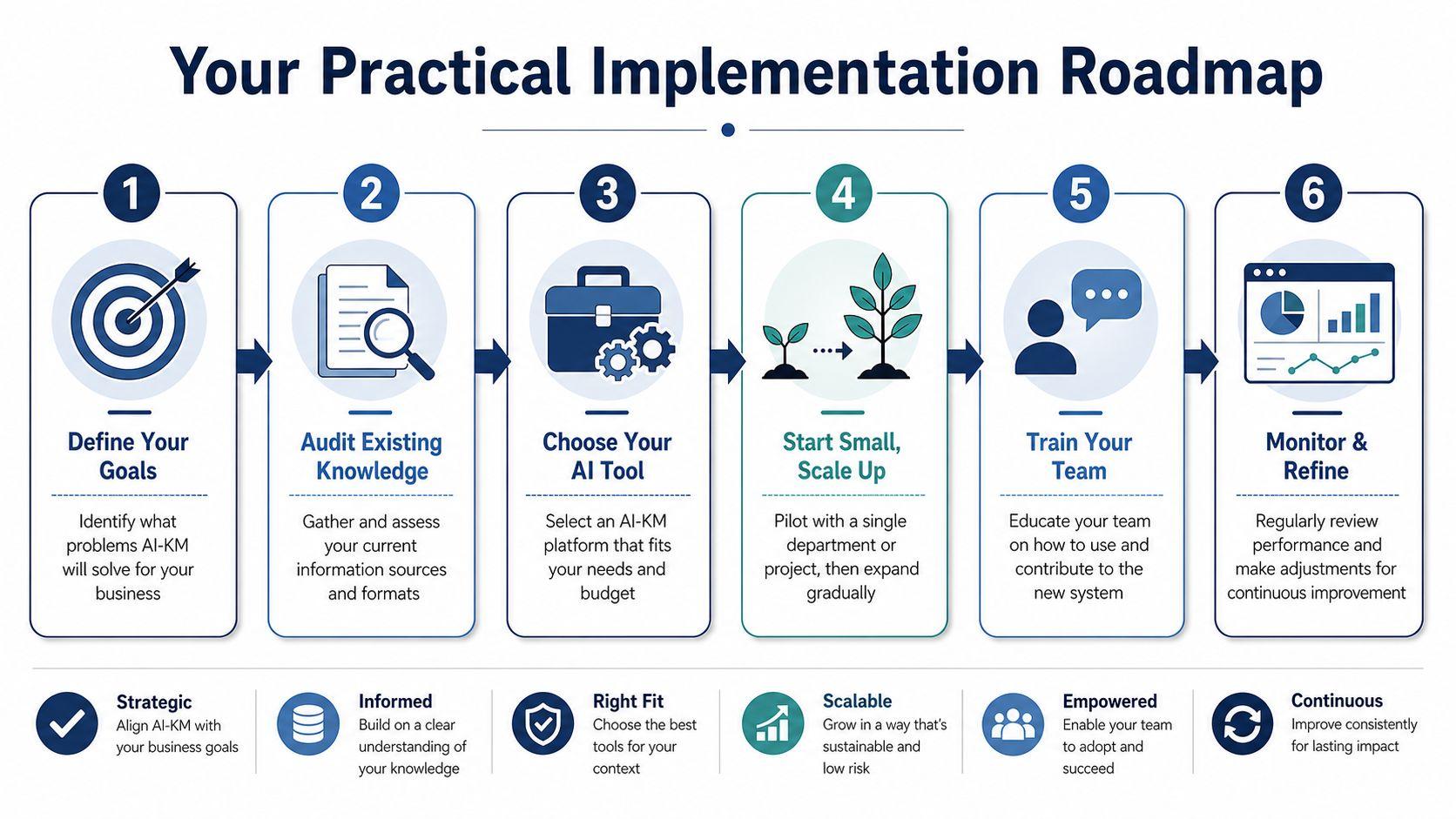
The mistake many small teams make is connecting every app and document to an AI tool on day one. That usually creates confusion, not clarity.
The better approach is smaller and calmer. Start with one business problem, one limited set of content, and one review loop.
Step 1, pick one pain point
Don't begin with "we want an AI knowledge base." Begin with a narrow frustration such as:
- HR onboarding confusion
- Support agents asking the same internal questions
- Sales staff struggling to find current materials
- Operations docs spread across too many places
A small pilot is easier to judge. It also lowers risk if your content needs cleanup first.
Step 2, audit where your knowledge lives
List the places your team currently stores answers. For many small businesses, that includes Google Drive, Notion, Slack, email, PDFs, shared folders, and whatever the founder remembers.
Create a quick inventory with three labels:
| Source | What it contains | Trust level |
| Google Drive | Policies, templates, contracts | Mixed |
| Slack | Decisions, quick answers, tribal knowledge | Low to mixed |
| Notion or wiki | Process docs, onboarding, SOPs | Mixed to high |
| Approvals, exceptions, one-off instructions | Low |
This exercise does two useful things. It shows you where your best material already exists, and it exposes how much of your "knowledge system" is really just conversation history.
Step 3, clean before you connect
This is the part most articles skip.
A common failure point is data quality. The accuracy of AI-driven insights depends on the quality of the data supplied to the system, and many guides don't explain how non-technical teams should audit or clean unstructured data before AI ingestion (MangoApps on the data quality problem).
If your source material is outdated, duplicated, or contradictory, the AI won't magically fix that. It may surface the wrong answer faster.
Use a simple pre-launch cleanup checklist:
- Remove duplicates: Keep one approved version of each important policy or process.
- Archive outdated docs: Don't feed expired rules into your new system.
- Rename vague files: "Final_v2_revised" doesn't help humans or AI.
- Mark owners: Every key document should have someone responsible for updates.
- Separate sensitive content: Payroll, health, legal, or confidential records need tighter controls.
Garbage in, garbage out still applies. AI just makes the results arrive faster.
Step 4, choose a tool that fits your team
The best tool isn't the one with the longest feature list. It's the one your team will use and trust.
Look for:
- Plain-language search
- Permission controls
- Clear source references
- Simple setup for non-technical users
- Privacy-minded handling of internal data
If you're comparing options, reviewing a tool's plans at 1chat pricing can help you benchmark what affordable, team-friendly AI access looks like without starting from an enterprise budget assumption.
Step 5, run a small pilot
Good pilot projects are narrow.
Examples:
- Your employee handbook
- Your customer support SOPs
- Your sales enablement folder
- Your onboarding checklist and policies
Run the pilot for a short period and watch behavior. Are people asking fewer repetitive questions? Are they trusting the results? Are they finding the right document faster?
Step 6, refine before expanding
After the pilot, don't rush to connect everything. Review where the AI struggled.
Ask:
- Which answers were strong?
- Which answers pulled from outdated material?
- Which questions revealed missing documentation?
- What sensitive content needs stricter access control?
That review tells you whether the next step is expansion, cleanup, or better governance. For most small teams, the answer is some of each.
Governing Your AI Knowledge Base with Care
A lot of AI advice treats setup like the finish line. Connect your tools, upload your docs, and let the magic happen. That's exactly the mindset small teams should resist.
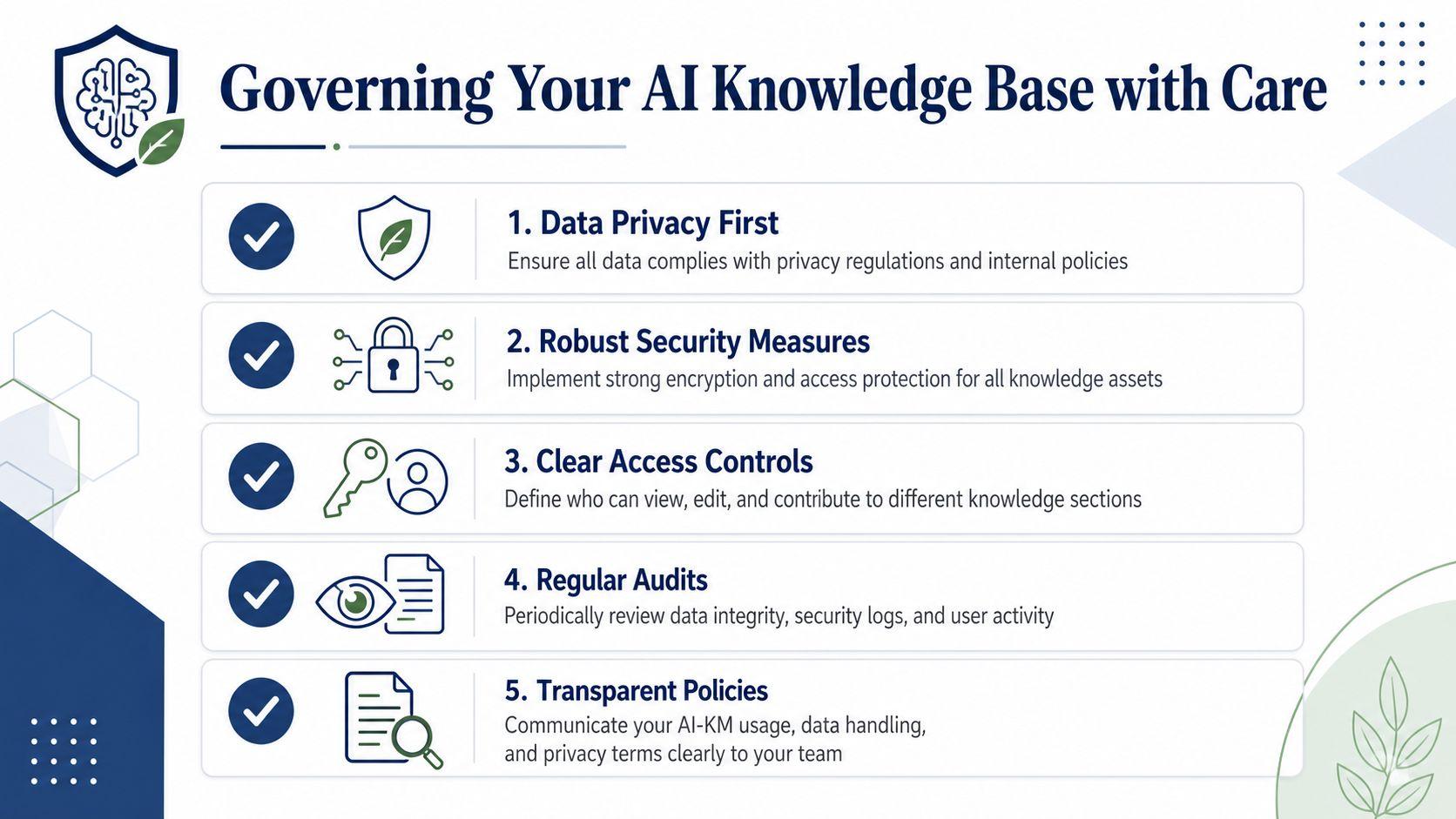
AI for knowledge management is not a "set it and forget it" system. It needs ownership, rules, and regular review, especially when your business runs on a mix of formal documents and unwritten know-how.
Why governance matters more for small teams
Research on AI-enabled knowledge management emphasizes that success depends on strong leadership commitment, adaptable governance structures, and context-sensitive technology selection, and that small teams have a critical need to balance automation with human oversight to prevent outdated or incorrect knowledge from spreading (governance findings here).
In plain language, that means someone has to care for the system. If no one owns it, stale content stays live, permissions drift, and the AI starts sounding confident about things that are no longer true.
A lightweight governance checklist
You don't need a formal committee. You need a few clear habits.
- Assign a practical owner: This doesn't have to be a full-time role. It can be an operations lead, office manager, or team lead who checks the system regularly.
- Control access by need: Not every employee should see every document. HR files, salary data, legal records, and sensitive contracts need stricter visibility.
- Create a review path: When the AI gives an uncertain, incomplete, or questionable answer, people should know where to report it.
- Set update expectations: Important docs need a named owner and a review rhythm tied to real business changes.
- Watch what people ask: Repeated failed searches often reveal missing documentation or confusing policies.
Here's a simple way to understand it:
| Governance question | What a small team should decide |
| Who owns the system? | One named person, even if part-time |
| Who can see what? | Role-based access for sensitive content |
| What gets reviewed first? | High-risk docs like HR, finance, and policy |
| How do errors get fixed? | Clear reporting and document-owner follow-up |
Trust in the system comes from human review, not from AI sounding polished.
If you want a practical companion read on review discipline, ensuring quality in AI coworkers is useful because it focuses on how teams keep AI outputs reliable in everyday work.
The key mindset shift
Don't ask, "Can the AI manage our knowledge for us?"
Ask, "How can AI help our team manage knowledge better, while people stay accountable for accuracy?" That question leads to better tool choices, safer rollout decisions, and fewer ugly surprises later.
Taking Your First Step into Smarter Knowledge Sharing
Most small teams don't need a giant AI transformation plan. They need one win.
Pick a pain point that's already costing your team attention. Maybe it's onboarding questions, scattered customer support guidance, or sales materials that nobody can find at the right moment. Then run a short pilot with a limited set of clean, approved documents.
Keep the test simple. Watch whether your team asks fewer repeat questions, finds information with less back-and-forth, and trusts the answers enough to use them in daily work. If the pilot exposes messy files or weak governance, that's still progress. You've found the blockers.
AI for knowledge management works best when you treat it like a practical business system, not a magic box. Clean data matters. Human oversight matters. Small steps matter.
If you want a privacy-first place to explore AI tools for team use without jumping straight into an enterprise stack, take a look at 1chat. Then start a conversation inside your business about one thing you'd like your team to stop hunting for.
That first conversation is often where smarter knowledge sharing begins.