Privacy concerns with AI now shape ordinary decisions at home, in school, and at work. A parent may want help drafting an email to a teacher but hesitate before pasting in details about a child. A student may use a chatbot for tutoring without knowing whether study prompts are stored. A small business owner may save time with AI, yet worry that client notes or pricing details could end up somewhere they do not belong.
That uncertainty forms the fundamental starting point.
AI does not have to be treated as either magic or off-limits. A more useful approach is to treat it like any tool that handles sensitive information. You check what goes in, where it goes, who can see it, and whether you can delete it later. An AI prompt can work like a diary left open on a kitchen table. If the tool collects more than you expected, private details may be easier to expose than you realized.
Real incidents have made people more careful. Cases such as Pavlov's ChatGPT code leak remind users that private or behind-the-scenes information can slip into public view when systems, settings, or safeguards fail.
This guide takes a practical middle path. It is built for families, students, and small businesses that face different privacy risks. School-related data, household information, and confidential business material do not all need the same protections. The goal is simple. Help you ask better questions, spot higher-risk tools faster, and choose AI services that deserve your trust.
The Growing Mistrust in AI Data Handling
Distrust of AI is no longer a niche concern. It has become common enough that families, students, and small business owners are asking the same question before they type: Where does this information go after I hit send?
That question matters because AI tools often feel simpler than they are. A chat box looks harmless. Under the surface, though, your prompt may be stored, reviewed by humans, used to improve a model, or combined with account and device data. For a parent, that might mean sharing details about a child's learning struggles. For a student, it could mean classwork or application essays. For a business owner, it might be a client issue, pricing note, or draft contract.
Privacy concerns feel personal for a reason. An AI prompt works like a diary left open on the kitchen table. You may intend to share one sentence, but other people can learn far more from the surrounding context than you meant to reveal.
That uncertainty is what drives mistrust. People can accept risk when the rules are clear and the boundaries are visible. With many AI tools, those boundaries are hidden inside long policies, default settings, and vague promises about how data is handled.
Practical rule: If you would not post it in a public forum under your real name, pause before putting it into an AI chatbot.
Trust also falls when users see real examples of private material slipping out. Incidents like Pavlov's ChatGPT code leak stand out because they show a simple truth. AI systems are built and operated by people, and people make mistakes.
What you need to know is straightforward.
You do not need to become a privacy lawyer or an AI engineer. You need to understand what a tool collects, how that information may be reused, and what signs suggest a safer choice. That is especially important for the groups this guide focuses on. Families deal with sensitive household and school data. Students often share unfinished work and personal academic details. Small businesses carry another layer of responsibility because customer records, internal documents, and employee information can all be exposed by one careless prompt.
Mistrust, then, is not panic. It is a signal to slow down, ask better questions, and choose tools that treat private information with care.
Four Core AI Privacy Threats Explained
The easiest way to understand privacy concerns with AI is to stop thinking about “AI” as magic. Treat it like a system that collects, stores, predicts, and sometimes repeats. Once you do that, the risks become easier to see.
A useful starting point is this: AI-related privacy incidents surged by 56% in the year leading into 2026, and AI systems are often data-hungry, ingesting internet-scraped personal information without user knowledge or consent.
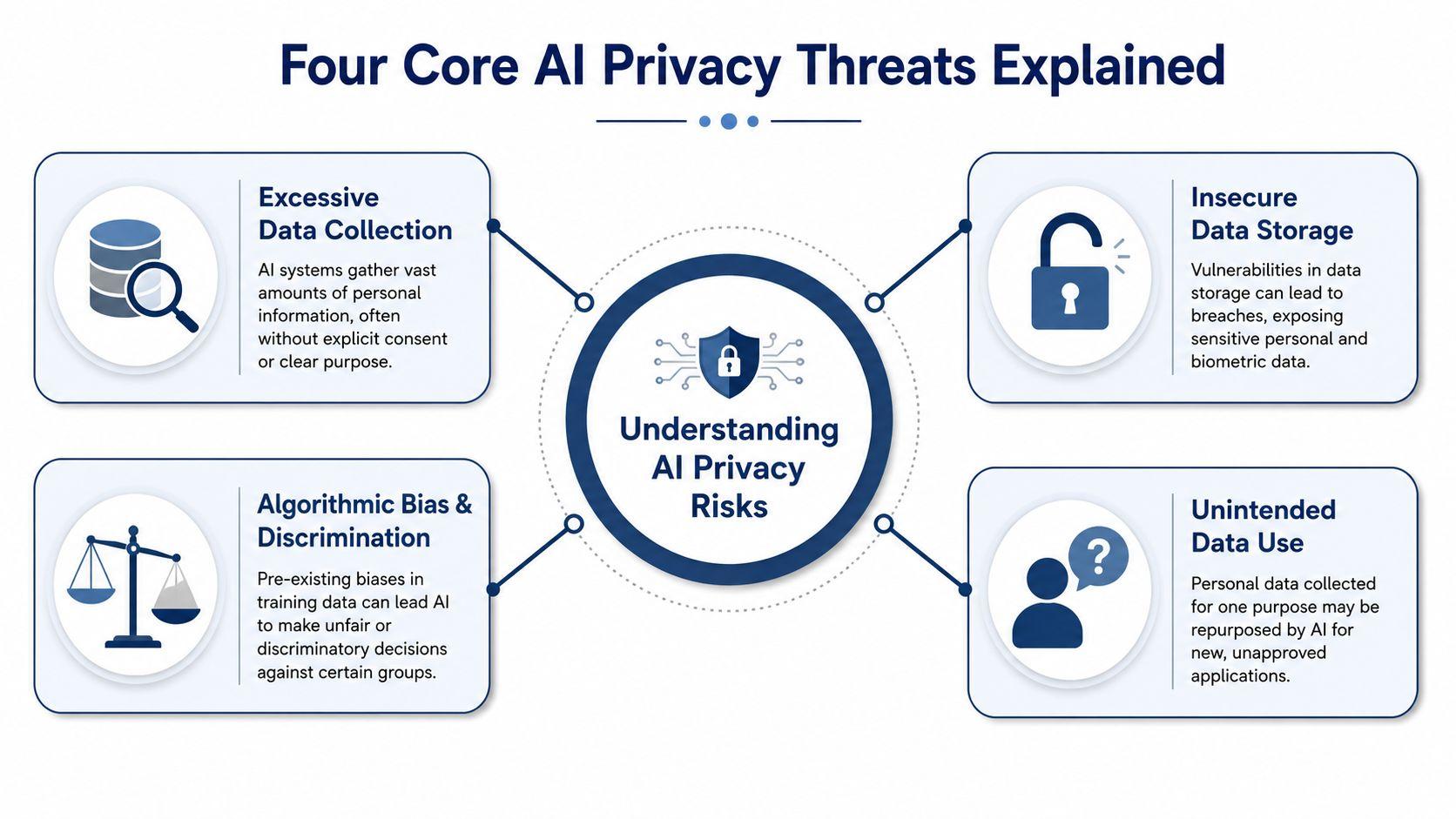
Excessive data collection
Some AI tools collect more than users realize. That can include what you type, files you upload, account details, and activity patterns.
Imagine inviting a tutor into your home, only to realize the tutor is also taking notes on every book on the shelf, every conversation in the room, and every sticky note on the fridge. Even if the tool only needs one question to answer you, it may still gather much more context than you expected.
This confuses people because the interface feels simple. One box. One prompt. One answer. Behind that simplicity, the tool may be logging and retaining more than the user sees.
Training leakage and unintended reuse
Often, many people get uncomfortable. Data shared for one reason may be used for another.
A simple analogy helps. A student overhears a private story in the hallway. Later, that student repeats pieces of it in class without meaning to. AI systems can create a similar risk when they absorb patterns from large amounts of data and later surface information in ways users didn't intend.
That doesn't always mean a tool will directly quote your exact prompt. It means your input may not stay neatly inside the original context where you shared it.
Private use and private storage are not the same thing. A tool can feel private while still keeping records behind the scenes.
Profiling and prediction
AI doesn't only store what you tell it. It can also build a profile from repeated interactions.
That profile might include your interests, writing style, shopping habits, likely age group, family role, or work priorities. For a parent, that could mean a system learns what school issues worry you. For a student, it could infer academic pressure points. For a business, it could identify patterns about staffing, workload, or customer concerns.
This feels invasive because you may never see the profile that gets built.
Inference risk
Inference risk is one of the least understood problems.
You didn't tell the system a secret. It guessed the secret from nearby clues.
Here's a plain example. A business owner uploads scheduling notes, productivity logs, and internal messages to an AI assistant. None of those files explicitly state that an employee is struggling with a health issue. But the AI may infer something sensitive from work patterns anyway. That inferred information can still create privacy problems, even if nobody typed the private fact outright.
That's why privacy concerns with AI go beyond “Did I share personal data?” The better question is often, “What could this system figure out about me or others from the data around it?”
How AI Privacy Issues Affect You in Real Life
The theory matters, but privacy risks become real when they touch ordinary routines. Homework. Family chats. Work documents. Those are the places where people lower their guard because the task feels normal.
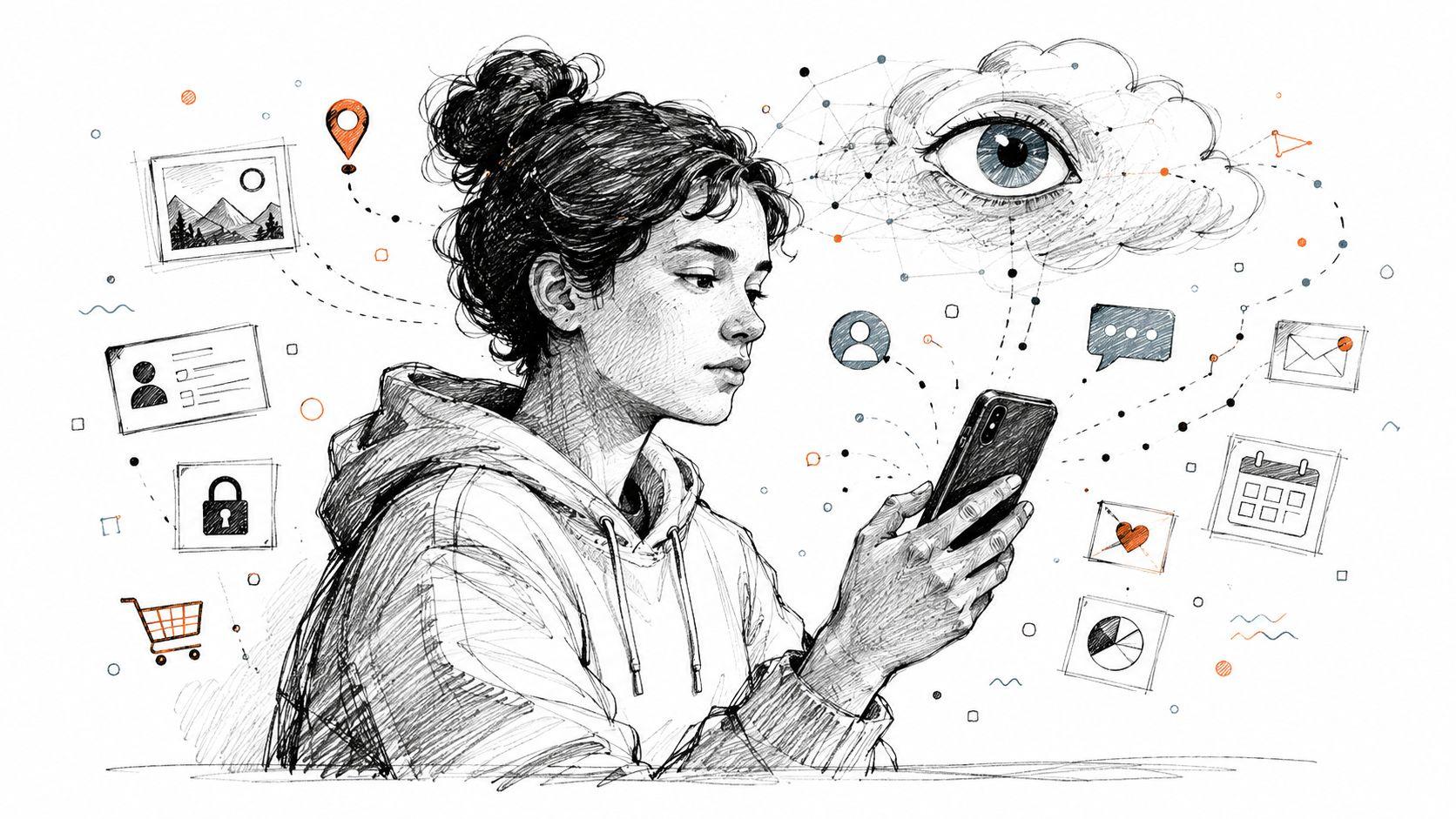
A student asking for help with schoolwork
A middle school student uses a chatbot to improve a personal essay. The draft mentions a teacher's name, the student's school, a neighborhood landmark, and a stressful event at home. To the child, it feels like asking a digital study helper for feedback.
The risk is that children's data is especially sensitive. IBM notes that AI models can “memorize” and inadvertently reveal minors' private details such as school names and addresses from training data, while families often lack a clear way to judge whether a chatbot's temporary chat mode really prevents model training.
That's where many parents get confused. “Temporary chat” sounds reassuring. But what does temporary mean? Does it mean the chat disappears from the screen? Does it mean it isn't stored? Does it mean it won't be used for training? Those are different promises.
A family using AI for everyday questions
A parent asks an AI tool for advice about a child's anxiety, learning issues, or conflict at school. The prompt may include age, behavior patterns, and details that make the child easy to identify to anyone with enough context.
Families should also review a tool's basic tracking disclosures, including cookie policy details, because privacy risk doesn't start and end with the prompt box. Tracking technologies can shape what the company knows about the person using the service before the conversation even begins.
Children's privacy deserves a higher standard than convenience settings and vague labels.
A small business trying to save time
A small team starts using AI to summarize meetings, organize customer notes, rewrite emails, and draft proposals. Nobody intends to expose anything sensitive. The team is just trying to work faster.
Then practical questions appear:
| Everyday use | Hidden privacy issue |
| Meeting summaries | Names, decisions, and unresolved conflicts may be stored |
| Sales drafting | Customer pain points and pricing logic may be exposed |
| HR brainstorming | Employee concerns may become inferable from context |
| Strategy prompts | Confidential plans may be retained by the tool |
The danger isn't always a dramatic breach. Sometimes it's quiet accumulation. A tool sees enough fragments to build a detailed picture of your business.
That's why students, families, and smaller teams need a different kind of guide. Generic AI privacy advice often talks about “users” as if everyone faces the same risk. They don't. A child's homework, a parent's family concern, and a business owner's client notes each create different stakes.
Understanding the Rules of the Game Legal Protections
Privacy laws help, but they don't remove your responsibility to choose carefully.
Regulations such as GDPR and CCPA were designed to give people more control over personal data. In plain language, these laws try to push companies to explain what they collect, limit misuse, and give users options such as access or deletion requests. That matters. Without legal pressure, many companies would reveal even less.
Why laws don't solve everything
The hard part is speed. AI tools evolve faster than individuals can read policy updates, and often faster than regulators can respond.
A law may give you rights on paper, but those rights still depend on how clearly a company explains its practices and how effectively it implements them. If a privacy policy is vague, long, or full of exceptions, the legal framework won't feel very protective in daily use.
A practical way to think about this is to compare companies by the clarity of their privacy commitments. For example, reviewing how MyMentions secures user data can help readers see what more explicit privacy communication looks like. The value isn't in brand loyalty. It's in learning what transparency sounds like when a company tries to be direct.
What to check before you rely on a tool
Even with legal protections in place, you should still read the parts of a provider's privacy notice that answer these questions:
- What data is collected
- Whether prompts or uploads may be used for training
- How long data is retained
- Whether you can delete data
- Whether data is shared with third parties
Laws create a safety net. They don't inspect every prompt before you send it. Personal judgment still matters.
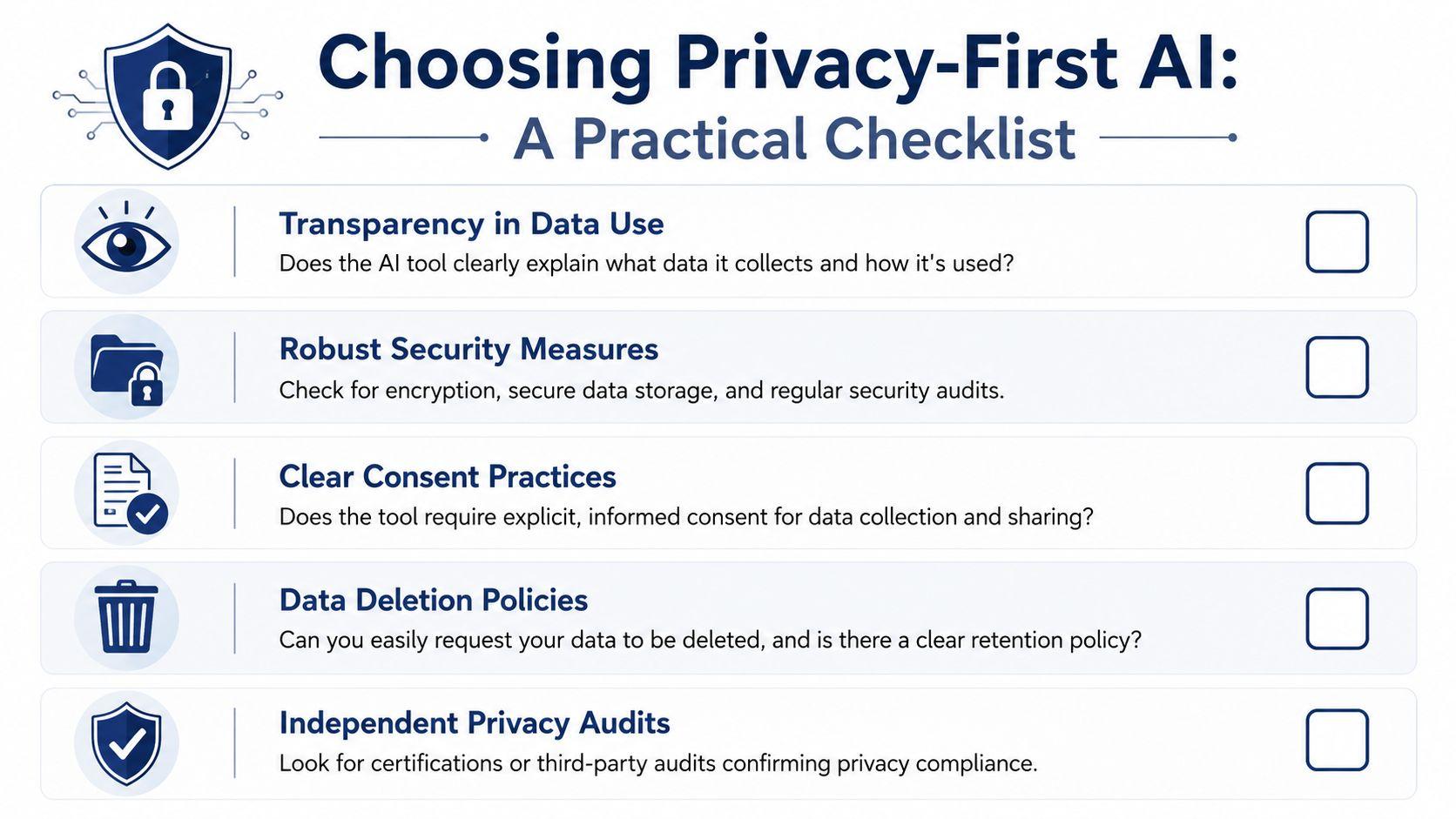
Choosing Privacy-First AI A Practical Checklist
The best defense is a repeatable screening process. If you're comparing AI tools for your family, your schoolwork, or your company, don't start with the flashiest features. Start with the privacy basics.
The checklist families and small teams can actually use
Ask these questions before you adopt any AI tool.
- Does it explain data use in plain language?
If you need to decode the privacy policy like a legal puzzle, that's a warning sign. Clear tools say what they collect, why they collect it, and whether your content may help improve the product. - Can you turn off training or limit retention?
This matters for school assignments, family questions, and internal business work. If there's no visible way to reduce retention or opt out of broader data use, assume the default may favor the company, not you. - Is deletion practical, not theoretical?
Some tools say you can request deletion. Better tools make deletion a normal user action, not a support ticket maze. For students and families, that can mean wiping sensitive chats. For businesses, it can mean removing documents after a project closes.
Questions that reveal hidden risk
Not every privacy issue is about hackers. Some are about design choices.
- Does the tool need broad permissions?
Be careful when a chatbot wants access to email, cloud storage, calendars, or team drives. Convenience is useful, but every new connection expands the amount of information the system can reach. - Could this tool infer something sensitive from ordinary data?
This is the small-business question many buyers miss. Timesheets, meeting logs, and workflow notes may look harmless in isolation. Combined, they can reveal patterns about staff health, stress, disputes, or customer trouble spots.
A privacy-first choice isn't the tool with the nicest slogan. It's the tool that limits what it can see, keeps control in your hands, and explains the rules clearly.
A quick comparison frame
Use this simple screen when comparing options:
| Ask this | Better answer | Riskier answer |
| Training use | Clear opt-out or no training on your content | Unclear or buried language |
| Data retention | Short, specific, editable by user | Open-ended or vague |
| Permissions | Minimal access | Broad account integration by default |
| Deletion | Self-serve and documented | Manual request with unclear scope |
| Policy clarity | Plain English | Legal jargon and ambiguity |
If you want examples of products built around stronger privacy expectations, reviewing privacy-first AI browsing options can help you see how some tools position privacy as a core product choice rather than an afterthought. It's also worth checking a provider's usage policies so you understand what kinds of content, monitoring, and account actions may apply before your team depends on the service.
Actionable Steps to Protect Your Data Today
You don't need to wait for perfect laws or perfect tools. Small habits reduce a lot of exposure.
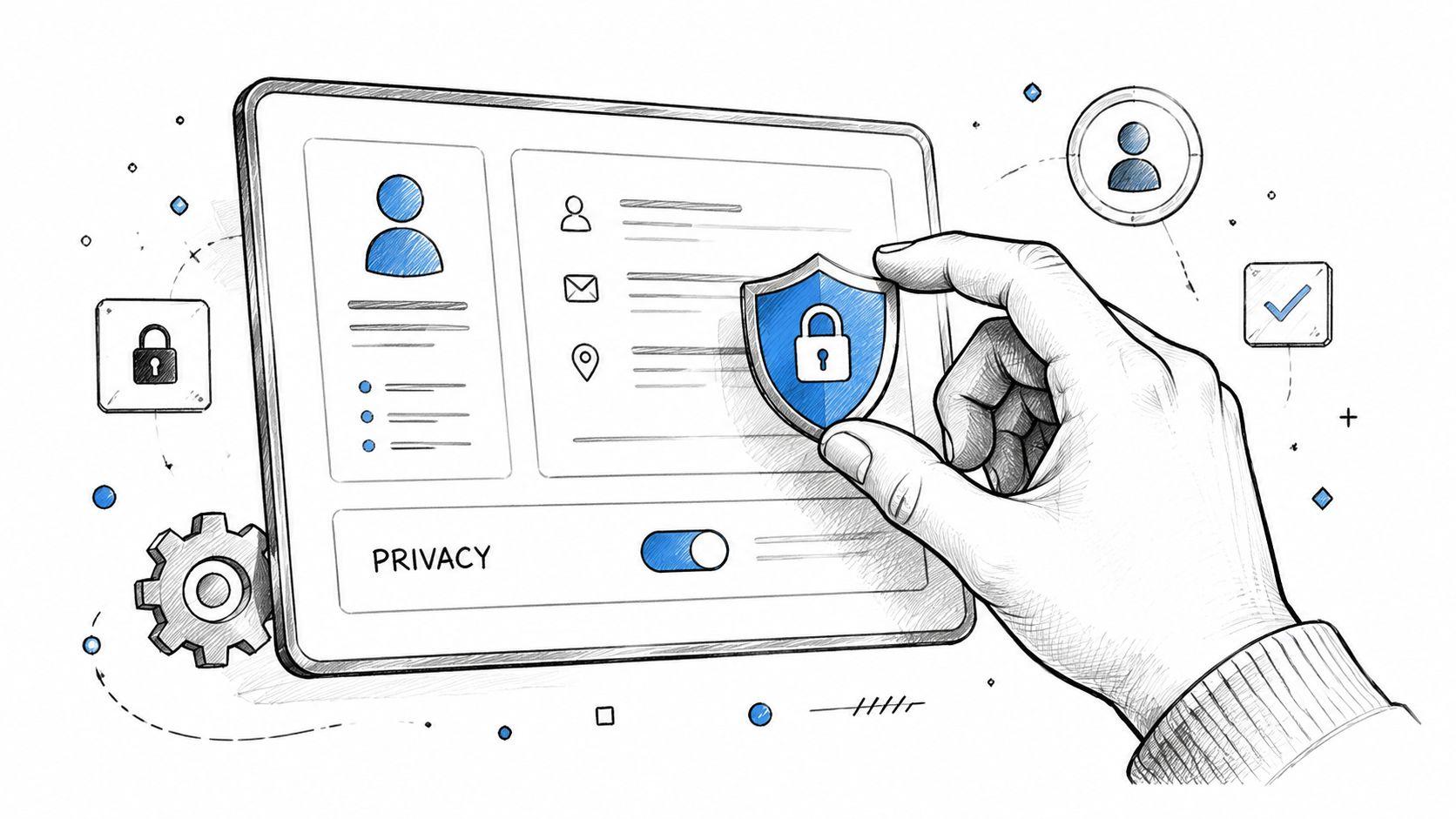
Start with what you type
The simplest rule is still the most powerful. Don't paste in information that could harm you, your child, your student, your employee, or your customer if it were exposed later.
That includes full names, addresses, phone numbers, school names, account numbers, medical details, legal disputes, and confidential business strategy. If the AI only needs context, give less context. “A student in middle school” is safer than naming the child, school, and grade-level teacher.
Use low-data habits by default
These habits are easy to adopt:
- Strip out identifiers before submitting a prompt. Replace names with roles like “teacher,” “client,” or “employee.”
- Use temporary or history-off modes carefully when available. They can still be helpful, but don't assume the label alone guarantees full privacy.
- Delete old chats if the platform allows it. Old conversations often contain more personal detail than people remember.
- Separate tasks by sensitivity. Use one tool for low-risk brainstorming and keep high-risk topics off public AI tools entirely.
Treat account connections as high stakes
Many privacy problems begin when users grant a chatbot access to other services.
If a tool asks to connect to your email, file storage, or shared workspace, slow down. Ask what the tool can read, what it can store, and whether everyone affected would be comfortable with that access. A parent shouldn't connect school-related accounts casually. A business owner shouldn't connect client repositories without checking internal obligations first.
The safest prompt is often the one you rewrite before sending.
Create a household or team rule
Privacy gets easier when people don't have to decide from scratch each time.
A family can create a simple rule such as: no full names, no addresses, no health details, and no school identifiers in AI prompts. A business can set a parallel rule: no customer secrets, no employee issues, no legal matters, and no unreleased strategy in public AI systems.
Rules like these aren't anti-AI. They're the same kind of guardrails you'd use for email, cloud docs, or social media. AI should be treated with the same care.
Your Path to Safer AI Use
AI can be useful and still deserve scrutiny. Both things can be true at once.
The biggest mistake people make with privacy concerns with AI is assuming the risk only applies to “important” data. In practice, ordinary details become sensitive when they're combined. A school name plus a story. A work log plus a pattern. A family question plus an account profile. That's how privacy slips away, one harmless-looking piece at a time.
The good news is that safer use doesn't require paranoia. It requires habits. Ask how a tool handles data. Limit what you share. Be skeptical of vague promises. Give extra protection to children's information and business material that affects other people.
If you want a more privacy-focused option built for families, students, and small teams, you can explore 1chat as part of your evaluation process. The key is not to trust any AI tool by default. The key is to compare them carefully and choose one that respects boundaries you can understand.
That's the shift. You don't have to reject AI to protect your privacy. You have to use it on purpose.