A lot of graduate students still treat AI as an optional add-on for research. That view is already outdated. A 2024 study in Science found that researchers using LLMs increased manuscript output by over 50% on key preprint servers, while also contributing to a “flood of polished but potentially superficial work” that is straining scientific review (Berkeley Haas coverage of the study).
That tension defines modern academic work. AI can help you move faster, read more broadly, draft more clearly, and keep your project organized. It can also tempt you into shallow synthesis, accidental plagiarism, and overconfidence in text that sounds authoritative but isn't grounded.
The useful question isn't whether to use AI for research papers. It's how to use it without giving up judgment, originality, or trustworthiness.
If you're still building your broader AI habits as a student, it also helps to find effective AI learning apps that strengthen note-taking, review, and study workflows alongside research. For a broader look at privacy-aware research use cases, you can also explore AI tools for research workflows.
The New Research Paradigm with AI
Research used to reward patience above all else. You searched databases, exported citations, skimmed abstracts, downloaded PDFs, highlighted methods, and built your own synthesis by hand. That process still matters. What's changed is the speed at which strong researchers can now do each part of it.
AI has become a force multiplier. It can cluster papers by theme, summarize arguments, explain unfamiliar methods, and help you test the shape of your own reasoning. For students entering graduate school now, that means the baseline workflow has shifted. You're not only competing with other researchers' expertise. You're also competing with their tooling.
Why speed alone isn't enough
The danger isn't just bad writing. The bigger problem is credible-sounding weakness. AI can produce neat summaries of papers it hasn't fully understood, smooth transitions between ideas that don't belong together, and elegant prose that hides a thin evidence base.
Practical rule: If AI makes your draft sound smarter than your notes, stop and verify every claim.
That's why responsible use matters more than novelty. The strongest researchers don't hand their thinking to a model. They use models to remove friction from the boring parts, then spend more time on interpretation, criticism, and decisions that require domain knowledge.
A better mental model
Think of AI as a layered assistant, not an author. It can help you:
- Find better papers faster by interpreting concepts instead of just keywords
- Interrogate dense PDFs by turning static reading into question-driven reading
- Stress-test your argument before you commit to a structure
- Polish your own prose so your final paper is clearer and more consistent
That shift represents a fundamental transformation. AI for research papers works best when you treat it as a system woven through your workflow, not a last-minute text generator.
Supercharge Literature Discovery
Most students begin literature review with keywords. That still works, but it's often clumsy. If your search terms are too narrow, you miss relevant work. If they're too broad, you drown in irrelevant hits.
AI tools improve this stage because they can search by meaning, not just by exact wording. That's what people mean by semantic search. Instead of matching the phrase you typed, the system looks for papers that discuss the same idea in different language.
Think like a researcher, search like an analyst
A good way to picture this is a superpowered research assistant who has already scanned an enormous body of scholarship and can point you toward patterns. Elicit can reduce literature review time by up to 40% by summarizing findings from over 125 million academic papers and comparing study methodologies in structured formats (Elicit).
That matters because literature discovery isn't just about finding papers. It's about finding the right mix of papers:
- Seminal work that established the field
- Recent work that changed the conversation
- Methods papers that show how people study the problem
- Contradictory findings that reveal unresolved debates
If you're building a repeatable system for this kind of reading and note organization, these AI workflow ideas for researchers and students can help you connect discovery with later analysis.
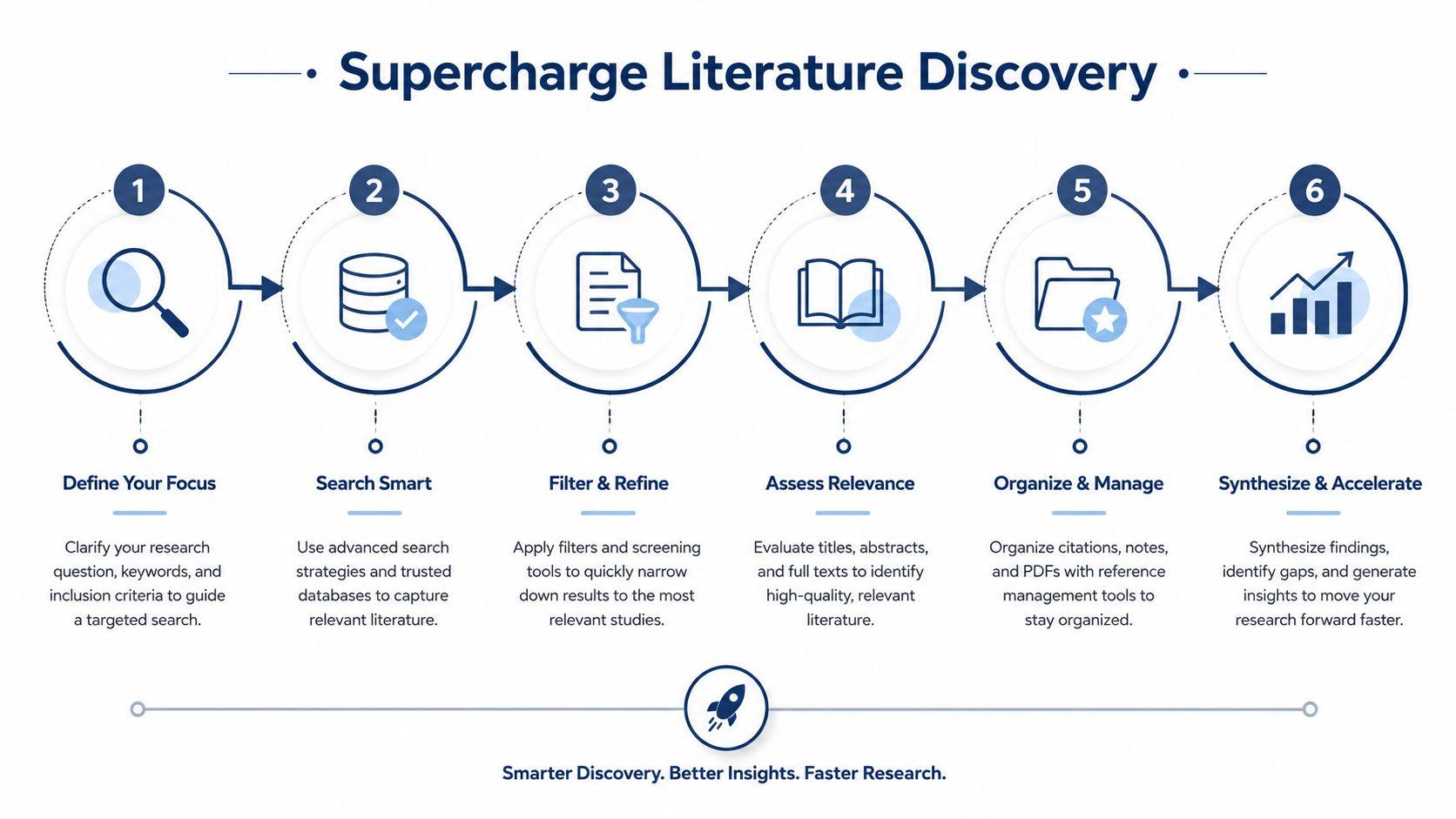
A six-step workflow that actually works
Here's a clean process you can reuse for almost any topic:
- Start with a research question, not a tool Don't begin with “find papers on burnout.” Begin with something tighter, such as “How do qualitative studies describe burnout among first-year nurses in hospital settings?”
- Ask for concept expansion Use an AI literature tool to surface related terms. Burnout might connect to emotional exhaustion, retention, workload, staffing ratios, or moral distress.
- Scan structured summaries Focus on research design, population, and outcomes first. This helps you drop irrelevant papers early.
- Follow citation trails Once you find one useful paper, look backward at its references and forward at papers citing it. Citation mapping tools such as Litmaps and Inciteful are useful here because they help you see how ideas spread.
- Group papers by role Don't save everything into one pile. Create buckets such as theory, methods, evidence, critique, and background.
- Write a one-line reason for saving each paper This sounds simple, but it prevents the classic problem of collecting papers you can't remember later.
A paper isn't “useful” because it's relevant to your topic. It's useful because you know what job it does in your argument.
Where students get stuck
The common mistake is asking AI to “find the best papers” and accepting the output as complete. Don't do that. Treat results as a starting set, then refine manually. Ask follow-up questions like:
- Which papers are empirical versus conceptual?
- Which studies use the same dataset repeatedly?
- Which findings appear contested?
- Which methods dominate this subfield?
Those questions turn discovery into analysis. That's when AI starts saving real time instead of just generating a nicer search interface.
Analyze and Synthesize PDFs with AI
Once you've gathered papers, the bottleneck begins. Most students don't struggle to download PDFs. They struggle to extract what matters from them without spending days rereading dense passages.
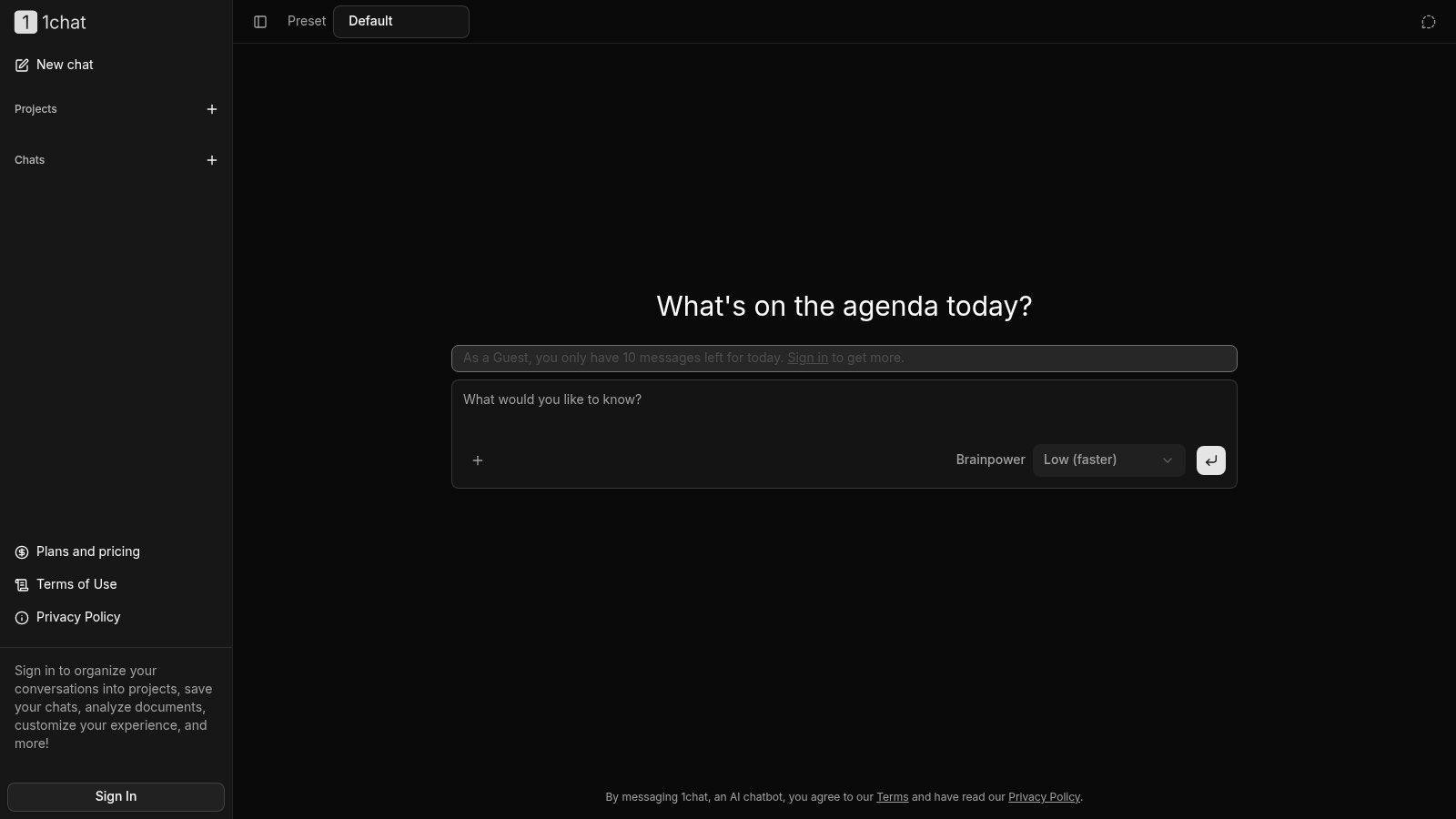
That's why “Chat with PDF” tools are useful. They turn a passive document into something you can query. Instead of manually hunting for a method, limitation, definition, or result, you ask directly and inspect the answer against the text.
What this does well
SciSpace and Scholarcy can improve comprehension for early-stage researchers by an average of 35% by allowing direct questions about technical papers for definitions and summaries (Scholarcy overview). That's especially helpful when you're reading outside your comfort zone and need quick orientation before deeper reading.
The best use case isn't “summarize this whole paper.” It's targeted questioning.
Try prompts like these:
- Explain the methodology in plain language for a first-year graduate student.
- What was the sample or dataset used?
- What are the authors' main claims?
- What limitations do the authors acknowledge?
- Which terms in this paper have a specialized meaning?
- What would I need to know before replicating this study?
How to question a paper productively
Don't ask one giant question and trust the answer. Use a layered reading pattern.
First pass for orientation
Ask for the paper's central question, method, and contribution. You're trying to establish the skeleton.
Second pass for weaknesses
Then shift into critical mode. Ask what assumptions the paper makes, what alternative explanations exist, and whether the conclusions seem broader than the data support.
Third pass for your own project
Finally, connect the paper to your work. Ask how it compares with another article in your folder, where it agrees or conflicts, and whether it supports or challenges your planned argument.
If a PDF chat tool can't help you locate limits, contradictions, and uncertainty, you're using it too passively.
Privacy changes the tool choice
The ethics of research workflow present a point of intersection. Many students upload unpublished drafts, annotated manuscripts, field notes, or sensitive internal documents into AI tools without thinking about confidentiality. That's risky.
If you're handling pre-publication work, human subjects material, or team documents, you need to check a platform's privacy terms before uploading anything. A privacy-first setup matters because your reading process often includes the most vulnerable material in a project: raw interpretation, provisional claims, and incomplete data.
For researchers who want to streamline document processing with AI, the important question isn't only whether the summary is good. It's whether the tool fits the sensitivity level of the material you're feeding it.
A better note-taking output
After each PDF session, create a short note with four fields:
- Core claim: What does this paper argue?
- Evidence base: What supports that claim?
- Limitations: What should make you cautious?
- Use in my paper: Why am I keeping it?
That tiny discipline keeps AI-assisted reading from becoming AI-assisted forgetting.
Outline and Draft with an AI Partner
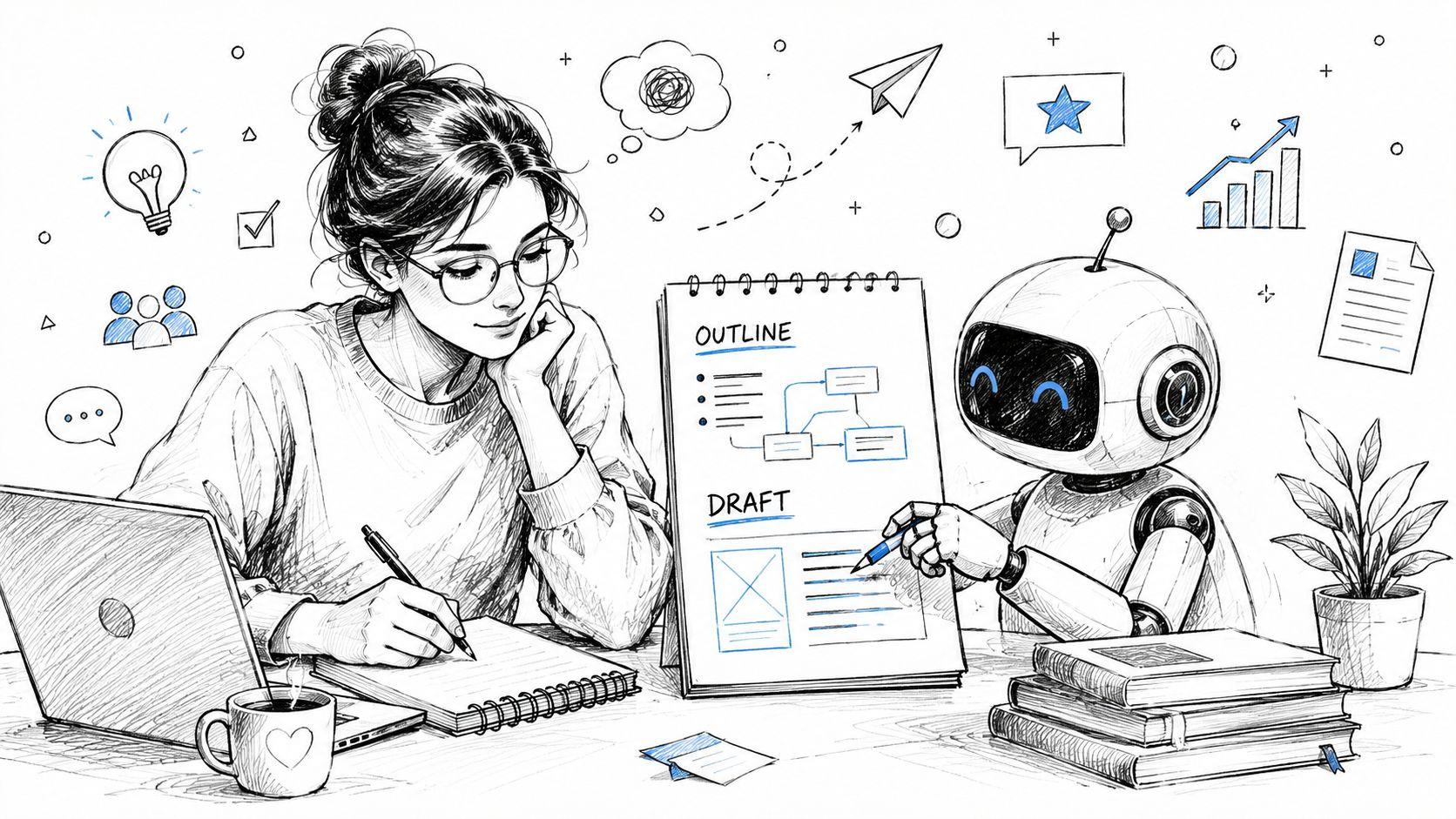
Drafting is where many students either overuse AI or avoid it entirely. Both approaches miss the point. AI is most helpful here when you use it as a thought partner, not as a ghostwriter.
A good model can help you structure a messy idea, surface missing assumptions, and generate alternative ways to organize a section. It shouldn't replace the argument you need to make.
Use AI before the prose gets polished
The best moment to use AI in drafting is often before you write paragraphs. Once you already have neat text, you're more likely to let the model smooth things cosmetically instead of helping you think.
Start with rough notes, extracted claims from papers, and your working thesis. Then ask for structure.
Here are prompts worth borrowing:
- Create three possible outlines for a literature review on this topic. One chronological, one thematic, and one method-based.
- Based on these notes, what is the strongest central argument I could make?
- Identify logical gaps in this outline.
- What objections might a skeptical reviewer raise?
- Reorder these points into a structure that builds from background to argument to implications.
- Turn this bullet list into a section plan, but don't draft full prose.
How to use it without outsourcing authorship
A useful test is whether you could defend each sentence in a meeting with your supervisor. If the answer is no, that sentence probably came from the model faster than it came from your understanding.
Productive drafting uses
- Outline generation when you have too many ideas
- Counterargument testing when your claim feels one-sided
- Clarity support when your notes are technically accurate but hard to explain
- Transition planning when sections feel disconnected
Risky drafting uses
- Asking for full sections with no source notes
- Accepting citations you haven't verified
- Letting AI invent literature connections
- Rephrasing source material so heavily that you lose attribution boundaries
If you want to improve the quality of your prompts, this guide to prompt and context engineering for AI workflows is useful because it clarifies how better context produces better outputs.
A practical example
Suppose you're writing a discussion section and feel stuck. You might give AI the following:
- your findings in bullet form
- two competing explanations
- a note on what prior studies suggest
- the audience, such as a public health journal
Then ask:
Compare these two interpretations of my findings. Which one seems more defensible, and what evidence would I need to strengthen the weaker one?
That kind of prompt keeps you in charge. The model isn't writing your paper. It's helping you pressure-test your reasoning.
Rephrase for clarity, not for disguise
Many students also use AI to “make this sound academic.” Be careful. Good academic writing isn't inflated writing. If a sentence becomes harder to understand after revision, the model has made it worse.
A better prompt is:
- Rewrite this paragraph for clarity and concision while preserving my claim and level of certainty.
- Suggest a plainer version of this sentence for an interdisciplinary reader.
- Highlight any vague nouns or unsupported transitions.
Those instructions improve readability without encouraging fake sophistication.
Refine and Edit Your Writing with AI
Editing is the safest and often the most valuable place to use AI. Drafting can raise authorship questions. Editing usually doesn't, as long as the underlying ideas and claims are yours.
The difference matters. When AI writes your argument, it can blur ownership and evidence. When AI edits your argument, it usually acts more like an advanced writing assistant.
What AI editing does better than a spell checker
Traditional grammar tools catch surface errors. AI can go further by checking whether a paragraph is repetitive, whether terminology shifts across sections, or whether your tone suddenly changes from cautious to overstated.
A side-by-side view helps:
| Task | Human strength | AI strength |
| Argument accuracy | Evaluating whether claims are true and supported | Weak unless you verify everything |
| Style consistency | Knowing what tone fits your field | Fast detection of inconsistencies |
| Sentence clarity | Deciding what nuance matters | Rewriting awkward phrasing quickly |
| Citation integrity | Verifying every source and attribution | Not reliable without manual checking |
Good editing prompts
Ask AI to do narrow jobs with clear constraints:
- Edit for clarity while preserving technical meaning.
- Flag sentences that overstate certainty.
- Check whether key terms are used consistently across this section.
- Revise this paragraph to align with APA 7 tone and concision.
- Identify where the prose becomes repetitive.
- Suggest shorter alternatives for nominalized phrases.
Clean prose isn't just cosmetic. Reviewers often trust arguments more when the wording is precise, modest, and consistent.
What to watch for during revision
AI often introduces subtle problems during editing:
- It can flatten nuance by making cautious language too strong.
- It can replace field-specific terminology with more general words that are less accurate.
- It can smooth away tension between studies when that tension is important.
- It can standardize your voice until the paper sounds generic.
That's why the final pass should always be yours. Read aloud. Check every changed sentence against your intended meaning. If you work in a field where wording carries methodological weight, be extra careful with any automated rewrites.
The best editing workflow is simple: write first, revise with AI second, then approve line by line as the author.
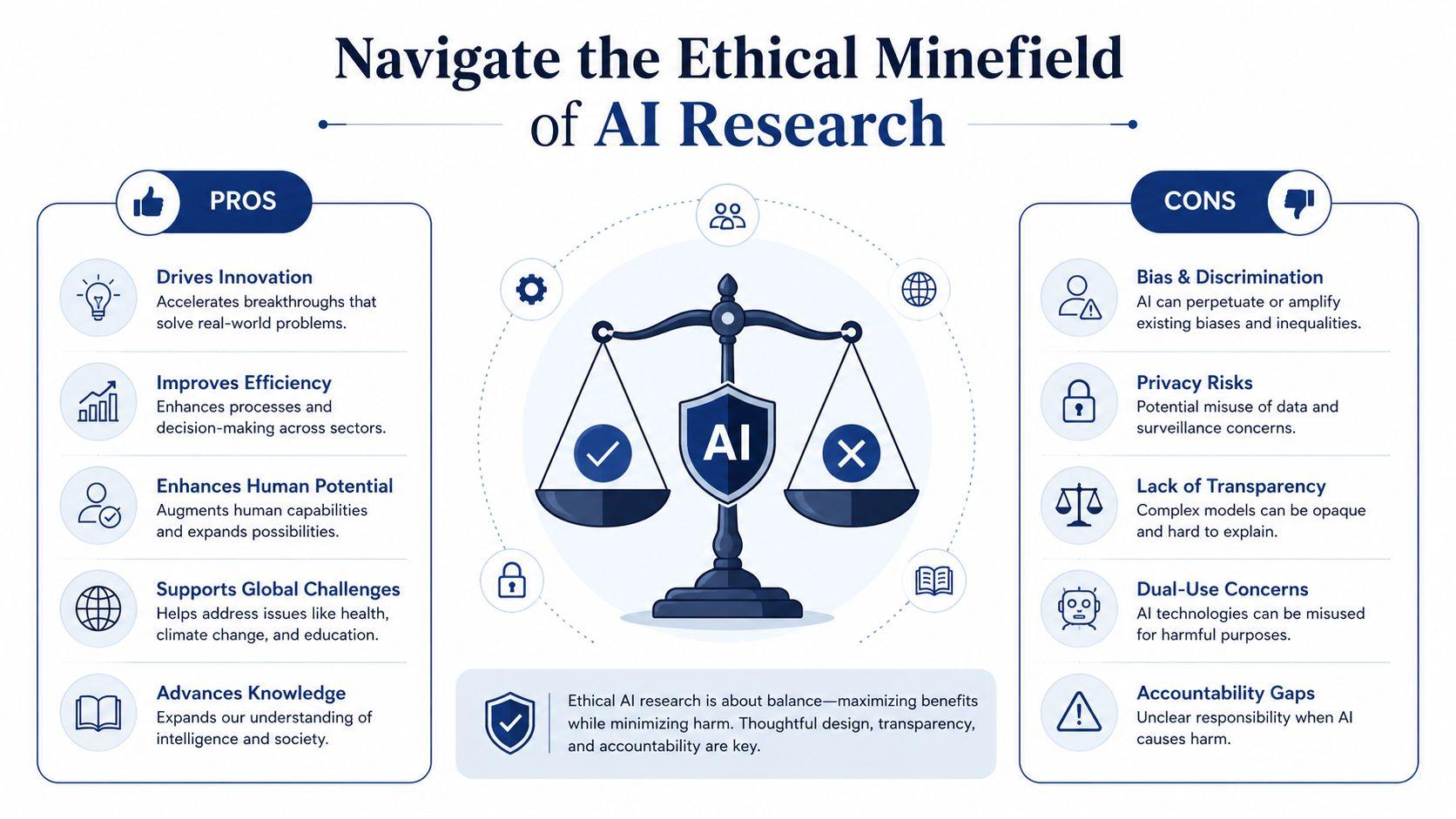
Navigate the Ethical Minefield of AI Research
The ethical problem with AI in research isn't abstract anymore. It shows up in low-quality publications, fabricated synthesis, privacy mistakes, and lazy citation practices that damage trust.
One warning sign is the rise of AI-assisted paper mills. The exploitation of public datasets by AI-driven paper mills has surged from 4 papers per year between 2014 and 2021 to 190 papers in 2024 in one dataset-focused example, making it harder for funders and reviewers to identify worthy research (Science reporting).
The three risks that matter most
Students often worry only about plagiarism. That's important, but it's not the whole picture.
Plagiarism and disguised paraphrase
If AI rewrites a source too closely and you paste it into your draft without citation, you've still created an attribution problem. The wording may be different. The intellectual debt is not.
Hallucinated facts and citations
Models can invent references, misstate results, or merge two studies into one neat summary. The cleaner the language, the easier this is to miss.
Privacy and confidentiality
Uploading unpublished manuscripts, interview material, internal reports, or sensitive student data into the wrong tool can create serious compliance problems. Even when the platform feels casual, your obligations as a researcher don't disappear.
A practical code of conduct
Use this checklist before you rely on AI output.
- Verify every factual claim: If the model states a finding, check the original paper.
- Keep source boundaries visible: Maintain notes showing which ideas came from which article.
- Use AI for transformation, not substitution: Let it help sort, compare, and clarify. Don't let it replace reading.
- Check institutional rules: Some departments and journals require disclosure of AI assistance.
- Protect sensitive material: Avoid uploading anything confidential unless you're sure the tool and policy allow it.
And avoid these habits:
- Don't cite AI as if it conducted research: It didn't.
- Don't accept fake references: Every citation must be checked in the original source.
- Don't use AI to mask weak understanding: If you can't explain a claim yourself, you shouldn't submit it.
- Don't confuse polish with rigor: Elegant prose can still hide flawed reasoning.
The ethical line is simple. AI may assist your process, but it can't carry your responsibility.
When disclosure makes sense
If AI substantially helped with language editing, outlining, or formatting, check whether your department, lab, or target journal expects disclosure. Practices vary. What matters is honesty and consistency.
A good question to ask yourself is this: if your supervisor opened your chat history with the tool, would your process look defensible? If yes, you're probably using AI well. If not, the workflow needs to change.
Building Your AI-Assisted Workflow
The most effective use of AI for research papers isn't tool collecting. It's building a repeatable system you trust.
A strong workflow usually has four parts:
Discover with intention
Use AI to expand concepts, locate relevant literature, and identify clusters of debate. Keep a running note on why each paper matters.
Analyze with questions
Interrogate PDFs actively. Ask about methods, assumptions, limits, and relevance to your own project. Save short synthesis notes after each reading session.
Draft with ownership
Use AI to shape outlines, test claims, and challenge your reasoning. Keep the core argument in your own words and under your control.
Refine with discipline
Let AI help clean language, enforce consistency, and tighten structure. Then do a final human pass for accuracy, tone, and citation integrity.
This approach works because it keeps the researcher in the pilot's seat. AI can accelerate motion, but it can't decide destination, standards, or truth.
If you're comparing tools before building your own setup, the 1chat FAQ is a useful place to review practical questions about models, document handling, and workflow fit. Start small. Test one part of your process first, such as literature triage or PDF questioning, and keep notes on what actually saves time versus what just feels novel.
Research is changing quickly. The students and scholars who adapt best won't be the ones who automate everything. They'll be the ones who learn where AI helps, where it distorts, and where careful human judgment still does the essential work.
If you want a safe place to start experimenting, try one privacy-first workflow first and keep the task narrow. Use AI to summarize a handful of papers, compare methods, or clean up your own prose. Then review every output like a researcher, not a consumer. That's the habit that makes AI useful instead of risky.