The search for the best AI chatbot for business is no longer about finding a simple tech novelty; it's a critical strategic decision. With countless platforms available, the real challenge is finding a tool that does more than just answer questions. You need an AI partner that integrates seamlessly into your workflows, respects your data privacy, and scales with your growth. This is especially true for small and midsize businesses, teams, and even educational or family settings where specific needs like collaboration, safety, and affordability are paramount.
This guide is designed to cut through the noise and provide clear, actionable insights. We will analyze 12 of the top AI chatbots available today, from enterprise-grade solutions like Microsoft Copilot and OpenAI ChatGPT to specialized platforms like Intercom and Tidio. We also dive into privacy-first alternatives like 1chat, which is built for small teams and family use, offering a secure and collaborative environment.
Our goal is to help you make an informed choice. For each platform, we provide a detailed breakdown covering:
- Ideal Use Cases: Who is this tool really for? (e.g., customer support, internal knowledge management, marketing automation).
- Key Features & Limitations: What can it actually do, and where does it fall short?
- Pricing & Integration: How much does it cost, and how well does it play with the other tools you already use?
We provide direct links and screenshots for every tool, allowing you to see them in action. This comprehensive resource will help you identify the perfect AI chatbot to reduce workloads, enhance productivity, and securely meet the unique needs of your business, team, or family.
1. 1chat: The Privacy-First, All-in-One AI and Communications Hub
1chat establishes itself as a powerful, well-rounded choice by uniquely merging an internal AI assistant with an external customer communications platform. It’s engineered for small to midsize businesses that need a versatile tool without the complexity of managing separate systems. The platform provides unified access to leading large language models (LLMs), including those from OpenAI and Google, ensuring your team always has the best AI for the task at hand. This consolidation is a significant workflow advantage, eliminating the need to switch between different AI tools for different purposes.
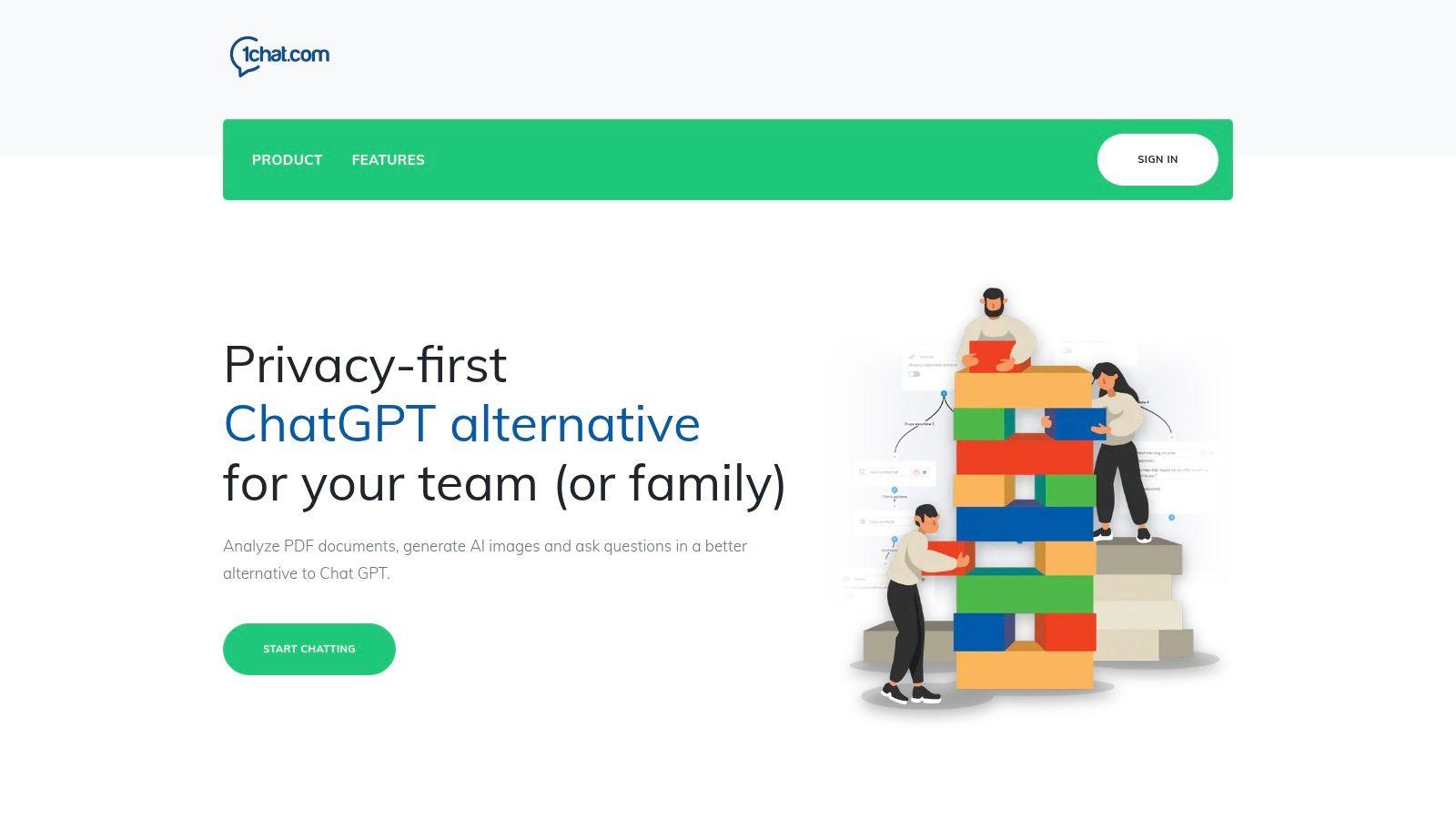
The platform’s core strength lies in its hybrid functionality. Internally, teams can leverage it for content creation, data analysis by uploading PDFs, and even generating images with built-in AI tools. Externally, its integrated omni-channel inbox centralizes customer conversations from your website, email, SMS, and social media. This makes 1chat the best AI chatbot for business teams aiming to enhance both productivity and customer service simultaneously, all within a secure, privacy-focused environment.
Key Features and Use Cases
- Unified LLM Access: Instead of paying for multiple AI subscriptions, teams can use one interface to access various top-tier models, optimizing for either creativity or analytical precision.
- Omni-channel Customer Inbox: A marketing or support team can manage a customer query that starts on website chat and moves to email, all from a single, collaborative thread. This streamlines support and provides a complete view of the customer journey.
- Built-in Productivity Tools: A research team can upload a 100-page market report (PDF) and instantly get a summary, key data points, and answers to specific questions, drastically reducing manual analysis time.
- Privacy-First Design: Its architecture makes it a safe choice for environments handling sensitive information or for mixed personal and professional use, such as in family-run businesses.
Pricing and Implementation
1chat operates on a per-seat pricing model, but specific costs are not publicly listed; you must contact their sales team for a quote. A significant advantage is that even their starter plans include a generous allowance of up to 5,000 automated conversations per month, making it accessible for smaller teams. For guidance on integration, learning how to implement AI in business can provide a strategic roadmap for deploying tools like 1chat effectively.
Website: https://1chat.com
2. 1chat
1chat positions itself as a unique, privacy-first alternative to mainstream AI chatbots, specifically designed for small teams, businesses, families, and schools. Its core distinction lies in integrating a powerful AI assistant within a comprehensive, omni-channel communication hub. This setup allows users to manage customer interactions from web chat, email, and SMS all in one unified inbox, drastically reducing the need to switch between different applications.
The platform is built around the concept of a private workspace, ensuring that conversations and data remain secure and confidential, a crucial feature for businesses handling sensitive client information or families concerned about data privacy. This makes it one of the best ai chatbot for business options for organizations prioritizing security.
Key Features & Use Cases
1chat is not just a chatbot; it's a productivity suite. Its built-in tools are designed for practical, everyday tasks. For instance, the PDF Q&A feature allows a business to upload a technical manual and have the AI instantly answer customer queries based on its contents. Similarly, the integrated image generation can help a marketing team create social media assets on the fly without leaving their primary workspace.
The user experience is streamlined with a simple "Start chatting" flow, making onboarding quick and intuitive. This ease of use is ideal for non-technical users in small businesses or school environments.
- Best For: SMBs, educational institutions, and families seeking a secure, all-in-one communication and AI platform.
- Privacy: Strong focus on private, secure workspaces.
- Pros: Combines communication channels, strong privacy controls, simple to use.
- Cons: Pricing is not publicly listed on the website; fewer third-party integrations compared to industry giants.
- Website: https://1chat.com
3. OpenAI ChatGPT (Business/Enterprise)
OpenAI takes its groundbreaking consumer model and packages it for organizational use with ChatGPT Business and Enterprise plans. These offerings transition the powerful AI from a personal assistant to a scalable business tool by layering crucial administrative controls, security features, and data privacy commitments on top of the core technology. This allows teams to leverage the latest OpenAI models like GPT-4o for complex reasoning, content creation, and data analysis within a managed and secure environment.
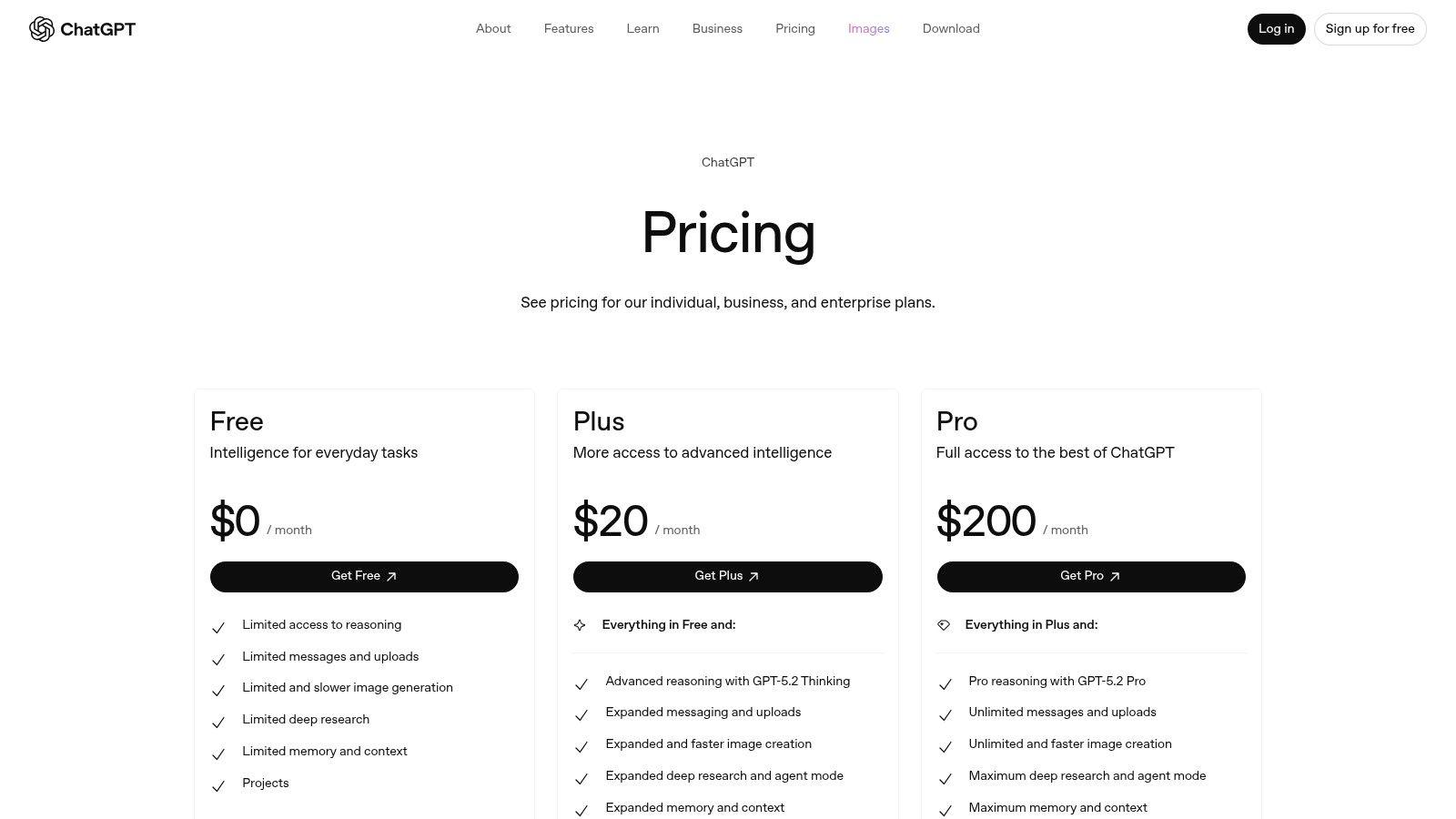
The primary distinction from the free or Plus versions is governance. Businesses gain an admin console, single sign-on (SSO) capabilities, and the assurance that their business data will not be used to train OpenAI's models by default. This makes it a strong contender for the best ai chatbot for business for companies that need to adopt generative AI quickly while meeting internal compliance and security standards, although many still explore the best free ChatGPT alternatives for less sensitive tasks.
Key Features & Use Cases
The Business and Enterprise tiers are designed for seamless integration into existing corporate workflows. A key feature is the ability to build and securely share custom GPTs within a workspace, allowing a company to create specialized assistants for tasks like analyzing sales data, drafting marketing copy in a specific brand voice, or summarizing legal documents. For example, a support team could use a custom GPT connected to its internal knowledge base to get instant, accurate answers for customer tickets.
Compliance is another major focus, with certifications like SOC 2 and ISO, ensuring the platform meets stringent enterprise security requirements. This provides the necessary framework for deploying AI across departments without compromising on data protection.
- Best For: Companies wanting direct, governed access to OpenAI's most advanced models with enterprise-grade security and admin controls.
- Privacy: Business and Enterprise data is not used for model training by default, with robust compliance certifications.
- Pros: Direct access to cutting-edge models, clear per-seat pricing for Business, strong security and compliance features.
- Cons: Advanced features may require purchasing flexible credits; highest-level governance is locked behind the Enterprise plan.
- Website: https://openai.com/chatgpt/pricing/
4. Microsoft Copilot for Microsoft 365 (with Copilot Studio)
Microsoft Copilot for Microsoft 365 integrates an AI assistant directly into the ecosystem that millions of businesses already use daily, including Word, Excel, Outlook, and Teams. Its primary advantage is its native, deep integration, which allows the AI to be grounded in your organization’s specific data, such as documents, emails, and calendar events, all while respecting existing security and compliance policies. This makes it one of the best ai chatbot for business choices for companies heavily invested in the Microsoft 365 suite.
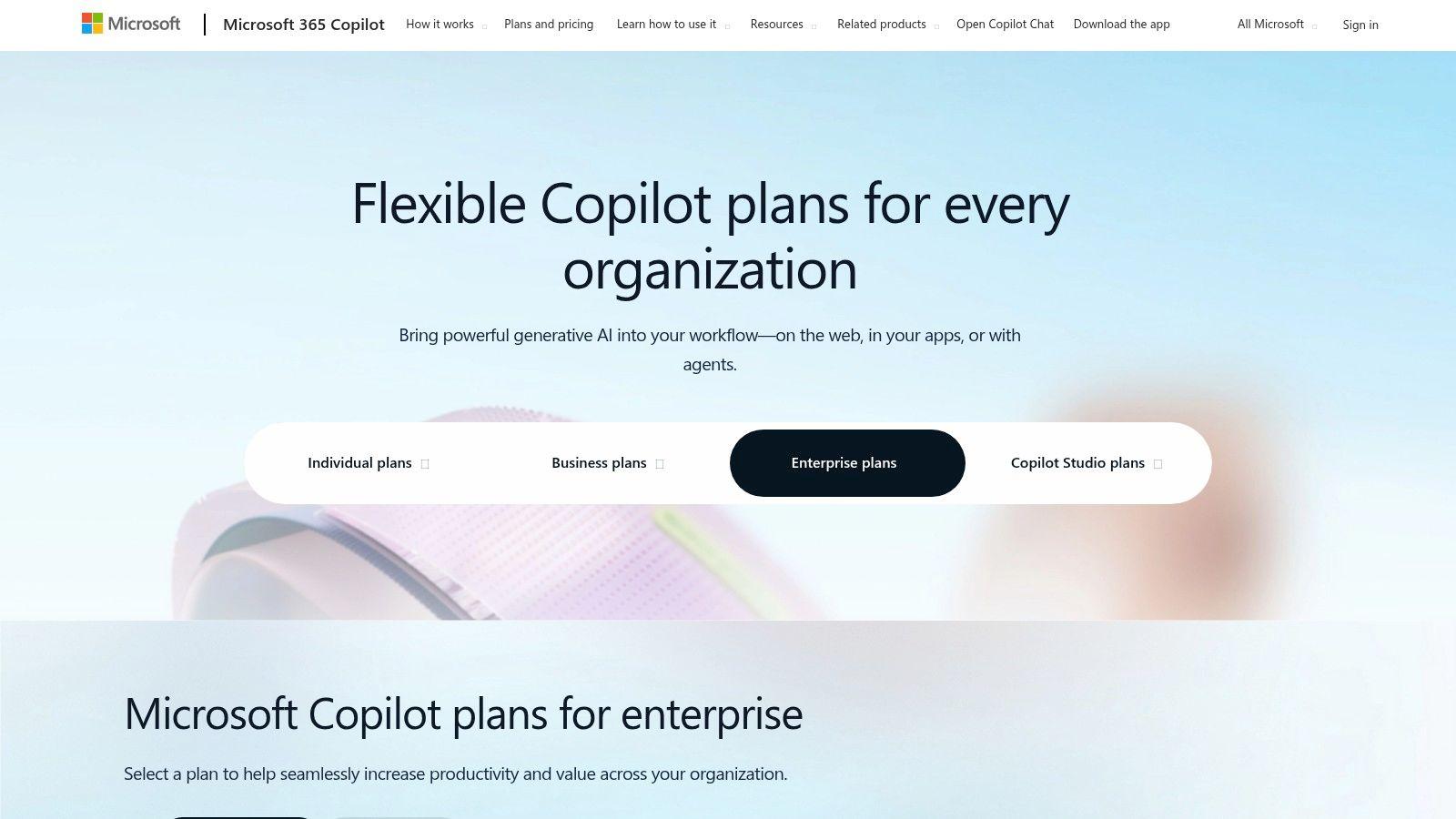
The platform extends beyond simple chat with Copilot Studio, a powerful tool for designing, hosting, and publishing custom multi-channel agents. This allows businesses to create specialized chatbots for specific tasks or line-of-business applications, deploying them across various channels without extensive coding knowledge. The robust enterprise-grade admin and security controls ensure IT departments can manage access and maintain governance effectively.
Key Features & Use Cases
Copilot transforms productivity by bringing AI-powered assistance directly into familiar applications. A user can ask Copilot in Teams to summarize a meeting they missed, complete with action items. In Outlook, it can draft email responses based on the context of a thread. For more advanced needs, a business could use Copilot Studio to build an internal HR bot that answers employee questions about benefits by securely accessing company documentation.
The per-user pricing model is clear, though it requires a qualifying Microsoft 365 license, making it a straightforward addition for existing Microsoft customers. This deep integration streamlines workflows and reduces the context-switching common with third-party tools.
- Best For: Enterprises and SMBs deeply embedded in the Microsoft 365 ecosystem seeking enhanced productivity and enterprise-grade governance.
- Privacy: Leverages existing Microsoft 365 security, compliance, and privacy policies.
- Pros: Seamless integration with Office apps, robust IT governance and security controls, and a large partner ecosystem.
- Cons: Requires a qualifying Microsoft 365 license; feature availability and rollout schedules can vary.
- Website: https://www.microsoft.com/en-us/microsoft-365-copilot/pricing/enterprise
5. Google Workspace with Gemini
Google Workspace with Gemini integrates powerful AI directly into the productivity suite millions of businesses already rely on. Instead of a standalone chatbot, Gemini is woven into core applications like Gmail, Docs, Sheets, and Meet, transforming them into intelligent assistants. This approach is ideal for teams deeply embedded in the Google ecosystem who want to enhance existing workflows rather than adopt a new platform.
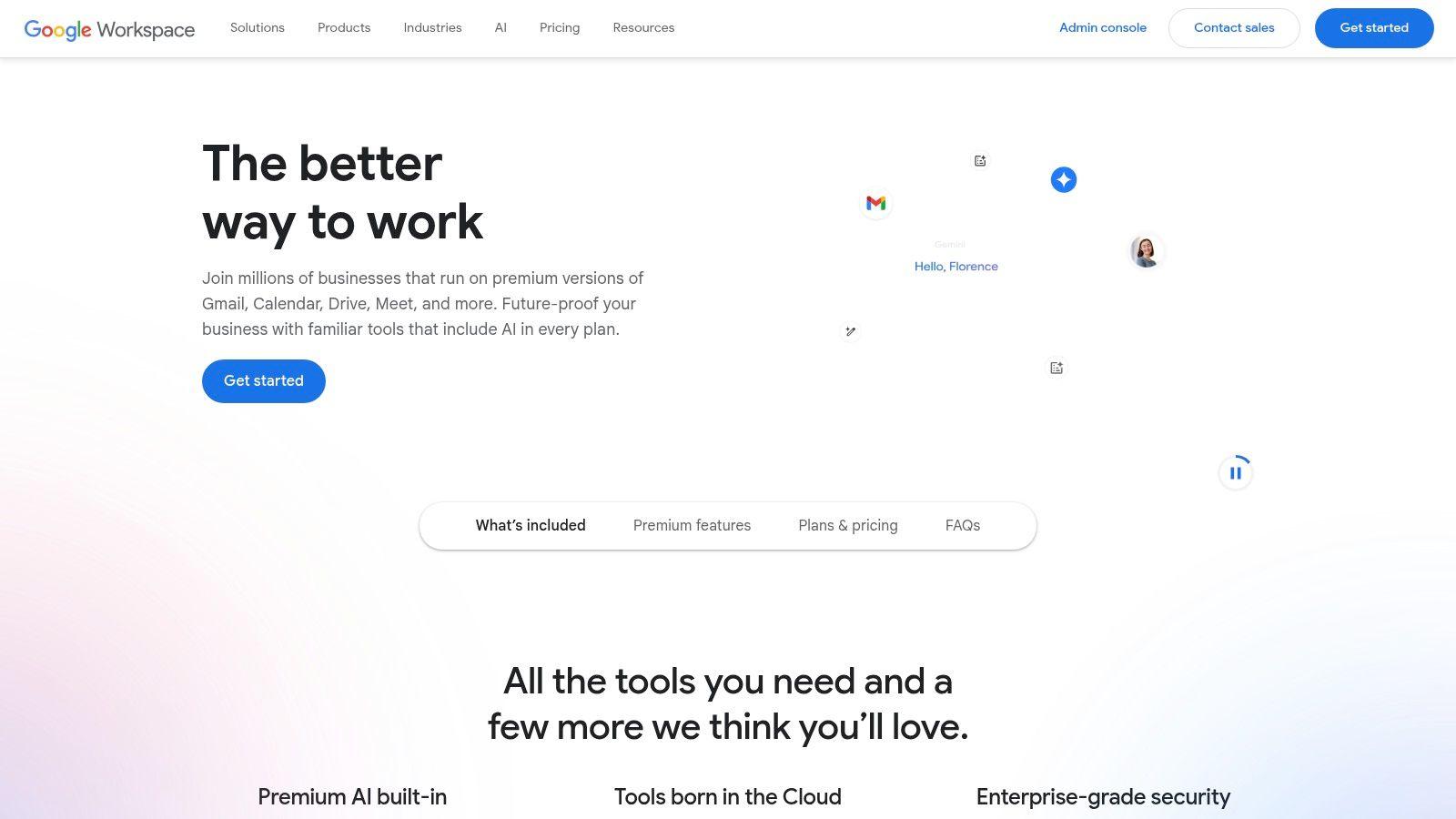
The primary advantage is context-aware assistance within familiar tools, making it a strong candidate for the best ai chatbot for business focused on internal productivity. The AI can draft emails in Gmail, generate text and summarize notes in Docs, or create formulas and organize data in Sheets, all without leaving the application. This seamless integration leverages Google's robust security and admin controls, providing a secure environment for enterprise use.
Key Features & Use Cases
Gemini for Workspace is built for practical, in-context assistance that boosts collaboration and efficiency. For example, a project manager can use it in Google Sheets to automatically analyze project data and create progress charts. In Google Docs, a marketing team can use the "Help me write" feature to generate a first draft of a blog post, which can then be collaboratively edited in real-time.
The AI features are included in updated Workspace Business and Enterprise plans, making it an accessible upgrade for existing customers. The AI works alongside Google's real-time collaboration tools, allowing one team member to generate content while another refines it simultaneously.
- Best For: Businesses already using Google Workspace that want to enhance productivity with integrated AI assistance.
- Privacy: Leverages Google's existing enterprise-grade admin, security, and privacy controls.
- Pros: Deeply integrated into familiar tools, enhances real-time collaboration, backed by Google's security infrastructure.
- Cons: Requires commitment to the Google ecosystem; some editions have seen price increases with AI inclusion.
- Website: https://workspace.google.com
6. Intercom
Intercom offers a customer service platform that tightly integrates its "Fin" AI Agent with a human-powered help desk and shared inbox. It’s designed for businesses that want a seamless handoff between automated support and live agents, aiming to resolve customer issues faster. The platform's unique selling point is its billing model, which combines a per-seat cost for human agents with a per-resolution fee for the AI, offering a clear way to measure ROI.
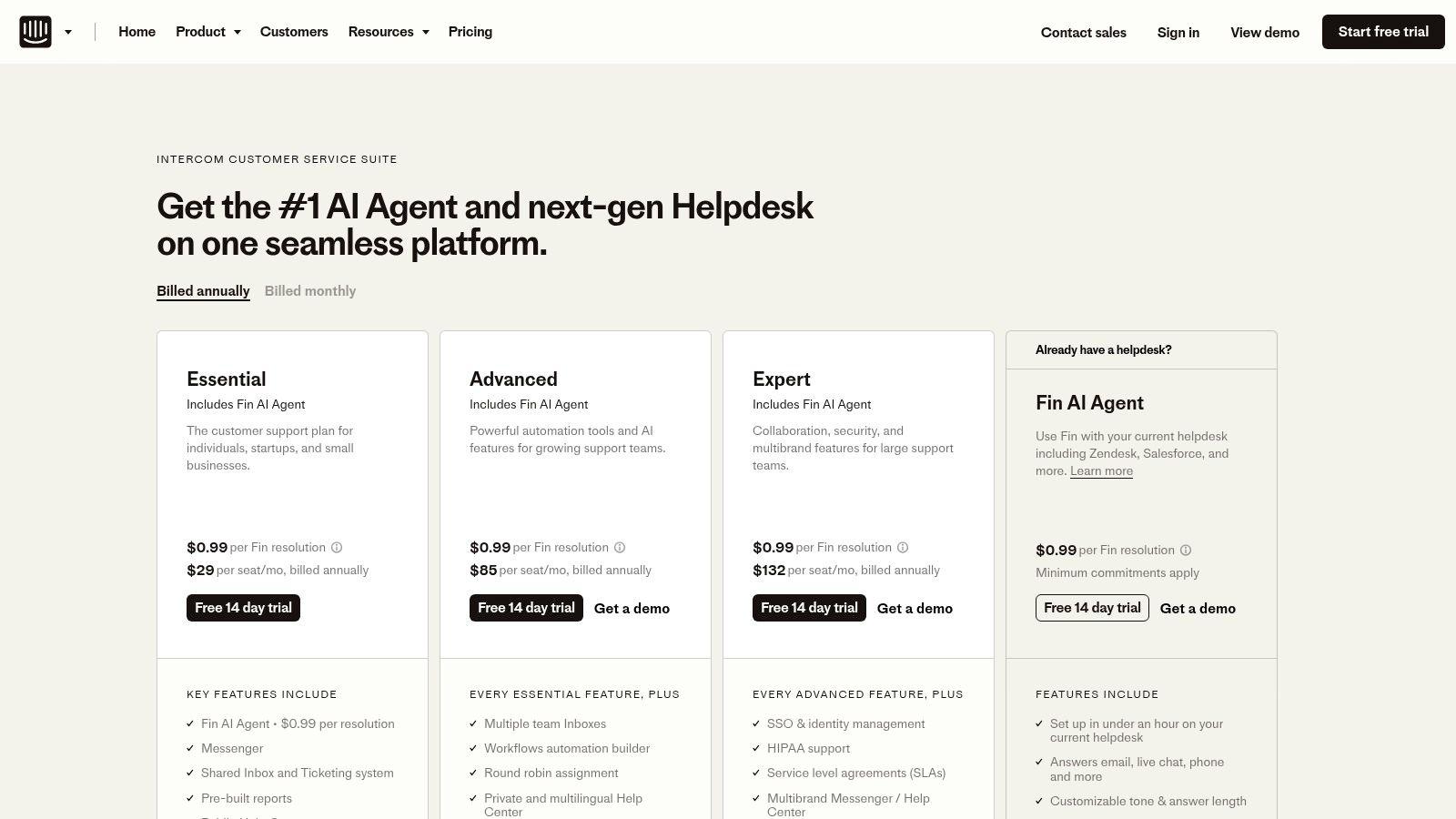
This model makes Intercom one of the best ai chatbot for business choices for teams that need to justify AI spending with tangible results. Its focus on blending AI and human support streamlines workflows and is a key step for companies looking to automate customer service effectively. The platform also offers a helpful cost calculator to project potential savings.
Key Features & Use Cases
Intercom is built for speed and efficiency in support environments. The Fin AI Agent can be layered on top of an existing help desk or used natively within Intercom's suite, providing flexibility during implementation. Its workflow builder and agent-assist add-ons provide tools to automate routine tasks and empower human agents with AI-powered suggestions, reducing manual effort.
A common use case is deploying Fin to handle common, repetitive queries 24/7, freeing up human agents to focus on complex, high-value customer interactions. This hybrid approach ensures customers get instant answers while still having access to human expertise when needed.
- Best For: Support teams from small to large businesses that need a powerful, integrated AI and human agent workflow.
- Pricing: A combination of per-seat plans for agents and a per-resolution cost for the AI agent.
- Pros: Fast setup, strong AI and agent collaboration, clear per-resolution pricing model, can integrate with existing help desks.
- Cons: Costs can scale significantly with more seats and a high volume of AI resolutions; advanced features often require add-ons.
- Website: https://www.intercom.com/pricing-new
7. Zendesk AI (within Zendesk Suite)
Zendesk AI enhances the company's well-established customer service suite with powerful artificial intelligence capabilities. Rather than being a standalone product, it's an integrated layer featuring AI Copilot for agent assistance and advanced AI agents for autonomous resolutions. This approach is ideal for organizations already invested in the Zendesk ecosystem or large businesses needing a mature, omnichannel ticketing platform with AI seamlessly built-in.
The platform excels at augmenting, rather than simply replacing, human support teams. It focuses on enterprise-level support tooling, offering a robust solution that combines decades of customer service expertise with modern AI. This integration makes it a top contender for the best ai chatbot for business for companies prioritizing a unified, data-driven support environment.
Key Features & Use Cases
Zendesk's AI is deeply embedded within its core support functions. The AI Copilot acts as a real-time assistant for human agents, suggesting replies, summarizing tickets, and providing context to speed up resolution times. Meanwhile, AI agents can be deployed to handle common queries autonomously across various channels, freeing up staff for more complex issues.
The true strength lies in its ecosystem. Businesses can leverage integrated Quality Assurance (QA) and workforce management (WFM) add-ons to monitor performance and optimize staffing, all within a single platform. This makes it perfect for a large retail company looking to automate initial customer contact while providing their support agents with AI-powered tools to handle escalated inquiries efficiently.
- Best For: Existing Zendesk customers and enterprise-level organizations seeking an integrated, all-in-one AI and customer support platform.
- Privacy: Enterprise-grade security and data handling protocols.
- Pros: Robust ecosystem with strong QA/WFM integrations, easy to implement for existing users, mature and reliable platform.
- Cons: AI agents and advanced features require a sales quote; add-ons increase the total cost, making it less suitable for smaller budgets.
- Website: https://www.zendesk.com/pricing/
8. Tidio (Lyro AI)
Tidio offers a comprehensive customer experience platform tailored for small and medium-sized businesses, combining live chat, a help desk, and its powerful Lyro AI chatbot. Its main appeal lies in its accessibility and immediate impact, allowing e-commerce stores and lean support teams to automate up to 70% of customer inquiries. This integration of a conversational AI agent within a broader support suite provides a unified solution for managing customer interactions.
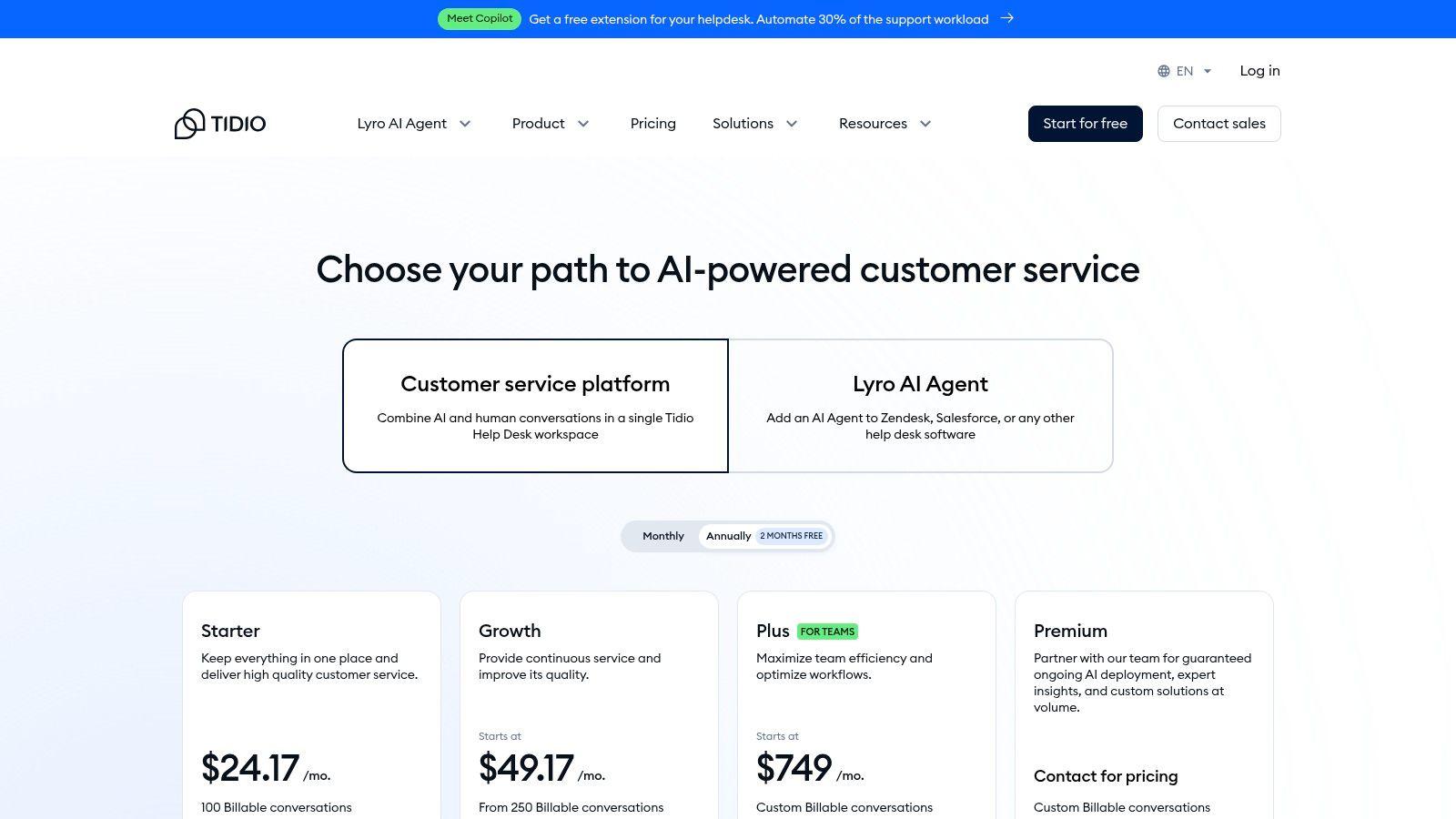
The platform is designed for quick deployment, with seamless integrations for Shopify, WordPress, and other major e-commerce platforms. Tidio’s Lyro AI doesn’t rely on rigid scripts; instead, it uses your existing help desk data to answer questions, making it one of the best ai chatbot for business choices for teams that need a smart, self-learning system without a complex setup process.
Key Features & Use Cases
Tidio excels at practical automation that directly impacts sales and support efficiency. The Lyro AI Agent operates on a pay-as-you-go model with conversation packs, allowing businesses to scale their AI usage based on actual demand. This is ideal for an online store experiencing seasonal traffic spikes. Additionally, the visual automation flow builder lets non-technical users create sophisticated chatbot workflows for lead generation or order status updates.
The combined ticketing and email workspace ensures that human agents can easily take over complex conversations from the AI, providing a seamless handoff. This hybrid approach helps maintain a high standard of customer service while maximizing team productivity.
- Best For: E-commerce stores and SMBs needing a quick-to-deploy, affordable, and scalable AI chat and help desk solution.
- Pricing: Transparent self-serve pricing with a free tier and flexible billing based on AI conversation volume.
- Pros: Very quick to set up on websites and storefronts, flexible pay-as-you-grow AI model, combines multiple support tools in one.
- Cons: The free Lyro AI quota is limited; advanced features and higher conversation limits require paid plans.
- Website: https://www.tidio.com/pricing/
9. ManyChat
ManyChat has established itself as a dominant force in the social media marketing automation space, focusing on platforms like Instagram, Facebook Messenger, WhatsApp, and SMS. Its primary strength lies in empowering businesses to build interactive, no-code automation flows designed for lead generation, customer engagement, and promotional campaigns. This focus makes it a go-to tool for e-commerce brands and marketers looking to convert social media followers into paying customers.
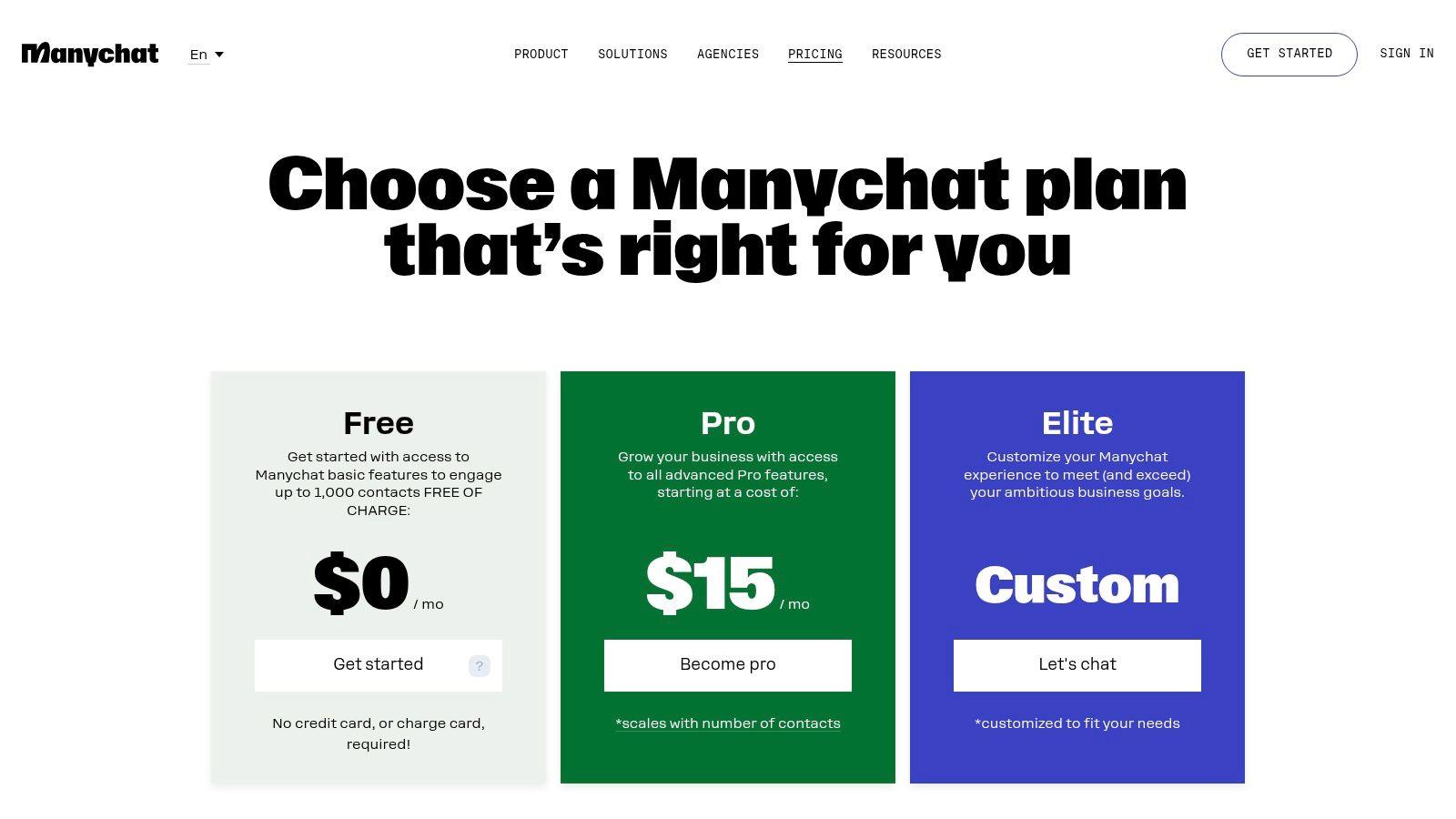
The platform is engineered for rapid implementation, allowing users to quickly deploy bots that answer common questions, qualify leads, and run automated sequences triggered by keywords or user actions. For businesses heavily reliant on Meta platforms for customer acquisition, ManyChat provides one of the most integrated and user-friendly solutions, making it a contender for the best ai chatbot for business in the social commerce niche.
Key Features & Use Cases
ManyChat's visual flow builder is at its core, enabling marketers to map out complex conversational journeys without writing a single line of code. Businesses use its Growth Tools to create pop-ups, landing pages, and QR codes that drive traffic directly into automated Messenger or Instagram DM funnels. For example, a restaurant can use a QR code on its menu to trigger a chatbot that handles reservations and promotes daily specials.
The platform excels at audience segmentation through tags and custom fields, allowing for highly personalized marketing campaigns. It also integrates smoothly with existing CRMs and help desks, ensuring that leads and support requests are handed off to the right teams seamlessly.
- Best For: E-commerce brands, marketers, and SMBs focused on lead generation and sales through Instagram and Facebook.
- Privacy: Standard data privacy compliance; focus is more on marketing automation than secure internal communication.
- Pros: Excellent for Meta platforms (Instagram, Messenger), affordable starting price, strong template library and community support.
- Cons: Pricing scales with the number of contacts, and channel-specific fees (like for WhatsApp) can add variable costs.
- Website: https://manychat.com/pricing
10. Freshdesk / Freshdesk Omni (Freddy AI)
Freshdesk positions itself as a powerful, yet accessible customer service suite, scaling from small businesses to mid-market companies. Its strength lies in its modular approach, allowing businesses to start with a robust ticketing system and progressively add powerful AI and omnichannel capabilities through its Freddy AI and Freshdesk Omni plans. This layered strategy prevents businesses from paying for advanced features before they need them, making it a highly practical choice.
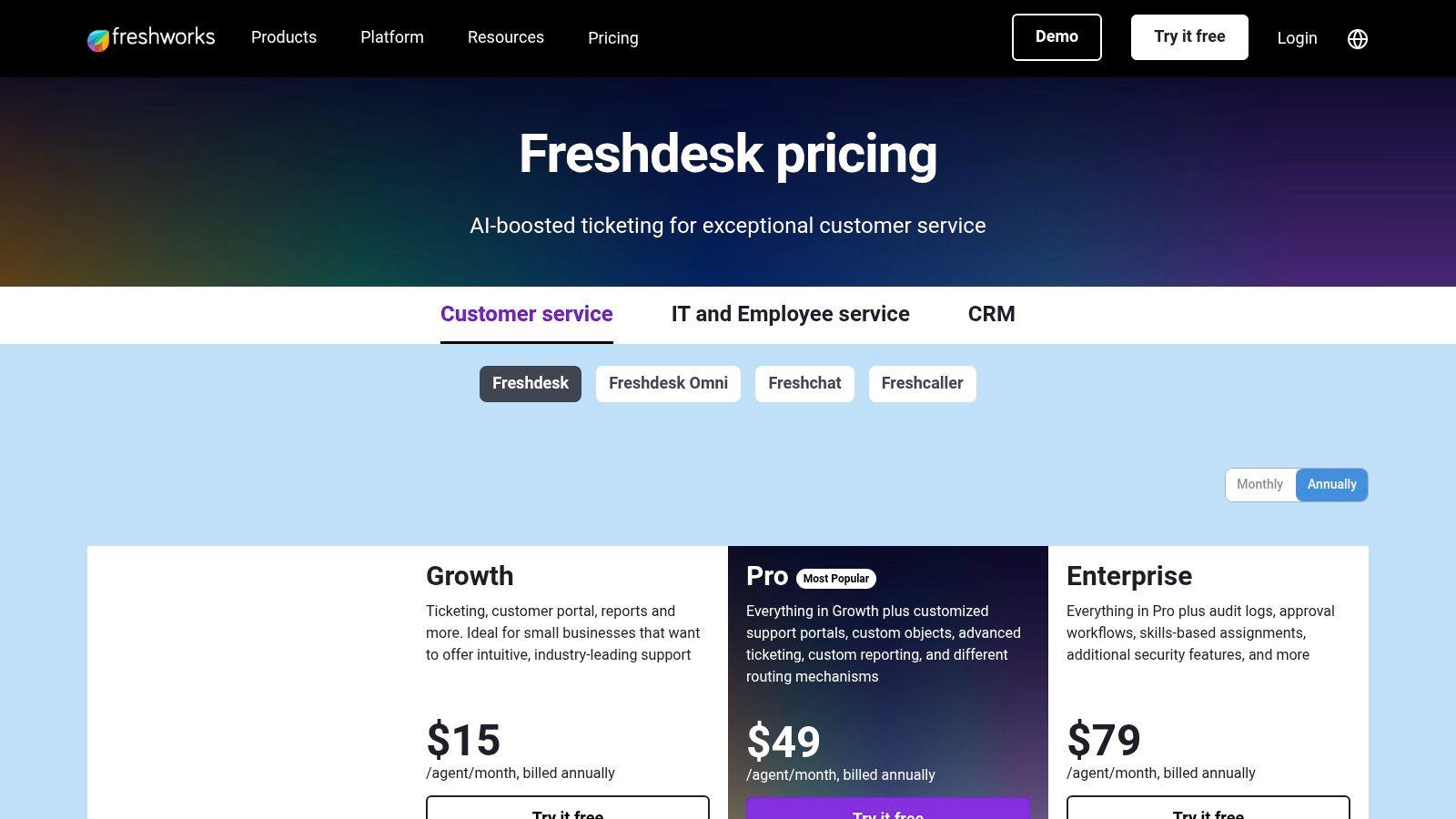
The platform’s core is its shared inbox and knowledge base, but the real power is unlocked with Freddy AI. The Freddy Copilot assists agents with tasks like summarizing tickets and rephrasing responses, while the Freddy AI Agent can autonomously handle customer queries. For businesses looking for a unified solution, the Omni plan integrates chat, voice, SMS, and social media into a single workspace, solidifying its place as one of the best ai chatbot for business solutions for growing support teams.
Key Features & Use Cases
Freshdesk excels at providing a clear upgrade path for support teams. A small team can start with the free or low-cost ticketing plans to organize customer requests. As they grow, they can activate the Freddy AI Agent add-on to deflect common questions by automatically responding with answers from the knowledge base, freeing up human agents for more complex issues.
The platform's user experience is designed for efficiency, with a clean interface that makes managing tickets and conversations straightforward. The availability of 14-day trials allows teams to test the full feature set before committing financially.
- Best For: SMBs and mid-market companies needing a scalable customer service platform with a clear, modular path to AI and omnichannel support.
- Privacy: Advanced security and governance features are primarily available on higher-tier Enterprise plans.
- Pros: Competitive per-seat pricing, approachable modular upgrades, generous 14-day trials available for all plans.
- Cons: AI session limits and Copilot add-ons introduce variable costs that can be hard to predict.
- Website: https://www.freshworks.com/freshdesk/pricing/
11. Amazon Lex (AWS)
Amazon Lex is a fully managed AWS service for building conversational interfaces using both voice and text. It's engineered for developer-led teams that require highly customizable, transactional bots capable of integrating deeply into existing workflows and backend systems. The platform excels at tasks like interactive voice response (IVR) deflection in call centers and creating complex, self-service automations.
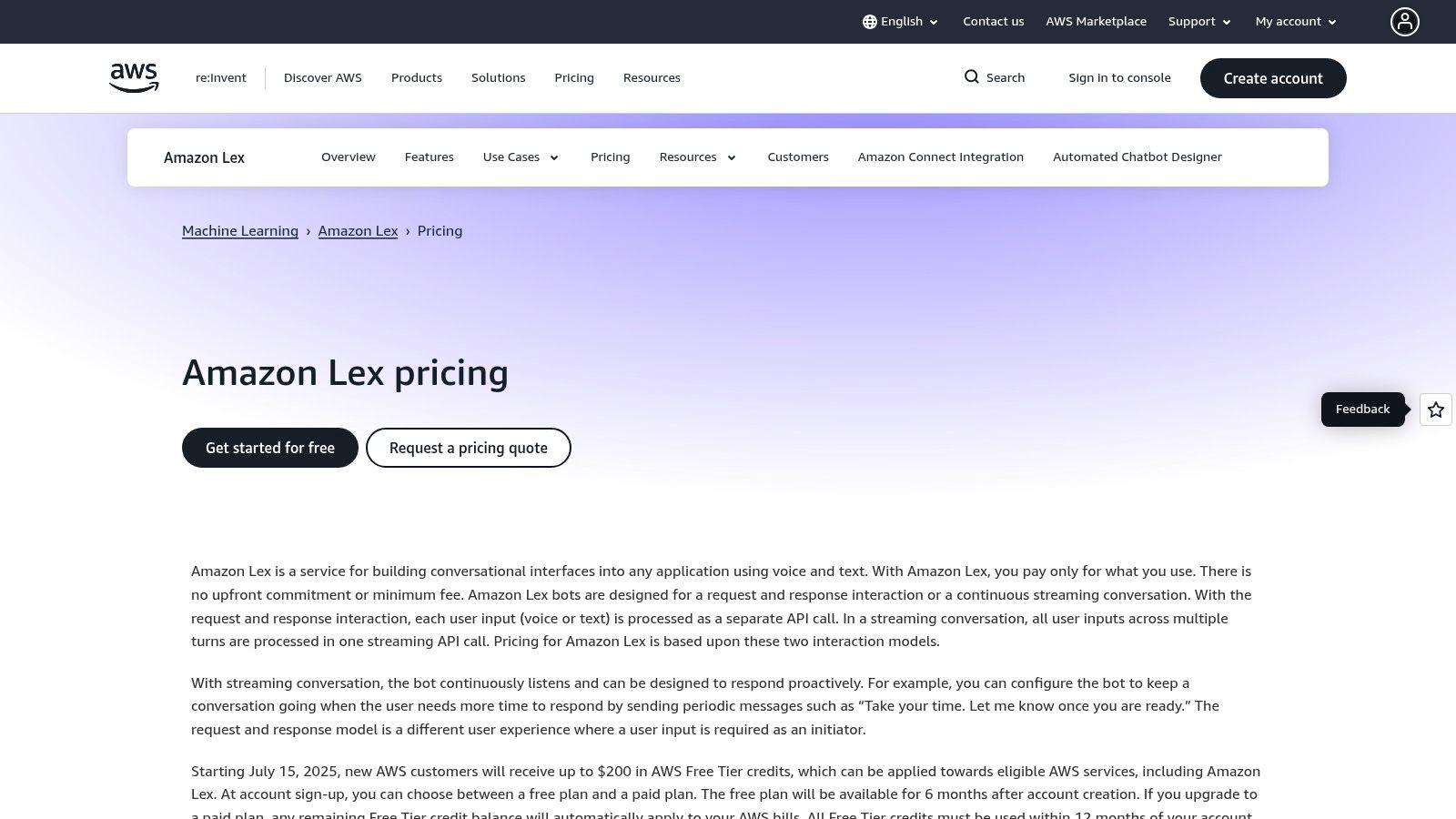
Its core advantage lies in its composable architecture and tight integration with the broader AWS ecosystem. This makes it a powerful choice for businesses already invested in AWS, as it can seamlessly connect to services like AWS Lambda for business logic and Amazon Connect for contact center solutions. This level of control makes it one of the best ai chatbot for business options for enterprises needing a scalable, bespoke solution.
Key Features & Use Cases
Lex is built for precision and scalability, offering tools that cater to technical teams. The automated chatbot designer helps accelerate the creation process, while the streaming conversation model allows for more natural and responsive interactions. A key use case is deploying a bot to handle initial customer service queries, gather information, and then seamlessly hand off the interaction to a human agent within Amazon Connect with full context.
The pay-per-request pricing model is a significant draw for businesses wanting to avoid seat-based licensing and pay only for what they use. This is particularly effective for transactional bots that may experience fluctuating demand.
- Best For: Developer teams and businesses within the AWS ecosystem needing scalable, transactional chatbots for service automation.
- Pricing: Pay-per-request model for text and speech, with a generous free tier for new AWS accounts.
- Pros: Fine-grained usage pricing with no seat minimums, deep integration with AWS services and security, scales for large transactional use cases.
- Cons: Requires AWS skills and cloud architecture knowledge; usage forecasting is needed to manage costs effectively.
- Website: https://aws.amazon.com/lex/pricing/
12. IBM watsonx (Assistant/Agents and watsonx.ai)
IBM watsonx positions itself as an enterprise-grade AI and data platform designed for businesses operating in regulated or complex environments. Its core components, watsonx Assistant and watsonx.ai, provide a comprehensive suite for building, deploying, and managing sophisticated conversational AI agents with a strong emphasis on governance, security, and deployment flexibility. This focus on control and compliance makes it a powerful contender for large organizations.
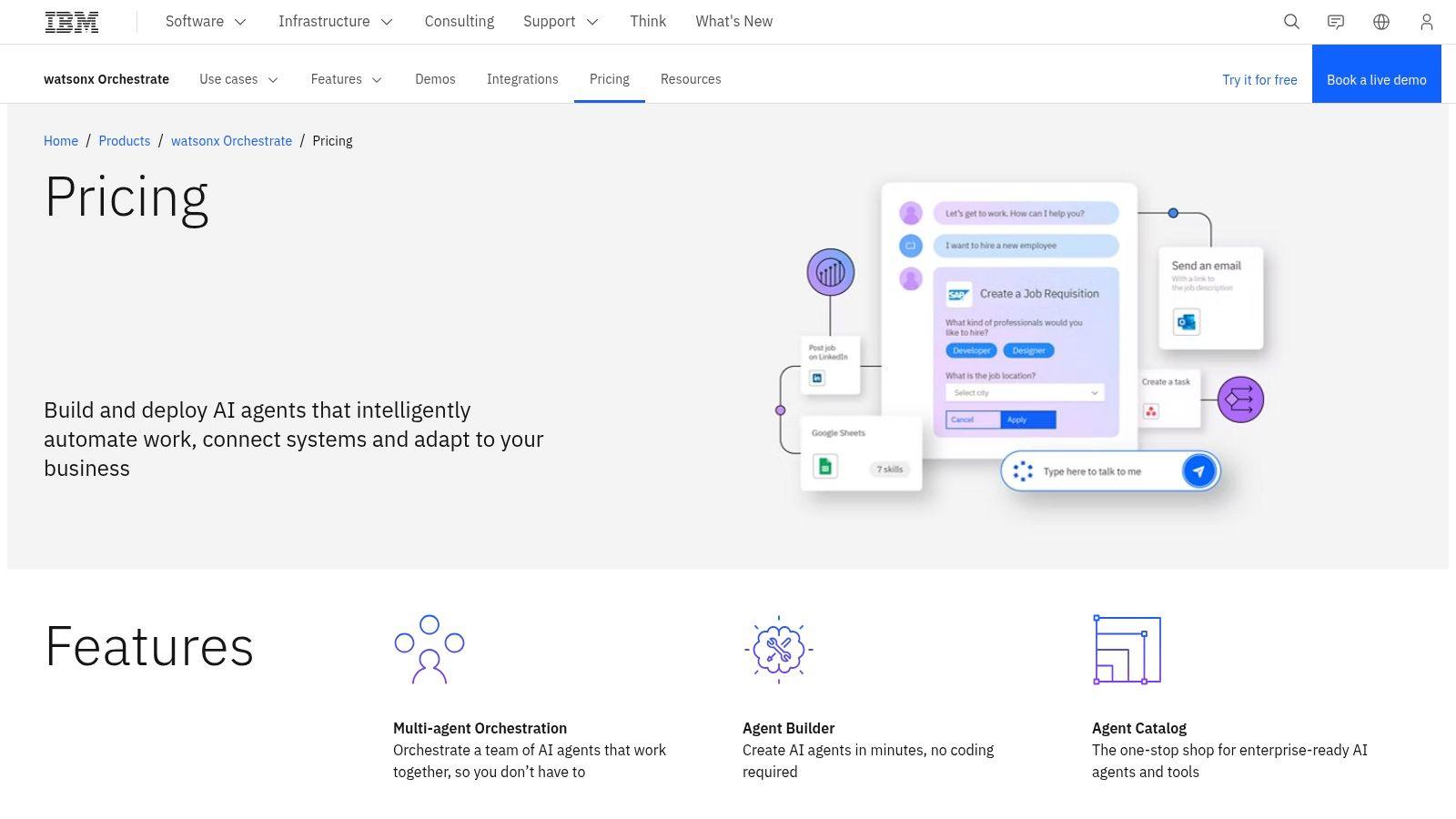
The platform stands out by offering SaaS, multi-cloud, and even on-premises deployment options, catering to companies with strict data residency or security requirements. This adaptability, combined with its robust governance and observability features, makes it one of the best ai chatbot for business choices for industries like finance, healthcare, and government where trust and transparency are paramount.
Key Features & Use Cases
IBM watsonx is engineered for scale and specificity. Its agent builder allows enterprises to create highly customized assistants that can handle complex user inquiries and orchestrate multiple backend systems. For example, a financial institution could use watsonx to build a compliant chatbot that authenticates users, processes transaction requests, and provides account information, all while maintaining a complete audit trail.
The platform's pay-as-you-go pricing for foundation models (both IBM's and third-party options) provides cost transparency for large-scale deployments. The pre-built agent catalog also helps accelerate development, allowing teams to leverage existing solutions for common business functions.
- Best For: Large enterprises and businesses in compliance-sensitive industries needing robust governance and flexible deployment.
- Privacy: High focus on enterprise-grade security, data governance, and deployment control (including on-premises).
- Pros: Enterprise-grade governance, extensive deployment flexibility, broad model catalog with transparent token pricing.
- Cons: Pricing pages are distributed and can be complex; sales engagement is often required for complete agent solutions.
- Website: https://www.ibm.com/products/watsonx-assistant/pricing
Top 12 AI Chatbots for Business — Features & Fit
| Product | Core features | UX / Quality ★ | Price / Value 💰 | Target audience 👥 | Unique selling points ✨ / 🏆 |
| 1chat 🏆 | Multi‑LLM chat, PDF Q&A, AI image gen, omni‑channel team inbox & automation | ★★★★☆ — family & team‑safe UI | 💰 Monthly per‑seat (tiered Mini/Omni/Omni Pro; contact sales) | 👥 SMBs, teams, families, students | ✨ Privacy‑first + multi‑LLM + built‑in PDF/image + unified communications |
| OpenAI ChatGPT (Business/Enterprise) | Business workspace, SSO, connectors, custom GPTs | ★★★★★ — cutting‑edge models & features | 💰 Clear per‑seat Business pricing; add‑on credits | 👥 Tech teams, enterprises | ✨ Latest model access, enterprise compliance (SOC2) |
| Microsoft Copilot for M365 | Copilot across Word/Excel/Outlook/Teams, Copilot Studio | ★★★★☆ — native Office workflow | 💰 Per‑user (requires qualifying M365 license) | 👥 Organizations invested in Microsoft 365 | ✨ Deep native integration + Copilot Studio for agents |
| Google Workspace with Gemini | Gemini in Gmail/Docs/Sheets/Meet, admin controls | ★★★★☆ — collaboration‑first AI | 💰 Included in Workspace plans (editions vary) | 👥 Google Workspace users & collaboration teams | ✨ AI embedded in productivity apps for real‑time collaboration |
| Intercom | Fin AI Agent, shared inbox, workflow builder, per‑resolution billing | ★★★★☆ — fast agent + AI workflows | 💰 Per‑seat + per‑resolution billing model | 👥 Customer support & success teams | ✨ Agent+human workflows, cost calculator for AI usage |
| Zendesk AI (Suite) | AI Copilot, autonomous AI agents, omnichannel ticketing | ★★★★☆ — mature support platform | 💰 Add‑ons/sales‑quoted; best with Suite | 👥 Enterprise support orgs | ✨ Robust QA/WFM ecosystem and analytics |
| Tidio (Lyro AI) | Live chat, Lyro AI packs, visual automations, Shopify apps | ★★★★☆ — SMB friendly, quick deploy | 💰 Free tier + paid conversation packs | 👥 Ecommerce stores & lean support teams | ✨ Transparent self‑serve pricing, Shopify integrations |
| ManyChat | No‑code flows for IG/Messenger/WhatsApp/SMS, growth tools | ★★★★☆ — marketing & lead gen focus | 💰 Contact‑based scaling; channel fees apply | 👥 Small businesses, marketers | ✨ Strong social/messaging templates and growth tools |
| Freshdesk / Freshdesk Omni (Freddy AI) | Ticketing, Freddy AI/Copilot, omnichannel inbox | ★★★★☆ — approachable for SMBs | 💰 Competitive per‑seat; AI add‑ons vary | 👥 SMBs to mid‑market support teams | ✨ Modular upgrades to AI & omni with trials |
| Amazon Lex (AWS) | Managed text/voice bots, pay‑per‑request, AWS integrations | ★★★★ — developer & contact‑center ready | 💰 Pay‑per‑request (no seat minimums) | 👥 Dev teams, contact centers, enterprises | ✨ Fine‑grained usage pricing + deep AWS integration |
| IBM watsonx | Agent builder, orchestration, governance, token pricing | ★★★★☆ — enterprise governance & observability | 💰 Pay‑as‑you‑go tokens; sales engagement for agents | 👥 Regulated & enterprise environments | ✨ Strong governance, multi‑cloud / on‑prem deploy options |
Making Your Final Decision: Which AI Chatbot Is Truly Best for You?
Navigating the expansive landscape of AI chatbots can feel overwhelming, but the journey to find the perfect fit for your organization is a strategic investment in future efficiency and growth. We've explored a dozen powerful platforms, from enterprise-grade giants like OpenAI's ChatGPT and Microsoft Copilot to specialized customer service masters like Intercom and Zendesk AI. The core lesson is clear: the best ai chatbot for business isn't a one-size-fits-all solution, but rather the tool that aligns perfectly with your unique operational needs, team structure, and strategic goals.
Your final choice hinges on a clear understanding of your primary use case. If you're deeply embedded in an existing software ecosystem, the path of least resistance often leads to the most integrated solution. For businesses running on Microsoft 365 or Google Workspace, the convenience and data synergy offered by Copilot and Gemini, respectively, are nearly impossible to ignore. For teams laser-focused on revolutionizing their customer support, platforms like Tidio or Freshdesk offer sophisticated, AI-powered features designed specifically for that purpose.
A Quick Recap: Matching the Tool to the Task
To simplify your decision, let's distill the key takeaways from our analysis into distinct categories.
- For Large-Scale Enterprise Integration: If your organization requires deep integration with existing software suites and has a significant budget, Microsoft Copilot for Microsoft 365 and Google Workspace with Gemini are the undisputed leaders. Their ability to access and analyze your internal company data is a game-changer for productivity.
- For Advanced, Specialized Customer Service: Businesses that live and breathe customer support should look to dedicated platforms. Intercom, Zendesk AI, and Freshdesk Omni provide purpose-built tools that automate resolutions, manage complex queries, and deliver a superior customer experience.
- For Custom, Developer-Centric Solutions: For companies with in-house technical talent wanting to build a completely bespoke chatbot, foundational platforms like Amazon Lex and IBM watsonx offer the ultimate flexibility and control, though they demand significant development resources.
- For Privacy-First Teams and SMBs: For small to midsize businesses, startups, and even families who prioritize data privacy, affordability, and versatility, 1chat emerges as a compelling front-runner. It carves a unique niche by blending internal team collaboration with an external omni-channel inbox, all under a strict privacy-first policy.
Actionable Next Steps to Guide Your Choice
Making an informed decision requires more than just reading reviews. It requires hands-on evaluation and internal discussion. Here is a practical roadmap to follow:
- Define Your Core Problem: What is the single biggest challenge you are trying to solve? Is it reducing customer support tickets, automating lead qualification, or improving internal team knowledge sharing? Be specific.
- Shortlist 2-3 Contenders: Based on your core problem and budget, select the top two or three platforms from this list that seem like the best fit. Don't spread yourself too thin.
- Initiate Free Trials: Nearly every platform offers a free trial or a limited free plan. Sign up and assign a small, dedicated team to test the software with real-world scenarios. Document everything, from ease of setup to the quality of AI responses.
- Evaluate Integration Needs: Make a list of your must-have software integrations (CRM, email marketing, project management tools). Check if your shortlisted chatbots support them natively or through a service like Zapier.
- Assess Total Cost of Ownership: Look beyond the monthly subscription fee. Consider potential implementation costs, training time for your team, and any fees for additional features or higher usage tiers.
Ultimately, selecting the right AI chatbot is about empowering your team and delighting your customers. Whether you choose the all-encompassing power of a tech giant or the focused, secure environment of a tool like 1chat, you are taking a crucial step toward building a smarter, more responsive, and more efficient organization. The right platform is out there, waiting to become the new engine for your business's success.