Stop getting generic AI answers. You ask for help, and the model hands back something vague, safe, and easy to ignore. The problem usually isn't the AI, it's the prompt, and that's why the best AI prompts feel less like casual questions and more like clear instructions with guardrails, context, and an outcome in mind. If you want a deeper primer on the basics, this guide pairs well with what is prompt engineering.
The fastest way to get better results is to stop prompting for “ideas” and start prompting for a job. A good prompt tells the model what to do, who it's for, what to avoid, and how to format the result. That lines up with research-backed guidance on statistical prompting, which recommends explicit constraints, recency windows, audience and region context, and source requirements so the model is less likely to invent unsupported numbers and more likely to return verifiable data, especially for business use. You'll see that same principle across every template below, whether you're a student, an SMB owner, or a parent trying to get a family project unstuck.
This is a practical playbook, not a theory lesson. I've included copy-paste-ready prompts you can adapt inside a privacy-first workspace like 1chat, where editable prompts make it easier to save, reuse, and refine what works. Use the prompts as a starting point, then tighten them until the output feels like it was made for your exact task.
1. The SCAMPER Analysis Prompt
SCAMPER is one of the easiest ways to force creative thinking without drifting into random brainstorming. The acronym gives the model seven angles to attack a problem, Substitute, Combine, Adapt, Modify, Put to another use, Eliminate, and Reverse, which is useful when a team keeps circling the same ideas. The trick is to ask for one lens at a time first, then merge the strongest results later.
For a small retail business, that might mean asking how to substitute a paper loyalty card with a digital punch system, or how to combine pickup and return into one counter experience. A tech team might use the same prompt to adapt an existing feature for a new market, while a service business can use it to find new revenue streams from work they already do well.
Copy-paste prompt
Act like a product strategist. Use SCAMPER to analyze [product, process, or service].
Give me separate ideas for Substitute, Combine, Adapt, Modify, Put to another use, Eliminate, and Reverse.
For each idea, explain the customer benefit, the operational trade-off, and one reason it might fail.
Keep the ideas bold and practical, then mark the most promising three for follow-up.
Practical rule: Encourage wild ideas first, then filter for feasibility after the list is done.
A good SCAMPER session is also a documentation habit. Save every run, even the messy ones, because the weak ideas often point to the constraint. In 1chat, that's exactly the sort of prompt you'd want to edit and reuse when a team needs fresh options without starting from zero every time.
2. The Research Synthesis Prompt
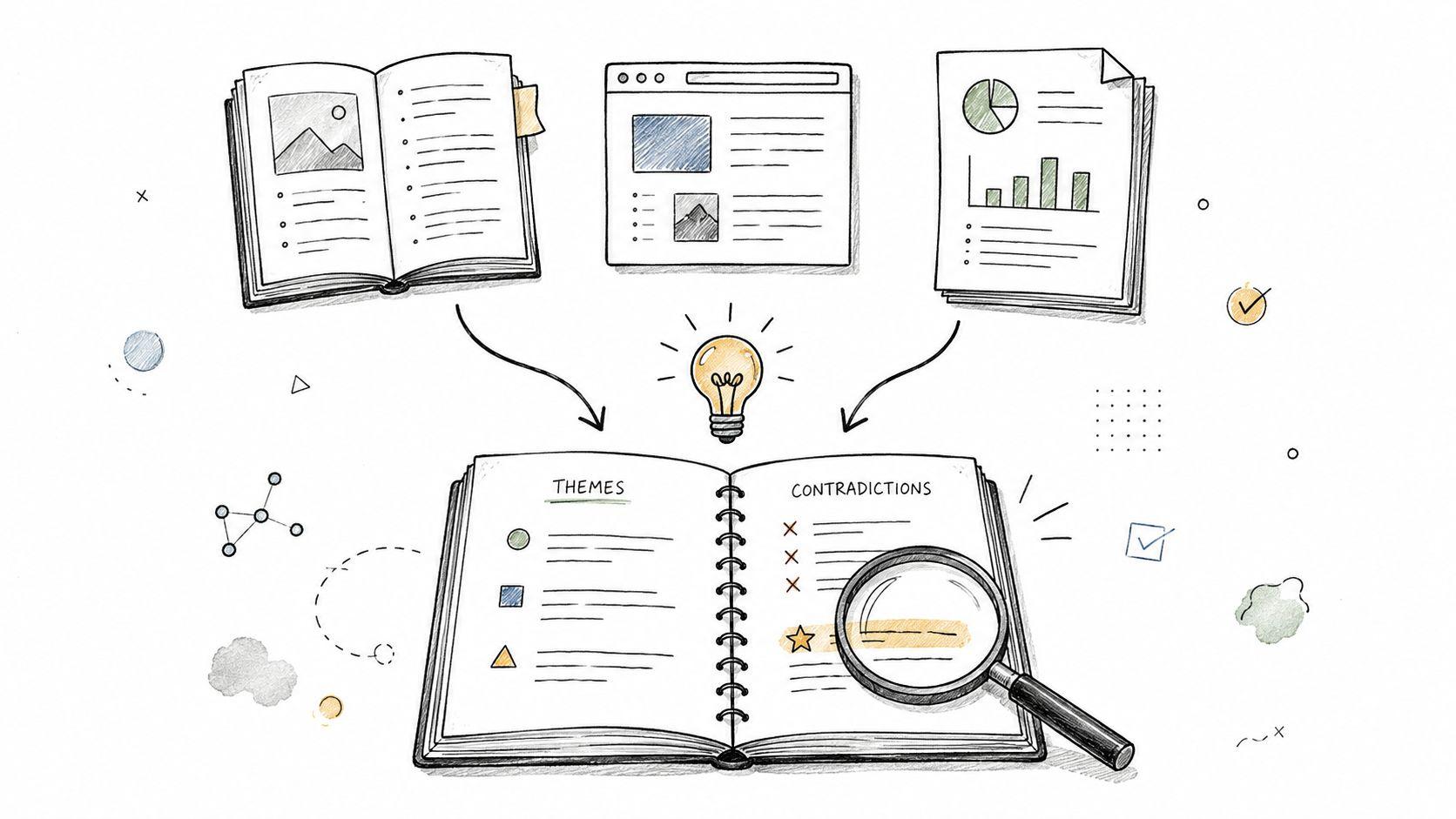
Research gets messy fast. Students open too many tabs, professionals collect too many reports, and everyone ends up with notes that don't connect. The strongest best AI prompts for synthesis ask the model to pull out themes, contradictions, and gaps instead of just summarizing one document at a time.
For college work, that means turning a stack of articles into a usable literature review outline. For a high school comparison project, it means separating what sources agree on from what they fight about. For a business team, it means reading competitor material, then asking where the market is aligned and where it's still unclear.
If you're using 1chat's research workflow, this is the prompt style that belongs there. You can feed in source URLs or pasted excerpts, then ask the model to organize the material into themes that are usable, not just readable. The idea is to get an evidence base, not a wall of paraphrases.
Copy-paste prompt
Synthesize the sources I provide into a structured research brief for [audience].
Identify the main themes, points of agreement, contradictions, and gaps in the evidence.
If sources disagree, explain why the disagreement matters.
Return the result in sections for key findings, open questions, and follow-up research.
For deeper source handling, use 1chat research tools to keep the process organized. That matters because synthesis gets better when the model has a clear source set instead of a vague topic.
Ask for the contradiction first. That's usually where the useful insight is hiding.
3. The PDF Document Analysis Prompt
PDFs are where productivity goes to slow down. Contracts, whitepapers, reports, compliance documents, and academic papers often hide the exact detail you need on page 14, not page 1. A strong PDF prompt tells the model what to extract, how to structure it, and where to verify it.
This is especially helpful for SMBs reviewing terms and conditions, or for students trying to pull data out of a long paper without rereading every page. It also works well for teams that need a quick internal brief from a dense external report. The value isn't only speed, it's focus. A broad “summarize this PDF” prompt usually gives you a shallow overview, while a specific one gets you something you can use.
Copy-paste prompt
Analyze this PDF and extract the information related to [specific question].
Return the answer as a short summary, then a bullet list of supporting details.
Include page references for each key point so I can verify them quickly.
If the document contains relevant sections I didn't ask about, note them separately.
Ask one question at a time if the document is complex. If you want contract risk, ask for contract risk. If you want numbers, ask for numbers. If you want definitions, ask for definitions. Splitting the task into separate prompts usually produces cleaner output than trying to cram everything into one request.
Useful habit: Run one prompt for extraction, then a second prompt for interpretation. That keeps the facts and the conclusions from getting blended together.
A privacy-first tool like 1chat is a sensible place to do this kind of document work, especially if the file is sensitive and the goal is to reduce manual reading rather than share the document broadly. For teams, that can mean faster reviews with less back-and-forth.
4. The Homework Assistance and Essay Scaffold Prompt
The best student prompts don't write the assignment for you. They help you think, plan, and explain your own ideas more clearly. That matters for middle school, high school, and college work, because the value is learning how to structure an argument, not outsourcing the argument itself.
The strongest version of this prompt asks for an outline, a thesis option, or a paragraph plan before it asks for full prose. That's a better fit for academic integrity, and it helps students understand the shape of the assignment before they start drafting. It also works well when the goal is to make a concept easier to understand, like literary analysis, historical comparison, or science explanation.
Copy-paste prompt
Help me build an outline for an essay about [topic].
Ask me clarifying questions first if needed.
Give me a thesis option, 3 to 5 main points, and a suggested structure for the introduction and conclusion.
Explain any difficult concept in simple language, but don't write the full essay for me.
If you're a student using AI, check your school's policy before you rely on it. Then use the model as a planning partner, not a ghostwriter. You'll usually get better work if you add your own examples and rewrite the draft in your own voice.
Here's the right way to use it in practice. Ask for a discussion-point outline for a class debate. Ask for a paragraph scaffold for a literature response. Ask for a concept explanation with examples when a textbook chapter doesn't click. Those uses save time without crossing the line into academic dishonesty.
Don't ask for the final answer first. Ask for the shape of the answer, then build it yourself.
5. The Content Creation and Copywriting Prompt
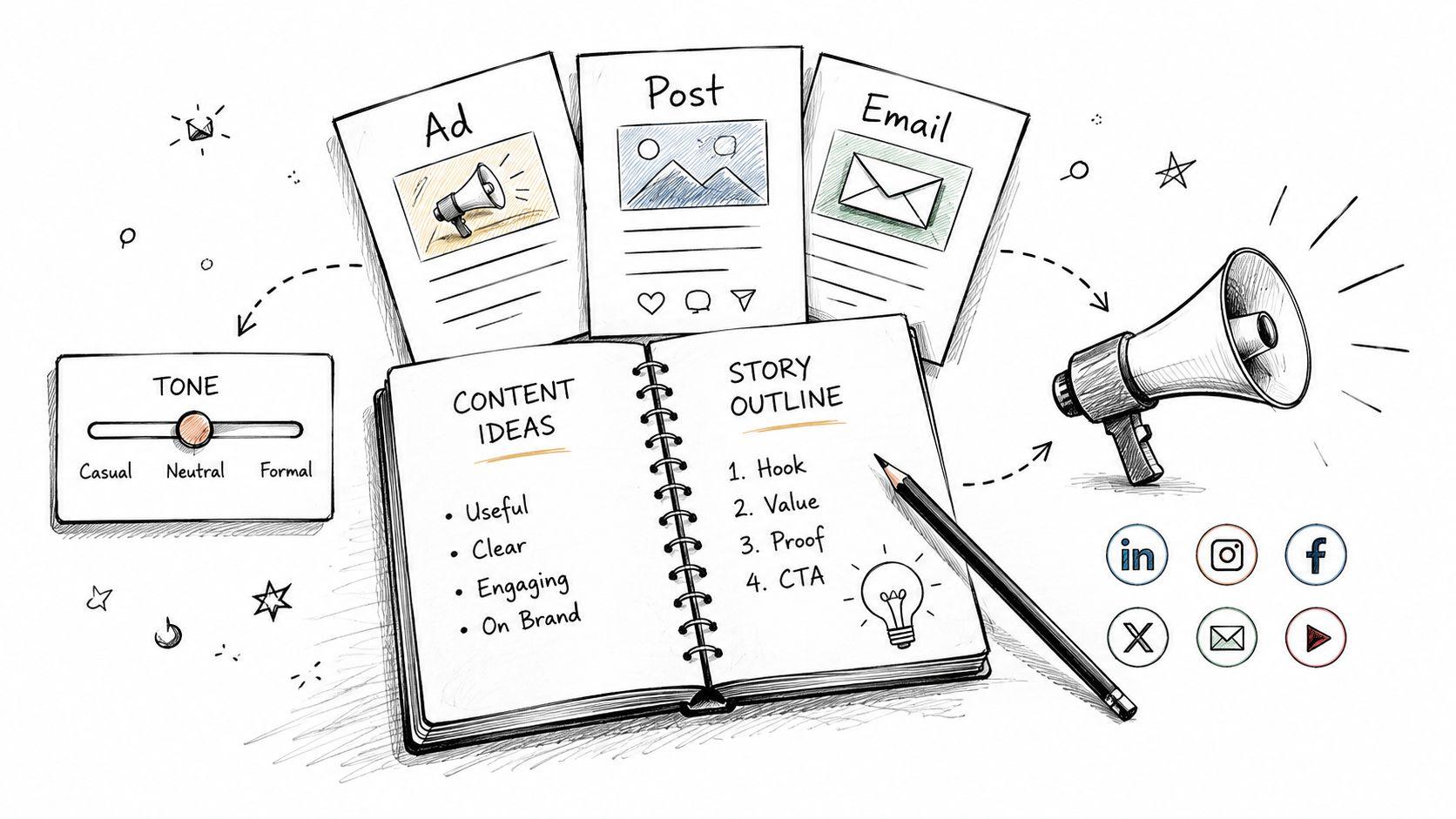
Marketing teams don't need more random copy. They need copy that sounds like the brand, fits the audience, and can be adjusted quickly for email, social posts, landing pages, and customer messages. That's where a well-built prompt becomes a reusable asset instead of a one-off request.
This style works especially well for SMBs because it gives them a repeatable draft process without hiring a full-time copywriter for every task. A good prompt can generate several versions, which makes it easier to compare tone, clarity, and call to action. It also helps internal teams stay consistent when different people are writing for the same brand.
For a broader writing workflow, 1chat's editable prompts are useful because the best prompt today is often tomorrow's starting point with a few small changes. You can save a brand voice version, then modify it for a product launch, an announcement, or a support email. For more examples of practical prompt use in marketing workflows, see the 1chat blog.
Copy-paste prompt
Write three versions of [content type] for [audience].
Use this brand voice: [tone guidelines].
Keep the messaging clear, specific, and practical.
Do not invent facts, and keep the copy aligned with the goal of [goal].
A strong copy prompt should also tell the model what not to do. Don't let it drift into generic hype, inflated claims, or overused phrases. If you're publishing the result, fact-check every product detail and claim before it goes live.
6. The Proofreading and Editing Prompt
Editing prompts are where AI gets valuable. Most people don't need a machine to “improve” writing in a vague way. They need help with clarity, tone, grammar, and structure, without losing the original meaning.
That makes this one useful for students polishing essays, professionals refining reports, and small business owners cleaning up website copy. It's also one of the safest places to use AI because the goal is revision, not invention. A good editing prompt should preserve the message, flag weak spots, and explain why a change helps.
Copy-paste prompt
Review the text below for grammar, clarity, tone, and structure.
Keep the meaning the same, but make it easier to read for [audience].
List the most important changes first and explain why each change helps.
If a sentence is already strong, leave it alone.
Use different passes for different problems. One pass can focus on grammar, another on concision, and another on tone. That approach is more reliable than asking for a full rewrite in one shot, because a full rewrite can flatten the writer's voice.
If you're editing something that needs a specific style, name the style. Formal business report, friendly school email, concise client update, or polished academic paragraph. The more precise the target, the less likely the model is to produce something that sounds off.
Good editing prompts protect the writer's intent. Bad ones replace it.
7. The Business Process Automation Prompt
Automation prompts work best when you start with the process, not the tool. Teams often ask AI to “automate this,” but the model can't help much until you map the steps, the bottlenecks, and the handoffs. Once that structure is clear, the prompt can identify repetitive work and suggest a realistic workflow.
This is useful for customer support, admin work, sales follow-up, HR onboarding, and internal coordination. A customer service team might use it to route tickets by issue type. An operations team might use it to reduce data entry. A sales team might use it to standardize follow-up after demos.
Copy-paste prompt
Analyze this workflow step by step: [describe process].
Identify repetitive tasks, bottlenecks, approval points, and steps that can be simplified or automated.
Suggest a practical automation plan that starts small and minimizes disruption.
Include risks, manual checkpoints, and what the team should test first.
The best results come from realistic constraints. Tell the model what systems you already use, who owns the process, and what cannot change. A prompt without those limits often returns a neat theory that doesn't survive contact with the team.
Start with high-volume work first. That gives you the clearest payoff and the easiest way to learn what needs fixing. If the first automation pilot works, save the prompt and reuse it on the next workflow instead of rebuilding from scratch.
8. The Multilingual Translation and Localization Prompt
Translation is not the same as localization, and that distinction matters. Literal translation can preserve the words while missing the tone, cultural context, or business intent. The best prompts ask for both the translation and the adaptation notes so you can judge whether the message still works.
This is valuable for SMBs expanding into Spanish or Mandarin markets, student teams working across languages, and international teams that need communication to feel natural, not mechanical. It's also important for marketing copy, where the audience needs to trust the message quickly. A phrase that works in one market can sound flat, awkward, or overly direct in another.
Copy-paste prompt
Translate this text into [target language] for [audience].
Keep the meaning accurate, but adapt the tone and phrasing for the local cultural context.
Explain any words, idioms, or references that may not travel well.
Suggest a version that sounds natural to a native speaker.
For critical content, ask for a native speaker review after the AI pass. That's especially true for customer-facing messaging, legal language, and brand copy. The model can help you move faster, but final responsibility still sits with a human who knows the audience.
A useful variation is to provide a short glossary of product terms. That keeps the model from translating important names too loosely. If a term must stay consistent across markets, say so directly in the prompt.
9. The AI Image Generation Prompt
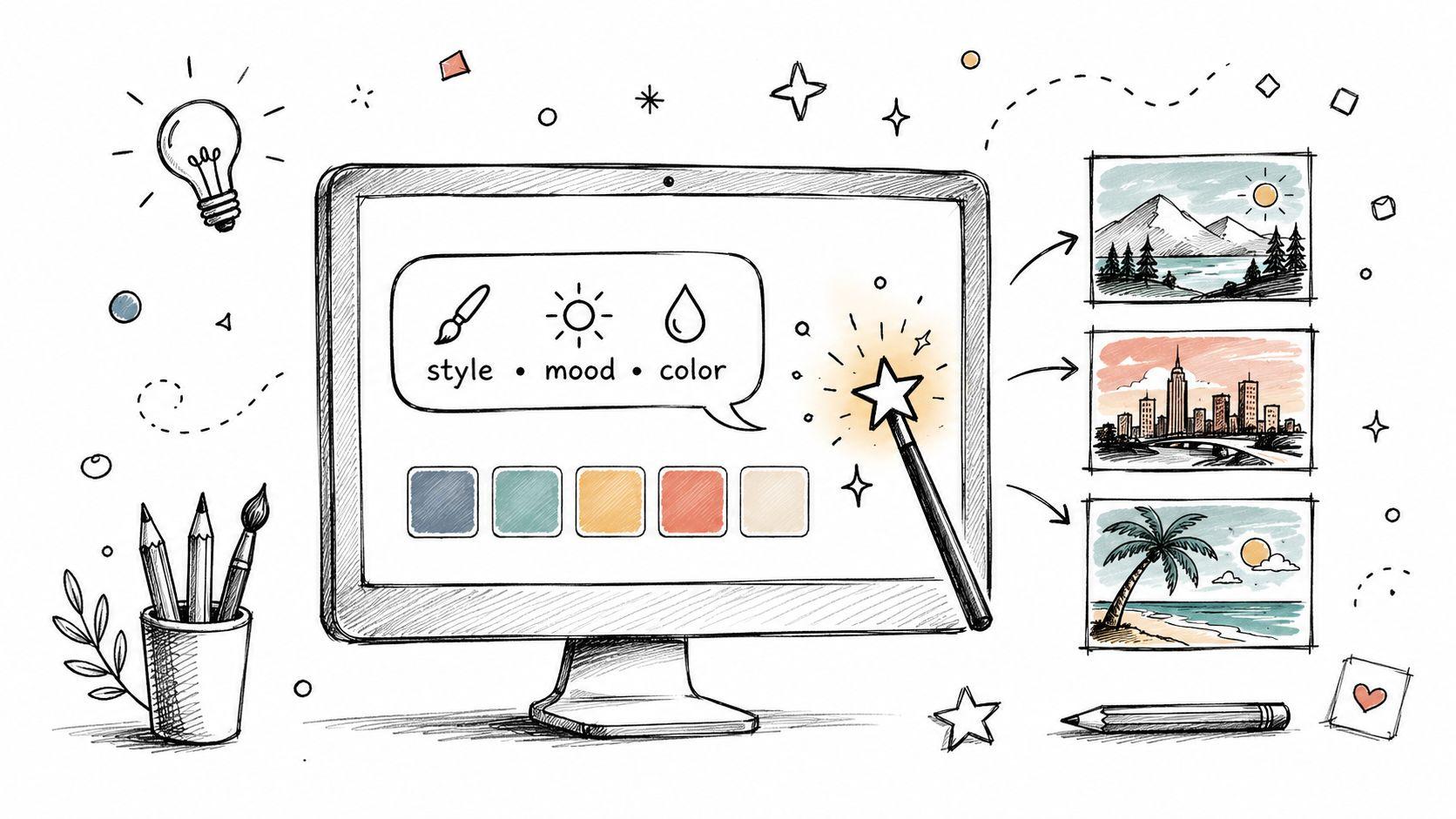
Good image prompts are a lot like good writing prompts, they work because the instructions are concrete. Vague image requests create generic visuals. Specific ones give you control over style, composition, color, mood, and use case.
This is a practical option for social media graphics, presentation visuals, website headers, newsletter thumbnails, and blog illustrations. It's especially useful for teams that need visuals quickly but don't have a designer on hand for every concept. The prompt should describe the scene, the feeling, and the technical requirements, not just the subject.
Copy-paste prompt
Create an image of [subject] in a [style] style.
Use [color palette], [lighting], and [composition details].
The mood should feel [mood words].
Make it suitable for [use case], and generate three variations with different framing.
If the image will be used commercially, review the platform's usage terms before publishing. That's a separate step from prompting, and it matters. You should also specify aspect ratio, background treatment, and whether the image should look realistic, illustrated, minimal, or editorial.
When image prompts miss, it's usually because they leave too much open to interpretation. “Professional,” “clean,” and “modern” are not enough on their own. Add context, such as the audience, layout, and brand setting, and the output gets much closer to usable.
10. The Customer Support and Response Template Prompt
Support replies need speed, empathy, and consistency. A strong prompt helps a business answer common questions without sounding robotic or cold. It also gives teams a shared starting point so that every agent isn't reinventing the wheel.
This is one of the most practical places to use AI because the same issue often appears in slightly different forms. Product questions, shipping issues, billing confusion, account access problems, and complaint resolution all benefit from structured response templates. The model can draft the base response, but a human should always add the final personal detail before sending.
If you're building a support workflow in 1chat, this is the kind of prompt that pairs well with saved templates and quick edits. For direct help or product questions, the 1chat contact page is the right place to start. That keeps the support process inside a privacy-first environment while still giving you a reusable structure for customer communication.
Copy-paste prompt
Draft a customer support reply for this issue: [customer issue].
Use a calm, helpful, and professional tone.
Acknowledge the customer's concern, explain the next step clearly, and avoid sounding scripted.
Leave one place where I can add a personal note before sending.
The best support prompts also tell the model what the brand stands for. If your company is warm and conversational, say that. If it's formal and concise, say that too. Then review the draft for accuracy, because a polite answer is still a bad answer if it gets the policy wrong.
Support teams save the most time when prompts handle the structure and humans handle the relationship.
Top 10 AI Prompts Comparison
| Prompt | Complexity 🔄 | Resources ⚡ | Expected outcomes ⭐ | Ideal use cases | Key advantages 📊 | Tips 💡 |
| The SCAMPER Analysis Prompt | Medium, structured 7-step process | Low, team time and facilitation | ⭐⭐⭐⭐, multiple creative, actionable alternatives | Small businesses, product teams, brainstorming sessions | Systematic lateral-thinking framework across contexts | Use one lens at a time; document all ideas |
| The Research Synthesis Prompt | Medium–High, requires source curation & synthesis | Moderate, source materials and verification time | ⭐⭐⭐⭐, organized summaries, themes, and gaps identified | Students, researchers, market analysts | Saves research time; produces citation-ready syntheses | Provide source URLs; ask explicitly for contradictions |
| The PDF Document Analysis Prompt | Low–Medium, depends on PDF quality and chunking | Moderate, PDFs, clear queries; OCR for scans | ⭐⭐⭐⭐, structured extraction, summaries, identified inconsistencies | Contract review, report analysis, compliance teams | Automates document review; outputs tables/lists for verification | Ask for page refs and structured outputs (tables/lists) |
| Homework Assistance & Essay Scaffold Prompt | Low, stepwise guidance with pedagogical focus | Low, student input and prompts | ⭐⭐⭐, improved structure, understanding, and planning | Middle/high school students, essay planning | Supports learning; preserves academic integrity | Request outlines first; avoid asking for full essays |
| Content Creation & Copywriting Prompt | Low–Medium, needs brand/context inputs | Low, brand guidelines and audience details | ⭐⭐⭐⭐, multiple draft variations for marketing use | SMBs, marketing teams, social media campaigns | Speeds content production; scalable for A/B testing | Provide tone examples and request several variants |
| Proofreading & Editing Prompt | Low, grammar and clarity checks | Low, document text and style guide | ⭐⭐⭐⭐, clearer, corrected, and better-structured documents | Students, professionals, small business owners | Affordable editing with explanatory suggestions | Specify document type and desired tone; use multi-pass reviews |
| Business Process Automation Prompt | High, mapping, bottleneck ID, and planning | Moderate–High, process data, tools, and implementation resources | ⭐⭐⭐⭐, automation opportunities and ROI estimates | SMB operations, customer service, HR onboarding | Identifies quick wins; improves efficiency and profitability | Map processes in detail; pilot small-scale first |
| Multilingual Translation & Localization Prompt | Medium, translation + cultural adaptation needed | Low–Moderate, source text and target-context info; reviews advised | ⭐⭐⭐, fast translations with cultural notes; variable nuance | International marketing, multilingual teams, student projects | Scales global reach affordably; keeps tone consistency | Provide audience context and glossaries; request adaptation notes |
| AI Image Generation Prompt | Medium, precise prompt crafting and iteration | Low, prompt details, style refs, generation credits | ⭐⭐⭐⭐, professional visuals and many variations | Visual assets for marketing, presentations, web content | Cost-effective visuals; consistent styling across outputs | Be specific on style/composition and request multiple variations |
| Customer Support & Response Template Prompt | Low–Medium, needs context and voice alignment | Low, customer context and brand voice guidelines | ⭐⭐⭐⭐, faster, consistent, empathetic responses | E‑commerce, SaaS support, small business customer service | Improves response time and reduces support workload | Include customer context; always review and personalize before sending |
Put These Prompts to Work in 1chat
You now have a practical toolkit of the best AI prompts for research, writing, editing, automation, localization, image generation, and customer support. Win isn't collecting more templates, it's building a small library of prompts you can reuse, edit, and improve over time. That's where a privacy-first workspace like 1chat can help, especially if you want to analyze PDFs, generate images, and keep team prompts organized in one place.
Start with one prompt that solves a real problem today. If you're a student, try the research synthesis or essay scaffold prompt on a current assignment. If you run an SMB, use the content or support template on your next campaign or customer reply. If you're managing family tasks, adapt the translation, editing, or image prompt for school projects, shared planning, or creative work at home.
The important part is iteration. The strongest prompts in this list all follow the same pattern, they set a goal, add context, define the output, and make it easier for the model to stay useful. That idea also matches structured prompt research, which shows that the more explicit the instructions and constraints, the better the model can reason through the task and report the result in a usable format. The same logic applies whether you're synthesizing sources, comparing options, or checking your own assumptions.
A good next move is to save three versions of your most-used prompt, a short version, a detailed version, and a version with extra guardrails. Then test them against real work, not hypothetical work. Keep the one that gives you the clearest first draft or the most reliable answer, and discard the rest.
If you want to get practical right away, open 1chat, pick one task that's slowing you down, and run a template from this list. The faster you turn a prompt into a repeatable workflow, the more useful AI becomes for your schoolwork, business tasks, or family projects.