The right writing assistant depends on your workflow, not on a universal ranking. A family choosing a safer homework and research tool needs different controls from a marketing team producing campaign assets, while a Microsoft 365 organization may value document permissions more than creative flexibility. The popular advice to pick the platform with the most impressive writing demo misses the harder questions: Where will your documents live? Who can access them? Can several people work together? Are usage limits and plan terms clear?
This comparison weighs drafting and editing alongside privacy controls, family suitability, student support, collaboration, document handling, model choice, ecosystem fit, pricing uncertainty, and implementation friction. It also treats “best AI writing assistant” as a practical category rather than a pure writing-quality contest. The market has expanded from a niche productivity product into a meaningful software category, with estimates placing its value at USD 1.7 billion in 2023 and projecting growth above 25% CAGR from 2024 to 2032 according to Grand View Research's market analysis. A separate estimate projects the category from USD 3.40 billion in 2026 to USD 20.78 billion by 2034, at a 25.38% CAGR, reflecting broader workflow automation and content-generation use.
The list starts with a privacy-first, family-oriented option, then moves through general-purpose assistants, student editors, workplace suites, marketing platforms, and workspace-based tools. If you're still deciding how these systems fit into a broader publishing process, this AI content creation guide provides useful context.
1. 1chat
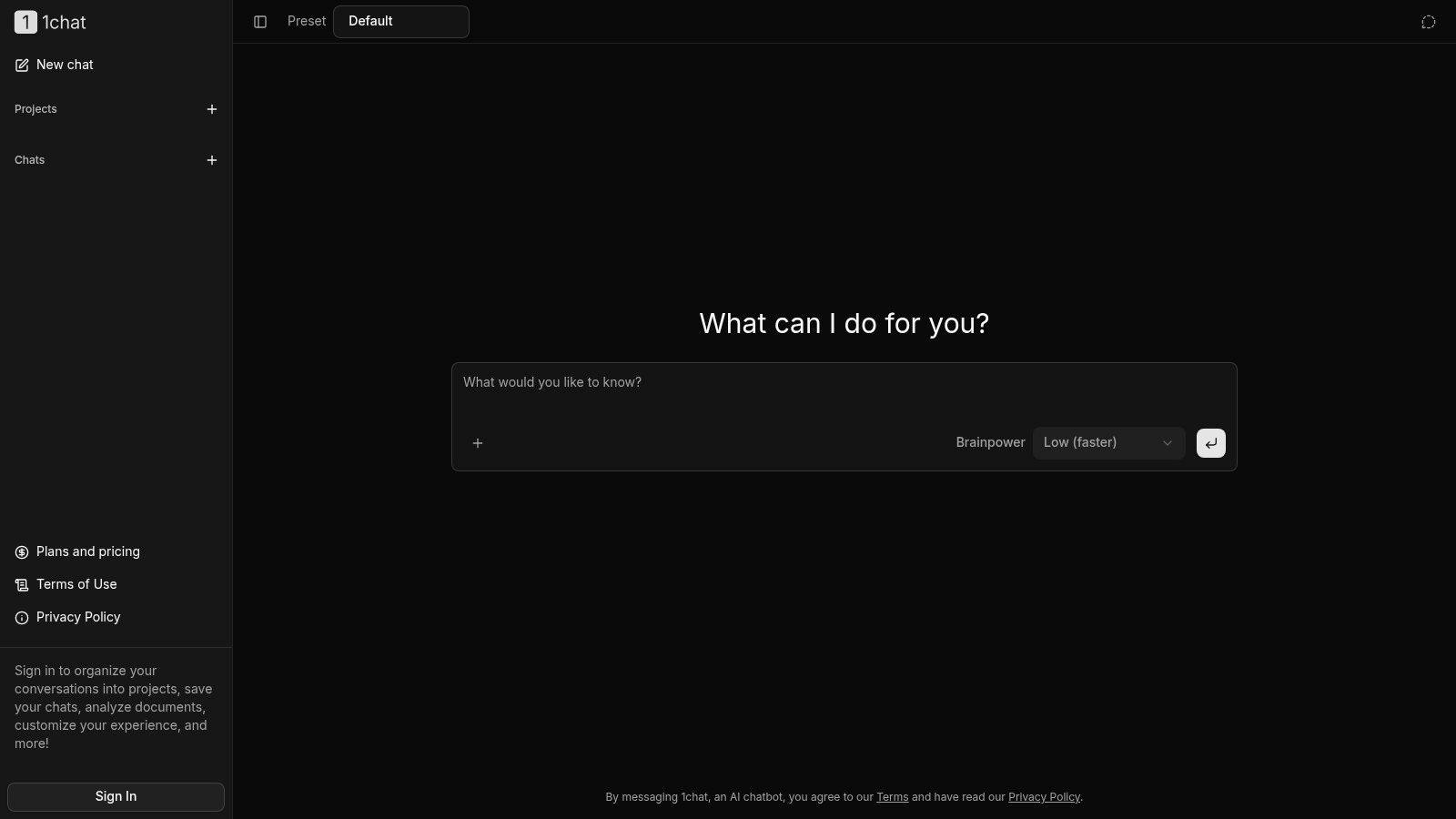
1chat is the strongest fit for families, students, and small or midsize teams that want conversational AI without committing to a single model or a purely consumer-oriented environment. Its central advantage is practical flexibility. Users can access multiple large language models in one interface, then use the same workspace to draft essays, proofread documents, analyze PDFs, upload files, generate images, and organize conversations into projects.
That combination makes 1chat more than a paragraph generator. A student can keep research questions and document discussions together, a parent can prefer a more family-oriented environment, and a small team can separate client work into saved projects. The product also includes temporary chats and a “brainpower” slider, which gives users a simple way to balance response depth and speed instead of treating every prompt as the same kind of task.
Why it stands out for mixed households and teams
The multi-model design reduces platform switching. That matters when one model handles a careful rewrite better while another is more useful for brainstorming, document analysis, or a different tone. It also gives users a way to compare outputs without maintaining separate subscriptions and workflows for every model.
1chat's positioning emphasizes privacy, moderation, family friendliness, and team organization. Those controls may be more important than a marginal difference in prose quality for parents, schools, and small businesses handling sensitive drafts. The available product material describes it as an affordable alternative, but it doesn't provide specific plan rates or usage caps, so buyers should review the Plans and pricing information before committing.
Practical rule: Treat 1chat as a flexible starting point, but test the exact models, file limits, moderation behavior, and retention settings your household or team will use.
The main trade-off is evidence and pricing transparency. The supplied material shows no third-party awards, customer testimonials, or independent reliability benchmarks, and exact prices weren't available for this comparison. That doesn't make the product unsuitable. It means prospective users should run a real essay edit, PDF review, or shared project before adopting it broadly.
Pros
- Multi-model access: Compare different LLMs in one interface instead of switching services.
- Family-oriented controls: Privacy-first positioning and moderation may suit younger users and school-related work.
- Document versatility: PDF analysis, file uploads, image generation, and chat support broader research workflows.
- Team organization: Projects and saved chats help small groups keep work separated and recoverable.
- Simple session controls: Temporary chats and adjustable reasoning depth make routine use easier.
Cons
- Pricing requires verification: Available material doesn't specify current rates, limits, or tier differences.
- Limited independent proof: The supplied pages don't show third-party reviews, awards, or customer testimonials.
2. ChatGPT
ChatGPT remains the broadest general-purpose choice for users who want one assistant to handle drafting, editing, research, coding help, document analysis, images, and voice. Its feature range gives it a strong fit for individuals who move between schoolwork, personal writing, research, and professional tasks rather than staying inside one narrow workflow.
The platform supports multiple reasoning models, file uploads, data analysis, image generation, and voice access across web and desktop experiences. Projects and tasks help organize recurring work, while custom GPTs and agents let users package instructions for repeatable tasks. Connectors for services such as Google Drive, SharePoint, Dropbox, and GitHub make it more useful when writing depends on existing documents or code repositories.
Where ChatGPT fits best
Its biggest strength is breadth. A solo consultant can draft a proposal, inspect a spreadsheet, summarize a document, and prepare a client email without changing tools. A business team can use workspace controls, identity features, and documented enterprise privacy options to create a more governed environment.
OpenAI's business documentation states that workspace data is excluded from training by default on the Business plan, but organizations should still review retention, administrator access, connector permissions, and applicable enterprise terms. Feature changes are another consideration. Frequent updates can expand capability, but they can also force teams to revisit prompts, model selection, and internal procedures.
For readers comparing a general assistant with a family and team-oriented alternative, 1chat's product blog offers a useful point of comparison.
The pricing picture can become complicated when organizations use advanced features, model-specific capacity, or enterprise rate cards. ChatGPT is therefore a strong first choice for capability breadth, but less ideal for buyers who want a completely stable feature lineup or a simple cost model across every advanced function.
Best fit: Individuals, broad-use professionals, and organizations that need writing alongside research, files, coding, images, and voice.
Main caution: Confirm the current model lineup, connector behavior, workspace privacy defaults, and enterprise billing terms before standardizing important workflows.
3. Claude
Claude is a strong option for long-form drafting, summarization, careful analysis, and users who prefer a focused writing experience. Its appeal comes less from a large collection of adjacent productivity features and more from coherent, steerable output that works well when the user needs an assistant to preserve context and structure across a substantial document.
Anthropic offers Free, Pro, and Max consumer tiers, with higher-capacity options for people who use the service intensively. The platform also provides model and API options for teams, although available capacity and pricing can vary by channel and over time. That variation matters for organizations planning production use, because a predictable editorial workflow depends on more than a strong first draft.
A thoughtful choice for sustained writing
Claude's long-context capabilities make it useful for summarizing supplied documents, revising a long draft, comparing sections, or maintaining a consistent argument through a complex assignment. It can also support coding and document reasoning, so it isn't limited to prose. Students and researchers may value the ability to work from source material, while writers may prefer its restrained approach to revision.
The main limitation is that a good writing experience doesn't automatically solve governance. Teams still need to review how documents are uploaded, what account type they require, how access is managed, and whether the chosen plan has sufficient capacity. Users evaluating Claude for research-heavy work can also consult 1chat's research resources when comparing document-focused workflows.
Long-form quality matters most when the assistant preserves the writer's argument, not when it simply produces more words.
Claude is a particularly sensible choice for writers who prioritize reasoning and editorial coherence over a large ecosystem of integrations. It's less compelling when a company needs deep native connectivity to an existing office suite or a highly structured marketing-operations layer.
Best fit: Authors, students, analysts, and professionals handling long documents or nuanced revisions.
Main caution: Verify current plan capacity, API pricing, model availability, and data-handling terms before using it for scaled or sensitive production work.
4. Google Gemini
Google Gemini makes the most sense for people who already live in Google's ecosystem. Its usefulness comes from proximity to Gmail, Docs, Slides, Notebook, and related services, where writing assistance can appear inside the tools users already open for communication, coursework, planning, and presentations.
The Gemini experience includes adjustable thinking levels, with options such as Pro, Flash, and Deep Think described in the supplied product information. Some paid plans also include AI credits for creative tools such as Flow and Antigravity, while selected memberships provide family-sharing options. These features give Gemini a distinctive fit for households and Google-centered teams, but they also make plan comparison more important.
The ecosystem advantage
A student writing in Google Docs may prefer assistance that stays close to the document rather than requiring repeated copying and pasting. A family already sharing Google services may also find a membership structure more convenient than separate accounts across several AI products. For workplace users, however, consumer plans and Workspace or education offerings should be treated as separate buying decisions.
Google's plan names and included capabilities have evolved, so users shouldn't rely on an older comparison page or assume that a consumer subscription maps directly to organizational controls. Check current limits, supported applications, administrator settings, family eligibility, and data policies before purchase.
The practical trade-off is clear. Gemini offers high ecosystem fit when Gmail, Docs, and Slides are central to the workflow. It offers less value to users who work across unrelated platforms and want a neutral multi-model interface.
Best fit: Google households, students using Docs, and teams whose communication and documents already run through Google services.
Strengths
- Native workflow placement: Writing help is close to Gmail, Docs, Slides, and Notebook.
- Adjustable reasoning: Different thinking levels can match quick tasks with deeper work.
- Household potential: Family sharing is available with selected memberships.
- Creative extensions: Some plans connect AI credits to additional creative tools.
Main caution: Verify current plan names, benefits, usage limits, and the separate terms for Workspace and education accounts.
5. Microsoft Copilot
Microsoft Copilot is the practical choice for organizations already standardized on Microsoft 365. Instead of asking employees to move drafts, meeting notes, and work documents into a separate writing environment, Copilot places assistance inside Word, Outlook, PowerPoint, Excel, and Teams.
That placement changes the evaluation criteria. A marketing writer may care about tone and revision controls, but a Microsoft 365 team may care more about whether Copilot respects existing permissions, works with organizational identity, and supports common meeting and presentation tasks. Copilot is designed around those workplace needs, including work-grounded chat, administrator controls, Entra integration, SSO, and a compliance-oriented posture for Microsoft environments.
Best for permission-aware office work
Copilot can help with Word drafting, Outlook email, PowerPoint slide preparation, Excel-related work, and Teams meeting notes. Copilot Chat is available to eligible Microsoft 365 users, which can reduce friction for organizations that already have qualifying licenses. Copilot Studio adds a path for custom agents and more advanced automation.
The cost and implementation trade-off is licensing complexity. Access requires qualifying Microsoft 365 licensing, and some agent capabilities or Studio usage may be metered or depend on additional Azure capacity. That makes Copilot less attractive for a family, student, or small business that only wants an inexpensive standalone writing assistant.
A responsible rollout should begin with permissions and data governance, not with prompt libraries. Teams need to identify which sources Copilot can access, how administrators will manage it, and which tasks deserve human review.
Best fit: Microsoft 365 businesses that need writing assistance embedded in email, documents, meetings, presentations, and spreadsheets.
Main caution: Confirm licensing eligibility, tenant configuration, permission behavior, and metered features before estimating the total cost.
6. Grammarly
Grammarly is an editor first and a generative assistant second. That distinction makes it especially useful for students, families, and SMB employees who already write in browsers, email clients, desktop applications, and online documents but want continuous help with grammar, clarity, tone, and readability.
Its toolset includes real-time suggestions, plagiarism checking, AI text detection, and generative prompts. Business features add style guides, snippets, analytics, SSO, and security documentation, giving teams a way to standardize language without forcing every writer into the same full-service chat environment.
Low friction is the product advantage
Grammarly's value appears during the final editing pass. A user can draft independently, then receive suggestions while writing an email, assignment, proposal, or web document. That makes it less disruptive than a chat-based workflow, particularly for people who don't want to formulate a detailed prompt for every sentence.
The student fit requires care. Plagiarism and AI-detection features can support review, but they shouldn't replace an institution's academic-integrity rules or a student's own judgment. Generative features also depend on plan allowances, and advanced capabilities may be restricted to paid or enterprise tiers.
Privacy deserves equal attention. Teams should review what content the browser or desktop integration can process, how administrators configure the service, and whether style guides contain confidential information. The product's documented security posture can help business buyers, but documentation still needs to be matched to the organization's own requirements.
Best fit: Students, families, and SMBs that want always-available grammar, clarity, tone, and style support across everyday applications.
Main caution: Confirm regional pricing, generative allocations, enterprise controls, and data-handling terms. Use paraphrasing and detection features as editing aids, not as substitutes for original work or institutional policy.
7. QuillBot
QuillBot is built around a student-friendly collection of writing utilities rather than a broad enterprise workspace. Its paraphraser, grammar checker, summarizer, translator, plagiarism checker, AI detector, humanizer, and chat tools address common academic and everyday writing tasks from one platform.
The breadth is useful for users who need several focused tools without learning separate interfaces. Browser extensions, mobile and desktop applications, and a Word add-in also reduce the friction of moving between a draft and an editing aid. That makes QuillBot a practical candidate for students, nontechnical users, and families comparing affordable writing support.
Useful tools, sensitive use cases
QuillBot's paraphrasing modes can help a writer clarify an awkward sentence or explore alternative phrasing. Its summarizer can help condense supplied material, while translation and grammar tools extend the service beyond English-only editing. Those functions are valuable when the user remains responsible for checking meaning, citations, and source fidelity.
The caution is especially important in education. Paraphrasing and “humanizing” features can cross academic-integrity boundaries if a student uses them to disguise copied or generated work. A responsible workflow keeps the original source, checks whether the revised language preserves the argument, and follows the school or instructor's rules.
QuillBot is not positioned as a deep enterprise-governance platform. It may work well for individual support, but a larger organization should look carefully at administration, retention, access management, and document privacy before making it a standard tool.
Best fit: Students and everyday writers who want a bundled set of paraphrasing, grammar, summarization, translation, and checking tools.
Main caution: Don't judge the tool by how effectively it changes wording. Judge it by whether the resulting text remains accurate, original, properly attributed, and acceptable under the relevant academic or professional rules.
8. Jasper
Jasper is designed for marketing teams rather than general-purpose writing. Its Canvas and Studio environments support structured long-form creation and editing, while Brand Voice, Knowledge, and Audience profiles help teams keep campaigns aligned with established positioning.
That focus gives Jasper a clearer use case than a general chatbot. A small marketing department or agency can create blog briefs, ads, email drafts, and SEO pages within repeatable processes, then use collaboration features to move work between writers, editors, and stakeholders. Agents can support research and optimization, and an API provides an option for deeper integration.
Strong brand controls, more complicated economics
Jasper's strongest feature is not just generation. It's the ability to encode brand context and audience guidance so that multiple contributors work from shared assumptions. That can reduce the inconsistency that appears when each marketer uses a separate prompt and personal interpretation of the brand.
The platform is less suitable for deep technical prose, academic writing, family use, or casual personal drafting. It's also important to understand its hybrid pricing model. Platform access and credits can interact, so high-volume teams should model how research, optimization, and automation actions consume allowances rather than comparing only the advertised subscription tier. Review current options through the 1chat pricing page as a reference point when comparing centralized AI access with specialized marketing software.
Workflow test: Give Jasper one approved brand brief, one target audience, and one revision request. If the team still has to restate its positioning in every prompt, the governance layer isn't doing enough work.
Best fit: SMB marketing teams, agencies, and content operations groups that need brand consistency and collaborative campaign production.
Main caution: Confirm credit consumption, collaboration permissions, API terms, and whether the platform's marketer-first structure matches your actual writing workload.
9. Copy.ai
Copy.ai is better understood as a go-to-market automation platform with writing capabilities than as a simple AI copy generator. It combines chat with access to OpenAI, Anthropic, and Gemini models, then adds Content Agents, Agent Studio, Workflows, Tables, Infobase, reusable templates, and a prompt improver.
That architecture is valuable when a marketing or sales team wants repeatability. Instead of asking employees to generate each email, campaign asset, or sales message from scratch, the organization can codify brand tone, inputs, approval steps, and output formats. No-code automation and API options extend that approach to larger teams and connected systems.
Process design determines the payoff
Copy.ai's multi-LLM access resembles a general assistant's model choice, but the surrounding workflow layer changes the buying decision. A solo user who occasionally needs a social post may find the platform excessive. A team that repeatedly turns product information into coordinated campaign or sales content may benefit from reusable processes and centralized context.
The privacy and governance review should focus on the data placed into Infobase, Tables, agents, and integrations. Teams need to know who can change instructions, which sources agents can use, how outputs are approved, and whether connected systems expose customer or prospect information.
The platform's value therefore depends on implementation discipline. A carefully designed workflow can make output more consistent, while a poorly designed one automates inconsistent instructions at greater scale. Start with one repeatable process, define review ownership, and expand only after the team can identify where human judgment remains necessary.
Best fit: Marketing and sales teams that need repeatable, brand-consistent content operations and no-code automation.
Main caution: It may be overkill for casual users. Evaluate workflow design, permissions, integrations, and ongoing administration rather than model access alone.
10. Notion AI
Notion places writing assistance inside a workspace containing documents, wikis, tasks, databases, and project context. Its practical advantage is proximity: users can draft, summarize, or revise material beside the information that supports the work, instead of moving it between applications.
Notion AI supports drafting, summarizing, and refining pages. Enterprise Search and Deep Research extend access across workspace content, while agent features aim to connect documents, tasks, and workflows. Early-access integrations, including Slack-related capabilities, could broaden that context, but their changing scope creates uncertainty for teams planning long-term processes.
Best for knowledge-centered collaboration
The strongest use case is a shared project document. A team can refine meeting notes, summarize a project page, update a task description, or create a first draft from stored information. This may help adoption because the assistant appears inside an existing work routine.
Students and researchers may value the ability to work from source material, while writers may prefer its restrained approach to revision. For a closer comparison of academic options, you can compare essay writing AI tools.
The trade-off is dependence on Notion's workspace structure. Families, students, or small businesses that keep work mainly in Google Drive, Microsoft 365, or local files may face more setup than benefit. Buyers should separate writing tools, search access, research functions, and agent features, since availability and pricing can vary by workspace.
Business and Enterprise customers may find the security and administration controls suitable, but organizations should verify permissions, indexing behavior, connector scope, retention, and how sensitive workspace content is handled. Early-access integrations may change or involve additional fees, so their terms should be clear before they support a critical workflow.
Best fit: Collaborative teams already using Notion for documentation, project management, knowledge sharing, and internal workflows.
Main caution: Results depend on workspace quality. Scattered, outdated, or poorly permissioned pages can limit AI search and drafting, regardless of the assistant's writing ability.
Top 10 AI Writing Assistants, Feature Comparison
| Product | Core features | UX & Quality (★) | Value & Pricing (💰) | Target (👥) | USP (✨) |
| 1chat 🏆 | Multi‑LLM chat, PDF analysis, AI image gen, projects, temp chats, brainpower slider | ★★★★, privacy‑first, family‑safe | 💰 Affordable alternative; check plans | 👥 Families, students, SMB teams | ✨ Privacy‑first moderation, multi‑LLM in one UI, team org |
| ChatGPT (OpenAI) | File uploads, images, voice, custom GPTs, connectors | ★★★★★, broad capability set | 💰 Freemium + Pro/Enterprise tiers | 👥 Individuals, teams, enterprises | ✨ Custom GPTs, wide integrations, frequent updates |
| Claude (Anthropic) | Very long‑context models, Pro/Max plans, web & API | ★★★★, strong long‑form & safety | 💰 Published Free/Pro/Max tiers | 👥 Writers, researchers, teams needing long context | ✨ Long‑context reasoning & safety alignment |
| Google Gemini (Google AI) | Integrated in Gmail/Docs/Slides, adjustable thinking levels, creative credits | ★★★★, tight Google UX | 💰 Included/credited in Google plans (varies) | 👥 Google ecosystem users, families | ✨ Deep Google product integration, family sharing |
| Microsoft Copilot (M365) | App‑embedded drafting, Copilot Chat, admin/Entra controls | ★★★★, enterprise workload fit | 💰 Requires qualifying M365 license | 👥 Enterprises & M365 customers | ✨ Native M365 data/permission integration |
| Grammarly | Real‑time grammar/tone, plagiarism, generative prompts, team tools | ★★★★, seamless editor support | 💰 Freemium; Pro & Business plans | 👥 Students, writers, SMBs | ✨ Robust editing, style guides, governance |
| QuillBot | Paraphraser modes, summarizer, grammar, plagiarism & AI detector | ★★★, student‑focused tools | 💰 Affordable student pricing / freemium | 👥 Students, casual writers | ✨ Flexible paraphrase modes + bundled tools |
| Jasper | Canvas/Studio, brand voice profiles, Agents, collaboration | ★★★★, marketing‑optimized | 💰 Platform + credits (tiered) | 👥 Marketing teams, agencies, SMBs | ✨ Brand profiles, marketing workflows & Agents |
| Copy.ai | Multi‑LLM chat, Agents, workflows, no‑code automation | ★★★★, scalable content ops | 💰 Tiered team/enterprise pricing | 👥 Marketing & sales teams | ✨ Agent Studio, multi‑LLM choice, workflow automation |
| Notion AI | AI writer in workspace, deep research, emerging Agents | ★★★★, in‑workspace assistance | 💰 Included in Notion plans; evolving | 👥 Teams using Notion for docs & tasks | ✨ AI tied to docs, tasks & workspace search |
Choose by Context, Control, and Cost
No single tool wins every category. The best AI writing assistant for a family may be the one with understandable controls and a safer operating model, while the best choice for a Microsoft 365 company may be the assistant that respects existing permissions and works inside Outlook, Word, Teams, and PowerPoint. A student may need editing and summarization more than autonomous content generation, and a marketing team may need brand governance more than general conversation.
Use this compact recommendation matrix as a starting point:
- Privacy-first family or SMB use: Start with 1chat when multi-model access, family-oriented moderation, document handling, temporary chats, and organized projects matter. Confirm plan limits, retention, and file policies before wider use.
- Broad general-purpose capability: Choose ChatGPT when one platform needs to cover writing, research, files, data analysis, coding, images, voice, and connectors.
- Long-form drafting and analysis: Consider Claude when coherent writing, document reasoning, summarization, and sustained context matter more than a large office-suite ecosystem.
- Google-centered workflows: Choose Gemini when Gmail, Docs, Slides, Notebook, and selected family-sharing benefits are central to daily work.
- Microsoft-centered workplaces: Choose Microsoft Copilot when writing, meetings, email, presentations, spreadsheets, identity, permissions, and compliance processes already run through Microsoft 365.
- Editing and student support: Start with Grammarly for low-friction grammar, clarity, tone, and style guidance. Consider QuillBot when paraphrasing, summarization, translation, and related study tools are more important.
- Marketing operations: Choose Jasper for brand profiles and collaborative campaign production, or Copy.ai when the team needs reusable agents, workflows, structured information, and go-to-market automation.
- Workspace-based collaboration: Choose Notion AI when project documents, tasks, databases, search, and writing assistance already live in Notion.
Market scale also changes the buying context. One estimate places the AI writing assistant software market at USD 1.77 billion in 2025, with a projection of USD 4.88 billion by 2030 at a 22.49% CAGR. The same source reports that large enterprises held 66.7% of market share in 2024, on-premises deployments held 72.1%, and SME adoption is projected to expand at 23.7% CAGR through 2030. These figures come from Mordor Intelligence's market report. They show why privacy, deployment, administration, and integration deserve the same attention as writing quality.
The multilingual question deserves equal weight. Research discussed in this analysis of AI writing assistants reports that 85% of surveyed students at Tanzanian universities used AI writing assistants, while also identifying limited support for Swahili and other low-resource languages, alongside cost and infrastructure barriers. A tool that performs well in English marketing copy may not be the best practical choice for multilingual households, schools, or international teams.
Before subscribing, confirm current plan names, usage caps, licensing requirements, model access, connector permissions, retention policies, training defaults, administrator controls, and feature availability. Pricing pages and product capabilities change, and enterprise costs can depend on usage or additional infrastructure.
Finally, test a representative workflow instead of judging a tool from feature counts. Ask each finalist to edit an essay, review a PDF, transform a campaign brief into approved assets, or manage a shared team project. Have a human check factual accuracy, tone, citations, privacy exposure, and revision effort. That short trial will reveal more about practical fit than a generic writing demo.
If you're choosing for a family, school, or small business, start by testing 1chat with one real document and one shared project. Review its current plans and privacy controls, then compare the results with the specialist tool that matches your ecosystem before rolling AI writing assistance out to more users.