What if the best assistant for your household, your coursework, or your five person team isn't the one with the highest benchmark score, but the one that fits how you already share accounts, store documents, and pay bills? ChatGPT works well as a general purpose chat, yet its one size approach leaves gaps around family sharing, privacy controls, and team workflows. A student who needs citations, a parent who wants a temporary chat, and a shop owner who needs predictable seats aren't buying the same thing.
That's why this Best ChatGPT Alternative roundup is organized by real use case. Each entry gets a clear best for verdict, honest pros and cons, and migration notes on what breaks when you move, including chat history, saved projects, app integrations, and billing. You'll find a comparison table after the list to check those trade offs side by side.
Adoption is already broad, so switching isn't an experiment anymore. McKinsey's Global Survey on AI found that 65% of respondents in May 2024 said their organizations regularly used generative AI in at least one business function. The practical question now is fit, not whether to use AI at all.
1. 1chat
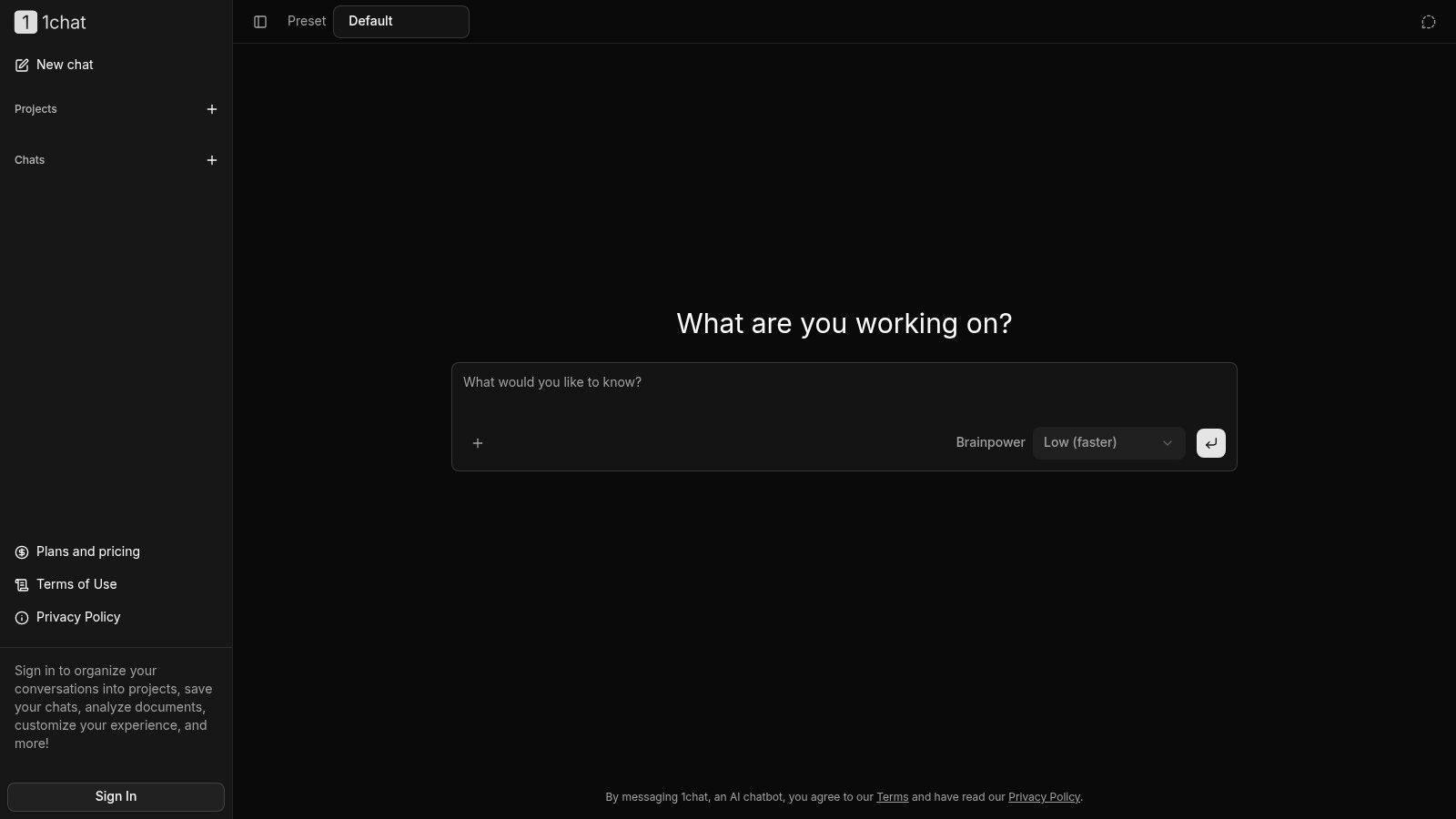
Best for households, students, and small teams that want a ChatGPT alternative with several models and shared workflows in one place. 1chat lets you ask questions, chat with PDFs, and generate AI images without managing separate services for each task. That makes it a practical option for households sharing research and homework tasks, or small teams that need document analysis and image creation alongside everyday chat.
Signed-in users can organize conversations into projects, save chats, analyze documents, and customize their experience. Keep one limitation in mind: a chat started on the main chat screen does not appear in chat history. Save work you may need again in a project rather than relying on that main screen.
What works and what needs checking
- Several tasks in one service: Compare answers, work with PDFs, and create images without switching between separate tools.
- Projects for ongoing work: Signed-in users can organize conversations and save chats, which helps households or teams keep recurring work together.
- Plans for individuals and families: The Individual plan includes one main account, optional support for one additional seat, one shared subscription, and shared credits. The Family plan includes 4 members, the main account plus 3, and each member above 4 costs $4.99.
- Trial before you commit: 1chat offers a 14-day free trial. Users who cancel during the trial are not charged. Review 1chat's plan and pricing details before moving a household or team.
Model lineup and availability can change, so use the trial to check the exact tasks that matter to you, such as summarizing a long PDF or explaining a homework topic. Different models may handle the same prompt differently, so compare their answers before settling on a workflow.
Migration notes. ChatGPT history, custom instructions, and saved chats do not automatically move to 1chat. Copy recurring prompts and reference documents into new projects, and keep a separate copy of anything you need to preserve. If several people share credits, agree on how to use them, especially when some members create images more often than others. Start with one real document and one recurring task on the 1chat website to see whether its projects and shared setup fit your routine.
2. Claude
Best for long writing, careful editing, and coding where tone and nuance matter. Claude feels calmer than ChatGPT on revisions. It holds a long document together, follows a style brief without turning every paragraph into marketing copy, and explains its edits when you ask.
Anthropic's Claude includes Projects for organizing chats and documents around ongoing work, plus web search and analysis of text and images. Paid plans add research and extended thinking features. The free plan is a fair test drive, though you'll hit usage limits on both free and paid tiers during heavy weeks.
Practical rule: Give Claude the full draft, the audience, and one thing not to change. Vague editing prompts produce fluent rewrites that quietly move your argument.
Reliability still needs your own checks. The HALOGEN benchmark paper evaluated 10,923 prompts across nine domains and found even GPT-4 responses produced hallucination rates ranging from 3% to 86%, depending on task and domain. That range is the point. Test citation accuracy and document grounded answers on your own material before you trust any assistant with client work.
- Strength: Long form drafting, revision, and coding help in one chat.
- Weakness: It doesn't automatically replace workflows built inside Microsoft or Google apps.
- Watch out for: Usage caps arriving mid project if you paste large files repeatedly.
Migration notes. Rebuild your best ChatGPT conversations as Projects with the source documents attached, rather than copying old chat transcripts. Custom GPT behavior doesn't transfer, so write the instructions you relied on into each project. If your work lives in Word or Google Docs, you'll still copy and paste more than ecosystem tools require.
3. Google Gemini
Do your files and daily work already live in Google? Gemini is a practical ChatGPT alternative for households and Workspace teams that want AI alongside familiar apps. Paid plans connect Gemini with select apps such as Gmail and Docs, and Google AI Pro includes additional storage. The trade-off is that much of the value comes from the wider bundle, not chat alone.
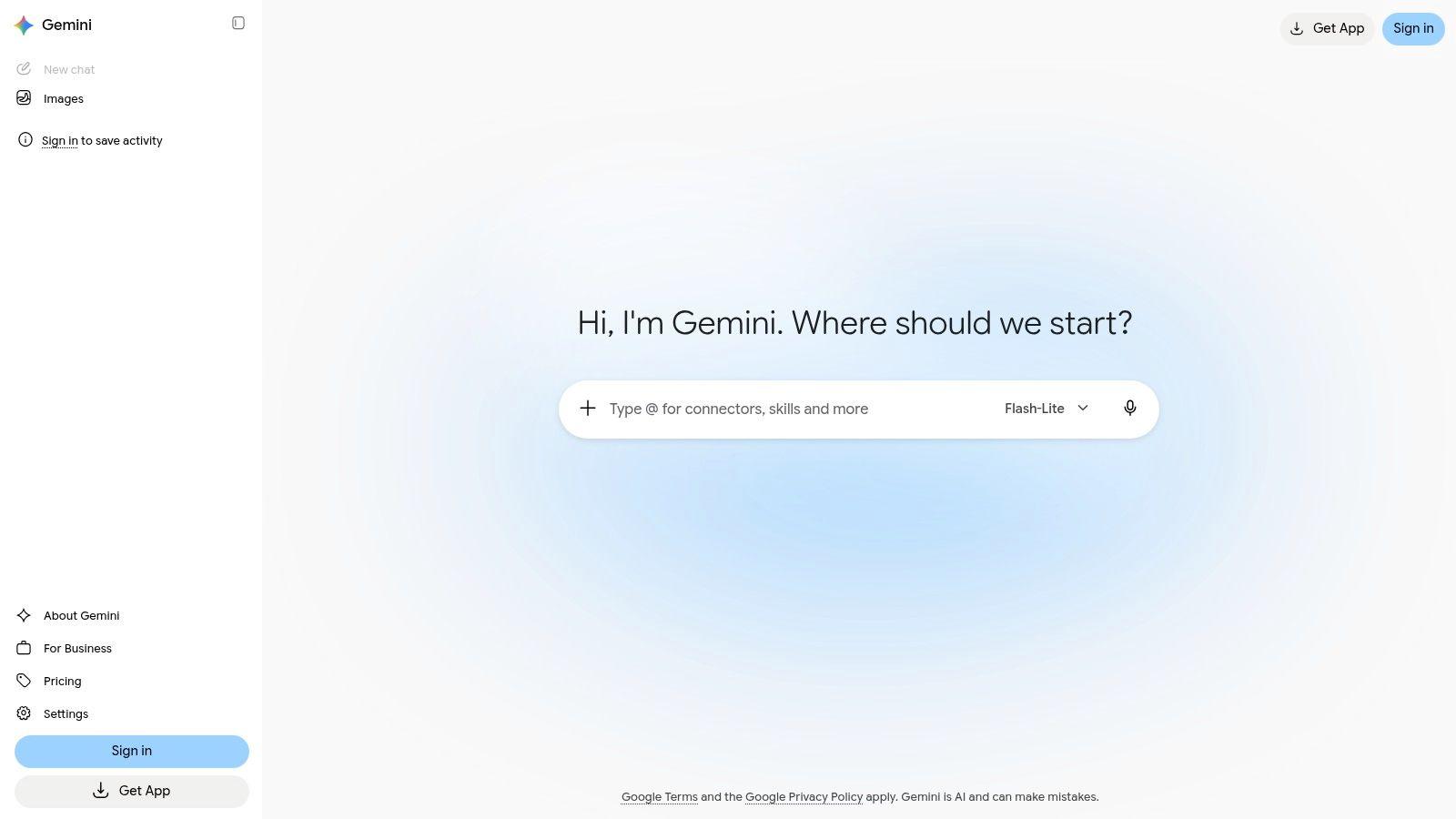
Google Gemini offers free access with a Google Account, image generation and editing, Gemini Live, Canvas, and Deep Research. Features and usage allowances vary by plan, so compare the plan details against your regular research and image needs instead of relying on headline model claims.
Families should check Google's current plan terms before sharing an account. The third-party option for shared premium access for Gemini users is not a substitute for checking Google's own rules, and may create account risks.
Migration notes. Switching is easiest when your documents are already in Drive, since you can work with them without exporting files just to summarize them. ChatGPT history and memory do not transfer, so save useful prompts in a Doc before switching. Custom ChatGPT workflows built outside Google apps may need to be recreated, and Gemini offers less of an advantage when your work happens elsewhere. Best for people who want AI close to Google apps; households and small teams should check account terms and plan features before changing how they share access.
4. Perplexity
Best for research that depends on checkable sources. Perplexity centers on web search: it provides answers with citations you can open, then lets you narrow the topic through follow-up questions. For students, that can make it easier to compare claims and build a reading list. Check the cited sources yourself, then write in your own words.
Perplexity has a free tier for basic use. Paid plans add advanced models, file analysis, image generation, and higher usage. Eligible students can also access discounted Education Pro. Judge whether it fits your coursework by checking how well its citations support the specific claims you need to use.
Where it falls short
Citations are a starting point, not proof. A linked page may be outdated, misread, or weaker than the answer suggests, so open sources behind consequential claims. Perplexity focuses more on research than office work, and free access to advanced research and models is limited.
Migration notes. ChatGPT drafting history does not automatically become a Perplexity research library. Recreate recurring investigations in saved threads, and keep final writing in your usual editor. For teams, set a clear review rule: open each cited source before using an external claim. This makes Perplexity a better fit for source-led research than for replacing a general-purpose writing workspace.
5. Microsoft Copilot
Best for Microsoft 365 users who want AI inside Word, Excel, PowerPoint, and Outlook. Standalone Copilot chat is competent for questions, writing, and brainstorming. The main reason to switch is eligible Microsoft 365 integration, where drafting, summarizing, and data help happen in the file you're already editing.
Microsoft Copilot provides free chat, web grounded answers, and webpage summarization in Edge. Business offerings may include work data grounding and organizational controls depending on license and configuration. That conditional wording matters. Ask your admin exactly which license your team holds before you promise anyone a new workflow.
- Strength: Familiar apps reduce training for staff who already use Office daily.
- Strength: Some business plans may provide organizational privacy and admin features.
- Weakness: Deeper app integrations require an eligible paid plan, and AI limits vary by subscription.
- Weakness: Some AI benefits on individual Family plans are limited to the subscription owner.
Leadership often underestimates how much staff already rely on these tools. McKinsey's chart on leaders underestimating employees' AI use found 13% of employees reported they already used generative AI for at least 30% of their daily work, while C-suite leaders estimated only 4% did so. Formalizing Copilot can be less about adoption and more about governing use that's already happening.
Migration notes. ChatGPT prompts transfer as text, but Excel and Outlook workflows need rebuilding inside Microsoft apps. Test one recurring report and one inbox summary during your trial week.
6. Poe
Want to ask the same question of several models without opening five accounts? Best for curious power users who like comparing answers side by side. Poe puts a range of AI models and user created bots in one interface, including group chats and tools for exploring bots.
Poe uses point based usage, and the amount consumed varies by bot or task. Different subscription levels include different usage amounts. That flexibility is the appeal and the frustration. A cheap feeling chat can become expensive if you repeatedly pick premium models for long documents.
Compare models on a task with a right answer you can check, such as summarizing a contract clause you already understand. Preference for confident prose isn't accuracy.
Experience varies between bots. Official models, community bots, and custom instructions don't offer the same reliability, memory, or file handling. For a household, that inconsistency can confuse less technical users who just want the assistant button to behave the same way each time.
Migration notes. Nothing from ChatGPT carries over except prompts you copy yourself. Poe replaces several subscriptions only if your usage fits its points, so track consumption for a normal week before cancelling anything else. If predictable monthly cost matters more than model variety, a single model plan or a shared family plan will be easier to budget.
7. Mistral Vibe (formerly Le Chat)
Best for users who want a European alternative that combines everyday chat with dedicated coding tools. Mistral has expanded its assistant into Vibe, with separate chat, work, and coding modes. The name change from Le Chat may confuse anyone reading older reviews, so check dates before you trust a feature list.
Mistral Vibe includes Vibe Chat for conversation, Vibe Work for productivity tasks, and Vibe Code with a command line tool and a VS Code extension. A free plan is available with limited messages, web searches, image generation, and connectors. Mistral also lists an education offer for eligible higher education students.
For small firms, onboarding often matters more than maximum complexity. The OECD report on generative AI and the SME workforce surveyed more than 5,000 SMEs and found 31% had employees or colleagues using generative AI. A tool with clear modes for chat, work, and code can reduce the blank prompt problem for staff who've had no training.
Paid plan features and usage are subject to fair use terms, and the free plan won't sustain a busy team. Migration notes. Developers gain the most if they adopt the VS Code extension, because chat alone doesn't replace an editor workflow. Everyone else should test document handling and connectors with real files, since those limits decide whether Vibe can replace ChatGPT for daily office tasks.
8. Meta AI
Best for casual, free help inside apps your family already opens every day. Meta AI is available on the web and through WhatsApp, Instagram, Messenger, and Facebook. That distribution is its feature. You don't persuade anyone to install a productivity suite just to ask for a recipe variation or a quick recommendation.
Meta AI supports text, image, and voice capabilities, plus image generation and editing and web information. In some responses it can draw on public posts from Instagram, Facebook, and Threads. Meta describes it as free for everyday use, though usage limits may apply to compute intensive features.
- Strength: Zero friction for quick questions, creative tasks, and recommendations.
- Strength: Familiar messaging apps suit families who won't adopt another workspace.
- Weakness: It isn't a purpose built family safety or schoolwork management product.
- Weakness: Privacy needs thought before sharing personal, school, or business information.
Wider adult use explains why a free assistant in social apps reaches people paid tools miss. The NBER digest on workplace adoption of generative AI reported that in August 2024, 39.4% of U.S. adults aged 18 to 64 had used generative AI. Convenience drives much of that use.
Migration notes. There's little to migrate, because Meta AI works best for one off chats rather than saved projects. Keep school records, customer data, and long documents in a tool built for files and review.
9. DeepSeek
Best for cost-conscious users who want to try reasoning and document extraction without paying upfront, and who will keep sensitive data out. DeepSeek offers web search, a Deep Think mode, and file upload, and it is free to start using. For households or small teams switching from ChatGPT, treat it as a tool to test on low-risk tasks rather than assuming it will replace saved chats or established document workflows.
DeepSeek can help with a first pass on research, reasoning practice, or extracting text from a document you could safely share publicly. Check responses and extracted information carefully, especially numbers, names, and dates. Free access lowers the cost of testing, not the cost of an error.
Privacy should guide what you upload. Review DeepSeek's data collection terms before sharing personal, academic, or commercial material. If you are comparing it with a privacy-first alternative, read 1chat's privacy policy too. Keep client files, children's school records, medical details, and unpublished business plans out of any assistant until you understand its data practices.
Small firm adoption remains uneven, so a free tool can make experimentation accessible while leaving governance easy to overlook. The JPMorganChase Institute page on AI use by small businesses reported that by the end of 2025, approximately 17.7% of firms had adopted AI. Businesses still need clear rules on which information staff may upload.
Migration notes. Start by moving low-risk prompts, not your whole ChatGPT workflow. Keep your document archive elsewhere, and verify DeepSeek's accuracy on work you can check before cancelling a paid tool.
10. Grok
Best for users who care about current web and X discussion and want voice, image, and video tools in the same assistant. Grok leans into live information. If your questions start with what's happening now, that focus can beat a general chat that treats search as an add on.
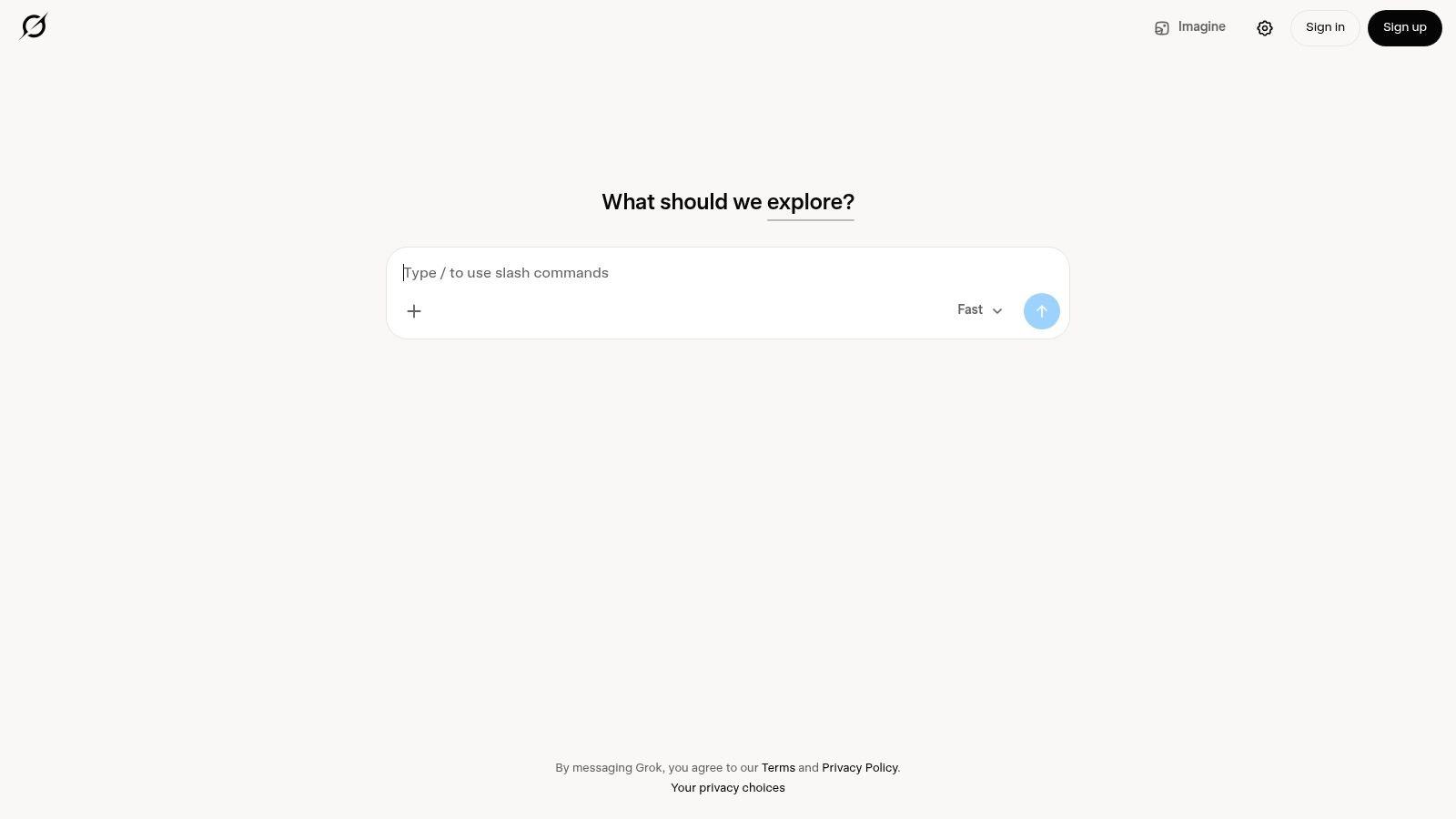
Grok offers web and X search, voice mode, image and video generation, and analysis of uploaded PDFs, spreadsheets, images, and code. It also lists connectors for tools such as email, files, and calendars. There's a free entry point, while higher usage limits and additional capabilities require a paid plan.
The close association with X may not suit every workplace, school, or family. Search based and generated answers still need verification, particularly when a fast moving post is treated as evidence. Open the underlying source before you quote a claim in homework, a client update, or a purchasing decision.
Education users are already surrounded by these tools, so fit and policy matter. Microsoft's AI in Education report reported that in 2025, 86% of education organizations reported using generative AI. Students should check whether live social search is acceptable evidence in their course before building assignments around it.
Migration notes. Your ChatGPT files can be re uploaded for analysis, but chat history and memory don't transfer. Test connectors with a non sensitive calendar or inbox first, and confirm who in a team is comfortable working in an X associated product.
10 ChatGPT Alternatives Compared at a Glance
Use this table to match a tool to your main workflow. If you're switching from ChatGPT, check the “Best for” and “Standout strength” columns against the tasks you need to keep doing.
| Item | Best for | Free tier | Standout strength |
| 1chat | Families, students, and small businesses | 14-day free trial; no charge if cancelled during the trial | Chat with multiple AI models, analyze PDFs, generate AI images, and organize conversations into projects |
| Claude | Writing, long documents, and coding | Available, with usage limits | Projects for organizing related chats and documents |
| Google Gemini | People who use Google services | Available with a Google Account | Google app integrations and extra storage on paid plans |
| Perplexity | Web research and source discovery | Available for basic use | Search-focused answers with citations |
| Microsoft Copilot | Microsoft 365 users | Available for basic assistant tasks | Copilot features in select Microsoft 365 apps on eligible plans |
| Poe | Trying and comparing different AI models | Point-based usage | Multiple models and user-created bots in one interface |
| Mistral Vibe (formerly Le Chat) | Productivity and coding | Available, with limited usage | Separate chat, work, and coding tools |
| Meta AI | Casual questions and creative tasks | Free for everyday use | Available across familiar Meta apps |
| DeepSeek | Research and document tasks | Free access described by DeepSeek | Web search, Deep-Think mode, and file uploads |
| Grok | Current web and X information | Free entry point | Web and X search, plus image, video, and file capabilities |
For households and small teams, 1chat's PDF analysis, image generation, and project organization cover useful workflows in one place. A chat started on its main chat screen does not appear in chat history, so save conversations you need to revisit. Other entries prioritize their stated strengths, from Google and Microsoft integrations to research-focused search and model comparison. Check each tool's access limits and compatibility with the services and files your work depends on before switching.
How to Pick Your Alternative and Switch Without Losing Anything
Start with the job that's costing you time, not with a model ranking. Households and small teams that want privacy first, multi model access in one place should start with our 14 day free trial and test a shared PDF, a saved project, and one temporary chat. Google or Microsoft users usually get the smoothest migration by staying in their existing ecosystem, because files and permissions already live there. Researchers and students should weigh Perplexity's citations and education discount against the writing support they'll still need elsewhere.
Students need a stricter test than writing quality. The ERIC record for the Student Generative AI Survey 2025 reported that 92% of undergraduates used AI in 2025, up from 66% in 2024. Ask whether a tool helps you understand, cite, and improve work without creating misconduct risk. The best student alternative may do less direct writing and more transparent tutoring, with sources you can open and explanations you can defend in class.
A one week migration checklist
- Export what matters from ChatGPT: Save reusable prompts, final documents, and any chat you may need for school, tax, client, or family records.
- List integrations you use: Note whether your work depends on Gmail, Docs, Word, Excel, Drive, or just file upload and copy paste.
- Trial two candidates side by side: Run the same three real tasks for a week, one document summary, one research question with citations, and one recurring draft.
- Check memory before you trust it: Review what's saved, what's temporary, and how to delete it. NeoTeo's guide to chatbot memory is a useful prompt for questions to ask any provider.
- Set household or team rules: Decide what may be uploaded, who reviews output, and which chats must stay out of shared projects.
Free tiers are best for learning the interface and testing fit. They usually limit the features that make an alternative worth switching for, such as advanced models, file analysis, higher usage, app integrations, or education and business controls. Paid plans make sense when you can name the recurring workload they remove, for example weekly reports, proofreading, document questions, or shared family use. If you can't name that workload, stay free for another month and track what you ask most often.
Switching rule: Cancel the old subscription only after the new tool has handled one normal week, including your largest file and your most annoying recurring task.
My per reader recommendation is simple. Families and small teams that want one shared, privacy first place for several models should start with 1chat. Writers and coders who live in long documents should try Claude, Google users should try Gemini, Microsoft 365 teams should try Copilot, and researchers or students who must show sources should try Perplexity. Casual users can start free with Meta AI, while model tinkerers will enjoy Poe and current events followers will get more from Grok.
Start your 14 day free trial with us today, bring one real PDF and one task you repeat every week, and cancel during the trial at no charge if the fit isn't right. That's the fastest honest test of whether a shared, multi model assistant works better for your household or small team than juggling separate ChatGPT style subscriptions.