
The most feature-rich platform isn't automatically the best team collaboration tool. A small business can buy chat, meetings, project management, documents, whiteboards, and AI features, then discover that employees still duplicate work, miss decisions, and search across disconnected systems. Recent workplace research found that 57% of workers redo work in different tools or apps, while 63% say silos spread information across too many tools (HR Dive's workplace research summary). That makes tool sprawl an operational problem, not just a software problem.
The better question is: which collaboration problem does your team need to solve first? This ranking compares communication hubs, meeting-led suites, project systems, knowledge workspaces, visual planning tools, and consolidation platforms. It also weighs privacy posture, integration depth, pricing complexity, and the effort required to get people using the system consistently.
Use this list alongside a broader roundup of the top 10 collaboration tools, but don't treat any ranking as universal. 1chat belongs in a different category from the main communication and project platforms. It can serve as a privacy-first AI companion for teams that need help analyzing PDF documents, generating images, and answering questions alongside their core collaboration system.
1. Slack
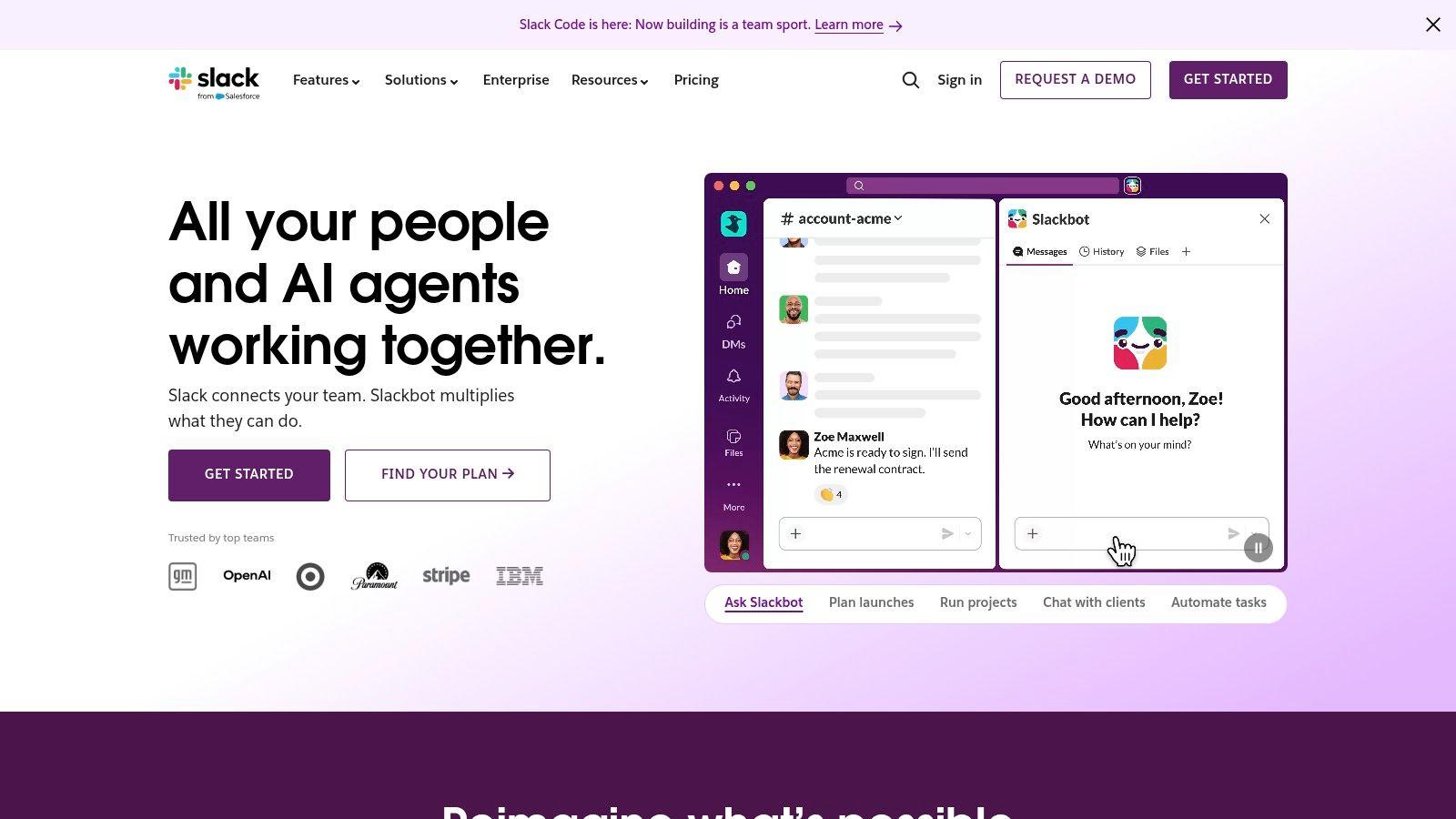
Slack ranks first for teams whose main collaboration problem is fragmented communication across apps and projects. Its channels separate conversations by topic, project, or function, while direct messages support private coordination. Huddles add voice, video, screen sharing, and clips without forcing every discussion into a formal meeting.
Its strongest differentiator is the surrounding ecosystem. Slack offers 2,600+ integrations, and Workflow Builder can automate recurring actions inside the communication hub. That breadth can reduce app switching when notifications, approvals, and updates from tools such as project trackers or file systems need to reach the same team space. Slack's AI features also support thread and channel summaries, file summaries, AI search, daily recaps, and a personal Slackbot agent.
Practical rule: Slack works best when every channel has a clear purpose, an owner, and a defined expectation for what belongs there.
Privacy and governance are serious strengths for organizations with stricter requirements. Enterprise controls include SSO, SCIM, DLP, and EKM, and Slack says customer data remains isolated from LLM training for its AI features. The trade-off is governance effort. A poorly designed workspace can turn channels into a constant stream of interruptions, while advanced compliance and AI capabilities sit on higher pricing tiers.
Slack is a strong core communication layer, but it may need a separate system for structured project work or long-term documentation. Teams considering a privacy-first AI companion can also explore 1chat as a complement rather than an automatic replacement.
2. Microsoft Teams
Microsoft Teams solves a different problem from Slack. It suits organizations that want chat, meetings, calling, files, and Microsoft 365 applications in one environment. Persistent chat sits alongside video meetings, recordings, transcripts, and collaborative access to Word, Excel, PowerPoint, SharePoint, and OneDrive.
For a business already standardized on Microsoft 365, this integration can reduce duplication. Employees can discuss a document, edit it, store it, and meet about it within a connected ecosystem rather than stitching together unrelated services. Teams also supports Teams Phone and Teams Rooms add-ons, which makes it relevant for companies that want to extend collaboration into business calling and physical meeting spaces.
The main trade-off is complexity. A small team that mainly needs lightweight messaging and occasional video calls may find the interface and administration heavier than necessary. Teams offers options ranging from standalone Teams Essentials to broader Microsoft 365 bundles, so buyers need to compare the actual bundle, storage, identity, compliance, phone, and meeting requirements rather than relying on the headline product name.
Best fit and adoption risk
Teams is especially practical when the company already manages Microsoft identities, files, calendars, and productivity applications. Its security and administration model can support more controlled environments, but that benefit comes with implementation work. Administrators need to establish sensible team, channel, guest-access, and file-management rules before the workspace expands.
For SMBs, the financial question is less about whether Teams has enough features. It's whether the business is already paying for Microsoft 365 and will use the connected services. If the answer is yes, Teams can consolidate a broad set of workflows. If not, a simpler communication-first tool may produce faster adoption.
3. Google Workspace
Google Workspace is the strongest choice for teams whose collaboration problem is scattered documents and inconsistent file access. Gmail, Chat, Meet, Drive, Docs, Sheets, and Slides form a cloud-based suite where communication and content creation sit close together. Multiple users can edit documents, spreadsheets, and presentations in real time, which makes the platform particularly effective for teams that work in shared files throughout the day.
Mixed-device teams often benefit from its browser-first design. Employees can move between computers and mobile devices without depending on a single desktop environment, while shared Drive structures and permissions provide a central home for business documents. Business plans include pooled storage and administrative controls, and supported tiers add Gemini features for summaries, drafting, and translations.
Google Workspace's simplicity is also its most visible adoption advantage. People familiar with Gmail and Google Docs typically need less training than they would with a more configurable work-management system. That matters for SMBs that lack a dedicated software administrator or formal change-management process.
Where Google Workspace needs scrutiny
The suite can become less straightforward when an organization needs advanced compliance, archival, or governance features. Those capabilities require careful plan selection, and the business may need to move to a higher tier. Buyers should also map where decisions live. If teams use Chat for instructions, email for approvals, Drive for files, and an external project tracker for deadlines, the suite can still produce duplication unless the company defines a source of truth.
Google Workspace is therefore more than a document platform, but it isn't automatically a complete project-management system. It works best when the team's work centers on shared content, lightweight coordination, and frequent co-editing.
4. Zoom Workplace
Zoom Workplace is the best fit for teams whose primary collaboration problem is meeting friction and unreliable transitions between video, chat, and visual work. Zoom's foundation remains video meetings, but the platform now includes Team Chat, Whiteboard, Clips, and optional Zoom Phone. Teams can move from a chat discussion into a meeting, capture a short update with Clips, or continue visual planning on a shared board.
That meeting-first design matters for distributed companies that communicate with clients, candidates, partners, or suppliers. External participants generally recognize the meeting workflow, and the join experience is straightforward. For teams that depend heavily on video, consolidating meetings, chat, whiteboarding, and phone with one vendor may reduce the number of collaboration products employees need to understand.
The cost structure deserves attention. Zoom offers bundles such as Basic, Pro, Business, and Enterprise, while capabilities including Zoom Phone and larger meeting requirements can be added separately. A buyer should price the full operating model, not just the meeting plan. Add-ons can change the value calculation quickly, especially when the company is trying to replace several existing services.
A meeting-led platform, not a universal work system
Zoom Workplace can support broader collaboration, but it's less naturally suited than Asana, Trello, or monday.com for detailed task ownership and operational reporting. It's also less document-centric than Google Workspace or Microsoft 365. That doesn't make it weak. It means the product should be selected when meetings are the center of the workflow, not because it offers a broad feature list.
Privacy and governance should be evaluated against the organization's meeting, recording, transcript, and data-retention requirements. The relevant controls depend on the selected product configuration and plan.
5. Asana
Asana solves the lack of clarity around ownership, dependencies, and project progress. It gives teams several ways to represent the same work, including list, board, timeline, and Gantt-style views. Forms can collect requests, rules can automate recurring actions, and reporting can help managers see progress across projects and teams.
That structure makes Asana a stronger choice than a chat platform when the business needs an explicit answer to “who is doing what, by when?” It can support simple task management, but its deeper value appears when projects have dependencies, cross-functional handoffs, recurring processes, or portfolio-level visibility. Integrations and automation extend the system into a wider work ecosystem.
Asana AI adds summaries, status assistance, and workflow generation. Enterprise controls include SSO, SCIM, audit features, and governance options, which make the platform more suitable for organizations with formal access and oversight requirements.
The platform won't fix unclear priorities by itself. Managers still need to define ownership, deadlines, and decision rights.
Implementation effort
Asana's trade-off is adoption effort. A team can start with basic tasks, but the platform's full value depends on consistent conventions for projects, fields, statuses, templates, and reporting. Without those conventions, different departments may build incompatible workflows and recreate the same fragmentation the software was supposed to remove.
For SMBs, Asana is a good investment when work has enough structure to justify a dedicated orchestration layer. It may be excessive for a small group that only needs a shared checklist. It's also worth checking whether employees will maintain task status outside meetings. If they won't, the reporting layer won't reflect reality.
6. Trello
Trello is built for teams whose collaboration problem is making work visible without creating a training project. Its boards, lists, cards, checklists, and drag-and-drop workflow are easy to understand. That makes it useful for content calendars, onboarding, simple sales pipelines, recurring operations, and classroom or personal planning.
The platform can grow beyond basic Kanban boards. Calendar, table, and timeline views add different perspectives, while Butler automation handles repetitive board actions. Atlassian Intelligence is available on Premium and Enterprise plans, and paid plans support unlimited Power-Ups, allowing teams to connect Trello with other services.
Trello's simplicity is a strategic advantage for SMBs. Adoption effort stays relatively low because users can see the workflow immediately. A board also exposes stalled work more clearly than a long chat thread, provided the team agrees on what each list means and who keeps cards current.
The limits of visual simplicity
Trello becomes less suitable when managers need deep resource planning, complex dependencies, portfolio reporting, or detailed cross-project capacity views. Power-Ups can add capabilities, but each addition may make the workflow feel less unified. A board that requires many extensions may signal that the business has outgrown a lightweight system.
Pricing is easier to understand when the team only needs core boards and views. It becomes more complex when automation, AI, administration, and integrations enter the buying decision. Teams should test one representative workflow before migrating every project.
For practical ideas about combining AI assistance with team workflows, read the 1chat blog.
7. monday.com Work Management
monday.com Work Management is aimed at teams whose main problem is inconsistent processes across departments. Its boards, dashboards, automations, templates, and multiple views let teams shape workflows for marketing, operations, projects, CRM, development, and service. Rather than forcing every department into the same task model, monday.com provides configurable structures that can be adapted to different kinds of work.
That flexibility can help an SMB standardize recurring processes while preserving department-specific detail. A marketing team might organize campaigns differently from an operations team, yet both can use dashboards and automations to report status and reduce manual updates. The broader monday.com product family also includes separate products for CRM, development, and service.
The platform's AI direction includes monday agents and an AI credits model. Buyers should clarify which AI capabilities are included in the selected plan, how credits are allocated, and whether the intended workflows depend on usage limits.
Pricing and governance trade-offs
Pricing transparency can vary, and many plans have a 3-seat minimum. Enterprise pricing may also depend on user count and require a quote. That makes monday.com less predictable for very small teams or companies that expect irregular user numbers. The apparent per-user price may not represent the full cost once minimum seats, automation, integrations, AI, and additional products are included.
Configuration is another cost. monday.com can model many processes, but someone still needs to design the boards, naming rules, ownership fields, and archive practices. Teams that want maximum flexibility should budget for governance, not just subscriptions.
A careful buyer can review Wisely's monday.com guide and then test the exact process the business wants to standardize. The goal is not to build every possible workflow. It's to remove the most expensive duplication first.
Visit monday.com
For teams assessing the cost of a privacy-first AI workspace alongside project software, review 1chat's pricing.
8. ClickUp
ClickUp addresses the tool-sprawl problem directly. It combines tasks, documents, chat, goals, whiteboards, forms, dashboards, time tracking, and Clips in one work hub. For an SMB that currently pays for several overlapping tools, that breadth can be more valuable than specialized depth because employees can keep related context near the work itself.
Its multiple project views let different users see the same work as a list, board, calendar, or timeline. Built-in chat and screen or voice Clips can reduce the need to move every update into another communication platform. ClickUp AI and Brain add drafting, note-taking, and summarization capabilities, although buyers should treat those AI features as a separate cost and governance decision.
ClickUp's advantage is also its main risk. A feature-rich workspace can reduce app switching, but it can create a new form of complexity if the team activates every module at once. Employees may not know whether a decision belongs in chat, a document, a task comment, a goal, or a whiteboard.
Consolidation only works when the team agrees where context belongs. One crowded workspace can be as confusing as several disconnected apps.
Fit for budget-conscious SMBs
ClickUp is a strong candidate when the business wants broad coverage without immediately assembling a large stack of specialist products. It suits teams willing to invest time in setup and governance. Start with one task hierarchy, one document structure, and a limited set of views. Add chat, goals, or AI after the core workflow is stable.
Privacy and administration should be assessed against the company's data types and access model. The platform's broad scope means buyers need to review permissions across tasks, documents, forms, and shared workspaces rather than assuming one setting covers everything.
9. Notion
Notion solves the knowledge fragmentation problem. It combines pages, databases, dashboards, wikis, and lightweight project tracking in a modular workspace. Teams can connect meeting notes to projects, relate content records to campaigns, publish selected pages externally, and create internal documentation without moving between a wiki and a separate task tool.
Its flexibility is particularly useful for SOPs, editorial operations, product documentation, research repositories, and company knowledge. Relational databases and rollups let teams connect information rather than storing every list as an isolated document. Built-in AI supports writing and summaries, while Notion Agent is available on Business+.
Notion also offers SAML SSO and granular permissions, but flexibility creates a governance obligation. The workspace needs a clear page hierarchy, ownership model, naming convention, and archiving approach. Otherwise, employees can create several versions of the same policy or project page, leaving the team unsure which one is authoritative.
A knowledge layer with project features
Notion works best when documentation is central to the team's work. Its project capabilities are useful for lightweight coordination, but teams with complex dependencies, resource planning, or portfolio management may need Asana, monday.com, or ClickUp instead.
External publishing is a practical differentiator. A company can turn selected pages into client resources, public documentation, or lightweight websites, while keeping internal material restricted. That convenience should be balanced with careful permission reviews, especially where databases contain confidential information.
Pricing complexity depends on the number of users, administrative requirements, and AI needs. SMBs should pilot a real knowledge workflow, such as onboarding or a recurring project, rather than evaluating Notion through an empty workspace. The test should reveal whether employees can find information and update it without creating parallel documents.
10. Miro
Miro is the best tool here for teams whose collaboration problem is turning abstract discussion into shared visual work. Its infinite canvas supports brainstorming, product roadmaps, research synthesis, diagramming, retrospectives, and workshops. Templates and diagramming tools cover formats including UML, BPMN, and AWS diagrams, giving technical and creative teams a common visual space.
The platform becomes more useful when it connects planning to execution. Miro supports two-way sync integrations with Jira, Azure DevOps, Asana, Linear, and ClickUp. That means a workshop can produce visual decisions while connected work items remain linked to project systems. AI features, AI credits, and Model Context Protocol support extend the platform, with enterprise guardrails for organizations that need more control.
Miro's privacy posture is stronger than its lightweight appearance might suggest. Enterprise capabilities include SSO, SCIM, audit controls, and data residency options. Those features matter when teams use boards for product research, customer information, strategic planning, or sensitive design work.
Why Miro shouldn't be the whole stack
Miro is a collaboration layer, not a complete replacement for communication, documentation, or project management. A board can capture ideas and decisions, but teams still need a controlled place for tasks, deadlines, files, and durable policies. Treating Miro as the only system can push operational detail into visual artifacts that are difficult to maintain.
Implementation effort depends on facilitation discipline. Teams need board templates, permissions, naming rules, and a process for converting decisions into owned tasks. For product, design, and workshop-heavy teams, that extra structure is worthwhile. For teams that rarely collaborate visually, Miro may add another subscription without solving a daily bottleneck.
Top 10 Team Collaboration Tools: Feature Comparison
| Product | Core features | UX / Quality (★) | Value / Price (💰) | Target (👥) | Unique selling points (✨ / 🏆) |
| Slack | Channels, DMs, huddles, Workflow Builder, 2,600+ apps | ★★★★ Fast, real‑time + rich integrations | 💰 Mid–High (advanced tiers costly) | 👥 Tech teams, enterprises, regulated orgs | ✨ Massive integrations, 🏆 Enterprise security & controls |
| Microsoft Teams | Chat, meetings, calling, file collaboration, M365 apps | ★★★★ Tight Office integration, all‑in‑one | 💰 Competitive (bundled with M365) | 👥 M365‑standardized organizations | ✨ Native Word/Excel/SharePoint, 🏆 Bundled value |
| Google Workspace (Gmail/Chat/Meet/Drive) | Email, Chat, Meet, Drive, real‑time docs | ★★★★ Easy onboarding, strong co‑editing | 💰 Mid (business tiers for advanced features) | 👥 Education, SMBs, mixed‑device teams | ✨ Real‑time co‑edit, Gemini AI on supported tiers |
| Zoom (Workplace) | Reliable video meetings, Team Chat, Whiteboard, Clips | ★★★★ Best‑in‑class video reliability | 💰 Mid (add‑ons can increase cost) | 👥 Remote/video‑first teams | ✨ Seamless meeting→chat flow, 🏆 Video stability |
| Asana | Multiple views (list/board/timeline), automation, reporting | ★★★★ Structured PM, clear visibility | 💰 Mid–High (enterprise reporting costs more) | 👥 Project managers, cross‑functional teams | ✨ Rules & portfolio reporting, 🏆 Work orchestration |
| Trello (Atlassian) | Kanban boards, cards, Butler automation, views | ★★★ Easy, intuitive, quick to adopt | 💰 Low–Mid (affordable tiers) | 👥 Individuals, SMBs, education | ✨ Simple Kanban UX, 🏆 Ease of use & fast setup |
| monday.com Work Management | Configurable boards, dashboards, automations, agents | ★★★★ Highly configurable across use cases | 💰 Mid–High (3‑seat mins, variable quotes) | 👥 Ops, marketing, CRM, cross‑dept teams | ✨ 'monday agents' & templates, 🏆 Configurability |
| ClickUp | Tasks, docs, whiteboards, chat, time tracking, AI | ★★★★ Very feature‑rich (can feel complex) | 💰 Low–Mid (competitive all‑in‑one pricing) | 👥 SMBs wanting tool consolidation | ✨ Consolidates many tools, 🏆 Price/perf for features |
| Notion | Pages, databases, wikis, publish‑to‑web, AI agent | ★★★★ Flexible workspace & publishing | 💰 Low–Mid (good value for docs/DBs) | 👥 Content teams, knowledge bases, startups | ✨ Relational DBs + publish, 🏆 Flexibility for SOPs/wikis |
| Miro | Infinite canvas, templates, diagramming, integrations | ★★★★ Best for visual workshops & mapping | 💰 Mid (enterprise features raise cost) | 👥 Product, design, research, facilitation teams | ✨ Infinite canvas + diagram tools, 🏆 Visual collaboration |
Choose the Smallest Stack That Fits
The best team collaboration tools don't become valuable because a vendor adds more modules. They become valuable when employees know where to communicate, where to store context, where to assign work, and how to retrieve decisions later. The market's scale reflects that business importance. One market report estimates team collaboration software at USD 40.2 billion in 2025, with a projection of USD 85.22 billion by 2033, while another estimates USD 27.89 billion in 2025 and projects USD 68.20 billion by 2034 (Grand View Research market coverage). The figures differ because market definitions and methods differ, but both point to a mature, expanding enterprise software category.
Start with the team's dominant collaboration mode:
- Conversation-led work: Choose Slack when integrations and channel-based communication are central.
- Microsoft-led work: Choose Microsoft Teams when the company already relies on Microsoft 365, SharePoint, OneDrive, and Office applications.
- Document-led work: Choose Google Workspace when real-time co-editing and shared cloud files drive daily operations.
- Meeting-led work: Choose Zoom Workplace when video reliability and meeting-to-chat transitions matter most.
- Project-led work: Choose Asana for structured ownership and dependencies, Trello for visual simplicity, or ClickUp for broad consolidation.
- Process-led work: Choose monday.com when several departments need configurable workflows and dashboards.
- Knowledge-led work: Choose Notion when wikis, SOPs, databases, and connected documentation are the main source of team context.
- Visual-led work: Choose Miro when workshops, mapping, research, and design decisions need a shared canvas.
Then verify the edges that feature comparisons often miss. Confirm required integrations, identity controls, permission models, data-retention options, AI-use policies, and any regional hosting requirements. A platform with stronger security controls may require a higher tier or more administration. A cheaper entry plan may stop being economical once the team adds storage, compliance, AI, phone, meeting capacity, automation, or premium integrations.
Run a pilot with representative work, not a demonstration project. Use a real campaign, client onboarding process, product sprint, or recurring operations workflow. Track whether employees can locate the latest document, identify the task owner, recover a decision from an old discussion, and complete the workflow without copying information into another app.
Document the operating rules before rollout. Decide which conversations belong in channels, which files belong in the shared repository, which commitments must become tasks, and which AI uses require approval. Teams working across time zones should also define when an update needs an immediate response and when an asynchronous note is enough. Guidance on workflows for distributed content teams can help teams design those handoffs without turning every decision into another meeting.
Finally, keep the stack deliberately small. If your team needs AI assistance for document analysis, image generation, and questions, evaluate 1chat alongside the communication, project, or knowledge platform rather than automatically replacing it. A privacy-first AI companion can complement the system that holds team conversations and tasks, provided the company confirms its data rules and gives employees clear instructions for responsible use.
Choose one real workflow this week, shortlist two platforms from the category that matches it, and run a focused pilot with the people who do the work every day. Measure clarity, duplication, adoption effort, integration fit, and total cost before committing to a wider rollout.