You've uploaded a favorite dog photo, picked a cartoon style, and received something adorable. The problem is that the ears belong to a different breed, the white chest patch has disappeared, and your dog's crooked little smile has become a generic grin.
A successful cartoon my dog result should feel recognizable before it feels impressive. That takes a clear reference photo, controlled stylization, and a willingness to reject attractive images that change your dog's identity.
Pick a Photo the AI Can Turn Into a Likeness
The most common starting problem is a photo that hides the features you want preserved. If an ear blends into a dark sofa or a moving paw becomes a blur, the generator has to interpret an uncertain shape. A confident-looking cartoon can disguise that guess.
Start with the camera rather than the prompt. The following shooting targets follow WhiteWall's pet photography guidance, including about 1/1000 second for movement, 50–85 mm focal lengths, f/1.8–f/2.8, and ISO 100–400 when light permits.
Photo settings that give the AI a clean outline
| Factor | Target setting | Why it matters |
| Angle | Eye level, full body or head and shoulders | Keeps important features visible without looking down on the dog |
| Shutter speed | About 1/1000 second for a moving dog | Reduces motion blur that softens the outline |
| Focal length | 50–85 mm | Helps keep facial proportions natural |
| Aperture | f/1.8–f/2.8 | Separates the dog from the background |
| ISO | 100–400 when light allows | Helps keep fur texture clean instead of noisy |
| Candidates | A short burst or small selection, keeping the sharpest | Gives you a reliable reference rather than an accidental favorite |
Choose clarity over a charming moment
Soft daylight and a plain background are the easiest improvements. Position your dog near a bright window or outside in open shade, avoiding hard sunlight that makes a dark eye socket look like a coat marking.
Focus on the eyes, but check the muzzle and ears too. A wide aperture isn't helpful if the eyes are sharp while a long nose falls noticeably out of focus. For a full-body cartoon, step back until the paws and tail fit comfortably inside the frame.
William Tucker Art's guide to reference photos for custom pet portraits is a useful companion when choosing between a sentimental snapshot and a clearer portrait reference. Treat the photograph as instructions for the finished image, not merely inspiration.
Keep the original file rather than a screenshot or an image downloaded from a messaging thread. Compression can turn fine whiskers and subtle grey fur into indistinct patches.
Photo test: Open the original at full size. If you can't distinguish the visible ear, paw, and tail edges from their surroundings, choose another frame or reshoot.
A head-and-shoulders portrait doesn't need visible paws. It does need complete ears and a clear muzzle, so choose the composition that matches the cartoon you want.
How to Cartoon Your Dog Step by Step
With a usable reference, you can prepare the image, generate alternatives, and evaluate them in a single focused sitting. If you find yourself repeatedly explaining what an indistinct face should look like, replace the photograph instead of expanding the prompt.
The preparation sequence is simple, but don't skip the boundary cleanup.
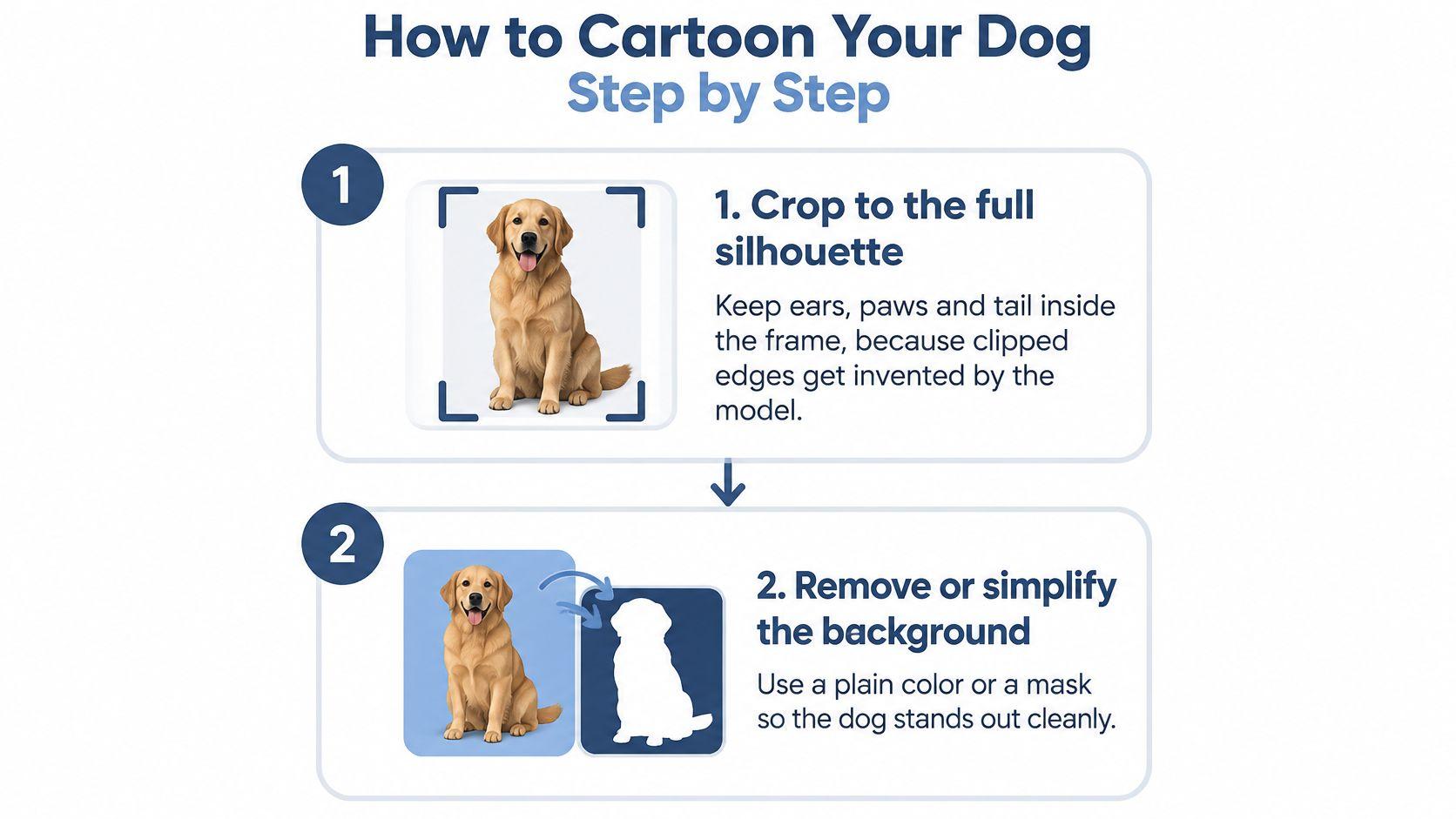
Prepare the subject before applying a style
- Crop to the intended portrait. For a full-body result, leave breathing room around the ears, paws, and tail rather than cutting directly against them. Say your rescue dog has a split-color face: keep the complete head visible so the generator receives the whole marking, not an ambiguous fragment.
- Remove or simplify the background. Use a selection brush, background remover, or layer mask to isolate the dog, then inspect the cutout against a contrasting solid color. Check narrow gaps between legs, the underside of floppy ears, and the tail tip; leftover background in those areas can become part of the illustration.
- Upload to an image-to-image tool. Choose an interface that explicitly accepts a reference photograph, rather than relying on text-only generation. A photo-to-cartoon workflow, such as the one used to cartoonize your product images with Nereo, illustrates the relevant distinction: transforming supplied visual information isn't the same task as inventing an image from a description.
The practical reason for separating masking from stylization is that subject boundaries need their own attention. The Oxford dog-segmentation comparison reported approximately 45% accuracy for an all-foreground baseline and 65% for the proposed method, illustrating why foreground separation isn't a trivial preprocessing task.
Generate alternatives without losing track
- Enter a controlled style prompt. Specify the artistic treatment and the features that must remain unchanged. If the tool offers reference strength or transformation strength, begin toward the reference-preserving end rather than the most dramatic setting.
- Create a small batch of variants. Keep the source photograph and identity instructions unchanged while generating alternatives. Label the outputs so you can connect each image to its prompt and settings.
- Compare against the photograph, not your memory. Put the original beside each candidate and eliminate obvious changes to markings, eye shape, or pose. Don't choose a winner just because its lighting looks more polished.
- Save an editable record. Keep the source, cleaned cutout, prompt, settings, and selected output together. A later request for a different background becomes much easier when you don't have to reconstruct the starting point.
Don't enlarge a tiny photograph before uploading and assume you've restored detail. Enlarging can make pixels bigger without giving the generator better evidence about your dog.
Write a Prompt That Locks In Your Dog's Look
Start with a fill-in template that separates identity from art direction. Replace every bracketed instruction with something visible in your reference.
Transform the uploaded photograph into a [cel-animation / watercolor / flat-vector] portrait of this same dog. Preserve [breed or body type], [muzzle proportions], [ear shape and position], [eye colors], and [distinctive coat markings with exact locations]. Keep the reference pose and [specific expression]. Use [thin / medium / bold] outlines, a restrained palette matching the dog's actual coat, and [plain background color or simple setting]. Simplify fur into clean shapes without adding markings, accessories, or extra anatomy.
A vague request for a cute cartoon dog gives the generator broad permission to redesign the subject. The template narrows that permission while leaving room for an illustrated finish.
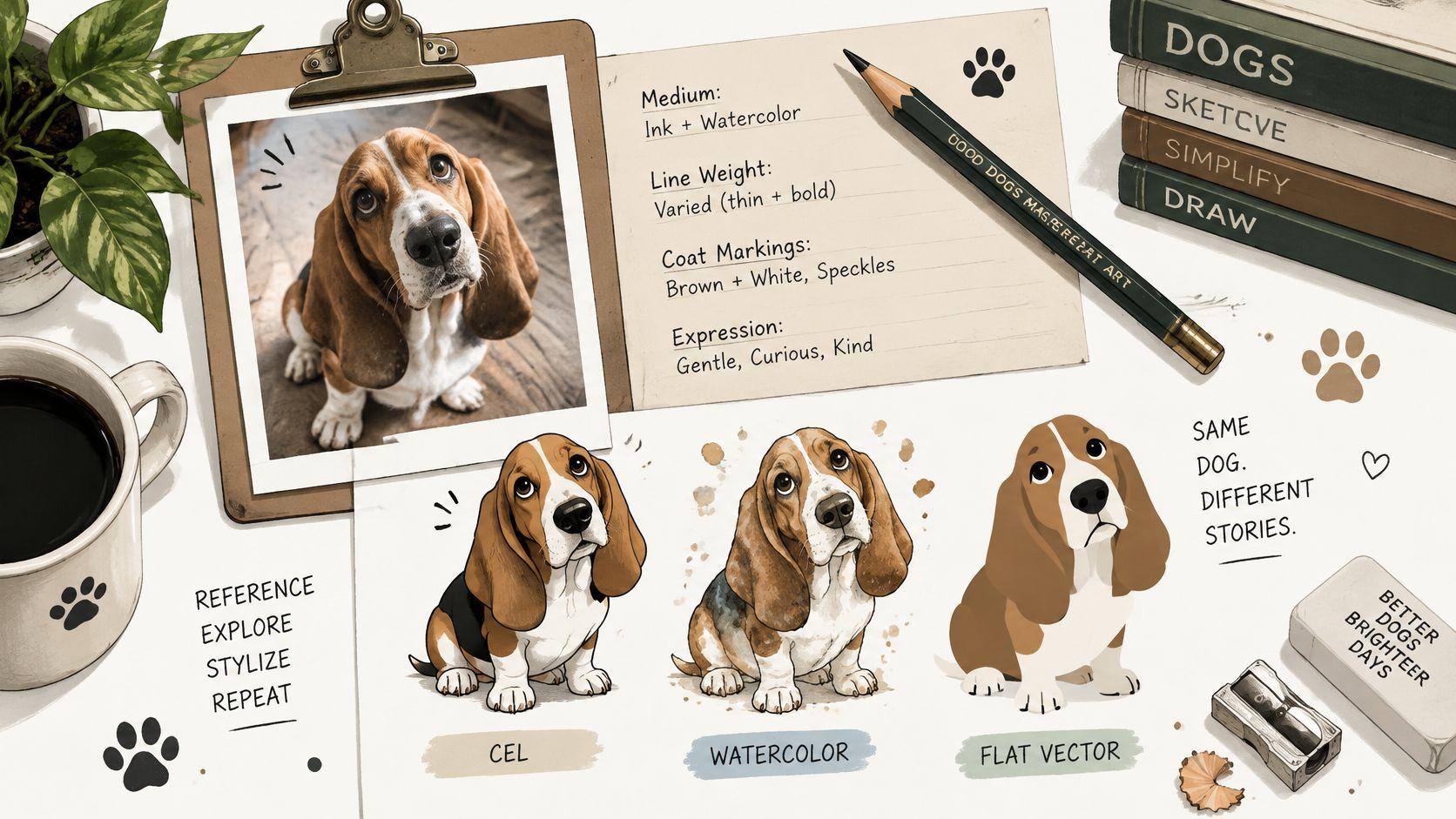
Separate appearance from artistic treatment
Each prompt variable has a different job:
- Medium: Cel animation favors simplified shapes; watercolor allows softer boundaries; flat vector suits crisp silhouettes. Choose according to how much texture you want to retain.
- Line weight: Thin outlines can preserve delicate facial features, while bold outlines make small graphics easier to read but can overwhelm fine markings.
- Palette: Match the coat before choosing decorative colors. A warm background shouldn't turn a white muzzle orange.
- Background treatment: Name a plain color or a restrained setting. An unspecified environment invites distractions.
- Expression: Describe visible details such as a relaxed mouth and gently open eyes. Words such as happy can produce an exaggerated smile that changes the muzzle.
- Identity constraints: Specify the dog's actual features rather than relying on the breed name to carry the likeness.
Write a white chest blaze extending toward the chin rather than generic white markings. Describe a black patch over the dog's anatomical left eye, and check that the finished image hasn't mirrored it.
Revise the style without rewriting the dog
Keep the identity sentence unchanged across variants. Otherwise, you won't know whether a better result came from the style adjustment or a newly worded description.
Avoid requests for maximum detail. Ask for selective detail around the eyes, nose, and identifying markings, with simplified fur elsewhere, instead.
Change a single variable per revision. If a bold-outline version makes the muzzle too heavy, reduce the line weight before changing the palette, expression, and medium together. Controlled revisions give you a useful comparison rather than another unrelated picture.
Check Each Cartoon and Fix Likeness Problems
Set your acceptance criteria before opening the generated images. Otherwise, a charming expression or attractive color scheme can distract you from the fact that the dog is no longer yours.
Likeness comes first. Appeal comes second. A slightly quieter illustration with the correct face is a better personalized portrait than a spectacular image with invented markings.
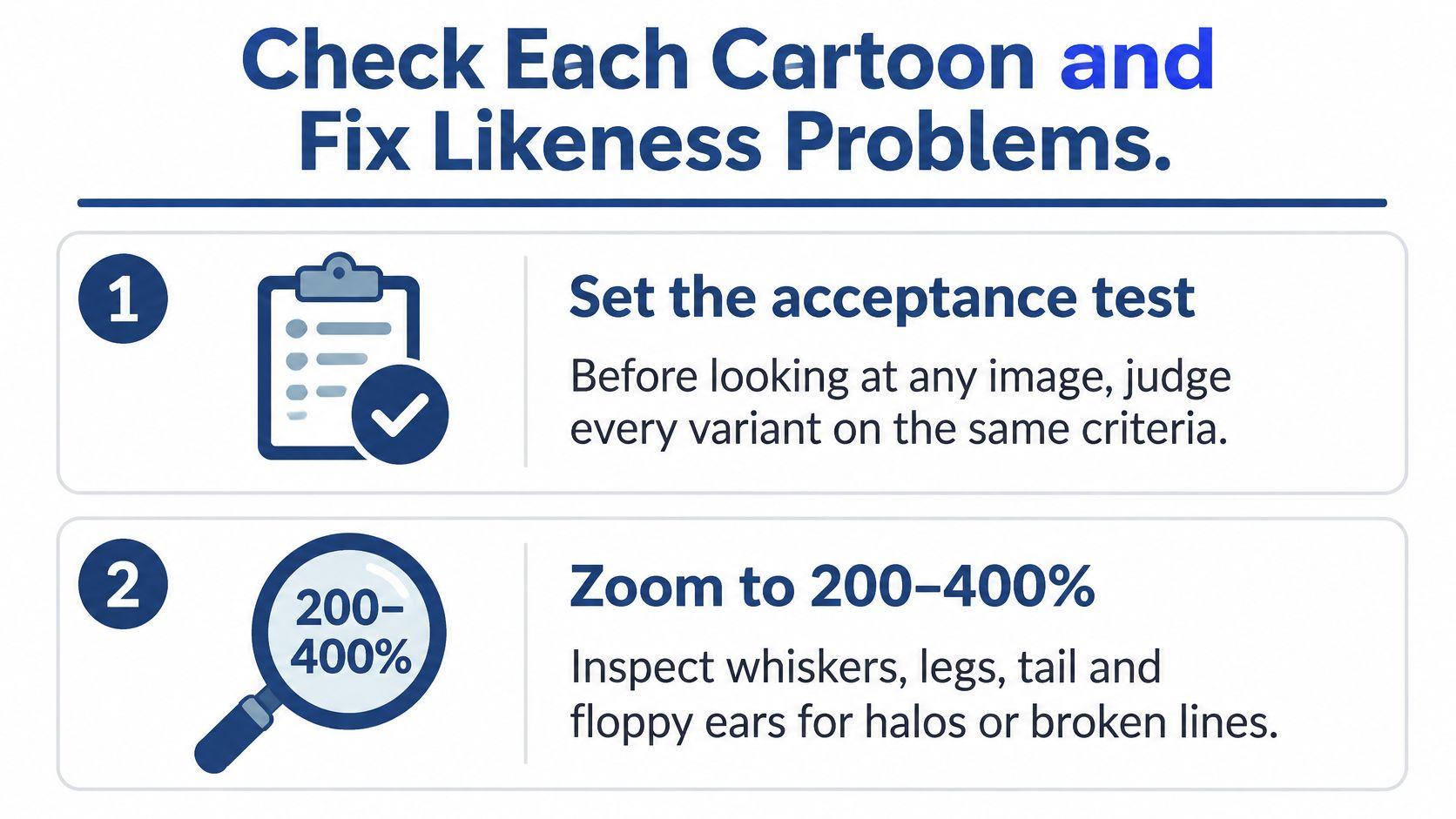
Apply the same acceptance test to every variant
Inspect the image at normal viewing size first, then enlarge it enough to check the edges closely. Work through these checks in order:
- Anatomy and pose: Visible limbs should connect plausibly to the body. A hidden paw doesn't need to be invented, but fused legs or an extra foot are grounds for rejection.
- Eyes and expression: Compare alignment, iris color, eyelid shape, and gaze direction. Perfectly symmetrical cartoon eyes may still erase a recognizable expression.
- Coat map: Follow the major patches from forehead to muzzle, chest, body, and paws. Check their boundaries, not just whether the right colors appear somewhere.
- Silhouette: Look for pale fringes, missing fur tips, broken whiskers, and background fragments attached to ears.
- Style consistency: The face, body, paws, and background should look intentionally illustrated together, not assembled from unrelated treatments.
Reject heavy line effects that turn fur into scribble. More outlines don't necessarily mean more information, particularly around a shaggy muzzle.
Likeness problems, causes and fixes
| Symptom | Likely cause | Fix |
| Extra or fused legs | Pose unclear or crop too tight | Name the pose and keep the visible paws inside the frame |
| Lost coat patches | Markings absent from the prompt | Describe each patch and its exact location |
| Asymmetrical eyes | Blurry or small face in the photo | Use a sharper facial reference and state eye colors |
| Halo around the outline | Loose mask edges | Inspect at high magnification, refine the mask, and regenerate |
| Generic-looking dog | Insufficient reference information | Add front and side photos where supported, and repeat distinctive breed traits |
| Background clutter | Unconstrained detail request | Specify a plain background color |
| Changed muzzle or ear shape | Stylization pushed too far | Lock those proportions and lower style strength if available |
These are likely causes, not automatic diagnoses. Adding reference images won't fix a prompt that contradicts them, and sharper photography won't correct an overly aggressive style setting by itself.
Protect the features a model may simplify
Heterochromia needs an explicit color for each eye. Brindle needs a description of the stripe pattern and where it appears, not just the word brown. Scars, a grey muzzle, a folded ear, or a sparse patch of fur may look like imperfections to remove, so identify them as features to preserve.
When multiple-image input is available, use compatible references. A front view can clarify facial markings, while a side view can explain muzzle length and ear attachment; photographs from different ages or grooming stages can introduce contradictions.
Keep the odd detail that makes your dog recognizable. A smoother, younger-looking face isn't an improvement if it removes their identity.
If repeated controlled revisions still change the same defining feature, stop regenerating. Use a layer-based editor for a local correction, or give an illustrator the original photograph and a marked-up explanation of the problem.
Export a high-resolution master for printing and a smaller web copy for sharing. Inspect both: fine lines that look elegant when enlarged can disappear at profile-picture size, while a screen preview can hide artifacts that become obvious in a print.
Choose Between an AI Cartoon and an Illustrator
Choose the method according to what would make the finished portrait unacceptable. For a playful family message, a minor simplification may be harmless. For a memorial gift, distinctive eyes, age-related features, and familiar proportions may be essential.
An AI generator is useful for exploring artistic directions. A photo editor is better when you want to preserve the photographed face and make controlled changes around it. An illustrator is worth considering when the likeness matters more than generating alternatives quickly.
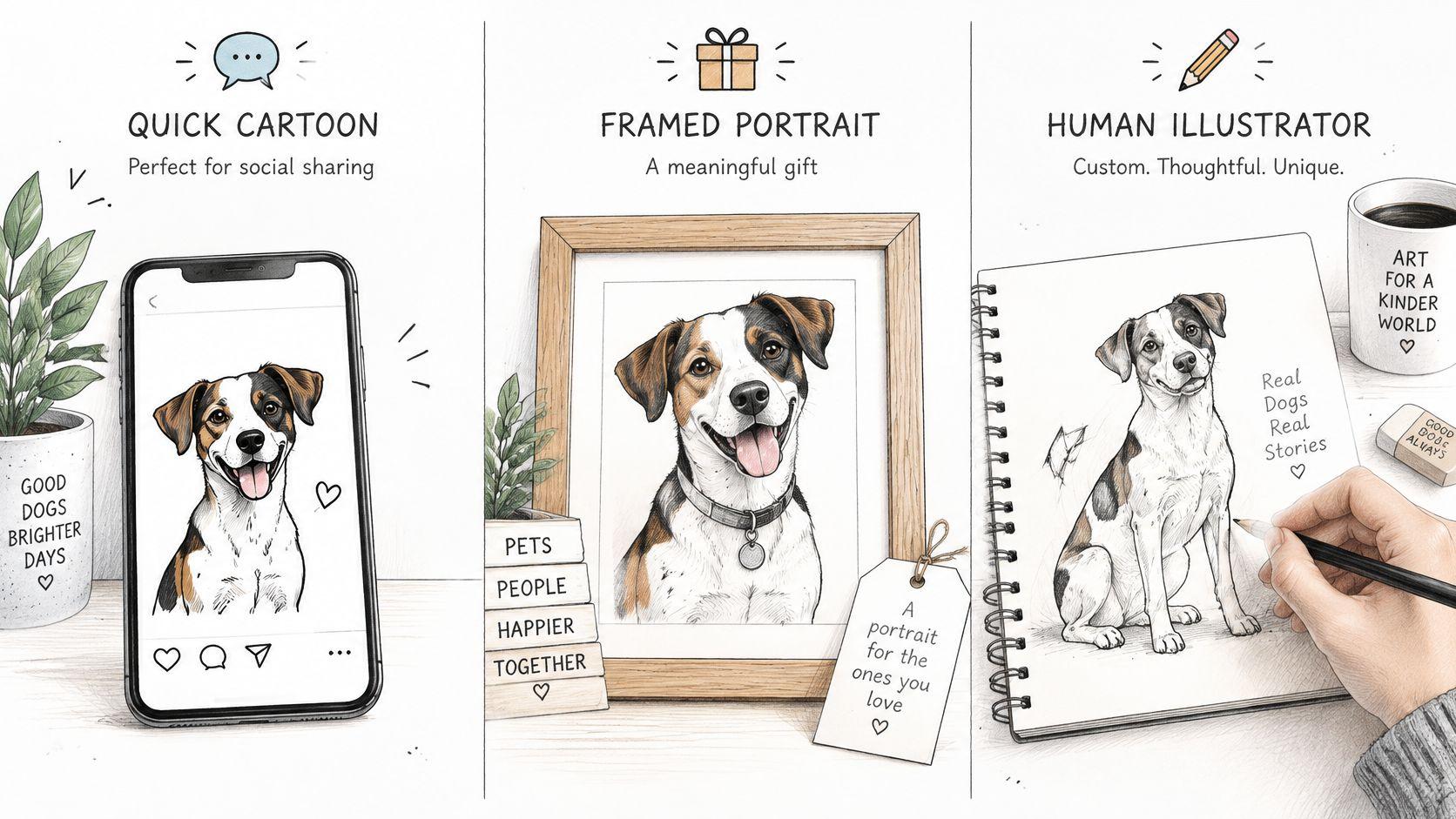
AI cartoon, photo editing or illustrator by use
| Option | Best for | Likeness control | Turnaround |
| AI image generator | Quick personal cartoons in different styles | Medium, check every variant | Short generation cycles, with additional review |
| Photo editing app | Cleaning up or filtering an existing photo | High when edits preserve the source features | Simple edits can fit into a short editing session |
| Human illustrator | Gifts, prints, and commissions with specific requirements | Strongest opportunity for deliberate, reference-led corrections | Agree on a schedule and revision stages before commissioning |
Give an illustrator evidence, not just an AI image
An appealing generated variant can communicate the palette, composition, or level of simplification you want. It shouldn't replace the original photograph, because the artist might faithfully reproduce the generator's mistakes.
Send the reference photo, the preferred style example, and clear notes identifying what must stay accurate. Ask how the artist handles sketch approval and likeness corrections before committing.
For a dog character that will appear throughout a family story, consistency across poses becomes another requirement. Setterfrens LLC's resource to hire an illustrator for kids' books is relevant to that broader brief, where an artist needs to maintain a recognizable character across different scenes.
Choose AI when exploration is the priority, photo editing when localized control is enough, and an illustrator when you need intentional interpretation of difficult features. None of those choices removes the need to compare the finished portrait with your dog.
Pick the sharpest dog photo already on your phone today, prepare a clean crop, and generate a small batch using the identity-first prompt. Keep only a version that passes the likeness checks. If none does, change the reference or the method rather than settling for a prettier picture of someone else's dog.