Most advice about chat for students asks the wrong question. It asks, “Which AI tool is best?” Students usually need a different answer: what kind of use helps me learn, keeps me safe, and doesn't put me in an academic mess?
That difference matters. A chat tool can act like a tutor, a study partner, a quiz coach, or a shortcut machine. The software may look the same on the screen, but the learning outcome can be completely different depending on how you use it.
I work with students who aren't looking for a robot to do school for them. They want help getting unstuck. They want a tool that explains a paragraph they don't understand, checks whether their reasoning makes sense, and helps them study without storing personal details carelessly. That is a more thoughtful standard than most comparison pages use.
There's also a practical reason to take student chat seriously. A 2025 Pew Research Center study found that 64% of U.S. teens have ever used an AI chatbot, about 30% use one daily, and 16% use one several times a day or almost constantly. More than half said they had used chatbots for schoolwork help, and 12% said they had used them for emotional support, according to the cited report at the Vermont Highway Safety Office PDF page that reproduces the Pew summary. This isn't a niche habit anymore. It's part of how many students already work, ask, and cope.
What Students Really Want From a Chat Tool
The question I hear most often is simple: “Can I just get help that won't get me in trouble?”
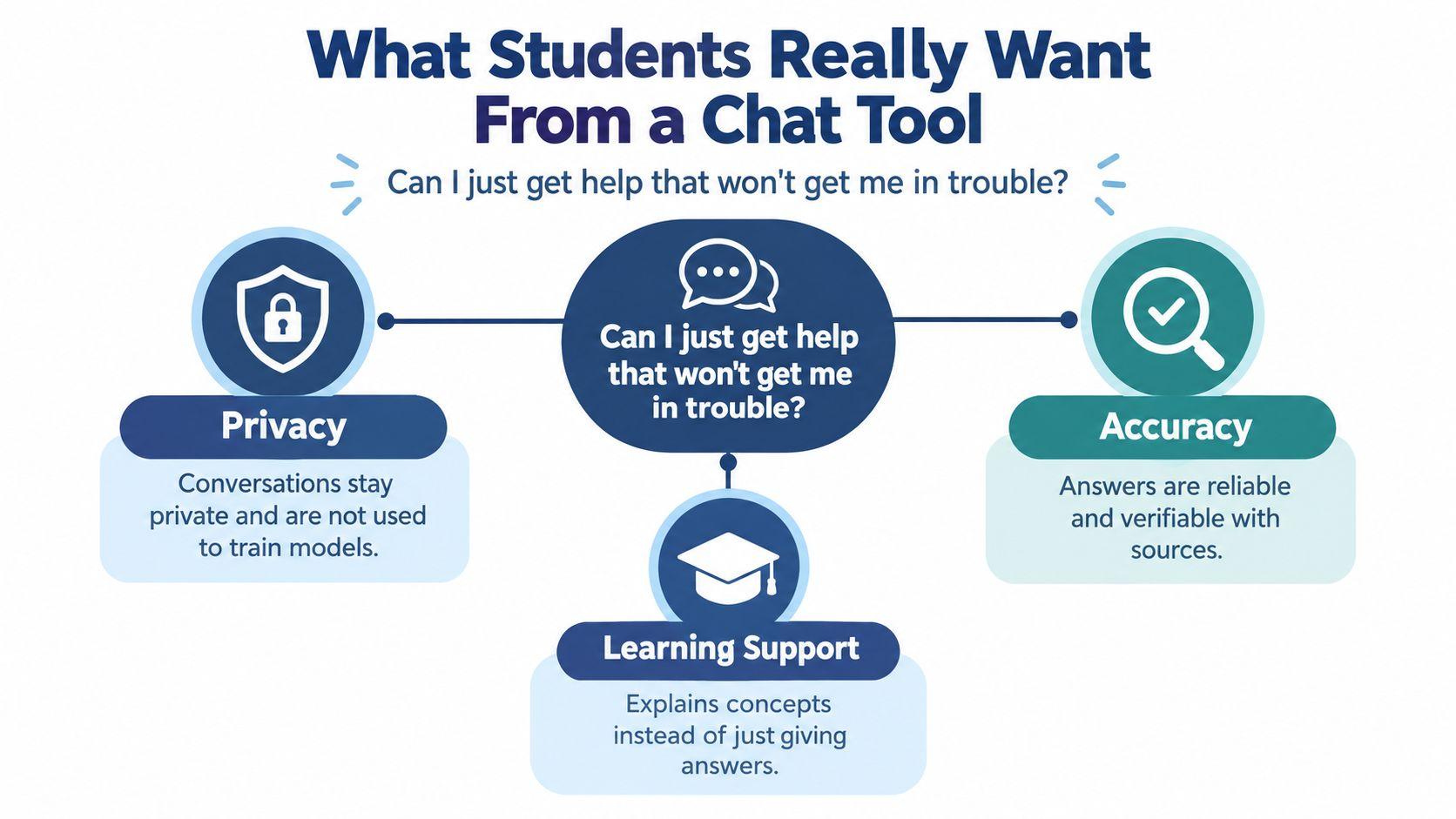
That question usually means three things at once. Students want answers that are accurate enough to trust, private enough to use without oversharing, and educational enough that they still understand the assignment after the chat window closes. They aren't usually asking for a cheating engine. They're asking for calm, useful support.
The three filters that matter first
When a student opens any general chatbot, the interface often pushes speed. Type a prompt. Get an answer. Keep moving. The problem is that schoolwork isn't only about speed.
Use these three filters before you trust any chat for students:
- Privacy: Does the tool make it clear what happens to your conversations? If you paste in a draft, a personal reflection, or school details, can you tell whether that information is stored, retained, or used to improve future models?
- Accuracy: Can the tool show where its answer came from, or does it sound confident without evidence? Students get in trouble when a polished answer contains wrong facts, made-up citations, or shaky reasoning.
- Learning support: Does the tool teach, or does it just output? Good academic help should explain a concept, break down steps, and adjust to your level.
A recent global student survey points in the same direction. 80% of undergraduates said they had used GenAI for university study, but 53% worried about incorrect or inaccurate information, 50% wanted tools designed specifically for education, 49% wanted human expertise involved in answers, and 38% wanted stronger data privacy protections in Chegg's Global Student Survey 2025. That tells me students aren't asking for more AI. They're asking for more trustworthy AI.
Practical rule: If a chat tool makes it easy to generate text but hard to understand privacy settings, lower your trust immediately.
Fast help versus real understanding
Many students get stuck. They want quick help because the assignment is due soon. That's reasonable. But they also know that if the tool does too much, they may submit something they can't explain.
The right chat for students makes the careful path easier. It helps you ask a better question. It slows you down just enough to think. It gives you support without taking away your job as the learner.
A useful way to judge any tool is by capability, not branding. What matters isn't whether a chatbot is famous. What matters is whether it behaves like something built for school. The next standard I use is a four-part test.
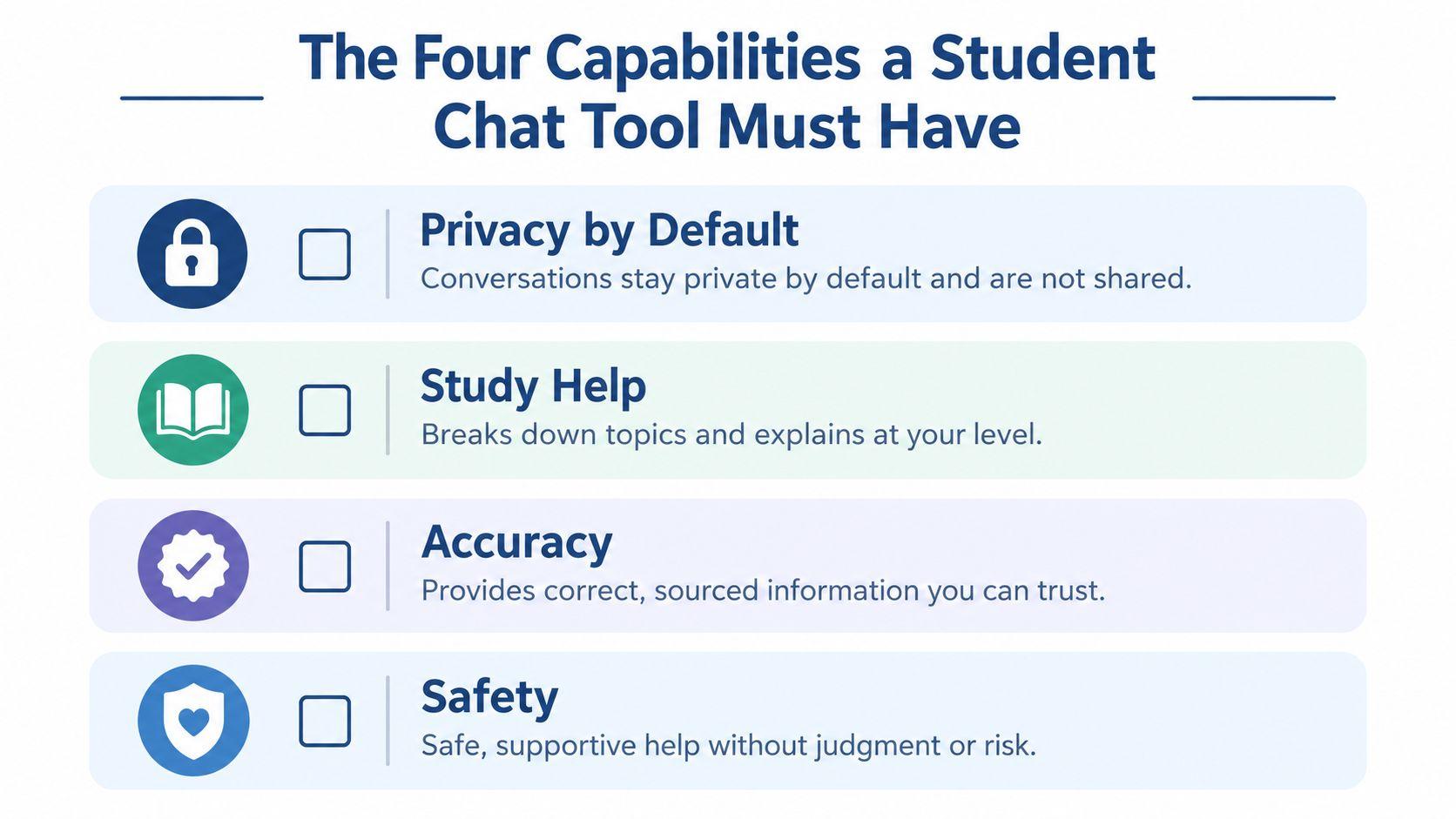
The Four Capabilities a Student Chat Tool Must Have
Not every chatbot is a student tool. Some are general writing engines with a school use case layered on top. That difference shows up fast when you ask a hard homework question, try to protect your data, or need a response that teaches instead of performing.
Privacy by default
A student-grade tool should start from the assumption that your schoolwork is sensitive. Essays, college application drafts, counseling reflections, and class notes shouldn't become casual training material.
Ask one simple question: Can I tell, in one glance, how my chats are stored and deleted? If the answer is fuzzy, that's a warning sign. Students should not have to hunt through layers of settings just to figure out whether their work is private.
Age-appropriate guardrails
A family-friendly chat tool shouldn't confuse safety with uselessness. It should block harmful or inappropriate requests while still helping with normal academic questions.
Here's the test: if a student asks, “Explain mitosis in plain language,” the system should answer clearly. If it swings between overblocking basic homework and allowing reckless prompts, it isn't ready for real student use.
Safety should protect the student without punishing the student for asking normal school questions.
Learning-oriented responses
This is the capability most students notice once they compare tools side by side. A learning-focused system explains. It doesn't just hand over the finished paragraph.
Try this test phrase: “Show your reasoning in steps and then ask me one question to check if I understand.” If the tool can't shift into teaching mode, its value for school is limited.
Look for behavior like this:
- Worked examples: It demonstrates a similar problem before asking you to try the actual one.
- Clarifying questions: It asks what class level you're in or which part confused you.
- Practice support: It can quiz you, not just answer you.
Verifiability
Students need a way to fact-check before they submit. That means links, citations, quoted passages, or at least enough specificity that you can verify the claim elsewhere.
Use a blunt trust test: Ask it to show its work. If it can't, downgrade your trust.
Here is the short version:
| Capability | Quick student test |
| Privacy | Can I tell what happens to my data without digging through menus? |
| Safety | Will it help with homework while blocking harmful requests? |
| Learning support | Does it explain, question, and coach instead of only generating? |
| Verifiability | Can I trace the answer back to a source or checkable claim? |
These four capabilities map back to the three filters that matter most. Privacy covers data handling. Safety and verifiability support trust. Learning-oriented responses protect the point of school itself, which is understanding.
Real-World Use Cases for Middle School, High School, and College
Student needs change a lot by age, and a good chat tool should reflect that. The same software shouldn't behave the same way for a seventh grader, a tenth grader, and a college junior.
Middle school needs more guidance
A seventh grader opens a math assignment and freezes on a word problem. A helpful chat tool doesn't blurt out the final number first. It asks something like, “What operation do you think this problem uses?” Then it offers a simpler example with the same structure.
That matters because middle school students often need coaching on how to begin, not just what the answer is. At this stage, parent visibility and content filtering matter more than feature depth. The tool should keep the interaction calm, narrow, and age-appropriate.
A strong middle school pattern looks like this:
- Start small: The student pastes only the problem, not a whole account of personal details.
- Get a similar example: The chat walks through one parallel question first.
- Return to the original: The student solves the assigned problem with support.
High school needs practice and boundaries
A tenth grader studying AP History can use chat more independently, but the boundaries need to stay clear. Good use might include summarizing a chapter, pulling out themes, creating practice questions, and quizzing the student on weak spots.
Bad use is different. If the student types, “Write my DBQ for me,” the tool shouldn't become an invisible ghostwriter. It should redirect toward brainstorming, outlining, or evidence review.
One reason this fits student habits so naturally is that chat itself isn't new. In one student social-communication study, 84.26% of respondents said they used chat systems at least a few times a week to interact with other students, and 69.44% used them at least once a day. A separate historical account notes that in 1983, high school student Mark Jenks built “Talk,” a school-based private messaging system, as summarized in ThirdLife's teen social media statistics page. Students are already fluent in conversational interfaces. The question isn't whether chat feels natural. It does. The question is whether the tool turns that habit toward learning.
If you're comparing broader digital study support, it can also help to scan other student tech categories, not just AI. This roundup of top mobile apps for students is useful because it puts chat tools in the wider context of planning, notes, and day-to-day campus life.
College needs a sparring partner
A college junior in a methods course may use chat very differently. Now the tool can compare two research approaches, explain a statistical test in plain language, or help shape a thesis statement the student must later defend in class.
The role of the tool gets smaller as student autonomy grows. In middle school, chat often acts like scaffolding. In college, it should act more like a study partner that pushes back, asks follow-up questions, and helps you refine your own argument.
The best mode depends less on your age than on the task. Use more guardrails when you're confused, and more challenge when you're ready to think aloud.
How to Build a Daily Study Workflow With Chat
Students often get poor results from chat because they open it with no plan. They ask a vague question, get a vague answer, and either trust too much or give up too fast. A simple routine fixes a lot of that.
Step one and step two
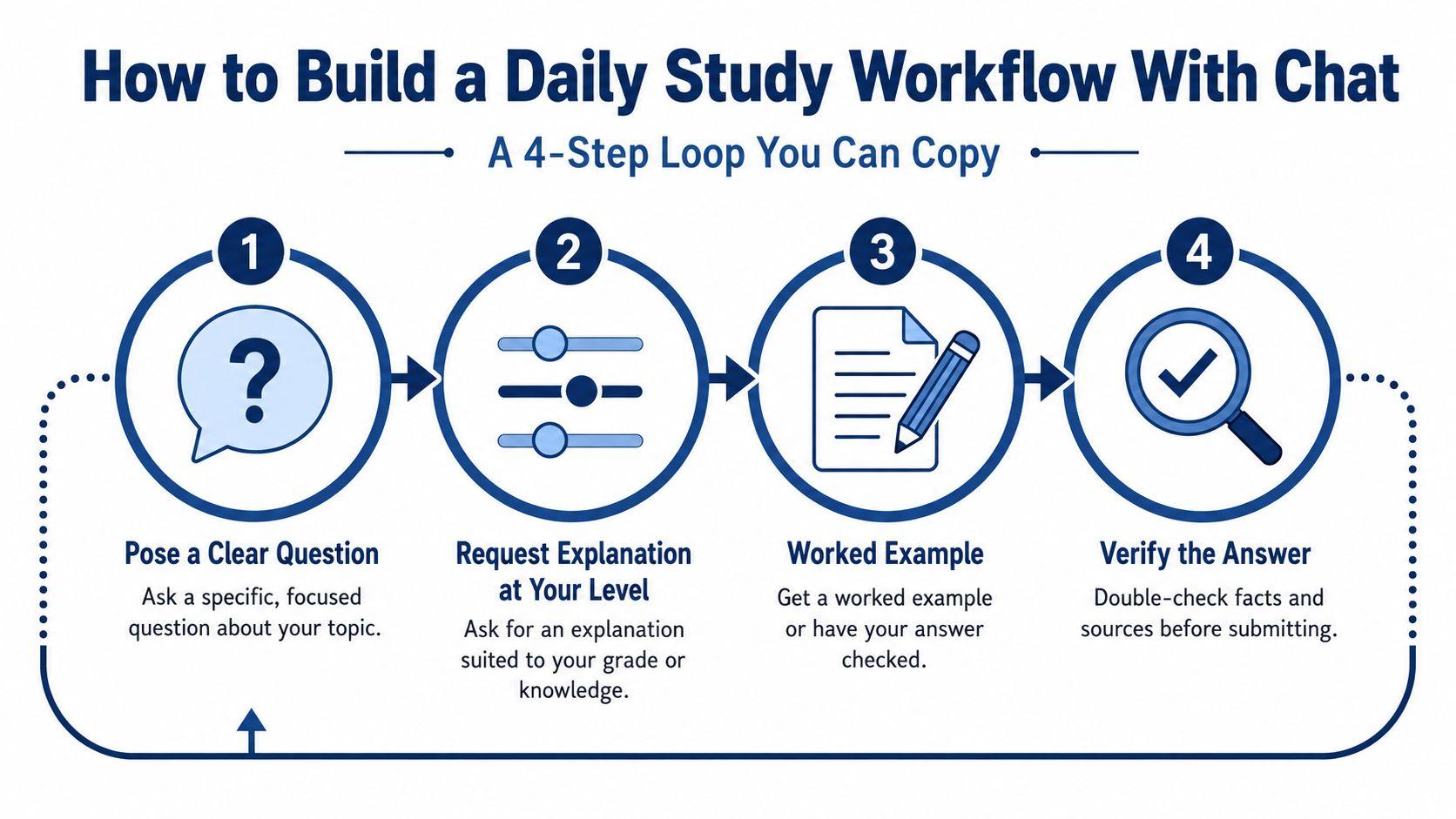
Start with a clear question. Don't type, “Help with biology.” Try, “I'm in 10th grade biology. Explain the difference between mitosis and meiosis in simple terms.”
Then ask for the explanation at the right level. That one adjustment saves a lot of confusion. You can say:
- For grade level: “Explain this like I'm in 8th grade.”
- For simpler language: “Use plain language and define difficult words.”
- For class context: “Teach this the way a teacher would before a quiz.”
Step three and step four
Next, move into worked example or answer check. Chat becomes a tutor instead of a search bar. Say, “Show me one worked example, then let me try one on my own,” or “Check my answer and tell me where my reasoning went off.”
Last, verify. If the topic involves facts, dates, quotations, citations, or research claims, don't stop at the chat response. Ask for source support, then compare it with your class materials, textbook, or teacher-approved references.
“Quiz me on what you just taught, and don't show the answer until I try” is one of the most useful student prompts I know.
Here's the loop in compact form:
- Ask clearly: Name the class, topic, and exact confusion.
- Set the level: Tell the tool how basic or advanced to make the explanation.
- Practice actively: Request an example, a check, or a short quiz.
- Verify before using: Confirm important claims somewhere trustworthy.
This works for homework, test prep, and longer assignments. For essays, keep chat in study mode. Ask it to help narrow a thesis, compare themes, or test your outline. Don't let it become the writer while you become the spectator.
If budget matters, many students also compare pricing before they compare features. A guide to affordable AI study tools can help you think through cost and access while keeping the learning use case in mind.
Before you close the tab, do three small things:
- Review one takeaway: Write one thing you understand now that you didn't before.
- Note one loose end: Jot down what still confuses you.
- Restate in your own words: Put the concept into one plain sentence without looking.
That last step is the test. If you can't say it yourself, you don't know it yet.
Why 1chat Stands Out for Students and Families
When families ask me what to look for in a platform, I bring the conversation back to behavior and defaults. A student tool should make privacy easier, keep content boundaries appropriate, and support schoolwork without nudging students toward copy-and-submit habits.
Where the differences show up
Some mainstream chat tools are built first for broad adult use. Students can use them, but the setup may still assume a general consumer workflow. That can leave families guessing about history settings, account sprawl, model choice, and what happens to student inputs.
By contrast, 1chat is positioned as a privacy-first, family-friendly alternative that gives users access to multiple underlying assistants in one place. For students, that matters in a practical way. A household doesn't have to juggle separate accounts just to try a different model for math, writing, or document questions.
Here is the comparison students and parents usually care about most:
| Feature | 1chat | Mainstream Chat Tools |
| Privacy setup | Framed around privacy-first use | Often requires students to inspect settings carefully |
| Family fit | Family-friendly positioning and filters | General audience defaults may vary |
| Model access | Multiple assistants in one sign-on | May require separate tools or accounts |
| Student use style | Can be used for explanations and document help | Often optimized for broad productivity and generation |
| Account management | Simpler for a household that wants one place | Can become fragmented across platforms |
What that means in actual student use
For a middle or high school student, those defaults affect everyday behavior. If the platform is set up to reduce data exposure, support parent oversight, and keep the tone school-appropriate, the student spends less time navigating settings and more time studying.
That doesn't make any tool a homework-doer. It shouldn't. The healthier frame is a study partner that can analyze documents, organize chats into projects, and let students choose the assistant that fits the task without turning the whole process into account juggling.
The point isn't brand loyalty. It's fit. If a tool helps a student stay private, ask better questions, and keep ownership of the work, it's moving in the right direction.
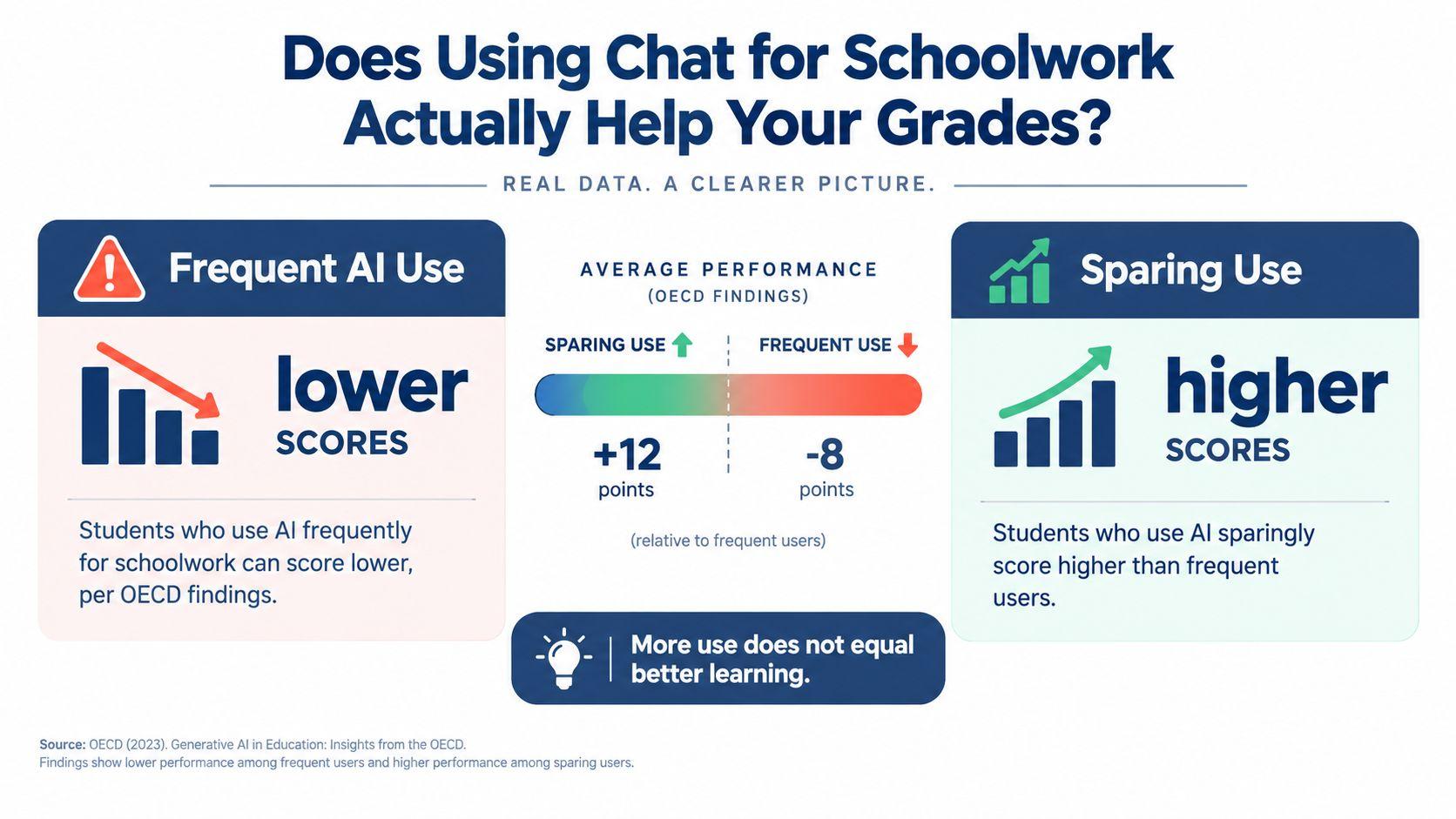
Does Using Chat for Schoolwork Actually Help Your Grades
A lot of people assume more AI use means better academic performance. I wouldn't make that assumption.
Recent OECD-linked reporting on the 2025 PISA cycle found that 15-year-olds who used AI chatbots almost every day for school tasks such as summarising reading, drafting text, or preliminary research scored lower in science than students who did not use them for those tasks, with a gap of nearly 30 points for summarising texts after accounting for socio-economic background. The same reporting said students who used AI about weekly to help them learn, and who were taught at school to assess AI-generated information, performed slightly better than heavy users who used it for drafting and summarising, according to Startup Fortune's summary of the OECD finding.
The pattern matters more than the presence
This makes sense when you watch students work. Some use chat to replace practice. They paste a prompt, accept the output, tidy a sentence or two, and submit. That pattern strips out the thinking that school is designed to build.
Other students use the same kind of tool differently. They ask for explanation, drill, comparison, and feedback. They still do the reasoning. The tool speeds support, not substitution.
A quick self-audit helps:
- Substitution pattern: Did I use chat to avoid reading, drafting, or solving?
- Augmentation pattern: Did I use chat to understand, test, or revise my own thinking?
A better question to ask yourself
Instead of asking, “Did I use AI on this assignment?” ask, “Did I do more thinking or less thinking after I opened the chat?”
That question gets to the heart of academic value. If the tool helped you spot a gap, rehearse a concept, or sharpen your argument, it may have supported learning well. If it took over the hard part you were supposed to practice, it probably hurt more than it helped.
If you want more context on how research is developing around student use patterns, the material collected at 1chat research is one place to continue reading.
More use doesn't automatically mean more learning. Repeated delegation can look productive while weakening the exact skill you're supposed to build.
Safe and Ethical Habits Before You Submit Anything
Students don't need a fear lecture here. They need a clean set of habits they can follow when they're tired, rushed, and trying to finish honestly.
Six habits that keep your work yours
- Never submit the first AI-shaped draft: After the chat explains a concept or suggests wording, close it and write the answer again in your own words.
- Verify factual claims: If the tool gives a date, quote, citation, or summary of a reading, check it against a second source before it enters your paper.
- Disclose use when a teacher asks for it: If your syllabus requires acknowledgement of AI assistance, be direct about what kind of help you used.
- Keep a simple record: Save the prompts and responses that materially influenced your work so you can explain your process if asked.
- Protect personal information: Don't enter school logins, private health details, family issues, or identifying information into a chat box.
- Follow school policy: Your teacher's assignment rules still apply even when the software makes something easy.
Students also trip over citations because AI can make weak paraphrasing sound original. If you need a refresher on proper citation techniques, that guide is a useful companion before you turn in research-heavy work.
Accountability is a study skill
Ethical use isn't just about avoiding punishment. It's about staying able to defend what you submitted. If a teacher asks, “Can you explain this sentence?” you should be able to do it without reopening a chatbot.
For platform-specific rules, it's worth reading the actual 1chat usage policies before relying on any assistant for schoolwork.
Used well, chat for students can function like tutoring support. Used badly, it becomes a shortcut that weakens the very skill you opened it to improve. The line between those two outcomes is usually a habit, not a feature.
If you're choosing a chat tool for school, don't start with the flashiest model. Start with the learning pattern you want. Pick something private enough for real student use, structured enough to teach, and honest enough to verify. Then use it in a way that leaves you smarter at the end of the session than you were at the start.