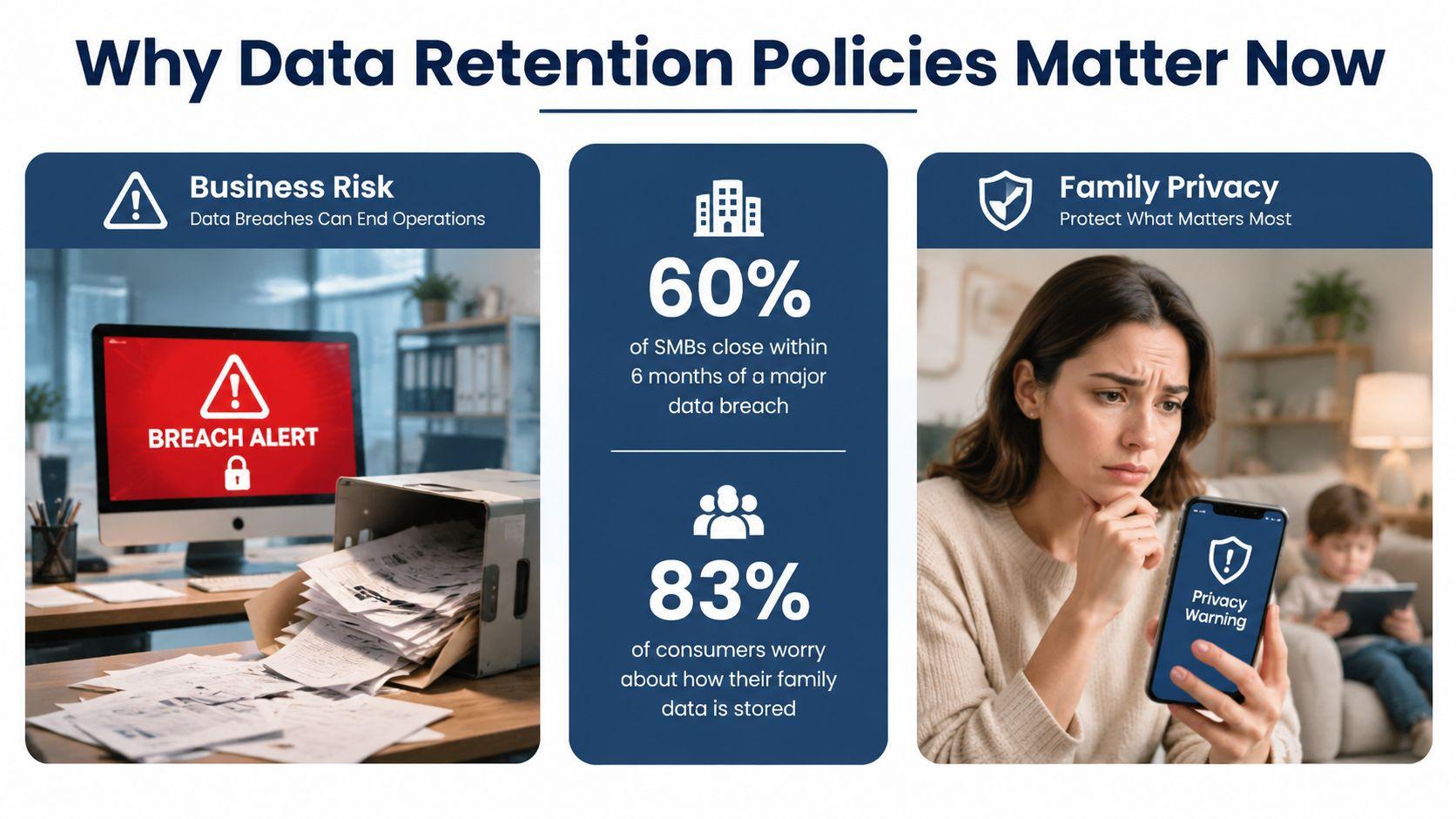
72% of businesses have implemented data retention policies, yet the average cost of non-compliance is $3.6 million. That contrast explains why deciding what to keep, how long to keep it, and when to delete it matters to every organization that stores personal, financial, customer, or operational information.
A small business may have customer emails in an inbox, invoices in accounting software, employee documents in cloud storage, and security logs held by a service provider. A family may have years of photos, school records, health documents, messages, and accounts spread across phones and online platforms. Without a plan, both groups accumulate information they no longer need, while still struggling to find the records they need.
A data retention policy turns that uncertainty into practical rules. It connects privacy, security, legal obligations, storage management, and everyday digital habits without requiring a large compliance department.
Why Data Retention Policies Matter Now More Than Ever
A small online retailer finds an old customer database in a forgotten cloud folder. It contains contact details for people who have not purchased anything in years. The owner wants to protect that information, yet nobody can explain why the records remain, who can access them, or when they should be deleted.
The problem has two sides. Unnecessary data increases the amount exposed during an account breach. Deleting useful records too soon can make it harder to resolve a dispute, investigate suspicious activity, or answer a legitimate customer request. Families encounter the same issue with old devices, shared accounts, and years of conversations that preserve personal information after its original purpose has ended.
Retention has become a governance responsibility
A major historical reference point came on 15 March 2006, when the European Union adopted the Data Retention Directive. It encouraged member states to create formal rules for retaining telecommunications metadata for law-enforcement access and established a standardized, cross-border approach to traffic and location data through the history of the Data Retention Directive.
Current retention planning asks more than how many months or years information should remain stored. The UK Information Commissioner's Office emphasizes standard retention periods, regular reviews, and deletion or anonymization once personal data is no longer needed. It also recognizes indefinite retention for public-interest archiving, scientific or historical research, or statistical purposes.
For an SMB, a written policy should identify the purpose of each record, its owner, its review point, permitted exceptions, and evidence that deletion occurred. Families can use the same structure in simpler form. Keep records with a clear long-term purpose, review older files, and remove information from devices and accounts when it no longer serves one.
Applicant information deserves particular care because it may sit across forms, inboxes, storage tools, and hiring platforms. Teams can manage candidate data with WorkSignal while limiting access and assigning clear lifecycle decisions. A practical policy does not mean keeping everything. It helps a business or household retain records it can justify and remove the rest.
Understanding What Data Retention Policies Are
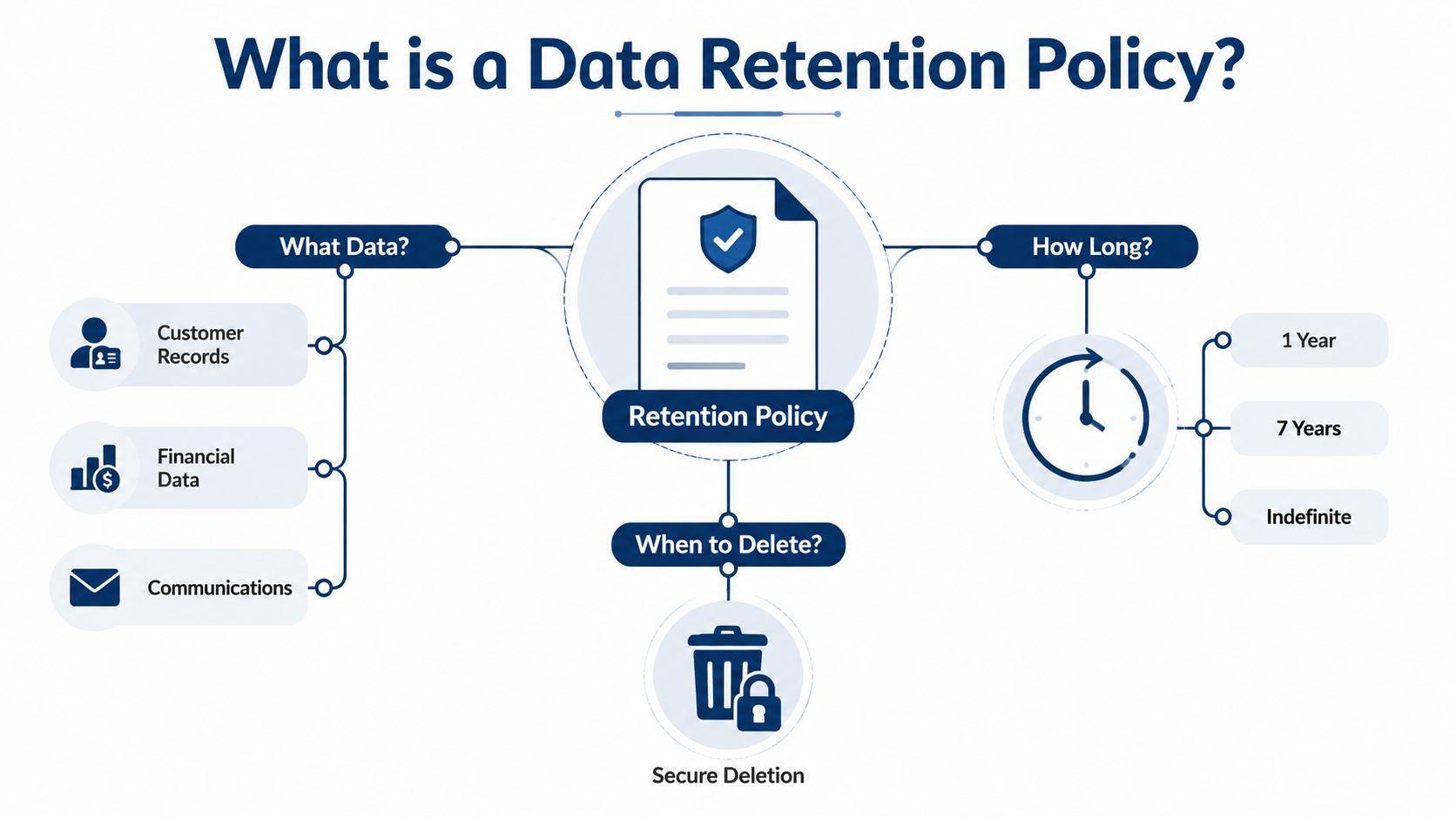
A data retention policy is a written framework for deciding what information to keep, where it belongs, how long it remains available, and how it will be securely deleted or anonymized. It serves a different purpose from a backup plan. A backup restores information after loss or damage. A retention policy decides whether that information should continue to exist.
For a small business or family, the idea is similar to organizing a household filing cabinet. Keep a passport document because it may be needed, move older tax paperwork into an archive, and remove duplicate downloads. The policy gives every category a reason, a location, a review point, and a disposal method.
A practical policy answers four questions:
- What data exists? List customer records, communications, invoices, logs, files, and other categories.
- Why is it retained? Record the legal, contractual, security, or operational purpose.
- How long is it needed? Set a period based on sensitivity and obligation, rather than convenience.
- What happens at the end? Define deletion, anonymization, archival, approval, and evidence requirements.
The legal lesson is purpose and discipline
The Data Retention Directive marked an important point in the documented history of data retention because it treated retention as a formal, cross-border policy issue rather than an informal storage habit. Current compliance practice requires organizations to explain why information remains, review whether that reason still applies, and show that deletion rules operate in practice.
That distinction matters for a small team. A spreadsheet that says “delete old data regularly” is difficult to enforce. A stronger entry names the data owner, system, purpose, retention trigger, exception process, and deletion evidence. This gives staff a workable instruction instead of a general intention.
Families can apply the same structure to a shared cloud account. Photos may have lasting personal value, school forms may be needed for a limited period, and old account recovery information may create unnecessary exposure. For details about how a privacy-oriented chat service handles user information, consult 1chat's FAQ, then compare its explanations with the retention choices your household or organization needs.
Key Components of Effective Retention Policies
A policy works only when someone can apply it consistently. Start with a data inventory, then turn that inventory into enforceable rules.
Classify before setting a schedule
Group information by its function and sensitivity. A customer invoice shouldn't follow the same rule as a temporary support chat, and an access log shouldn't automatically inherit the schedule for a signed contract.
Useful categories include:
- Operational data: Information employees need for current work, such as active customer accounts or open projects.
- Regulated records: Information subject to a legal or contractual minimum.
- Security evidence: Logs and incident records that help investigate access or fraud.
- Personal content: Data belonging to customers, employees, students, or family members.
- Archives: Inactive information retained for a documented reason.
- Backups: Recovery copies that need their own deletion and legal-hold controls.
Map each class to a retention horizon
Assign a trigger, not just a vague duration. “One year after account closure” is more useful than “keep customer data for one year,” because the policy identifies when the clock begins.
In regulated production environments, retention can extend well beyond a short backup cycle. One compliance reference notes that 21 CFR 211.180 requires batch production records to be kept for at least 1 year past expiry, while production GxP retention is typically configured beyond 35 days in this compliance reference on CFR Part 11. The practical lesson is simple: a backup schedule shorter than the legal window can create a gap.
Control every copy
Deletion must cover active systems, archives, replicas, and backups. Use immutable backup settings where appropriate, restrict deletion permissions, test restores, and document restore validation. Auditors may want evidence that recovery points can't be casually removed and that retention enforcement works.
Practical rule: If your inventory can't show where a record was copied, your deletion process can't reliably prove that the record is gone.
Record the person or system that initiated deletion, the date, the data category, the affected location, and the resulting certificate or audit entry. Teams reviewing vendor contracts may also find a 2026 DPA guide from Ciphar useful when assigning retention responsibilities between a business and its service providers.
Retention Timelines and Best Practices for Different Data Types
Uniform retention is attractive because it's easy to explain. It also creates avoidable problems. Keeping every category for the longest period increases exposure, while deleting everything quickly can remove records needed for disputes, fraud checks, support, or legal obligations.
Use a schedule that reflects the data's role:
| Data category | Practical decision |
| Customer records | Retain while the relationship and documented business purpose continue. Define what happens after closure. |
| Email and communications | Separate active conversations, contractual messages, support history, and casual messages. |
| Financial documents | Follow applicable tax, accounting, contractual, and audit requirements. |
| Security logs | Keep long enough to investigate incidents and meet documented obligations, then remove or anonymize them. |
| Backups | Set a separate recovery schedule and ensure it doesn't silently preserve deleted personal data forever. |
These aren't universal legal periods. They're starting categories for a policy review. The correct window depends on the information, the purpose, the jurisdictions involved, and any applicable minimum or maximum.
The UK Office for National Statistics offers a practical example of differentiated design. Its default review period is five years for data without personal attributes and two years when personal data is included in the referenced data-retention overview. The useful principle isn't that every organization should copy those periods. It's that sensitivity can change the review timetable.
Business and family priorities aren't identical
An SMB may need an invoice to support accounting, a customer message to resolve a service issue, and a security log to reconstruct suspicious activity. A family may prioritize preserving photos and identity documents while removing old location history, duplicate files, and accounts no longer used.
For either audience, document three dates:
- Collection date, when the information entered the system.
- Purpose-ending event, such as account closure, project completion, or the end of a dispute.
- Review date, when someone confirms whether continued retention is justified.
A legal hold should pause ordinary deletion when litigation, an investigation, or another formal preservation need applies. For cookie and tracking questions that affect website data collection, review 1chat's cookie policy information alongside your own retention records.
Implementing Retention Policies for SMBs and Family Users
Implementation doesn't need to begin with expensive software. It begins with visibility. List the places where information lives, including email, shared drives, accounting tools, phones, messaging platforms, laptops, and vendor systems.
A practical decision matrix
| Question | SMB action | Family action |
| Is the data required by law or contract? | Confirm the obligation and assign an owner. | Preserve essential identity, school, health, or financial records safely. |
| Is the data needed for an active task? | Keep it in the working system with access controls. | Keep current documents where the household can find them. |
| Does it contain sensitive personal information? | Use a shorter review cycle and limit access. | Remove unnecessary copies from old devices and shared accounts. |
| Is it only useful for recovery? | Give backups a defined lifecycle and test restoration. | Use backup settings that don't preserve everything indefinitely. |
| Has the purpose ended? | Trigger deletion, anonymization, or approved archival. | Remove expired records and close unused accounts. |
An SMB handling customer emails and invoices should separate those records from temporary drafts and routine notifications. The business can automate deletion after the relevant event, but it should first check for an open dispute or legal hold. A household organizing photos and school records may preserve selected originals while deleting duplicates and old downloads.
Build automation around account status
Automated rules are more dependable than asking each person to remember every deadline. Useful triggers include account closure, inactivity, project completion, contract expiration, and the end of a documented support period.
Keep an exception register. It should show which record is under hold, who approved the exception, why it applies, and when the exception will be reviewed. This prevents a temporary pause from becoming permanent storage by accident.
Finally, keep proof. A deletion log, destruction certificate, access record, or anonymization report gives the organization evidence that its policy is active. Families can use a simpler record, such as a shared checklist showing which accounts and devices were reviewed.
How Privacy-First Services Like 1chat Handle Retention Rules
“Keep less” sounds like a complete strategy, but it isn't. If a team deletes support conversations before resolving a customer problem, or removes security logs before investigating an account incident, the organization may lose evidence it legitimately needs.
A balanced design separates necessary operational retention from indefinite accumulation. The platform should know what information it stores, attach rules to the account or data type, limit access, and execute deletion without requiring a manual request for every item.
Account controls make the rule actionable
A privacy-focused service can give users a way to remove selected conversations, all conversations, or saved memories from an account. It can also use temporary conversations that expire automatically, while retaining narrowly defined exceptions for legal, security, or business needs.
According to the provided product information, 1chat's privacy policy states that users can delete personal data stored in their accounts, including specific or all conversations and Saved Memories. It also states that deleted personal data is removed from systems within 30 days, unless a longer period is required for legal, security, or business reasons, and that Temporary Chats are automatically deleted within 30 days under 1chat's privacy policy.
That model gives SMBs and families a useful design pattern. Put retention choices where users can understand them, automate routine expiration, and document exceptions rather than hiding every decision inside an administrator workflow.
Less data can reduce exposure, but only when the deletion rule preserves the evidence and records people still need.
For organizations evaluating an AI platform, ask whether the provider explains account deletion, temporary sessions, backups, logs, saved preferences, legal holds, and deletion timing. Those answers reveal more about practical retention than a general promise to value privacy.
Common Mistakes and How to Avoid Them
The most common error is treating retention as one number. A single rule for every file, message, log, and backup either keeps sensitive information too long or deletes useful evidence too soon.
Another error is ignoring copies. A record may disappear from an application while remaining in an export, archive, replica, employee download, or backup. GDPR-oriented backup guidance emphasizes documented retention and deletion rules, encryption in transit and at rest, immutable storage for regulated backups, access logging, legal holds, and evidence such as destruction certificates in this backup-retention guidance.
Use this implementation checklist
- Inventory systems: List cloud platforms, local devices, inboxes, backups, and third-party vendors.
- Classify information: Mark personal, financial, confidential, operational, archived, and security data.
- Assign owners: Name the person responsible for each category and its schedule.
- Define triggers: Use events such as closure, completion, expiration, or resolution.
- Cover every copy: Include archives, replicas, exports, and recovery media.
- Pause for holds: Suspend deletion when an authorized legal or investigative hold applies.
- Log actions: Capture approvals, deletions, anonymization, and verification.
- Review exceptions: Close holds and reassess extensions instead of allowing them to run indefinitely.
- Check jurisdictions: Apply country-specific overlays when customers, staff, or systems cross borders.
Complexity is real. EU enforcement work found difficulty among 764 controllers across 32 jurisdictions in defining and implementing retention periods in the referenced overview of country-specific retention laws. That finding supports a practical approach: start with the highest-risk data, document assumptions, and involve legal advice when the consequences of a wrong schedule are serious.
Your Next Steps for Building Effective Retention Policies
A useful policy is a working instruction sheet, not a document forgotten in a compliance folder. Begin with the systems you can identify, test the process on one high-risk category, then extend it as new storage locations appear.
A workable sequence
Start with an inventory. Ask each team where it keeps customer details, employee records, financial documents, communications, logs, and backups. For a household, include phones, tablets, shared cloud accounts, old laptops, and accounts created for children or school activities.
Classify information by purpose and sensitivity. Record why each category exists and what could happen if it were exposed, changed, or deleted too soon. Set a retention period only after checking whether the data has a legal minimum, a continuing operational purpose, or no reason to keep it.
Build the schedule. For every category, document the retention trigger, storage location, access owner, deletion method, review date, and legal-hold procedure. Separate active records, archives, and backups. Deleting a file from one application does not prove that every copy is gone.
Automate repeatable tasks. Where your tools support it, configure expiration rules for temporary data, inactive accounts, logs, and obsolete files. Keep manual approval for sensitive records and exceptions. Record approvals, deletions, anonymization, and verification so another person can check what happened.
Test the result, then review it. Confirm that deletion reaches relevant copies, restore tests succeed, and employees know where information belongs. Use standard periods, regular review, and deletion or anonymization once data is no longer needed as practical governance principles. Families can apply the same method to shared accounts and device backups.
For organizations refining their records schedule, 2026 record retention policies from Reworx Recycling offers additional context for coordinating physical and digital disposal decisions.
A sound policy protects more than compliance status. It reduces unnecessary exposure, preserves evidence that still matters, improves retrieval, and gives families clearer control over personal information. Choose one high-risk category, document its purpose and lifecycle, and assign a person to enforce the schedule.
Audit your business or household data this week. Classify the records you need, then write a first schedule with owners, triggers, deletion methods, and exceptions. If you use a cloud or AI service, review its privacy and account-deletion controls before storing new sensitive information.