Have you ever stared at a product manual, a project brief, or an online article, feeling more confused than when you started? That feeling of frustration stems from a failure of communication. Now, contrast that with the satisfaction of a perfectly clear how-to guide that walks you through a complex process step-by-step. The difference is effective informative writing, and it’s a skill that builds a direct bridge from raw data to genuine understanding.
This article moves beyond simple definitions to deconstruct the mechanics behind clear communication. We will dissect 10 essential examples of informative writing, from case studies and tutorials to whitepapers and FAQs. For each example, we won't just show you what it is; we'll break down the strategic thinking behind it, the specific tactics that make it work, and the actionable takeaways you can apply immediately.
Mastering this skill is critical for everything from achieving academic success to driving business growth. It's a foundational element for anyone aiming to create content that educates, clarifies, and builds trust. As you explore these examples, you'll gain the practical insights needed to structure and generate clear, impactful content, turning potential confusion into confident clarity for your audience. We're providing a deep dive with replicable strategies, not just a surface-level list, so you can start creating better informative content today.
1. How-To Guides and Tutorials
How-to guides are a prime example of informative writing because their primary goal is to teach. They transform a complex process into a series of simple, achievable actions. These guides are designed for clarity and direct application, aiming to build a user's confidence and skill. Their effectiveness hinges on a logical flow, clear language, and supportive visuals.
A great how-to guide anticipates user questions and preemptively answers them. For example, an AI platform like 1chat could create a tutorial titled "How to Analyze a PDF for Your Research Paper." This guide wouldn't just list steps; it would show users exactly where to click, what to type, and what kind of results to expect, eliminating confusion and demonstrating the tool's value immediately. The focus is on enabling the user to succeed on their first try.
Strategic Breakdown
- Audience Focus: The writing is precisely calibrated for a beginner's mindset. It avoids technical jargon and assumes no prior knowledge, making it accessible to students, families, or business teams.
- Sequential Logic: Information is presented in a strict, step-by-step order. Numbered lists and clear subheadings are essential formatting tools that guide the user through the process without deviation.
- Action-Oriented Language: The guide uses command verbs (e.g., "Click," "Upload," "Type") to direct the user. This creates a clear, unambiguous path from start to finish.
Actionable Takeaways
To create effective how-to guides:
- Start with the Outcome: Clearly state what the user will be able to do after following the guide. This sets expectations and provides motivation.
- Use Visual Aids: Incorporate screenshots, short GIFs, or annotated images for each major step. Visuals are often more powerful than text for demonstrating actions.
- Test Your Instructions: Have someone from your target audience follow the guide without your help. Their friction points will reveal where your instructions need more clarity.
Key Insight: The best how-to guides do more than just inform; they empower. By breaking down barriers to using a tool or completing a task, you build user trust and demonstrate the practical value of your product or service.
2. Case Studies and Success Stories
Case studies are a powerful form of informative writing that blends storytelling with hard data. Their main purpose is to document a real-world problem and demonstrate how a specific product, service, or strategy solved it. By presenting a factual narrative, they offer social proof and build credibility, making abstract benefits feel tangible and achievable.
A compelling case study moves beyond simple testimonials. For instance, an AI tool like 1chat could publish a success story titled "How a Small Business Reduced Content Creation Time by 40%." The story would detail the business's initial struggles with workload, show how they used 1chat's features to draft and refine marketing copy, and highlight the specific, measurable outcome. This combination of narrative and data-driven results makes these pieces exceptionally persuasive examples of informative writing.
Strategic Breakdown
- Problem-Solution Framework: The content is structured around a clear journey: A relatable challenge, the introduction of a solution, and a successful resolution. This classic narrative arc makes the information engaging and easy to follow.
- Data-Driven Proof: Unlike a simple story, case studies are anchored in metrics. They use percentages, time savings, or ROI figures to quantify success, providing objective evidence of value.
- Audience Empathy: The writing speaks directly to the reader's pain points. A high school student's journey from a B+ to an A on an essay using 1chat resonates with other students facing similar academic pressures.
Actionable Takeaways
To write effective case studies:
- Show the Journey: Detail the situation before, during, and after implementing the solution. Include challenges faced and how they were overcome to make the story more authentic and relatable.
- Use Authentic Quotes: Incorporate direct quotes from the client or user. Hearing about the success in their own words adds a layer of authenticity that pure data cannot match.
- Focus on Relatable Results: Frame the outcomes in a way that your target audience will immediately understand. Instead of just "improved efficiency," say "freed up 10 hours per week for strategic planning." To learn more, see our guide on how to write a case study analysis.
Key Insight: A great case study doesn't just tell readers that your solution works; it shows them. By providing a detailed, evidence-backed narrative, you allow prospective customers to see themselves in the success story, making it a powerful tool for building trust and guiding decisions.
3. Comparison Articles and Reviews
Comparison articles serve as a critical form of informative writing by placing options side-by-side to guide a reader's decision. Their purpose is to objectively analyze alternatives, detailing the strengths, weaknesses, and key differences to help an audience make a confident and informed choice. These pieces move beyond simple descriptions to offer a structured evaluation based on specific criteria.
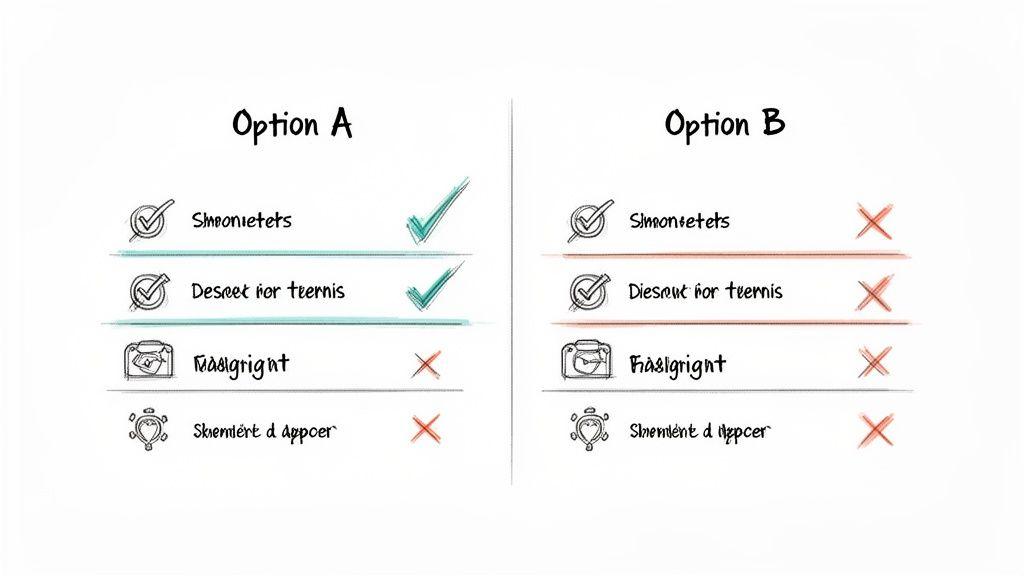
For instance, an AI company like 1chat could publish an article titled "1chat vs. ChatGPT: A Feature-by-Feature Comparison for Families." Such a piece would directly compare factors like privacy controls, pricing, and content filtering. By presenting this information clearly, it helps a family looking for a safer AI tool see exactly how 1chat meets their specific needs, building trust through transparency rather than just marketing claims.
Strategic Breakdown
- Audience Focus: The content is designed for a reader actively considering a purchase or decision. It directly addresses their core evaluation points, such as price, features, privacy, or ease of use for different groups like students or business teams.
- Structured Logic: Information is organized around specific points of comparison. Tables, feature checklists, and "head-to-head" sections are essential for letting readers easily scan and contrast the options.
- Objective Language: The tone is analytical and evidence-based, even when a preferred option is highlighted. Using phrases like "While X excels at..., Y is better for..." shows fairness and builds credibility.
Actionable Takeaways
To write effective comparison articles:
- Define Your Criteria: Choose the most important features for your target audience and use them as the foundation for your comparison. Don't compare every single feature; focus on what matters most.
- Use Visual Tables: Create a simple comparison table that summarizes key data points. This allows for quick, at-a-glance understanding and is highly scannable.
- Acknowledge Competitor Strengths: Honestly mentioning where a competitor has an advantage makes your own strengths seem more believable. This balanced approach builds significant trust with your audience.
Key Insight: Powerful comparison content doesn't just declare a winner; it empowers the reader to become the expert. By giving them the right framework and objective data, you help them choose the best option for their unique situation.
4. Explainer Articles and Educational Content
Explainer articles are a powerful form of informative writing that demystifies complex subjects for a broad audience. Their purpose is to educate and build understanding, establishing the author or brand as a credible authority. By breaking down intricate topics into simple, digestible pieces, these articles foster trust and empower readers with knowledge.
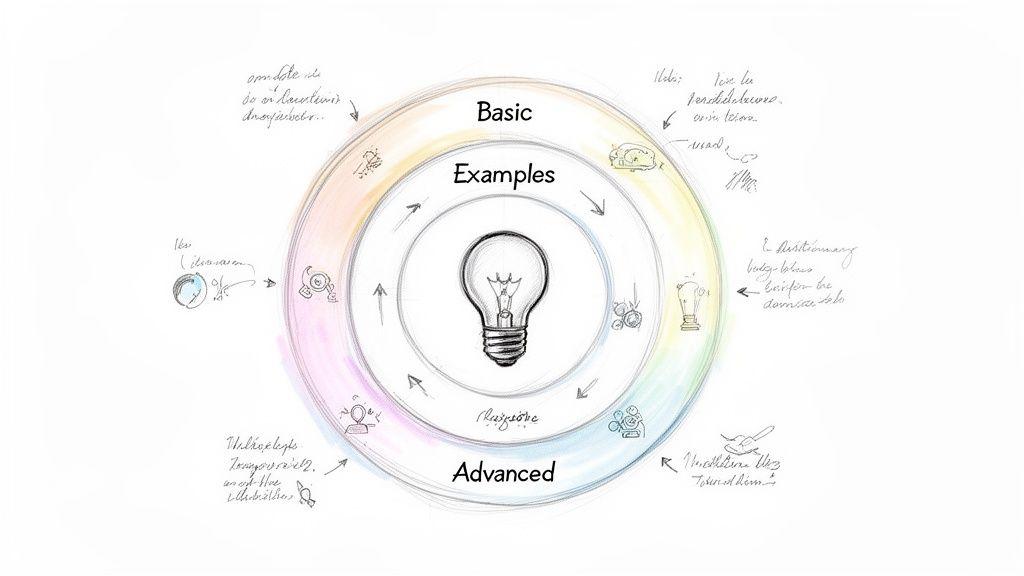
For instance, an AI company like 1chat might publish an article titled "What is PDF AI Analysis and How Does It Work?" This piece would translate technical processes into relatable concepts, perhaps using an analogy like a super-fast research assistant. It would focus on what the technology does for the user, such as finding key themes in a document, rather than getting lost in programming details. This approach makes advanced tools feel accessible and useful to students, families, or small business owners.
Strategic Breakdown
- Audience Focus: The content is written for the curious non-expert. It consciously avoids or clearly defines jargon, using analogies and real-world examples to connect with readers from various backgrounds.
- Hierarchical Structure: Information is organized from general to specific. It starts with a broad definition ("What is it?") before moving into function ("How does it work?") and application ("Why does it matter?").
- Declarative Language: The writing uses clear, direct statements to explain concepts (e.g., "AI analysis scans a document for...", "This helps you find..."). This builds confidence and makes the information easy to absorb.
Actionable Takeaways
To create effective explainer articles:
- Use Relatable Analogies: Compare a complex technical process to a simple, everyday activity. For example, liken an AI language model to a student who has read the entire internet and can now answer questions.
- Structure for Skimming: Employ clear headings, subheadings, and bullet points so readers can quickly find the answers they need. A "Key Terms" box can also be helpful for defining necessary jargon.
- Provide a Path for Deeper Learning: Include a "Further Reading" section or internal links to related content. For those looking to apply this knowledge, linking to guides on how to create training materials can offer a practical next step.
Key Insight: Excellent explainer content does more than just share facts; it builds intellectual bridges. By making complex topics understandable, you invite your audience into a conversation, turning intimidation into curiosity and establishing a foundation of trust.
5. Research Reports and Whitepapers
Research reports and whitepapers are premier examples of informative writing, designed to establish authority and deliver deep, data-driven insights. These documents present original findings, detailed analysis, and expert recommendations on a specific subject. They serve as foundational content for B2B marketing, providing substantive proof to support a company's perspective on industry trends or the value of its solutions.
For instance, an AI company like 1chat could publish a whitepaper titled "The State of AI Privacy: How Family-Friendly Platforms Protect User Data." This report would use original survey data and technical analysis to inform parents and educators about data security, positioning the company as a credible, safety-conscious leader. The goal is to inform a specific audience with credible evidence, building trust and guiding their decisions.
Strategic Breakdown
- Audience Focus: The content is written for a specific, often professional, audience seeking detailed information to solve a problem or make a strategic decision. This includes executives, technical buyers, or concerned consumer groups like families and students.
- Data-Centric Credibility: The entire document is built on a foundation of verifiable data, whether from original studies, aggregated industry research, or expert analysis. Citing a clear methodology is crucial for establishing trust.
- Problem/Solution Framework: Whitepapers often identify a common industry problem and then present a well-researched perspective or solution. This positions the authoring company as a helpful expert, not just a seller.
Actionable Takeaways
To create effective reports and whitepapers:
- Lead with an Executive Summary: Decision-makers are busy. Start with a one-page summary that highlights the key findings and main takeaways, allowing them to grasp the core message quickly.
- Gate the Content for Lead Generation: Offer the full report as a free, downloadable PDF in exchange for a user's contact information (like an email address). This turns high-value content into a tool for generating leads.
- Invest in Professional Design: A poorly designed report can undermine its credibility. Use clean layouts, brand colors, charts, and graphs to make complex data easy to digest. You can find more details on what constitutes good research by exploring the fundamentals of the process.
Key Insight: A well-executed research report does more than share information; it creates an asset that builds brand authority. By providing original, valuable data, you become the source that others cite, significantly boosting your industry standing.
6. Listicles and Top-10 Articles
Listicles are one of the most recognizable forms of modern informative writing, organizing information into a numbered or bulleted list. Their primary purpose is to deliver digestible, scannable content that answers a reader's question quickly. They break down a broad topic into specific points, making complex subjects feel approachable and easy to remember.
The format’s power lies in its psychological appeal; readers know exactly what they are getting and how much time it will take. For instance, an AI tool like 1chat could publish an article titled "10 Creative Ways to Generate Images for Your Business." Each numbered item would present a distinct idea, such as "Create custom blog post headers" or "Generate social media ad concepts," providing a clear, self-contained piece of value. This structure makes information easy to find, share, and act upon.
Strategic Breakdown
- Scannable Structure: The writing is designed for readers who skim. Bolded list items, subheadings, and short paragraphs allow users to quickly identify the points most relevant to them.
- Promise of Value: The headline makes a specific promise (e.g., "Top 10 Reasons," "7 Ways to..."). This sets clear expectations and draws in readers looking for a finite, actionable set of information.
- Modular Content: Each list item is a self-contained unit of information. This allows readers to jump to the points that interest them most without needing to read the entire piece sequentially.
Actionable Takeaways
To create effective listicles:
- Start with a Compelling Headline: Frame your title to promise a clear, quantifiable benefit. Numbers are specific and tell the reader the exact scope of the article.
- Ensure Each Point Has Substance: Don’t just list items; provide a brief explanation, example, or tip for each point to give it depth and practical value.
- Use a Strong Conclusion: Summarize the key takeaways or offer a concluding thought that ties all the list items together, reinforcing the article's main message.
Key Insight: Listicles succeed because they align perfectly with modern reading habits. They deliver information in a structured, low-effort format that satisfies a reader's need for quick answers and clear takeaways.
7. FAQs (Frequently Asked Questions)
FAQs are a classic form of informative writing that anticipates and resolves user concerns in a simple, direct format. Their purpose is to provide immediate, clear answers to the most common inquiries, acting as a first line of defense for customer support. By structuring information in a question-and-answer layout, they make it easy for users to find exactly what they need without sifting through long documents.
This format is especially useful for addressing potential hesitations or points of friction. An AI tool like 1chat, for instance, could build a robust FAQ page to address user questions such as, "Is 1chat truly private?" or "How does 1chat's pricing compare to ChatGPT?" This not only provides transparency but also builds trust by directly tackling the user's most pressing concerns, which is a key function of good informative writing.
Strategic Breakdown
- Audience Focus: FAQs are inherently user-centric, as they are built from actual customer questions. The language is conversational and direct, avoiding corporate speak to answer questions as a helpful expert would.
- Topic-Based Organization: Content is grouped into logical categories (e.g., "Privacy," "Pricing," "Features"). This allows users to quickly navigate to the section most relevant to their needs, improving the user experience.
- Concise and Direct Answers: The goal is to provide a complete answer in as few words as possible. Each answer should resolve the specific question asked, often linking to more detailed guides or articles for users who want to learn more.
Actionable Takeaways
To create an effective FAQ section:
- Source from Real Data: Analyze support tickets, customer emails, and sales call logs to identify the most genuinely frequent questions. Don't guess what your audience wants to know.
- Organize for Scannability: Group questions by theme or user journey stage (e.g., "Getting Started," "Billing," "Advanced Features"). This helps users find answers without having to read every single entry.
- Keep Answers Clear and Brief: Write answers that are easy to understand in seconds. If a topic requires a longer explanation, summarize the key point and link to a dedicated blog post or knowledge base article.
Key Insight: An effective FAQ page does more than just answer questions; it manages user expectations and overcomes purchasing barriers. By proactively addressing concerns, you demonstrate transparency and build the confidence a user needs to fully adopt your product or service.
8. Blog Posts and Articles
Blog posts and articles are quintessential examples of informative writing, designed to explore a topic in detail for a specific audience. They aim to inform, explain, or persuade by balancing accessible language with substantial information. Unlike short-form content, they provide the space to build a thorough argument, present evidence, and offer deep insights, making them a cornerstone of content marketing and thought leadership.
Their effectiveness lies in their ability to meet a reader's need for knowledge directly. For instance, an AI platform like 1chat could publish a post titled "Privacy in AI: Why Families Should Care About Data Protection." This article would not just state facts; it would explain the "why" behind data privacy in a family context, define key terms simply, and provide actionable steps for parents, thereby building trust and demonstrating a commitment to user safety. The goal is to provide value beyond a product, establishing authority in a subject area.
Strategic Breakdown
- Audience Focus: Content is created with a specific reader persona in mind. An article for students about AI ethics will use different language and examples than one written for small business owners about productivity tools.
- Structured Exploration: Information is logically organized with a compelling introduction, a body broken up by subheadings, and a concluding summary. This guides the reader through a complex topic without causing overwhelm.
- Keyword Integration: Posts are written around specific keywords and questions people search for. This SEO-driven approach ensures the information reaches the audience actively seeking it.
Actionable Takeaways
To write effective blog posts and articles:
- Start with a Hook: Open with a question, a surprising statistic, or a relatable story that addresses a reader's pain point and makes them want to learn more.
- Break Up Your Text: Use short paragraphs, subheadings, bullet points, and bold text to improve readability. Walls of text are intimidating and cause readers to leave.
- Provide Clear Answers: Structure parts of your content to directly answer common questions. This format is favored by search engines for featured snippets and delivers immediate value.
Key Insight: A great blog post does more than just present information; it creates a conversation. By anticipating reader questions and providing clear, well-structured answers, you position your brand as a helpful expert and reliable resource.
9. Infographics and Visual Guides
Infographics are powerful examples of informative writing because they translate complex data and processes into a visually compelling format. Their purpose is to communicate information quickly and memorably by combining text, imagery, and design. These visual guides are ideal for breaking down dense topics, making them digestible and shareable. The effectiveness of an infographic is rooted in its ability to present a clear narrative through design.
These visual tools are designed to capture attention and convey key points at a glance. For instance, an AI tool like 1chat could create an infographic titled "Privacy Protection: 1chat vs. The Competition." Instead of a long article, it could use icons, charts, and minimal text to compare data encryption, user anonymity, and information sharing policies. This format delivers a high-impact message that is easy for a student or a business team to understand and remember.
Strategic Breakdown
- Audience Focus: The design is built for visual learners and those with limited time. It presents information in a scannable format, perfect for social media feeds or as a quick reference in a presentation.
- Data-Driven Narrative: An infographic isn't just a collection of facts; it tells a story. Information is organized logically to guide the viewer from a main point through supporting data to a final conclusion.
- Design for Clarity: The use of color, typography, and icons is intentional. Good design hierarchies direct the eye to the most important information first, ensuring the core message is not lost in decorative elements.
Actionable Takeaways
To create effective infographics:
- Prioritize One Core Message: Decide on the single most important takeaway you want the audience to have. Build the entire visual story around reinforcing that one point.
- Use a Visual Hierarchy: Employ size, color, and placement to guide the viewer's eye. The most critical statistic or finding should be the most prominent visual element on the page.
- Cite Your Sources: Include source citations at the bottom to build credibility and trust. This small detail shows your information is well-researched and reliable.
Key Insight: A successful infographic makes information feel intuitive. By transforming numbers and text into a clear visual story, you make your data more accessible, persuasive, and memorable for any audience.
10. Tutorials and Video Transcripts
Video transcripts are a powerful form of informative writing that extends the reach and accessibility of instructional video content. By converting spoken narration into a written document, they cater to diverse learning preferences and circumstances. This makes valuable information available to users who prefer to read, need to scan for specific details quickly, or are in environments where watching a video is not possible.
For example, a complete tutorial transcript for an AI platform like 1chat, such as "Getting Started with 1chat," allows users to follow along without needing to pause and rewind a video. They can copy code snippets, review specific commands at their own pace, and easily search the document for keywords. This combination of visual demonstration (in the video) and written reference (in the transcript) creates a more robust learning tool, making these transcripts some of the most practical examples of informative writing.
Strategic Breakdown
- Accessibility and SEO: Transcripts make video content accessible to users with hearing impairments and are easily crawlable by search engines. This broadens the audience and improves a page's discoverability for relevant search terms.
- User Convenience: The content is presented in a skimmable, searchable format. Users can quickly find the exact piece of information they need without scrubbing through video timelines, saving time and reducing frustration.
- Reinforced Learning: This format supports multiple learning styles. Auditory and visual learners benefit from the original video, while reading-oriented learners can absorb the information through text. The transcript also serves as a permanent reference guide.
Actionable Takeaways
To create effective video transcripts:
- Add Timecodes: Insert timestamps (e.g., [01:25]) at key points in the transcript. This allows users to easily jump to the corresponding moment in the video if they need visual clarification.
- Format for Readability: Use clear headings, subheadings, and bullet points that mirror the structure of the video. This breaks up the text and makes the information easier to digest.
- Include Visual Cues: Integrate screenshots of important frames from the video directly into the transcript. This provides visual context and reinforces the written instructions, especially for technical tutorials.
Key Insight: A video transcript is not just a secondary asset; it's a standalone piece of informative content that multiplies the value of your original video. It meets users where they are, offering flexibility and depth that video alone cannot provide.
Comparison of 10 Informative Writing Types
| Content Type | Implementation Complexity 🔄 | Resource Requirements ⚡ | Expected Outcomes 📊 | Ideal Use Cases 💡 | Key Advantages ⭐ |
| How-To Guides and Tutorials | Moderate 🔄 (structured steps, regular updates) | Moderate ⚡ (writer, screenshots, optional video) | High 📊 (better adoption, fewer support tickets) | Onboarding users; feature walkthroughs | Beginner-friendly, practical, strong SEO ⭐ |
| Case Studies and Success Stories | High 🔄 (research, interviews, approval) | High ⚡ (client access, analytics, editorial) | High 📊 (credibility, conversion uplift) | Sales enablement; B2B decision-makers | Persuasive social proof and ROI evidence ⭐ |
| Comparison Articles and Reviews | Moderate 🔄 (research + frequent updates) | Moderate ⚡ (competitive data, testing) | High 📊 (drives high-intent traffic, conversions) | Users evaluating alternatives (e.g., switching) | Transparent positioning; reduces buyer uncertainty ⭐ |
| Explainer Articles and Educational Content | Moderate 🔄 (SME input, clarity focus) | Low–Moderate ⚡ (writers, diagrams) | Moderate 📊 (authority, organic traffic) | Educating non-technical audiences; awareness | Builds thought leadership and trust ⭐ |
| Research Reports and Whitepapers | Very High 🔄 (rigorous methodology) | Very High ⚡ (original data, design, promotion) | High 📊 (lead generation, executive credibility) | Enterprise sales; industry positioning | Deep credibility; gated lead magnet ⭐ |
| Listicles and Top-10 Articles | Low 🔄 (simple, repeatable format) | Low ⚡ (fast writing, basic visuals) | Moderate–High 📊 (shareable, high CTR) | Social promotion; quick tips for users | Scannable, highly shareable, SEO-friendly ⭐ |
| FAQs (Frequently Asked Questions) | Low 🔄 (easy to maintain, needs updates) | Low ⚡ (support input, content editor) | Moderate 📊 (reduced support load, conversion aid) | Onboarding, pre-sales objections, self-service | Low-effort, high ROI for support and SEO ⭐ |
| Blog Posts and Articles | Moderate 🔄 (consistent cadence required) | Moderate ⚡ (writers, visuals, SEO effort) | Moderate–High 📊 (audience growth, organic traffic) | Content marketing, thought leadership, repurposing | Versatile format; builds audience over time ⭐ |
| Infographics and Visual Guides | Moderate 🔄 (design + data synthesis) | Moderate–High ⚡ (designer, data viz tools) | High 📊 (engagement, memorability) | Social sharing, visual explanations, quick comparisons | Visual clarity and high shareability ⭐ |
| Tutorials and Video Transcripts | Moderate 🔄 (syncing with video timelines) | Moderate ⚡ (transcription, editing, screenshots) | Moderate 📊 (accessibility, improved discoverability) | Training resources, accessibility, SEO | Extends video reach; improves accessibility ⭐ |
Putting Information to Work: Your Action Plan for Clearer Communication
The journey through these examples of informative writing reveals a powerful truth: clear communication is not about mastering one rigid format. Instead, it's a flexible skill built on a foundation of clarity, structure, and deep audience awareness. From a step-by-step tutorial to a data-rich whitepaper, the goal remains the same: to transfer knowledge effectively and achieve a specific purpose.
The formats we've explored are simply different containers for information, each suited for a particular job. Think of them as specialized tools in your communication toolkit.
- For Teaching a Process: How-to guides, tutorials, and video transcripts excel at breaking down complex actions into simple, repeatable steps. They empower your audience by showing them exactly how to do something.
- For Building Trust and Credibility: Case studies, comparison articles, and customer reviews provide social proof and objective analysis. They help audiences make confident decisions by showing real-world results and transparent evaluations.
- For Establishing Authority: Explainer articles, research reports, and whitepapers are perfect for demonstrating deep expertise. They unpack complex topics and present original findings, positioning you or your organization as a go-to resource.
- For Engaging and Informing Quickly: Listicles, blog posts, FAQs, and infographics deliver information in a highly scannable and digestible way. They are ideal for capturing attention and answering the most pressing questions your audience has.
Notice the common thread? Every effective piece of informative writing is built with the end-user in mind. The structure, the tone, and the level of detail are all deliberate choices made to serve the reader's needs. The true art lies in selecting the right format for your message and your audience.
Your Immediate Action Plan
Knowledge is most useful when put into practice. To move from understanding these concepts to mastering them, you need to start creating. Here is your challenge for this week:
- Identify a Need: Think of a common question you get from colleagues, customers, or even family members. What is a process you know well? What is a concept you frequently have to explain?
- Choose Your Format: Based on the goal, select one of the formats we've discussed. Is it a quick FAQ for your team? A mini how-to guide for a software task? A short listicle comparing two products you use?
- Draft a Short Piece: Don't aim for a 4,000-word masterpiece. Create a small, focused piece of content. Write a 300-word blog post, outline a five-step tutorial, or draft three frequently asked questions with clear, concise answers.
- Structure Your Ideas: As you begin to outline, consider using an AI writing assistant as your thought partner. Tools like 1chat can help you organize your points, rephrase sentences for clarity, and ensure your structure is logical before you invest time in writing. It's an excellent way to build a solid framework.
This simple exercise will do more than just produce a useful piece of content; it will sharpen your ability to think structurally. You’ll start seeing every communication challenge as an opportunity to inform, persuade, and help.
Mastering informative writing is a direct investment in your personal and professional effectiveness. Clear communication saves time, prevents misunderstandings, builds trust, and drives action. Whether you are a student striving for better grades, a business professional aiming to connect with clients, or a team leader fostering collaboration, your ability to present information clearly is your greatest asset. Start small, be consistent, and watch as your power to communicate with purpose and precision grows.