You're probably here because a tiny box on a signup form suddenly feels more important than it should.
You're starting a business, updating your resume, helping your child create an account, or separating family bills from online shopping. Then the form asks for your email address, and you pause. Should you use your full name? A nickname? A custom domain? A separate address just for signups? That hesitation is smart.
Email isn't a small detail anymore. It's one of the main ways people prove who they are online. A 2026 projection estimates 4.6 billion worldwide email users and 392.5 billion emails sent per day according to The Loop Marketing. The same source says 99% of consumers check email daily and 58% open email first thing in the morning. If you send newsletters or client messages later, this is also why learning how to improve your email open rates matters after you choose the right address.
A good email address does several jobs at once. It helps people recognize you, trust you, reply to you, and type your address correctly on the first try. It also affects what personal information you expose and how easy it is for scammers to imitate you.
That's why “professional” advice by itself isn't enough. Sometimes using your real name is the right move. Sometimes it isn't. A good email address should fit your real life, not just a polished ideal.
Why Your Email Address Matters More Than You Think
You usually notice the importance of an email address at an awkward moment. A job application asks for contact details. A new customer wants an invoice. A school portal needs a parent login. An online store wants an address for receipts and password resets. In a few seconds, one small line of text starts doing a lot of work.
Your email address appears before your message, and often before anyone knows anything else about you. It shows up on forms, invoices, shared calendars, account recovery pages, and signup screens. That makes it less like a technical setting and more like a name tag you keep wearing across the internet.
A good email address is not just where messages arrive. It is the label attached to your identity across work, shopping, school, and security checks.
Many people get stuck on one question: “Does it look professional?” That question matters, but it is only one piece of the puzzle. You also need to ask whether the address shares too much personal information, whether the domain looks trustworthy, and whether people will feel safe replying to it.
That privacy piece gets overlooked. Using your full legal name for a client email may be a smart choice. Using that same address for newsletters, coupons, app trials, and family accounts can create a trail you did not mean to leave. A good setup separates public identity from private life, the same way you would not hand your house key to every store that offers a discount.
Domain choice matters too. An address can look neat and still raise doubts if the domain feels random, outdated, or hard to verify. For business use, that affects trust. It can also affect whether your messages are welcomed, ignored, or filtered, which is one reason many teams later try to improve your email open rates.
If you have ever hesitated before typing your full name into every app or signup form, that hesitation is useful. Some email addresses should make you easy to find. Others should give you a layer of distance. The right choice depends on who will see the address, what the account is for, and how closely you want it tied to your real identity.
The Four Pillars of a Good Email Address
A good email address works like a well-designed business card. It should be easy to read, hard to confuse, appropriate for the setting, and safe to keep using over time.
One reason this matters is that people don't manage only one inbox anymore. 86% of surveyed users said they have at least three email addresses, and up to 60% of emails are opened on mobile in ZeroBounce's email statistics report. That means your address needs to make sense on a phone screen and fit a specific purpose.
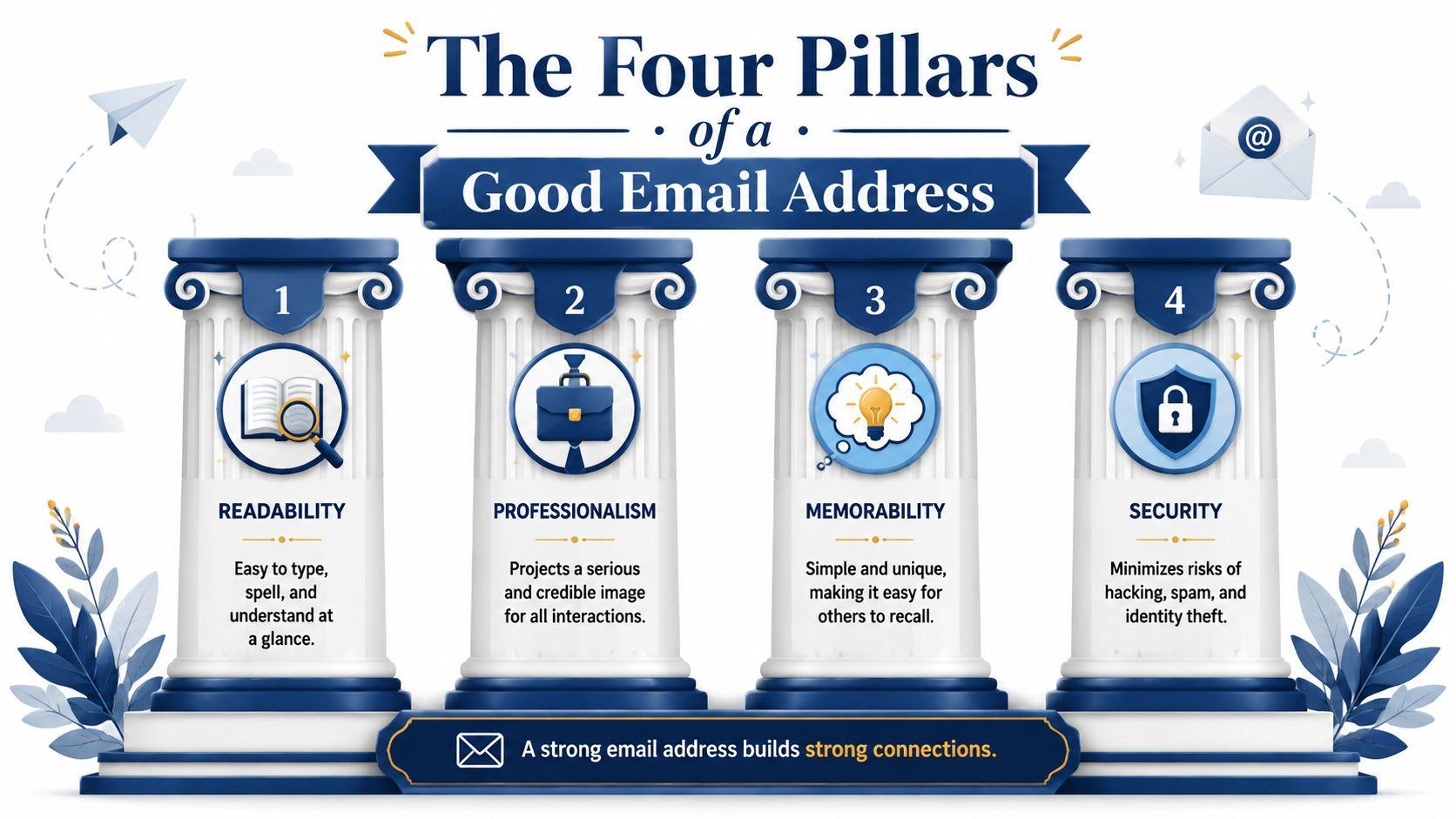
Readability
Readability is the clear handwriting test. If someone hears your address once, can they type it correctly?
Addresses with extra punctuation, random numbers, or unusual spellings create friction. That friction causes bounced replies, missed opportunities, and account confusion. On mobile, that problem gets worse because thumbs make mistakes.
Good examples:
- anna.lee@...
- jordanparker@...
- m.rivera@...
Harder examples:
- annnna_lee_2020@...
- jord4n.parker.biz@...
- m__rivera88@...
Professionalism
Professional doesn't mean stiff. It means appropriate.
If you're emailing clients, teachers, hiring managers, or service providers, the address should sound like a real person or a real business. People tend to trust straightforward formats more than inside jokes or gamer tags.
A useful test is this: would you feel comfortable saying the address out loud in a meeting?
Memorability
Memorability is where many people overcomplicate things. They try to be unique, then end up being forgettable.
Short beats clever. Clear beats decorative. If your business is called North Pine Studio, hello@northpinestudio... will usually serve you better than something packed with symbols or trend-based wording that ages quickly.
Practical rule: If you need to spell the address three times every time you share it, it's doing too much.
Security
Security is the pillar most naming guides ignore. An email address can reveal your full name, birth year, location, or family structure without you realizing it.
Watch for these risks:
- Too much personal detail. Avoid addresses that expose your birth year, child's name, or home area if strangers will see them.
- Easy impersonation. Complicated spellings and lookalike variations make phishing easier.
- Single-address overload. Don't use one address for banking, newsletters, school forms, and shopping if you can avoid it.
The strongest choices usually look simple on the surface. That simplicity is doing a lot of work.
Crafting Your Perfect Email Name
It's common to get stuck on the part before the @ symbol. That part is called the local part, and it's where naming choices matter most day to day.
The safest place to start is a plain formula. If your first choice isn't available, make a small adjustment instead of inventing a whole new identity.
Reliable naming formulas
These formats usually age well:
- First name + last name
Example: maya.patel@...
Best for job searches, consulting, and general professional use. - First initial + last name
Example: mpatel@...
Good when your full name is taken or too long. - First name + role or brand
Example: maya.design@...
Useful for freelancers who want some separation between personal identity and public work. - Household or function-based name
Example: smithfamily.bills@...
Good for shared family admin, subscriptions, and school logistics.
Keep the name stable. Changing your email often creates loose ends with receipts, old logins, and password recovery.
The technical rules you should know
You don't need to memorize internet standards, but a few constraints explain why some ideas fail.
A technically valid email address must have a local part of up to 64 characters and a domain of up to 255 characters. Dots are allowed, but they can't be the first or last character, and they can't appear consecutively, as summarized in Wikipedia's email address overview.
That's why something like .alex@... or alex..rivera@... won't work properly.
Email Naming Conventions Good vs. Bad Examples
| Scenario | Good Example | Why It Works | Bad Example | Why It Fails |
| Job applications | emma.thomas@... | Clear, formal, easy to match to a resume | cutieemma99@... | Feels casual and age-specific |
| New small business | hello@... | Friendly, flexible, brand-safe | bestdeals247shopgirl@... | Long, cluttered, hard to trust |
| Freelancer | d.nguyen@... | Compact and professional | dragonqueen.d@... | Personal alias may distract from work |
| Student | jordan.lee@... | Works now and after graduation | soccerstar2026@... | Tied to a phase of life |
| Family admin | parker.household@... | Shared purpose is obvious | momdadkidsemail@... | Wordy and awkward to say |
A common point of confusion is numbers. Numbers aren't automatically bad. They become a problem when they look random, reveal private details, or make the address harder to remember. If you must use one, tie it to your brand or a neutral identifier, not a birth year or graduation year unless you're comfortable sharing that.
Email Address Examples for Every Audience
Different people need different kinds of good email addresses. The best choice for a freelance designer isn't the same as the best choice for a parent managing school notifications.
Business guidance from Twilio recommends short, readable formats such as first name plus last name, avoiding nicknames and unnecessary symbols, and choosing a credible domain because the domain itself acts as a quality signal in this professional email guidance.
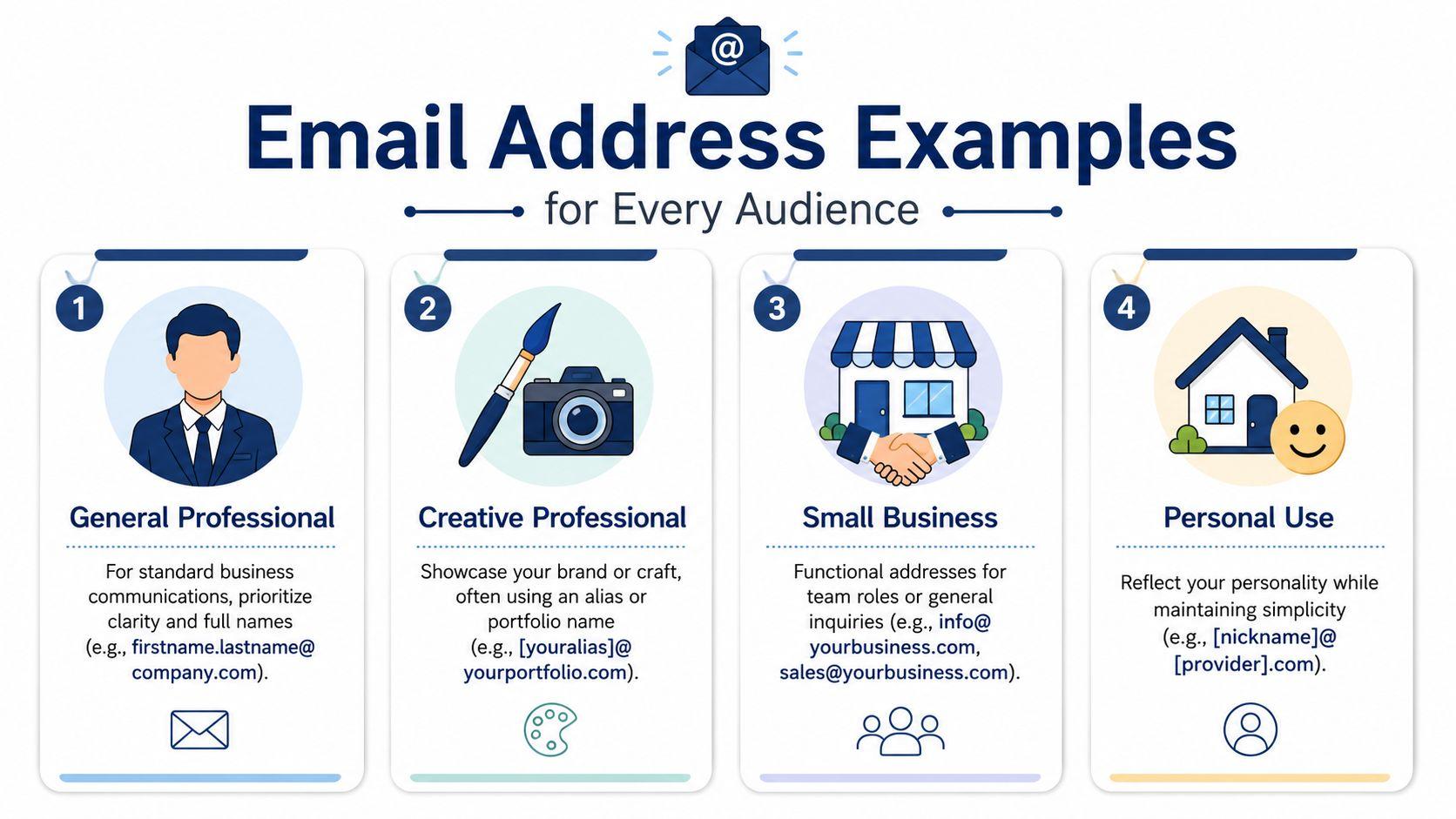
Professionals and freelancers
A recruiter receives lena.morris@... and immediately knows who's writing. A client sees samir.khan@studio... and it feels grounded.
Good fits:
- firstname.lastname@...
- firstinitiallastname@...
- firstname@yourbrand...
If you're building a portfolio or solo practice, a clean personal name can help. It connects your work, your invoices, and your reputation.
Small businesses and teams
A bakery, repair shop, therapy office, or local service company often needs more than one kind of inbox. Name-based mailboxes are useful, but role addresses are often even better for the public.
Strong examples:
- hello@yourbusiness...
- support@yourbusiness...
- orders@yourbusiness...
- accounts@yourbusiness...
These addresses stay useful even when staff changes. They also help customers know where to write. If you want more ideas on organizing digital communication for work, the broader articles on the 1chat blog are a practical next step.
Students
Students often think they need something “fun” for now and something “serious” later. Usually, a neutral option saves trouble.
Better choices:
- firstname.lastname@...
- firstinitial.lastname@...
Keep hobby-based or joke-based addresses for private use if you want them. For applications, professors, internships, and scholarship forms, use something that still works after graduation.
If an address would look odd at the top of a resume PDF, keep it out of your academic and job search life.
Families
Families have a different problem. One person's inbox often becomes the dumping ground for school notices, doctor forms, sports schedules, and utility accounts.
Useful setups include:
- familyname.home@...
- familyname.school@...
- bills@yourfamilydomain...
- parents.firstname@... for adult-facing communication
This is one place where privacy matters a lot. You may not want a child's full name in a shared household address that gets typed into many services. A family admin address can stay practical without exposing more than necessary.
When to Use Custom Domains and Role Addresses
The most overlooked part of a good email address isn't the name before the @. It's the part after it.
A clean username attached to a weak or suspicious-looking domain still creates doubt. Indeed notes that the domain part of an address significantly impacts trust and deliverability, that outdated providers like AOL can seem less current, and that long or easily altered domains can enable phishing in its professional email examples guide.
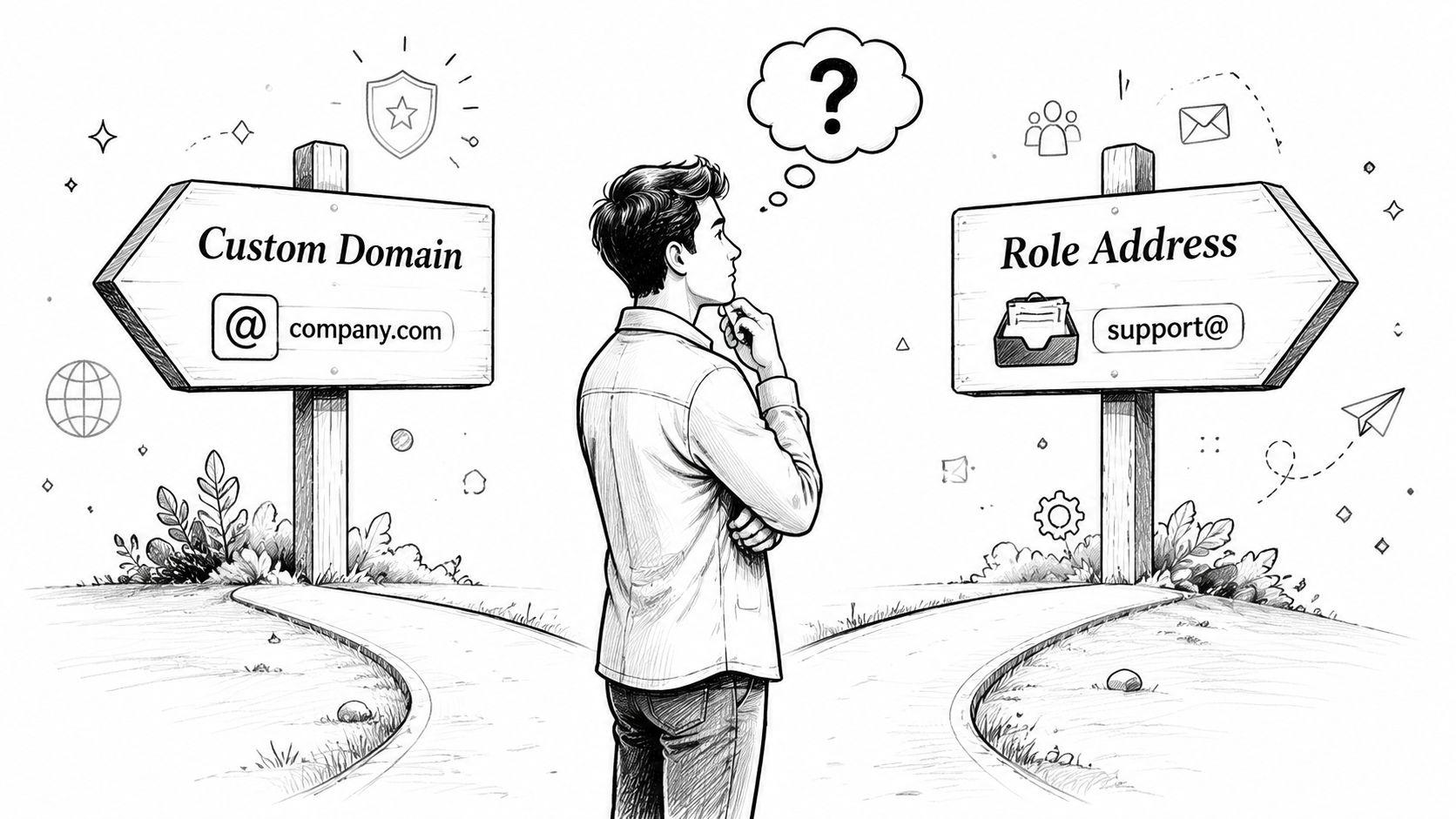
When a custom domain is worth it
A custom domain makes sense when you want your email to reinforce a business, portfolio, organization, or long-term family identity.
Examples:
- hello@oakstreetstudio...
- nina@ninawalters...
- support@greenleafrepair...
This helps in three ways:
- Brand consistency. Your website and email feel connected.
- Better recognition. Recipients can quickly link you to your business.
- Long-term flexibility. You can create new addresses as roles change.
If you're deciding whether to buy a domain just for email or combine it with a website, NameSnag's complete domain guide gives a useful overview of the setup choices in plain language.
When not to use your real name
Here, privacy matters more than polish.
You don't always need your real name in the address. In some situations, using it everywhere creates unnecessary exposure. That's especially true for:
- Job hunting while employed
- Side businesses that you want separate from your personal identity
- Marketplace accounts and newsletter signups
- Family and school accounts where you don't want a child's name exposed
- Public-facing contact forms
A role address or brand address can create healthy distance. hello@..., contact@..., or bookings@... can look credible without broadcasting personal details.
Your email address should reveal only what the recipient needs to know, not everything they could know.
When role addresses are the smarter move
Role addresses work best when the inbox belongs to a function, not a single person.
Best uses:
- Customer communication with addresses like support@...
- General inquiries with info@... or hello@...
- Team workflows where multiple people need access
- Continuity planning so the inbox survives staff turnover
They're also useful for privacy. If your public website lists contact@yourbusiness... instead of firstname.lastname@..., you reduce personal exposure while still looking established.
The key tradeoff is simple. Name-based addresses feel personal. Role-based addresses feel durable. Many businesses should use both.
Essential Security and Privacy Practices
A good email address only helps if you protect it. The safest setup is usually a small system, not one inbox doing every job.
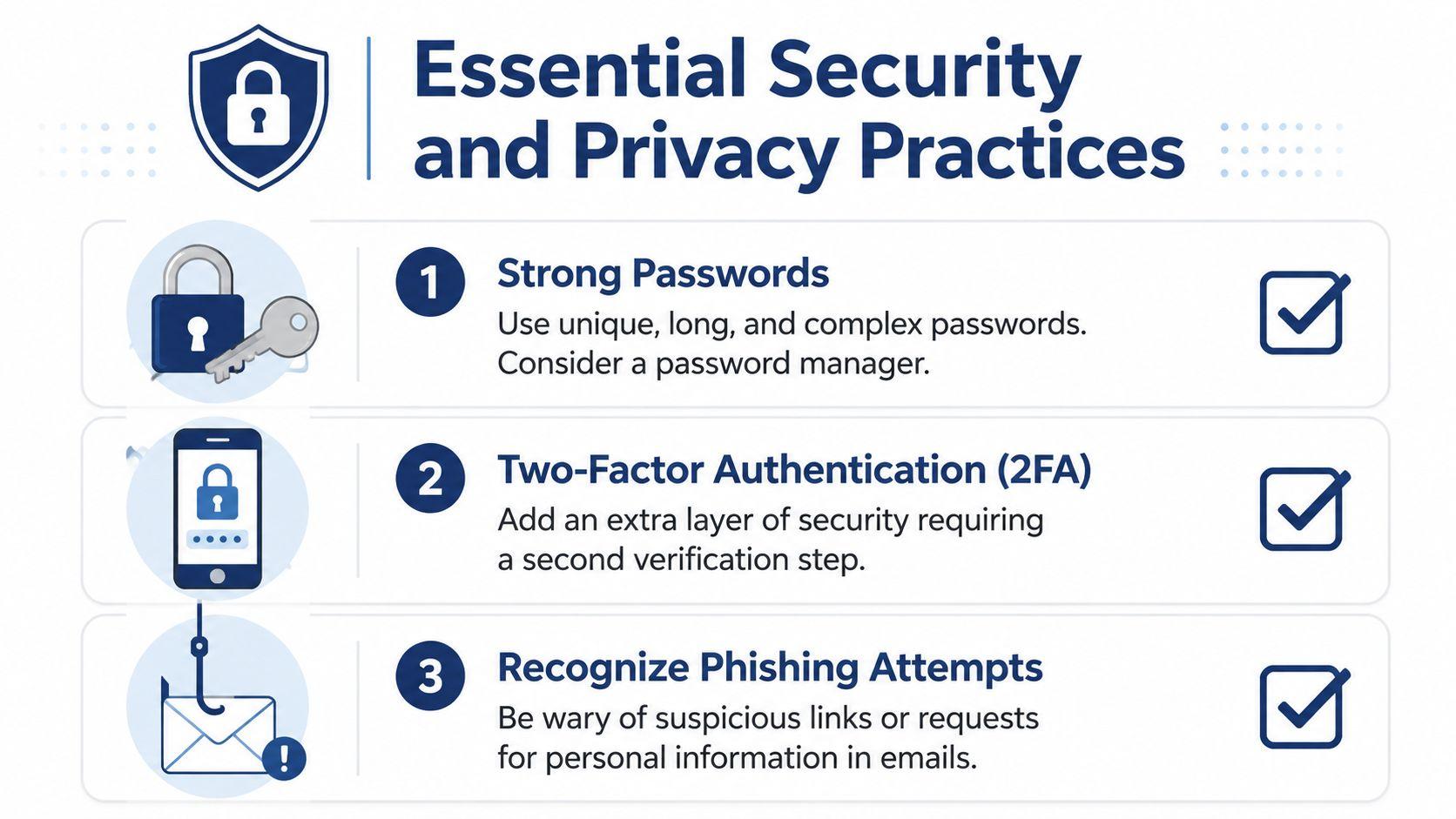
Separate by purpose
Use different addresses or aliases for different categories of life.
- Primary identity for work, banking, and core accounts
- Public-facing address for websites, directories, and contact forms
- Signup address for shopping, newsletters, and trial accounts
This limits damage if one address starts attracting spam or gets exposed.
Lock down the account
Use a unique, strong password for every email account. A password manager helps because you don't need to memorize every login.
Turn on two-factor authentication wherever your provider offers it. This is not optional for a primary inbox.
Treat incoming mail with suspicion
Phishing often succeeds because the message looks close enough to familiar. Don't trust an email just because the display name seems right.
Check the sender carefully, especially if the message asks for a password reset, payment action, or urgent login. If privacy matters to you, it's also worth reviewing how your platforms handle personal information in the first place, which is why reading a service's privacy policy is a useful habit.
Your Digital Handshake Perfected
A good email address should do three things well. It should be easy to read, appropriate for the situation, and safe to keep using.
That doesn't always mean using your full real name. Sometimes the best choice is a clear personal address. Sometimes it's a role inbox, a custom domain, or a separate signup address that protects your privacy. The right answer depends on what you're doing and who needs to recognize you.
If your messages still struggle after you've chosen a solid address, it can help to learn the basics of diagnosing domain reputation issues, because trust depends on more than the words in the username.
Your email address is small, but it carries a lot of weight. Choose it like a long-term identity tool, not a throwaway form field. And if you want a privacy-first AI workspace for family, school, or small business use, you can learn more through the 1chat FAQ.