Only 27% of respondents whose organizations used generative AI said employees reviewed all AI-created content before it reached customers or appeared in marketing materials, according to McKinsey's global AI survey. That's the more useful starting point for learning how to use AI for content creation: not how quickly you can generate a draft, but how reliably you can approve it.
For a small team, success means fewer publishing mistakes and less rework, not a folder full of unfinished posts. Use AI to organize, draft, and adapt approved material. Keep a named person responsible for what readers eventually see.
Why AI Drafts Still Need a Human Gate
Use AI as a co-writer inside a repeatable editorial process: supply a brief and approved sources, request labeled drafts, verify the claims, edit the voice, and require human approval. A two-person team can divide those responsibilities without building a separate content department.
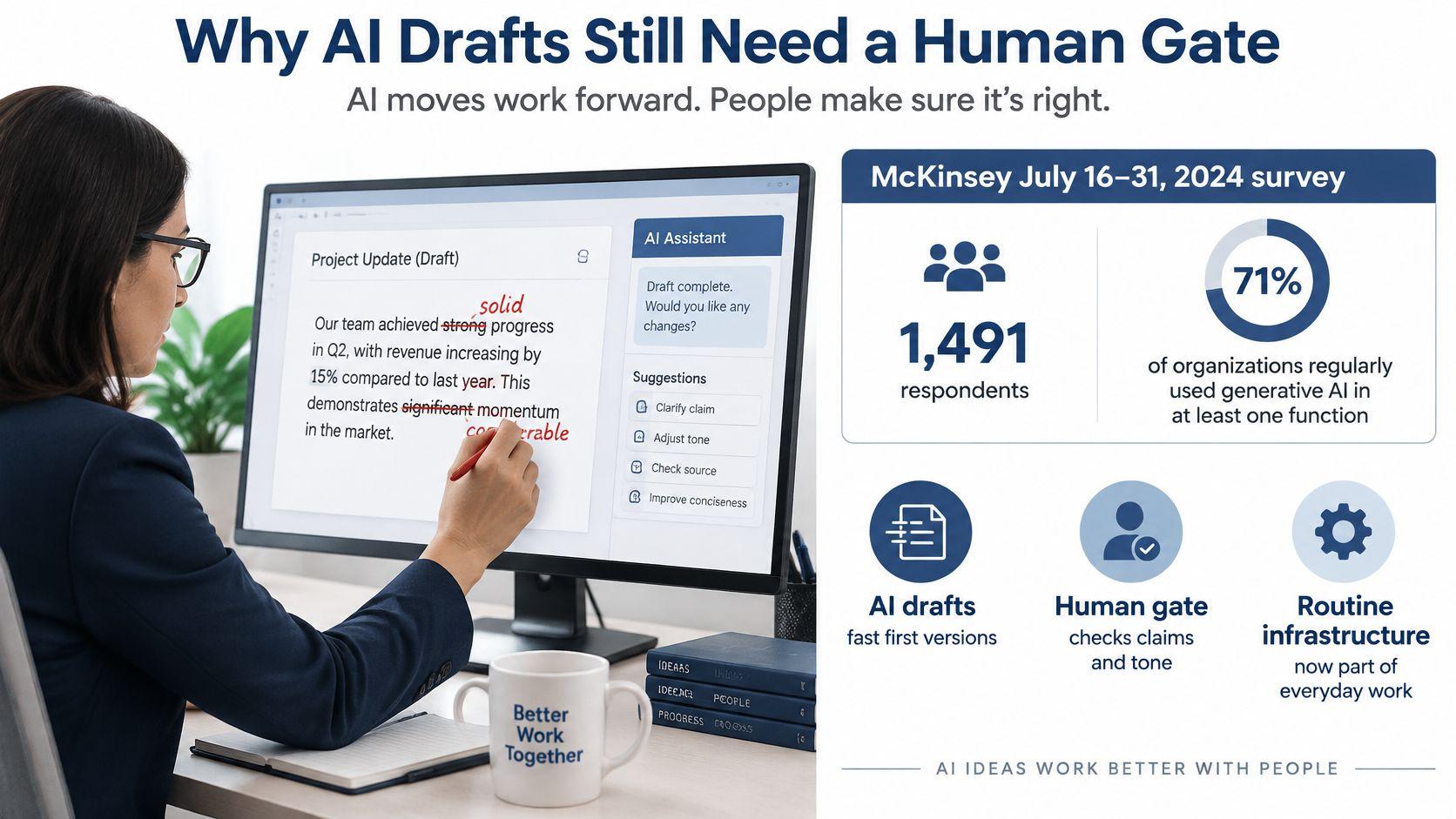
In McKinsey's survey conducted July 16–31, 2024, with 1,491 respondents, 71% said their organizations regularly used generative AI in at least one business function. For content teams, the practical implication is straightforward: AI belongs in an ordinary production workflow, not an experimental side channel with different standards.
Give each person a distinct responsibility
The writer owns the source pack and draft. The reviewer owns the evidence checks and release decision. Both can use AI, but neither should assume the other has opened the original source.
That distinction matters when a draft sounds finished. Smooth transitions and confident language don't establish whether a product feature exists, a quotation is exact, or a customer approved their story.
Practical rule: A draft is ready for review when its claims are traceable, not when its sentences sound polished.
For tone work, Rankira's guide to humanizing AI content is a useful companion to an editorial voice check. Treat humanizing as making the writing specific and useful, not concealing how it was produced.
Define what good performance means
Track whether the team reaches publication with fewer corrections and less editor effort. A marketer may need campaign copy; a parent may need a family-blog draft; a student may need help organizing an argument. Each needs an explicit boundary between assistance and responsibility.
Check our usage policies before designing the workflow around a sensitive task. I recommend keeping a human on the byline, with authority to reject the draft rather than merely tidy it.
Run a Seven-Step AI Content Workflow
Start with an assignment small enough to inspect completely. For a shop's blog post, the editor can prepare the brief on Monday, approve the outline that day, review section drafts on Tuesday, and reserve Wednesday for checks. That's a hypothetical schedule, not a promised turnaround.
The production sequence
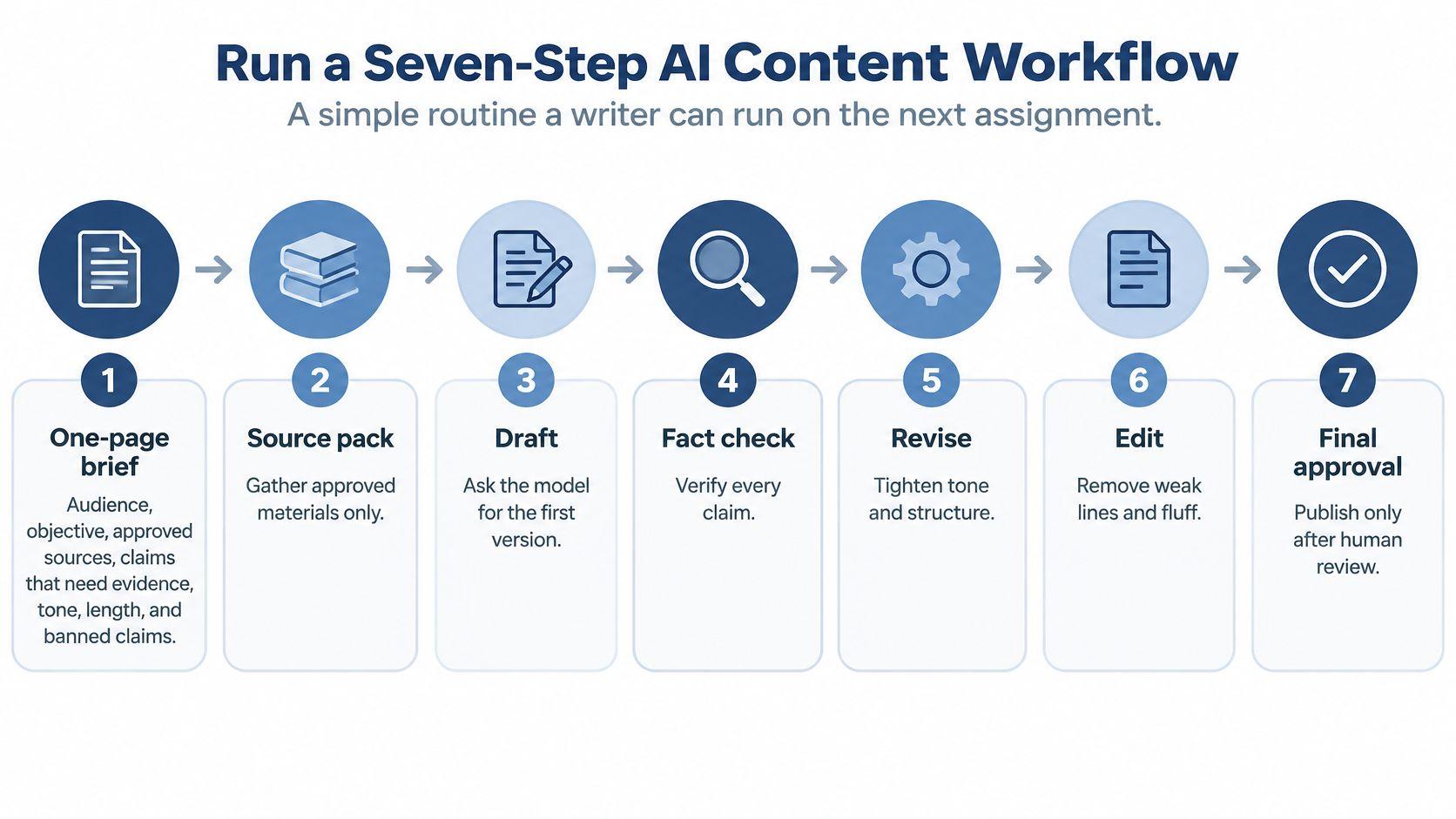
- Write the editorial brief. Include the audience, desired action, approved sources, evidence requirements, tone sample, length, and banned claims. Stop if no brief exists. A topic alone doesn't tell the model what the reader needs.
- Attach approved source files. Use current product documentation, cleared interview excerpts, or public primary sources. Don't upload a company-drive export. Stop if an attachment contains a secret or uncleared customer information.
- Request an outline and missing facts. Cut irrelevant sections before generating prose. Ask which proposed sections lack evidence. Stop until a human accepts the outline.
- Draft section by section. Require an evidence label beside every externally verifiable assertion. Keep unresolved questions visible instead of asking the model to smooth them away. Stop if a statistic appears without a label.
- Check the originals. Open citations and compare numbers, names, dates, and quotations with the primary document. A model's source summary isn't the source. Stop if a high-impact claim remains unsupported.
- Edit for voice and usefulness. Add an original scenario, remove repetitive explanations, and replace vague instructions with concrete actions. Stop if the draft could belong to any business.
- Approve safety and disclosure. Record the privacy check, required disclosure, editor, and final approver. Stop if publication would happen without human sign-off.
Seven-step AI content workflow
| Step | Who acts | Required output | Stop if |
| 1. Editorial brief | Editor | Audience, goal, sources, tone, length, banned claims | No brief exists |
| 2. Approved sources | Writer | Only files cleared for the tool | A secret or customer file is attached |
| 3. Outline and gaps | AI plus human | Section list and missing facts | Human hasn't accepted the outline |
| 4. Section drafts | AI | One section at a time with claims labeled | A statistic has no label |
| 5. Fact check | Human | Numbers, names, and quotes matched to primary sources | A high-impact claim is unsupported |
| 6. Voice edit | Editor | Original examples and house tone | The draft still reads like a generic model |
| 7. Safety and disclosure | Publisher | Privacy check, disclosure, approval log | There's no human sign-off |
A randomized experiment involving 453 college-educated professionals found that generative AI reduced writing-task completion time by 40% and increased evaluator-rated quality by 18%. Those controlled results don't prove universal factual reliability or predict your publishing savings.
Measure time-to-publish, factual-error rate, editor minutes, engagement, and conversion separately. Otherwise, faster drafting can hide a longer correction cycle.
When handoffs become the bottleneck, TheContentMap's workflow guide for managing editors provides useful context for organizing ownership. Keep the operational record simple: assignment, current stage, blocker, and next responsible person.
Match the Brief and Model to the Job
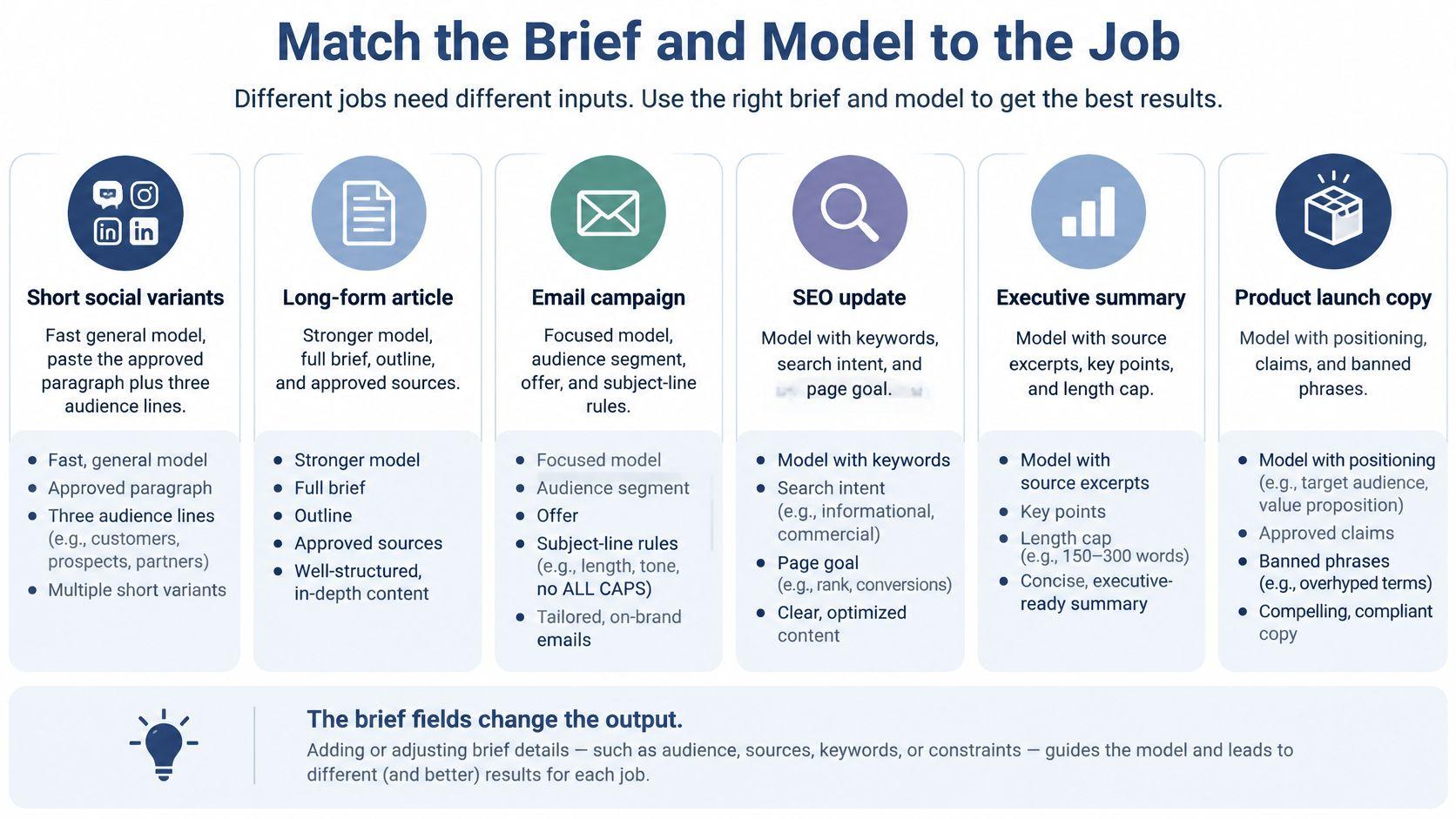
Choose the model behavior your assignment needs, not the most elaborate option available. A social variation needs faithful compression; a long guide needs enough context to preserve the accepted structure. Neither benefits from being allowed to invent missing facts.
Model fit by content job
| Job | Better model behavior | Poor fit | Human still owns |
| Social variants from one approved paragraph | Fast general chat model | A long reasoning pass for a short caption | Choosing the on-brand line |
| Long guide or article | Long-context or stronger reasoning model | A tiny context window | Outline, claims, and cuts |
| Image concept | Image-capable model | Text-only chat | Likeness, brand, and text accuracy |
| Research synthesis | File upload or approved retrieval | Memory-only chat with no sources | Primary-source verification |
| Student assignment help | General model under a tight brief | A prompt asking it to write the essay | Thesis, reasoning, citations, disclosure |
| Repurpose one asset | Same model with a new format brief | A fresh unsourced research pass | Facts that must survive the new format |
For social copy, paste the approved paragraph and describe the reader's role, problem, and desired action. For a guide, provide the accepted outline and prohibit additional sections. For an image, specify subject, composition, style, text rules, and a restriction against using real people's likenesses.
For a video-ad assignment, a specialist option such as ShortGenius AI ad generator belongs on a task-specific shortlist. Evaluate it against your actual script, visual requirements, and approval process rather than assuming a specialist tool removes review work.
For document-based assignments, 1chat lets signed-in users analyze documents and organize conversations into projects. Keep the approved source material and the assignment instructions together so the reviewer can reconstruct the task.
Paste a complete brief
Use this skeleton, replacing each bracketed field:
Role: [editor, explainer, or copywriter]
Reader: [specific audience and existing knowledge]
Job: [deliverable and intended action]
Sources: [approved files or excerpts]
Must include: [required points]
Must not claim: [unsupported promises or prohibited comparisons]
Tone sample: [approved writing]
Length: [limit]
Output shape: [headings, paragraphs, or table]
Then issue a narrow instruction appropriate to the stage:
- Outline: Using only the attached brief and sources, list section headings for a [length]-word article for [reader]. Then list every fact you need that the sources don't contain.
- Section draft: Draft section [n] in the tone of the sample below. Label every external claim with [CLAIM]. If no source supports a claim, write insufficient evidence.
- Repurposing: Turn the approved paragraph into a [format] of [length] words. Keep these elements exactly: [must-not-change list].
For student help, change the job to explaining, challenging, or proofreading, not completing an assessed submission. For synthesis, require source locations and visible uncertainty. Fix an incomplete brief before paying for a stronger model.
Check Facts Voice and SEO Before You Publish
One experiment on reliance on AI reported a 25.1% accuracy decline after controlling for background knowledge and demographics, with fully reliant participants averaging 48.4% compared with 66.7% for unaided participants. That's a reason to separate drafting from verification, not a prediction of every content team's results.
Ask the model to extract the draft's claims into a verification table with these fields: claim, source, confidence, publication date, and unresolved uncertainty. Treat confidence as a review cue, never as proof.
Verify before revising
Open the source beside the draft and check what it supports. A study about surveyed organizations doesn't justify a promise about your customers. A product specification doesn't establish a customer outcome.
Consider a product page containing an invented savings percentage. The sentence fails even if the model supplies a plausible-looking citation afterward. Delete it or replace it with a claim supported by evidence you already have.
Pre-publish gate for AI drafts
| Gate | Pass looks like | If it fails |
| Numbers and names | Match a primary source you opened | Correct or delete the claim |
| Quotations | Exact words and a real attribution | Paraphrase accurately without quotation marks or drop it |
| Unsupported claims | Model marked them insufficient evidence | Don't publish that sentence |
| Originality | Your examples, not a close paraphrase of one source | Rewrite with an original scenario or documented firsthand detail |
| House voice | Matches the tone sample in the brief | Rewrite the opening and the close |
| Search wording | Phrase in title, first screen, one subheading, and meta description | Fix placement without repeating it in every line |
| Disclosure | School, client, or brand rule is met | Add the note or hold the piece |
Don't let an originality edit introduce fictional experience. A clearly labeled bakery scenario is useful; an invented customer success story isn't.
For readability, check whether a reader can act on each recommendation. Replace instructions such as optimize your workflow with the actual action, such as attach the approved product sheet before generating the description.
How to use AI for content creation without keyword stuffing
Place the target phrase naturally in the title, opening screen, and a relevant subheading. Write a meta description that states the reader's outcome, using the phrase only where it fits. These are editorial placement checks, not a ranking guarantee.
Add internal links where readers need the next explanation. Write alt text that describes the image rather than repeating the keyword.
A polished sentence still fails publication if its evidence doesn't support its meaning.
Retain prompts, source versions, edits, and the approver's name. Before a broad rollout, use a representative pilot against a human-only baseline, comparing factual precision, unsupported claims, readability, originality, and editor acceptance. Redesign the process if shorter drafting time comes with more errors, privacy exposure, biased language, or undisclosed synthetic content.
Keep Private and Student Work Inside Clear Lines
The SBE Council's small-business technology survey found that 44% of businesses worried about data privacy and 43% about output accuracy and reliability. Those concerns belong in the input rules, before anyone uploads a document.
Establish a never-paste list
For an ordinary content workflow, exclude sensitive material rather than trusting the prompt to protect it. Remove identifiers locally, create a sanitized excerpt, and have the editor inspect the attachment before upload.
- Customer records: Don't paste identifiable purchase histories, contact lists, private messages, or account details.
- Credentials: Keep passwords, recovery codes, private login links, and access tokens out.
- Confidential business material: Exclude unpublished financials and documents that haven't been cleared for the tool.
- Health information: Don't include identifiable symptoms, records, or treatment details.
- Student identifiers: Keep a minor's full name paired with their school, student IDs, and sensitive school documents local.
Use synthetic placeholders when the task only needs structure. A draft email rarely needs a customer's real address or full account history.
Read our privacy policy alongside your organization's handling rules. Our terms allow us to use Content to provide, maintain, develop, and improve our services, comply with law, enforce terms, and keep services safe. Don't assume that a privacy-focused service means every confidential document belongs in a chat.
Separate learning help from substitution
The student should write the thesis before requesting assistance. Ask the model to identify weak reasoning or explain an unfamiliar concept, then return to the original reading and revise the argument independently.
- Acceptable assistance: Brainstorm angles, organize notes the student already wrote, explain a difficult passage, or proofread a student-authored draft, subject to school rules.
- Unacceptable substitution: Fabricate sources, submit model prose as the student's own reasoning, or conceal assistance when disclosure is required.
- Evidence of authorship: Keep prompts and drafts, verify every citation, and preserve the student's decisions about the argument.
A parent can use the same boundary when helping with homework: ask questions that help the student think, rather than generating a finished answer for submission.
Any unresolved claim that could affect money, safety, or a grade needs an appropriate human reviewer before release. Assign that reviewer by name so uncertainty doesn't disappear into a shared inbox.
Automate Drafting Without Automating Publishing
Automate predictable handoffs, not editorial responsibility. The useful boundary is between preparing a reviewable package and deciding that the package is fit to publish.
Build a controlled approval queue
- Template the assignment. Store the editorial brief in a shared folder and duplicate it for each piece. Keep the tone sample and prohibited-claims list attached. Name the editor responsible for updating stale instructions.
- Restrict source access. Connect the workflow only to an approved source folder, not the entire company drive. Have a document owner remove superseded files so retrieval doesn't reuse obsolete material.
- Send output to draft status. In WordPress or another CMS, create a draft or approval task rather than a live post. Scheduling is acceptable after a named person has approved the exact version being scheduled.
- Log each run. Record the date, model, prompt version, source files, editor, and approver in a shared sheet. Give the reviewer access to the actual inputs, not just the final text.
- Batch format conversions. Turn an approved asset into an email, social post, and sales summary in the same session. Use separate format instructions and preserve the offer, qualification, and source context in each.
- Flag mechanically, clear manually. Use a checklist or script to identify numbers without source tags, missing disclosures, and unresolved placeholders. A human clears each flag; the script doesn't certify truth.
Keep sensitive decisions outside the content pipeline
A marketing-draft workflow mustn't become an unattended decision system for credit, hiring, housing, insurance, legal, or medical matters. Our services cannot be used to automate high-stakes decisions in sensitive areas without human review, and users must not use Output about a person for decisions with legal or material impact on them.
Never generate child sexual abuse material at any stage, including partially AI-generated material. A failed safety check should stop the job, not trigger an automated attempt to rephrase around it.
Automation boundary: The system may assemble the package. The assigned publisher decides whether that exact package goes live.
Keep approval attached to the content version. If the workflow changes a claim after sign-off, send the revised version back to the approver rather than carrying the old approval forward.
Repair the Draft and Start the Next Piece
Bland copy usually needs a better reference, not another instruction to sound human. Paste a short approved tone sample, identify the sentences that feel generic, and regenerate only the opening and close. Preserve paragraphs that already work.
A vague homepage line such as Make reporting better can become Build the weekly report from your approved source files, provided the product documentation supports that capability. The repaired sentence describes a concrete task without inventing customer results.
Diagnose the failure before retrying
- An unsupported statistic: Delete it. Don't ask the model to hunt for a citation that happens to match a number it invented.
- A normal brief gets refused: Inspect the request for personal profiling, sensitive-attribute inference, or a consequential decision about a real person. Those may be the issue, but refusals have other causes too. Remove an inappropriate task, not the safeguard.
- An automation publishes early: Disable its publishing permission and hold queued items. Restore scheduling only after the approval action is tied to a named publisher and a specific version.
- A rewrite changes the promise: Compare the draft with the must-not-change list. Reinstate the qualification instead of accepting punchier but misleading copy.
Our services cannot be used for grooming minors or exposing minors to age-inappropriate content such as graphic self-harm, sexual, or violent content. Redirect a family or school assignment toward age-appropriate explanation rather than trying to bypass that boundary.
Close the assignment with an accountable owner
Ownership and editorial readiness are different questions. Users own the Output generated from their Input, and we assign users our rights in that Output. That doesn't establish that a sentence is accurate, original enough for its purpose, or cleared for publication.
Give the final reviewer the source pack, repaired draft, and unresolved questions together. If an issue can't be resolved, narrow the claim or remove it. Publishing a smaller defensible piece is better than shipping a complete draft with a doubtful promise.
This week, choose one existing piece and run it from a fresh editorial brief through the final approval gate. Save the corrected brief as your reusable template, record the editor effort and mistakes caught, and publish only when the person responsible for the byline signs off. Use that result to improve the next assignment before increasing output.