Most LLM comparison charts answer the wrong question. They rank models by benchmark scores, then imply that the highest score is the right choice for everyone. That advice fails a parent managing children's homework, a student analyzing research papers, and a small business processing confidential documents.
The practical question is different: which model delivers acceptable quality, predictable cost, suitable privacy controls, and reliable behavior for this specific workflow? In 2025, 73% of organizations reported using a hybrid LLM approach, while only 2% relied on one model with no plans to change, according to 2025 LLM market data. A useful llm comparison chart should reflect that reality. It should help you choose one model for complex reasoning, another for routine work, and a third when privacy or speed matters more than prestige.
| Decision factor | What to evaluate | Why it matters |
| Capability | Reasoning, writing, coding, research, and document analysis | The strongest general model may be poor value for simple tasks |
| Cost | Per-task cost, usage limits, and subscription overlap | Headline pricing rarely reflects real household or team spend |
| Privacy | Training policies, retention, document handling, and workspace controls | Sensitive business and family data need different safeguards |
| Reliability | Factual consistency, citation behavior, and performance on your own tasks | Public benchmarks don't reproduce every real workflow |
| Operations | Model routing, integrations, collaboration, and administration | Multi-model use becomes difficult without a central control layer |
The recommendations below favor real-world utility over benchmark theater. They also treat safety and privacy as selection criteria, not footnotes.
Why Headline Benchmarks Fail Everyday Users
A benchmark score cannot tell you whether an AI is affordable for daily work, appropriate for a child, or safe for a confidential contract. Broad academic tests reward general knowledge and test-taking skill. They rarely show whether a model follows document-handling rules, produces dependable citations, protects sensitive information, or fits a shared family or business workspace.
MMLU shows why leaderboard results need context. Independent 2026 benchmark guidance reports leading systems clustered around 85% to 94% on this broad-knowledge test, so it now separates frontier models poorly, as explained in this LLM selection guide. A narrow score gap can create false precision. Treat it as background evidence, not a purchasing decision.
Capability is now a routing decision
Different tasks require different models. One may handle coding well, another may analyze long documents, and a smaller option may cover classification, rewriting, or routine questions at lower cost. Families and small businesses should apply the same discipline. Paying for the most capable model on every request wastes money and can increase exposure of sensitive data.
The operational shift is clear. 40% of multi-LLM organizations were already managing four or more models, while 79% of data, analytics, and IT executives had deployed a secure gateway for LLM access, according to the 2025 LLM statistics report. Only 40% had extended that gateway to all LLM traffic, showing that model adoption can move faster than governance.
Practical rule: Choose models by task, then choose a control layer that records those choices, applies privacy rules, and keeps spending visible.
A disciplined review should examine quality, operating cost, privacy controls, and routing together. These frameworks for AI model evaluation support that broader approach. The useful question is, “Which model meets this task's quality threshold at the lowest acceptable risk and cost?”
What families and SMBs should ignore
Do not let a large context window, a high leaderboard position, or a famous brand settle the decision. A model may accept a lengthy document yet summarize it poorly. Another may write excellent code but remain unsuitable for unsupervised child use or confidential company files.
Your chart should score fit, not intelligence alone. Include privacy posture, family suitability, document behavior, response time, usage limits, and the cost of completing a typical task. Add whether the model can be routed through shared controls when several people use it. Those columns turn an impressive comparison into a decision tool for families, students, and SMBs.
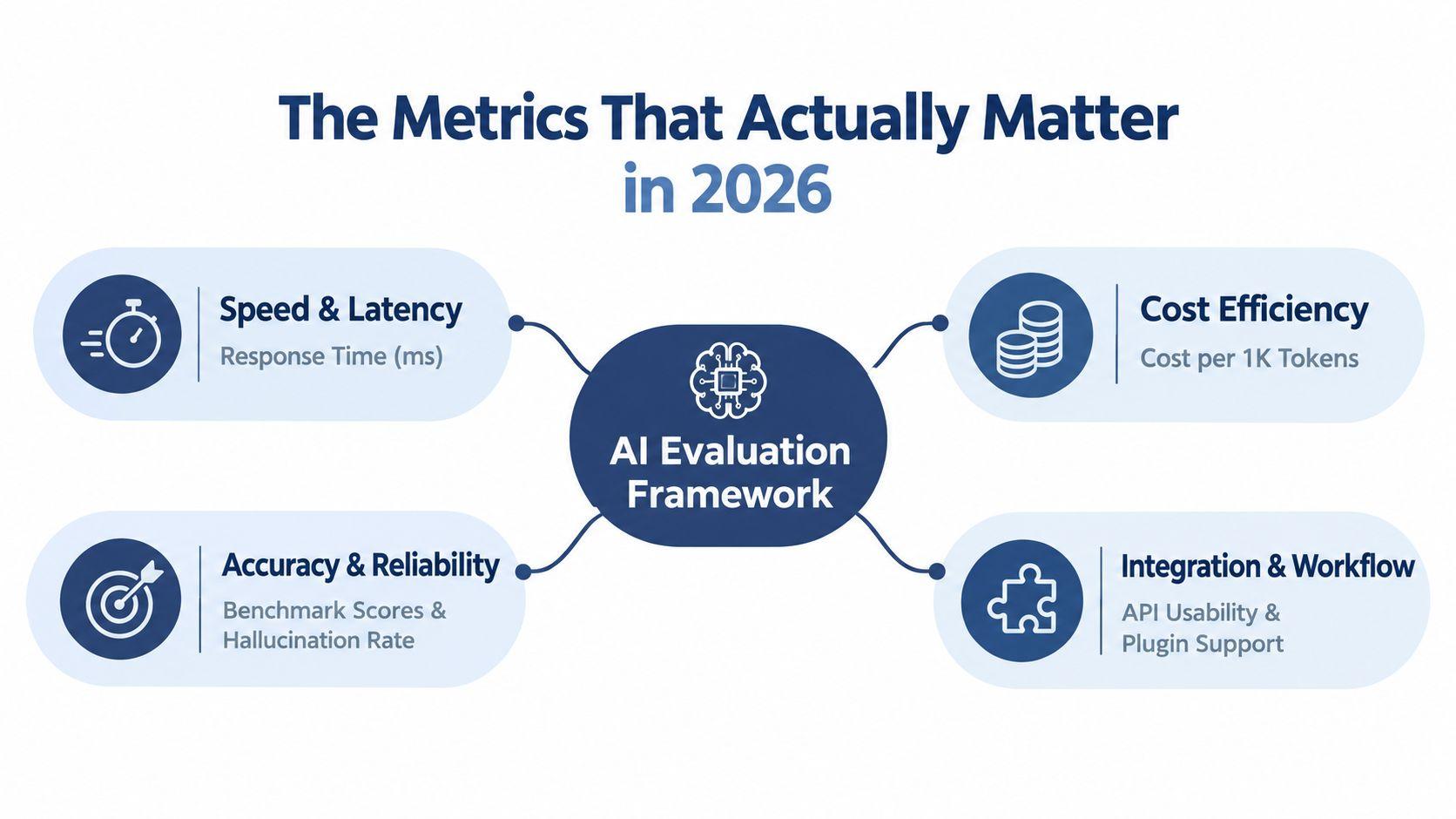
The Metrics That Actually Matter in 2026
Raw benchmark scores rarely identify the right model for a family or small business. Start with the work users perform: answering customer questions, inspecting PDFs, drafting emails, explaining homework, reviewing code, or synthesizing research. Test candidates on representative examples with identical instructions, then judge results against a defined standard.
Capability and reliability
Use broad benchmarks for orientation, not as the final ranking. MMLU now separates leading systems poorly because scores cluster closely. Pair it with harder or more practical evaluations, including MMLU-Pro, GPQA Diamond, and SWE-bench Verified, then confirm performance with your own tasks.
SWE-bench Verified deserves its own column for software teams. It tests whether a model can produce a patch that passes tests in real repositories, rather than answer a static programming question. Recent benchmark summaries place frontier systems in the low-80% range, while the wider model set averages much lower. That gap makes coding performance useful in an llm comparison chart, as documented in this SWE-bench and model evaluation summary.
Context is useful only when it works
A large context window helps a student compare papers or a business review a lengthy contract. It does not prove that the model will retrieve the correct clause, follow instructions, or reason consistently throughout the document. Test long-context behavior with actual files, including PDFs with tables, scanned pages, footnotes, and repeated terminology.
Market offerings now differ sharply in context capacity. Some 2026 charts list Gemini 3.1 Pro at 1M tokens and Grok 4 Fast at up to 2M tokens, even as leading models remain separated by narrow margins on selected tests, according to this 2026 LLM comparison matrix. Treat context capacity as a claim to verify, not a reason to buy.
Cost and latency
Measure cost per completed task. Input and output rates are only part of the bill. A document workflow can require several prompts, retries, file processing, and human review. A lower-priced model that needs correction may consume more staff time than a stronger model that produces a usable first draft.
Track these columns:
- Task cost: Estimate the model expense for one email, document review, coding change, or research answer.
- Latency: Measure time to a useful response, not only time to the first token.
- Usage limits: Check message caps, file restrictions, rate limits, and whether household or team members share one allowance.
- Failure cost: Estimate the time needed to verify, repair, or replace an incorrect output.
- Integration effort: Include setup, administration, exports, and switching between models.
Privacy and orchestration belong beside these measures. Record whether sensitive family, student, or business data can be restricted, whether prompts and files are retained, and whether a routing layer can send each task to the appropriate model. Review the 1chat research library for comparison material before choosing a stack.
Detailed LLM Comparison Chart
A useful comparison table ranks models by real household and business needs, not a universal winner. Compare task cost, privacy controls, retention policies, integration effort, and routing options, then verify performance with your own family, student, or SMB workflows using a model evaluation benchmarking directory.
2026 LLM Comparison Matrix for Teams and Families
| Model | Best For | Privacy Posture | Context Window | Relative Task Cost |
| Claude Opus | Complex reasoning, production coding, careful drafting | Review enterprise retention, training, and workspace terms before uploading sensitive material | Large, verify current limits | Premium |
| GPT | Fast general chat, broad workflows, rapid iteration | Review account, workspace, and data-control settings for the intended plan | Large, verify current limits | Mid to premium |
| Gemini | Multimodal work, long documents, research synthesis | Check Google workspace configuration, retention, and data-use settings | Up to 1M tokens for Gemini 3.1 Pro, according to 2026 model comparison research | Mid to premium |
| Grok | Live-information-oriented tasks and very long context use cases | Apply strict caution to confidential documents and verify current privacy controls | Up to 2M tokens for Grok 4 Fast, according to the same 2026 comparison matrix | Variable |
| Granite 4.2 3B | Lower-cost routine tasks and lightweight workflows | Evaluate deployment route and provider terms | Verify the deployed variant | Low |
| GPT-5.6 Luna (low) | Cost-sensitive task execution where quality requirements are moderate | Verify the service's retention and training policy | Verify current limits | Low |
| Open or self-managed models | Privacy-sensitive or controlled deployments | Greater operational control, but your team owns configuration and security | Depends on the selected model | Infrastructure-dependent |
Relative task cost is intentionally qualitative. Public leaderboards show that lower-cost models can rank favorably on task economics, while tiny score gaps may correspond to much larger price differences, as shown by Artificial Analysis model leaderboards. Your own prompt length, output size, retries, file handling, and subscription terms determine the final bill.
How to read the trade-offs
For coding, prioritize repository-level performance and test-passing behavior over broad academic scores. SWE-bench Verified is valuable because it measures practical patches, not isolated answers. For document analysis, test whether the model identifies the right passage, preserves tables, and distinguishes extracted facts from assumptions.
For families, privacy posture and safety controls deserve their own columns. Ask whether accounts can be separated, whether administrators can manage access, how uploaded files are retained, and whether a parent can review or restrict usage. Don't infer child suitability from a general-purpose model's intelligence score.
For small teams, look at total cost of ownership. Include user seats, overlapping subscriptions, API usage, document limits, administration, review time, and the cost of sending data to multiple vendors. A model with slightly lower raw capability may be the better purchase if it handles routine work reliably and keeps monthly usage predictable.
A useful external directory, such as this model evaluation benchmarking directory, can help you locate evaluation resources. Use those resources to build a shortlist, then validate the shortlist against your own documents and tasks.
Matching the Right AI to Your Specific Needs
The right model depends on who uses it and what failure looks like. A wrong answer in a brainstorming session is inconvenient. A wrong figure in a customer proposal, a fabricated citation in a student's research, or an exposed medical document is a more serious problem.
Small business teams
A small business should start with document handling and access control. Test the system on contracts, proposals, policy documents, and customer communications using redacted samples. Look for reliable extraction, clear uncertainty, workspace separation, and a way to prevent staff from casually pasting sensitive information into consumer accounts.
For coding-heavy teams, use SWE-bench Verified as a signal, then test the model on your repository conventions, testing process, and deployment rules. For administrative work, route routine classification and drafting to a lower-cost option and reserve stronger models for decisions that need deeper reasoning.
Recommendation: Choose a team workspace with centralized billing, defined file policies, and model choice. Avoid giving every employee separate subscriptions before you understand usage.
Students
Students need affordable research assistance, proofreading, explanations, and study support. They also need tools that encourage learning rather than producing an essay they can't defend. Ask the model to explain a source, challenge an argument, suggest an outline, or identify unclear reasoning. Require the student to verify quotations, citations, and factual claims independently.
A large context window can help with multiple readings, but it doesn't remove the need for source checking. Students should keep source files organized and avoid uploading personal records, unpublished work, or classmates' information without permission.
Recommendation: Favor predictable limits, document analysis, transparent citations, and a model that explains its reasoning in accessible language. Don't choose solely on writing style. A polished answer can still contain unsupported claims.
Parents and families
Parents should treat family AI as a shared digital service, not merely a chatbot. Separate accounts or profiles are preferable to one shared history. Check content controls, age suitability, file retention, image features, and whether conversations can be used for service improvement under the selected plan.
A family may use one model for homework explanations, another for creative writing, and a lower-cost option for household planning. That flexibility is useful only if adults can understand which model receives each request and what information it may access.
Recommendation: Put safety and privacy before maximum capability. Review settings with children, establish rules for personal information, and make human supervision part of the workflow.
For current plan comparisons and account options, review the 1chat pricing page alongside the terms of any individual model provider. Compare the complete household or team cost, not just the advertised monthly seat.
The Case for Unified Privacy-First Platforms
Managing several AI providers creates three separate problems: duplicated subscriptions, fragmented conversation history, and inconsistent data policies. A team may use one service for writing, another for coding, and a third for PDFs without knowing which files were uploaded where. Families face the same issue when adults and children share tools without clear account boundaries.
A unified platform can reduce that fragmentation by presenting multiple models through one workspace. The value isn't convenience. Centralization can make routing, permissions, billing, file handling, and review rules easier to manage.
Why consolidation changes the economics
Subscription overlap is an easy hidden cost. If a household pays for several services because each offers one preferred feature, the total may exceed the value of any individual tool. An SMB can also lose money when staff use expensive frontier models for routine rewriting or classification.
A multi-model interface lets users match the task to the model without opening separate accounts. It can also make it easier to compare outputs, switch models when one fails, and keep document work inside a consistent environment. These benefits matter most when several people use AI for different purposes.
1chat is one example of a privacy-first, multi-model workspace that offers access to multiple LLMs in one place, PDF analysis, AI image generation, and team- or family-oriented usage. Treat it as one option to evaluate against providers' direct plans, especially where centralized access and document workflows matter.
Privacy still requires verification
“Unified” doesn't automatically mean private. Ask how prompts and uploaded files are stored, whether providers receive the content, whether data is used for training, how deletion works, and what controls apply to shared workspaces. Read the platform's privacy policy, then compare its stated practices with the requirements of your business or household.
For sensitive files, use a simple rule: upload only what the selected policy permits. Redact account numbers, health details, children's identifying information, customer secrets, and unnecessary personal data before testing a workflow.
A unified platform is most useful when it gives you both model choice and operational clarity. If it hides routing, offers unclear retention terms, or makes account separation difficult, consolidation may merely move the fragmentation into a different interface.
How to Audit and Optimize Your AI Stack
Start with evidence. List every AI tool, account, browser extension, API connection, and shared workspace your team or household uses. Include free tools because they can still receive sensitive prompts and create unmanaged data trails.
Follow the workflow, not the brand
Inventory All Tools: Record who uses each service, for what task, and whether files or personal data are uploaded. Note duplicated functions such as writing, summaries, image generation, and PDF analysis.
Map Data Flows: Identify where prompts originate, which files enter the system, which users can access the output, and where conversation history remains. Mark any workflow involving customer, employee, student, or child data.
Benchmark Performance: Build a small test set from real, redacted tasks. Evaluate factual accuracy, instruction following, citation quality, document retrieval, tone, and the amount of human correction required.
Identify Overlaps: Find subscriptions that solve the same problem. Keep a premium model where the quality difference is material, but route routine tasks to a less expensive alternative when it meets your threshold.
Evaluate Unified Platforms: Compare centralized workspaces against separate accounts. Check model choice, permissions, retention, export options, usage visibility, and support for your document formats.
Put rules in writing
Create a short policy that says what users may upload, which tasks require human review, and how children should use AI for schoolwork. For a business, assign an owner who can remove unused accounts and review invoices. For a family, make the rules understandable enough for a child to follow without supervision every minute.
Operational monitoring becomes more important as usage spreads across tools. Resources focused on enterprise AI observability can help teams think about visibility, audit trails, and workflow control before AI usage becomes impossible to trace.
Common Questions About Choosing an LLM
Should a student use AI to write an essay?
Use it as a tutor, editor, and research assistant, not as a substitute for the student's work. A responsible workflow asks the model to explain difficult passages, test an outline, point out weak reasoning, and suggest questions for further research. The student should write the final argument, verify every citation, and follow the school's rules.
If a teacher requires disclosure, the student should disclose it. AI-generated text can sound convincing while containing invented references or inaccurate interpretations, so polished prose isn't evidence of academic reliability.
What happens when you upload a PDF?
That depends on the provider and the plan. Before uploading a contract, medical record, school document, or customer file, check retention, deletion, training use, human review, workspace sharing, and the identity of any underlying model provider.
Use a redacted copy for initial testing. Remove unnecessary names, contact details, financial information, and account identifiers. If the platform can't clearly explain what happens to uploads, don't use it for confidential documents.
Can you switch models during one conversation?
Often, yes, on platforms that expose multiple models within one workspace, but the exact behavior varies. Switching may preserve the visible conversation while changing the model that processes the next request. Confirm whether files, system instructions, conversation history, and tool permissions follow the switch.
A sensible pattern is to ask one model for a draft, another to critique it, and a third to handle a specialized task such as code review or long-document retrieval. Don't assume that a second model automatically validates the first. Give it a specific checking instruction and verify important claims yourself.
Is the largest context window automatically better?
No. It helps only when the model can reliably locate and use relevant information across a long input. For a short email or simple question, a huge context limit adds little value. For a long report, test retrieval quality and document structure handling rather than relying on the advertised capacity.
Should a family share one account?
A shared account is convenient but weak for privacy, personalization, and oversight. Separate profiles or managed access make it easier to keep children's conversations, schoolwork, household documents, and adult business information apart. Review the provider's age rules and account terms before allowing children to use the service.
What should a small business buy first?
Start with a controlled workspace and a limited set of real tasks. Test document analysis, drafting, customer support, coding, and administrative use with redacted data. Measure correction time and usage patterns, then decide whether direct provider accounts or a unified multi-model platform gives you clearer control.
A good llm comparison chart won't choose for you. It will expose the trade-offs clearly enough that you can choose without being distracted by leaderboard prestige.
Build your own shortlist this week. Choose three recurring tasks, prepare redacted examples, test two or three models, and record quality, correction time, privacy requirements, and actual task cost. Then select the workspace or platform that gives your family or team the clearest control over models, documents, users, and spending.