
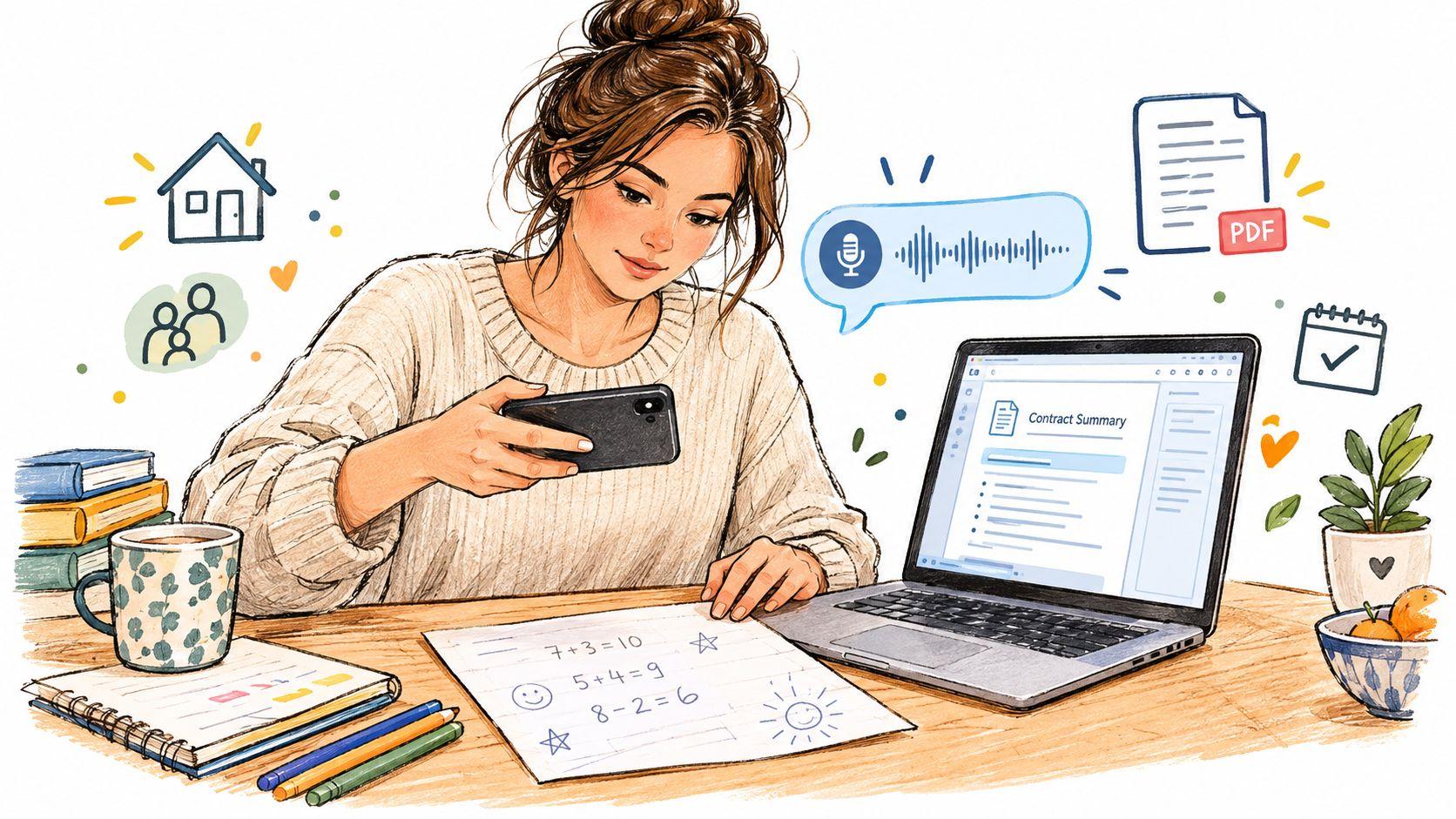
A parent has a photo of homework notes on a phone, a small team member has a PDF contract to summarize, and someone else has a voice memo that needs turning into text. A text-only chatbot can help with one part of each task, but it forces people to type, copy, switch tools, and explain context repeatedly.
A multimodal AI app brings those jobs into one conversation. It can work with written questions, images, documents, and voice input, then connect them in a single response. That makes the technology useful beyond demonstrations, especially for families, students, and small teams that need practical help without building a complex AI system.
This guide explains the idea from the ground up. You'll learn how multimodal apps handle different inputs, why some responses feel fast while others lag, which everyday tasks suit them, where specialist tools remain safer, and how to compare privacy and cost before choosing a service such as 1chat.
Introduction to Multimodal AI Apps for Everyday Work and Family Life
Consider a busy afternoon. A student photographs a page of algebra notes and asks for an explanation of the step they missed. A parent uploads the same image and requests a simpler version suitable for teaching. At work, a small business owner adds a PDF agreement and asks for the renewal terms, while a colleague records a voice memo after a meeting and needs a concise action list.
These requests involve different formats, but they share one need: understanding context and producing a useful next step. A single-mode assistant can process typed text well, yet it may struggle when the important information sits inside a photo, scanned document, audio clip, or chart.
Multimodal apps became a mainstream product category when GPT-4 introduced image-and-text understanding in March 2023, followed by broader systems such as GPT-4o and Google's Gemini family. Industry history summaries describe this shift from text-only assistants to systems that combine documents, images, voice, and video in one workflow. The change happened quickly enough that many people now expect an AI assistant to accept more than a blank text box.
The practical idea: you shouldn't have to translate every real-world problem into typed text before an assistant can help.
That doesn't mean a multimodal app is always accurate, private, or suitable for every job. It can misread a blurry receipt, misunderstand a diagram, omit an important contract clause, or produce an answer that sounds certain when the input is ambiguous. Human review still matters, particularly for medical, legal, financial, school assessment, or safety-related decisions.
For most households and small teams, the best starting point is modest. Test one recurring job, such as explaining photographed homework, summarizing meeting recordings, extracting dates from PDFs, or describing product images. Use the results to judge whether the app saves effort without creating more checking work than it removes.
What a Multimodal AI App Really Is and How It Understands Different Inputs
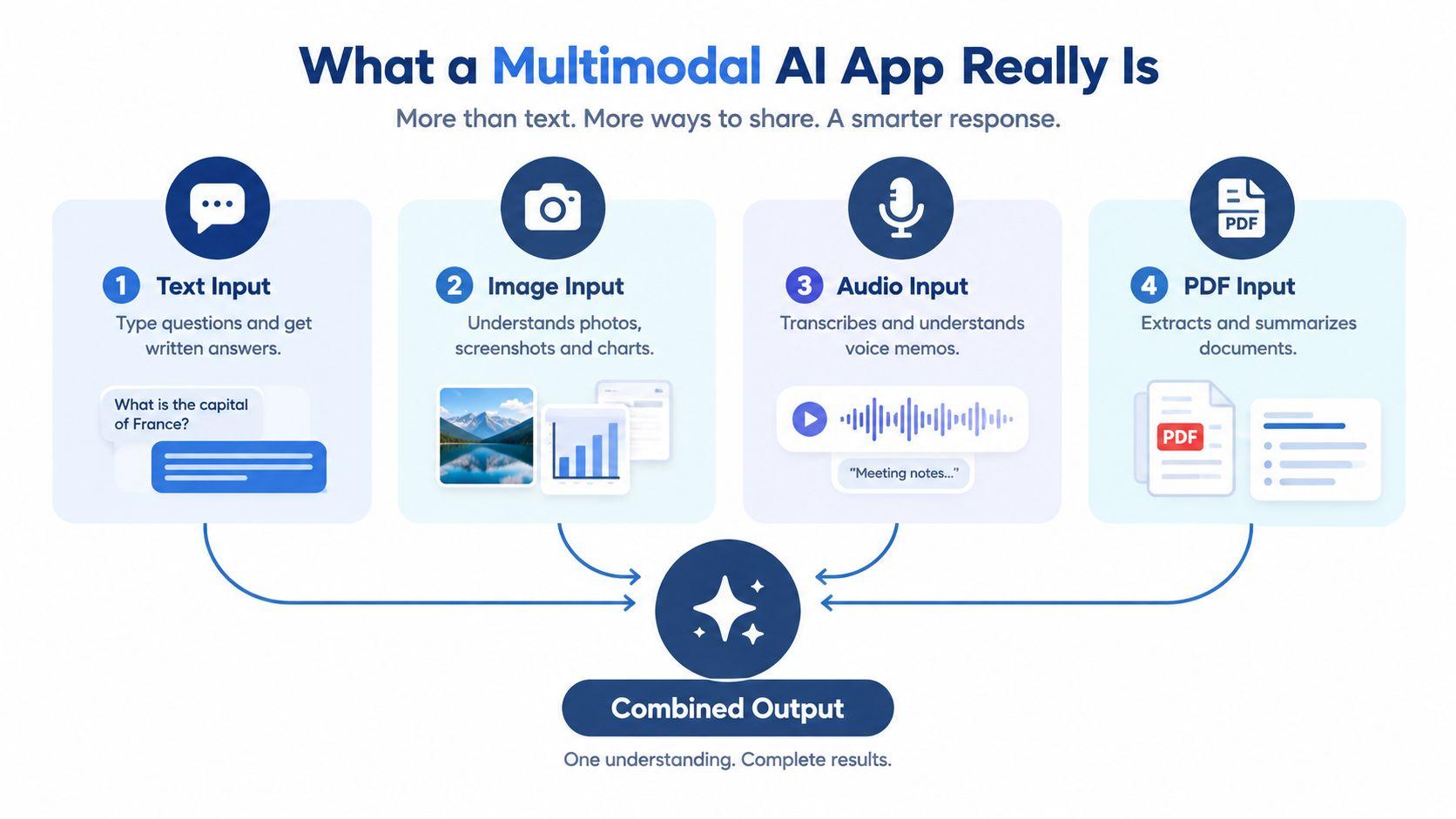
A useful analogy is a translator who can read, see, and listen at the same time. A text-only assistant receives your written question. A multimodal assistant can also inspect the photograph you attach, listen to a voice recording, or extract information from a PDF.
The workflow usually has three parts:
- Inputs provide the raw material. These might include a typed prompt, a photo, a screenshot, a chart, an audio recording, or a document.
- Interpretation connects the formats. The app can relate your question to the specific image or document you supplied.
- Output turns that combined understanding into an answer, summary, transcription, explanation, classification, or generated image.
Suppose you upload a photo of a washing machine label and ask, “Which setting should I use for this fabric?” The app isn't merely describing the image. It's combining visual details with your written question to produce a contextual response. If you then add a voice note explaining that the fabric is delicate, the app has another piece of evidence to consider.
What changes compared with text chat
With a text-only tool, you might manually transcribe a voice memo, copy text from a PDF, and describe a photograph. That extra work can remove the very context you wanted the assistant to analyze. A multimodal app keeps more of the original material available.
It can also combine formats in one request. For example, a student could upload a research paper, add a screenshot of a confusing graph, and ask for a plain-language explanation that references both. A small team could attach a product photograph and a draft customer email, then ask for a clearer reply that accurately describes the item.
What multimodal does not mean
It doesn't mean the app sees or hears like a person. It processes patterns in supplied data, and its performance depends on image quality, audio clarity, document structure, model capability, and the instructions you provide. It also doesn't automatically remember every upload forever or maintain a reliable personal history across separate conversations.
The key distinction is simple:
A multimodal AI app connects different kinds of input to one task. It isn't just a text chatbot with extra upload buttons.
Ask the app to identify evidence, state uncertainty, and separate observation from assumption. That habit helps you catch errors before they reach a customer, a teacher, a family member, or a business decision.
How Multimodal AI Apps Work Behind the Scenes
You don't need a computer science degree to understand the basic pipeline. Think of the app as a small team of interpreters working before one coordinator writes the response.
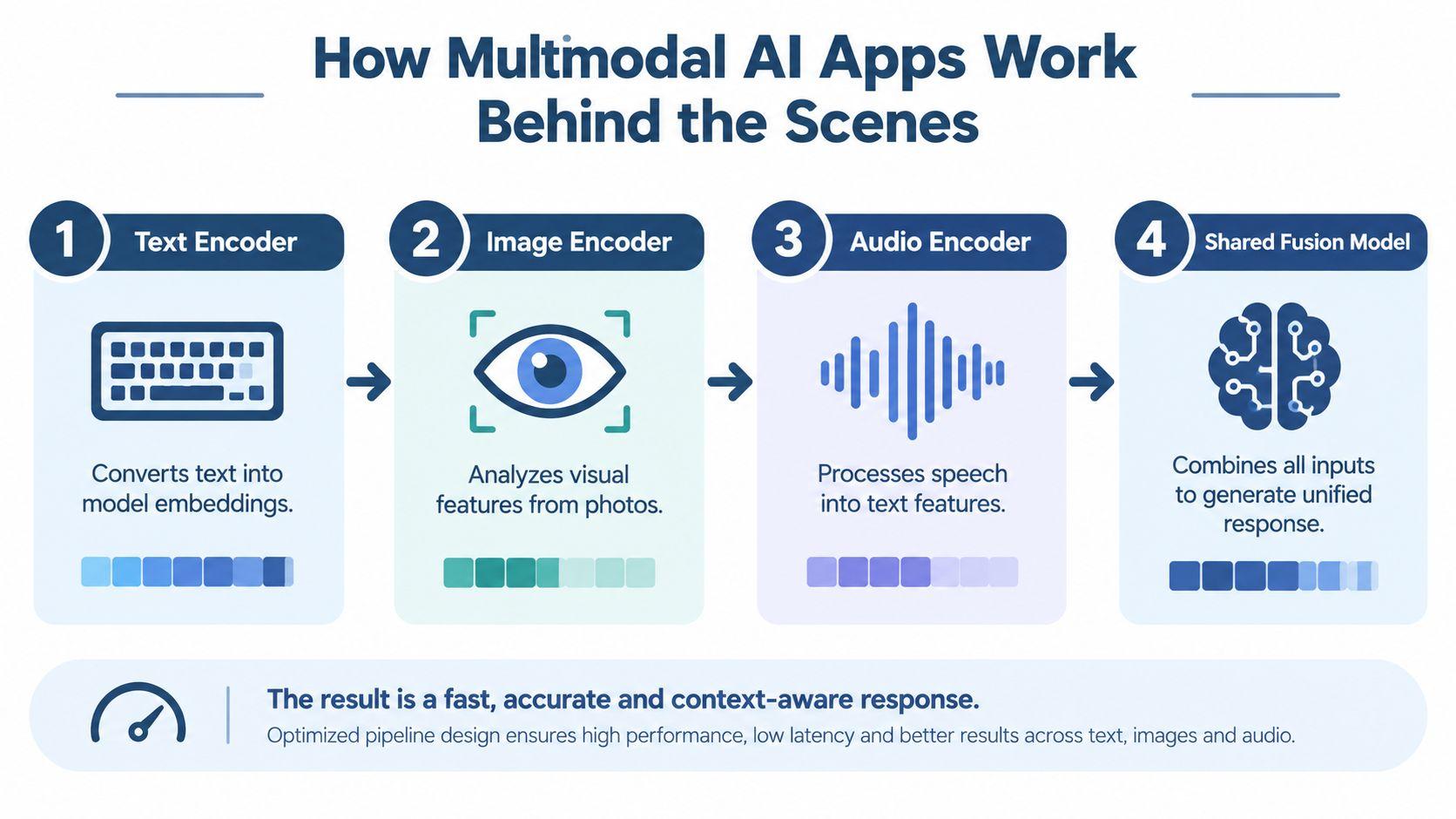
A text encoder turns written words into a form the system can process. An image encoder examines visual patterns such as shapes, text, objects, and layout. An audio component can convert speech into usable language features and help identify meaning in the recording. A shared model then brings these signals together with your instructions.
Why the whole pipeline affects speed
A response can slow down even when the underlying model is capable. Files may move between storage, processing services, and model infrastructure. Each transfer, conversion, or network hop adds work, particularly when a user uploads a large image, a long recording, or a video.
An AWS deployment note on low-latency multimodal applications observes that a 500 MB input file can add 3 to 5 seconds of delay. The same note describes sticky-session routing, which keeps a conversation on one instance so the system can reuse session state rather than repeatedly rebuilding it.
Developers can reduce waiting by processing independent inputs in parallel, limiting unnecessary data movement, caching repeated information, and keeping related sessions on the same infrastructure. For a family or small team, the practical lesson is to expect different response times for a short question and a large document.
How to evaluate an app properly
Accuracy alone doesn't describe the experience. A response can be correct but too slow for live support, affordable but unreliable with documents, or fast but expensive at the volume a team needs.
Microsoft's Azure AI Foundry guidance for multimodal evaluation recommends looking at quality, cost, latency, and throughput together. Its discussion of SWE-bench Multimodal also shows why text-only scores aren't enough for visual tasks. The benchmark includes 619 multimodal task instances across 17 JavaScript repositories, so it tests whether coding agents can work with real visual elements rather than only written instructions.
For a household, ask whether the answer is understandable and safe. For a small team, add questions about repeatability, response time, usage limits, and how many people can work without disrupting one another. You can explore broader AI research and product comparisons through 1chat's research resources, but test any app with your own files before trusting it.
Everyday Use Cases That Show the Value in Action
The value becomes clearer when the app handles a job people already perform manually.
A shop owner receives a screenshot of weekly sales. Instead of describing every bar and label, they upload the image and ask which products appear to be changing most. The app can explain visible patterns and suggest questions for further checking. It shouldn't replace accounting software or a verified financial report, but it can help a busy owner understand what deserves attention.
A student has a photograph of handwritten physics notes. They ask, “Where does my reasoning change direction?” The app can refer to the visible page rather than offering a generic lesson. The student can then request a simpler explanation, a similar practice question, or a checklist for reviewing the work.
Documents become questions instead of chores
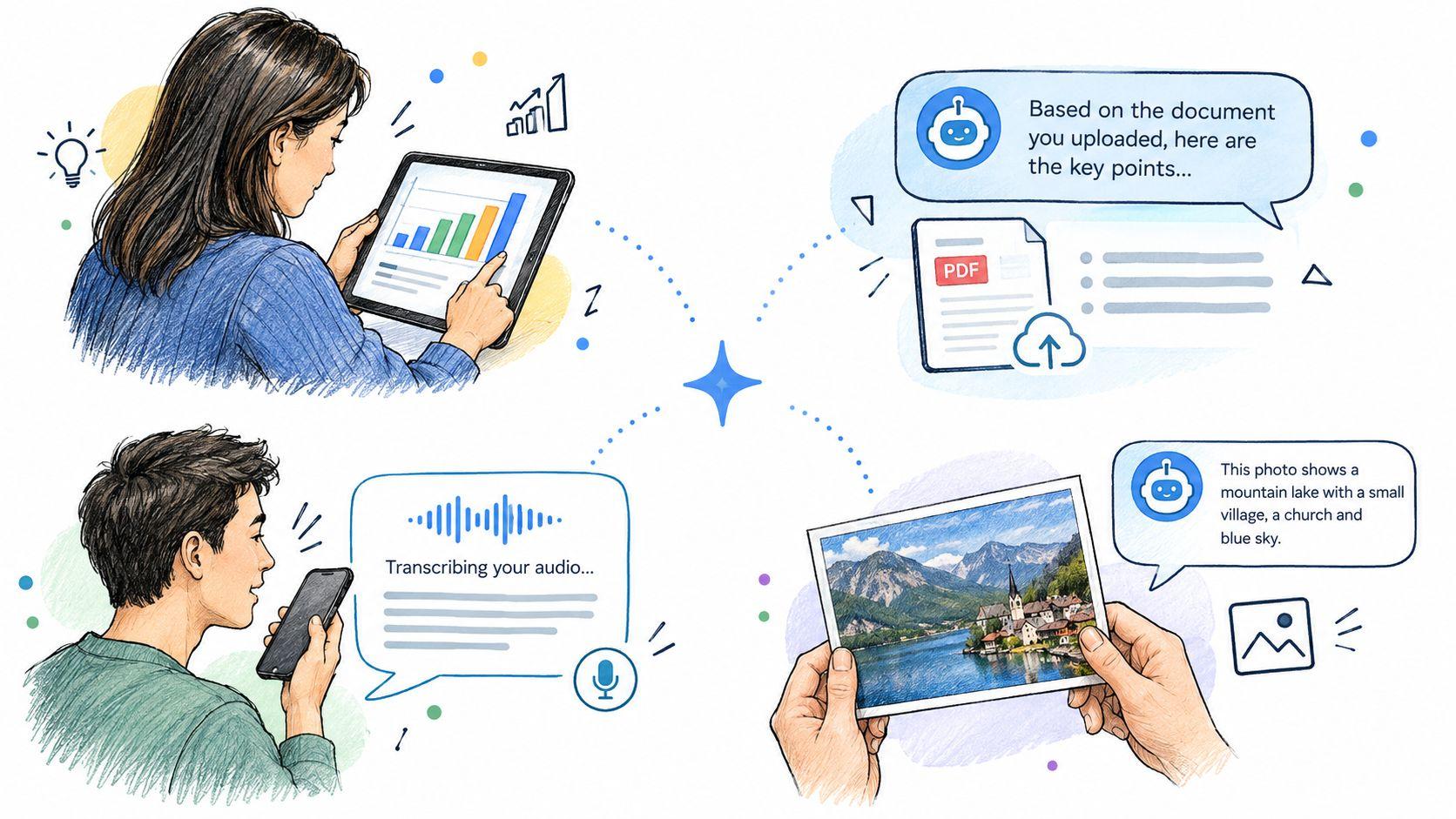
A small team may receive a PDF proposal, lease, policy, or research paper. Uploading it lets the team ask targeted questions, extract dates, compare sections, or create a plain-language summary. The responsible user should still verify the original document, especially when a missed clause could affect money, deadlines, or obligations.
Voice input helps when typing is inconvenient. A parent can record observations after a school meeting. A contractor can dictate a site update while carrying equipment. A team member can turn a spoken brainstorm into tasks, then ask the app to group those tasks by owner or deadline.
For people working with visual media, resources such as summary tools from AI Image Detector can help explain or summarize visual content. That can be useful when a family member, student, or colleague needs a quick description before deciding what deserves closer review.
Generation is another side of multimodality
The same type of app may accept a written instruction and produce an image. A family could create a visual study aid. A small business could draft a concept for a product post. A teacher might request a simple illustration to make an abstract idea easier to discuss.
Start with the task that causes the most friction, not the feature that looks most impressive. If your team repeatedly searches PDFs, begin there. If voice notes pile up, test transcription. If students need help understanding photographed material, use that workflow and judge whether the explanations support learning rather than encourage copying.
Market forecasts reflect this expansion. One estimate projects multimodal AI from USD 3.85 billion in 2026 to USD 13.51 billion by 2031, with a 28.59% CAGR over 2026 to 2031, while another projects USD 3.32 billion in 2026 growing to USD 41.95 billion by 2034, with a 37.33% CAGR from 2025 to 2034. The forecast source presents these as separate market estimates, not a single agreed total. The useful conclusion is directional: everyday use is moving beyond novelty, but buyers still need to choose tools based on actual jobs.
When a General Multimodal App Beats a Specialist Tool and When It Does Not
A general app is like a capable household toolkit. It handles many common tasks without requiring you to learn a separate system for every problem. A specialist workflow is more like a calibrated instrument. It may do fewer things, but it can offer tighter control where small errors matter.
General apps usually make sense when the task is exploratory, varied, and low risk. A family might ask for a document summary, a recipe adaptation, or an explanation of a screenshot. A small team might combine a PDF, a product image, and a draft reply in one conversation.
Specialist workflows become more attractive when the task demands exact measurement, consistent classification, predictable latency, or continuous monitoring. Benchmark coverage notes that broad multimodal tests can become crowded, while real-world performance remains uneven for long video understanding, fine spatial reasoning, and audio-event grounding. Other analyses identify problems with precise counting, color-critical inspection, and live video at scale. The 2026 trend analysis outlines these limitations and the cases where specialist pipelines may still win.
| Decision Factor | General Multimodal App | Specialist Workflow |
| Task variety | Strong for mixed family and team jobs | Usually designed around one domain |
| Precision | Useful for interpretation and drafting | Better when exact counts, measurements, or thresholds matter |
| Setup | Quick to try with minimal technical work | May require configuration, data, or integration |
| Latency | Suitable for ordinary conversations | Preferable for live or time-sensitive processing |
| Reliability | Needs human review for ambiguous inputs | Can enforce narrower rules and validation |
| Memory | Often limited across separate sessions | Can store structured records for longitudinal work |
Persistent memory creates another important gap. Commentary on multimodal product design argues that many products still treat each image, voice note, or video as a fresh interaction instead of connecting them over time. That matters when a family wants to track a home repair from a photograph today to a voice update tomorrow, or when a student wants homework help that carries across documents and screenshots.
Before choosing, ask three questions: Does the app need exactness? Does it need live response? Does it need durable history? If the answer to any of these is yes, test a specialist option or look for structured records, explicit evidence, and session memory rather than assuming a general app will provide them.
Privacy Safety and Simple Implementation for Small Teams and Families
Convenience shouldn't erase control. Photos can contain children, addresses, school information, screens, or faces. PDFs may include contracts, customer details, or internal plans. Voice recordings can reveal names and private conversations even when the speaker didn't intend to share them.
Start with a short privacy review before uploading anything sensitive:
- Check retention: Find out whether uploads and conversations are stored, for how long, and whether users can delete them.
- Review permissions: Understand what the app can access on a phone, browser, shared drive, or team workspace.
- Limit sharing: Don't place private family material in a shared workspace unless every participant should see it.
- Remove identifiers: Crop addresses, account numbers, school IDs, and unrelated faces before uploading.
- Confirm account roles: Give children, guests, and colleagues only the access they need.
- Keep originals: Treat AI output as a working draft and retain the source PDF, image, or recording for verification.
1chat's privacy policy is the kind of document users should read before adopting any AI workspace. Don't rely on a privacy badge or a short marketing description. Look for clear explanations of collection, retention, deletion, sharing, and user responsibilities.
A low-friction rollout
A family can create a simple rule: no medical records, identity documents, private school records, or confidential conversations unless an adult has reviewed the service and the upload. Children should learn to ask whether a photo reveals personal information before sending it.
A small team can nominate one person to test a few repeatable tasks. Use a redacted contract, a non-sensitive product image, and a routine voice memo. Record what the app gets right, what requires correction, how long responses take, and whether the resulting work saves time.
You don't need an engineering project to begin. A browser-based workspace with document analysis, image understanding, voice input, and image generation may be enough for an initial pilot. Keep the pilot narrow, teach people to verify outputs, and expand only after the process feels manageable.
How to Choose a Family and Team Friendly Multimodal AI App With Confidence
Choose the app that fits your real jobs, not the one with the longest feature list. A useful candidate should let people combine text, images, documents, and voice without repeatedly moving context between services.
Use this checklist during a trial:
- Upload a harmless PDF and ask for specific dates, names, and a short summary.
- Add a clear image and ask the app to describe only what it can observe.
- Provide a short voice note and check whether the transcription preserves important details.
- Ask a follow-up question that connects the document and image.
- Review privacy, deletion, sharing, usage limits, and total cost.
- Have a family member or colleague repeat the same task and compare the experience.
The best general app should feel like the reader-listener-coordinator from the earlier analogy. It should reduce tool switching while making uncertainty visible. It should also leave room for a specialist workflow when the task requires exact counting, inspection, live processing, or reliable long-term records.
One option to evaluate is 1chat, which provides chat access to multiple AI models in one workspace along with PDF and file analysis, image generation and recognition, and voice-related interaction. Treat it as a candidate to test, not a substitute for checking your own privacy and accuracy requirements.
Start with one small pilot this week. Upload a non-sensitive document, add a related image, and ask one concrete question. If the answer is useful, repeat the workflow with a colleague or family member, document the checks you need, and decide whether the app earns a place in your routine.
Choose a low-risk task and test a multimodal AI app today. Compare its answer with the original source, review its privacy settings, and keep using it only when it saves time without weakening your judgment.