You've written an email that sounds polished, but the reader still has to work out what you mean. Perhaps the grammar is correct, yet the request is buried at the end. Maybe an essay uses a casual phrase in one paragraph and a formal phrase in the next. A team report might alternate between “email” and “e-mail,” or an AI-assisted draft might sound fluent while subtly changing your intended meaning.
That's why strong proofreading is more than hunting for spelling mistakes. It's a layered review of accuracy, clarity, structure, tone, consistency, and source handling. The examples below use an annotated before-and-after format. Some changes correct objective errors. Others are judgment calls that depend on your audience, purpose, and chosen style guide.
Proofreading is also distinct from the difference between copy editing and proofreading. A tool such as 1chat can provide a privacy-first way to ask for explanations, review drafts, and analyze documents, but you should still approve every change yourself, especially when meaning, citations, names, or sensitive context is involved.
1. Grammar and Punctuation Correction
A grammar correction should make the sentence accurate without changing what the writer intended. Start by checking the relationship between the subject and verb, then review tense, punctuation, and modifiers that could attach to the wrong part of the sentence.
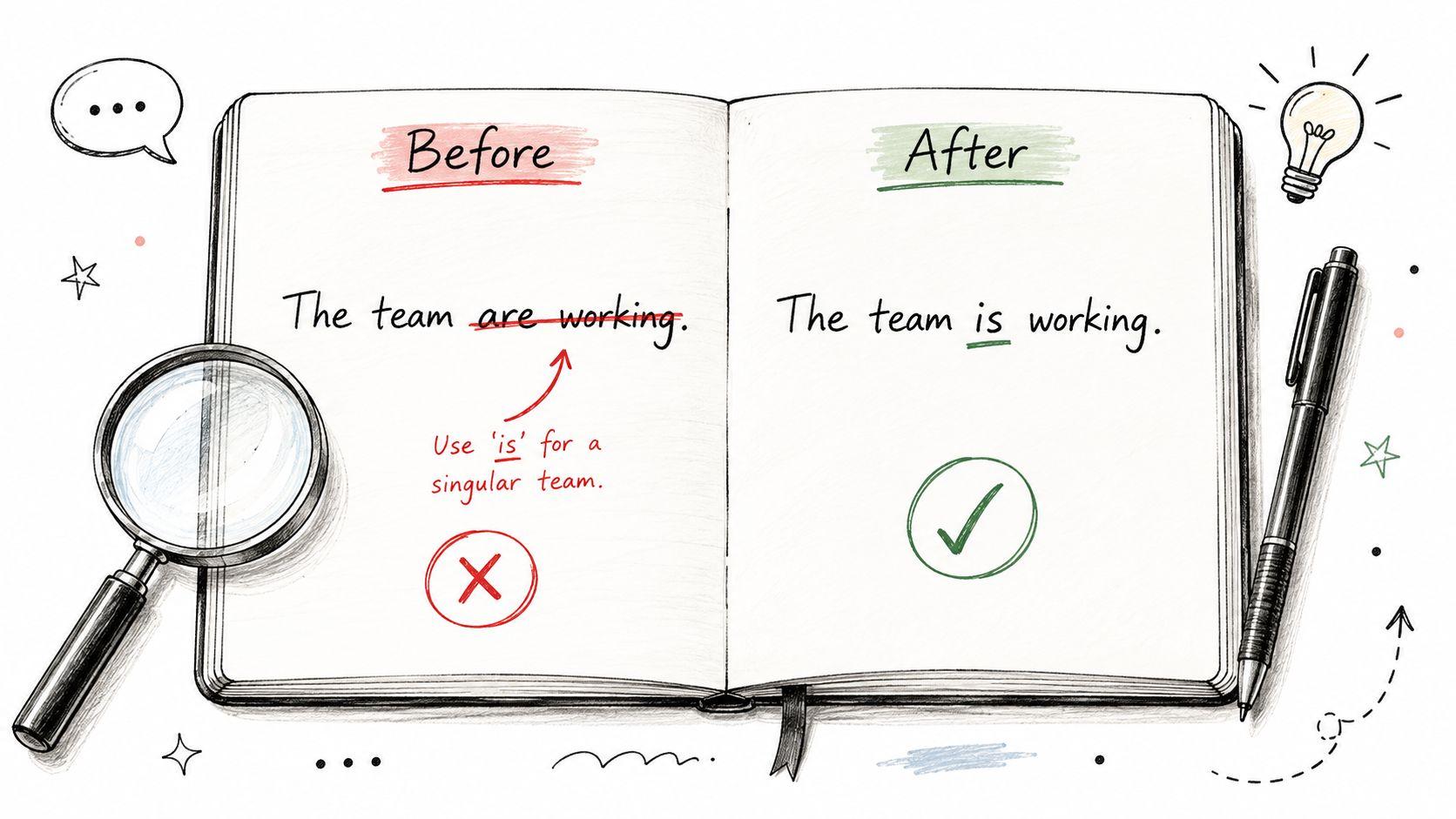
Before: The team are working on their projects.
After: The team is working on their projects.
Why it changed: In this example, “team” is treated as a singular collective noun, so “is” agrees with it. Some varieties of English use plural agreement for collective nouns when members are acting separately. The important point is consistency. Choose the form that fits your variety of English and apply it throughout the document.
Before: She have been studying.
After: She has been studying.
Why it changed: The subject “she” takes “has,” not “have.” The correction preserves the present perfect continuous tense, which describes an activity that began earlier and is still relevant now.
A misplaced modifier can create a different problem:
Before: Reviewing the proposal, the deadline seemed unreasonable.
After: Reviewing the proposal, I found the deadline unreasonable.
Why it changed: The original sentence suggests that the deadline reviewed the proposal. Adding “I” identifies the person performing the action and removes the unintended meaning.
Practical rule: Ask whether the person or thing named immediately after an opening phrase can actually perform that phrase's action.
A writing assistant can catch patterns that ordinary spell-checking may miss. Use the 1chat FAQ when you want an explanation rather than a silent replacement. Save recurring corrections in a personal error log, then check the same issue across the rest of the document.
2. Spelling and Typographical Error Detection
Spelling errors are easy to notice when you read someone else's work. They're harder to catch in your own draft because your brain often supplies the word you intended to write. Proofreaders should look beyond misspelled words and check short words that sound alike but have different meanings.
Before: Their going too their meeting.
After: They're going to their meeting.
Why it changed: “They're” means “they are,” “their” shows possession, and “to” indicates movement or direction. The corrected sentence needs all three forms.
Before: Its a beautiful day for the companies picnic.
After: It's a beautiful day for the company's picnic.
Why it changed: “It's” is the contraction of “it is.” “Its” is possessive and doesn't use an apostrophe. “Company's” shows that the picnic belongs to one company.
These errors often survive automated checks because every word is spelled correctly. A context-aware review should ask what each word means in the sentence, not merely whether its letters are arranged correctly.
A useful final-pass routine
- Read one word family at a time: Search specifically for its/it's, their/there/they're, and your/you're.
- Check names and technical terms: Compare people's names, product names, file names, and specialist vocabulary against the original source.
- Review headings and captions: Typos in prominent text can undermine confidence in an otherwise polished document.
- Keep a shared error log: Small teams can record recurring mistakes and use the list when preparing future emails, proposals, or reports.
Run important work through a final review before submission or publication, including a pass that helps you polish your manuscript's spelling. Don't accept a suggested correction automatically. Confirm that it fits the sentence's meaning and the spelling conventions your audience expects.
3. Clarity and Conciseness Improvement
A sentence can be grammatically correct and still make the reader work too hard. Clarity improves when you remove inflated phrases, repeated ideas, and vague references while keeping the information the reader needs.
Before: In the event that you find yourself in need of assistance in the matter of the aforementioned project, please feel free to contact me.
After: If you need help with the project, contact me.
Why it changed: “In the event that” becomes “if,” “find yourself in need of assistance” becomes “need help,” and “the aforementioned project” becomes “the project.” The shorter version is direct, polite, and easier to act on.
Before: At this point in time, the situation is currently very complicated.
After: The situation is currently complicated.
Why it changed: “At this point in time” adds no useful information. “It is important to note” announces the statement instead of delivering it. “Very” is also unnecessary unless the degree of complication matters and you can explain it.
A concise rewrite shouldn't remove necessary context. For example, “Contact me” may be too abrupt in a sensitive email. “If you need help with the project, please contact me before Friday” is still economical but gives the reader a deadline and a clear next step.
Try submitting a long draft to 1chat with a focused request, such as “Highlight phrases that don't add meaning, but don't remove necessary context.” You can also use the 1chat blog for writing guidance, then compare any proposed rewrite with your original purpose.
Brevity is useful only when the reader still has everything needed to understand and act.
4. Sentence Structure and Flow Optimization
Choppy sentences can make a report or essay feel like a list of disconnected notes. Combining related ideas helps readers understand sequence, cause, contrast, and emphasis without forcing them to reconstruct the relationship themselves.
Before: The company was founded in 1995. It grew quickly. Now it has 500 employees.
After: Founded in 1995, the company has grown rapidly and now employs 500 people.
Why it changed: The revision combines three related statements into one sentence. The opening phrase provides background, while “and now” shows the movement from past growth to the current result.
A different structure works better when the relationship is cause and response:
Before: I wanted to study. The library was closed. I studied at home instead.
After: When the library closed unexpectedly, I adapted by studying at home.
Why it changed: “When” establishes the timing, “unexpectedly” adds a relevant detail, and “adapted” explains the relationship between the problem and the response. The revision keeps the original meaning but gives the paragraph a clearer line of movement.
Check the paragraph, not just the sentence
Read the sentences together and look for repeated openings, abrupt changes, and missing transitions. A report may need words such as “however,” “therefore,” or “for example,” but adding transitions everywhere can make the prose feel mechanical. Use them when they clarify the relationship between ideas.
Paste a full paragraph into 1chat and ask it to identify flow problems without rewriting the entire passage. If it proposes a smoother version, compare the rewrite with your voice. A fluent sentence can still introduce a claim you didn't intend or make an important qualification disappear.

5. Word Choice and Vocabulary Enhancement
Word choice affects precision, not just sophistication. Replacing a weak word with a more advanced synonym isn't automatically an improvement. The best replacement tells the reader more accurately what happened.
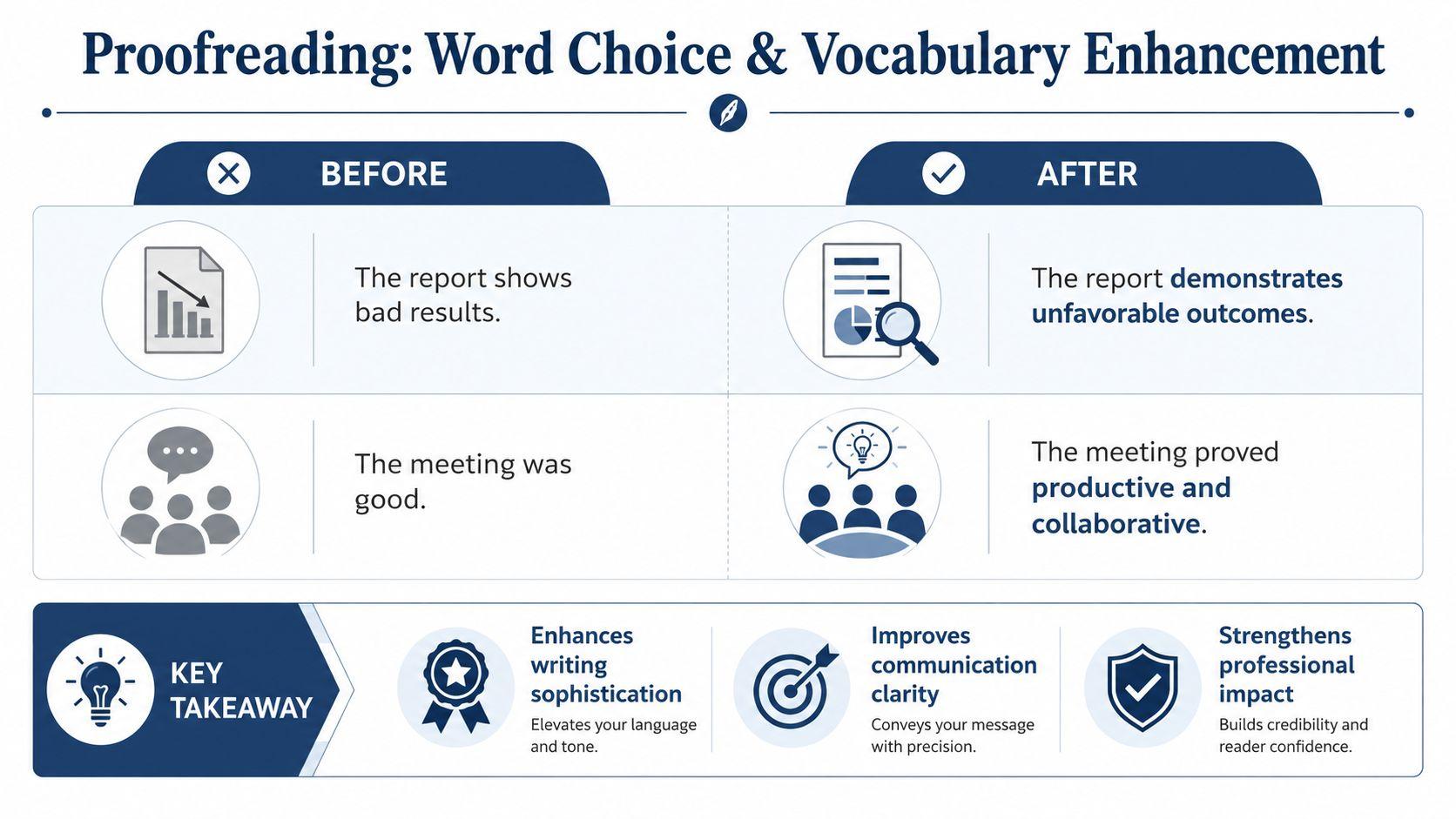
Before: The report shows bad results.
After: The report demonstrates unfavorable outcomes.
Why it changed: “Shows” is serviceable, but “demonstrates” can sound more deliberate in a formal report. “Bad” is vague, while “unfavorable” signals a negative evaluation. “Outcomes” may suit a formal analytical context better than “results,” although the original may be preferable if the audience values plain language.
Before: The meeting was good.
After: The meeting proved productive and collaborative.
Why it changed: “Good” doesn't tell the reader what made the meeting successful. “Productive” describes useful progress, while “collaborative” describes how participants worked together. The revision adds meaning rather than decoration.
Choose words for the reader
A school essay may need precise academic vocabulary, while a customer email may benefit from familiar words. Consider whether the replacement:
- Adds precision: Does it identify the result, cause, or quality more clearly?
- Fits the audience: Will the reader understand it without consulting a dictionary?
- Matches the evidence: Does the stronger word claim more than the source supports?
- Preserves the voice: Would the writer naturally use this expression?
Ask 1chat to suggest alternatives and explain the difference between them. Treat those suggestions as options, not verdicts. A tool may prefer a more formal synonym even when your chosen word is clearer, warmer, or more accurate for the situation.
One strong proofreading example can therefore lead to two valid final versions. “The meeting was useful” may be better than “The meeting proved productive and collaborative” if the writer knows only that attendees found it useful. Precision should outrank ornament.
6. Tone and Formality Adjustment
Tone tells readers how to interpret your relationship with them. A casual phrase may suit a colleague you know well, but it can sound careless in a client email. An academic assignment may require respectful criticism instead of emotional language.
Before: Hey, just wanted to let you know the project is gonna be late.
After: I wanted to inform you that the project timeline has been extended.
Why it changed: “Hey” and “gonna” create an informal register, while “just wanted to let you know” weakens the message. The revision is more appropriate for a formal update, although it still needs a reason, revised date, or action request if the reader needs those details.
Before: This assignment was incredibly boring and pointless.
After: This assignment did not effectively engage my interest or demonstrate clear relevance to course objectives.
Why it changed: The second version replaces blunt judgment with specific evaluation. It explains what the writer found lacking, which gives a teacher something more useful to consider.
That doesn't mean every message should sound formal. A team chat might be clearer as “The project will be late. I'll send an updated schedule this afternoon.” The right tone depends on authority, relationship, channel, and purpose.
Give the reviewer a target
When using 1chat, specify the audience and desired tone. You might request “professional but warm,” “concise for an internal team message,” or “formal and evidence-based for an academic essay.” Then check whether the revision still sounds like you.
A formal tone should increase respect and clarity, not hide responsibility behind vague language.
7. Style Consistency and Formatting Standardization
Readers notice inconsistency even when they can't identify the exact problem. A document looks unfinished when it alternates between capitalization systems, spelling variants, number formats, or heading styles without a reason.
Before: The document uses both “email” and “e-mail.”
After: Use “email” throughout.
Why it changed: Both forms may be acceptable in different style systems. The correction isn't about declaring one universally right. It establishes one choice and applies it consistently.
Numbers create a similar issue:
Before: The report refers to “5 people,” “15 dollars,” and “forty items.”
After: Apply the selected style guide consistently to numbers, units, and currency.
Why it changed: The exact treatment depends on the publication, institution, or company standard. A proofreading tool shouldn't invent a universal rule where none exists. It should identify the variation and let you decide which convention governs the document.
Build a small working style guide
- Record preferred spellings: Include terms such as email, online, customer-focused, and product names.
- Set heading rules: Decide whether headings use sentence case or title case.
- Choose number conventions: Document how you handle measurements, percentages, dates, and currency.
- Standardize files: Use a shared template for team reports, proposals, and recurring communications.
- Review visual details: Check spacing, list indentation, quotation marks, page numbers, and references.
Ask 1chat to list every inconsistency before asking it to correct anything. That sequence gives you control over the decisions and makes it easier to explain the standard to collaborators. The final human review should confirm that formatting changes haven't damaged links, headings, tables, or document fields.
8. Plagiarism and Citation Format Correction
Citation proofreading requires more judgment than correcting a comma. You need to confirm that the source supports the claim, the paraphrase uses your own wording, and every in-text citation matches a complete reference in the required format.
Before: According to the study, AI is changing how we work. (Smith, 2023)
After: Smith (2023) argues that AI is changing how people work. The complete reference entry should then follow the required APA, MLA, or Chicago format.
Why it changed: The revised version integrates the author into the sentence and places the year where the selected style requires it. The claim still needs to match the study, and the bibliography must contain enough information for a reader to locate the source. Don't treat a generated reference as verified until you compare it with the original publication.
A direct quotation needs attribution at the point where the words appear:
Before: “Direct quotation from the source.”
After: “Direct quotation from the source” (Smith, 2023, p. [relevant page]).
Why it changed: The quotation now identifies its source and location. Replace the bracketed placeholder with the accurate page information. If the source has no page numbers, follow the rules of the required style rather than guessing.
Protect meaning and academic integrity
Ask 1chat to help you compare a paraphrase with its source, but don't ask it to disguise copied wording. You can use 1chat's research tools to organize questions and review material, while you remain responsible for reading the sources and checking every citation.
Citation check: Verify the source, the claim, the paraphrase, the in-text format, and the reference-list entry separately.
If you're unsure how much support a claim needs, consult your instructor, editor, or institution's style guidance. Good content editing vs proofreading help can clarify the boundary between improving expression and changing an author's intellectual work.
8-Point Proofreading Comparison
| Example | 🔄 Implementation complexity | ⚡ Resource requirements | ⭐ Expected outcomes | 💡 Ideal use cases | 📊 Key advantages |
| Grammar and Punctuation Correction | Moderate, rule-based + context checks | Low–Moderate, short snippets or sentences | ⭐⭐⭐⭐, reliably fixes common grammar issues and improves professionalism | Students; business teams; content creators | Teaches conventions; improves document polish; offers explns for learning |
| Spelling and Typographical Error Detection | Low, pattern and dictionary checks | Low, single-line to paragraph input | ⭐⭐⭐⭐, catches typos and homophone mistakes missed by basic spell-checkers | Small businesses; students; general users | Prevents embarrassing errors; saves proofreading time; handles homophones |
| Clarity and Conciseness Improvement | Moderate, requires semantic pruning | Moderate, longer drafts for best results | ⭐⭐⭐⭐, condenses verbosity into clearer, shorter statements | Busy professionals; email/report writers; students | Increases impact; improves scannability; reduces misinterpretation |
| Sentence Structure and Flow Optimization | Moderate–High, paragraph-level restructuring | Moderate, full paragraphs or sections | ⭐⭐⭐⭐, smoother, more coherent prose and better readability | Essays, reports, academic writing; business docs | Improves cohesion; enhances logical progression; raises engagement |
| Word Choice and Vocabulary Enhancement | Moderate, semantic and register-aware | Low–Moderate, sentence to paragraph input | ⭐⭐⭐, elevates tone and precision; risk of over-complexity if unchecked | College students; business pros; content writers | Expands vocabulary in context; improves tone and clarity |
| Tone and Formality Adjustment | Moderate, audience-sensitive rewrites | Low, specify audience/context for best results | ⭐⭐⭐⭐, aligns register to audience and purpose | Academic submissions; professional emails; job applications | Ensures appropriate tone; prevents miscommunication; teaches audience awareness |
| Style Consistency and Formatting Standardization | Moderate–High, requires style-guide rules | Moderate, multi-page docs benefit most | ⭐⭐⭐⭐, consistent formatting and professional appearance | Business teams; multi-author documents; long student papers | Enforces brand/style guide; improves credibility; reduces formatting errors |
| Plagiarism and Citation Format Correction | High, needs citation rules and source details | High, source metadata and chosen style required | ⭐⭐⭐⭐, reduces plagiarism risk and produces correct citations when inputs complete | Researchers; college students; academic writers | Ensures academic integrity; formats bibliographies; teaches proper attribution |
Turn These Corrections Into a Repeatable Proofreading Process
These proofreading examples work best as a sequence rather than a single hunt for visible typos. Start with the smallest objective errors, then move toward decisions that require knowledge of the audience, purpose, and document standards.
First, check spelling, typographical errors, grammar, and punctuation. Correct words such as “their” and “they're,” confirm subject and verb agreement, and inspect apostrophes, commas, capitalization, and sentence endings. At this stage, avoid rewriting whole paragraphs. Large changes can distract you from small errors and make it harder to tell whether the original meaning survived.
Next, review clarity, conciseness, sentence structure, and flow. Remove filler, replace vague wording, combine choppy sentences when the ideas belong together, and add transitions only when they clarify the relationship between points. Read the surrounding paragraph, not just the flagged sentence. A sentence may be grammatically sound but still interrupt the argument or repeat information already given.
Then adjust word choice, tone, and formality for the reader. A client update, scholarship essay, internal message, and family email shouldn't all sound identical. Ask 1chat for targeted explanations, such as “Which phrases sound too casual for a client?” or “Identify vague words without changing my tone.” Don't accept a rewrite just because it sounds smoother. Compare it with your intended meaning, audience, and chosen style guide.
Finish with style consistency and citation verification. Check spelling variants, headings, numbers, dates, spacing, references, quotations, and links. Citation review deserves special care because a fluent suggestion can still contain an unsupported claim or incorrect source detail.
Human review remains essential. Proofreading experiments show that professional proofreaders caught about 81% of nonword errors and 66% of word errors, while the strongest observed catch rate across the reviewed studies reached 95%, as summarized by Magic Words Editing's discussion of proofreading error-catch rates. That evidence supports repeated, focused passes rather than confidence in one perfect review. Another editing summary describes one-pass professional error rates as high as 5% or more in some accounts, reinforcing the value of separating editing tasks and checking one error type at a time through WordSharp's proofreading proficiency guidance.
Use this reusable sequence:
- Accuracy first: Check spelling, grammar, punctuation, and typos.
- Meaning next: Remove ambiguity, tighten wording, and improve flow.
- Audience afterward: Adjust tone, formality, vocabulary, and level of detail.
- Consistency before delivery: Apply the selected style guide and formatting rules.
- Sources last: Verify paraphrases, quotations, citations, and references.
- Human approval: Read the final version yourself before sending, submitting, or publishing.
Paste your next email, essay, report, or team document into 1chat and request a marked review that explains each proposed change. Keep the original beside the revision, reject anything that alters your meaning, and complete the final approval yourself before the document reaches its reader.