Your team is probably living in five tabs too many right now. Chat lives in one app, files in another, tasks in a third, meetings in a fourth, and AI help is scattered across whatever people happen to be testing that week. The result isn't just annoyance. People miss context, repeat work, and spend too much time hunting for the latest version of something.
That's why picking the right team productivity software matters more than adding yet another tool. The best setup reduces handoffs, keeps communication tied to work, and gives people one place to move projects forward. For remote and hybrid teams, that usually means choosing between an all-in-one suite, a communication hub, or a work management platform. If you're still stitching things together manually, Cloudvara's remote work solutions give a useful look at the collaboration side of that equation.
This list keeps the categories practical. Some tools replace a whole stack. Some do one job exceptionally well. And some, like privacy-first AI tools, solve a newer problem that a lot of teams, families, and students now have: how to use AI productively without giving up control, safety, or flexibility.
1. 1chat
1chat fits a category most team productivity software lists skip. It isn't a classic project manager or office suite. It's a privacy-first AI workspace built for small teams, students, and families who want strong AI assistance without committing to a single model or a loose, consumer-style setup.
What makes it different is the multi-model approach. Instead of forcing your team into one assistant's strengths and weaknesses, 1chat brings multiple leading LLMs into one interface. That's useful in real work. One model may summarize a document better, another may handle brainstorming better, and another may produce cleaner first drafts. When teams can compare outputs in one place, they spend less time bouncing between separate AI accounts.
Where 1chat works best
1chat is especially practical for lightweight collaboration. Teams can organize work into projects, save conversations, upload files, analyze PDFs and documents, and generate images without switching tools. For student groups, that means research, proofreading, and assignment support stay organized. For small businesses, it means client notes, internal drafts, and document reviews don't disappear into random chat histories.
Practical rule: If your team uses AI every day but hasn't set clear boundaries around privacy, account sharing, or where conversations are stored, a dedicated workspace like 1chat is usually a safer move than letting everyone improvise.
The family-friendly angle also matters more than some buyers expect. A lot of AI tools were built for generic adult use first, then retrofitted for broader audiences. 1chat positions itself around privacy and kid-appropriate moderation from the start, which makes it relevant not just for businesses but for households and students who want something more controlled.
A few trade-offs are worth noting:
- Best fit: Small teams, families, and students who want AI help, file analysis, and project organization in one place.
- Clear advantage: Access to multiple leading LLMs through one interface instead of juggling separate subscriptions and logins.
- Main limitation: Pricing details aren't clearly visible in the provided content, so you'll want to review the available 1chat plans and pricing directly.
- Trial friction: Guest mode is available, but guest usage is limited, so serious evaluation may require signing in.
For modern teams that want AI woven into daily work without turning their workflow into a privacy gamble, 1chat is one of the more practical options on this list. You can explore it at 1chat.
2. Microsoft 365

If your team already runs on Outlook, Word, Excel, and PowerPoint, Microsoft 365 is usually the shortest path to a coherent setup. Teams plugs directly into that ecosystem, so chat, meetings, files, calendars, and email all sit under one administrative roof.
For small and midsize businesses, strength isn't novelty. It's control. You get business email through Exchange Online, cloud storage through OneDrive, desktop and web apps, and an admin layer that can grow with the company. That matters when a team starts simple, then suddenly needs tighter permissions, device management, and more formal security policies.
The trade-off most teams feel later
Microsoft 365 is powerful, but plan selection can get messy. The suite has multiple business tiers, optional security layers, and enough add-ons to confuse buyers who just want "the one with Teams and the Office apps." That's the most common mistake I see with Microsoft. Teams buy what looks right, then discover later that the admin or security feature they expected sits in another tier.
Microsoft 365 works best when one person owns the setup and naming conventions early. Without that, Teams, SharePoint, and OneDrive can overlap in ways that confuse everyone.
It remains one of the strongest all-in-one choices for organizations that need familiar apps and enterprise-style governance. It's less ideal for teams that dislike Microsoft's interface conventions or don't need that level of structure.
A quick read through the 1chat blog can also help teams think more broadly about how AI and collaboration tools fit together, especially if you're comparing classic suites with newer AI-first workflows.
Use Microsoft 365 if your team wants one vendor for email, meetings, storage, documents, and admin controls. Start at Microsoft 365 for business.
3. Google Workspace
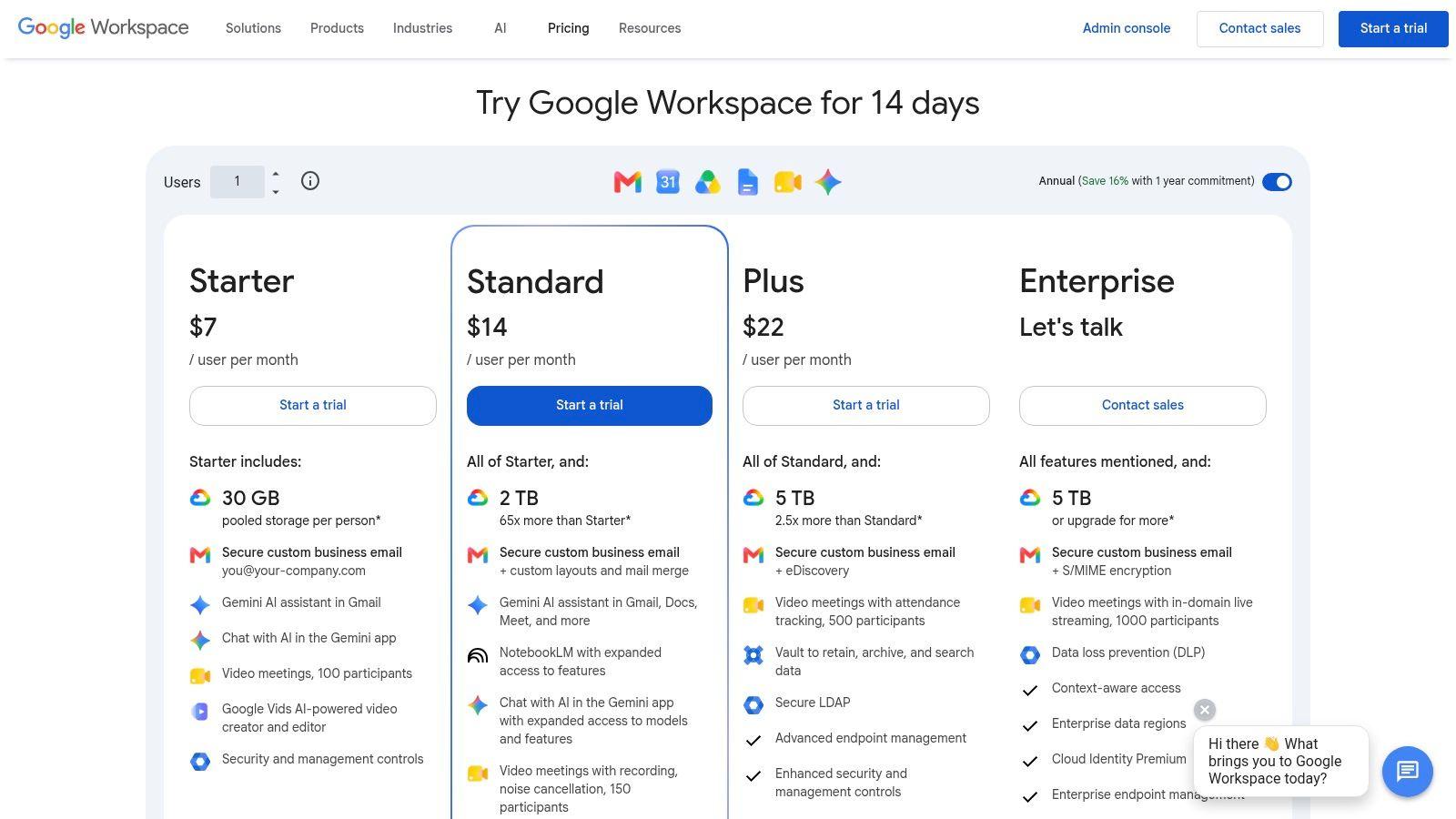
Google Workspace is the easiest recommendation for teams that prefer browser-based work and fast collaboration over heavyweight desktop workflows. Gmail, Calendar, Drive, Docs, Sheets, Slides, and Meet work well together, and the interface is understood almost immediately.
Its biggest advantage is momentum. A document in Google Docs feels shared by default. Comments, suggestions, and live co-editing happen with very little training. For startups, student groups, and operations teams that move quickly, that lower friction often matters more than having the deepest feature set in every app.
Why some teams outgrow it
Google Workspace can feel limiting when a company relies on advanced spreadsheet logic, complex document formatting, or stricter compliance requirements. In those cases, Microsoft 365 often wins. But for teams that live in shared docs, meetings, and cloud storage, Google is still hard to beat for simplicity.
Gemini for Workspace adds AI help across the suite, which makes drafting, summarizing, and editing more accessible inside the tools people already use. That convenience is valuable, but it's still worth deciding where AI work should happen. Some teams want AI embedded in their office suite. Others prefer a separate AI workspace with more model choice and clearer boundaries.
- Strong match: Web-first teams that value quick setup and live collaboration.
- Less ideal: Organizations with heavy desktop app requirements or complex Excel-dependent workflows.
- Worth checking: Admin and security needs, because some controls live higher up the plan ladder.
If your evaluation includes AI research workflows, the material on 1chat research is useful context for comparing embedded office-suite AI with a dedicated multi-model assistant.
Google Workspace remains one of the cleanest all-in-one options in team productivity software. See the current plans at Google Workspace pricing.
4. Slack
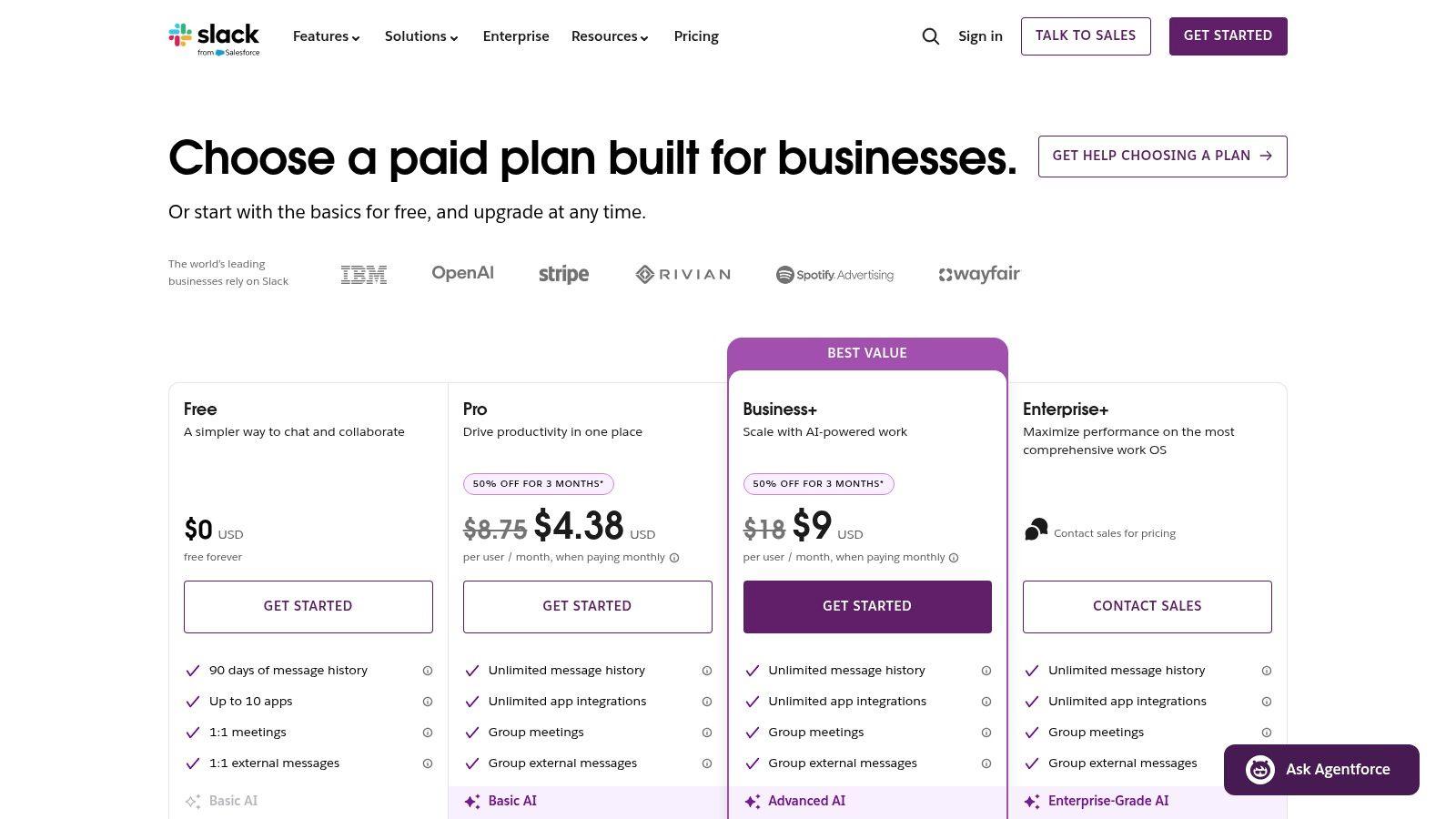
Slack is still the benchmark for team communication hubs. If your team's main problem is slow internal communication, scattered status updates, and too much email, Slack can clean that up quickly. Channels, direct messages, huddles, Slack Connect, and the app ecosystem make it easy to centralize everyday conversation.
But Slack succeeds or fails on habits, not features. A well-run Slack workspace gives each team a clear home, surfaces decisions in channels, and uses integrations to keep alerts useful. A badly run workspace becomes a wall of notifications where no one knows what needs action.
What works in practice
Slack is best when communication is the center of your workflow and the rest of the stack plugs into it. Product teams push task updates from project tools. Support teams route issue alerts into focused channels. Leadership uses channel threads instead of private message chains that hide context.
Use Slack for decisions that need visibility. Use direct messages for coordination. Teams that reverse that pattern usually recreate email chaos inside a better-looking app.
The Workflow Builder, Canvas, and Lists help Slack do more than chat, but it still isn't a full work management platform. That's the key trade-off. Slack keeps work moving, but it doesn't always define the work cleanly. Many teams still need something like Asana, ClickUp, or Monday sitting behind it.
Choose Slack when communication speed and integrations matter most. Skip it if your team is already overloaded with notifications and doesn't have the discipline to maintain channel hygiene. You can compare options at Slack pricing.
5. Notion
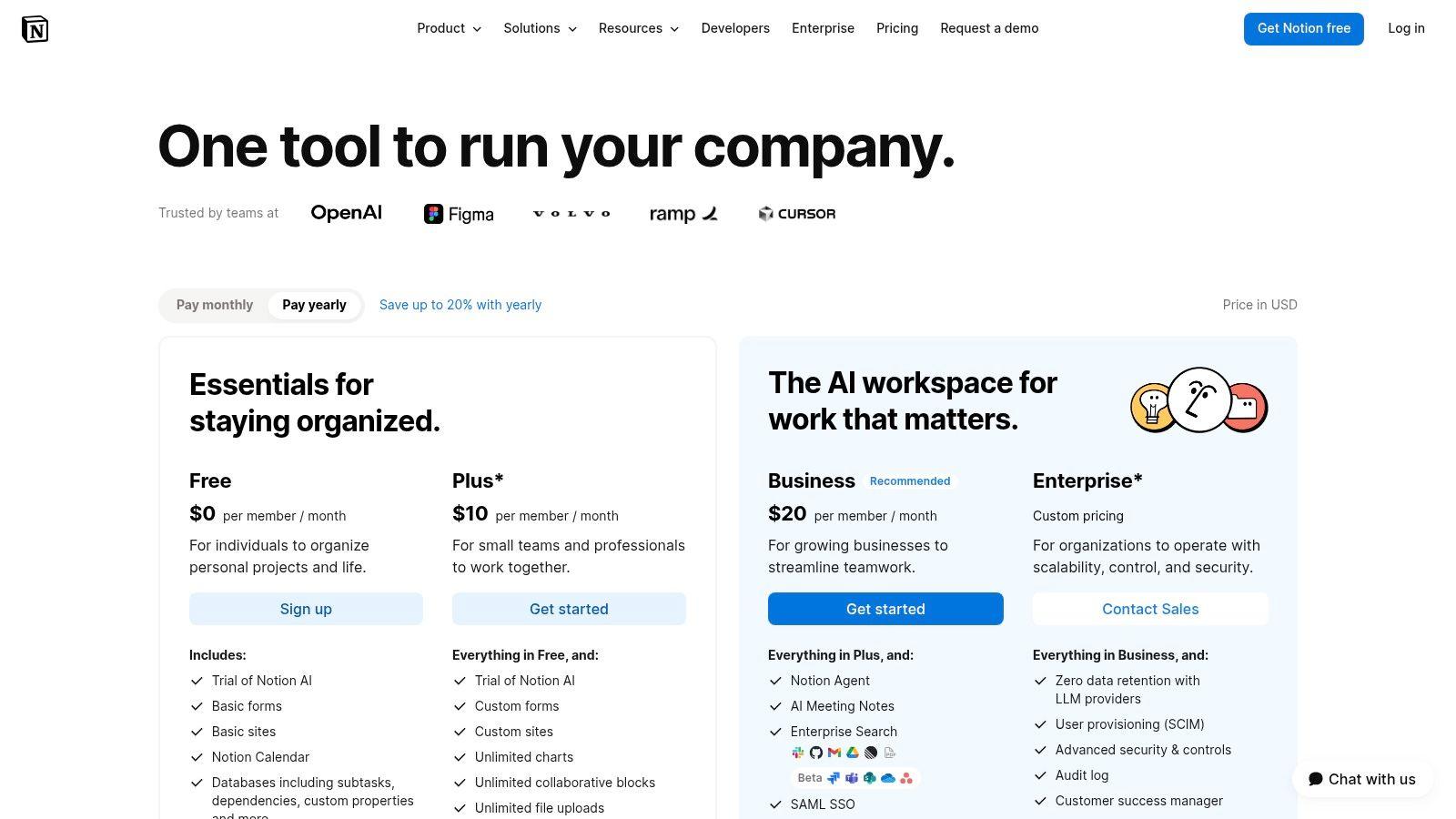
Notion sits in a sweet spot between knowledge base, lightweight project manager, and internal operating system. Teams use it for docs, wikis, roadmaps, meeting notes, project tracking, and even simple CRMs. If you want one flexible workspace instead of several single-purpose apps, Notion is usually on the shortlist.
Its strength is adaptability. Non-technical teams can build pages, databases, linked views, and internal hubs without waiting for IT or operations to configure everything. That freedom is why marketing, startup, and agency teams often love it.
The good kind of flexibility, and the bad kind
Notion can replace multiple tools, but it can also become a maze. When every team builds its own structure, naming, and page hierarchy, the workspace starts to feel personalized instead of shared. Search helps, but governance matters more than people think.
A healthy Notion workspace usually has a few agreed standards:
- Shared templates: Project pages, meeting notes, and documentation should follow common formats.
- Permission discipline: Teamspaces and access rules should reflect actual teams, not one-off experiments.
- Defined ownership: Someone needs to retire stale pages, merge duplicates, and keep key databases clean.
Notion's AI features expand its usefulness, especially for summarizing notes, finding internal knowledge, and generating first drafts. But advanced security and some of the more serious admin capabilities sit higher up the pricing ladder.
Notion works best for teams that value flexibility and are willing to maintain structure. If your team wants strict process out of the box, Asana or Basecamp may be easier. If you want a malleable workspace that can hold knowledge and work together, start with Notion pricing.
6. ClickUp
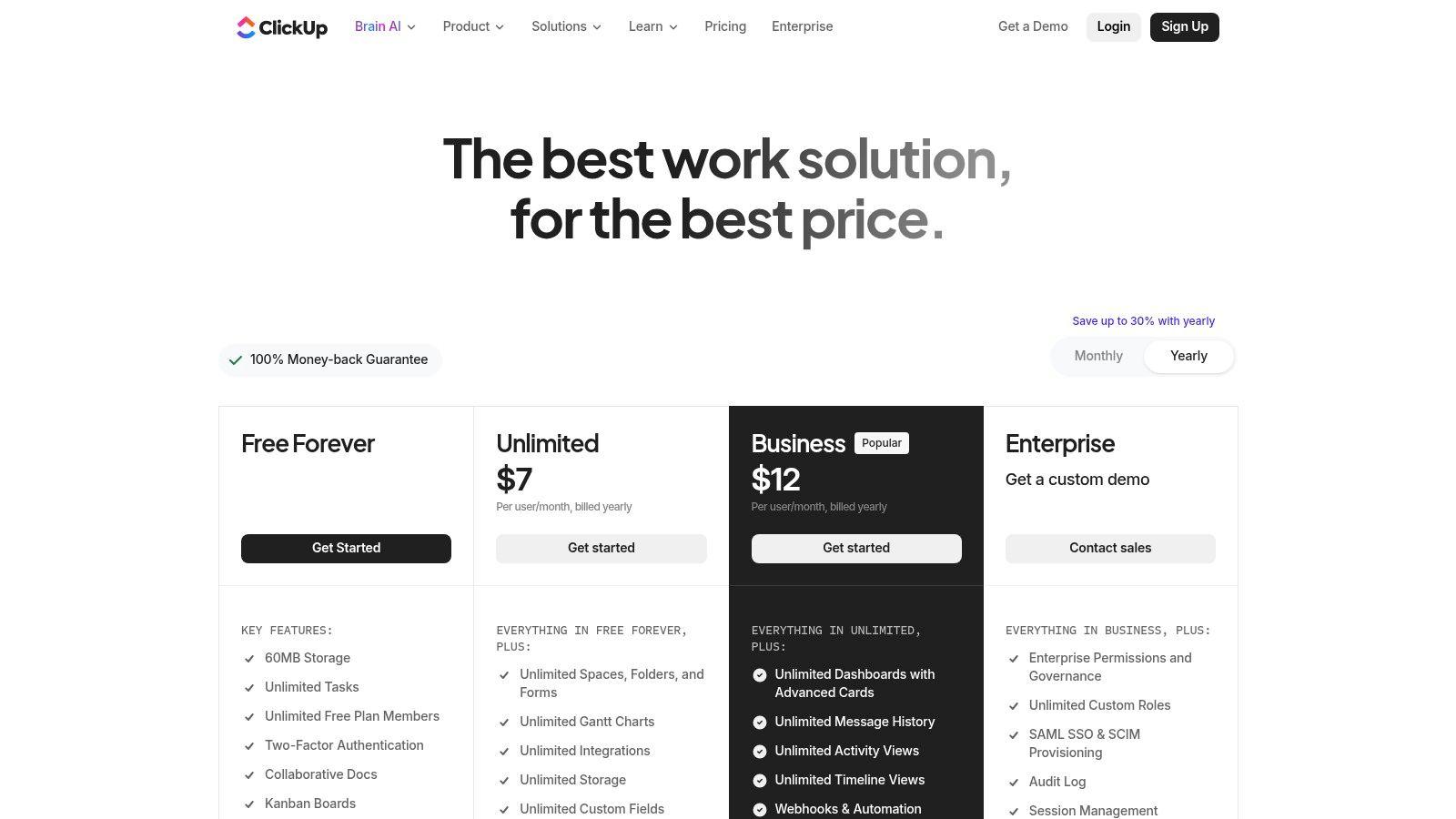
ClickUp tries to be the control center for everything. Tasks, docs, whiteboards, dashboards, goals, chat, forms, time tracking, and multiple project views all live in one platform. For some teams, that's exactly the appeal. They want one system instead of a patchwork.
This is one of the broadest work management tools on the market. If your team manages projects across operations, marketing, product, and client delivery, ClickUp can cover a lot of ground without forcing a separate doc tool or reporting layer.
Where ClickUp shines, and where it gets heavy
ClickUp is best for teams that like configuration and want visibility across a lot of work. Managers usually appreciate the dashboards and reporting. Operations teams like the forms, automations, and view options. Cross-functional teams benefit when tasks, documentation, and goals share the same home.
The downside is obvious after setup. ClickUp has a lot of surface area. If you turn everything on at once, users feel buried. New teams often overbuild, then spend more time maintaining the workspace than moving work through it.
ClickUp rewards restraint. Start with tasks, one or two views, and a small automation set. Add dashboards and advanced layers only after the team is using the basics consistently.
Its AI add-ons can help, but they can also complicate budgeting and rollout if you're trying to keep the stack simple. That's true of many modern team productivity software platforms now. AI is useful, but not when it muddies core adoption.
ClickUp is a strong choice for teams that want an ambitious all-in-one work platform and are prepared to implement it carefully. Explore plans at ClickUp pricing.
7. Asana
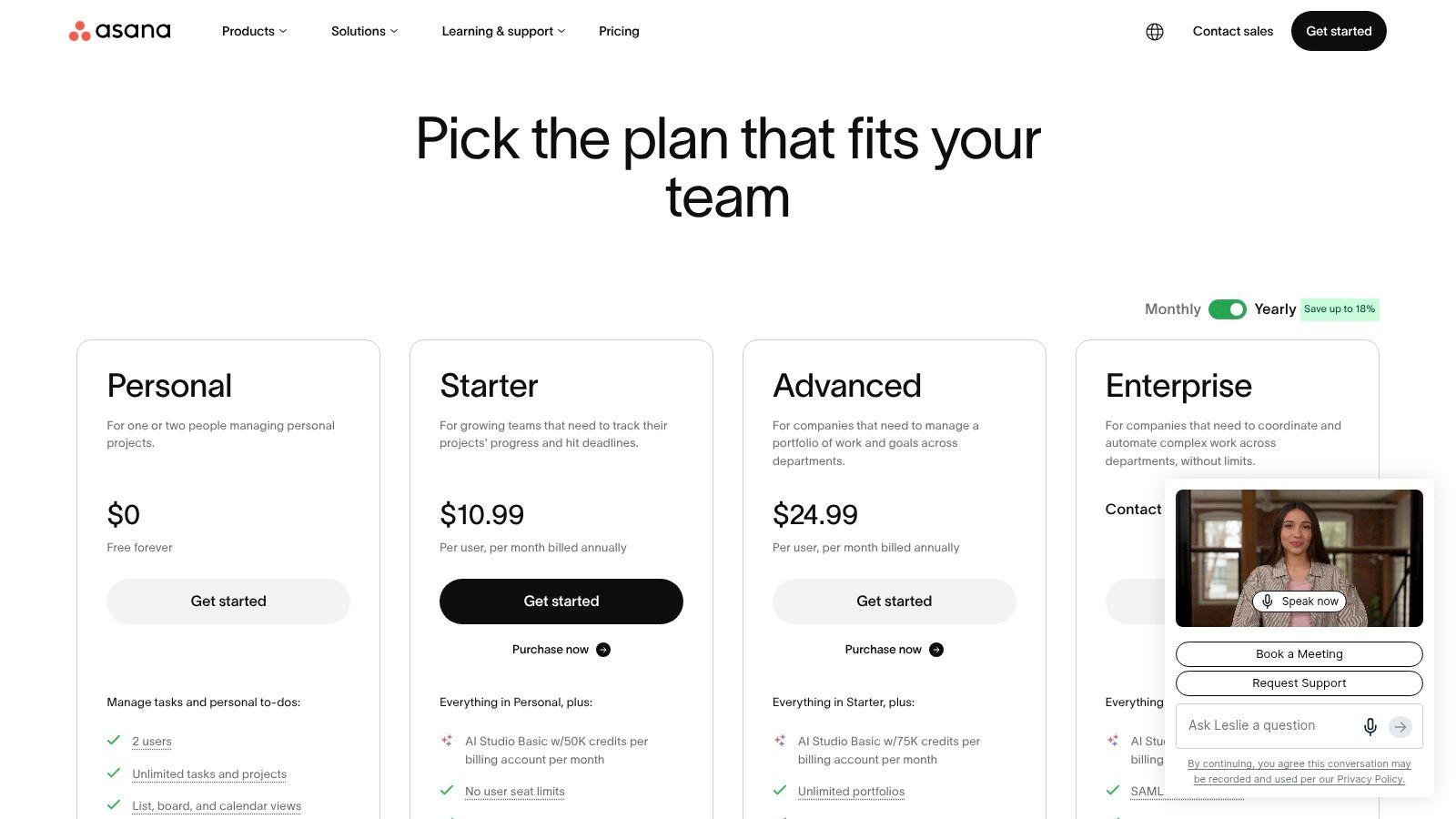
Asana is one of the easiest tools to recommend when a team needs clarity more than customization. It does a good job of answering basic operational questions: what needs doing, who owns it, when it's due, what depends on it, and how that work ties back to larger goals.
That sounds simple, but a lot of tools don't enforce that discipline well. Asana does. Marketing teams, operations groups, and cross-functional project teams tend to benefit from that structure quickly.
Best for visible ownership
Asana's list, board, and timeline views give teams enough flexibility without making the workspace feel open-ended. Automations, approvals, workload, goals, and portfolios extend that usefulness as the organization matures.
The clean interface is one of Asana's biggest advantages. People generally know where to click and what a task is supposed to contain. That's a bigger deal than flashy features. If a tool doesn't create consistent task hygiene, reporting will be unreliable no matter how advanced the dashboards look.
A few caveats matter:
- Higher-tier value: The more strategic reporting and resource features tend to sit in upper plans.
- Less flexible than builder-style tools: Teams that want to model unusual workflows may prefer Monday or Airtable.
- Stronger for coordination than documentation: Asana handles project execution better than company knowledge management.
Asana is the right pick when your team needs cleaner execution, stronger ownership, and less ambiguity in project tracking. If that's the pain point, start with Asana pricing.
8. monday.com Work OS
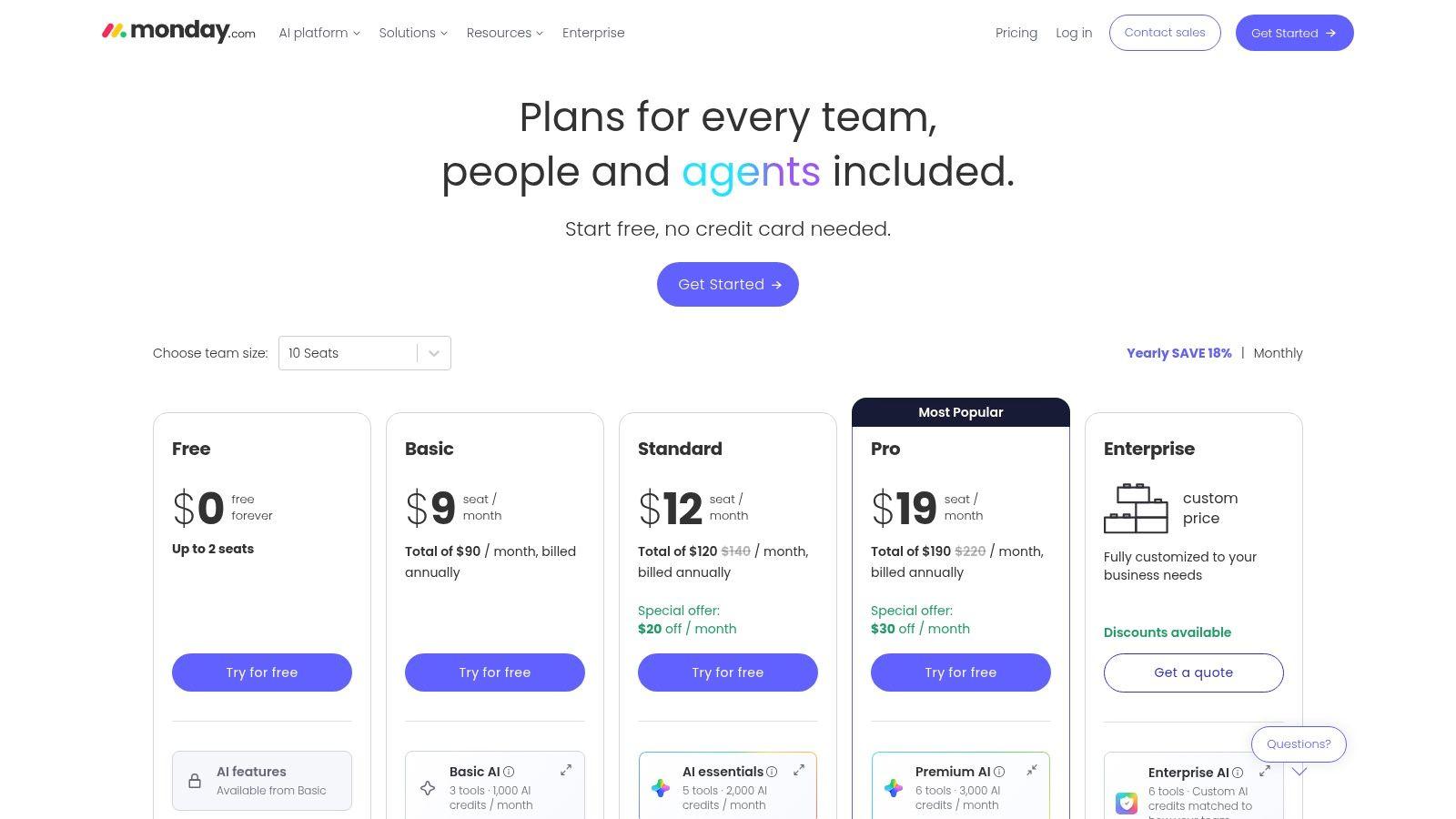
monday.com Work OS is for teams that want to shape the software around the process instead of adopting a rigid system. Boards, views, automations, and templates let teams model projects, operations, CRM processes, service workflows, and more.
That flexibility is why Monday gets adopted across departments. One team uses it for campaign planning, another for recruiting, another for client onboarding, and another for sales pipelines. Few platforms cross those boundaries as comfortably.
Strong visual workflow design
Monday is highly visual, and that matters for adoption. Teams can understand status, ownership, and process stages at a glance. For managers trying to replace spreadsheets and disconnected trackers, Monday often feels like the easiest jump.
It also helps that the template library lowers setup friction. You don't need to design every board from scratch. That's useful for SMBs that want speed without building a system from zero.
The trade-off is selection complexity. Monday has multiple product lines, seat-bundle pricing, and plan differences that aren't always obvious during evaluation. Buyers need to think not just about features, but about who will use which edition and how broadly the platform will spread.
For teams trying to improve reporting around workflow time, maximizing productivity with Monday time tracking offers practical ideas that fit well with Monday's process-driven setup.
If you want customizable, visual team productivity software that can stretch across functions, review monday.com pricing.
9. Airtable
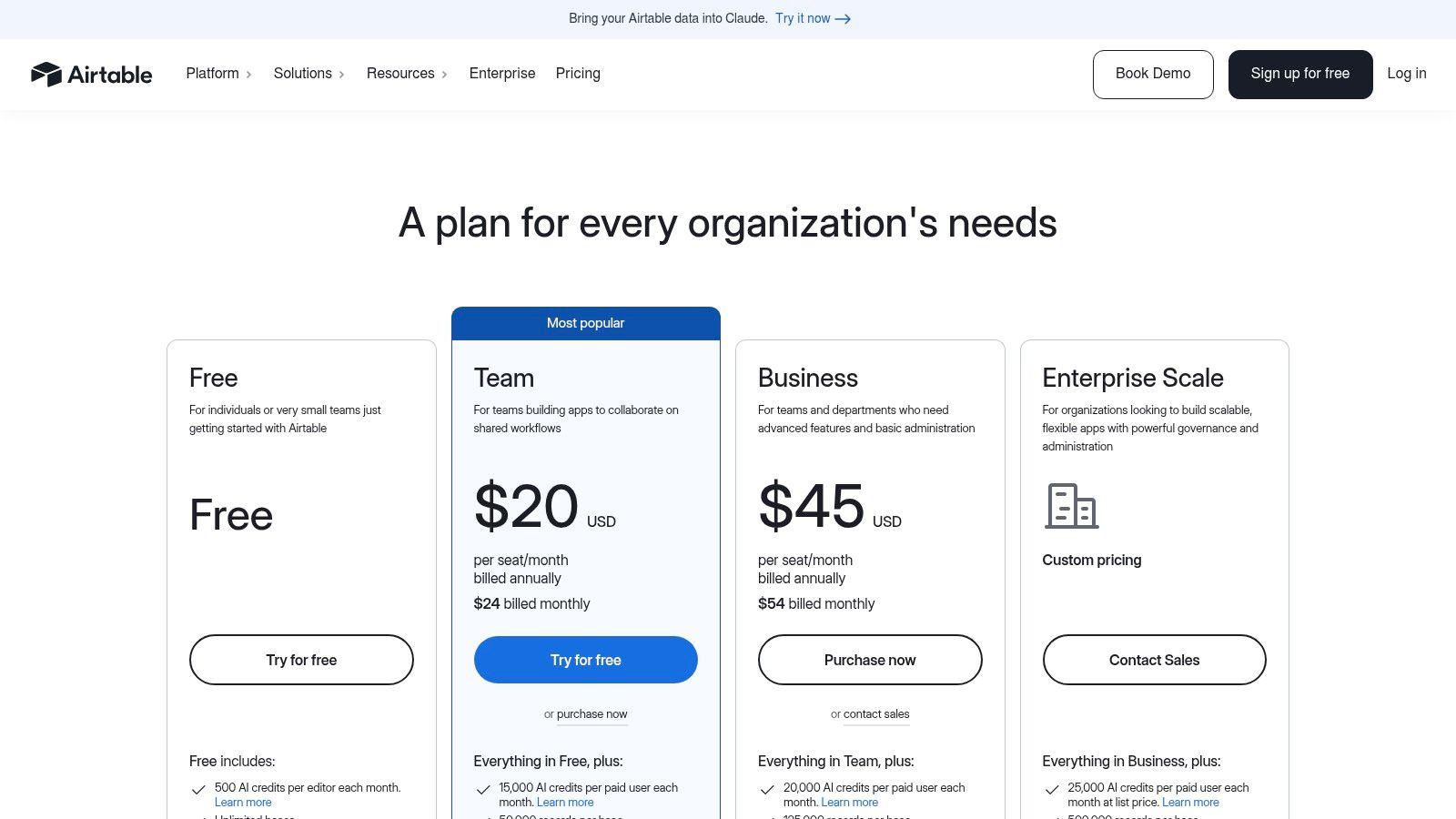
Airtable is what teams reach for when spreadsheets have stopped being enough but a traditional project manager still feels too limiting. It combines database structure with approachable views and interfaces, which makes it a strong fit for content operations, product ops, internal tooling, and custom workflow management.
This is not the simplest tool on the list, but it's one of the most adaptable. If your work involves records, relationships, handoffs, approval states, and different stakeholder views, Airtable can handle that elegantly.
Best when structure matters
Airtable shines when the same underlying data needs to serve different people in different ways. Operations might need a grid. Leadership might want a simplified interface. Contributors may only need a form or filtered view. Building those layers on top of one shared base is where Airtable earns its place.
The catch is governance. Without strong structure, teams create base sprawl fast. Similar workflows get rebuilt in parallel, fields drift, and reporting gets messy. Airtable rewards thoughtful architecture more than casual experimentation.
Airtable works best when one person treats the base like a product. Someone should own field naming, permissions, views, and lifecycle decisions.
AI app building and agents extend its reach, but the core reason to buy Airtable is still workflow design around structured information. If your team thinks in terms of entities, records, and process stages, Airtable will feel natural. Browse the current options at Airtable pricing.
10. Basecamp
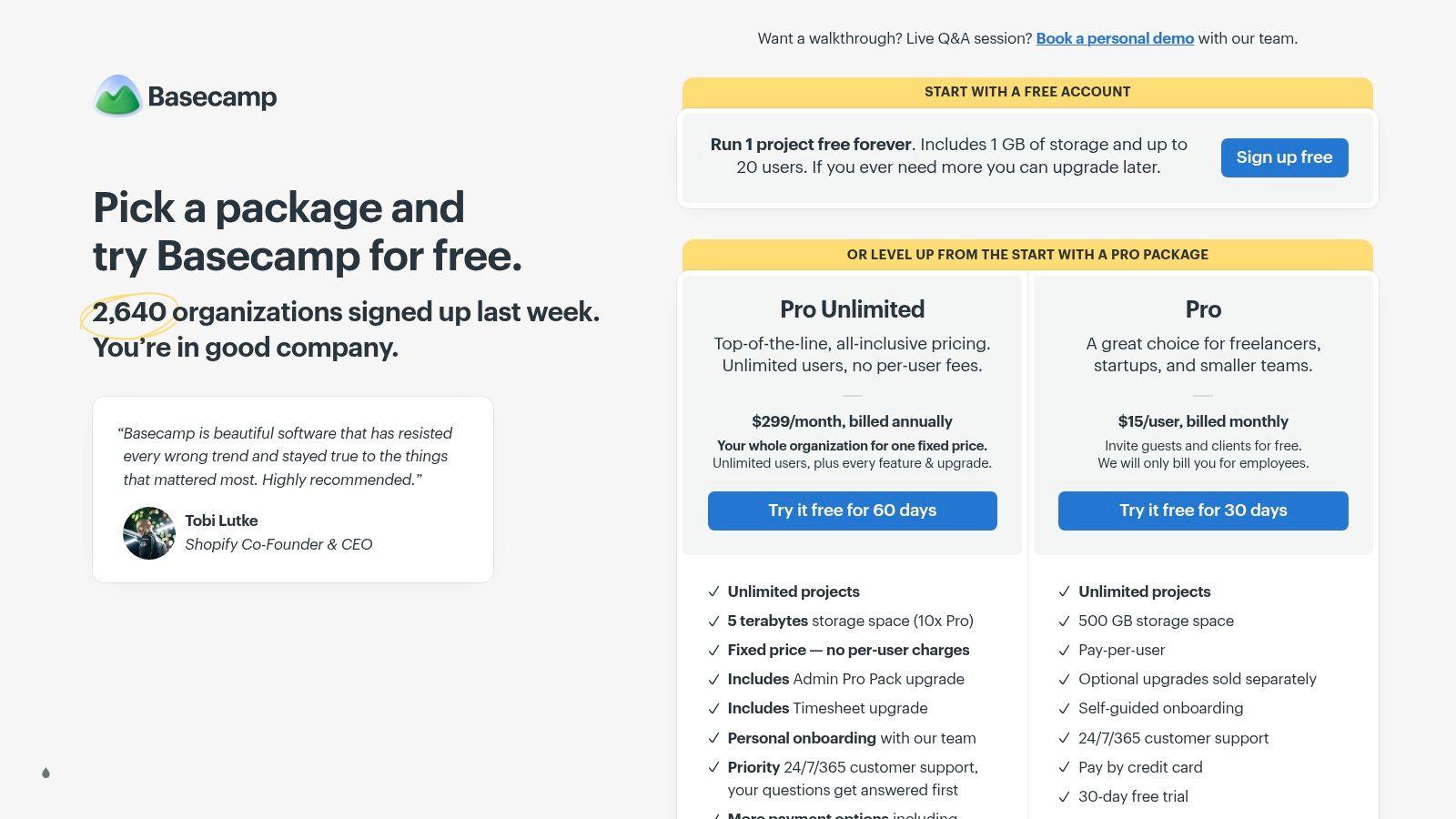
Basecamp goes in the opposite direction from tools like ClickUp. Instead of giving you every possible configuration option, it gives you a fixed set of collaboration tools and expects you to work within them. That constraint is exactly why many small teams like it.
To-dos, message boards, Campfire chat, schedules, docs and files, card tables, and check-ins cover the basics well. The interface is approachable, and mixed-skill teams usually need very little onboarding. If you're dealing with freelancers, clients, or non-technical staff, that simplicity is a real advantage.
Low admin, low drama
Basecamp works best for teams that value focus and consistency over advanced reporting. Agencies, small service businesses, and founder-led teams often do well with it because they don't want to appoint a full-time tool administrator just to keep the platform usable.
Where it falls short is complex project management. If your team needs advanced dependencies, deeper resource planning, or elaborate automations, Basecamp will feel light. That's not a flaw. It's a product choice.
Basecamp is best when you want software that stays out of the way. It won't replace a more advanced operations stack for every company, but it can replace a messy combination of chat, task lists, and shared docs for teams that want calm over customization. See the options at Basecamp pricing.
Top 10 Team Productivity Tools Comparison
| Product | Core features | UX / Quality (★) | Price & Value (💰) | Target (👥) & USP (✨) |
| 1chat 🏆 | Privacy-first multi-LLM hub; PDF analysis; AI image gen; file uploads; projects & guest mode | ★★★★☆, family-safe, team-friendly | 💰 Affordable tiers (plans on-site); guest 10 msgs/day | 👥 Households, students, small teams; ✨ Privacy + multi‑LLM comparison + family-safe moderation |
| Microsoft 365 (Teams) | Office apps, Exchange email, OneDrive, Teams, admin & security | ★★★★☆, enterprise-grade integration | 💰 Per-user licensing; best value with annual commitments | 👥 SMBs needing Office compatibility; ✨ Deep app integration & governance |
| Google Workspace (Gemini) | Gmail, Drive, Docs/Sheets/Slides, Meet; built-in Gemini AI | ★★★★☆, web-first, real-time co-editing | 💰 Per-user tiers; flexible billing; AI on higher plans | 👥 Web-centric teams; ✨ Real-time collaboration + built-in Gemini |
| Slack | Channels, DMs, Huddles, Workflow Builder, app ecosystem | ★★★★☆, excellent daily comms UX | 💰 Per-seat plans; advanced features on higher tiers | 👥 Teams prioritizing async comms & integrations; ✨ Extensive apps & Slack Connect |
| Notion | Docs, databases, teamspaces, AI Meeting Notes, custom agents | ★★★★☆, flexible, intuitive | 💰 Freemium → Business/Enterprise for advanced AI & SSO | 👥 SMBs wanting single knowledge hub; ✨ Highly configurable all‑in‑one workspace |
| ClickUp | Tasks (Gantt/Board), docs, whiteboards, AI add-ons, dashboards | ★★★☆☆, very feature-rich, steeper learning curve | 💰 Competitive base pricing; AI add-ons may add cost | 👥 Teams needing end-to-end work mgmt; ✨ Broad feature breadth |
| Asana | Projects (list/board/timeline), goals, automations, AI Studio credits | ★★★★☆, clear task ownership & timelines | 💰 Seat-based tiers; advanced features on higher plans | 👥 Marketing & ops teams; ✨ Strong portfolio & goal alignment |
| monday.com Work OS | Visual boards, automations, templates, CRM/Dev editions | ★★★★☆, highly visual & customizable | 💰 Seat bundles with minimums; pricing can be complex | 👥 Teams modeling processes visually; ✨ Flexible workflow modeling & templates |
| Airtable | Relational bases, Interfaces, automations, AI agents | ★★★★☆, powerful no-code DB, needs governance | 💰 Tiered pricing; higher record/automation limits on paid plans | 👥 Non-technical teams building apps; ✨ Polished UIs over relational data |
| Basecamp | To-dos, Message Boards, Campfire chat, schedules; flat-rate plan | ★★★☆☆, simple, low admin overhead | 💰 Flat-rate Pro Unlimited (predictable pricing) | 👥 Small teams valuing simplicity; ✨ Minimal admin & flat pricing |
Beyond the Tool Building a Productive Culture
The best team productivity software is the one your team keeps using after the kickoff meeting. That's the ultimate test. A platform can look perfect in a demo and still fail if nobody knows where decisions belong, how tasks should be written, or when to use chat instead of comments.
I've seen teams blame the software when the actual problem was operating without norms. They had three places for updates, no standard for ownership, and no agreement on what "done" meant. No tool fixes that by itself. Good software reinforces a working system. It doesn't invent one for you.
A few habits matter more than feature comparisons:
- Define where work lives: Pick one source of truth for tasks, one for documentation, and one for fast discussion.
- Keep communication tied to context: Decisions should live with the project, task, or document whenever possible.
- Set rules for notifications: If every update triggers an alert, people stop trusting alerts.
- Assign owners clearly: Teams move faster when one person owns the next step.
- Review tool sprawl regularly: If two tools do the same job, one of them is probably creating drag.
AI adds another layer to this. Teams need to decide which work should happen inside their office suite, which belongs in a dedicated AI workspace, and what privacy standards apply. That's one reason privacy-first options like 1chat matter. They give smaller teams and families a more intentional way to use AI for writing, research, document analysis, and collaboration without defaulting to a generic public tool.
The category split in this list is useful when you're narrowing choices. All-in-one suites like Microsoft 365 and Google Workspace make sense when email, files, and meetings are the core problem. Communication hubs like Slack win when coordination is slow and fragmented. Work management platforms like Asana, ClickUp, Monday, Airtable, and Basecamp matter most when the core issue is execution, visibility, and process design.
Don't try to solve every workflow problem in one purchase. Fix the bottleneck your team feels every day. If work gets lost, choose a stronger project platform. If everyone asks where files are, start with the suite. If AI usage is already happening but feels uncontrolled, look hard at a tool like 1chat.
Start with a trial. Build one real workflow inside it. Invite a small group, not the whole company at once. Watch where people get confused, where they default back to old habits, and what saves time. That's how you choose software that sticks.
For a broader people-and-process perspective, AccountShare's insights on team performance are worth reading alongside any software evaluation. Tools matter. Team habits matter more.