You're probably dealing with a project that sounds healthy in meetings and feels messy everywhere else.
Someone says design is “almost there.” Another person says development is “moving.” A client asks whether the launch date is still realistic, and the room gets quiet for half a second too long. Nobody is lying. Nobody is hiding. But nobody can answer the one question that matters: where do we stand right now?
That's the point where small teams usually make one of two mistakes. They either keep running on gut feel, or they overcorrect and build a reporting process so heavy that the team spends more time updating status than moving work. Neither works.
I've seen the same pattern across internal projects, client work, operations rollouts, and software builds. Vague updates create false confidence. Then a hidden dependency slips, rework piles up, and the deadline suddenly becomes “aggressive.” In construction, the stakes are easy to see. According to industry data, 98% of construction projects in North America face delays, with the average project running 37% longer than planned, and for a median $50 million job that overrun translates to $18.5 million in additional costs (WorkMax on construction progress monitoring). Different industries have different cost structures, but the lesson carries over cleanly: poor progress tracking gets expensive fast.
Small teams don't need enterprise theater. They need a lightweight system that gives real visibility, catches drift early, and doesn't require a dedicated project manager to keep it alive.
Why "Making Good Progress" Is Not a Good Answer
A familiar meeting goes like this. The owner asks for a status update. Marketing says the campaign assets are nearly done. Operations says onboarding docs are in review. Product says one feature took longer than expected, but they're catching up. Everyone leaves with a vague sense that things are moving.
Then the week ends.
The landing page still needs legal review. The feature isn't blocked by coding. It's blocked by a missing decision. The onboarding docs can't ship until support approves the workflow. Nothing sounds catastrophic on its own, but the project is already off course because nobody is tracking the right unit of truth: completed work against a shared baseline.
What vague updates hide
“Making good progress” sounds positive, but it tells you nothing about schedule, ownership, or risk. It doesn't tell you whether the hardest work is done, whether milestones are slipping, or whether people are waiting on each other.
That's why status language needs to shift from impressions to observable movement.
A useful update sounds more like this:
- Completed: Homepage copy approved and published
- In motion: API integration under development
- Blocked: Pricing review waiting on finance
- At risk: Launch checklist depends on unresolved approval
That kind of update is harder to fake and easier to act on.
Practical rule: If an update can't tell you what finished, what moved, and what's blocked, it isn't a progress update. It's a mood report.
The deeper issue is alignment. Teams often confuse activity with advancement. People stay busy, meetings happen, files move, and messages fly around. But unless that work is tied to a clear plan, the project can drift for weeks before anyone admits it. Resources on aligning strategy and execution effectively are useful here because they force a distinction between shipping outputs and reaching the actual outcome the project exists to produce.
Clarity beats optimism
This is why tracking project progress isn't administrative overhead. It's operational control.
The biggest improvement most small teams can make isn't buying a new platform. It's agreeing that every project needs one current view of status, one definition of done for each task, and one place where blockers become visible early. Even lightweight AI workflows can help summarize messy updates and reduce manual follow-up, and you can explore practical team workflows on the 1chat blog.
When progress is visible, teams stop debating whether things feel on track. They can see what's done, what's late, and what needs intervention now.
Lay the Foundation Before You Start Tracking
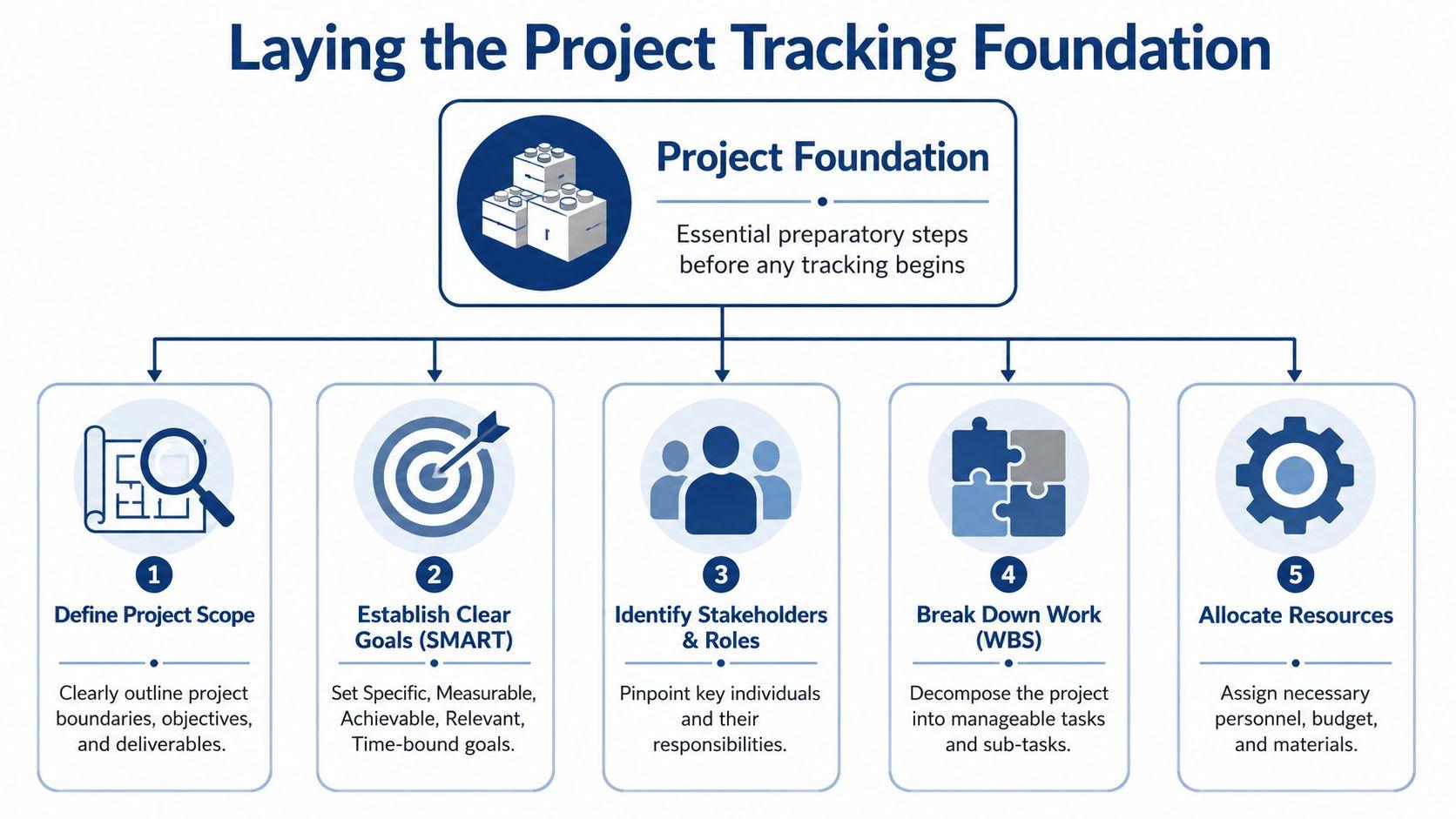
Tracking fails early, not late. Many teams blame the tool, but the underlying problem starts before the first task is logged. If the scope is fuzzy, ownership is shared by everyone, and the timeline exists only in someone's head, no dashboard will save you.
The foundation needs to be simple enough that a small team will maintain it.
Start with a baseline, not a task list
A task list is not a project baseline. A baseline is the agreed version of scope, timing, and expected output that everyone tracks against. Without it, you can't tell whether work is late, ahead, or changing shape.
For a small team, the baseline should answer five plain questions:
- What are we delivering
- What does done mean
- Who owns each major piece
- When does each milestone need to land
- What constraints matter most
If even one of those is unresolved, your tracking will turn into interpretation. Team members will report progress based on their own assumptions, and those assumptions will conflict.
Build a lightweight work breakdown structure
You don't need a giant enterprise workbook. You do need a work breakdown structure, or WBS, that turns a broad initiative into manageable chunks.
A good WBS usually moves from outcome to deliverables to tasks. For example, “launch customer onboarding portal” is too broad to track. Break it into items like approved content, UI completed, integrations tested, support training finished, and go-live checklist signed off.
Use these rules:
- Break work into visible units: If a task is too large to judge accurately, split it.
- Name real deliverables: “Finalize onboarding flow” is better than “work on onboarding.”
- Stop at the handoff level: Break work down until one person can own progress and another person can verify it.
When teams say a project is hard to track, they usually mean the work was never decomposed into trackable pieces.
Assign single ownership
Shared ownership sounds collaborative, but for progress tracking it's poison. When two or three people “own” a task, nobody feels responsible for moving it or updating it. Collaboration can still happen, but one name should sit next to each task.
That owner is responsible for four things:
| Ownership duty | What it means in practice |
| Clarify scope | Confirm what's included before starting |
| Update status | Keep the current state accurate |
| Flag blockers | Surface dependency issues early |
| Close the loop | Mark the task done only when it meets the agreed standard |
This matters even more when you manage multiple projects effectively. Small businesses often have one person spread across client work, internal ops, and urgent fixes. Single ownership prevents tasks from disappearing into that overlap.
Define milestones before work gets noisy
Milestones create the structure that raw task lists often lack. They give the team natural checkpoints to test whether the project is still healthy.
Good milestones are concrete. “Design complete” works only if the team agrees what complete means. A stronger milestone is “all core screens approved for build.” The more observable the milestone, the less room there is for status inflation.
A useful baseline doesn't need to be elaborate. It just needs to be clear enough that a stranger could open the project board and understand what's being built, who owns what, and what counts as real progress.
Choose Key Performance Indicators That Actually Inform
Many organizations don't have a tracking problem. They have a measurement problem.
They collect whatever the tool shows by default, then wonder why the dashboard looks busy but doesn't help anyone decide what to do next. Good KPIs for tracking project progress should tell you whether the project is moving as planned and where intervention is needed. If a metric can't change a decision, it's probably noise.
Leading indicators versus lagging indicators
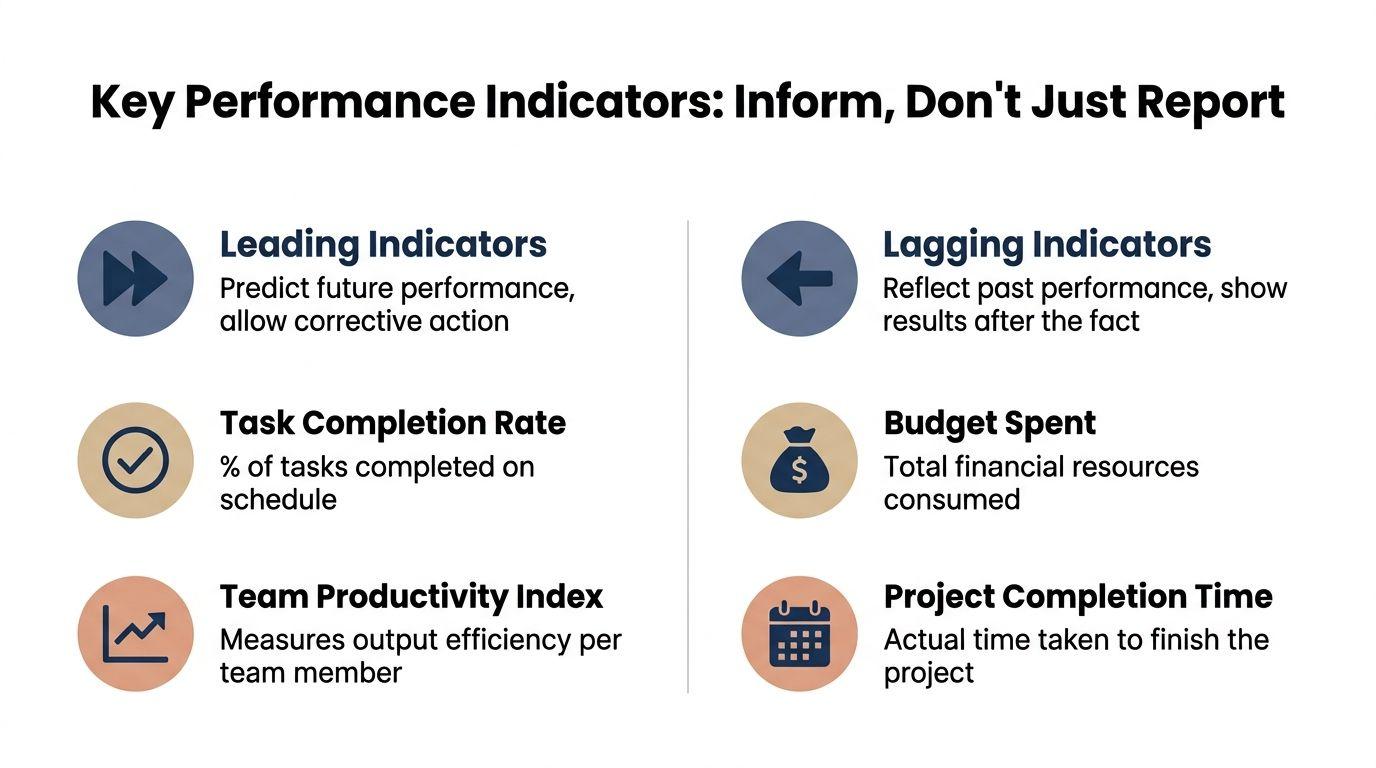
A simple way to choose better KPIs is to separate leading indicators from lagging indicators.
Lagging indicators tell you what already happened. Budget spent is useful, but it often shows trouble after the trouble is already baked in. Final completion time is important, but it tells you nothing while the project is still recoverable.
Leading indicators give you earlier signals. They help you spot slippage before the deadline is in danger.
For small teams, the best leading indicators are usually:
- Task completion rate: Are planned tasks getting finished on schedule?
- Milestone delivery rate: Are major checkpoints landing when expected?
- Blocked work count: Is stalled work increasing or getting cleared?
- Time variance: Is actual progress drifting from the original timeline?
A practical overview of team research and workflow analysis can live in one place, and the 1chat research workspace is one example of how teams organize supporting information without burying the status board itself.
The small-team KPI set I'd actually use
You don't need a dozen metrics. Start with a handful that give a balanced view.
| KPI | What it tells you | Why it matters |
| Percent complete | How much of defined work is finished | Gives a rough progress signal |
| Milestone status | Whether major deliverables are on time | Shows schedule health at a glance |
| Time variance | Whether actual pace differs from planned pace | Reveals early drift |
| Blocked items | How many tasks are waiting on something else | Exposes hidden constraints |
| Cost variance | Whether spending is above or below the value earned | Connects progress to budget reality |
The useful part is the combination. Percent complete alone can mislead. A project can look advanced while all remaining work sits on the critical path. Milestones and blockers add context.
Use EVM concepts without making them painful
Some teams hear Earned Value Management and tune out because it sounds too formal. You don't need the full machinery to get value from the idea.
One concept is enough to start: Cost Variance (CV) = EV − AC, which tells you whether the value of completed work is ahead of or behind actual cost. That matters because, as noted in this explanation of project tracking and EVM, less than half of all projects are completed within budget, so teams need an early way to spot budget drift before it becomes a postmortem topic.
For a small business, a simplified version works well:
- EV: What portion of planned work is complete
- AC: What you've spent in time, money, or both
- CV: Whether the project is earning enough progress for the cost already consumed
Track fewer metrics, but make each one answer a decision. Keep going, reassign resources, remove a blocker, or adjust scope.
If your dashboard can't help the team make one of those calls, it's reporting, not management.
Select Tools and Dashboards That Provide Clarity
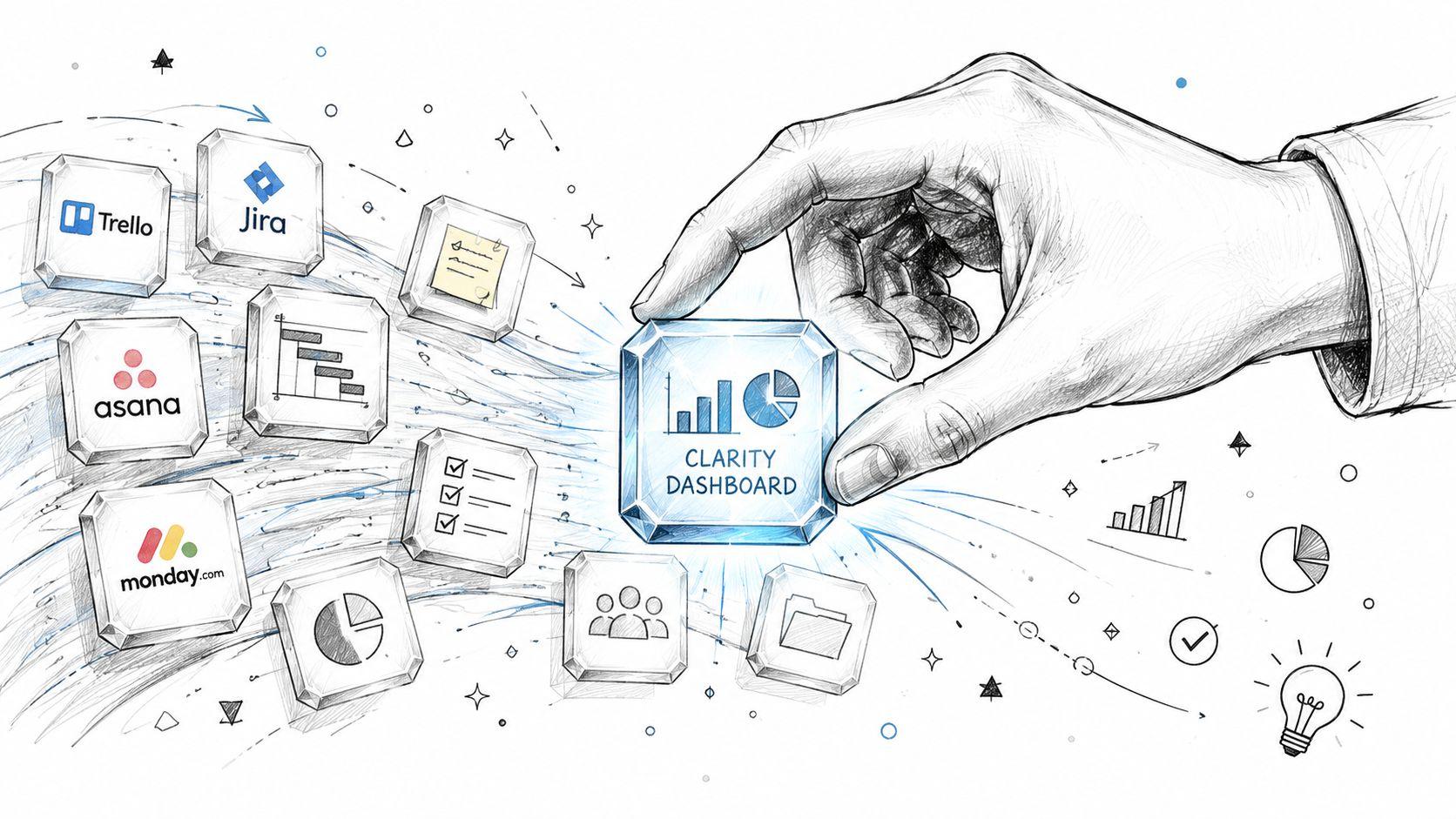
Tool choice matters less than most vendors want you to believe. The question isn't “which app is best?” It's “which system will our team keep current?”
A small team can track project progress well with Jira, Asana, Trello, ClickUp, Monday.com, Notion, Airtable, or even a disciplined spreadsheet. The difference isn't the logo. It's whether the setup makes status obvious in seconds.
Kanban versus Gantt
These two views solve different problems.
Kanban boards are best when work flows through stages and priorities change often. They make bottlenecks visible fast. If tasks pile up in review, testing, or approval, everyone can see it. Teams doing marketing production, support operations, content, or iterative product work usually benefit from Kanban first.
Gantt charts are stronger when deadlines, dependencies, and sequencing matter. If one phase can't start until another finishes, a timeline view is more honest. Site work, launches with fixed dates, office moves, and implementation projects often need this structure.
Here's the short comparison:
| View | Best for | Weak spot |
| Kanban | Workflow visibility and bottleneck spotting | Can hide long-range schedule risk |
| Gantt | Dependencies and timeline planning | Can become stale if nobody updates it |
| Spreadsheet dashboard | Simplicity and low cost | Needs discipline to stay useful |
Many small teams do best with both. Use Kanban for day-to-day execution and a simple milestone timeline for leadership visibility.
What your dashboard must show
A dashboard should answer a few questions immediately:
- What's done
- What's in progress
- What's blocked
- What milestone is next
- What's at risk
That's it.
If the dashboard opens with ten widgets, a burn-color pie chart, and a sea of custom fields, people will stop trusting it. The best dashboards are boring in a good way. They reduce interpretation.
I'd also avoid dashboards that rely on manual narrative updates as the primary source of truth. Narrative belongs in context fields and meeting notes. Status should come from the current state of tasks, milestones, and blockers.
Build a single source of truth
The biggest mistake is letting progress live in too many places. The board says one thing, the spreadsheet says another, Slack has key decisions buried in a thread, and the weekly email says something else entirely.
Pick one location as the operational truth. That might be Asana with custom fields, Trello with labels and due dates, or a shared spreadsheet with clean ownership and milestone columns. Then use every other channel to support that system, not replace it.
AI tools can help around the edges. They're useful for summarizing update threads, pulling action items from messy notes, or turning rough status comments into a clean recap. That reduces reporting effort. It shouldn't replace the underlying structure.
A clear dashboard is not the project. It's the instrument panel. If the readings are current and understandable, the team can steer.
Establish a Consistent Reporting Rhythm
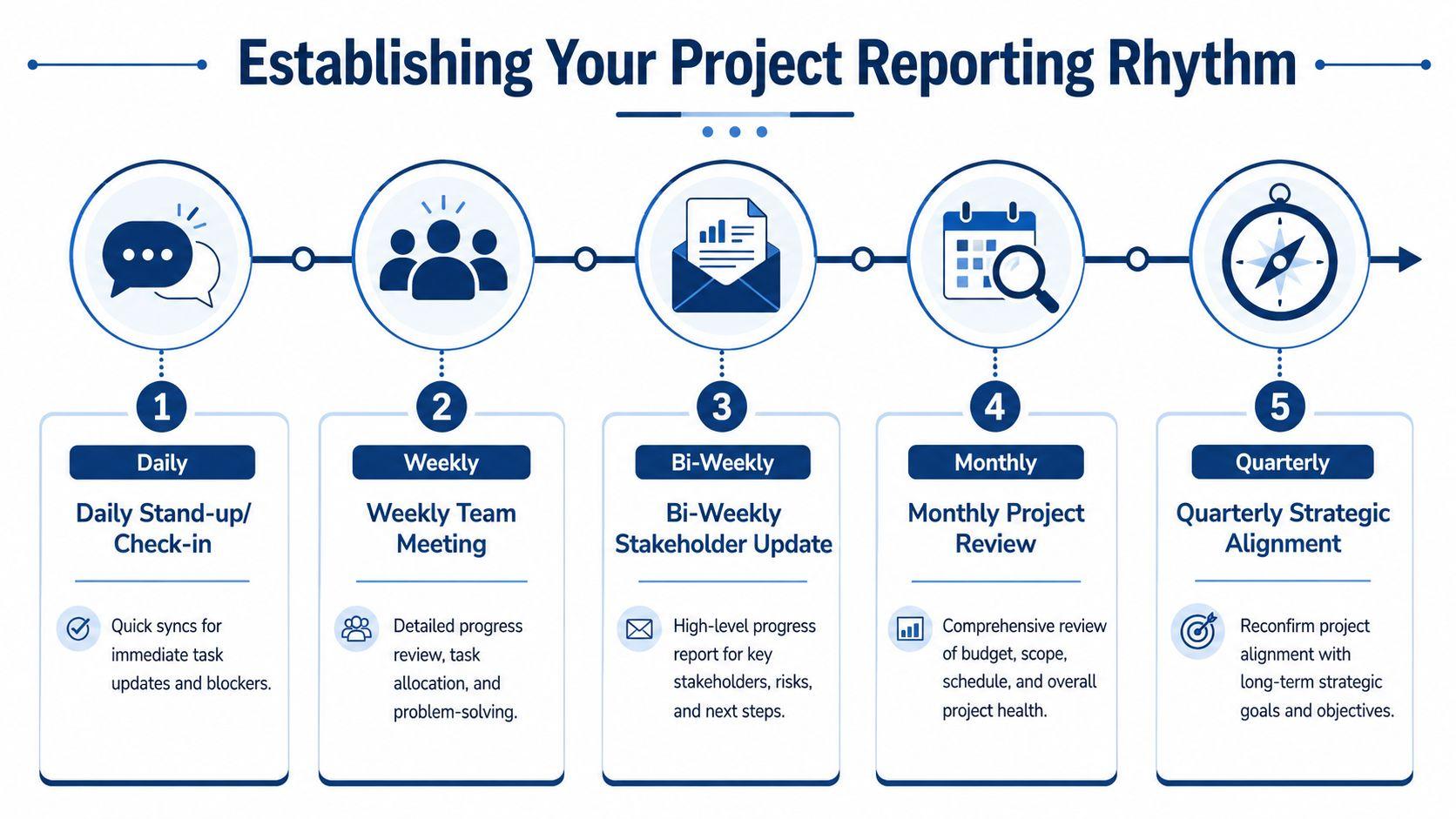
Even a clean dashboard falls apart if nobody updates it consistently. Tracking project progress works when the team follows a reporting rhythm that matches the speed of the work.
The key principle is simple: consistency beats complexity. That's also the core point in TrackingTime's guidance on project tracking, which argues that teams need near real-time updates instead of long, bureaucratic reports. That matches what works in small businesses. Short, regular updates outperform polished reports written too late.
Use different cadences for different decisions
Not every conversation needs the same format.
A practical rhythm often looks like this:
- Daily check-in: Fast review of active work and immediate blockers
- Weekly team review: Broader look at task movement, milestone risk, and next priorities
- Bi-weekly stakeholder update: Short summary for clients, founders, or department leads
- Monthly review: Scope, schedule, and resource check for larger initiatives
The mistake is turning all of these into the same meeting with the same audience. Daily syncs should be operational. Stakeholder updates should be concise and decision-oriented.
Keep daily updates tiny
For most small teams, a daily stand-up shouldn't be a storytelling session. It should answer three questions:
- What moved since the last check-in
- What's next
- What's blocked
That's enough.
If a blocker needs real discussion, take it offline with the people involved. Don't hold the whole team hostage while two people unpack a dependency.
A good daily update takes less time than the confusion it prevents.
Run a weekly review that actually helps
The weekly review is where tracking becomes management. Don't ask for broad summaries. Pull up the board or dashboard and inspect reality together.
Look for:
- Tasks that haven't moved
- Upcoming milestones with unresolved dependencies
- Work stuck in review or approval
- Owners carrying too many active items
- New scope that entered without formal agreement
This is also where structured meeting notes help. If your team struggles to turn discussion into follow-through, a workflow like this Obsidian workflow for meeting summaries is useful because it emphasizes converting notes into decisions and action items, not just archiving conversation.
A weekly update template worth using
You don't need a polished report. Use a short format people can fill out in minutes.
Weekly update
Completed
List the work finished and accepted this week.
Next
List the highest-priority items for the coming week.
Blocked
Note any blockers, who owns resolution, and what decision is needed.
Milestones
Mark each major milestone as on track, at risk, or delayed.
Changes
Record any approved scope or timing changes.
That template works because it forces movement, not adjectives. It also creates a historical record you can review when the team needs to understand how drift started.
Troubleshoot Common Progress Tracking Failures
Most tracking systems don't fail because the framework is wrong. They fail because real work is messy, people get busy, and the team starts taking shortcuts. That's normal. The fix isn't more bureaucracy. The fix is diagnosing the failure mode quickly and tightening the system where it broke.
Common pitfalls include delayed feedback loops and subjective status updates, which is why Productive's guidance on project progress pushes regular reporting rhythm, burndown-style visibility, and active monitoring of task completion and milestone movement. In practice, that means small teams need a few hard rules, not more templates.
When people don't update tasks
This is the most common issue, and it usually has one of three causes. The tool is annoying, the task structure is unclear, or the team doesn't believe updates matter.
Start with friction. If updating status takes too many clicks or requires writing mini-essays, people will avoid it. Reduce statuses to a small set, make ownership obvious, and ask for updates at the same time each day or week.
Then fix accountability. Don't ask, “Can everyone update their tasks?” Ask each owner to review their items live in the weekly meeting. Once status is visible in front of peers, update quality improves fast.
When progress is hard to quantify
Creative, strategic, or research-heavy work often resists neat percentages. “Working on campaign direction” is hard to score. The workaround is to track decision-ready outputs, not abstract effort.
For example, instead of trying to estimate how complete a strategy task is, track whether the brief is drafted, reviewed, revised, and approved. That gives the team observable checkpoints.
A simple pattern works well:
- Discovery stage: Inputs gathered and documented
- Draft stage: First version created
- Review stage: Feedback consolidated
- Approval stage: Decision made
- Ready stage: Work cleared for downstream handoff
When scope changes midstream
Scope creep destroys tracking because it corrupts the baseline. Suddenly the team looks late, but only because they're now doing more than originally planned.
The answer is formal change control. It doesn't need to be corporate. A simple change log is enough if it records:
| Change item | Why it matters |
| Requested change | Clarifies what's being added or altered |
| Impact | Notes effect on timing, workload, or cost |
| Approval | Confirms who accepted the change |
| Baseline update | Resets what “on track” means going forward |
If you don't update the baseline after approved changes, your progress data becomes fiction.
When tracking feels like micromanagement
Teams resist tracking when they think it's surveillance. The cure is to use tracking to remove friction, not to police motion.
If someone flags a blocker and leadership clears it quickly, trust goes up. If the dashboard helps rebalance overloaded owners, trust goes up. If updates only get used to question effort, people will game the system.
For teams that need practical help with AI-assisted workflows, documentation, or common usage questions while refining their process, the 1chat FAQ is a useful reference point.
Tracking project progress works when the team sees it as a shared control system. Not a report card.
Small teams don't need a complex PMO to stay on top of work. They need a clear baseline, a few meaningful KPIs, one visible dashboard, and a reporting rhythm they can keep without resentment.
If you want help reducing the manual work around project updates, research summaries, meeting notes, and document analysis, take a look at 1chat. It's a privacy-first, team-friendly AI workspace built for small businesses and everyday use.