You're staring at a single frozen frame and you know you've seen it before, but the title won't come back to you. Maybe it's a screenshot from a feed, a clip that paused mid-scroll, or a murky still from an old upload where the context is gone and the memory is just out of reach. That's the exact situation where what movie is this picture from stops being a casual question and turns into a small investigation.
The good news is that this is a solvable problem. The common mistake is treating it like a one-shot guess, when the better method is to triangulate the answer with reverse image search, visual clues, metadata, and a final verification step. If you want a useful companion while you work, a practical place to start is this guide to find which movie a photo is from, because the key is not just finding a candidate title, it's confirming the right one.
The Moment You Cannot Name the Movie
The frame looks familiar, but nothing about it is obvious. There's no title card, no actor name, no obvious franchise logo, just a face, a hallway, a car, or a shot composition that feels like it belongs to some film you once saw late at night. That's when people usually search the obvious thing, get three plausible answers, and stop too early.
The better mindset is to treat the still as a clue, not an answer. Movie stills from the same era often share costumes, color grading, aspect ratio, and set design, so a reverse search can easily return several nearby possibilities. The identification job is to narrow those possibilities until only one title survives verification.
Why the first result is often wrong
A single image can point to more than one film because visual similarity is real. Two period dramas can share wardrobe language, two thrillers can share a dimly lit corridor, and two action films can both feature the same kind of over-the-shoulder framing. That's why modern movie identification isn't just about recognizing faces, it's about checking cast, release year, genre, and watch options against the image until the whole package makes sense.
That broader workflow is now normal. Tools and communities have made image-based movie search a standard expectation for screenshot-heavy discovery and verification work, not a niche trick. Even dedicated movie-finder products now accept screenshots, stills, scene photos, plot snippets, and character names, then return likely titles for confirmation.
Practical rule: never trust the first plausible title if the frame is ambiguous. Treat it as a candidate, then try to break it.
What to expect from the tools
Reverse image search, AI movie finders, and human communities each solve a different part of the problem. Search engines are best at surfacing matches, specialized tools are better at turning fragments into candidate titles, and communities are often best when the image is obscure, degraded, or culturally specific. The right workflow uses all three in sequence, but only after you've squeezed the frame for every clue it already contains.
Reverse Image Search Engines That Actually Work
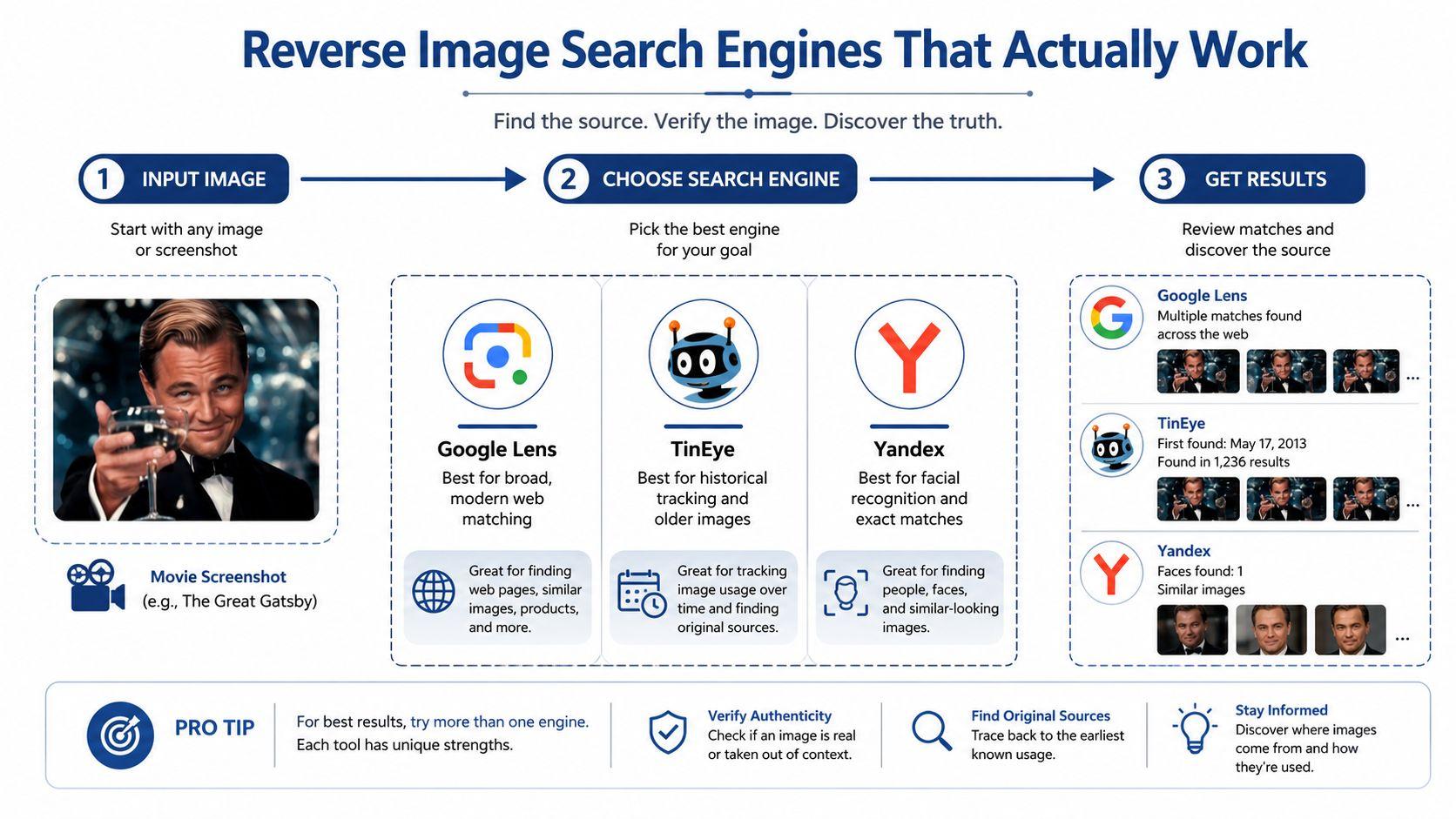
Start with Google Images or Lens on the cleanest version of the frame you have. Google is usually the broad first pass because it can pull in the most visible, modern web-indexed matches, including screenshots that have been reposted across the web. If the frame looks like a mainstream film or a recent streaming still, this is often the fastest first check.
Then run the same image through TinEye as a second pass. TinEye is useful because it can surface reposts and alternate copies that another engine may rank differently, which matters when the same scene has been compressed, resized, or mirrored across different sites. If Google gives you a vague cluster of similar movies, TinEye can sometimes expose the exact image lineage that reveals the title.
For foreign films, older titles, and scenes with actors whose faces aren't strongly indexed in western results, Yandex is worth the extra step. The best workflow is not sequential in the sense of waiting for one tool to fail before starting the next. Run multiple methods in parallel, then compare the candidate sets.
Crop for the clue, not the whole frame
A full letterboxed still is often too much background and not enough signal. The highest-yield move is to upload the full frame and a tighter crop of the most distinctive visual clue, then compare the results. That clue might be a face, a logo, a prop, a sign, or an odd costume detail.
A helpful way to think about it is this, the image search engine doesn't need the whole movie, it needs the part of the frame that is least replaceable. A face under flat lighting can be generic. A unique pendant, a neon sign, or a very specific piece of set dressing can break the case open.
If you use a broader workflow or want to combine tools and notes in one place, the team-oriented interface at 1chat.com/blog is useful as a reference point for how multimodal search flows are being packaged now.
Upload the whole frame first, then rerun the search with a crop that isolates the weirdest object in the shot. That second pass often saves the day.
Reading the Picture for Non Visual Clues
When reverse search produces weak matches, the frame itself usually has more to say than people notice at first glance. Subtitles, burnt-in captions, and streaming watermarks can narrow the source faster than face recognition ever will. Even a tiny corner watermark can reveal the service or distribution context.
Text is the easiest place to start. If there's a subtitle line visible, read it carefully for names, place references, slang, or a distinctive phrase. If there's a watermark from a platform or broadcast source, that can tell you whether you're dealing with a TV rip, a streaming capture, or an uploaded clip from another archive.
Production details do a lot of quiet work
Costumes, hairstyles, cars, telephones, and room design can narrow the decade quickly. A uniform often points to a profession, a country, or a historical period. A phone with the wrong shape or a car with the wrong body style can eliminate huge stretches of time.
Aspect ratio helps too. Older theatrical framing, TV-era transfers, and modern streaming captures don't look the same, even when the content is from the same decade. If the still has a strong period feel, start thinking in terms of production era before you think in terms of genre.
The fastest shortcut is often a familiar actor. If you recognize a face, even vaguely, search that performer's filmography against the style of the frame. One recurring actor can get you to IMDb faster than any generic image search.
If you're trying to automate any part of that visual cleanup, the walkthrough on scrape Google Lens images is useful because it reflects how much of this work depends on collecting and comparing candidate results, not just throwing one image at one engine and hoping for the best.
Practical rule: don't ignore the corner of the frame. Tiny text, a logo, or a watermark can matter more than the central subject.
File Metadata and Cinematographic Cues
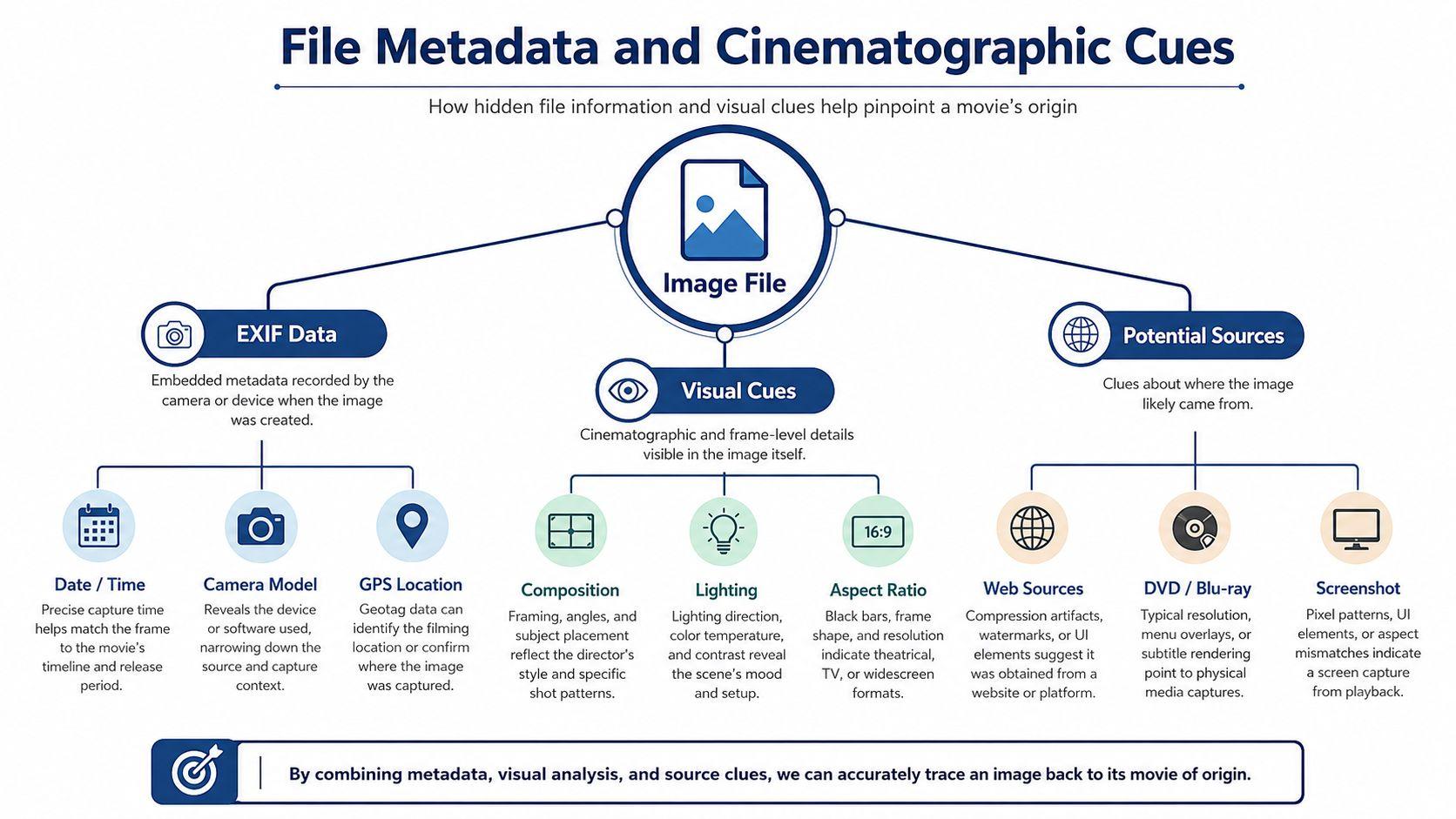
Sometimes the picture file itself gives away more than the image content. If you have the actual file, check the metadata before doing anything else. Creation date, camera model, and GPS fields can be enough to identify whether the image was captured from a phone, exported from a social app, or pulled from a different device entirely.
That doesn't automatically tell you the movie title, but it tells you what kind of evidence you're dealing with. A screenshot saved from a device is a different problem from a camera photo of a screen, and a downloaded image may carry useful creation information that points to the original context. The more you know about the file, the less likely you are to chase the wrong source.
Shot type changes what counts as a clue
Camera angle matters more than expected. Low-angle shots are often used to signal power or authority, high-angle shots can imply inferiority, and Dutch angles can create disorientation. That means two frames from the same movie can look dramatically different to a search engine or a human reviewer.
In practice, you should crop for the most stable part of the composition. If the angle is extreme, the face may be less useful than a prop or a set feature that stays visually consistent. If the shot is overhead or canted, the background geometry may be the best anchor.
A lot of identification attempts go sideways. People focus on the obvious subject and miss the cinematic language of the frame. A movie screenshot is not just an image, it's a composed shot with intent, and that intent can change how easily the scene is recognized.
If you can't read the metadata, look for the source pattern in the visual design itself. The file may not tell you the title, but it can still tell you whether the frame is likely from a theatrical release, a TV capture, or a social repost.
Dedicated AI Movie Finders and Human Communities
Dedicated movie finders have become a real category, not a gimmick. Some tools are built specifically for screenshot, poster, or scene-photo identification, and they combine image matching with text clues such as plot snippets, character names, public video URLs, and regional watch options. That mix matters because a single still is often too weak on its own, while a few extra words from memory can collapse the search space.
The strongest use case for these tools is mainstream content, especially when the image is clean and the film has a healthy online footprint. When the frame is foreign, obscure, or visually unusual, the output can still be useful, but you should treat it as a shortlist rather than a verdict. A candidate list is progress. A confirmed title is the goal.
When people beat software
Human communities still win on weird edge cases. Reddit threads, Discord servers, and film forums can solve images that automated tools miss, especially when the film is old, regional, or tied to a specific visual tradition. People notice things algorithms ignore, like a local costume style, a known shooting location, or a TV movie aesthetic that only a niche fan base recognizes.
The trick is to post in a way that invites the right specialist. Include the still, mention whether it came from a trailer, a screenshot, or a social clip, and add any fragment you remember, such as a line of dialogue, actor resemblance, language, or approximate release period. If you know the frame may be from a non-English film, say so plainly.
You can also use the internal research hub at 1chat.com/research as a model for how to keep evidence organized while you compare candidates across tools and people.
Best use of communities: ask for verification, not just a title guess. Specialists are much more helpful when you give them a lead to check.
A strong workflow usually looks like this, AI finder for the first shortlist, community post for the hard cases, then external verification before you commit to any answer. That last step matters because a believable answer is still not proof.
When Nothing Works and Verification
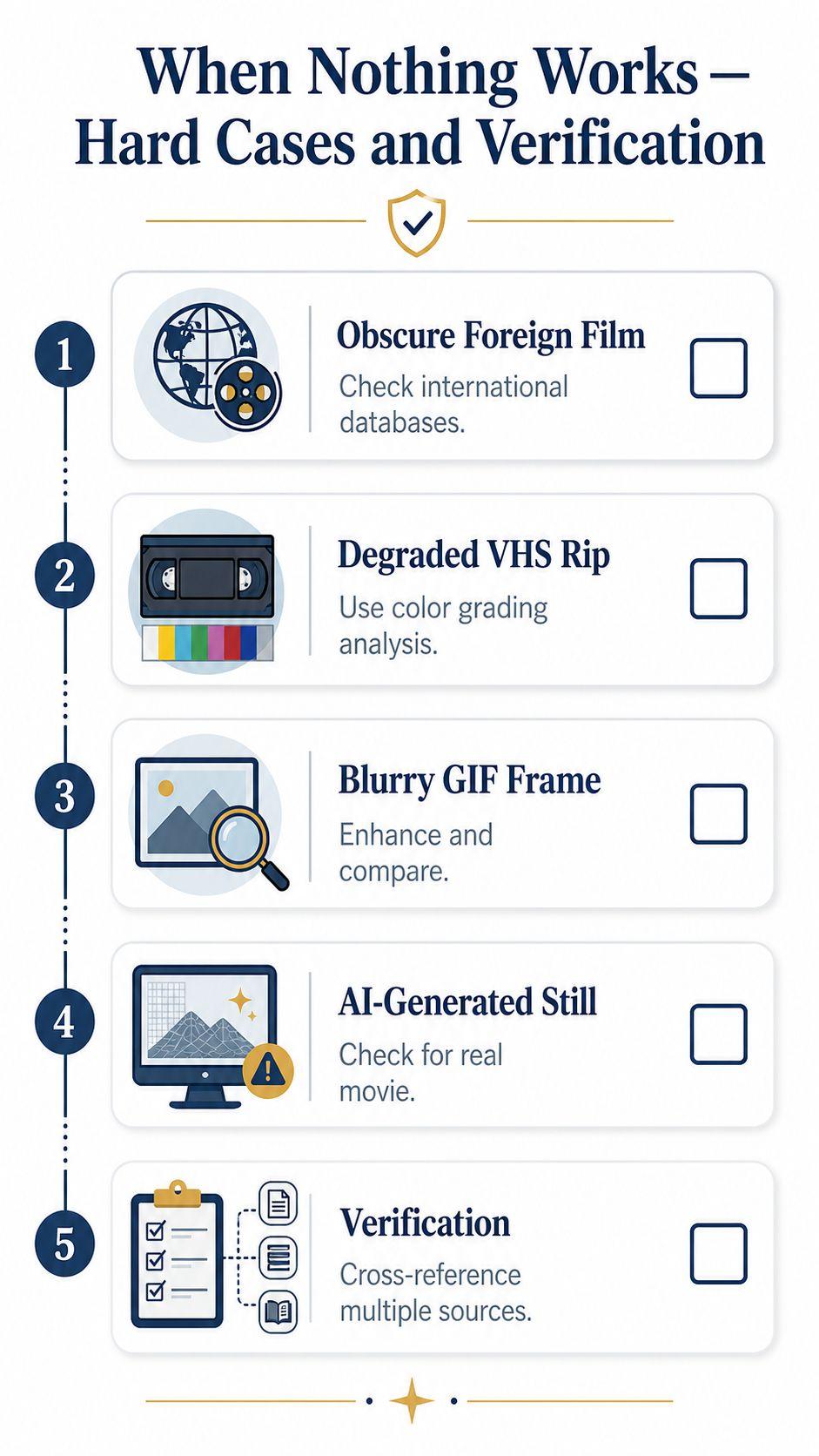
Some frames resist every obvious search. Blurry VHS rips, degraded GIFs, foreign titles with little web presence, and AI-generated stills that do not map to a real film all need a fallback chain instead of a single tool. At that point, the job shifts from finding a title to verification discipline.
Use external databases as the reality check
A candidate title should always be checked against external databases like IMDb or TMDb before you treat it as solved. Visually similar frames can map to multiple films, so the image match itself is rarely enough. Cross-check the candidate against plot summaries, trailer thumbnails, cast lists, and release details, then compare those details with what is visible in the frame.
If the frame is too blurry, crop to a face, logo, or prop and run the search again. If the image seems synthetic or oddly generic, look for signs that it does not belong to any real production. If the title seems close but not quite right, search a second clue from the same scene, because one frame can mislead where two frames converge.
Escalation works better than panic
Start with reverse image search, move to specialized AI movie finders, then ask human experts if the image still does not resolve. Specialty archives and film identification communities are especially useful for old or rare material, where context matters more than a clean visual match. Keep every candidate in a verification loop until at least one independent source supports it.
The easiest mistake is to stop when a result looks plausible. Do not. A plausible title is only the beginning of the check, especially when the frame came from a compressed source, a repost, or a clip with poor visual quality. If the source material is unreliable, the answer has to be even more reliable.
A practical fallback chain
- Search the cleanest frame first. Use reverse image search on the full shot and a tight crop.
- Narrow by context. Compare the candidate against decade, genre, country, and plot clues.
- Check the databases. Use IMDb or TMDb to confirm cast and release details.
- Ask specialists. Post in film communities if the match is still uncertain.
- Verify before you share. Do not treat one good-looking result as final.
If every tool returns a different answer, slow down and verify the image against outside evidence rather than pushing harder on the same search. For teams that handle media review, moderation, or content verification, 1chat.com/contact offers a privacy-first workspace to organize verification checks and compare multiple candidate answers without losing the thread.