In customer service, speed and empathy are everything. But how do you scale personalized, effective communication without burning out your team or sacrificing quality? The answer lies not just in having templates, but in mastering a strategic toolkit of customer service response templates designed for specific, high-impact scenarios. Generic, robotic replies alienate customers and undermine trust, while well-crafted responses can turn a frustrated user into a loyal advocate.
This guide moves beyond the basics of "Thank you for your message." We will provide a comprehensive collection of 8 powerful, psychologically-driven templates built for the modern customer. These aren't just copy-paste scripts; they are frameworks for connection, problem-solving, and brand building. You will learn not only what to say but the strategic reasoning why it works.
For each template, we’ll break down:
- The core strategy and its psychological impact.
- Ready-to-use examples with multiple tone variations.
- Quick customization tips to make each response feel personal.
- Actionable notes on how to implement them, even for small, privacy-conscious teams using tools like 1chat.
Prepare to transform your support from a simple cost center into a powerful engine for customer loyalty and sustainable growth. This article provides the exact customer service response templates you need to handle common inquiries with efficiency, empathy, and strategic precision, ensuring every interaction strengthens your customer relationships.
1. The CSAT (Customer Satisfaction) Response Template
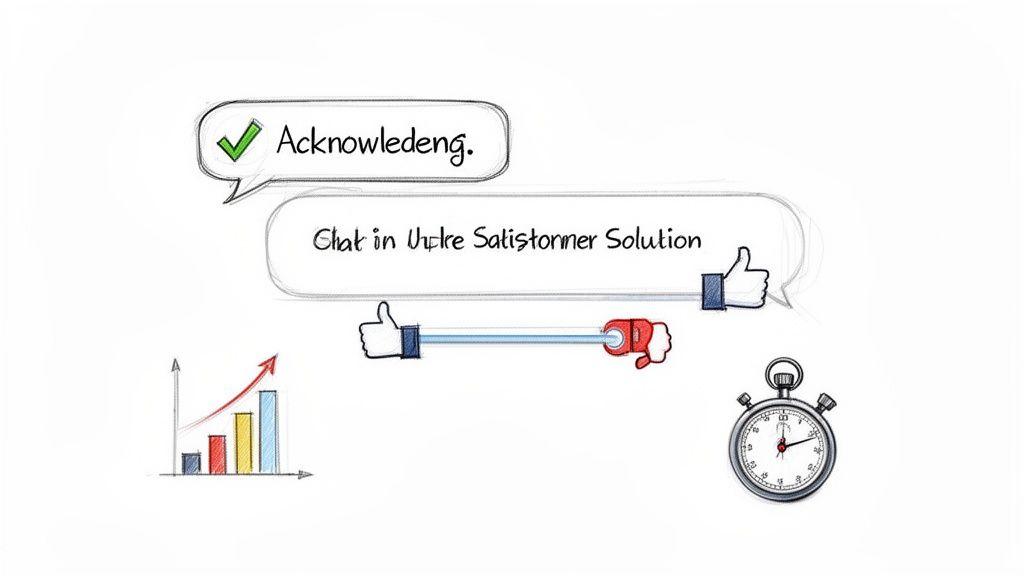
The Customer Satisfaction (CSAT) response template is more than just a reply; it's a strategic tool designed to resolve an issue and simultaneously measure the quality of your support. This structured approach acknowledges the customer's query, provides a clear solution, and immediately follows up with a simple satisfaction check-in. It’s an essential part of any modern collection of customer service response templates because it closes the feedback loop in real-time.
For small teams or businesses using tools like 1chat, this template is invaluable. It helps confirm that AI-driven assistance was successful or that a human agent’s intervention met the user's needs, transforming every interaction into a data point for service improvement. This method, popularized by customer experience leaders like Zendesk and HubSpot, embeds quality control directly into your support workflow.
Strategic Breakdown and Examples
This template’s power lies in its three-part structure: Acknowledge, Solve, and Verify.
- Acknowledge: Start by confirming you understand the customer's problem.
- Solve: Provide a direct, concise solution or answer.
- Verify: Ask a simple question to gauge satisfaction.
Here’s how it works in practice:
- Scenario: A student asks 1chat how to analyze a large PDF for a research paper.
- Response: "Hi [Student Name], thanks for asking about PDF analysis. You can upload your PDF and ask the AI to 'summarize the key arguments in Chapter 3' or 'find all mentions of economic theory.' Did this fully answer your question?"
- Scenario: A small business owner needs help with AI image generation for a marketing campaign.
- Response: "Hello [User Name], I see you needed help with image generation. To get the best results, try a detailed prompt like, 'Create a photorealistic image of a handcrafted coffee mug on a rustic wooden table, morning light.' Was this helpful for your campaign needs?"
Strategic Insight: The verification step ("Did this help?") is crucial. It’s a low-effort way for the customer to give immediate feedback, which is far more effective than a separate survey email sent hours later.
Actionable Takeaways for Implementation
To make this template work for you, focus on simplicity and integration.
- Keep the Question Simple: Use straightforward, yes/no questions for the satisfaction check. "Did that solve the issue?" or "Are you satisfied with this answer?" works best.
- Automate for Routine Inquiries: Use this template for common, frequently asked questions where the solution is standardized. This frees up your team for more complex issues.
- Personalize for Complex Issues: While the structure is a template, the solution should always be tailored. For nuanced problems, personalize the acknowledgment and solution steps before asking for feedback.
- Track Your Metrics: Log the CSAT responses (e.g., in a simple spreadsheet or your CRM). Reviewing this data monthly helps identify areas where your support or product can improve.
2. The BLUF (Bottom Line Up Front) Response Template
The BLUF (Bottom Line Up Front) response template prioritizes efficiency by delivering the most critical information immediately. This direct communication style respects the customer's time by answering their core question first, then providing context or additional details. It is one of the most effective customer service response templates for audiences who value speed and clarity, such as busy professionals, students, or small teams.
Originating from military communication, this model has been widely adopted by tech support teams like Slack and Stripe for its effectiveness. For users of platforms like 1chat, who often need quick answers about AI features, pricing, or data privacy, the BLUF approach ensures they get what they need without sifting through conversational filler. It builds trust by demonstrating that you understand and value their time.
Strategic Breakdown and Examples
This template’s effectiveness comes from its simple, inverted structure: Answer, Detail, and Guide.
- Answer: Provide the direct answer to the customer's primary question in the very first sentence.
- Detail: Use bullet points or a short paragraph to offer supporting information, features, or context.
- Guide: Conclude with clear next steps or an offer for further assistance.
Here’s how it works in practice:
- Scenario: A small business owner asks 1chat support about its privacy features.
- Response: "Yes, 1chat is designed with privacy as a priority. Our platform includes end-to-end encryption for all conversations, we do not use your data for training models, and you have full control to delete your history at any time. Let me know if you’d like a detailed breakdown of our security protocols."
- Scenario: A student asks if 1chat can analyze data from a PDF.
- Response: "Absolutely. You can upload your PDF directly and ask the AI to analyze data, summarize chapters, or extract key figures. To get started, just click the attachment icon in the chat window. Do you have a specific type of analysis in mind?"
Strategic Insight: Leading with a direct "Yes" or a clear confirmation instantly satisfies the user's primary need. This positive, efficient opening makes the subsequent details more welcome and easier to absorb.
Actionable Takeaways for Implementation
To implement the BLUF template effectively, focus on clarity and brevity.
- Lead with the Answer: Train your team or configure your AI to always start with the direct solution. Avoid lengthy greetings or unnecessary preamble.
- Use Bullet Points: Break down supporting details into a bulleted or numbered list. This makes complex information digestible at a glance.
- Maintain a Professional Tone: Brevity should not be mistaken for curtness. Keep the tone helpful and professional to ensure a positive interaction. For more tips on this, our guide on how to write professional emails offers valuable insights.
- Anticipate the Next Question: The "Guide" step should proactively address what the customer might ask next, turning a simple answer into a complete support experience.
3. The Empathy-First Response Template
The Empathy-First Response Template focuses on validating a customer's feelings before offering a solution. It's a powerful approach that shifts the interaction from a transactional problem-solving exercise to a human-centric conversation. This template acknowledges the user's frustration, concern, or confusion first, building trust and rapport before diving into technical fixes. It's one of the most crucial customer service response templates for de-escalating negative situations and strengthening customer loyalty.
For a family-friendly tool like 1chat, where users range from students to parents, leading with empathy is non-negotiable. This method, influenced by the customer-centric philosophies of Zappos and Amazon, ensures that even when technology causes friction, the human connection remains strong. It demonstrates that you see the person behind the problem, not just the support ticket.
Strategic Breakdown and Examples
This template’s effectiveness comes from its two-part flow: Validate, then Resolve.
- Validate: Explicitly acknowledge the customer's emotional state using specific, reflective language.
- Resolve: Transition smoothly to a clear, actionable solution or next step.
Here’s how it works in practice:
- Scenario: A parent is frustrated after their child encountered a non-educational AI response.
- Response: "Hi [Parent Name], thank you for bringing this to our attention. It’s completely understandable to feel concerned about the AI's responses, as your child's safety is the top priority. To prevent this, you can enable 'Safe Mode' in your account settings, which strictly limits conversations to educational topics. Here is a guide on how to do that."
- Scenario: A student is worried about academic integrity when using an AI tool for homework.
- Response: "Hello [Student Name], it's smart to be thinking carefully about academic integrity. I can see why you'd be concerned about using AI correctly. Our platform is designed as a research and brainstorming partner. To help, we recommend using it to outline ideas or check grammar, rather than for final text generation. Here are our usage guidelines for students."
Strategic Insight: The validation step must be specific. Instead of a generic "I understand your frustration," try "It sounds incredibly frustrating to deal with a login loop when you're on a deadline." This mirroring of their specific issue shows you've actually listened.
Actionable Takeaways for Implementation
To integrate this template effectively, focus on genuine connection and clear resolution.
- Mirror Customer Language: Identify the core emotion in the customer's message (e.g., "confused," "frustrated," "worried") and use that language in your response to show you're paying attention.
- Avoid Empty Platitudes: Phrases like "We apologize for the inconvenience" can feel robotic. Be specific: "I'm sorry that this bug disrupted your workflow."
- Train for Emotional Intelligence: This template isn't just a script; it's a mindset. Train your team to genuinely read and understand the emotional context of a message before replying.
- Create a Clear Bridge: Use a transitional phrase to move from validation to resolution. Simple bridges like "To get this sorted for you..." or "Let's work on fixing this..." guide the conversation forward productively.
4. The Problem-Solution-Prevention Response Template
The Problem-Solution-Prevention (PSP) template is a powerful, three-step method that not only resolves a customer's immediate issue but also educates and empowers them for the future. This approach addresses the current problem, provides a clear solution, and offers proactive advice to prevent recurrence. It's a cornerstone of effective customer service response templates because it reduces repeat inquiries and builds customer competence and confidence.
For platforms like 1chat, which serve both students and small businesses, this model is particularly effective. It turns a support ticket into a teachable moment, which is invaluable for users learning new AI tools. This philosophy, championed by tech support leaders like Apple and Microsoft, transforms customer service from a reactive function into a proactive educational resource, fostering long-term user success.
Strategic Breakdown and Examples
The strength of the PSP template lies in its clear, logical flow: Identify the Problem, Deliver the Solution, and Offer Prevention.
- Problem: Directly acknowledge and confirm your understanding of the user's specific challenge.
- Solution: Provide a step-by-step, easy-to-follow resolution.
- Prevention: Share best practices, tips, or guides to help them avoid the issue in the future.
Here’s how it works in practice:
- Scenario: A student is frustrated because their PDF analysis in 1chat is slow.
- Response: "Hi [Student Name], I understand the PDF analysis is running slower than expected. To fix this, please try compressing the PDF before uploading; this often resolves speed issues. For future projects, starting with smaller or text-optimized PDFs will ensure the fastest analysis. Did that improve the speed for you?"
- Scenario: A small business owner is confused about why some team members can't access a shared project.
- Response: "Hello [User Name], it sounds like a permissions issue is preventing team access. I've adjusted the settings to 'Team Editable' for you. To prevent this, always set the correct permissions when creating a new project. You can find a quick guide on managing team permissions here: [Link to Guide]. Is your team able to access it now?"
Strategic Insight: The 'Prevention' step is the key differentiator. It shows you are invested in the customer's long-term success, not just in closing the ticket. This builds trust and reduces future support load.
Actionable Takeaways for Implementation
To implement the PSP template effectively, focus on clarity and empowerment.
- Prioritize the Solution: Always present the immediate fix first. Customers need their problem solved now; they will be more receptive to preventative advice after their issue is resolved.
- Use Clear Formatting: Use numbered lists or bolded steps for the solution and prevention tips. This makes the information easy to scan and follow.
- Link to Resources: When possible, link to help articles, video tutorials, or FAQs in the prevention step. This provides a deeper learning resource without cluttering the response.
- Track Repeat Issues: If you notice many customers facing the same problem, use the PSP data to identify a need for better in-app guidance, a product tutorial, or a feature update.
5. The Personalized Multi-Channel Response Template
The Personalized Multi-Channel Response Template is a flexible framework, not a rigid script. It's designed to deliver a consistent brand voice and core message across different communication platforms like email, live chat, and social media. This adaptable system is a cornerstone of modern customer service response templates because it acknowledges that customers engage with brands wherever they feel most comfortable.
For a versatile tool like 1chat, which serves everyone from students to business teams, this template is critical. It ensures the support experience feels coherent, whether a user sends a quick question on Twitter or a detailed inquiry via email. This approach, championed by platforms like Intercom and Slack, unifies the customer journey by creating a seamless conversational flow between channels.
Strategic Breakdown and Examples
This template’s strength is its adaptive structure: Core Message, Channel-Specific Tone, and Clear Next Step.
- Core Message: The central piece of information or solution remains the same.
- Channel-Specific Tone: The language, length, and formality are adjusted for the platform.
- Clear Next Step: Guide the user toward resolution, which might involve switching channels.
Here is how it works in different scenarios:
- Scenario: A user asks on Twitter about advanced AI features in 1chat.
- Response: "Great question! 1chat has advanced features for data analysis and content creation. It’s a bit much for a tweet, but I just sent a detailed email to [user's email] with a full guide. Let me know if you don't get it! 😊"
- Scenario: A small business owner needs help setting up their team on 1chat and emails support.
- Response: "Hi [User Name], thanks for reaching out. I've enabled the team features on your account and attached a getting-started PDF. If you'd like a quick walkthrough, just ping us on the live chat on our site, and we can guide you through the first steps in real-time. We're here to help!"
- Scenario: A student asks a quick pricing question via WhatsApp.
- Response: "Hey there! Our student plan is just [Price]/month. It gives you full access for research, writing, and proofreading. 👍 You can sign up right on our site. Was there anything else you needed to know?"
Strategic Insight: The key is to start the conversation where the customer is but not be afraid to move it to a more appropriate channel for a full resolution. This respects their time and the limitations of each platform.
Actionable Takeaways for Implementation
To implement this template effectively, focus on consistency and context.
- Create Character-Optimized Versions: Draft short-form versions of your key responses for platforms like Twitter and SMS.
- Use Emojis Thoughtfully: Use emojis to match the informal tone of social media and chat but generally avoid them in formal email correspondence.
- Provide Easy Escalation Paths: Make it simple for a customer to move from a public social media post to a private chat or email for privacy and more detailed support.
- Personalize, Don't Just Copy-Paste: Always use the template as a starting point. Add the customer's name and reference their specific query to make the interaction feel human. For more ideas on streamlining these processes, explore these tips on how to automate customer service.
6. The Transparency & Privacy-Focused Response Template
In an era of data breaches and growing digital skepticism, the Transparency & Privacy-Focused Response Template is not just good customer service; it's a fundamental trust-building exercise. This template is designed to directly address and alleviate customer concerns about data privacy, how AI models are used, and operational transparency. It’s a vital component in any library of customer service response templates, especially for privacy-first platforms.
For organizations like 1chat, which positions itself as a secure alternative to mainstream AI, this template is a cornerstone of its brand identity. It provides clear, honest, and reassuring answers to security-conscious businesses, families, and educational institutions. This approach, championed by privacy leaders like Signal and Apple, turns a potential customer concern into an opportunity to reinforce your commitment to data protection.
Strategic Breakdown and Examples
The template’s effectiveness comes from its four-part structure: Acknowledge, State Policy, Detail Safeguards, and Empower.
- Acknowledge: Validate the customer’s privacy concern immediately.
- State Policy: Clearly state your high-level commitment to privacy.
- Detail Safeguards: Provide specific, easy-to-understand examples of your security measures.
- Empower: Offer links to detailed policies and user controls.
Here are a few practical applications:
- Scenario: A parent using 1chat is concerned about their child’s chat data being used for training models.
- Response: "Thank you for asking this important question about your child's data. At 1chat, we have a strict policy: user data is never used to train our AI models. All conversations are encrypted and processed privately. You can review our full data handling policy here [link]. Does this address your concerns?"
- Scenario: A small business owner asks about data residency to ensure they comply with local regulations.
- Response: "Hi [Business Owner Name], I understand that data residency is critical for your compliance. We want to be fully transparent: all customer data is processed and stored on secure servers located within the European Union to align with GDPR standards. Our security protocols are detailed here [link]. Is this the information you were looking for?"
Strategic Insight: The key is to move from a vague assurance ("we value your privacy") to a specific, verifiable claim ("your data is never used for training"). This concrete evidence is what builds lasting customer trust.
Actionable Takeaways for Implementation
To implement this template effectively, prioritize clarity and honesty.
- Lead with Your Privacy Stance: Begin your response with a clear, unequivocal statement about your commitment to privacy before diving into technical details.
- Use Simple Language: Avoid jargon. Explain concepts like encryption and data handling in a way anyone can understand. Instead of "end-to-end AES-256 encryption," try "your messages are secured from the moment you send them until they're read."
- Provide Direct Links: Always link to specific privacy policies, terms of service, or security whitepapers. This demonstrates transparency and empowers users to verify your claims. For more tips, read our guide on how to protect privacy online.
- Be Honest About Limitations: If there are limitations to your privacy features, state them clearly. Overselling security can backfire catastrophically. Honesty builds more trust than impossible promises.
7. The Collaborative Problem-Solving Response Template
The Collaborative Problem-Solving template reframes customer support from a one-way transaction into a dynamic partnership. Instead of simply providing answers, this approach guides the customer through a discovery process, empowering them to co-create the best solution for their unique needs. It is one of the most effective customer service response templates for building long-term user investment and confidence.
This method is particularly powerful for platforms like 1chat, where users are often integrating AI into complex workflows for business or academic projects. It transforms the support agent or AI assistant into a strategic partner, fostering a sense of ownership and deeper product understanding. This collaborative ethos, inspired by design thinking and agile coaching, is a hallmark of modern customer success teams at companies like Notion and Stripe.
Strategic Breakdown and Examples
This template’s effectiveness comes from its guided, three-step structure: Inquire, Co-Create, and Empower.
- Inquire: Start by asking clarifying questions to fully grasp the user's ultimate goal, not just their immediate question.
- Co-Create: Present a few tailored options with clear pros and cons, using partnership language like "we" and "us."
- Empower: Let the customer make the final decision and offer to support them as they implement their chosen path.
Here’s how it works in practice:
- Scenario: A small business team asks 1chat how to optimize their content creation workflow.
- Response: "Thanks for reaching out! To give you the best advice, could you tell me a bit more about your current process? Once we understand the bottlenecks, we can explore a few options together: one focused on speed using AI drafts, and another on quality with multi-step AI-assisted reviews. Which sounds closer to your goal?"
- Scenario: A group of students wants to know the best way to use 1chat for a large research project.
- Response: "That's a great use case! Let's figure out the best strategy for your team. We could set up a workflow where one person uses the AI for initial PDF analysis, and another for drafting summaries. Or, we could have everyone use it to brainstorm different angles. What’s your team’s top priority: deep analysis or broad idea generation?"
Strategic Insight: By presenting options instead of a single directive, you respect the customer's expertise in their own context. This turns them from a passive recipient into an active participant, significantly increasing their satisfaction and product adoption.
Actionable Takeaways for Implementation
To integrate this collaborative spirit into your support, focus on facilitation rather than just answering.
- Use "We" Language: Phrases like "Let's figure this out," "What if we tried," and "We can explore" instantly create a feeling of partnership.
- Present Options, Not Orders: Frame your suggestions as a menu of choices. Briefly explain the pros and cons of each, allowing the user to select the path that best fits their needs.
- Ask Open-Ended Questions: Instead of "Do you need help?", ask "What are you hoping to achieve with this?" This uncovers the deeper intent behind the initial query.
- Follow Up on Their Choice: After a customer chooses a path, follow up to see how it went. A simple "How did that workflow end up working for your team?" shows you're invested in their success beyond the initial interaction.
8. The Tiered Complexity Response Template
The Tiered Complexity Response Template is an advanced communication strategy that provides answers at multiple levels of detail in a single reply. This approach caters to a diverse audience, from beginners needing a quick solution to experts seeking technical depth. It’s a standout among customer service response templates because it respects the user's time and expertise, allowing them to engage with the information at their preferred level.
This method is particularly effective for platforms like 1chat, which serves users ranging from middle school students to business professionals. Instead of offering a one-size-fits-all answer, this template layers information from simplest to most complex. This structure, inspired by the progressive disclosure seen in technical documentation and educational platforms like Khan Academy, ensures no user feels overwhelmed or underserved.
Strategic Breakdown and Examples
This template’s effectiveness comes from its three-tiered structure: Quick Answer, Full Explanation, and Technical Details.
- Quick Answer: A brief, direct solution for users in a hurry.
- Full Explanation: A more detailed walkthrough for those wanting to understand the 'how' and 'why'.
- Technical Details: In-depth specifications or advanced context for expert users.
Here’s how it works in practice:
- Scenario: A user asks 1chat about the difference between AI models.
- Response: Quick Answer: "Our models specialize in different tasks. Use Model A for creative writing and Model B for data analysis. Full Explanation: Model A is a large language model trained on diverse literature, making it ideal for storytelling. Model B is fine-tuned on code and datasets, giving it superior logical reasoning for tasks like interpreting spreadsheets. Technical Details: Model A has a 128k context window and uses a transformer architecture with sparse attention. Model B has a 32k window but utilizes a Mixture-of-Experts (MoE) architecture..."
- Scenario: A student wants to know how to create an image.
- Response: Quick Answer: "Just describe the image you want in detail, like 'a blue cat wearing a top hat.' Full Explanation: Our image generator uses a diffusion model. Your text prompt guides the AI as it generates an image from digital 'noise.' More descriptive prompts with details on style, lighting, and composition will produce better results. Technical Details: The system is based on a latent diffusion model (LDM) that operates in the latent space for computational efficiency. It uses a CLIP-based text encoder to interpret prompts..."
Strategic Insight: Leading with the simplest answer first is key. This progressive disclosure respects the user's time and prevents them from abandoning a response that seems too technical at first glance.
Actionable Takeaways for Implementation
To implement this template effectively, focus on clarity and structure.
- Use Clear Headers: Label each section clearly (e.g., "Quick Fix," "Detailed Steps," "For Developers"). This acts as a signpost for the reader.
- Keep Tiers Self-Contained: Ensure a user can get a complete, usable answer from the first tier alone without needing to read the rest.
- Lead with the Fastest Solution: Always put the most direct and broadly useful information at the very top.
- Link to Deeper Resources: In the "Technical Details" section, include hyperlinks to developer documentation, white papers, or API guides for those who want to explore further.
8-Template Customer Service Response Comparison
| Template | Implementation Complexity (🔄) | Resources & Training (⚡) | Expected Outcomes (📊⭐) | Ideal Use Cases | Key Advantages (⭐) | Quick Tip (💡) |
| The CSAT (Customer Satisfaction) Response Template | 🔄 Low — follows a fixed structure, easy to adopt | ⚡ Low — minimal tooling; monthly metric tracking | 📊 Measurable satisfaction trends; customer retention · ⭐⭐⭐⭐ | Small support teams; routine inquiries | ⭐ Quantifiable feedback; easy scaling; cost-effective | 💡 Keep satisfaction question simple and specific |
| The BLUF (Bottom Line Up Front) Response Template | 🔄 Low — simple format change (lead with answer) | ⚡ Low — minimal training, fast responses | 📊 Faster resolution and comprehension; reduced friction · ⭐⭐⭐⭐ | Time‑conscious professionals, quick clarifications | ⭐ Time-saving clarity; great for async channels | 💡 Always begin with the direct answer; use bullets for details |
| The Empathy‑First Response Template | 🔄 Medium — tone and wording require care | ⚡ Medium–High — training for genuine empathy; slower replies | 📊 Stronger relationships and loyalty; lower escalations · ⭐⭐⭐⭐⭐ | Family‑focused products, sensitive issues, student support | ⭐ Deep trust and retention; better brand perception | 💡 Read messages twice; validate emotion using customer's language |
| Problem‑Solution‑Prevention Response Template | 🔄 Medium–High — multi-part composition needed | ⚡ High — requires product knowledge and documentation links | 📊 Fewer repeat tickets; more empowered users · ⭐⭐⭐⭐ | Educational platforms, SMB training, recurrent issues | ⭐ Educational value; reduces future support load | 💡 Start with the immediate fix, then add prevention tips |
| Personalized Multi‑Channel Response Template | 🔄 High — channel adaptations and workflow mapping | ⚡ High — CRM/integration and cross‑channel training | 📊 Improved omnichannel satisfaction and reach · ⭐⭐⭐⭐ | Organizations serving diverse demographics across channels | ⭐ Consistent brand voice; meets users on preferred channels | 💡 Keep core message consistent; adapt tone and length per channel |
| Transparency & Privacy‑Focused Response Template | 🔄 Medium — careful phrasing and legal review needed | ⚡ High — legal/engineering input; frequent updates | 📊 Increased trust with privacy‑sensitive users; competitive differentiation · ⭐⭐⭐⭐ | Regulated industries, privacy‑conscious families, schools | ⭐ Differentiates on privacy; builds institutional trust | 💡 Lead with a clear privacy statement and link policy details |
| Collaborative Problem‑Solving Response Template | 🔄 Medium–High — conversational and iterative process | ⚡ Medium — staff time and facilitation skills required | 📊 Higher engagement and tailored outcomes; advocacy growth · ⭐⭐⭐⭐ | Team customers, group projects, long‑term success plans | ⭐ Encourages ownership; yields tailored, effective solutions | 💡 Ask clarifying questions and present options with pros/cons |
| Tiered Complexity Response Template | 🔄 High — multi‑tier content and clear navigation needed | ⚡ Medium–High — content creation and formatting effort | 📊 Serves diverse skill levels; fewer follow‑ups · ⭐⭐⭐⭐ | Mixed‑experience audiences (students to professionals) | ⭐ Meets varied knowledge needs; respects time constraints | 💡 Lead with a 1‑line quick answer, then offer progressively deeper tiers |
From Template to Trust: Making These Responses Your Own
Throughout this guide, we've explored a comprehensive arsenal of customer service response templates, moving far beyond simple copy-and-paste scripts. We’ve dissected the directness of the BLUF model, the compassion of the Empathy-First approach, and the structured clarity of the Tiered Complexity template. Each one represents not just a set of words, but a strategic framework for handling specific customer interactions with precision and care.
The core lesson is this: a template is a foundation, not a finished building. Its true power is unleashed when you infuse it with your brand’s unique personality, voice, and genuine commitment to your customers. The goal isn't to sound like a robot; it's to create a consistent, high-quality support system that allows your team’s human touch to shine through more effectively.
Key Takeaways: From Framework to Action
As you begin to implement these strategies, keep these foundational principles at the forefront of your customer service philosophy:
- Structure Creates Freedom: A well-defined template, like the Problem-Solution-Prevention model, doesn't restrict your team. It frees them from figuring out how to say something, so they can focus on what needs to be said and how to personalize it.
- Empathy is Non-Negotiable: Whether you're delivering bad news or answering a simple question, leading with empathy builds a bridge of trust. This is the heart of the Empathy-First template and a critical element in all customer communication.
- Clarity Prevents Confusion: The BLUF (Bottom Line Up Front) principle is a powerful tool for respecting your customer's time. Getting straight to the point reduces back-and-forth and demonstrates confidence and competence.
- Proactivity Builds Loyalty: Don't just solve the problem at hand. As shown in the Problem-Solution-Prevention template, addressing the root cause and communicating preventative steps turns a negative experience into a loyalty-building moment.
Your Action Plan: Implementing Templates for Maximum Impact
Reading about these customer service response templates is the first step. Now, it's time for action. Here’s a simple, phased approach to integrate these powerful tools into your workflow without overwhelming your team.
- Start Small and Specific: Don't try to overhaul your entire support system overnight. Choose the single most common and time-consuming inquiry your team receives. Is it a shipping question? A refund request? A technical issue?
- Select and Adapt Your First Template: Pick the template from this article that best fits that specific scenario. For a refund request, the Empathy-First template is a great starting point. For a common technical question, the Tiered Complexity model might be ideal. Now, rewrite it in your brand’s voice.
- Implement and Gather Feedback: Put your new template into action. Encourage your team to provide feedback. Does it feel natural? Is it missing any key information? Use a tool like 1chat to store and refine these templates in a shared, privacy-focused space where your team can collaborate.
- Measure and Iterate: Track relevant metrics. Are you seeing faster resolution times? Has customer satisfaction (CSAT) for that specific issue improved? Use this data to make small, continuous improvements to your template.
- Expand Your Library: Once you've perfected your first template, move on to the next most common issue. Slowly and methodically build out your library of responses, ensuring each one is tested, refined, and perfectly aligned with your brand.
By mastering and personalizing these strategic frameworks, you’re doing more than just answering emails faster. You are building a scalable system for excellence. You are empowering your team to deliver exceptional service consistently, turning every customer interaction into an opportunity to build trust, foster loyalty, and strengthen your brand. The right words, structured in the right way, can transform your customer service from a cost center into your most powerful engine for growth.