In a world of constant digital noise, the ability to write a clear, respectful, and effective email is more valuable than ever. A poorly worded message can lead to misunderstandings, missed opportunities, and damaged relationships, whether you're a small business owner finalizing a deal, a student requesting information for a critical project, or a parent coordinating a family event. This is where mastering the fundamentals of digital communication becomes a significant advantage, and a solid email etiquette sample is the perfect tool to build that skill.
This guide moves beyond generic advice by providing a strategic breakdown of 10 essential email templates. We will dissect each example, offering actionable 'Do' and 'Don't' tips, subject line strategies, and a clear analysis of tone and structure. You will learn not just what to write, but why specific phrasing and formatting choices are more effective, empowering you to adapt these templates for any situation you encounter. We'll explore everything from professional business inquiries and networking follow-ups to student research requests and even sensitive apology emails.
The goal is to equip you with replicable methods and practical insights that make your communications more impactful. For those looking to further streamline this process, modern tools can assist in drafting, refining, and perfecting your messages, ensuring every email you send makes the right impression and achieves its intended goal. Let's dive into the samples that will transform your inbox from a source of stress into a tool for success.
1. Professional Business Inquiry Email
A professional business inquiry is a crucial first step in forming new partnerships, gathering vital information, or engaging new vendors. This type of email must be concise, clear, and respectful of the recipient's time to be effective. The goal is to get a prompt, helpful response without creating unnecessary work for the person on the other end.
This email etiquette sample demonstrates how to balance professionalism with directness, making your request easy to understand and act upon. It's an essential skill for any team, small business owner, or manager looking to build connections and drive projects forward efficiently.
Sample Email: Vendor Pricing Inquiry
Subject Line Options:
- Inquiry Regarding Your Digital Marketing Services
- Partnership Question from [Your Company Name]
- Request for Proposal: Q4 Social Media Campaign
Email Body:
Dear [Recipient Name],
My name is [Your Name], and I am the [Your Title] at [Your Company Name]. We are currently exploring new partners for our upcoming Q4 social media campaign and your agency came highly recommended.
Could you please provide information on your pricing structure for social media management services and your typical project timelines? We are specifically interested in packages covering content creation and community management for platforms like Instagram and LinkedIn.
We are aiming to make a decision by [Date]. We look forward to hearing from you.
Best regards,
[Your Name]
[Your Title]
[Your Company Name]
[Your Phone Number]
[Your Website]
Analysis & Etiquette Breakdown
- Clarity and Brevity: The email immediately states its purpose and specifies the exact information needed (pricing, timelines, specific services). This avoids vague questions that lead to time-consuming back-and-forth communication.
- Context is Key: Mentioning how you found them ("highly recommended") adds a personal touch and builds credibility.
- Clear Call-to-Action (CTA): The request for information is direct. Including a decision deadline creates a sense of urgency and helps the recipient prioritize your request.
Actionable Do's and Don'ts
- Do: State your purpose in the first sentence. Busy professionals appreciate directness.
- Don't: Ask overly broad questions like "Tell me about your services." This creates work for the recipient.
- Do: Provide a clear deadline if your request is time-sensitive.
- Don't: Forget to include your contact information in a professional signature. For an in-depth guide, you can learn more about how to write professional emails on 1chat.com.
2. Student Research Request Email
For students at any level, a well-crafted research request email is a vital tool for academic success. Whether asking a professor for guidance, a librarian for resources, or a professional for an interview, the email must convey respect, clarity, and genuine academic curiosity. This is where proper etiquette helps students build a positive reputation and access valuable information.
This email etiquette sample shows students how to make a formal request that is easy for a busy academic or professional to understand and act upon. It's an essential skill for navigating high school, college, and beyond, ensuring your inquiries are taken seriously and receive the attention they deserve.
Sample Email: Requesting Professor's Guidance
Subject Line Options:
- Question Regarding [Course Name/Number] Research Paper
- Meeting Request: [Your Name] - [Course Name]
- Guidance on Thesis for [Class Name]
Email Body:
Dear Professor [Recipient Last Name],
My name is [Your Name], and I am a student in your [Course Name and Number] class that meets on [Days of Week]. I am writing to you today because I am starting my final research paper on [Your Topic] and would appreciate your guidance.
I am particularly interested in exploring [Specific Aspect of Topic] and was hoping to discuss potential primary sources. Would you be available for a brief 15-minute meeting during your office hours next week? I am available on [Day] at [Time] or [Day] at [Time].
Thank you for your time and consideration. I look forward to your response.
Sincerely,
[Your Name]
[Your Student ID Number]
[Your Major/Program]
Analysis & Etiquette Breakdown
- Provide Full Context: The email immediately identifies the student, the specific class, and the reason for the request. Professors teach many students, so this context is crucial.
- Show You've Done Your Homework: Mentioning your topic and a specific area of interest shows you have already put thought into your project, making the professor more willing to help.
- Respect Their Time: Proposing specific, brief meeting times makes scheduling easy. It demonstrates that you are organized and value their busy schedule.
Actionable Do's and Don'ts
- Do: Use a formal salutation like "Dear Professor [Last Name]" and include your course number in the subject line.
- Don't: Send a vague email like "I need help with my paper." Be specific about what kind of guidance you need.
- Do: Propose 2-3 specific meeting times to reduce back-and-forth scheduling.
- Don't: Forget to include your full name and student ID in your signature for easy identification.
3. Team Collaboration and Project Update Email
Effective team collaboration relies on clear, consistent communication, especially when managing complex projects. A project update email is a vital tool for keeping all team members, whether remote or in-office, aligned on progress, next steps, and potential roadblocks. This email must be structured for quick scanning and easy comprehension.
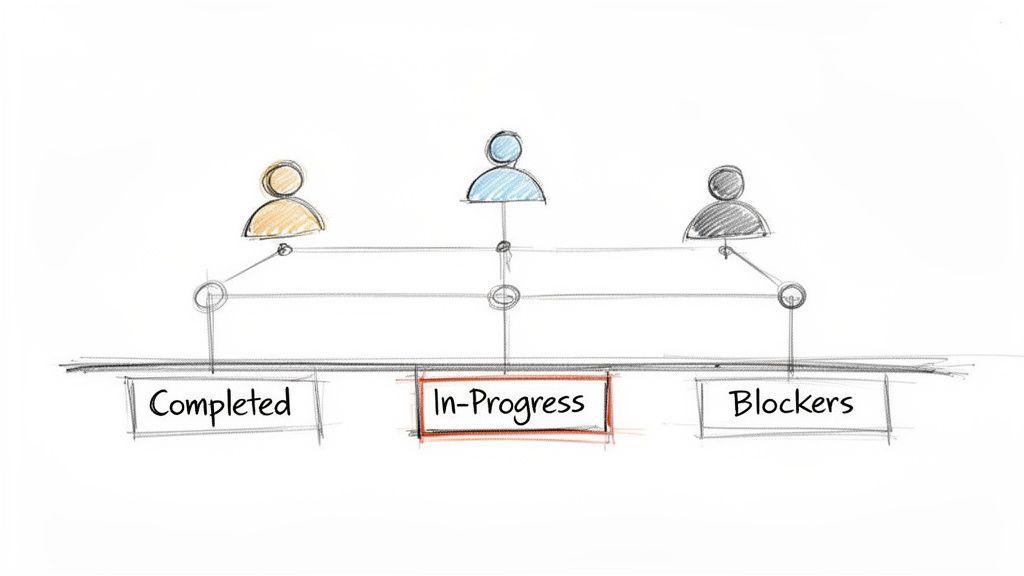
This email etiquette sample shows how to deliver a status report that is informative without contributing to inbox clutter. It is perfect for project managers, team leads, or any team member responsible for keeping stakeholders informed, ensuring projects stay on track and transparent.
Sample Email: Weekly Sprint Update
Subject Line Options:
- Project Phoenix: Weekly Update for [Date]
- Status Report: Q3 Marketing Campaign - Week 2
- Update & Blockers: User Onboarding Flow
Email Body:
Hi Team,
Here is the weekly progress report for the Project Phoenix sprint ending [Date].
Completed This Week:
- Finalized UI mockups for the new dashboard (95% complete).
- Integrated payment gateway API.
- User testing script drafted and ready for review.
Priorities for Next Week:
- Begin front-end development of the dashboard.
- Conduct first round of internal user testing.
- Finalize Q&A documentation for launch.
Blockers/Needs:
- [Needs Input] I need feedback from [Team Member's Name] on the testing script by EOD Monday to stay on schedule.
Let's have a great week.
Best,
[Your Name]
[Your Title]
Analysis & Etiquette Breakdown
- Scannability is Crucial: The use of bolded headers (
Completed,Priorities,Blockers) and bullet points allows recipients to quickly grasp the project's status in under 30 seconds. - Focus on Action and Obstacles: The email clearly separates what’s done from what’s next. The "Blockers" section is the most important part, as it directly calls for action to prevent delays.
- Quantifiable Progress: Using metrics or percentages like "(95% complete)" provides a more precise and tangible sense of progress than vague statements.
Actionable Do's and Don'ts
- Do: Send updates on a consistent schedule (e.g., every Friday afternoon) so the team knows when to expect them.
- Don't: Write long narrative paragraphs. Use lists and bullet points for maximum clarity and readability.
- Do: Clearly identify any team members whose input is needed to resolve a blocker.
- Don't: Forget to celebrate milestones. Acknowledging completed tasks boosts team morale. For more strategies, you can learn how to improve team communication on 1chat.com.
4. Family-Friendly Announcement Email
A family-friendly announcement email bridges the gap between formal and casual communication, making it perfect for schools, community groups, and parent-teacher interactions. The key is to be warm, clear, and inclusive, ensuring all recipients feel welcomed and informed. This type of email must convey important details without being cold or overly corporate.
This email etiquette sample shows how to craft a message that is both professional and approachable. It's an essential template for educators, school administrators, and parent organizers who need to communicate effectively with a diverse family audience, ensuring key information is received and understood.
Sample Email: School Family Fun Day Announcement
Subject Line Options:
- You're Invited! Join Us for Family Fun Day on [Date]
- Upcoming School Event: Family Fun Day Details Inside!
- Save the Date: [School Name]'s Annual Family Fun Day
Email Body:
Dear Families of [School Name],
We are thrilled to invite you to our annual Family Fun Day! It’s a wonderful opportunity for our community to come together for a day of games, food, and fun.
Date: Saturday, October 26th
Time: 11:00 AM - 3:00 PM
Location: The main school playground and field
We will have a variety of activities for all ages, including face painting, a bouncy castle, and craft stations. A bake sale will also be held to support our school library project.
Please RSVP by [Date] so we can get a headcount. We can't wait to see you there!
Warmly,
The [School Name] Parent-Teacher Association
[Contact Person Name, optional]
[School Website]
Analysis & Etiquette Breakdown
- Warm and Inclusive Tone: The email uses welcoming language like "thrilled to invite you" and "wonderful opportunity" to create a positive, community-focused feeling.
- Key Information is Highlighted: Critical details like date, time, and location are bolded and placed on separate lines. This makes them easy to scan and remember, which is crucial for busy parents.
- Simple and Clear Language: The message avoids educational jargon or complex sentences, ensuring it is accessible to everyone, regardless of their background.
Actionable Do's and Don'ts
- Do: Use a friendly and warm salutation like "Dear Families" to be inclusive.
- Don't: Forget to include a clear call-to-action, such as an RSVP request with a deadline.
- Do: Highlight the most important information visually using bold text or bullet points.
- Don't: Overload the email with too much text. Keep it focused on the single announcement to avoid confusion.
5. Professional Apology and Correction Email
Mistakes happen in any professional environment, but how they are handled can define a relationship. A professional apology email is a critical tool for acknowledging an error, taking responsibility, and outlining a clear path to resolution. It demonstrates accountability and respect, which are essential for rebuilding trust with clients, partners, or team members.
This email etiquette sample shows how to address a mistake promptly and professionally. The goal is not just to say sorry, but to show you've taken the issue seriously and are committed to making things right, turning a negative situation into an opportunity to reinforce your reliability.
Sample Email: Acknowledging a Missed Deadline
Subject Line Options:
- Apology Regarding the [Project Name] Deadline
- Update and Apology: [Task/Report Name]
- Correction: Following Up on My Previous Email
Email Body:
Dear [Recipient Name],
Please accept my sincere apologies for the delay in delivering the [Project Name] report, which was due yesterday. I take full responsibility for this oversight.
I have attached the completed report to this email. To prevent this from happening again, I have already implemented a new calendar alert system for all project deadlines.
I understand the importance of timely delivery and apologize for any inconvenience this has caused your team. Please let me know if you have any questions or if there is anything else I can do.
Sincerely,
[Your Name]
[Your Title]
[Your Company Name]
[Your Phone Number]
Analysis & Etiquette Breakdown
- Lead with the Apology: The email begins directly with a clear, unambiguous apology. It avoids making excuses and immediately accepts responsibility.
- Provide the Solution: It doesn't just apologize; it delivers the overdue item and explains the corrective action taken to prevent a recurrence. This shows proactive problem-solving.
- Focus on Resolution: The tone is forward-looking. The focus is on the solution and future prevention rather than dwelling on the past mistake.
Actionable Do's and Don'ts
- Do: Send the apology as soon as you realize the error has occurred. Timeliness is crucial.
- Don't: Offer lengthy, defensive explanations or blame others. This undermines the sincerity of the apology.
- Do: Clearly state the corrective action you are taking. This demonstrates accountability.
- Don't: Make promises you can't keep. Ensure your proposed solution is realistic and that you follow through on it.
6. Professional Networking and Connection Email
Initiating a professional connection via email requires a delicate balance of respect, genuine interest, and clarity. This type of email is your digital handshake, used to build relationships with potential partners, mentors, or industry peers. It must be personalized and concise to stand out in a crowded inbox and make a positive first impression.
This email etiquette sample shows how to reach out authentically without being demanding. For any professional, team, or small business owner, mastering this outreach is key to expanding networks, uncovering new opportunities, and building a strong professional community.
Sample Email: Informational Interview Request
Subject Line Options:
- Connecting with a Fellow [Industry] Professional
- Question from [Your Name] re: Your Work in [Field]
- Informational Interview Request - [Mutual Connection's Name]
Email Body:
Dear [Recipient Name],
My name is [Your Name], and I'm a [Your Title] at [Your Company]. I have been following your impressive work on [Specific Project or Accomplishment] for some time now and was particularly inspired by your approach to [Specific Detail].
As someone passionate about [Your Field], I would be grateful for the opportunity to learn from your experience. Would you be open to a brief 15-minute virtual coffee chat in the coming weeks to share some insights?
I am flexible and happy to work around your schedule. Thank you for your time and consideration.
Best regards,
[Your Name]
[Your Title]
[Your Company Name]
[LinkedIn Profile URL]
Analysis & Etiquette Breakdown
- Genuine Personalization: The email opens by referencing a specific project or accomplishment. This shows you've done your research and your interest is authentic, not just a generic template.
- Respect for Time: The request is for a "brief 15-minute" chat, which is a small, low-commitment ask. This makes it much more likely the recipient will say yes.
- Clear, Low-Pressure CTA: The call-to-action is a question ("Would you be open to...") rather than a demand. Offering to work around their schedule puts them in control and shows respect.
Actionable Do's and Don'ts
- Do: Reference a mutual connection or specific work to establish common ground immediately.
- Don't: Make the email about you. Focus on them and why you value their expertise.
- Do: Keep the email to 4-5 sentences maximum. Brevity is a sign of respect for their time.
- Don't: Be vague about your ask. Clearly state what you are requesting (e.g., a 15-minute chat). For more advanced outreach strategies, explore these cold email examples on 1chat.com.
7. Clear Request and Deadline Email
Making a clear request with a firm deadline is fundamental to effective project management and team collaboration. This email must eliminate ambiguity by clearly defining the task, expectations, and timeline. The goal is to empower the recipient to act efficiently without needing to ask for clarification.
This email etiquette sample shows how to structure a request to be both authoritative and respectful. It is an essential tool for project managers, team leads, and anyone delegating tasks, as it sets clear expectations from the start and helps keep projects on track.
Sample Email: Request for Budget Report
Subject Line Options:
- Request: Q3 Budget Report Submission
- Action Required: Final Budget Report for [Project Name]
- Budget Report Due: [Date]
Email Body:
Hi [Recipient Name],
Hope you're having a productive week.
Please prepare the final Q3 budget report for the [Project Name] project. The report should include:
- A breakdown of all expenditures versus the initial budget.
- An analysis of any significant variances.
- Recommendations for Q4 spending.
Please submit the report as a PDF. The deadline for this is Friday, October 26th, at 3:00 PM. This is a firm deadline as we need to include these figures in our quarterly review with leadership.
Let me know if you have any questions.
Thanks,
[Your Name]
[Your Title]
Analysis & Etiquette Breakdown
- Specificity is Paramount: The request uses a numbered list to break down exactly what the report must contain. This removes guesswork and ensures the final product meets all requirements.
- Deadline Clarity and Justification: The deadline is stated in bold with a specific day, date, and time. Crucially, it provides a brief reason for the deadline’s importance ("quarterly review with leadership"), which fosters understanding and cooperation.
- Action-Oriented Subject Line: The subject lines are direct and informative, immediately telling the recipient what the email is about and its level of urgency.
Actionable Do's and Don'ts
- Do: Use a numbered or bulleted list for multiple requirements to improve readability.
- Don't: Be vague about the deadline. Avoid phrases like "by the end of the week" or "ASAP."
- Do: Specify the desired format for the deliverable (e.g., PDF, Google Doc, PowerPoint).
- Don't: Forget to offer help or clarification. This shows you're a supportive team member, not just a taskmaster.
8. Thank You and Appreciation Email
A thank you email is a powerful tool for building strong professional relationships and fostering a positive workplace culture. Sending a timely, specific note of appreciation shows that you value others' contributions, whether it's a colleague who helped you meet a deadline or a manager who provided support. It demonstrates emotional intelligence and reinforces collaborative behavior.
This email etiquette sample shows how to express genuine gratitude without sounding insincere or overly formal. It’s a simple yet highly effective way for team members, leaders, and even students to strengthen connections and acknowledge the efforts of those around them. This practice is crucial for maintaining morale and encouraging mutual support.
Sample Email: Acknowledging a Colleague's Help
Subject Line Options:
- Thank You for Your Help on the Q3 Report
- Appreciation for Your Support Today
- Quick Thanks for Your Insight
Email Body:
Hi [Colleague’s Name],
I wanted to send a quick note to say thank you for your help with the Q3 report this afternoon. Your insights on the data visualization were incredibly valuable and helped me get the final draft to the client ahead of schedule.
I really appreciate you taking the time to walk me through the new software. It made a huge difference.
Let me know if I can ever return the favor.
Best,
[Your Name]
[Your Title]
Analysis & Etiquette Breakdown
- Specificity is Key: The email doesn't just say "thanks for your help." It specifically mentions "insights on the data visualization" and "walking me through the new software." This makes the praise feel authentic and meaningful.
- Highlight the Impact: By stating that their help led to an early submission ("ahead of schedule"), you show the direct positive outcome of their actions. This validates their effort.
- Timeliness Matters: Sending the email the same day or the next morning ensures the action is still fresh in both of your minds, maximizing its impact.
Actionable Do's and Don'ts
- Do: Be specific about what you are thankful for and the positive impact it had.
- Don't: Wait too long to send your thank you note. Promptness shows sincerity.
- Do: Keep it concise and to the point. Genuine appreciation doesn't require a long essay.
- Don't: Use a generic template without personalization. It can come across as insincere.
9. Difficult Conversation Preparation Email
Initiating a difficult conversation via email requires a delicate balance of professionalism, clarity, and empathy. This type of email sets the stage for sensitive topics like performance reviews, policy changes, or conflict resolution. The goal is to schedule a discussion without causing premature anxiety or defensiveness, ensuring the subsequent conversation is productive.
This email etiquette sample shows how to provide necessary context while keeping the message brief and neutral. It’s a crucial skill for managers, HR professionals, and team leaders who need to handle challenging workplace discussions with care and respect, ensuring all parties feel prepared and valued.
Sample Email: Scheduling a Performance Discussion
Subject Line Options:
- Checking In: Let's Discuss Your Role
- Follow-up Regarding [Project Name] & Your Contributions
- Meeting Request: [Your Name] & [Recipient Name]
Email Body:
Hi [Recipient Name],
I'd like to set aside some time this week to connect and discuss your current projects and overall performance goals for the next quarter. I have some feedback to share that will be helpful for your continued growth here at [Company Name].
Please let me know what time works best for you. I am available [Day] at [Time] or [Day] at [Time].
This will be a private and constructive conversation focused on supporting your success on the team.
Best,
[Your Name]
[Your Title]
Analysis & Etiquette Breakdown
- Neutral and Supportive Tone: The email frames the conversation around "goals" and "growth," avoiding alarming or accusatory language. This reduces anxiety and encourages a more open-minded approach from the recipient.
- Context Without Over-Sharing: It clearly states the topic (performance, projects, feedback) but saves the specific details for the in-person or video conversation. This prevents misinterpretation and emotional escalation over email.
- Reassurance is Key: Explicitly stating the conversation will be "private and constructive" helps build trust and sets a positive framework for the meeting.
Actionable Do's and Don'ts
- Do: Offer multiple time options to give the recipient a sense of control and flexibility.
- Don't: Use a vague or ominous subject line like "We need to talk." This creates unnecessary stress.
- Do: Keep the email brief. The purpose is to schedule the meeting, not have the difficult conversation in writing.
- Don't: Forget to assure the recipient of confidentiality and your supportive intentions.
10. Welcome and Onboarding Email
The welcome and onboarding email is a new hire's or member's first official glimpse into your organization's culture. A well-crafted message sets a positive tone, reduces first-day anxiety, and provides critical information to ensure a smooth transition. For growing businesses, schools, or community groups, this email is an essential tool for making people feel valued from the very beginning.
This email etiquette sample shows how to blend a warm, welcoming tone with practical, organized information. It helps new members feel prepared and excited, transforming a potentially stressful experience into a positive one. This is a key communication for any manager, HR professional, or school administrator.
Sample Email: New Employee Welcome
Subject Line Options:
- Welcome to the Team, [New Hire Name]!
- Your First Day at [Company Name]
- Getting Started: Important Information for Your First Week
Email Body:
Hi [New Hire Name],
On behalf of the entire team, I’d like to extend a warm welcome to [Company Name]! We are thrilled to have you join us as our new [Your Title] and look forward to your start on [Start Date].
To help you prepare, here is some key information for your first day:
- Arrival Time: Please arrive by 9:00 AM.
- Location: Our office is at [Full Address]. You can park in any of the visitor spots out front.
- First Day Plan: You'll meet with HR for orientation, get your tech set up, and then I will introduce you to the team before we all go out for a welcome lunch.
- What to Bring: Please bring your I-9 verification documents. The dress code is business casual.
We have assigned [Buddy's Name] as your onboarding buddy to help you get settled in. Please don't hesitate to reach out to either of us with any questions.
We can't wait for you to get started!
Best,
[Your Name]
[Your Title]
[Your Company Name]
[Your Phone Number]
Analysis & Etiquette Breakdown
- Warmth and Enthusiasm: The email opens with a genuinely welcoming statement. This immediately makes the new hire feel like a valued part of the team.
- Structured Information: Using bold headings and bullet points makes critical details (time, location, schedule) easy to scan and digest. This clarity reduces confusion and pre-start date questions.
- Setting Expectations: A brief outline of the first day's activities helps manage expectations and eases any "what-if" anxieties the new person might have.
Actionable Do's and Don'ts
- Do: Send the email 1-2 weeks before the start date to give them time to prepare.
- Don't: Overwhelm them with too much information. Stick to the essentials for day one.
- Do: Include the name of a buddy or point person for questions. This creates an immediate support system.
- Don't: Forget to include practical details like the dress code or what documents to bring.
Email Etiquette: 10 Samples Compared
| Template | Implementation Complexity 🔄 | Resource Requirements ⚡ | Expected Outcomes ⭐📊 | Ideal Use Cases | Key Advantages 💡 |
| Professional Business Inquiry Email | 🔄 Medium — formal structure, clear CTA | ⚡ Low — recipient details + brief context | ⭐⭐⭐ — higher response rate; improved credibility 📊 | Vendor pricing, partnerships, proposals | Establishes professionalism; sets timelines; scalable with 1chat |
| Student Research Request Email | 🔄 Low — respectful tone and clear ask | ⚡ Minimal — student details, course info | ⭐⭐⭐ — better access and helpful replies 📊 | Students contacting professors, librarians, requesting extensions | Builds academic rapport; improves clarity; good for proofreading |
| Team Collaboration and Project Update Email | 🔄 Medium — structured sections and metrics | ⚡ Moderate — project data, regular cadence | ⭐⭐⭐ — alignment; fewer meetings; documented history 📊 | Weekly sprints, stakeholder updates, milestone reports | Keeps teams aligned; reduces meeting load; creates audit trail |
| Family-Friendly Announcement Email | 🔄 Low — simple, welcoming format | ⚡ Low — plain language, key details, optional visuals | ⭐⭐ — increased engagement and inclusivity 📊 | School announcements, parent updates, family events | Accessible tone; encourages participation; suitable for varied literacy |
| Professional Apology and Correction Email | 🔄 Medium-High — sensitive, precise wording needed | ⚡ Low-Moderate — facts, remedy plan, timing | ⭐⭐⭐ — can rebuild trust if timely and sincere 📊 | Missed deadlines, service disruptions, error corrections | Demonstrates accountability; prevents escalation; restores credibility |
| Professional Networking and Connection Email | 🔄 Medium — requires personalization | ⚡ Moderate — brief research on recipient | ⭐⭐⭐ — fosters connections and opportunities 📊 | Cold outreach, reconnecting, informational interviews | Builds relationships; opens collaboration opportunities; personalizable at scale |
| Clear Request and Deadline Email | 🔄 Low — direct structure with deliverables | ⚡ Low — clear requirements and deadline | ⭐⭐⭐ — fewer clarifications; improved on-time delivery 📊 | Manager requests, content deadlines, proposal submissions | Reduces back-and-forth; sets expectations; improves productivity |
| Thank You and Appreciation Email | 🔄 Low — specific and concise | ⚡ Minimal — identify what to acknowledge | ⭐⭐⭐ — boosts morale and relationships 📊 | Recognition for colleagues, clients, mentors, teachers | Strengthens relationships; high ROI; inexpensive to send |
| Difficult Conversation Preparation Email | 🔄 Medium-High — careful, neutral phrasing | ⚡ Moderate — agenda, scheduling options, confidentiality | ⭐⭐⭐ — better prep; reduced anxiety; improved outcomes 📊 | Performance reviews, policy discussions, conflict resolution | Provides notice and context; sets respectful tone; aids preparation |
| Welcome and Onboarding Email | 🔄 Medium — comprehensive but organized | ⚡ Moderate — resources, contacts, schedule links | ⭐⭐⭐ — smoother integration; reduced support needs 📊 | New hires, students, program participants | Creates positive first impression; reduces onboarding friction; clarifies next steps |
Turning Email Knowledge Into Action
Mastering the art of the email is not about memorizing a rigid set of rules; it's about developing an intuitive sense of clarity, respect, and purpose in your digital communications. Throughout this guide, we have explored a wide range of scenarios, from a professional business inquiry to a family-friendly announcement. Each email etiquette sample served as more than just a template; it was a practical demonstration of strategic communication in action.
The core lesson is that every effective email, regardless of context, is built on a foundation of empathy. It anticipates the recipient's needs, respects their time, and provides a clear path to the desired outcome. This is the common thread connecting the student's research request, the team's project update, and the professional's networking introduction.
From Examples to Expertise: Key Takeaways
The true power of this collection lies in the principles behind the examples. As you move forward, the goal is not to copy and paste, but to internalize these foundational strategies. Let's distill the most critical lessons from our journey:
- Clarity is King: Your subject line is the gatekeeper. It must be specific, concise, and immediately communicate the email's purpose. Inside the email, use short paragraphs, bullet points, and bold text to guide the reader's eye and make your key points impossible to miss.
- The Recipient is the Focus: Always write from the recipient's perspective. What do they need to know? What action do you need them to take? Frame your message around their context, which makes it easier for them to understand and respond positively.
- Tone Defines the Relationship: Your choice of words sets the emotional tone. Whether you're offering an apology, expressing thanks, or making a request, a tone of genuine respect and professionalism builds trust and strengthens relationships, both in business and personal life.
Your Action Plan for Better Emails
Knowledge becomes power only when it is applied. Watching an expert swimmer is different from learning to swim yourself. Similarly, reading about a good email etiquette sample is just the first step. The next is to put these principles into practice consistently.
Here is a simple, actionable plan to integrate these lessons into your daily routine:
- The Pre-Send Pause: Before you hit "send" on your next email, take 30 seconds to review it. Ask yourself: Is my subject line clear? Is my primary request obvious? Is the tone appropriate for my audience? This single habit can prevent countless misunderstandings.
- Start with a Framework: For important or recurring emails, don't start from a blank page. Refer back to a relevant email etiquette sample from this guide. Use its structure as a skeleton for your own message, adapting the specifics to fit your unique situation.
- Seek Feedback: For a critical email, like a job application or a major client proposal, ask a trusted colleague or mentor to review it. A fresh pair of eyes can spot ambiguities or tonal issues you might have overlooked.
The Lasting Impact of Effective Communication
Ultimately, improving your email etiquette is about more than just efficiency. It’s about building a reputation for being a clear, respectful, and reliable communicator. In a professional setting, this reputation can unlock opportunities, streamline projects, and foster a more positive and productive work environment. For students, it builds a foundation for academic and professional success. For families, it ensures important information is shared with clarity and warmth.
The emails you send are a direct reflection of your personal and professional brand. By consciously applying the strategies and frameworks we've discussed, you are not just writing better emails; you are building stronger connections, minimizing friction, and positioning yourself for greater success in every area of your life. Start today, with your very next message, and turn this knowledge into a lasting skill.